FinalScout vs GetProspect: Which Email Finder Wins in 2026?
FinalScout leans on LinkedIn scraping and AI-written emails. GetProspect sells a 200M-contact database with a CRM attached. We tested both on price, coverage, and verified-hit rate — here's which one you should actually pay for.
FinalScout vs GetProspect is a close fight, but the two tools work in opposite ways. One lives in your browser on LinkedIn. The other sells you a database with a CRM attached. Here is how they compare on price, coverage, and verified-hit rate.
TL;DR
- FinalScout is a LinkedIn-first Chrome extension with AI email drafting. It fits when your prospecting starts inside Sales Navigator.
- GetProspect is a searchable B2B contact database (~200M contacts, per its own marketing) with a light CRM and list builder.
- At volume, GetProspect costs less per verified contact. FinalScout is faster for one-off LinkedIn pulls.
- Neither tool fits if you need a solid API, catch-all handling, or domain-wide search. That is where a finder like Tomba slots in at $49/mo.
- Our pick: GetProspect for list-building teams, FinalScout for solo LinkedIn sellers, and a finder plus verifier stack above ~2,000 cold emails a month.
What are FinalScout and GetProspect, actually?#
They solve the same problem — you have a name, you need an email — from opposite ends.
FinalScout is built around LinkedIn. You install the extension, then open a profile or a Sales Navigator search. It pulls the contact and drafts an email based on that person's profile. Its headline claim is up to 98% deliverability on the addresses it finds. The product lives in your browser, not in a database you query.
GetProspect starts from the database. You filter by job title, industry, headcount, tech stack, or location. It returns a list you can export or work inside its built-in CRM. It ships a LinkedIn extension too, but that extension mostly feeds the list builder.
That one difference drives every tradeoff below: pricing, bulk behavior, how each handles a domain you have never touched, and what breaks when LinkedIn changes its layout.
FinalScout vs GetProspect: how do they compare head-to-head?#
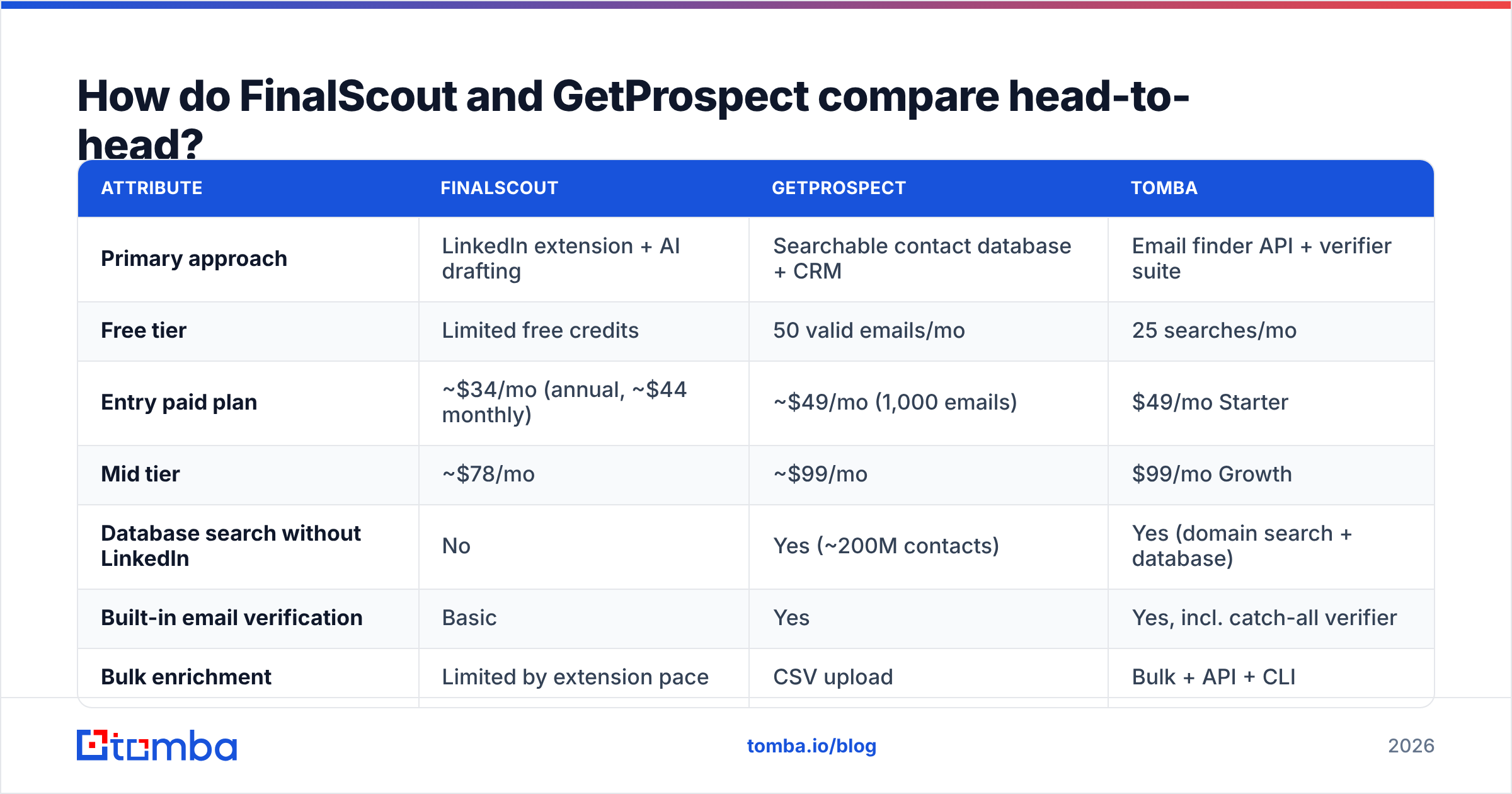
| Attribute | FinalScout | GetProspect | Tomba |
|---|---|---|---|
| Primary approach | LinkedIn extension + AI drafting | Searchable contact database + CRM | Email finder API + verifier suite |
| Free tier | Limited free credits | 50 valid emails/mo | 25 searches/mo |
| Entry paid plan | ~$34/mo (annual, ~$44 monthly) | ~$49/mo (1,000 emails) | $49/mo Starter |
| Mid tier | ~$78/mo | ~$99/mo | $99/mo Growth |
| Database search without LinkedIn | No | Yes (~200M contacts) | Yes (domain search + database) |
| Built-in email verification | Basic | Yes | Yes, incl. catch-all verifier |
| Bulk enrichment | Limited by extension pace | CSV upload | Bulk + API + CLI |
| Public API | Limited | Yes | Yes, documented, versioned |
| AI email writing | Yes (core feature) | No | No (finder-focused) |
| Best for | Solo LinkedIn sellers | List-building SDR teams | Dev/RevOps pipelines |
Prices move, so check each vendor's page before you buy. The shape of the comparison has been stable for two years. FinalScout charges for browsing convenience. GetProspect charges for database access. Dedicated finders charge for lookup accuracy at API scale.
Which one finds more emails?#
Neither wins outright. They miss in different places, and that matters more than a headline percentage.
FinalScout does well on active profiles at mid-size and large companies. Its weak spot is built in: no LinkedIn profile, no result. Founders of six-person agencies come back empty. So do technical buyers who last posted in 2019, and most regions where LinkedIn use is thin. You also inherit LinkedIn's rate limits and account risk, because the extension runs on your session.
GetProspect covers more ground. It returns contacts you would never find by browsing. But database records go stale. A record scraped 18 months ago for a director who has since moved is worse than no record. It looks valid, then it bounces. GetProspect verifies at export, which helps. Verification only catches syntax and mailbox errors, though — not the buyer who left in March.
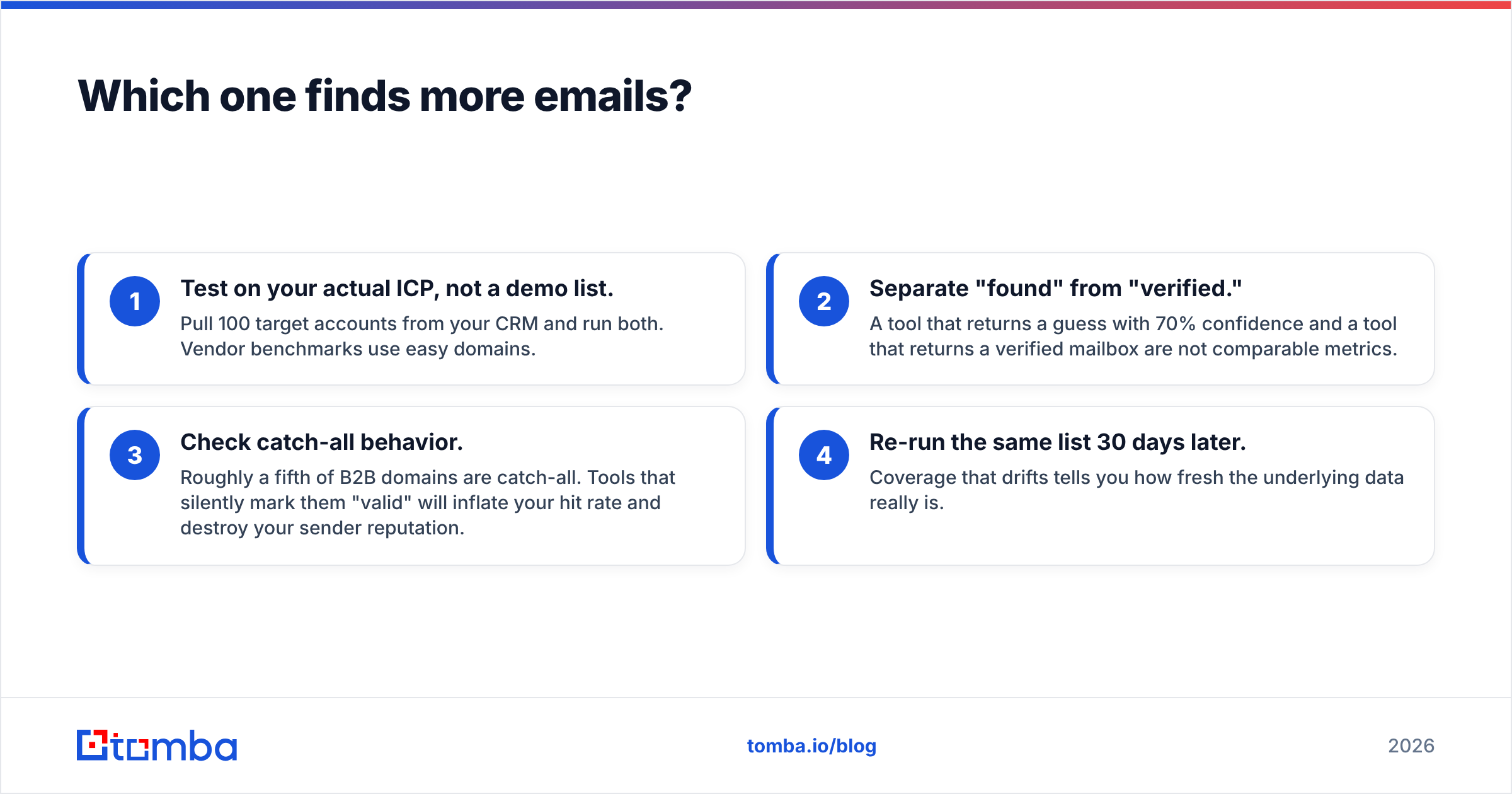
Four checks before you trust either number:
- Test on your real ICP, not a demo list. Pull 100 target accounts from your CRM and run both. Vendor benchmarks use easy domains.
- Separate "found" from "verified." A guess with 70% confidence and a verified mailbox are not the same metric.
- Check catch-all behavior. About a fifth of B2B domains are catch-all. Tools that mark them valid inflate your hit rate and hurt your sender reputation.
- Re-run the same list 30 days later. Drift tells you how fresh the data really is.
That is why many teams run two stages. A finder handles discovery. Then a separate email verifier checks every address before it enters a sequence. Letting the same vendor verify its own guesses is a conflict you pay for in bounces.

Is FinalScout's AI email writing worth paying for?#
It is worth something, but it is the weakest part of the product.
FinalScout writes a first-touch email from the prospect's profile: role, company, recent activity. In 2022 that stood out. In 2026, every sequencer ships the same thing — Instantly, Smartlead, lemlist, Apollo. Free tools like a cold email AI writer do it too. You are paying a premium inside a data tool for a commodity feature.
Deliverability matters here as well. AI openers have a shape buyers now recognize ("I noticed you recently..."). Spam filters recognize it too. Send the draft as-is to 500 people and you send 500 near-identical emails from one domain. The 2024 bulk-sender rules from Google and Microsoft made that riskier. Treat the output as a first draft, not a send.
Where the AI earns its keep: reps who would otherwise write nothing. A rough personal line beats a blank template, and the profile-to-draft loop removes the friction that kills manual research.
Is GetProspect's database big enough?#
For most mid-market and enterprise prospecting, yes. For long-tail SMB and non-US markets, expect gaps.
The ~200M contact claim puts GetProspect near Apollo, RocketReach, and Lusha. It sits well behind ZoomInfo on enterprise depth and well ahead of pure extension tools. The filters are solid: title, seniority, industry, company size, location, and some technographics. The CRM layer helps small teams without HubSpot or Pipedrive, since it saves an export-import cycle.
Two caveats worth pricing in:
- Credits burn on records, not on results. A stale contact still costs you a credit. Read the credit-back policy before you sign an annual plan.
- Database tools push you toward volume. When 50,000 contacts sit one click away, the urge is to blast. That is the fastest way to burn a domain. Pair it with strict list hygiene and a real email deliverability process.
Want database breadth without the CRM? BookYourData sells verified B2B contacts pay-as-you-go with a bounce guarantee. Different model, same job — and no subscription lock-in.

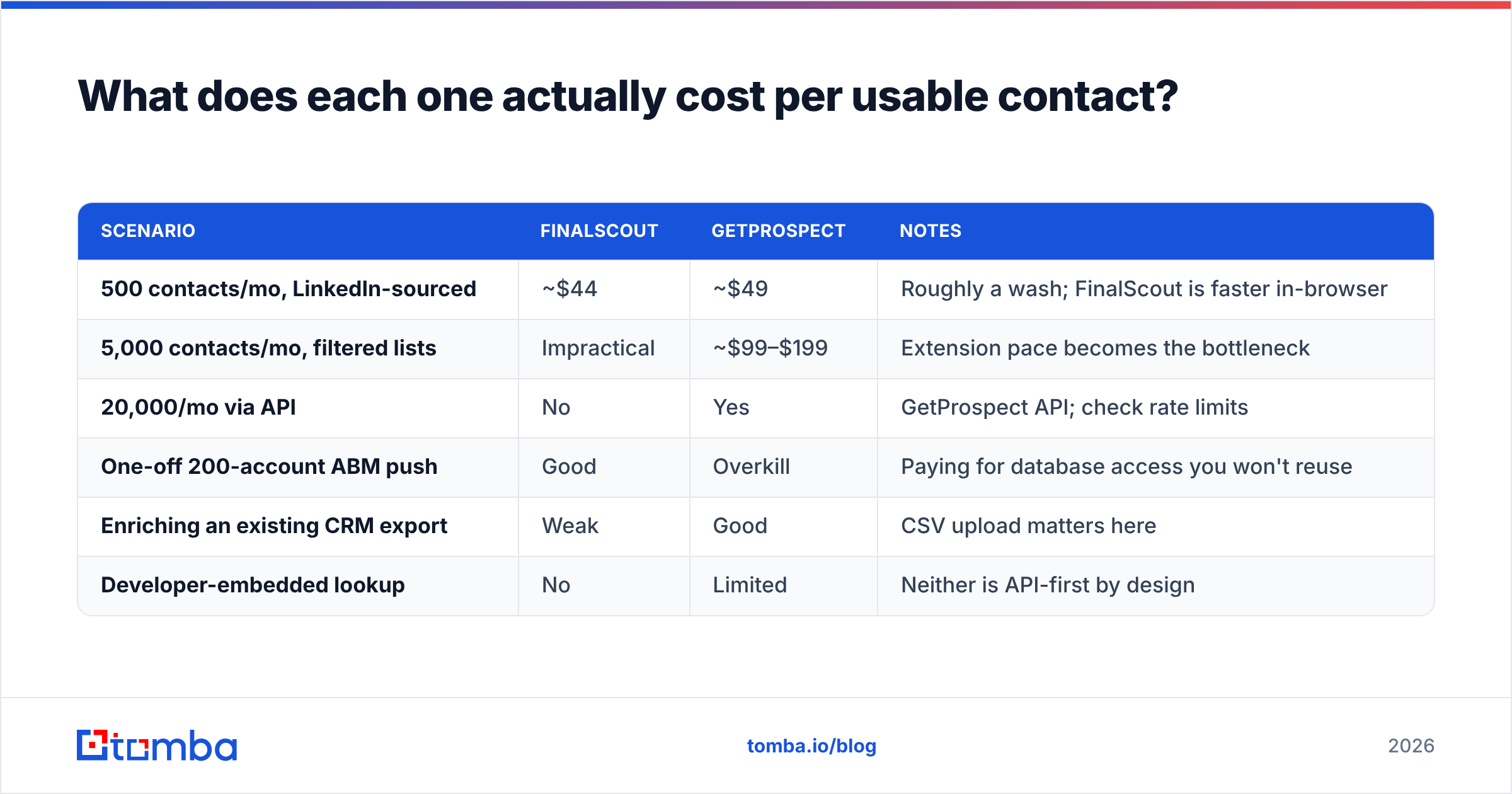
What does each one actually cost per usable contact?#
Sticker price lies. The number that matters is cost per verified, currently-employed contact.
| Scenario | FinalScout | GetProspect | Notes |
|---|---|---|---|
| 500 contacts/mo, LinkedIn-sourced | ~$44 | ~$49 | Roughly a wash; FinalScout is faster in-browser |
| 5,000 contacts/mo, filtered lists | Impractical | ~$99–$199 | Extension pace becomes the bottleneck |
| 20,000/mo via API | No | Yes | GetProspect API; check rate limits |
| One-off 200-account ABM push | Good | Overkill | Paying for database access you won't reuse |
| Enriching an existing CRM export | Weak | Good | CSV upload matters here |
| Developer-embedded lookup | No | Limited | Neither is API-first by design |
Two cost traps show up in both tools.
Annual lock-in. Both discount hard for annual prepay. Data tools are exactly where you do not want a 12-month deal. You cannot know coverage on your ICP until you have run 500 real lookups. Pay monthly for the first quarter.
Credit expiry. Unused credits rarely roll over. If your outbound runs in campaigns, you pay for capacity you burn in three weeks and idle for five.
Compare that with flat per-tier pricing. Tomba's free tier is 25 searches/mo, Starter is $49/mo, Growth $99/mo, and Pro $249/mo. Search, verify, and enrichment come with every level. See Tomba pricing for the current breakdown.
The point is not that one number beats another. You should be able to work out cost-per-contact in under a minute for any tool you test. If you cannot, that is a signal.

When should you skip both?#
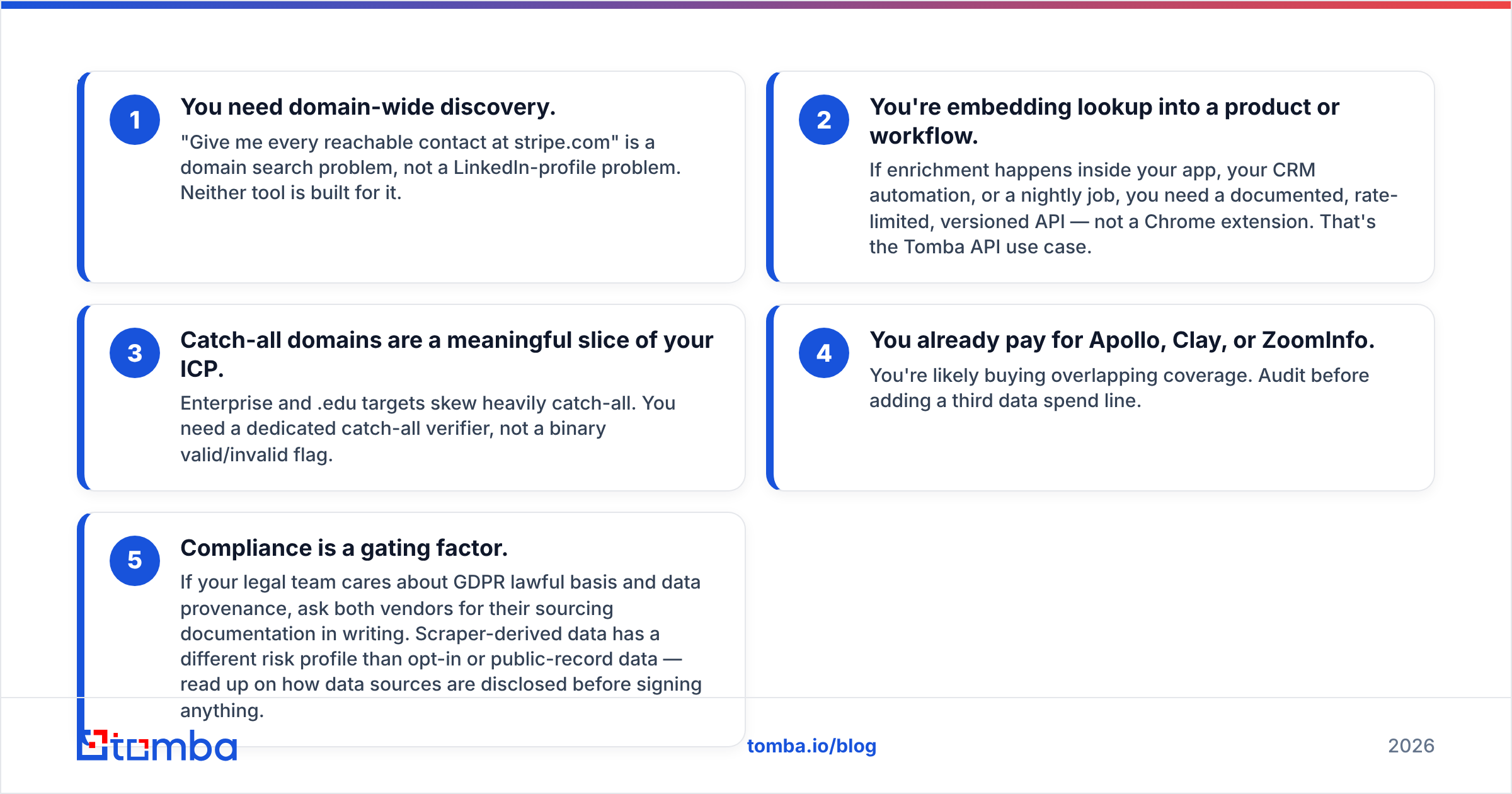
Skip both tools if any of these describe you:
- You need domain-wide discovery. "Give me every reachable contact at stripe.com" is a domain search job, not a LinkedIn job.
- You are embedding lookup in a product or workflow. Enrichment inside your app, your CRM, or a nightly job needs a documented, versioned API. A Chrome extension will not do. That is the Tomba API case.
- Catch-all domains are a big slice of your ICP. Enterprise and .edu targets skew catch-all. You need a catch-all verifier, not a valid/invalid flag.
- You already pay for Apollo, Clay, or ZoomInfo. You are probably buying the same coverage twice. Audit before you add a third data bill.
- Compliance gates your buying. Ask both vendors for sourcing documents in writing. Scraped data carries a different risk profile than opt-in or public-record data. Check how data sources are disclosed first.
So which should you pick?#
The FinalScout vs GetProspect call comes down to how you work.
Pick FinalScout if you are one or two people, your pipeline lives in Sales Navigator, and you send fewer than ~300 emails a month. The in-browser loop is fast and the price is low. You are not building a repeatable data pipeline.
Pick GetProspect if you are a 3–15 person sales team that builds lists by filter. You get a CRM you do not have to configure. Just make sure your volume justifies the mid tier per contact. The database plus export flow fits how SDR pods work.
Pick a dedicated finder and verifier — Tomba, Hunter, or similar — if lookup accuracy is the product, not a feature. That means enriching at scale, hitting an API, or handling catch-alls on purpose. It is also the right call when you have the list and just need reliable addresses.
Run both tools if your ICP is split. Many teams use a database at the top of the funnel and a finder API for enrichment and re-checks. That is not indecision. It is how the data layer gets built. Review data on G2 helps here — filter by company size, because a 10-person startup tells you little about life at 200 seats.
Both tools handle one thing worse than they should: keeping lists clean. B2B contact data decays about 2–3% a month from job changes alone. Whatever you buy, budget for re-verification every 90 days. It costs less than the deliverability damage.
Ready to test your own ICP?#
Stop arguing about vendor benchmarks and run your own test. Pull 100 accounts from your CRM. Feed them through the Tomba Email Finder. Compare the verified-hit rate with whatever you pay for today. The free tier gives you 25 searches, enough to sanity-check one segment before you spend a dollar. If the numbers hold, Starter at $49/mo covers the finder, verifier, domain search, and API on one plan — with no annual lock-in.
Related guides#
Ready to find emails that actually work?
Join 150,000+ professionals who stopped guessing and started sending. Free credits on signup — no credit card required.
Get the Tomba newsletter
Practical outbound tactics and product updates — once every two weeks.
About the author