FinalScout vs Pipileads (2026): Which Email Finder Wins?
FinalScout is a LinkedIn-first email finder. Pipileads leans on a prebuilt B2B database. We compare match rates, verification depth, pricing, and export limits so you can pick the one that actually fits your outbound motion.
TL;DR
- FinalScout is LinkedIn-first. You browse profiles or run a LinkedIn search, and its Chrome extension pulls emails from the profiles you touch. Great if LinkedIn Sales Navigator is already your prospecting surface.
- Pipileads is database-first. You filter a prebuilt B2B contact database by title, industry, size, and geography, then export. Great if you want volume without a LinkedIn session babysitting your list build.
- Neither is a full verification stack. Both do some validation, but catch-all domains, role-based addresses, and stale records are where lists quietly rot — and where you need a dedicated verifier.
- Pricing is close enough that features decide. Entry paid tiers on both land in roughly the $30–$50/month band, so the real question is credit rollover, export caps, and API access.
- If you need an API-first finder with per-domain patterns and standalone verification, a tool like Tomba covers the gap both leave open — starting free, then $49/mo.
What are FinalScout and Pipileads?#
They solve the same end problem — turn a name and a company into a deliverable work email — from opposite directions.
FinalScout grew out of the LinkedIn extraction world. Its core loop is a Chrome extension that sits on top of LinkedIn and Sales Navigator: you open a profile, a search result page, a group, or an event attendee list, and FinalScout scrapes the profiles plus attempts an email match. It also bundles AI email writing, which is a nod to the "find it and pitch it in one tab" workflow that got popular after 2023.
Pipileads is built around a stored B2B contact database plus an on-demand finder. You search by company domain, filter by role or industry, and pull contacts in bulk. There's a LinkedIn extension too, but the database is the center of gravity rather than the browser session.
That architectural difference drives everything else in this FinalScout vs Pipileads comparison: coverage shape, freshness, pricing model, and what breaks at scale.
How does each tool actually find an email address?#
Understanding the mechanics tells you where each will fail.
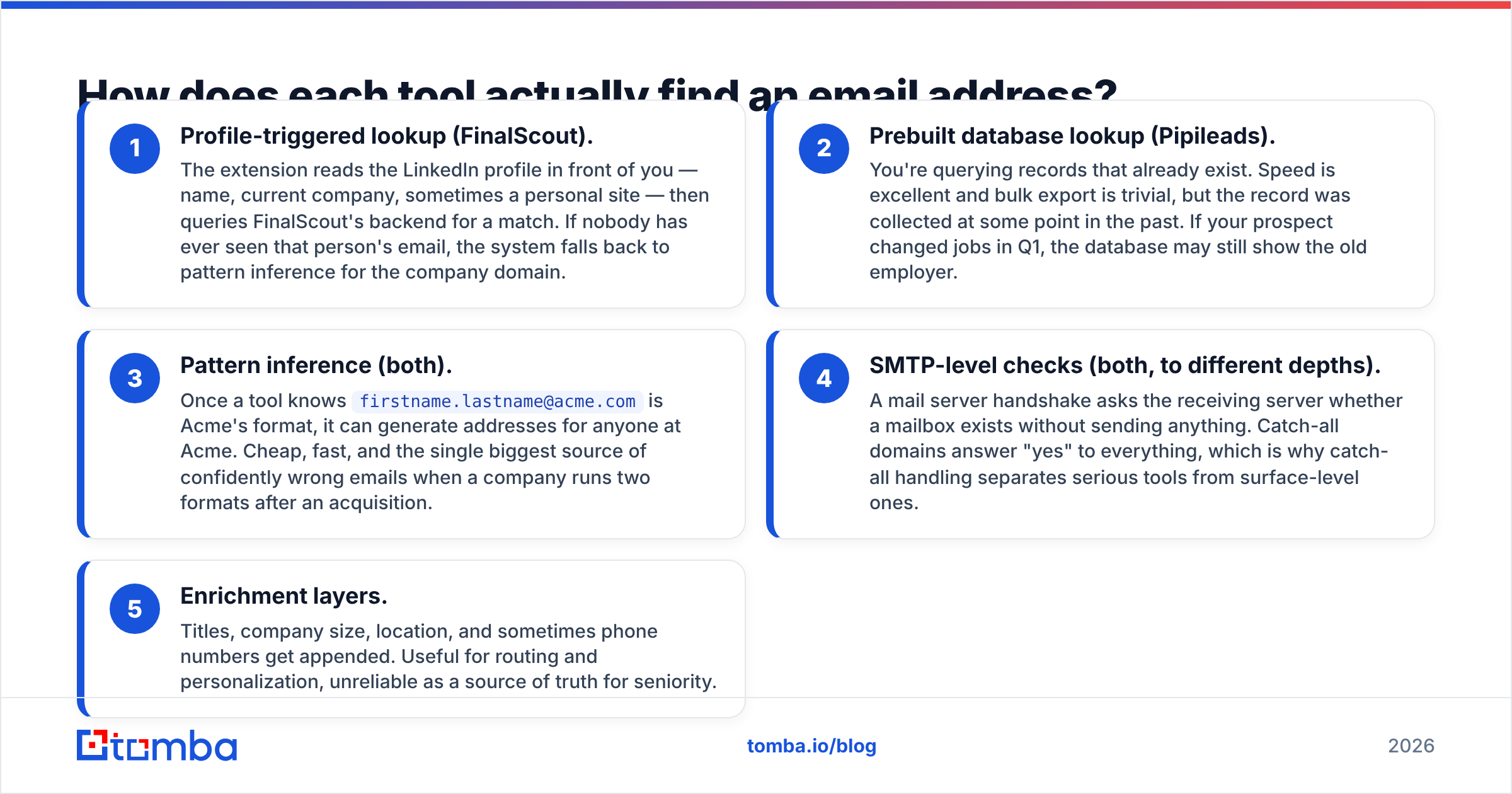
- Profile-triggered lookup (FinalScout). The extension reads the LinkedIn profile in front of you — name, current company, sometimes a personal site — then queries FinalScout's backend for a match. If nobody has ever seen that person's email, the system falls back to pattern inference for the company domain.
- Prebuilt database lookup (Pipileads). You're querying records that already exist. Speed is excellent and bulk export is trivial, but the record was collected at some point in the past. If your prospect changed jobs in Q1, the database may still show the old employer.
- Pattern inference (both). Once a tool knows
firstname.lastname@acme.comis Acme's format, it can generate addresses for anyone at Acme. Cheap, fast, and the single biggest source of confidently wrong emails when a company runs two formats after an acquisition. - SMTP-level checks (both, to different depths). A mail server handshake asks the receiving server whether a mailbox exists without sending anything. Catch-all domains answer "yes" to everything, which is why catch-all handling separates serious tools from surface-level ones.
- Enrichment layers. Titles, company size, location, and sometimes phone numbers get appended. Useful for routing and personalization, unreliable as a source of truth for seniority.
The practical takeaway: FinalScout is better when your target list is defined by people you can find on LinkedIn. Pipileads is better when your target list is defined by firmographic filters.

Which one has better data accuracy?#
Neither vendor's headline number should be taken at face value — and that's not a dig at these two specifically, it's true across the category.
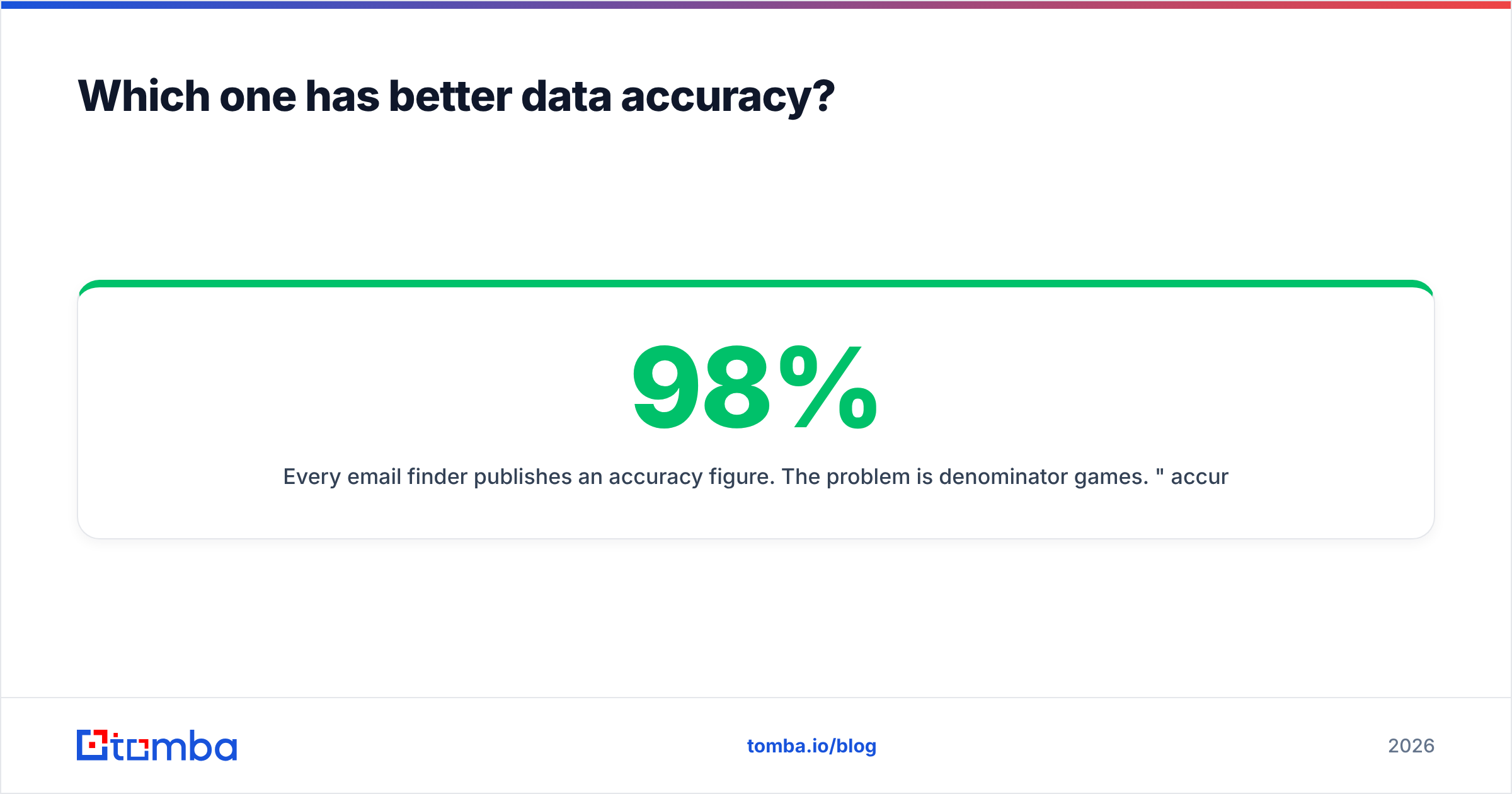
Every email finder publishes an accuracy figure. The problem is denominator games. "98% accuracy" almost always means of the emails we returned and marked valid, 98% did not hard bounce — not we found 98% of the people you searched for. A tool that only returns emails when it's extremely confident will post a spectacular accuracy number and a mediocre match rate. A tool that returns a guess for everything posts the opposite.
So evaluate two numbers together:
- Match rate — of 100 prospects you searched, how many came back with any email at all?
- Bounce rate on send — of the emails returned, how many actually failed?

In practice, FinalScout tends to do well on match rate for LinkedIn-native prospects — because it's reading a live profile, not a cached row — and weaker on non-LinkedIn targets like local businesses, agencies, and non-Western SMBs with thin social footprints. Pipileads tends to hold up better for bulk firmographic pulls in tech and SaaS, where its database is deepest, and thins out in niches with less coverage.
Run your own test before committing. Take 50 known-good contacts you already have emails for, feed them through each tool's free tier, and score both dimensions. It takes an hour and it beats every vendor benchmark, including this one. Then push whatever survives through an email verifier before it touches a sending domain — no finder should be your last quality gate.
How do FinalScout and Pipileads compare feature by feature?#
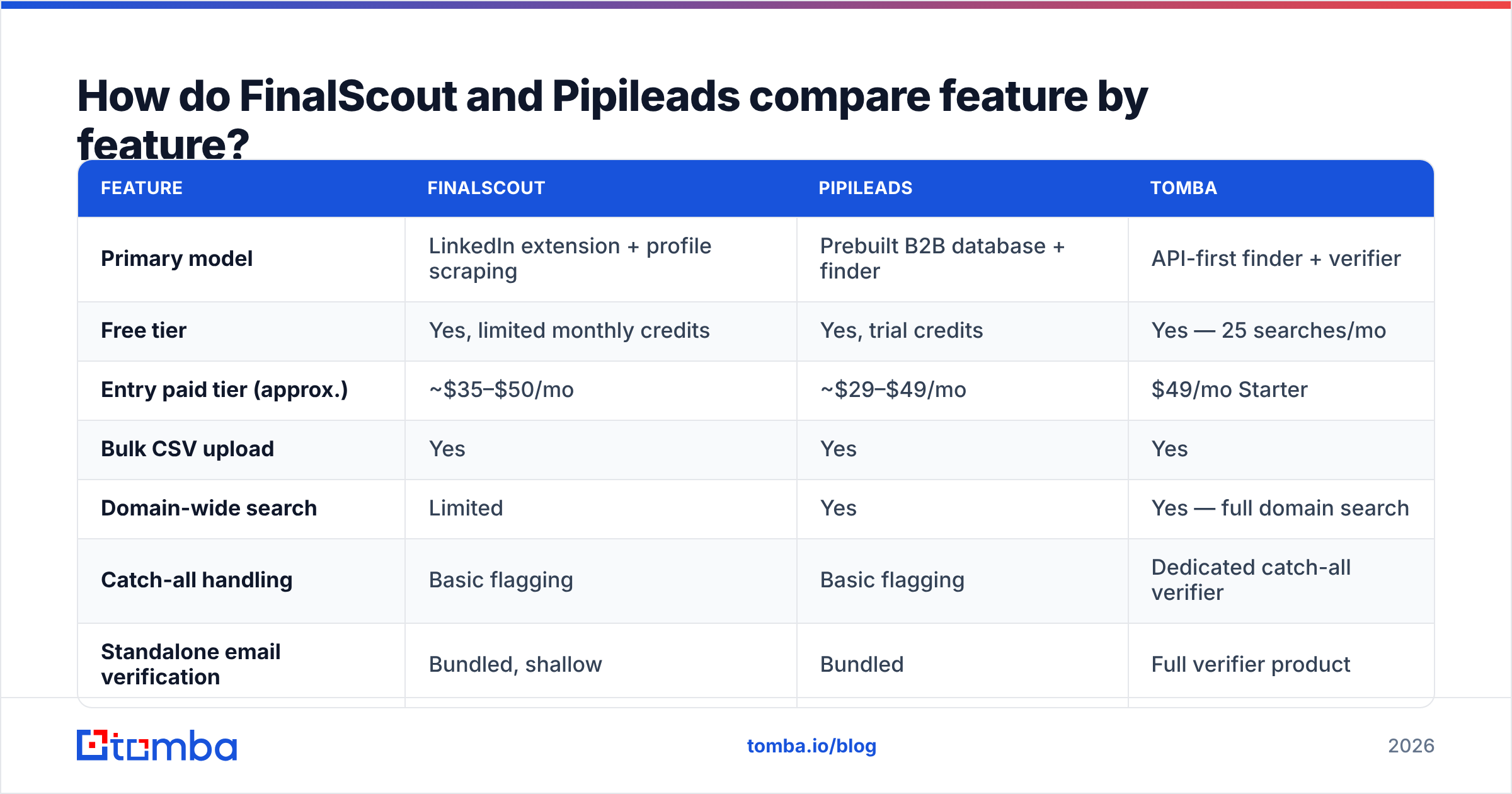
| Feature | FinalScout | Pipileads | Tomba |
|---|---|---|---|
| Primary model | LinkedIn extension + profile scraping | Prebuilt B2B database + finder | API-first finder + verifier |
| Free tier | Yes, limited monthly credits | Yes, trial credits | Yes — 25 searches/mo |
| Entry paid tier (approx.) | ~$35–$50/mo | ~$29–$49/mo | $49/mo Starter |
| Bulk CSV upload | Yes | Yes | Yes |
| Domain-wide search | Limited | Yes | Yes — full domain search |
| Catch-all handling | Basic flagging | Basic flagging | Dedicated catch-all verifier |
| Standalone email verification | Bundled, shallow | Bundled | Full verifier product |
| Public API | Limited | Available | Full REST API + CLI + MCP |
| Phone numbers | No | Partial | Yes, phone finder |
| Best for | LinkedIn-led SDR workflows | Bulk firmographic list builds | Programmatic + high-accuracy enrichment |

Two things stand out.
First, FinalScout's AI email writer is a genuine differentiator if you don't already own a sequencer. If you run Instantly, Smartlead, Lemlist, or Outreach, it's dead weight — your sequencer's personalization is already better integrated with your sending infrastructure.
Second, Pipileads' database access changes your list-building motion. With FinalScout you build lists by navigating LinkedIn. With Pipileads you build them by writing filters. The second scales better for a two-person team trying to produce 3,000 contacts a week; the first produces tighter, better-qualified lists when the ICP is narrow.
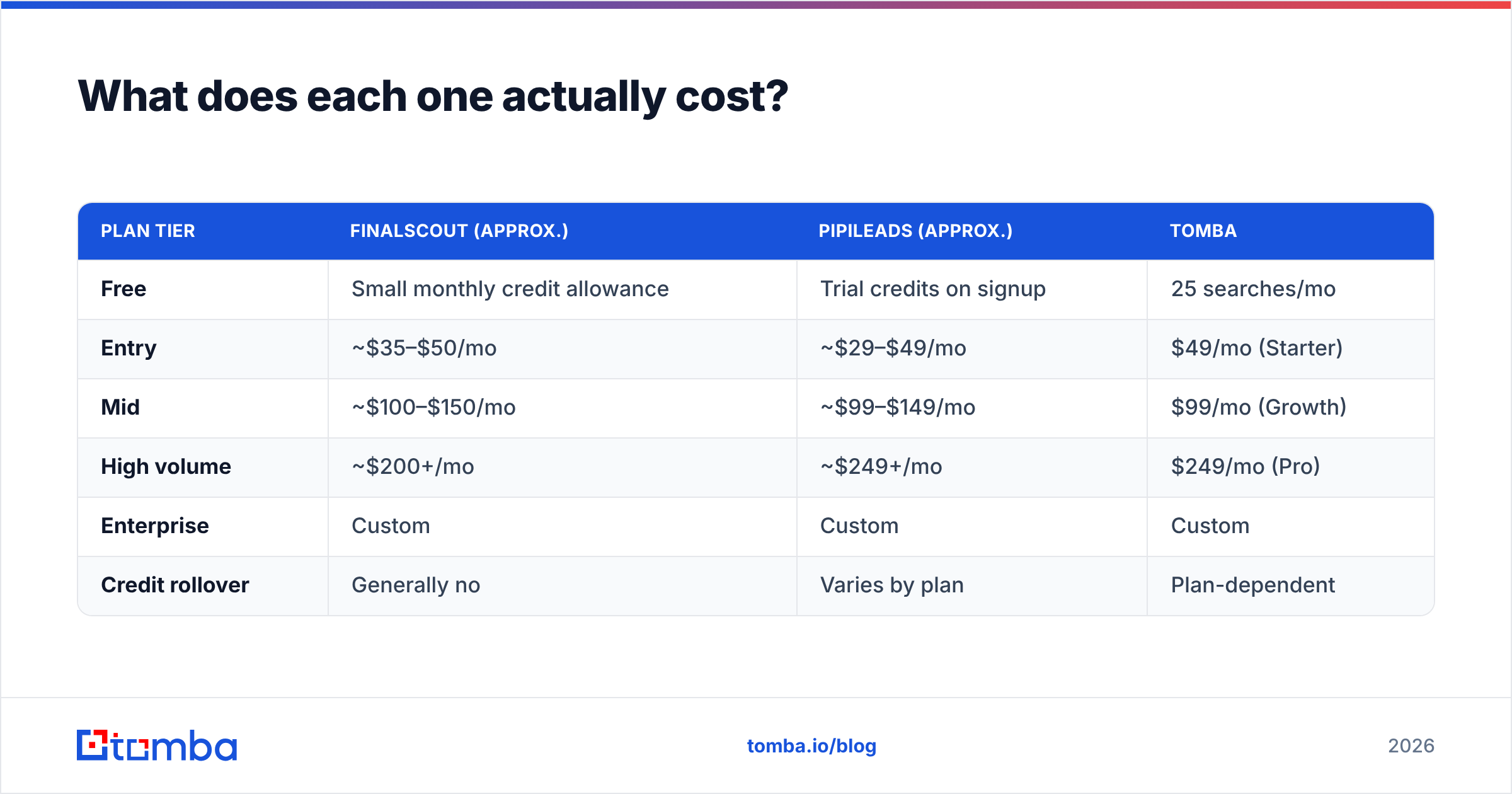
What does each one actually cost?#
Pricing on both platforms changes frequently, and both run promotional and annual discounts, so treat these as directional and verify on the vendor pages before you buy.
| Plan tier | FinalScout (approx.) | Pipileads (approx.) | Tomba |
|---|---|---|---|
| Free | Small monthly credit allowance | Trial credits on signup | 25 searches/mo |
| Entry | ~$35–$50/mo | ~$29–$49/mo | $49/mo (Starter) |
| Mid | ~$100–$150/mo | ~$99–$149/mo | $99/mo (Growth) |
| High volume | ~$200+/mo | ~$249+/mo | $249/mo (Pro) |
| Enterprise | Custom | Custom | Custom |
| Credit rollover | Generally no | Varies by plan | Plan-dependent |
The line item that burns teams isn't the monthly price — it's what counts as a credit. Check three things before you commit to either:
- Does a failed search consume a credit? Some tools charge for a lookup that returns nothing. Over 5,000 searches at a 60% match rate, that's 2,000 wasted credits.
- Does verification cost extra? If finding is 1 credit and verifying is another, your effective cost per usable contact doubles.
- Do credits roll over? Outbound is seasonal. If January is a list-building sprint and February is all sending, non-rolling credits punish you.
Compare that against transparent per-plan Tomba pricing and you'll see why credit mechanics matter more than headline rates.

Which one fits your workflow?#
Pick by motion, not by feature count.
- You prospect inside LinkedIn Sales Navigator all day → FinalScout. The extension removes the copy-paste tax, and your list is qualified by a human before it's exported.
- You build lists from firmographic filters and hand them to SDRs → Pipileads. Database filtering is faster than 400 profile visits, and you avoid LinkedIn's view limits and account risk entirely.
- You need emails inside a product, workflow, or automation → neither. Both are built around a UI. Go API-first with something like the Tomba API, which returns structured results you can call from your own enrichment job.
- You send more than 20,000 cold emails a quarter → get a dedicated verifier regardless of which finder you pick. At that volume, a 4% bounce rate difference is the difference between a healthy sending domain and a burned one.
- You need phone numbers alongside emails → Pipileads gets you closer than FinalScout, but a dedicated phone finder will outperform both.
- You're targeting SMBs, local services, or non-tech verticals → test hard before you commit. Both tools are strongest in tech, SaaS, and mid-market B2B; coverage falls off outside that.
Where do both tools fall short?#
Three gaps show up repeatedly in reviews on G2 and in real deployments.
Catch-all domains. A large share of enterprise domains accept mail to any address, so SMTP verification returns "unknown" rather than valid or invalid. Both FinalScout and Pipileads will typically hand you those addresses with a soft warning. That's fine — as long as you route them through a catch-all verifier instead of dumping them straight into a sequence. Sending blind to catch-alls is the fastest way to inflate bounce metrics you can't see.
Data decay. B2B contact data goes stale at roughly 2–2.5% per month through job changes alone. Database-first tools like Pipileads inherit that decay directly; profile-first tools like FinalScout are somewhat insulated because the profile you're reading is current, though the email attached to it may not be. Either way, a list you built in March is materially worse in September. Re-verify before every major campaign.
No pattern transparency. Neither tool shows you why it thinks an address is right. When you're pushing thousands of contacts, knowing that acme.com uses f.lastname@ — and that the second, post-acquisition format is firstname@ — matters. A tool with a company email pattern view lets you catch a systematically wrong domain before it costs you 300 bounces.
What are the alternatives worth testing?#
If neither wins your bake-off, a few options are worth a slot in the test:
- Tomba — API-first email finder with domain search, standalone verification, catch-all handling, and enrichment. Free tier at 25 searches/mo, Starter at $49/mo.
- BookYourData — a solid pay-as-you-go option if you'd rather buy a targeted list outright than run per-contact lookups, with a straightforward accuracy guarantee. Different buying model, worth pricing against credit-based tools.
- Hunter, Apollo, and similar generalists — broader platforms that bundle sequencing, which is either a feature or a cost depending on whether you already own a sender.
The honest framing: this category has converged. Every tool queries similar underlying sources. What differentiates them in 2026 is verification depth, API quality, and credit fairness — not raw database size.
Verdict: FinalScout vs Pipileads, which should you pick?#
Pick FinalScout if LinkedIn is your prospecting surface and your lists are small, hand-qualified, and narrow. The extension workflow is genuinely faster than any database UI when your ICP is "these 40 specific VPs," and the bundled AI writer saves a step for teams without a sequencer.
Pick Pipileads if you build lists by filter and export by the thousand. Database access, bulk workflows, and API availability make it the more scalable of the two for a team producing volume, and it sidesteps LinkedIn account risk entirely.
Pick neither as your only tool. Both are finders with light verification attached. Whichever you choose, put a real verification step between the export and the send — that single change moves bounce rates more than switching finders ever will.
Ready to close the accuracy gap both tools leave open? Run your next list through the Tomba Email Finder — search by domain, name, or company, get pattern-level transparency on every match, and verify catch-alls before they hit your sequence. Start free with 25 searches a month, or scale from $49/mo when the pipeline demands it.
Related guides#
Ready to find emails that actually work?
Join 150,000+ professionals who stopped guessing and started sending. Free credits on signup — no credit card required.
Get the Tomba newsletter
Practical outbound tactics and product updates — once every two weeks.
About the author