FinalScout vs SMARTe: Which B2B Email Finder Wins in 2026?
FinalScout scrapes LinkedIn. SMARTe sells a global contact database with mobile numbers. They solve different problems — here's which one actually fits your outbound motion, and what each costs you per usable contact.
TL;DR
- FinalScout is a LinkedIn-first extractor. It works where you already prospect — profiles, search results, groups, Sales Navigator lists — and bolts on AI email drafting. If LinkedIn is your source of truth, it fits.
- SMARTe is a database-first platform. You query a pre-built B2B contact set by firmographic and technographic filters, and its main selling point is mobile/direct-dial coverage for calling teams.
- They are not really competitors. One converts a LinkedIn list into emails; the other replaces the list-building step entirely. Choosing wrong means paying for the opposite workflow.
- Neither is cheap per usable contact. Once you factor in seat minimums, export caps, and unverified rows you still have to check, the real cost per landed email is usually 2–4x the sticker price.
- If you want raw find-and-verify at API prices, a dedicated finder like Tomba ($49/mo Starter, free tier to test) covers the same job without a seat contract.
What are FinalScout and SMARTe, exactly?#
Different tools wearing the same category label.
FinalScout is a Chrome-extension-driven email finder built on top of LinkedIn. You browse a profile, a search result page, a group member list, or an event attendee list, and it pulls contacts into a list, then attempts to resolve business email addresses for them. It also ships an AI writing layer that drafts personalized cold emails from the scraped profile data. The pitch is workflow compression: prospect, extract, and draft in one place.
SMARTe is a B2B contact and company data platform. You do not bring a list — you filter one out of its database using job title, seniority, department, industry, headcount, revenue, location, and installed technologies. Its differentiator versus generic email vendors is phone data: SMARTe leans hard on mobile numbers and direct dials for teams that call as much as they email, with GDPR/CCPA compliance messaging front and center for EU and California prospecting.
That distinction drives everything else in this comparison. FinalScout's coverage ceiling is "whoever you can surface on LinkedIn." SMARTe's coverage ceiling is "whoever is in the database." Those two ceilings fail in completely different places.
How do FinalScout and SMARTe compare head-to-head?#
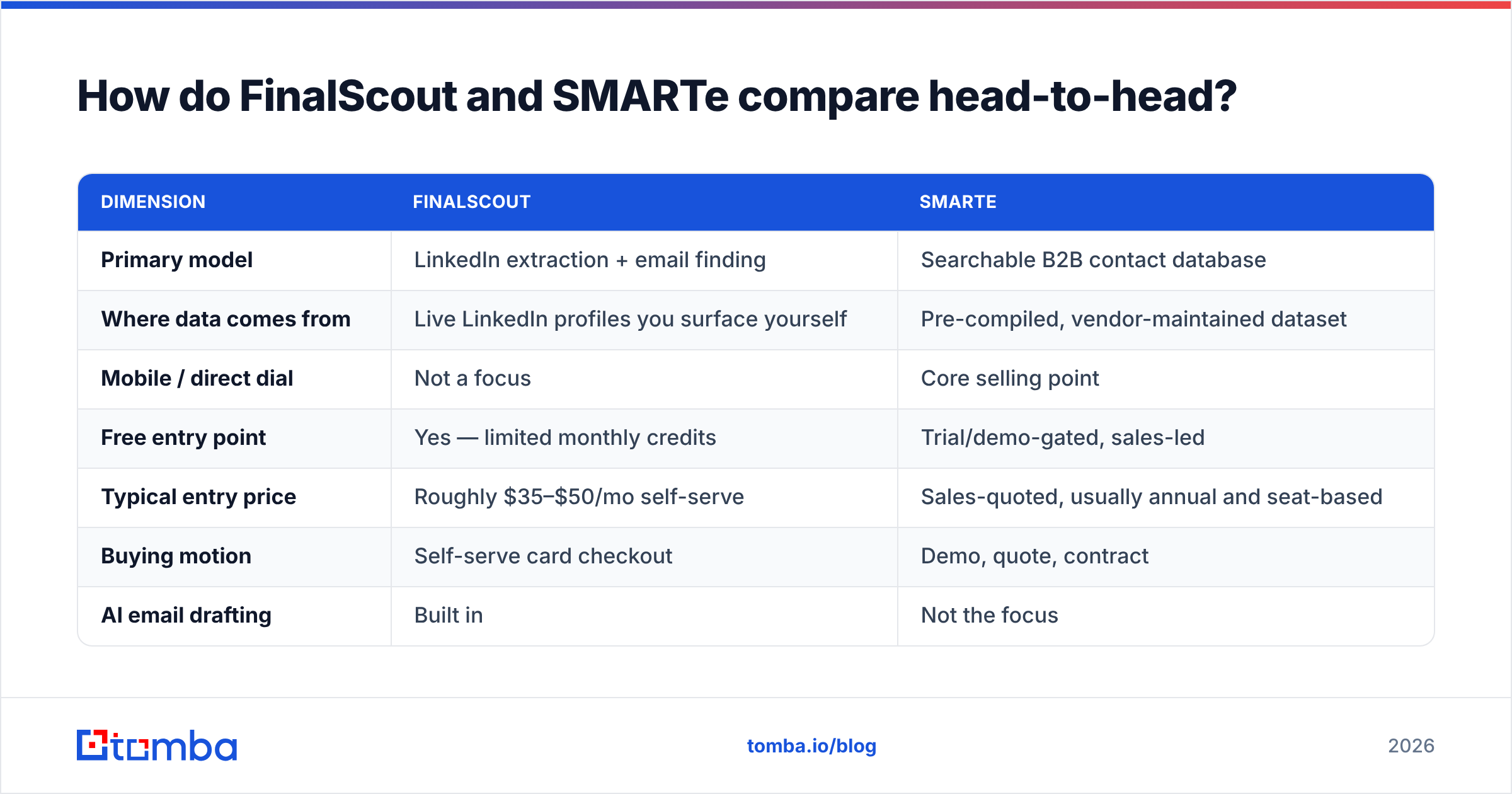
Here's the practical breakdown. Pricing tiers move often on both vendors, so treat the ranges as a shape rather than a quote and confirm on their pricing pages before you buy.
| Dimension | FinalScout | SMARTe |
|---|---|---|
| Primary model | LinkedIn extraction + email finding | Searchable B2B contact database |
| Where data comes from | Live LinkedIn profiles you surface yourself | Pre-compiled, vendor-maintained dataset |
| Mobile / direct dial | Not a focus | Core selling point |
| Free entry point | Yes — limited monthly credits | Trial/demo-gated, sales-led |
| Typical entry price | Roughly $35–$50/mo self-serve | Sales-quoted, usually annual and seat-based |
| Buying motion | Self-serve card checkout | Demo, quote, contract |
| AI email drafting | Built in | Not the focus |
| Bulk / API access | Limited on lower tiers | Enterprise integrations, CRM sync |
| Best for | Founders and SDRs living in LinkedIn | Calling-heavy teams needing phone data |
| Worst for | Anyone needing non-LinkedIn coverage | Small teams wanting month-to-month self-serve |
The row that decides most deals is "buying motion." FinalScout lets one SDR expense a plan on a Tuesday. SMARTe usually means a demo, a quote, and a procurement cycle. If you're a two-person team testing a channel, that difference matters more than any accuracy claim on either homepage.

Which one gets you more usable emails?#
Neither wins outright — they win on different lists.
Run this test before committing to either: take 100 known-good contacts from your ICP where you already have verified emails, strip the emails, and push the list through each tool. Then measure three numbers, not one:
- Match rate — what percentage returned any email at all. Vendors quote this number loudest because it flatters them most.
- Verified rate — what percentage came back as deliverable after independent checking, not just "found."
- Correct-person rate — what percentage actually belong to the human you targeted, not a namesake or a stale role.
The third number is where scraped-from-LinkedIn tools and static databases diverge. FinalScout's data is pinned to a profile you personally looked at, so identity mismatch is rare — but the email itself is often pattern-inferred, and pattern inference is exactly where accuracy leaks. SMARTe's records are identity-verified at ingest, but ingest can be months old, and B2B contact data decays at roughly 25–30% per year as people change jobs. Roughly one in four rows in any static database is quietly wrong within twelve months.
That decay is why the "who has more contacts" question is close to meaningless. A 200M-record database with a two-year-old refresh cycle is worse than a 40M-record one refreshed weekly. Ask both vendors when the record you're looking at was last confirmed — if neither can answer per-record, treat every export as a hypothesis and put it through an email verifier before it touches your sending domain.
What does each tool actually cost per landed contact?#
Sticker price is the wrong unit. The unit that matters is cost per contact who receives your email.
Work it out like this:
- Start with the plan price divided by monthly credits. That's your naive cost per lookup.
- Divide by match rate. If only 65% of lookups return anything, your real cost per found contact is 1.5x the naive number.
- Divide again by verified rate. If 85% of found emails survive verification, you're now at roughly 1.8x.
- Add the verification cost itself. Most finders don't include deep catch-all resolution; that's a separate line item.
- Add wasted seat cost. Annual seat minimums on enterprise-priced platforms mean an SDR who ramps in month three still cost you three months of license.
A plan that looks like $0.05 per lookup routinely lands at $0.12–$0.18 per usable, verified contact. That's normal. What isn't normal is discovering it after you've signed a twelve-month agreement.
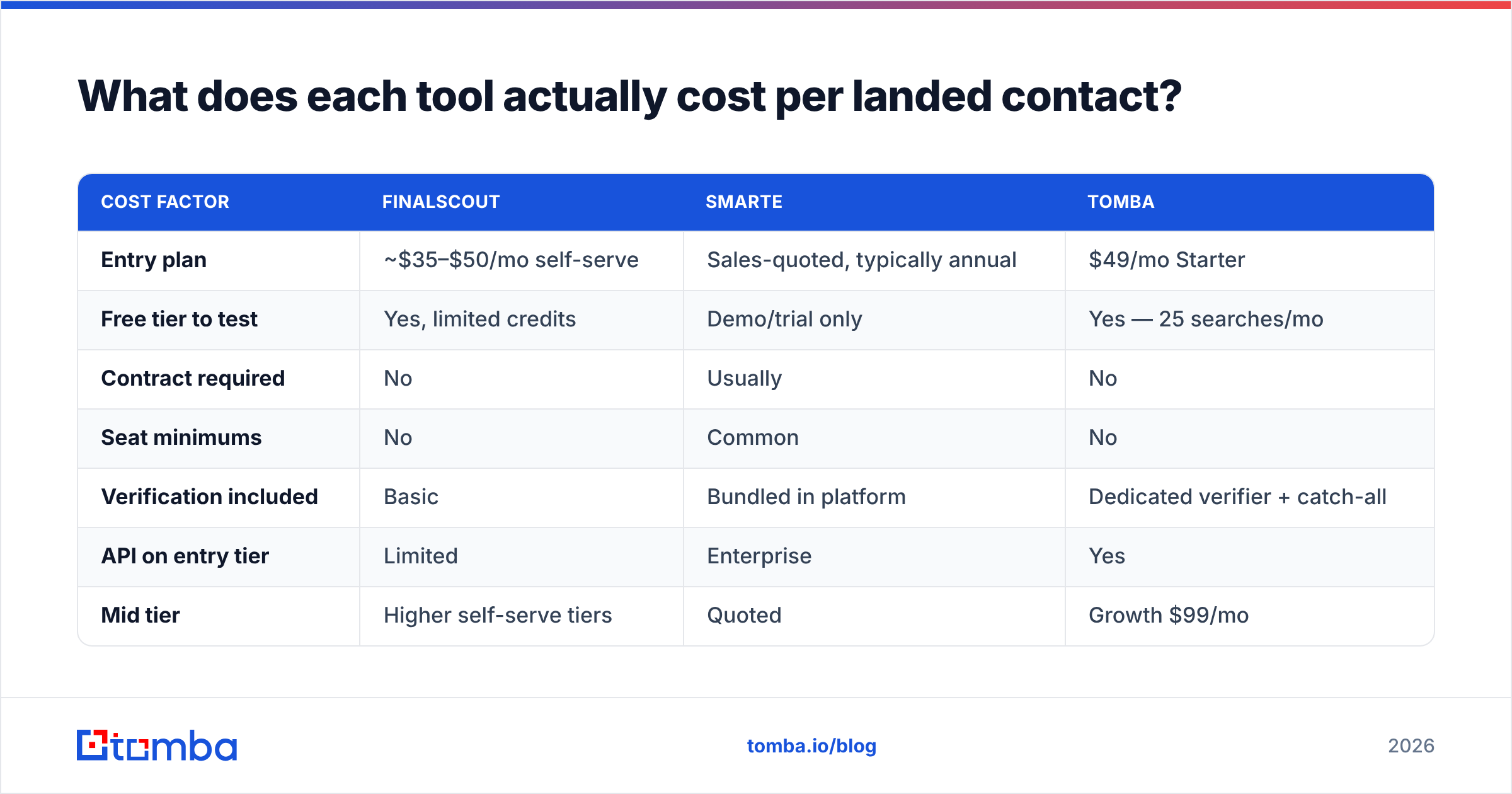
Here's how the three main options stack up on cost structure:
| Cost factor | FinalScout | SMARTe | Tomba |
|---|---|---|---|
| Entry plan | ~$35–$50/mo self-serve | Sales-quoted, typically annual | $49/mo Starter |
| Free tier to test | Yes, limited credits | Demo/trial only | Yes — 25 searches/mo |
| Contract required | No | Usually | No |
| Seat minimums | No | Common | No |
| Verification included | Basic | Bundled in platform | Dedicated verifier + catch-all |
| API on entry tier | Limited | Enterprise | Yes |
| Mid tier | Higher self-serve tiers | Quoted | Growth $99/mo |
| Upper tier | Team plans | Enterprise contract | Pro $249/mo, Enterprise custom |
Full Tomba pricing is public and month-to-month, which is the point of including it in the table — you can price the workflow without a call. Both FinalScout and SMARTe publish less detail as you climb tiers, which is standard for sales-led data vendors but does make honest budgeting harder.
When should you pick FinalScout?#
Pick FinalScout when LinkedIn is your prospecting database.
Concrete cases where it's the right call:
- You prospect by browsing. Your list-building looks like Sales Navigator searches, group member lists, or event attendee pages — not filter queries against a static dataset.
- You need niche or emerging companies. Series-seed startups and small agencies are frequently missing from big databases but always present on LinkedIn, because the people maintain their own profiles.
- You're a team of one to five. Self-serve checkout and no seat minimum matters more than enterprise CRM sync.
- You want drafting bundled. The AI email layer removes a tool from your stack if your alternative was pasting profile bios into a chatbot manually.
The tradeoffs are real. Any LinkedIn-dependent tool inherits LinkedIn's rate limits and account-safety risk — aggressive extraction can put your personal account at risk, and LinkedIn's user agreement explicitly restricts automated scraping. Also, coverage stops at the platform boundary: if your ICP is manufacturing plant managers or municipal buyers who barely use LinkedIn, extraction returns thin results no matter how good the finder is. In those segments a straight domain search against the company website often outperforms any profile scraper.
When should you pick SMARTe?#
Pick SMARTe when phone is a first-class channel and you need filtered lists at volume.
Concrete cases:
- Your team calls. Mobile and direct-dial coverage is SMARTe's actual moat. If your SDRs run a call-first or call-and-email cadence, email-only tools leave half the motion unserved.
- You need firmographic filtering, not list conversion. "Give me every VP of Engineering at 200–1000 employee SaaS companies in DACH running Kubernetes" is a database query, not a browsing session.
- Compliance is a procurement gate. GDPR and CCPA posture is documented and enterprise buyers ask about it. That paperwork has value in regulated orgs.
- You already run a CRM-centric process. Enrichment that pushes into Salesforce or HubSpot on a schedule is worth more than a browser extension when twenty reps share one pipeline.
The tradeoffs: sales-led buying, likely annual commitment, and the decay problem inherent to any static database. You also can't easily test it against your ICP before talking to someone, which is a genuine friction cost when you're comparing three vendors.

Is there a third option worth considering?#
Yes — and it's worth naming honestly rather than pretending the two-way comparison is complete.
Most teams evaluating FinalScout vs SMARTe are really asking one question: how do I turn a list of names and companies into emails I can actually send to, without overpaying? That's the job a dedicated email finder does, and doing only that job tends to be cheaper than doing it inside a platform that also sells you a database or a writing assistant.
What a focused finder gives you that a platform typically doesn't:
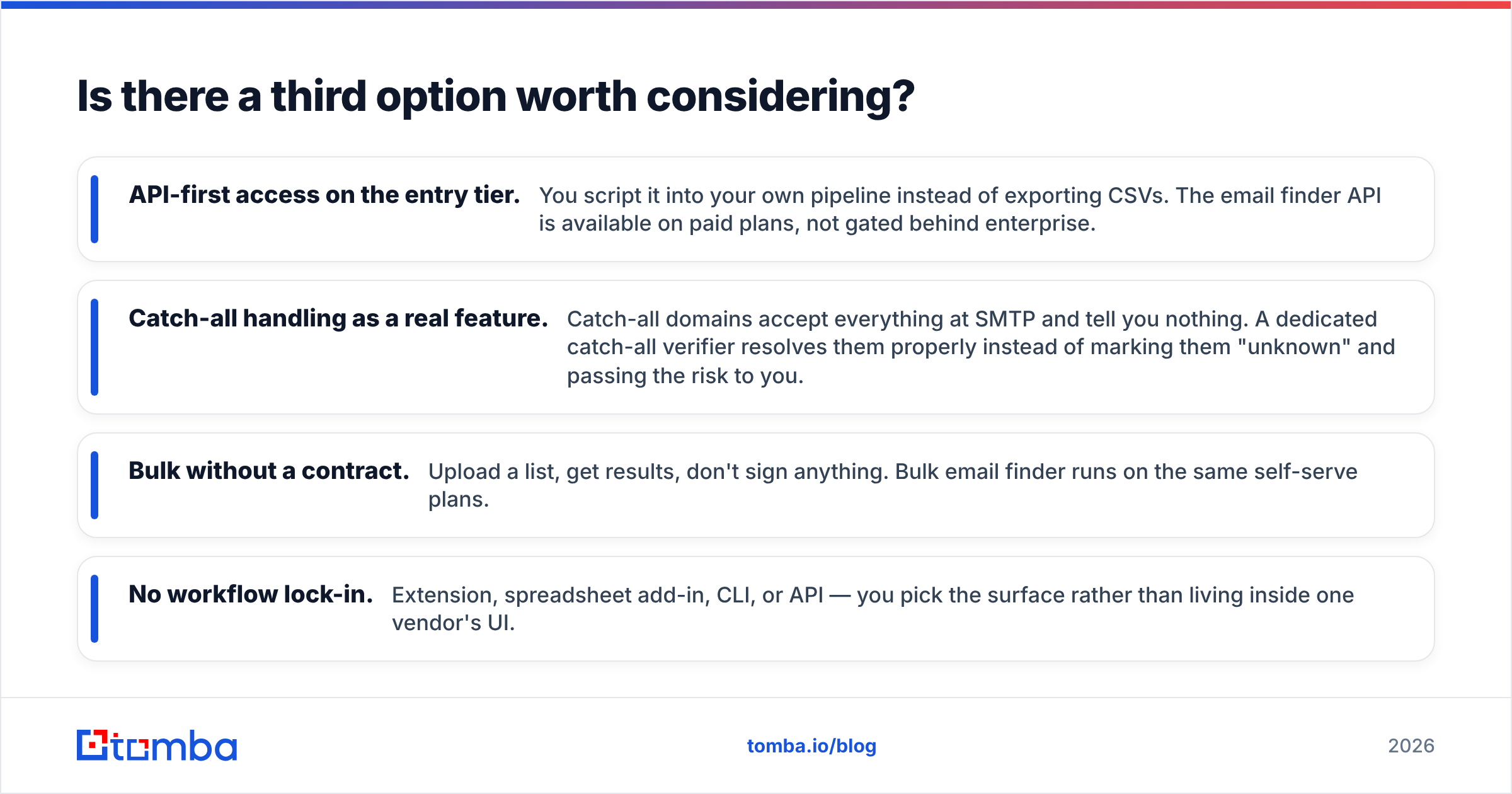
- API-first access on the entry tier. You script it into your own pipeline instead of exporting CSVs. The email finder API is available on paid plans, not gated behind enterprise.
- Catch-all handling as a real feature. Catch-all domains accept everything at SMTP and tell you nothing. A dedicated catch-all verifier resolves them properly instead of marking them "unknown" and passing the risk to you.
- Bulk without a contract. Upload a list, get results, don't sign anything. Bulk email finder runs on the same self-serve plans.
- No workflow lock-in. Extension, spreadsheet add-in, CLI, or API — you pick the surface rather than living inside one vendor's UI.
There are also credible alternatives on the database side, including BookYourData for prepaid, no-subscription list purchasing when you want a one-time buy rather than a monthly seat. Compare all three against your own ICP list rather than against each vendor's benchmark deck — public review sets like G2's lead intelligence category are useful for spotting recurring complaints, but nothing substitutes for testing 100 of your own contacts.

How should you run the evaluation?#
Give yourself a week and follow this sequence. It costs almost nothing and eliminates the two most expensive mistakes: buying the wrong workflow, and buying the right workflow at the wrong tier.
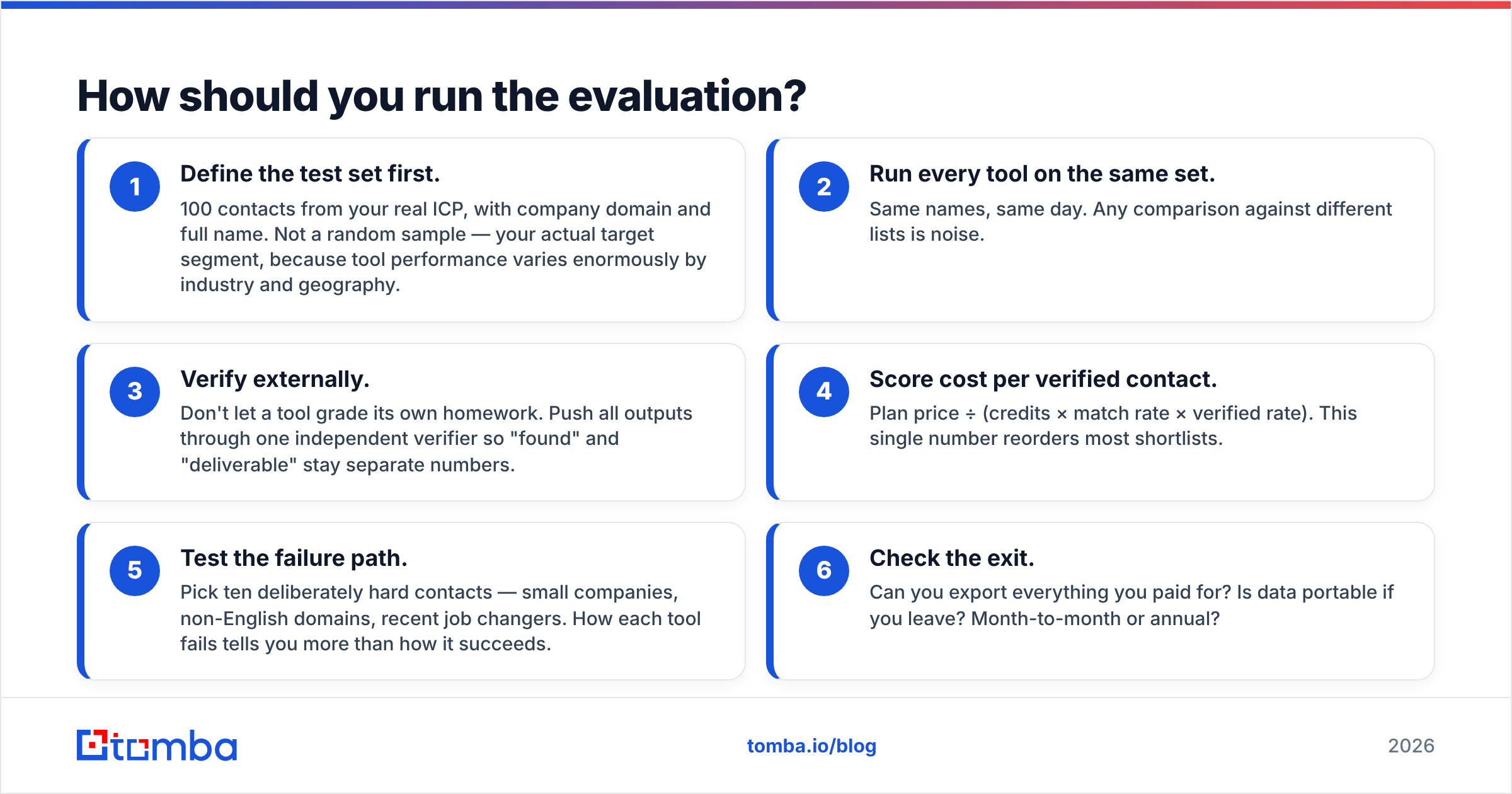
- Define the test set first. 100 contacts from your real ICP, with company domain and full name. Not a random sample — your actual target segment, because tool performance varies enormously by industry and geography.
- Run every tool on the same set. Same names, same day. Any comparison against different lists is noise.
- Verify externally. Don't let a tool grade its own homework. Push all outputs through one independent verifier so "found" and "deliverable" stay separate numbers.
- Score cost per verified contact. Plan price ÷ (credits × match rate × verified rate). This single number reorders most shortlists.
- Test the failure path. Pick ten deliberately hard contacts — small companies, non-English domains, recent job changers. How each tool fails tells you more than how it succeeds.
- Check the exit. Can you export everything you paid for? Is data portable if you leave? Month-to-month or annual?
Most teams discover at step four that they were about to buy a database when they needed a finder, or a finder when they needed phone data. That's a two-hour realization that saves a year of budget.
Which one should you choose?#
Choose FinalScout if LinkedIn is your prospecting surface, you're a small self-serve team, and bundled AI drafting saves you a subscription elsewhere. It's the lower-commitment option and you can start today.
Choose SMARTe if your team calls as much as it emails, you need filtered lists rather than list conversion, and you have the procurement patience for a sales-led purchase. Its phone coverage is the reason to pick it, and it's a real reason.
Choose a dedicated finder if your bottleneck is simply converting names and domains into verified, sendable emails at predictable cost — especially if you want that inside your own scripts rather than a vendor's dashboard.
If that last description matches you, start with the Tomba Email Finder. The free tier gives you 25 searches a month, enough to run the 100-contact test above in stages, and Starter is $49/mo with the API included rather than reserved for enterprise contracts. Build the test set, run all three, and let the cost-per-verified-contact number make the decision instead of the pitch deck.
Related guides#
Ready to find emails that actually work?
Join 150,000+ professionals who stopped guessing and started sending. Free credits on signup — no credit card required.
Get the Tomba newsletter
Practical outbound tactics and product updates — once every two weeks.
About the author