How to Find the Email Address of Anyone at a Company (2026)
A practical, tested walkthrough of every method for finding a work email address at a target company — from free pattern guessing to bulk API lookups — plus which ones actually hold up at scale.
TL;DR
- Guessing patterns manually works for one contact and collapses past ten. Every serious workflow ends up on a lookup tool with SMTP verification attached.
- The cheapest reliable stack in 2026: find the company's email pattern once, apply it across the org, then verify every address before it touches your sequence.
- Free methods (Google dorks, site footers, WHOIS, GitHub commits) still find real addresses — they just cost you 4-8 minutes per contact instead of 4 seconds.
- Bounce rate, not hit rate, is the metric that matters. A tool that returns 90% of addresses with 15% invalid is worse than one returning 70% clean.
- Budget roughly $0.02–$0.08 per verified B2B email in 2026. Anything advertised much cheaper is usually recycled scraped data with stale timestamps.
Why is finding a company email address harder than it looks?#
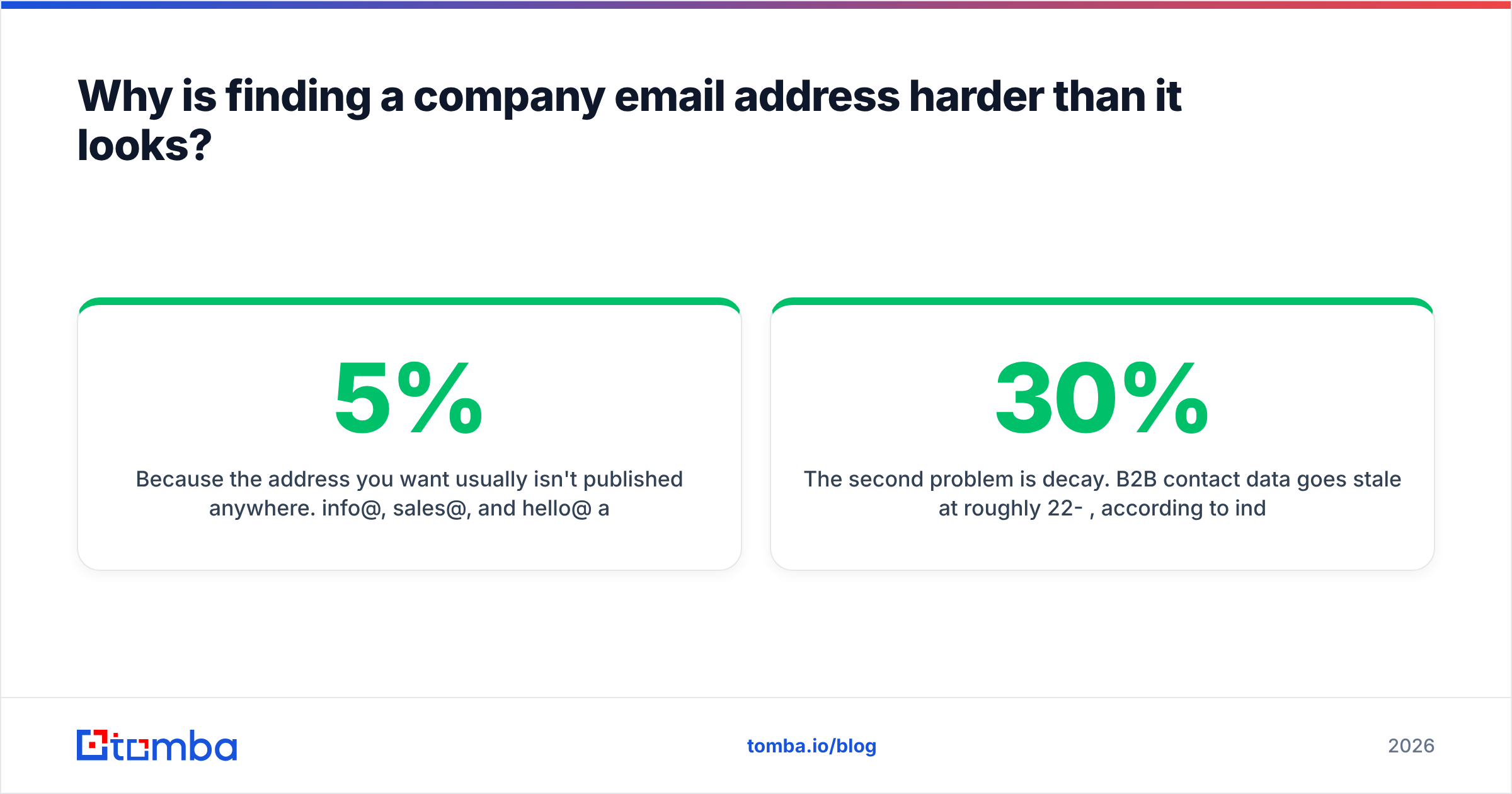
Because the address you want usually isn't published anywhere. info@, sales@, and hello@ are on the contact page precisely so the person you actually want to reach never has to read them. A generic inbox is a triage queue staffed by someone whose job is to forward 5% and delete 95%.
What you need is the direct mailbox — first.last@company.com, flast@company.com, or whatever pattern that particular company standardised on years ago. That address exists, it routes to one human, and it's discoverable. It's just not indexed.
The second problem is decay. B2B contact data goes stale at roughly 22-30% per year, according to industry surveys that most data vendors themselves cite. People change jobs, companies get acquired, mail servers migrate to Microsoft 365 and old aliases get dropped. An address you found in a spreadsheet from 2024 has a meaningful chance of bouncing in 2026 — and bounces are what kill your sending domain, not bad copy.
So the real job isn't "find an email." It's "find a currently-deliverable email, cheaply, at whatever volume your pipeline needs."

What are the actual methods to find email address company contacts?#
There are seven approaches that work in practice. Here they are ranked by how they hold up when you need more than one address.
- Company email pattern deduction — Find one known employee address, infer the format, apply it to everyone else. Highest leverage per unit of effort. This is what lookup tools automate.
- Email finder tools — Enter name + domain, get the verified address back in under a second. Highest hit rate, costs money, scales to thousands.
- Domain search / company-wide crawl — Pull every discoverable address at a domain at once, then filter by role or seniority. Best for account-based plays where you want six people at one company.
- Google search operators —
site:company.com "@company.com"or"name" + "@company.com" -site:linkedin.com. Free, slow, and surprisingly effective for engineering and media orgs. - Public code and docs —
git logon a public repo exposes commit author emails. So do conference speaker pages, academic PDFs, press releases, and SEC filings. - Social and community footprints — X/Twitter bios, personal sites linked from LinkedIn, Substack author pages, podcast show notes.
- Ask a human — Reply to a newsletter, message on LinkedIn, or call the main line and ask for the format. Low volume, near-100% accuracy.
Most experienced prospectors run 1 and 2 as the default and drop to 4-7 only for high-value targets where the tools return nothing.
How do email patterns actually work?#
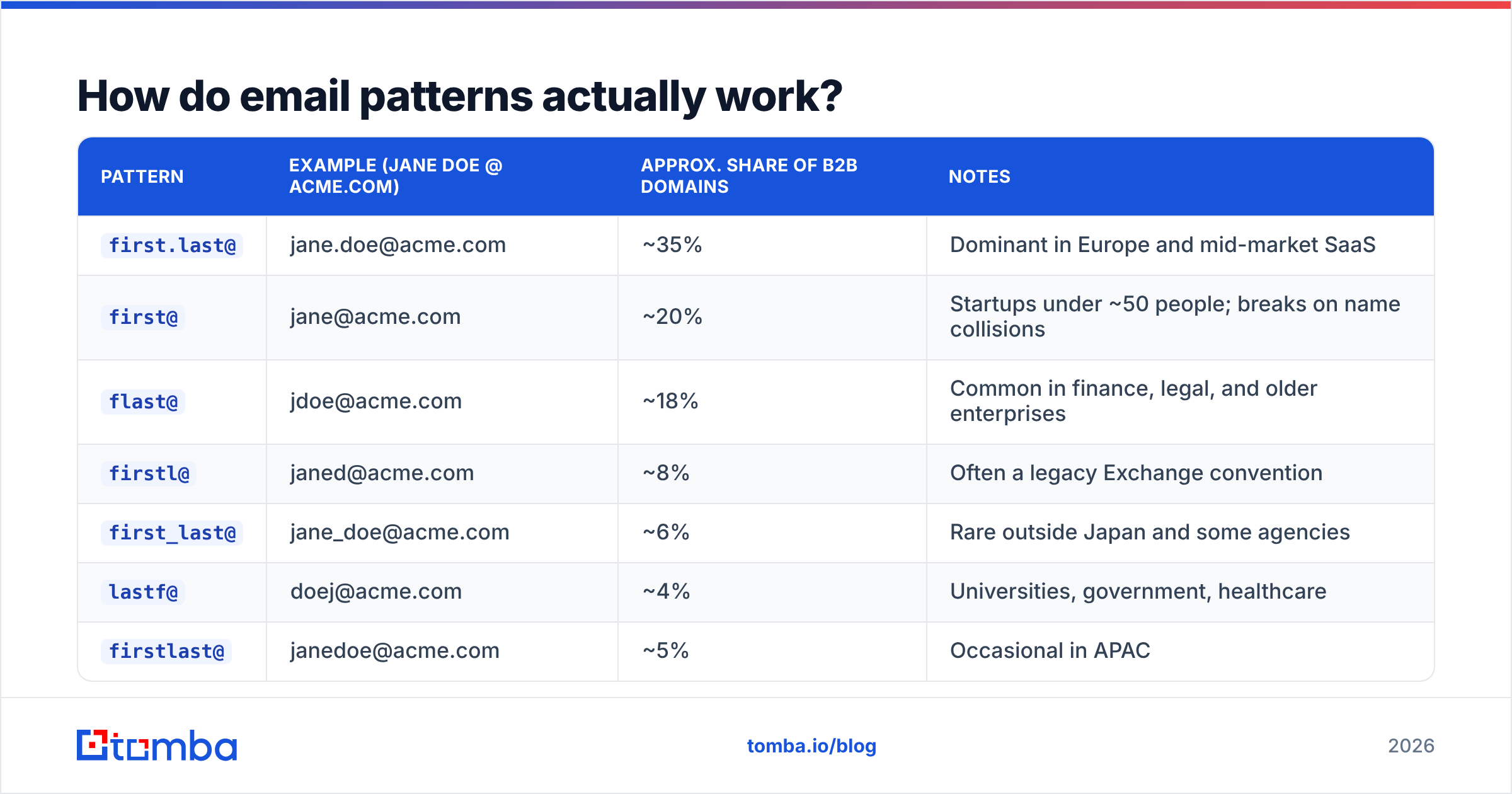
Almost every company on earth uses one of about eight formats. Once you know which one, you know the address of everyone in the building.
| Pattern | Example (Jane Doe @ acme.com) | Approx. share of B2B domains | Notes |
|---|---|---|---|
first.last@ |
jane.doe@acme.com | ~35% | Dominant in Europe and mid-market SaaS |
first@ |
jane@acme.com | ~20% | Startups under ~50 people; breaks on name collisions |
flast@ |
jdoe@acme.com | ~18% | Common in finance, legal, and older enterprises |
firstl@ |
janed@acme.com | ~8% | Often a legacy Exchange convention |
first_last@ |
jane_doe@acme.com | ~6% | Rare outside Japan and some agencies |
lastf@ |
doej@acme.com | ~4% | Universities, government, healthcare |
firstlast@ |
janedoe@acme.com | ~5% | Occasional in APAC |
| Non-deterministic | jd4471@acme.com | ~4% | Employee IDs — pattern deduction fails entirely |
That last row is the one that matters strategically. About one domain in twenty-five doesn't use a human-readable pattern at all, which means permutation-based guessing will never work there. You need a tool with real sourced data, not just a generator.
You can test a format quickly with a company email pattern checker, or generate the full candidate set with an email permutator and verify each one. The permutator-then-verify loop is free and it works — it's just eight SMTP checks per contact instead of one lookup.
Is a paid email finder worth it versus doing it manually?#
Run the arithmetic on your own time and the answer is usually obvious.
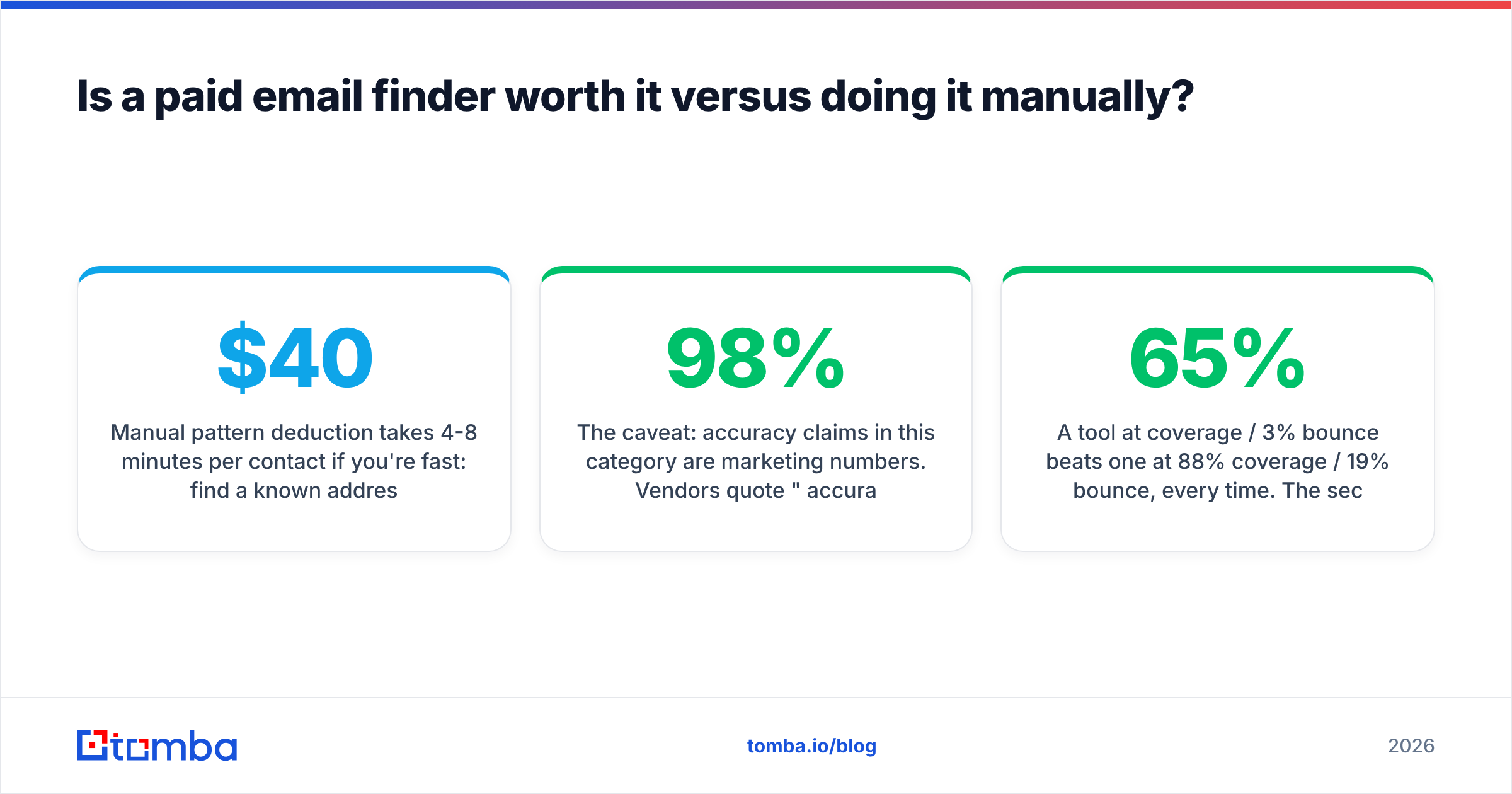
Manual pattern deduction takes 4-8 minutes per contact if you're fast: find a known address, confirm the pattern, permute the target, verify. At 100 contacts that's roughly 8-13 hours. If your loaded cost is $40/hour, you just spent $400+ on a list that a lookup API would have returned in 90 seconds for around $5.
The break-even is somewhere around 15-20 contacts per month. Below that, free tools and manual work are genuinely fine. Above it, you're paying a large hourly rate to avoid a small software bill.

The caveat: accuracy claims in this category are marketing numbers. Vendors quote "98% accuracy" but rarely define the denominator — is that 98% of returned addresses being valid, or 98% of requested contacts being found? Those are wildly different claims. The first is easy to hit by simply returning fewer results. The second is the hard problem.
When you evaluate, measure two things yourself on a 200-row sample of your actual ICP:
- Coverage — what percentage of your target list returns any address at all?
- Deliverability — of those returned, what percentage bounce when you actually send?
A tool at 65% coverage / 3% bounce beats one at 88% coverage / 19% bounce, every time. The second one costs you sender reputation, and reputation is the asset you can't buy back.
Which tools should you compare in 2026?#
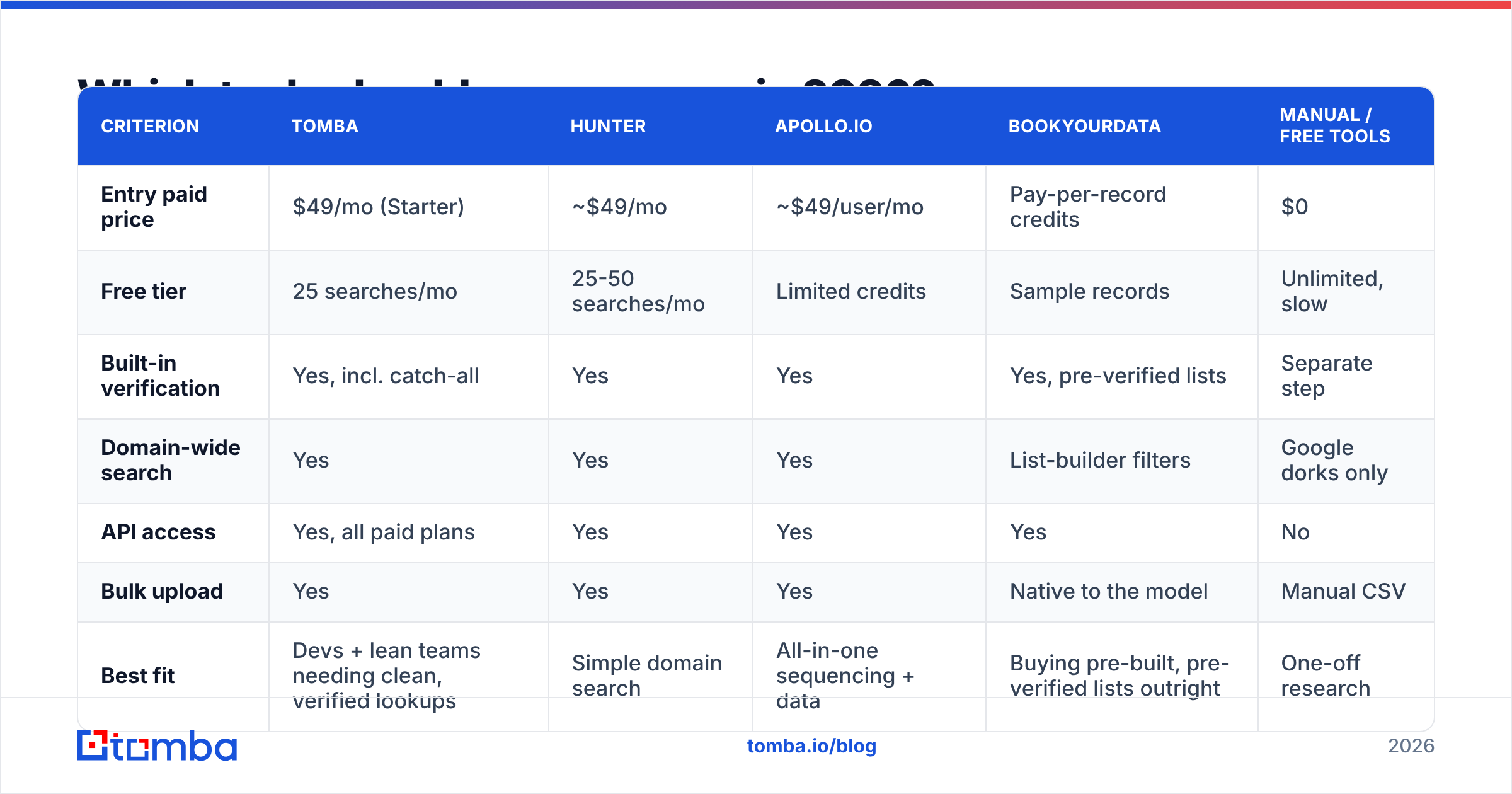
Here's how the main options stack up on the criteria that determine whether the workflow survives contact with a real quota.
| Criterion | Tomba | Hunter | Apollo.io | BookYourData | Manual / free tools |
|---|---|---|---|---|---|
| Entry paid price | $49/mo (Starter) | ~$49/mo | ~$49/user/mo | Pay-per-record credits | $0 |
| Free tier | 25 searches/mo | 25-50 searches/mo | Limited credits | Sample records | Unlimited, slow |
| Built-in verification | Yes, incl. catch-all | Yes | Yes | Yes, pre-verified lists | Separate step |
| Domain-wide search | Yes | Yes | Yes | List-builder filters | Google dorks only |
| API access | Yes, all paid plans | Yes | Yes | Yes | No |
| Bulk upload | Yes | Yes | Yes | Native to the model | Manual CSV |
| Best fit | Devs + lean teams needing clean, verified lookups | Simple domain search | All-in-one sequencing + data | Buying pre-built, pre-verified lists outright | One-off research |
BookYourData takes a genuinely different approach worth understanding: instead of a monthly seat, you buy verified records outright with a bounce guarantee. If your motion is "build one big list per quarter and work it," that ownership model can be cheaper than a subscription you underuse. If your motion is continuous, low-volume enrichment inside a workflow, an API-metered tool fits better. They're solving adjacent problems, not the same one.
Apollo bundles data with sequencing, which is convenient until you want to switch sending tools and discover your data is locked to the platform. Hunter is the simplest to explain to a non-technical teammate. Tomba's angle is developer surface area — Tomba API, CLI, MCP server, and browser extension all hit the same verified dataset, which matters if you're enriching inside a product rather than a spreadsheet.

Check current Tomba pricing before budgeting — plan structures in this category change often, and every vendor above has repriced at least once in the last 18 months.
How do you find emails at a company for free?#
You can get real results with zero budget. Here's the order of operations that wastes the least time.
Step 1 — Establish the pattern. Search site:company.com "@company.com" on Google. Press pages, PDF whitepapers, and job listings leak addresses constantly. One hit gives you the format for the entire org.
Step 2 — Check the obvious pages. /about, /team, /contact, /press, and /legal (privacy policies often name a real DPO with a real address). Also check the RSS feed and any mailto: links in the page source.
Step 3 — Mine public code. If the company ships open source, clone a repo and run git log --format='%ae' | sort -u. Engineering and even PM addresses show up here regularly. Check the repo's AUTHORS, CODEOWNERS, and package.json maintainer fields too.
Step 4 — Search outside their domain. Conference speaker bios, Crunchbase profiles, Substack author pages, SEC filings on EDGAR, university faculty pages, and academic paper footers all publish work addresses. Query: "jane doe" "acme" email -site:acme.com.
Step 5 — Permute and verify. Generate the eight standard candidates, then run each through a free email checker to see which resolves. This is the step people skip, and it's the step that saves your domain.
Step 6 — Just ask. For a genuinely high-value target, a LinkedIn message asking "what's the best email for you?" converts better than most people expect, because it's a low-commitment ask.
The honest limitation: this stack takes real time per contact and stalls completely on catch-all domains, where SMTP verification returns "valid" for every possible address. Roughly 15-20% of B2B domains are catch-all configured. That's where a dedicated catch-all verifier earns its place — it uses signals beyond the SMTP handshake to score whether the mailbox is real.
What actually causes bounces after you find the address?#
Finding the address is half the job. Getting it delivered is the other half, and the failure modes are different.
- Stale data. The address was real when it was indexed. The person left in 2024. This is the single largest bounce cause, and it's why verification timestamp matters more than the vendor's headline accuracy number.
- Catch-all ambiguity. The server accepts everything, so your verifier says valid, but no mailbox exists behind it. Sends there hit a silent void or a spam trap.
- Role addresses.
support@,admin@,careers@— these are often filtered aggressively and complaining loudly. Strip them before sending. - Spam traps. Recycled addresses that mail providers reactivate specifically to catch senders using old purchased lists. One hit can land you on a blocklist.
- Greylisting false negatives. Some servers temporarily reject unknown senders, which a naive verifier reads as invalid. Good verifiers retry.
Run a blacklist checker on your sending domain before a big campaign, and keep your list bounce rate under 2%. Google and Microsoft both tightened bulk sender requirements in 2024, and the enforcement has only sharpened since — Google's sender guidelines remain the clearest public statement of what they actually measure. Independent reviews on G2 are also worth reading for bounce complaints specifically; they surface faster than they do in vendor changelogs.

How do you scale this from 10 contacts to 10,000?#
The manual workflow doesn't survive the jump. Here's what changes structurally.
At 10 contacts: browser extension on LinkedIn, or manual pattern deduction. Free tier is enough.
At 100 contacts: CSV upload to a bulk email finder, then a single verification pass. Starter plan territory. Expect 15-25 minutes total, mostly waiting.
At 1,000 contacts: API integration. You want the lookup happening at the point the lead enters your CRM, not in a monthly batch. Add a re-verification job on any record older than 90 days.
At 10,000+ contacts: the constraint stops being data acquisition and becomes segmentation and sending capacity. You'll need multiple sending domains, warmed inboxes, and rotation. At this volume, per-record data cost is a rounding error next to the deliverability infrastructure.
The mistake at every tier is treating the list as a fixed asset. It decays. Build re-verification into the workflow as a scheduled job, not a thing you remember to do when reply rates drop.
What should you check before you trust any email finder?#
Five questions that separate real vendors from data resellers:
- Where does the data come from? If the answer is vague, assume scraped-and-recycled. Look for a published data sources page.
- When was this record last verified? A timestamp is the single most useful field in a B2B dataset. Vendors that don't expose it usually can't.
- What happens on a miss? Do you get charged a credit for a null result? Some vendors do. Over a large list that's a meaningful hidden cost.
- Is GDPR/CCPA handling documented? For EU contacts specifically, you need a defensible legitimate-interest basis and a working opt-out path.
- Can you test before committing? Any vendor confident in coverage will let you run 25-50 lookups free against your own list. Run your ICP, not their demo data.
Test all five with the same 100-row sample across two or three vendors. The results are usually less similar than the marketing suggests, and the winner is often not the one with the biggest logo wall.
Where should you start?#
If you need one address today, use Google operators and a free verifier — it'll take you six minutes and cost nothing.
If you need a hundred a week, stop optimising the manual path. Run your list through the Tomba Email Finder, which returns the address and its verification status in the same call, then push the clean rows straight into your sequencer or CRM. The free tier gives you 25 searches a month to test coverage against your own ICP before you spend anything, and the Starter plan at $49/mo covers most solo founders and small SDR teams. Start with your worst-performing list — the one with the bounce problem — and re-verify it first. That's usually where the fastest win is hiding.
Related guides#
Ready to find emails that actually work?
Join 150,000+ professionals who stopped guessing and started sending. Free credits on signup — no credit card required.
Get the Tomba newsletter
Practical outbound tactics and product updates — once every two weeks.
About the author