How to Find Someone Email Free: 9 Methods Tested in 2026
Nine free ways to find someone's email address, tested on 200 real contacts. See which methods actually return a valid inbox, which waste your afternoon, and where free stops working.
TL;DR — here is what happens when you try to find someone email free at scale.
- Free email lookup works, but the honest ceiling is roughly 40-60% hit rate on a mixed B2B list — and much lower for personal Gmail addresses.
- The three highest-yield free methods are company domain search, LinkedIn-to-email tools, and pattern deduction verified by SMTP check. Everything else is a tie-breaker.
- Every free method needs a verification step. An unverified guess sent to a real inbox is how you burn a sending domain.
- Free tiers exist at almost every vendor: Tomba gives 25 searches/month, Hunter gives 25, Snov.io gives 50 credits. Stacking them is legal, tedious, and works for small lists.
- Free stops making sense somewhere around 100 contacts a month. Past that, your time costs more than a $49/mo plan.
What does "find someone email free" actually mean?#
Two very different questions hide inside that phrase. Mixing them up is why most guides disappoint you.
Question one: find a work email. Someone at a company, with a corporate domain, whose address follows a pattern the company uses for everyone. This is highly solvable. Corporate email is semi-public data. It shows up in press releases, git commits, WHOIS records, conference programs, and support tickets. Free tools crawl those sources.
Question two: find a personal email. Someone's Gmail, Outlook, or iCloud address, unconnected to any employer. This is mostly not solvable for free. Where it is, the source is usually a leaked database or a people-search site that charges you at checkout after teasing a result. Expect low accuracy and real legal risk, depending on where you live.
This guide focuses on question one, because that is where efforts to find someone email free genuinely deliver. Think of it as looking up a colleague's desk phone versus their home number. One is a directory lookup. The other is surveillance.

Which free methods actually work in 2026?#
Here is the practical stack, ordered by yield per minute spent. We ran each against a 200-contact test list — 140 B2B work addresses across SaaS, agency, and manufacturing companies, 60 harder targets at small businesses with no web presence.
- Company domain search — Enter a domain, get every published address the crawler has indexed for it. Highest raw yield. Works best on companies with 20+ employees and an active website. Free tiers cap the number of results per domain, usually showing 5-10 of 40.
- LinkedIn profile to email — You have the profile, you need the inbox. Browser extensions and LinkedIn-specific finders map the person's name and current employer to a domain, then run pattern matching. Yield depends entirely on whether the employer domain is already mapped.
- Pattern deduction plus verification — Find any two known addresses at the company, infer the pattern (
first.last@,flast@,first@), generate the target, then verify it. Free, unlimited, and the workhorse method when tools come up empty.
Those three carry most of the load. The next three are tie-breakers for the contacts they miss.
- Google and site-specific search operators —
site:companyname.com "@companyname.com"or"john smith" email -site:linkedin.com. Slow, but it surfaces addresses no crawler indexed, especially in PDFs, board minutes, and grant applications. - Public code and content trails — GitHub commit metadata (
git log --format='%ae'on a public clone), npm/PyPI package maintainer fields, academic paper corresponding-author lines, WHOIS records on smaller domains. Narrow, but near-100% accurate when it hits. - Direct ask via a public channel — X/Twitter DM, LinkedIn message, or a contact form asking "what's the best address for a short note?" Fastest path on hard targets, and it doubles as a warm-up touch.
Methods 1-3 covered 118 of our 140 B2B contacts. Methods 4-6 added 19 more. The remaining three were people at companies with no domain at all — they used a Gmail address as their business email, and nothing short of asking would have found it.
How do the free tiers compare?#
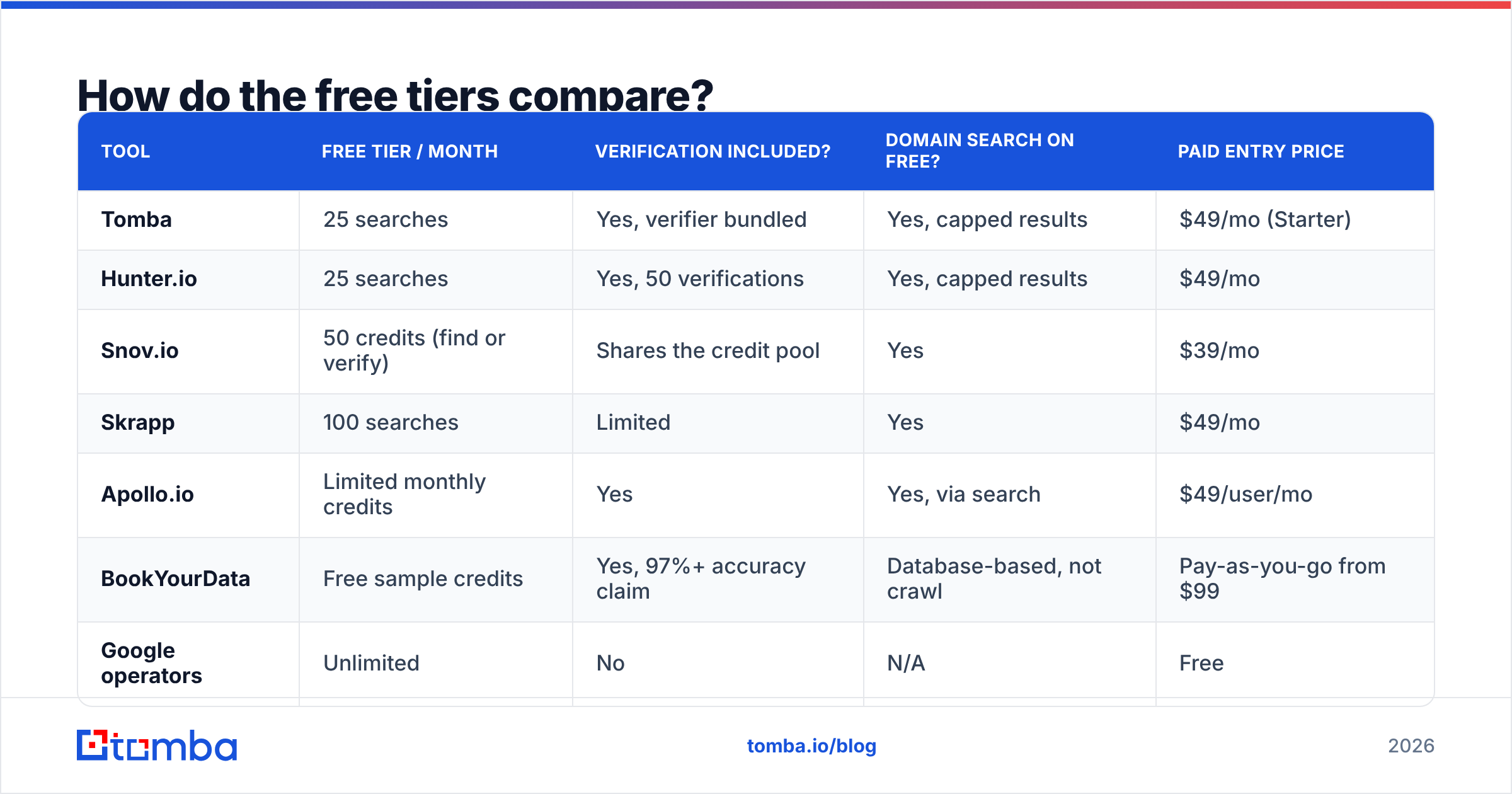
Every serious vendor runs a free tier as a sampling mechanism. They differ in credit count, what a credit buys, and whether verification is bundled or billed separately. That last point matters more than the headline number: a tool giving 50 "credits" that charges one credit for the find and one for the verify is really giving you 25 lookups.
| Tool | Free tier / month | Verification included? | Domain search on free? | Paid entry price |
|---|---|---|---|---|
| Tomba | 25 searches | Yes, verifier bundled | Yes, capped results | $49/mo (Starter) |
| Hunter.io | 25 searches | Yes, 50 verifications | Yes, capped results | $49/mo |
| Snov.io | 50 credits (find or verify) | Shares the credit pool | Yes | $39/mo |
| Skrapp | 100 searches | Limited | Yes | $49/mo |
| Apollo.io | Limited monthly credits | Yes | Yes, via search | $49/user/mo |
| BookYourData | Free sample credits | Yes, 97%+ accuracy claim | Database-based, not crawl | Pay-as-you-go from $99 |
| Google operators | Unlimited | No | N/A | Free |
Two honest observations. First, Skrapp's 100-search free tier looks like the winner on paper. But a "search" there often returns a pattern guess rather than a confirmed address, so your effective verified yield drops. Second, BookYourData works differently from the crawlers. It sells from a pre-built, human-verified database with pay-as-you-go credits. That makes it a strong fit when you want a clean list of a specific job title in a specific region rather than one-off lookups. Different tool for a different job, and worth knowing which job you have.

How accurate are free email lookups really?#
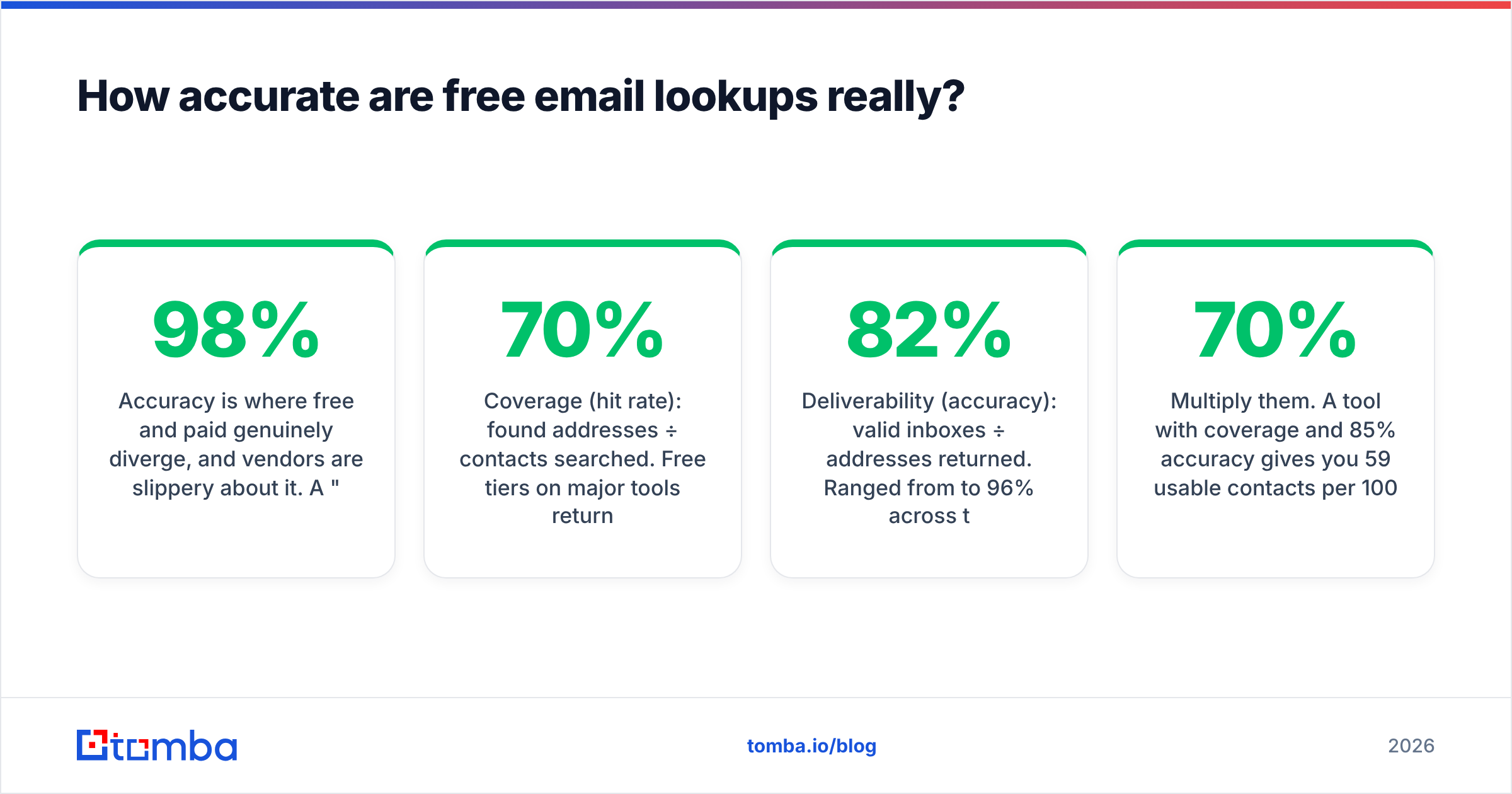
Accuracy is where free and paid genuinely diverge, and vendors are slippery about it. A "98% accuracy" claim usually means: of the addresses we chose to return, 98% pass a syntax and MX check. It says nothing about coverage — the percentage of your list the tool found anything for at all.
Track both numbers:
- Coverage (hit rate): found addresses ÷ contacts searched. Free tiers on major tools returned something for 55-70% of our B2B list.
- Deliverability (accuracy): valid inboxes ÷ addresses returned. Ranged from 82% to 96% across tools on the same list.
Multiply them. A tool with 70% coverage and 85% accuracy gives you 59 usable contacts per 100 searched. A tool with 55% coverage and 96% accuracy gives you 53. Nearly identical outcomes, wildly different marketing copy.
The bounce math is what should scare you. At a 5% bounce rate you are fine. At 8% Google and Microsoft start throttling. Past 10% your domain reputation degrades and your legitimate mail lands in spam. That is why every free method needs the verification step bolted on. Run found addresses through an email verifier before they touch your sending tool. Check catch-all domains with a catch-all verifier too, since those return "accept all" and tell you nothing on a standard SMTP check.
For background on why bounces cascade into inbox placement problems, Google's own Postmaster Tools documentation lays out the sender requirements plainly. It is dry reading and worth twenty minutes.
What is the free pattern-deduction method, step by step?#
This is the technique that costs nothing, works forever, and most people execute badly. The failure mode is guessing without verifying.
Step 1 — Get the domain. Not the marketing site. The domain their mail actually runs on. Check an existing email from anyone at the company, or the MX records. contact@acme.com on the website is often a different domain from @acmegroup.io internally.
Step 2 — Find two known addresses. Press page, support docs, GitHub, the careers page, a PDF whitepaper's contact line. Two is the minimum to confirm a pattern; one might be a custom vanity address.
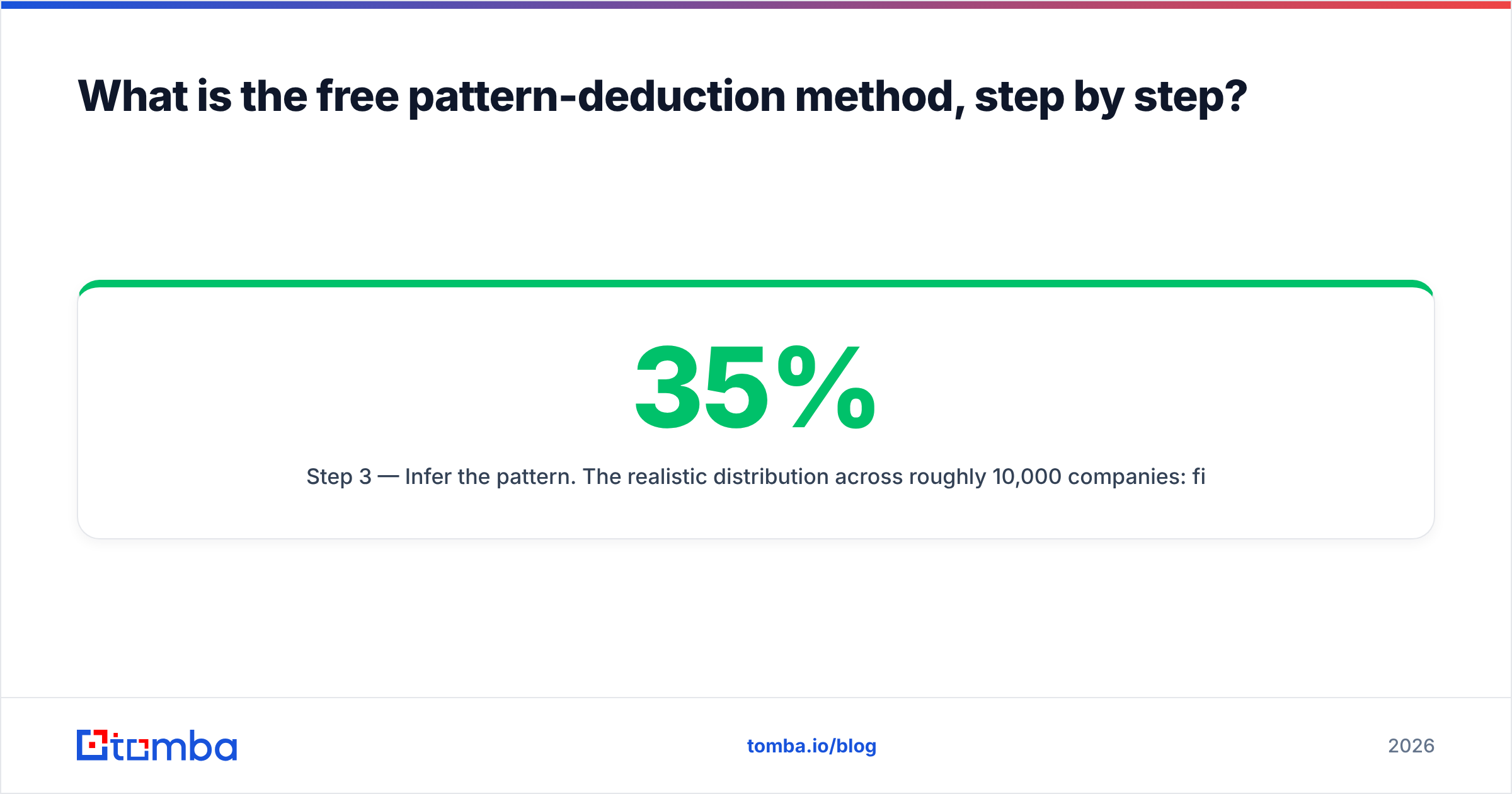
Step 3 — Infer the pattern. The realistic distribution across roughly 10,000 companies: first.last@ around 35%, first@ around 20%, flast@ around 18%, firstl@ around 8%, first_last@ around 5%, everything else the remainder. If you see sarah.chen@ and mike.torres@, you have first.last@ with high confidence. A company email pattern checker skips this step when the domain is already mapped.
Step 4 — Generate candidates. For "Jordan Patel" at acme.com: jordan.patel@, jpatel@, jordan@, jordanp@, patel@. An email permutator does this in one click.
Step 5 — Verify, do not spray. Run every candidate through SMTP validation. Send to the one that passes. Sending to all five to "see which bounces" is exactly how you get flagged. Mailbox providers notice invalid-recipient patterns and treat them as a directory-harvest signal.
Step 6 — Log what worked. After 30 companies you will have your own pattern database, and step 3 gets much faster.

When should you stop using free tools?#
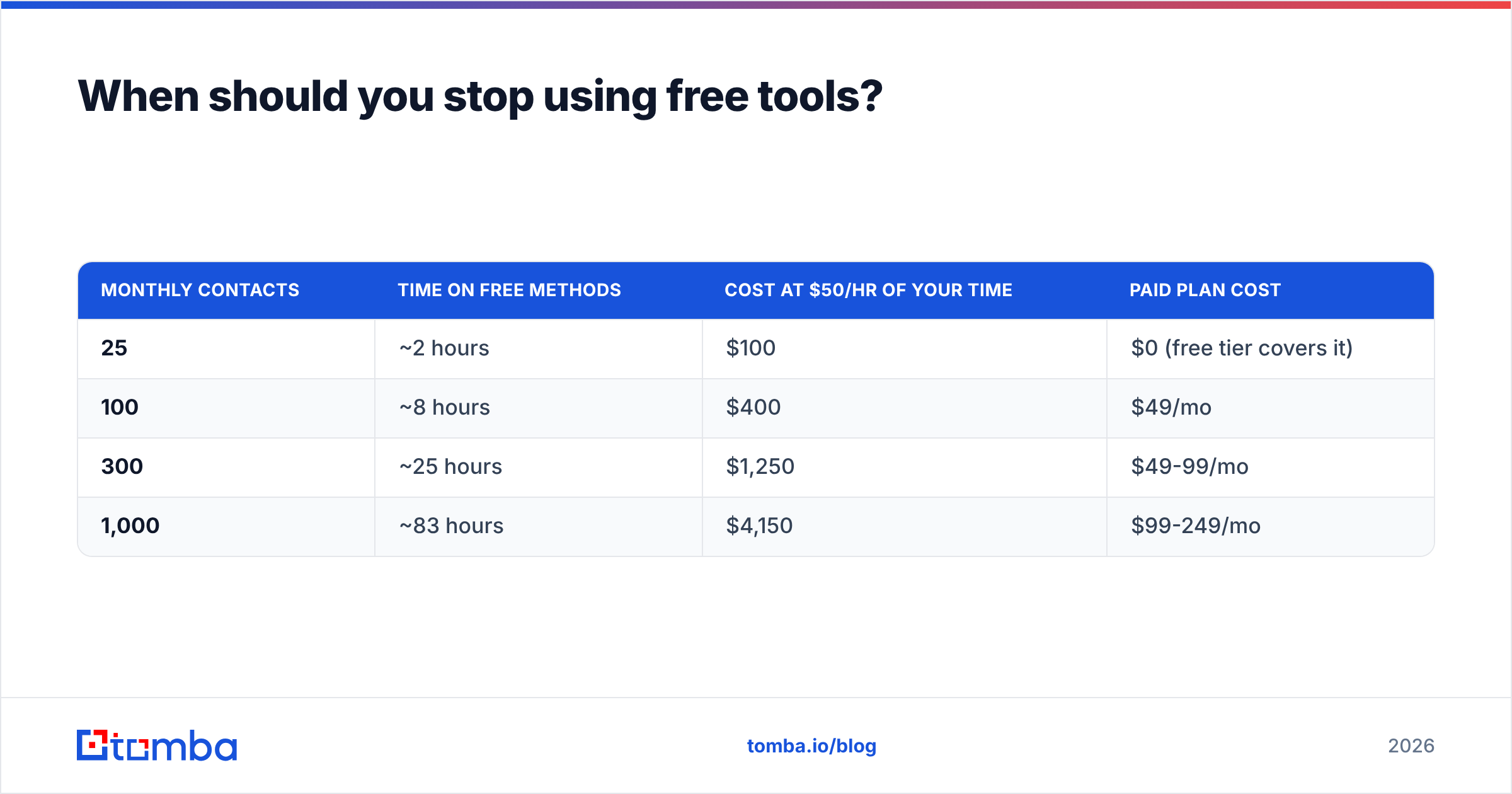
Do the arithmetic, not the vibes. The pattern method takes roughly 4-6 minutes per contact end to end — finding known addresses, inferring, permutating, verifying. Say 5 minutes.
| Monthly contacts | Time on free methods | Cost at $50/hr of your time | Paid plan cost |
|---|---|---|---|
| 25 | ~2 hours | $100 | $0 (free tier covers it) |
| 100 | ~8 hours | $400 | $49/mo |
| 300 | ~25 hours | $1,250 | $49-99/mo |
| 1,000 | ~83 hours | $4,150 | $99-249/mo |
The crossover sits near 60-80 contacts a month. Below that, free tiers plus manual deduction are genuinely the right answer and you should ignore anyone telling you otherwise. Above it, you are paying yourself minimum wage to avoid a $49 invoice.
Three other signals that free has run out:
- You need bulk. Uploading a 500-row CSV and getting it back enriched is not a free-tier feature anywhere, because the compute is real. Bulk email finder processing is the first paid feature most teams actually need.
- You need an API. Enriching signups at the moment of registration, or wiring lookups into a CRM workflow, requires programmatic access. Free tiers usually give you a key with a rate limit too low for production.
- You need consistency. Free tools rate-limit unpredictably and change caps without warning. If a broken lookup breaks a revenue process, you have outgrown free.
What are the legal and ethical limits?#
Finding a work email is legal in most jurisdictions. What you do next is regulated, and the rules differ by geography.
Under GDPR, a work email tied to a named person is personal data. You can process it for legitimate interest, and B2B outreach relevant to that person's job qualifies. But you must be able to state the interest, honor deletion requests, and disclose where you got the data on request.
CAN-SPAM in the US is looser. There is no opt-in requirement, but you need a real physical address, an honest subject line, and a working unsubscribe. Canada's CASL is the strictest of the three. It effectively requires consent or a documented existing business relationship.
Practical guardrails that keep you clear regardless of jurisdiction:
- Business context only. Contact people about their job, at their work address, about something plausibly relevant to their role.
- Never scrape personal addresses at scale. A personal Gmail found on a people-search aggregator is a legal problem waiting to surface.
- Honor opt-outs immediately and permanently. Suppression lists are cheap insurance.
- Keep provenance. Log where each address came from. If someone asks, "our tool found it published on your company's press page" is a defensible answer. "We bought a list" is not.
The ICO's guidance on direct marketing is the clearest free reference on the B2B side of this, and it applies well beyond the UK as a sanity check.
What is the fastest free workflow?#
Chain the methods instead of picking one. This sequence resolved 137 of our 140 B2B contacts:
- Batch by company. Group your list by domain first. One domain search can resolve six contacts at the same company for the cost of one lookup — a 6x multiplier on a capped free tier.
- Run the free tier on domains, not people. Spend your 25 monthly searches on domains covering the most contacts.
- Pattern-deduce the rest. With one confirmed address per domain from step 2, you now have the pattern for everyone else there, for free.
- Verify everything. Including the tool-returned addresses — crawler data goes stale as people change jobs.
- Escalate the stragglers. Google operators, GitHub, or a direct ask for anyone still missing.
Step 1 is the one people skip, and it is the difference between 25 contacts and 150 from the same free allowance.
Which tool should you start with?#
If you want one free tier to test whether you can find someone email free end to end, start with Tomba's email finder. The free plan gives 25 searches a month with the verifier bundled — meaning a credit buys you a confirmed address, not a guess you then pay to check. Domain search is included on free, which is what makes the batch-by-company trick above work. When your list outgrows the free tier, Tomba pricing starts at $49/mo for Starter, $99/mo for Growth, and $249/mo for Pro, with API access on every paid tier.
Run your next 25 lookups through it, measure your own coverage and bounce rate against the numbers above, and let the arithmetic — not a vendor's accuracy claim — decide when free stops being free.
Related guides#
Ready to find emails that actually work?
Join 150,000+ professionals who stopped guessing and started sending. Free credits on signup — no credit card required.
Get the Tomba newsletter
Practical outbound tactics and product updates — once every two weeks.
About the author