How to Find Someone's Company Email Address (2026 Guide)
Seven ways to find someone's company email address, ranked by accuracy, speed and cost — plus how to verify the result before you hit send in 2026.
Want to find someone's company email address? Most work emails follow one of six name patterns. So the hard part is not guessing the address. The hard part is proving the guess is live before you hit send. Below are seven methods, ranked by speed, accuracy, and cost.
TL;DR
- About 80% of B2B work emails follow one of six patterns. The real problem is not guessing the address. It's confirming which guess is live.
- The fastest reliable route: find the company domain, pull the domain's pattern, build the candidate, then verify it over SMTP before it enters a sequence.
- Manual methods (Google operators, GitHub commits, press pages, WHOIS) still work and cost nothing. They just don't scale past a few contacts a day.
- Email finder tools cut a 10-minute hunt to about 3 seconds. Expect 90-95% accuracy on mid-market domains, and less on catch-all domains.
- Never send to an unverified address. One bad list at an 8% bounce rate can push your domain out of the inbox for weeks.
What counts as a "company email address"?#
A company email address is any mailbox on a company's own domain — sarah.chen@acme.com, not sarahchen91@gmail.com. That difference matters more than it sounds. Personal addresses are close to unfindable through legal channels, and using them is risky in most countries. Work addresses tied to a job sit in a very different bucket. They show up on websites, in filings, in conference programs, and in code repos. Most B2B outreach rules treat them as business contact data, not private personal data.
So when you set out to find someone's company email address, you're really answering three questions in order:
- Which domain does this person's mail live on? Not always the obvious one — subsidiaries, rebrands, and acquired companies often keep legacy domains routing live.
- What naming pattern does that domain use?
first.last@,flast@,first@, andfirstl@cover the large majority of B2B mailboxes. - Does this specific mailbox actually accept mail? A pattern that's right for 400 employees can still be wrong for the one person you care about.
Skip step three and you're not prospecting. You're gambling with your sender reputation.
Why can't you just guess someone's work email?#
You can guess. The math just isn't in your favor at volume.
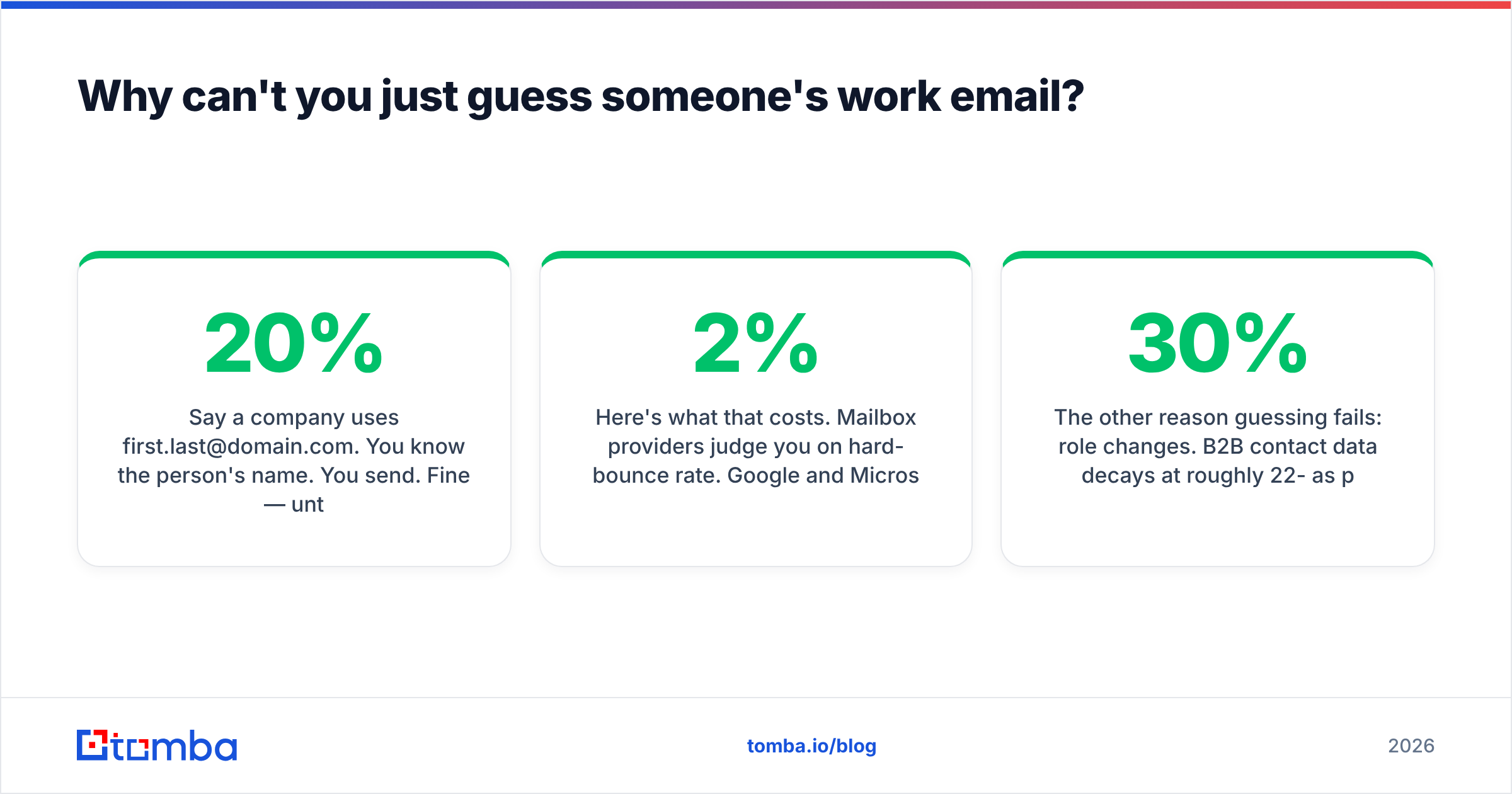
Say a company uses first.last@domain.com. You know the person's name. You send. That works until the pattern breaks, and it breaks in about 20% of cases: two people named John Smith, a contractor on a @contractors. subdomain, a founder who kept hello@ as a personal inbox, someone who left eight months ago, or a domain that quietly accepts everything and drops it.
Here's what that costs. Mailbox providers judge you on hard-bounce rate. Google and Microsoft both tighten filtering fast once a sending domain passes roughly 2% hard bounces. Most cold email platforms pause a campaign above 5%. A 300-contact list built on pure guesswork bounces at 15-30%. That is not a slow decline. That is your domain landing in spam for every recipient, including the ones you got right.
The other reason guessing fails is job changes. B2B contact data decays by 22-30% a year as people move. A guessed address for someone who left in March will bounce, no matter how good your pattern logic is.

What are the fastest ways to find someone's company email address?#
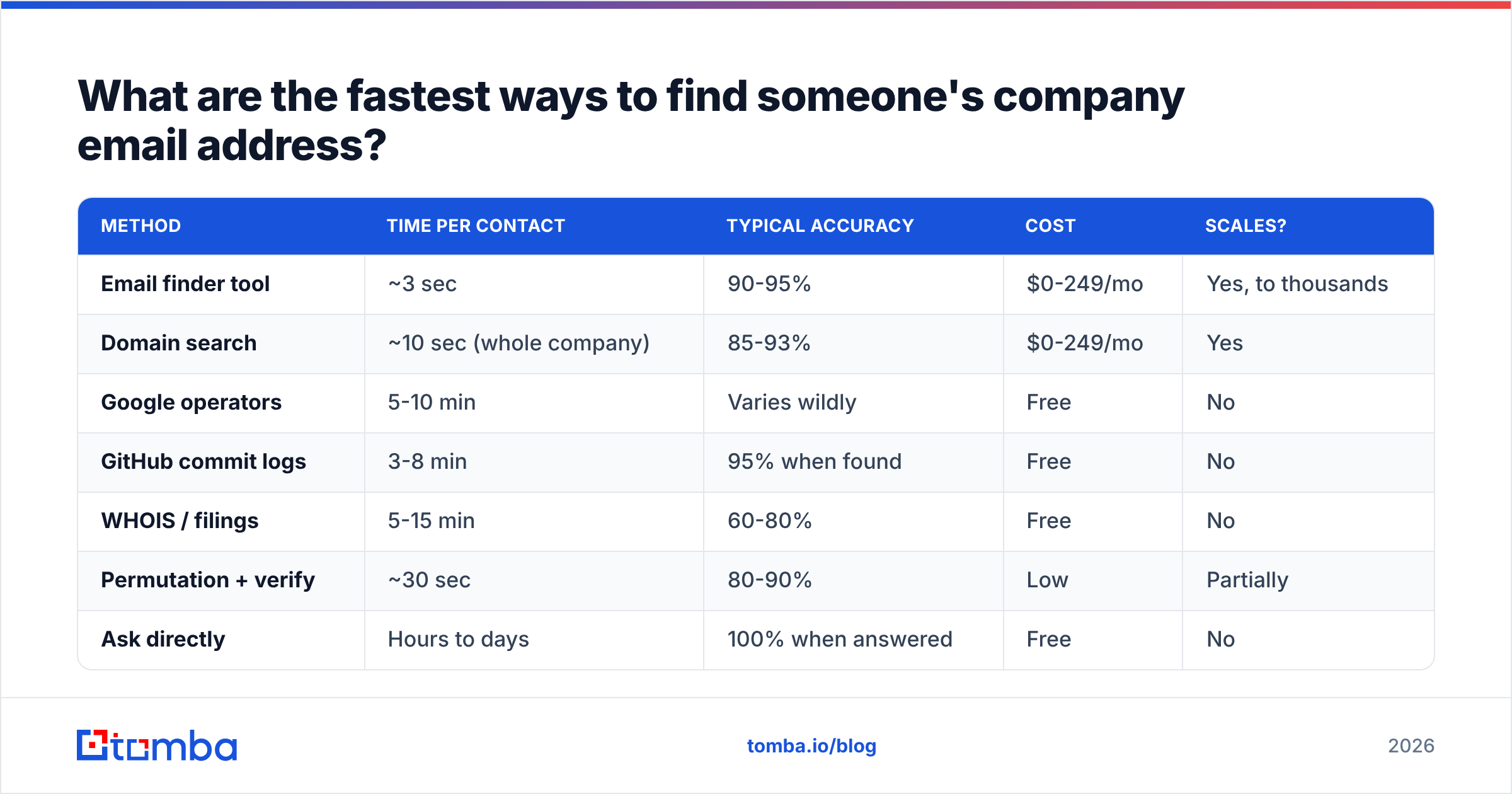
Ranked by time cost per contact, here are the seven methods that still work in 2026:
Email finder tools — You give a full name plus a company domain. The tool returns the verified address with a confidence score. About 3 seconds per contact, and a 90-95% hit rate on established domains. Everything else on this list competes with it.
Domain search — Instead of hunting one person, you pull every mailbox found on a domain and pick the right one. Best when you know the company but not the person, or when you want to map a whole buying committee. Tomba's domain search also returns the department and seniority for each address.
Google search operators —
site:acme.com "@acme.com"or"john smith" "@acme.com"surfaces addresses published in PDFs, press releases, and staff directories. Free, sometimes brilliant, and never predictable. Budget 5-10 minutes per contact.GitHub and public commit logs — Every git commit carries the author's email.
github.com/<org>→ any repo → commits → click a commit → add.patchto the URL. Engineers and technical founders are often exposed this way. Useless for sales and finance leaders.Company pages, filings, and WHOIS — Press contacts, investor relations pages, SEC filings, and domain records all leak real mailboxes. WHOIS is much weaker after GDPR, since most registrars now redact. Legacy records and non-EU registrars still return live addresses.
Email permutation plus verification — Build every plausible combination of the name and domain, verify each one, and keep the live hit. A free email permutator handles the generation. The verification step is what makes it safe rather than reckless.
Just ask — A LinkedIn message, a mutual intro, a contact form, or a reply to their newsletter. Slowest per contact, best response quality, zero deliverability risk. Underrated for a shortlist of 20 dream accounts.
| Method | Time per contact | Typical accuracy | Cost | Scales? |
|---|---|---|---|---|
| Email finder tool | ~3 sec | 90-95% | $0-249/mo | Yes, to thousands |
| Domain search | ~10 sec (whole company) | 85-93% | $0-249/mo | Yes |
| Google operators | 5-10 min | Varies wildly | Free | No |
| GitHub commit logs | 3-8 min | 95% when found | Free | No |
| WHOIS / filings | 5-15 min | 60-80% | Free | No |
| Permutation + verify | ~30 sec | 80-90% | Low | Partially |
| Ask directly | Hours to days | 100% when answered | Free | No |
The honest read: manual methods are for the ten accounts you'd fly across the country for. Tooling is for everything else.
How accurate are email finders in 2026?#
Accuracy is the only metric that matters. It is also the one most vendors report in the kindest way possible. Two numbers get mixed up constantly:
- Coverage (hit rate) — of 100 name+domain lookups, how many returned an address at all?
- Accuracy (validity) — of the addresses returned, how many actually deliver?
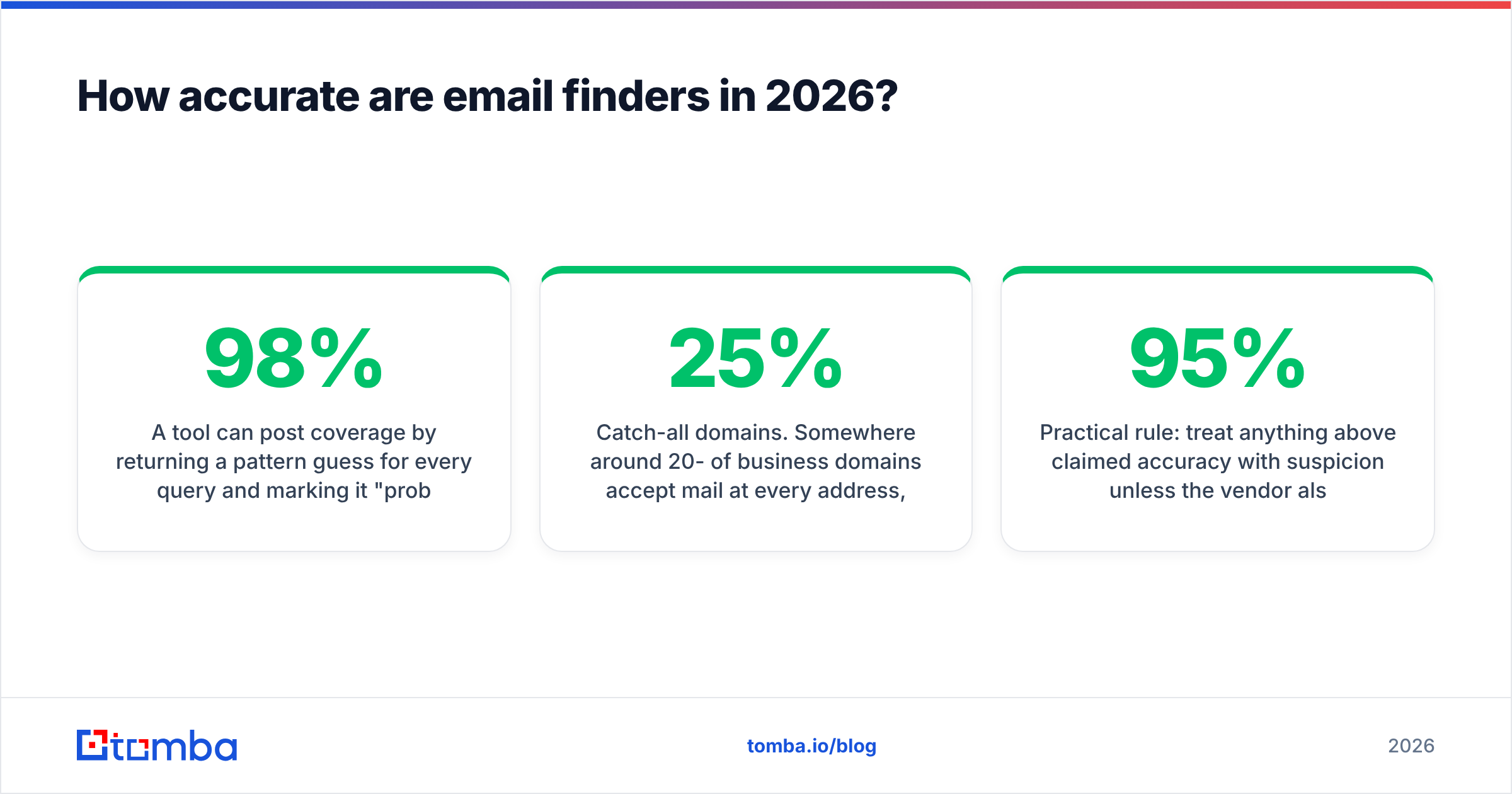
A tool can post 98% coverage by returning a pattern guess for every query and labeling it "probable." That's a coverage number dressed up as an accuracy number. You want a tool that says "not found" instead of handing you a landmine. You also want a published confidence score, so you can filter.

Two structural factors drag real-world accuracy below the marketing number:
Catch-all domains. Roughly 20-25% of business domains accept mail at every address, valid or not. On these domains, SMTP checks can't tell a real mailbox from a black hole. The server says yes to everything. Good providers flag them as "accept-all" instead of calling them verified. A dedicated catch-all verifier grades them with secondary signals.
Provider-level greylisting. Microsoft 365 and Google Workspace have both hardened their SMTP replies to block enumeration. Checks that worked cleanly three years ago now need several probe strategies plus pattern support to reach the same confidence. This is where cheap verifiers fall over.
A practical rule: doubt any claim above 95% accuracy unless the vendor also says what share of queries returned nothing.
Which tools should you use to find work emails?#
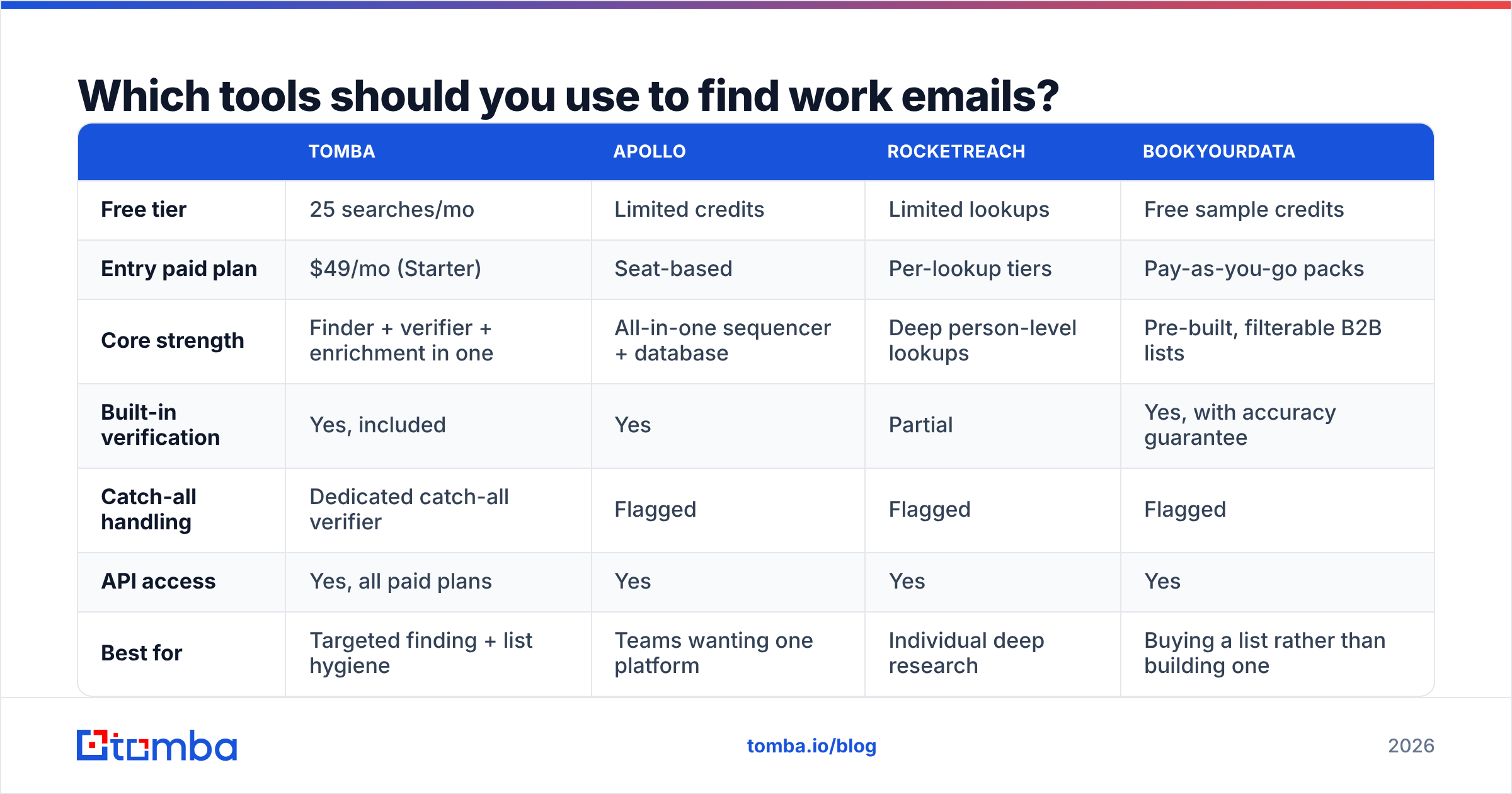
Here's how the mainstream options compare, with the honest trade-offs. Prices are entry paid tiers as published by each vendor and change often. Check the vendor page before you buy.

| Tomba | Apollo | RocketReach | BookYourData | |
|---|---|---|---|---|
| Free tier | 25 searches/mo | Limited credits | Limited lookups | Free sample credits |
| Entry paid plan | $49/mo (Starter) | Seat-based | Per-lookup tiers | Pay-as-you-go packs |
| Core strength | Finder + verifier + enrichment in one | All-in-one sequencer + database | Deep person-level lookups | Pre-built, filterable B2B lists |
| Built-in verification | Yes, included | Yes | Partial | Yes, with accuracy guarantee |
| Catch-all handling | Dedicated catch-all verifier | Flagged | Flagged | Flagged |
| API access | Yes, all paid plans | Yes | Yes | Yes |
| Best for | Targeted finding + list hygiene | Teams wanting one platform | Individual deep research | Buying a list rather than building one |
A few things this table can't show you:
Buy-a-list and build-a-list are different jobs. BookYourData and similar providers are strong when you want a filtered slice of an industry today, with a verification guarantee attached. Tools like Tomba are stronger when you already know which 200 companies and which 400 people you want. Then you need those exact addresses resolved and kept clean. Plenty of teams run both.
Seat pricing and credit pricing change the math. Platforms priced per seat get expensive when only two people on a ten-person team prospect. Credit-based tools like Tomba's plans — Free at 25 searches, Starter at $49/mo, Growth at $99/mo, Pro at $249/mo — scale with volume, not headcount. Model your real monthly lookup count first.
API access is not optional past ~500 contacts a month. You need it if you enrich CRM records on create, dedupe inbound signups, or refresh a stale list nightly. Every tool above offers one. The difference is rate limits, and whether verification is a separate billable call.

How do you verify an email before you send?#
Verification turns a guess into an asset. It runs in four layers, and each layer kills a different class of bad address:
Syntax check. Malformed addresses, illegal characters, missing TLD. Catches typos from manual entry and scanned business cards. Cheap and instant.
Domain and MX check. Does the domain resolve, and does it have valid MX records pointing at a mail server? Kills dead companies, parked domains, and typo'd domains (@gmial.com). Also instant.
SMTP handshake. Connect to the receiving mail server and ask whether the mailbox exists, without delivering anything. This layer separates real verification from list-cleaning theater. It is also where catch-all domains return an unhelpful "yes."
Risk scoring. Is this a role account (info@, sales@, support@)? A known spam trap? A disposable domain? A high-complaint address? Role accounts aren't invalid, but they convert badly and complain more. Most teams route them separately or drop them.
Run all four on any list before it enters a sequence. Tomba's email verifier bundles them into one call. It returns a status plus a score rather than a raw boolean, which is what you want for setting your own accept/reject threshold.
A workable threshold for cold outreach: send to everything scored valid. Hold accept-all addresses for a smaller test send from a secondary domain. Discard the rest. That keeps hard bounces under 2% on most lists.
Is it legal to find someone's business email address?#
Short answer: usually yes, with real conditions attached. This is not legal advice.
Under GDPR, a work email tied to a named person counts as personal data, even though it is a business address. B2B outreach is generally allowed in most EU member states under legitimate interest. But you must be able to document that assessment, identify yourself clearly, say where you got the data if asked, and honor deletion and opt-out requests at once. A few member states apply stricter national rules. The UK's Information Commissioner's Office publishes plain-language guidance on direct marketing that is worth twenty minutes of your time.
Under CAN-SPAM in the US, cold B2B email is legal without prior consent. You must not use deceptive headers or subject lines. You must include a physical postal address, and a working opt-out that you process within 10 business days.
CASL in Canada is the strictest of the three. It requires express or implied consent before you send a commercial message. Implied consent covers business addresses that are published openly and relevant to the person's role.
The same hygiene applies across all three regimes. Only target people whose job makes your message relevant. Keep a record of your data source. Suppress opt-outs for good, everywhere. Never scrape personal or consumer addresses. And if you want to know where a provider's data comes from, that should be a published page, not a support ticket — Tomba documents its data sources openly.
What's the fastest repeatable workflow?#
This sequence works whether you're doing 10 contacts or 10,000:
Resolve the domain first. Company name to website, not company name to guess. Acquisitions and rebrands break this step constantly, so check where the marketing site actually redirects.
Pull the domain pattern. One lookup tells you what the other 300 mailboxes on that domain look like. It is the highest-leverage step, and most people skip it.
Find the specific person. Name plus domain into a finder. Accept the confidence score it returns. Don't override it with optimism.
Verify before storage, not before send. Verify at the point of collection, so your CRM never holds an unverified address at all.
Re-verify quarterly. With ~25% annual decay, a list you built in January is badly wrong by summer. Bulk re-verification is cheap. A burned domain is not.
Segment by confidence. Valid addresses go to your primary sending domain. Accept-all and low-confidence addresses go to a secondary domain at lower volume. Never mix them.
That's it. Once it's tooled, no step takes longer than a few seconds per contact. It is also the difference between a 1% bounce rate and a deliverability incident.
Where should you start?#
If you need to find someone's company email address right now — one person, one domain, verified before it costs you anything — start with the Tomba Email Finder. The free tier gives you 25 searches a month with no card. That's enough to test the accuracy claims in this post against domains where you already know the answer. Take 20 colleagues or customers whose addresses you can confirm, run them through, and count the hits and the false positives yourself. If the numbers hold up on your own data, scale it. If they don't, you've spent nothing finding out.
Related guides#
Ready to find emails that actually work?
Join 150,000+ professionals who stopped guessing and started sending. Free credits on signup — no credit card required.
Get the Tomba newsletter
Practical outbound tactics and product updates — once every two weeks.
About the author