Finderio vs Forager: Which Email Finder Wins in 2026?
Finderio bundles email finding into a 50-app suite. Forager sells enterprise-grade B2B data by quote. We compare coverage, accuracy, pricing and API access — and name the pick most small teams actually need.
TL;DR
- Finderio (finder.io, part of the 500apps suite) is a low-cost, bundled email finder. You get it alongside dozens of other apps, which is great for budget and terrible for focus.
- Forager (forager.ai) is an enterprise B2B data engine — large refreshed contact graph, quote-based pricing, sold to data teams rather than individual SDRs.
- They barely compete. Finderio is a $15-ish/user utility; Forager is a five-figure annual data contract. Picking between them is really picking a tier, not a tool.
- If you want single-purpose accuracy with transparent pricing and a real API, a dedicated finder like Tomba sits in the gap between them — free tier at 25 searches/mo, Starter at $49/mo.
- Whatever you choose, budget for verification. Raw finder output without an email verifier step will wreck your sender reputation inside two weeks.
What are Finderio and Forager?#
Finderio is the email-finding module inside 500apps, a bundled software suite that sells ~50 business apps for one flat per-user price. It does the standard things: find an email from a name plus domain, run a domain search to pull contacts at a company, verify addresses in bulk, and push results into the suite's own CRM. Its selling point is not depth — it's that you're already paying for the bundle.
Forager is Forager.ai, a B2B data provider that positions itself around freshness. Its pitch is a continuously refreshed contact and company graph, delivered through API, flat files, or integrations, with heavy emphasis on job-change signals and coverage breadth. Forager sells to RevOps, data engineering, and enterprise GTM teams — the people who want to pipe data into a warehouse, not click a Chrome extension.
That difference matters more than any feature checkbox. One is a commodity utility inside a bundle. The other is an infrastructure purchase.

How do Finderio and Forager actually differ?#
Here's the honest breakdown, structured the way a buyer should think about it:
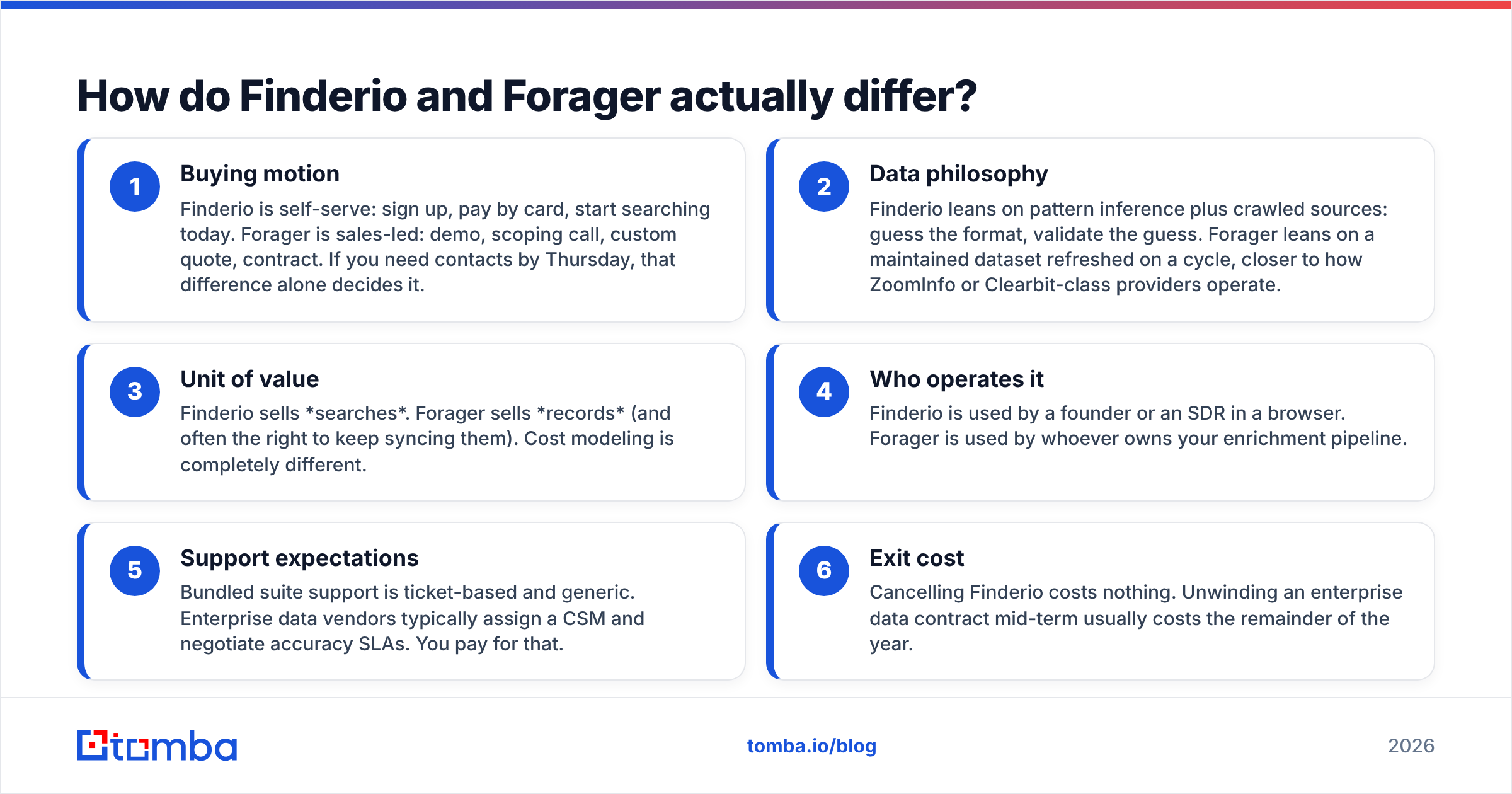
- Buying motion — Finderio is self-serve: sign up, pay by card, start searching today. Forager is sales-led: demo, scoping call, custom quote, contract. If you need contacts by Thursday, that difference alone decides it.
- Data philosophy — Finderio leans on pattern inference plus crawled sources: guess the format, validate the guess. Forager leans on a maintained dataset refreshed on a cycle, closer to how ZoomInfo or Clearbit-class providers operate.
- Unit of value — Finderio sells searches. Forager sells records (and often the right to keep syncing them). Cost modeling is completely different.
- Who operates it — Finderio is used by a founder or an SDR in a browser. Forager is used by whoever owns your enrichment pipeline.
- Support expectations — Bundled suite support is ticket-based and generic. Enterprise data vendors typically assign a CSM and negotiate accuracy SLAs. You pay for that.
- Exit cost — Cancelling Finderio costs nothing. Unwinding an enterprise data contract mid-term usually costs the remainder of the year.
If you can't articulate which of those six matters most to you, you're not ready to buy either one.
Which has better data accuracy?#
Neither vendor publishes independently audited accuracy numbers, so treat every marketing percentage — theirs, ours, anyone's — as a claim until you test it.
What you can do is run the same test list through both. Here's the protocol that actually produces a signal:
- Pull 200 contacts you already have confirmed emails for (past customers, webinar attendees, closed-won contacts).
- Strip the emails, keep name + company domain.
- Run both tools against that list.
- Score three things separately: hit rate (did it return anything?), precision (was the returned address correct?), and catch-all rate (how many came back "accept-all" and therefore unproven?).
That third metric is where most tools quietly lose. A finder that returns a plausible-looking address on a catch-all domain has told you nothing — the mail server accepts everything. If a vendor counts those as "found," their hit rate is inflated. This is why a dedicated catch-all verifier is not an optional extra in 2026; roughly a third of mid-market domains now run accept-all configurations.

In our reading of public documentation and user reviews on G2, the pattern is predictable: bundled suite finders like Finderio do well on large, well-indexed companies with obvious email formats, and fall off sharply on SMBs, non-English domains, and recently-changed roles. Enterprise providers like Forager hold up better on breadth and on job-change recency — which is exactly what you'd expect from a dataset that's actively refreshed rather than inferred on demand.
You are paying for that difference. The question is whether your volume justifies it.
Finderio vs Forager: full comparison table#
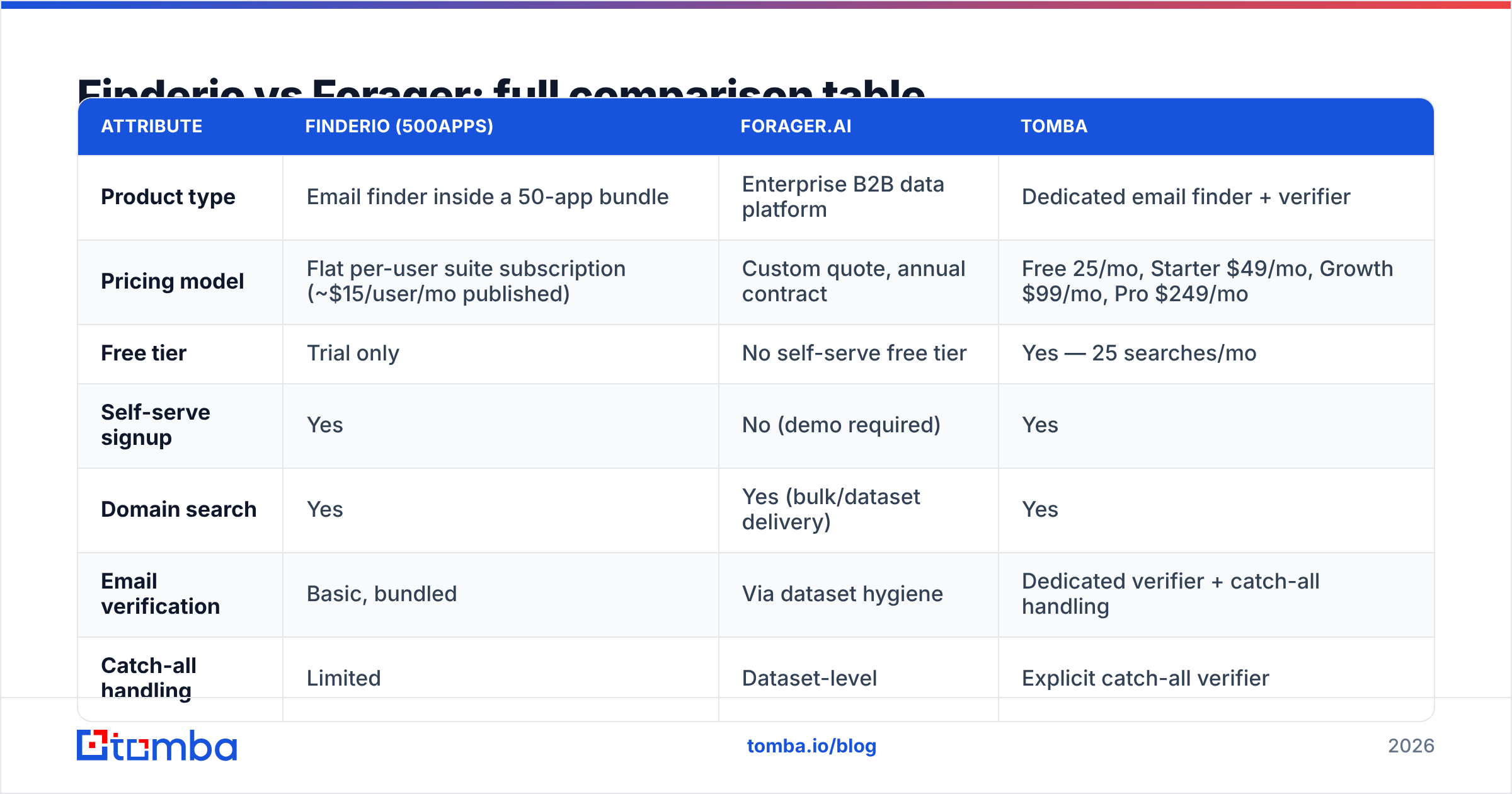
| Attribute | Finderio (500apps) | Forager.ai | Tomba |
|---|---|---|---|
| Product type | Email finder inside a 50-app bundle | Enterprise B2B data platform | Dedicated email finder + verifier |
| Pricing model | Flat per-user suite subscription (~$15/user/mo published) | Custom quote, annual contract | Free 25/mo, Starter $49/mo, Growth $99/mo, Pro $249/mo |
| Free tier | Trial only | No self-serve free tier | Yes — 25 searches/mo |
| Self-serve signup | Yes | No (demo required) | Yes |
| Domain search | Yes | Yes (bulk/dataset delivery) | Yes |
| Email verification | Basic, bundled | Via dataset hygiene | Dedicated verifier + catch-all handling |
| Catch-all handling | Limited | Dataset-level | Explicit catch-all verifier |
| Public API | Limited | Yes, core delivery method | Yes — REST, CLI, MCP |
| Phone numbers | Limited | Yes | Yes |
| Chrome extension | Yes | Partner/integration-dependent | Yes |
| Spreadsheet add-ons | Suite-internal | Via export | Google Sheets, Excel, Airtable |
| Best for | Solo founders already on 500apps | Data teams building enrichment pipelines | SDR teams and agencies needing accuracy without a contract |

Pricing above reflects publicly listed figures at the time of writing. Suite and enterprise pricing both move — confirm on the vendor's own page before you budget.
Is Finderio worth it for the price?#
For the right buyer, yes — and the right buyer is narrow.
Finderio makes sense if you are already using 500apps for CRM, helpdesk, or project management. The marginal cost of the email finder is effectively zero, and "free enough" beats "slightly more accurate" when you're sending 200 emails a month. Founders validating a market, freelancers building a first prospect list, and agencies doing light research all get real value here.
It stops making sense the moment email finding becomes a primary workflow. Bundled tools are built to be adequate across fifty categories, not excellent in one. You'll notice this in three places: thin coverage on smaller companies, weak catch-all logic, and an API that exists but isn't built for volume. If your SDRs are burning four hours a week manually re-checking output, the $15/user bundle just became your most expensive line item.
There's also a lock-in dimension people underrate. When your finder, CRM, and sequencer all live in one suite, switching any one of them means renegotiating all three.
Is Forager worth an enterprise contract?#
Also yes — for an even narrower buyer.
Forager earns its price when you're operating at a scale where data freshness changes revenue. Concretely: you have a CRM with 200,000+ records that decay at roughly 25–30% per year, you have a warehouse to pipe data into, and you have someone whose job is enrichment quality. In that setup, an always-refreshing dataset with job-change signals is not a luxury — it's the difference between routing leads to real people and routing them to bounced inboxes.
Signals you're not that buyer:
- You can't name who would own the integration.
- Your "data pipeline" is a Google Sheet.
- You need contacts this quarter, not next quarter.
- Nobody has modeled cost-per-usable-record, only total contract value.
Enterprise data contracts are also where the "credits vs records vs seats" confusion does the most damage. Get the quote broken down into cost per verified, usable contact before you sign — not cost per record delivered. Those two numbers can differ by 3x once you strip catch-alls, role accounts, and stale roles.

What if neither tier fits your team?#
This is the common case, and it's why the Finderio-vs-Forager framing is slightly wrong. Most B2B teams sit in the middle: too serious for a bundled utility, too small for a data contract.
That middle tier wants five specific things:
- Transparent, self-serve pricing you can start and stop without a call.
- Separate find and verify steps, so you can prove an address before it costs you a sender reputation hit.
- A real API — not a checkbox API — because prospecting eventually gets automated.
- Explicit catch-all handling rather than silent guessing.
- Spreadsheet and CRM integrations that match how the team already works.
Tomba was built for exactly that band. The free tier gives you 25 searches a month to test the accuracy protocol above before paying anything; Starter is $49/mo and Growth $99/mo, with Pro at $249/mo for higher-volume teams. Full Tomba pricing is public — no quote required. The Tomba API is the same surface the web app uses, with a CLI and MCP server if you're wiring it into agents or scripts, plus a bulk email finder for list work.
BookYourData is another credible option in this band, particularly if you'd rather buy a pre-built, pay-as-you-go contact list than run searches yourself. Its per-contact model with verification guarantees suits teams doing occasional large pushes rather than continuous prospecting — a genuinely different shape of need, and a good fit when it matches.
The honest framing: these are complements as often as competitors. Plenty of teams buy a list for a campaign and run a finder for ongoing, account-based work.
How do you actually decide?#
Run this sequence. It takes a week and saves a year of regret.
Day 1–2: build the truth set. 200 contacts with known-correct emails, emails stripped. This is your only defense against vendor-supplied benchmarks.
Day 3: run the free/trial tiers. Finderio's trial, Tomba's free 25, any pay-as-you-go credits. You can't trial Forager without a sales call, which is itself data about the buying motion.
Day 4: score honestly. Hit rate, precision, catch-all rate — three columns, not one. Count "accept-all, unverified" as a miss, because in your sequencer it will behave like one.
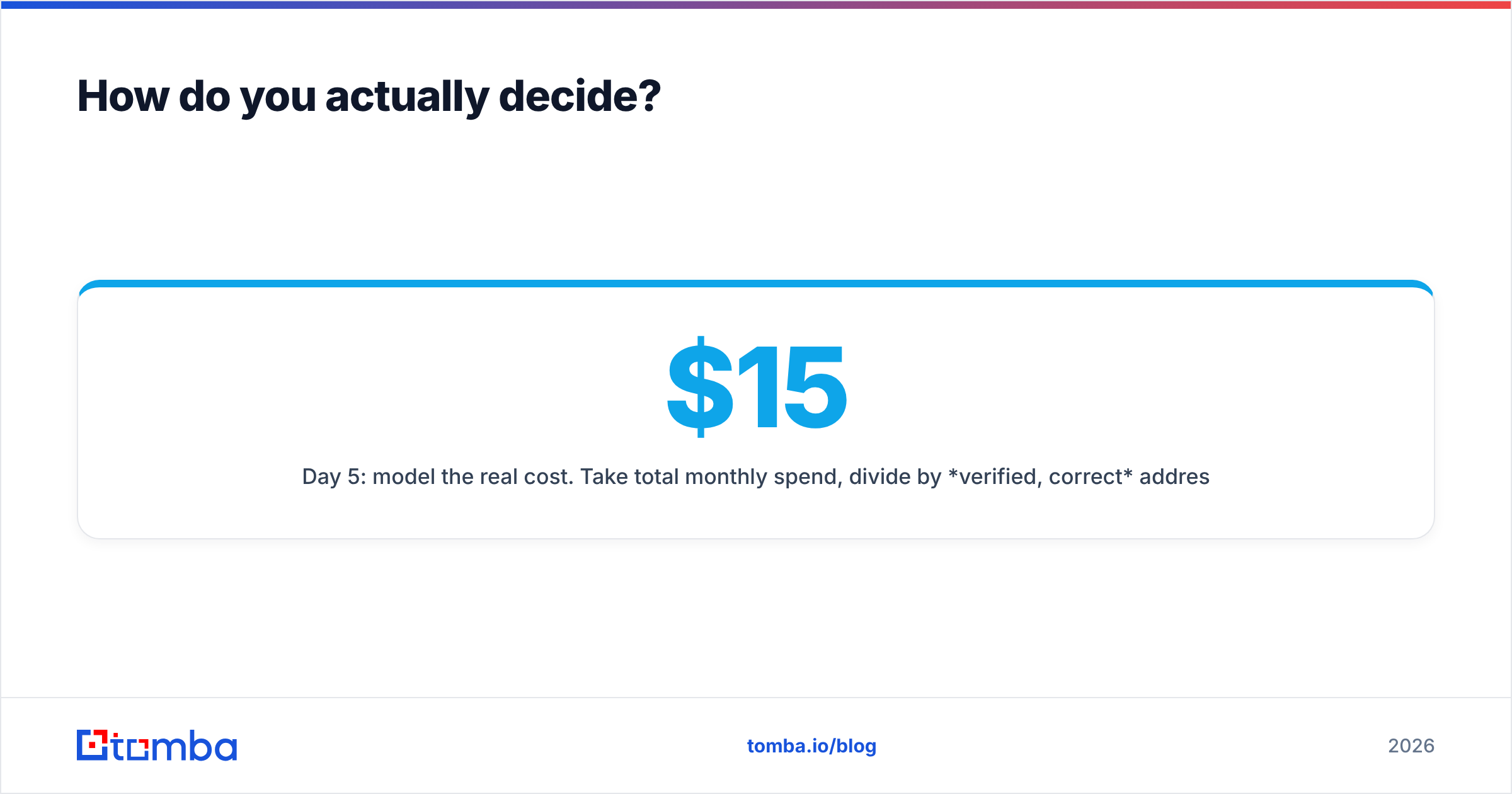
Day 5: model the real cost. Take total monthly spend, divide by verified, correct addresses. Not by credits. Not by seats. A $15/user tool with 45% usable precision is more expensive per usable contact than a $49/mo tool at 92%.
Day 6–7: check the exit. How do you export? What happens to your data on cancellation? Is there a minimum term? Bundled suites and enterprise contracts fail this test in opposite directions — one entangles your whole stack, the other locks your calendar year.
One last thing that has nothing to do with either vendor: your infrastructure decides more of your reply rate than your data source does. If your SPF, DKIM, and DMARC aren't clean, and your domain isn't warmed, the most accurate contact list in the market will still land in spam. Fix email deliverability first, then argue about finders.
Which should you choose?#
Choose Finderio if you're already inside the 500apps ecosystem, your volume is low, and "good enough" genuinely is. It's cheap for a reason and honest about what it is.
Choose Forager if you have enterprise scale, a data owner, a warehouse, and a real budget line for contact freshness. Its value shows up in pipeline hygiene at scale, not in one-off lookups.
Choose neither — and pick a dedicated, self-serve finder — if you're a 3–30 person sales team that needs accuracy, an API, and pricing you can predict. That's the largest group of people reading this comparison, and it's the group both vendors are least designed for.
Start with the accuracy test, not the sales call. Spin up a free Tomba account, run your 200-contact truth set through the Tomba Email Finder, and compare hit rate, precision, and catch-all rate against whatever you're using now. Twenty-five searches a month costs nothing, takes ten minutes, and gives you the one thing no vendor comparison page can: your own numbers, on your own market. If the results hold up, Starter is $49/mo — no demo, no contract, no bundle you didn't ask for.
Related guides#
Ready to find emails that actually work?
Join 150,000+ professionals who stopped guessing and started sending. Free credits on signup — no credit card required.
Get the Tomba newsletter
Practical outbound tactics and product updates — once every two weeks.
About the author