Finder.io vs Mailfloss 2026: Email Finder vs Verifier
Finder.io finds new B2B email addresses. Mailfloss quietly cleans the list you already have. They solve opposite problems — here's which one your pipeline actually needs in 2026, and what it costs.
TL;DR
- They are not competitors. Finder.io is a prospecting tool that discovers new email addresses. Mailfloss is a hygiene tool that cleans the list already sitting in your ESP. Buying one because you wanted the other is the most common mistake here.
- Pick Finder.io if your problem is "I don't have enough contacts." Pick Mailfloss if your problem is "my Mailchimp bounce rate is 7% and my sender reputation is sliding."
- Mailfloss only works inside supported ESPs (Mailchimp, ActiveCampaign, Klaviyo, HubSpot, ConvertKit and similar). No ESP integration, no product.
- Finder.io is sold as part of the 500apps bundle, which means seat-based pricing and a suite you may never touch — great value if you use the bundle, awkward if you only want emails.
- If you need both jobs from one vendor, a combined finder + verifier stack (Tomba, Hunter, Dropcontact-class tools) is usually cheaper than running two subscriptions and stitching CSVs between them.
What is Finder.io and what is Mailfloss?#
Start with the plain-English version: Finder.io is a fishing rod. Mailfloss is a water filter. One brings new fish in. The other makes sure what's already in the tank doesn't rot.
Here's what each one actually does:
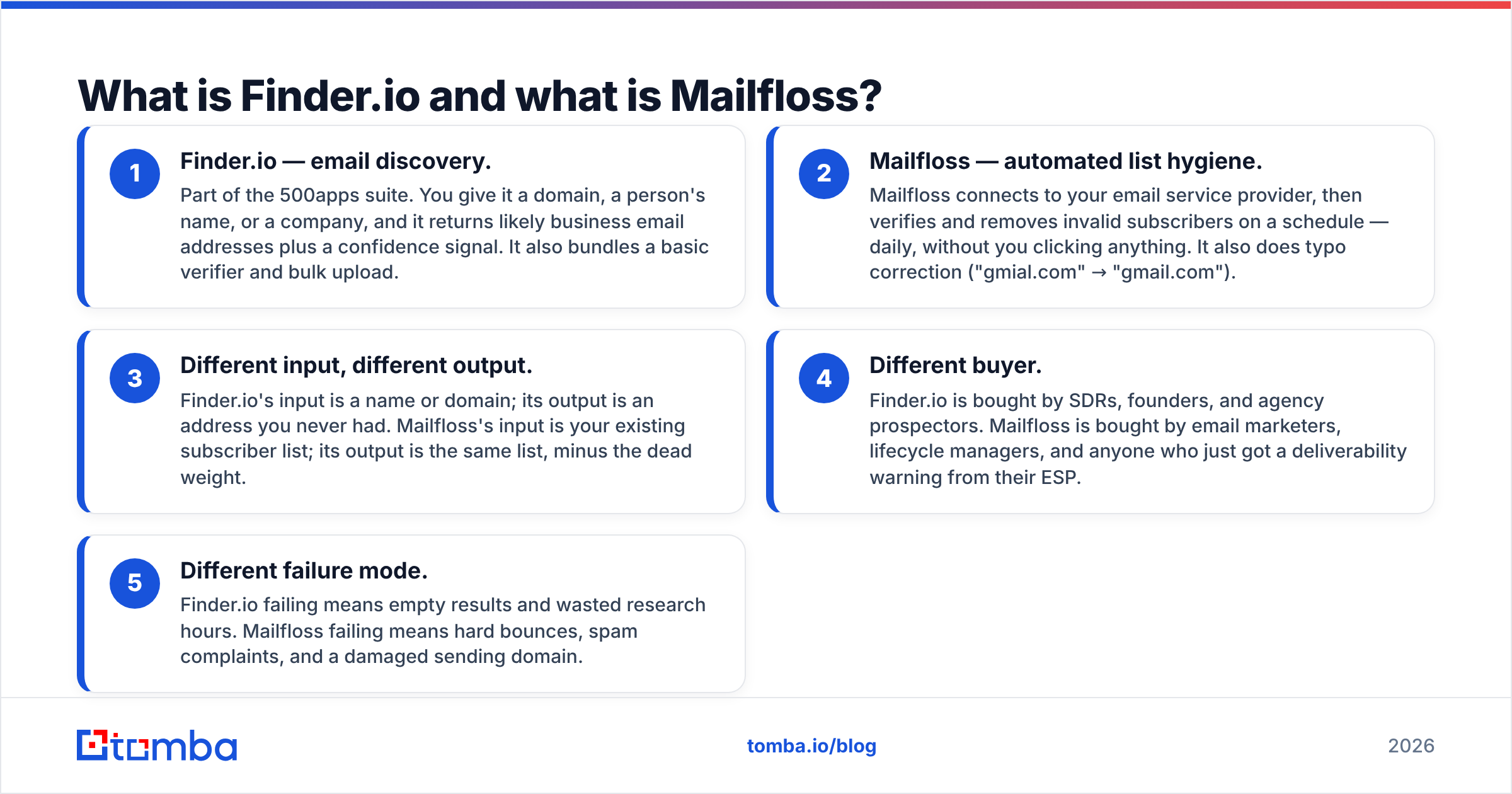
- Finder.io — email discovery. Part of the 500apps suite. You give it a domain, a person's name, or a company, and it returns likely business email addresses plus a confidence signal. It also bundles a basic verifier and bulk upload.
- Mailfloss — automated list hygiene. Mailfloss connects to your email service provider, then verifies and removes invalid subscribers on a schedule — daily, without you clicking anything. It also does typo correction ("gmial.com" → "gmail.com").
- Different input, different output. Finder.io's input is a name or domain; its output is an address you never had. Mailfloss's input is your existing subscriber list; its output is the same list, minus the dead weight.
- Different buyer. Finder.io is bought by SDRs, founders, and agency prospectors. Mailfloss is bought by email marketers, lifecycle managers, and anyone who just got a deliverability warning from their ESP.
- Different failure mode. Finder.io failing means empty results and wasted research hours. Mailfloss failing means hard bounces, spam complaints, and a damaged sending domain.
That distinction drives everything below. If you skip it, you'll compare two tools on price and pick the wrong one.

How do Finder.io and Mailfloss compare head-to-head?#
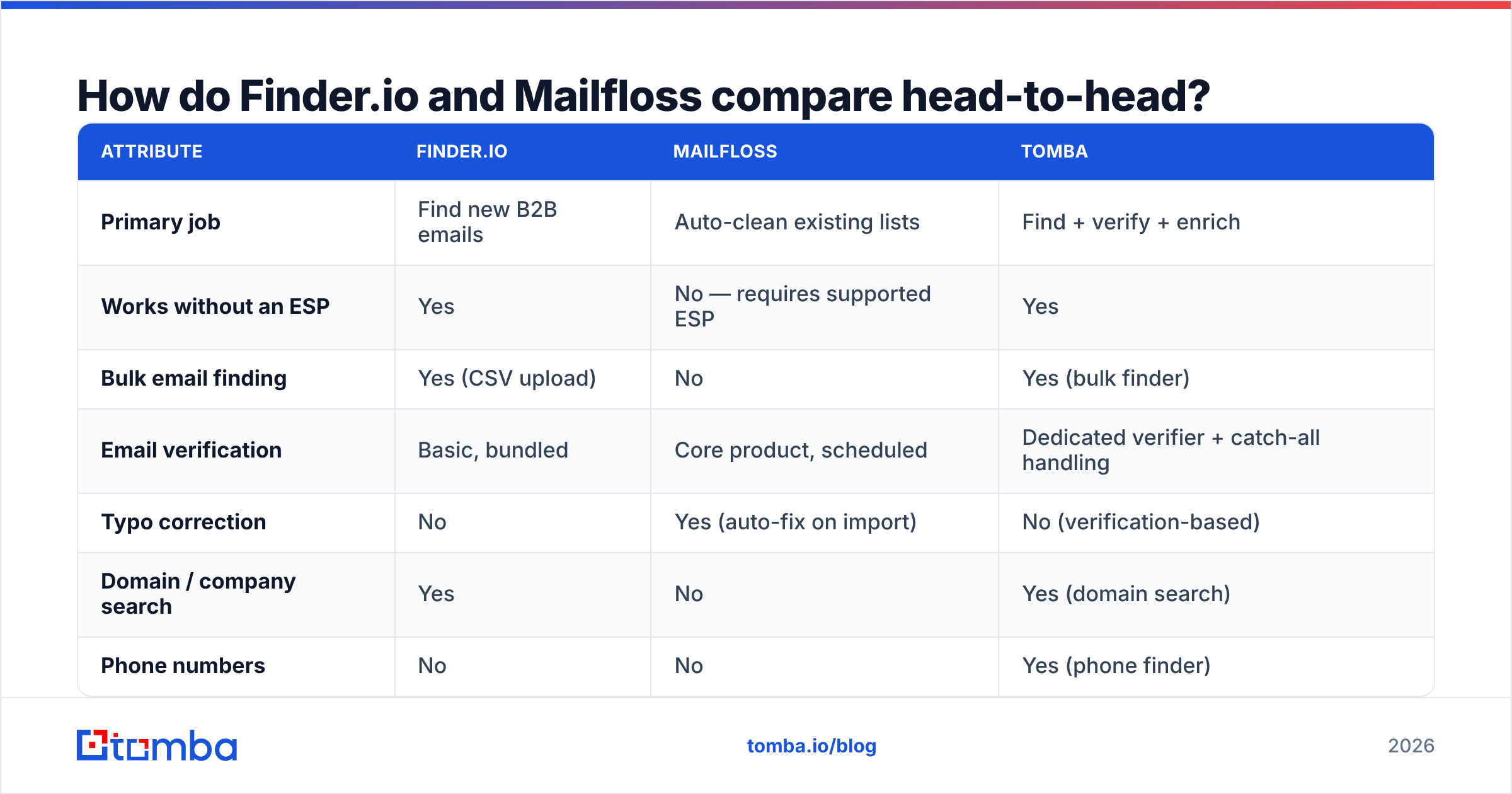
| Attribute | Finder.io | Mailfloss | Tomba |
|---|---|---|---|
| Primary job | Find new B2B emails | Auto-clean existing lists | Find + verify + enrich |
| Works without an ESP | Yes | No — requires supported ESP | Yes |
| Bulk email finding | Yes (CSV upload) | No | Yes (bulk finder) |
| Email verification | Basic, bundled | Core product, scheduled | Dedicated verifier + catch-all handling |
| Typo correction | No | Yes (auto-fix on import) | No (verification-based) |
| Domain / company search | Yes | No | Yes (domain search) |
| Phone numbers | No | No | Yes (phone finder) |
| API access | Yes | Yes | Yes, documented REST API |
| Free entry point | Limited trial credits | 7-day free trial | 25 free searches/month |
| Entry price (approx.) | ~$15/user/mo via 500apps bundle | Low tens of $/mo, scales by list size | $49/mo Starter |
| Best for | Outbound prospecting | Newsletter & lifecycle hygiene | Teams doing both |
Two notes on that table. First, pricing at both vendors moves — 500apps has repackaged its bundle more than once, and Mailfloss prices by subscriber count rather than credits, so your number depends on list size. Check both vendor pages before you budget. Second, the "works without an ESP" row is the single most decisive line in the whole comparison. If your contacts live in a CRM or a spreadsheet rather than Mailchimp or Klaviyo, Mailfloss simply has nothing to plug into.
Which one is more accurate?#
Wrong question — they're measuring different things, and the industry conflates them constantly.
Finder-side accuracy is a hit-rate question: of 1,000 target contacts, how many valid addresses came back? Good finders land in the 60–75% range on standard B2B domains and fall off hard on small companies, non-English domains, and privacy-heavy industries. Finder.io performs acceptably on mid-market and enterprise domains where email patterns are predictable (first.last@, f.last@) and weakens on long-tail SMB targets — which is the same curve almost every pattern-plus-validation finder follows.
Verifier-side accuracy is a false-negative question: how many good addresses did you delete? This is where hygiene tools earn or lose their money. Deleting a real subscriber because an SMTP handshake timed out is a silent revenue leak. Mailfloss is conservative by design — it separates clearly-invalid from risky and lets you decide what happens to the middle bucket. That conservatism is the right call for a tool that runs unattended on your production list.
The bucket that breaks both tools is catch-all domains. A catch-all server accepts every address at the domain, so a naive SMTP check returns "valid" for asdfgh@company.com. Any verifier that reports catch-alls as clean is inflating its accuracy number. Serious workflows route those addresses to a dedicated catch-all verifier that uses pattern confidence and secondary signals instead of a raw handshake. When you benchmark vendors, ask them specifically how catch-alls are scored — the answer separates marketing claims from engineering.
A practical accuracy test that takes 20 minutes:
- Pull 100 contacts you already know are valid (customers, colleagues, past leads).
- Salt in 20 addresses you know are dead.
- Run both through the tool.
- Count false positives and false negatives. Only the second number tells you what you'll lose.
What does each one cost in 2026?#
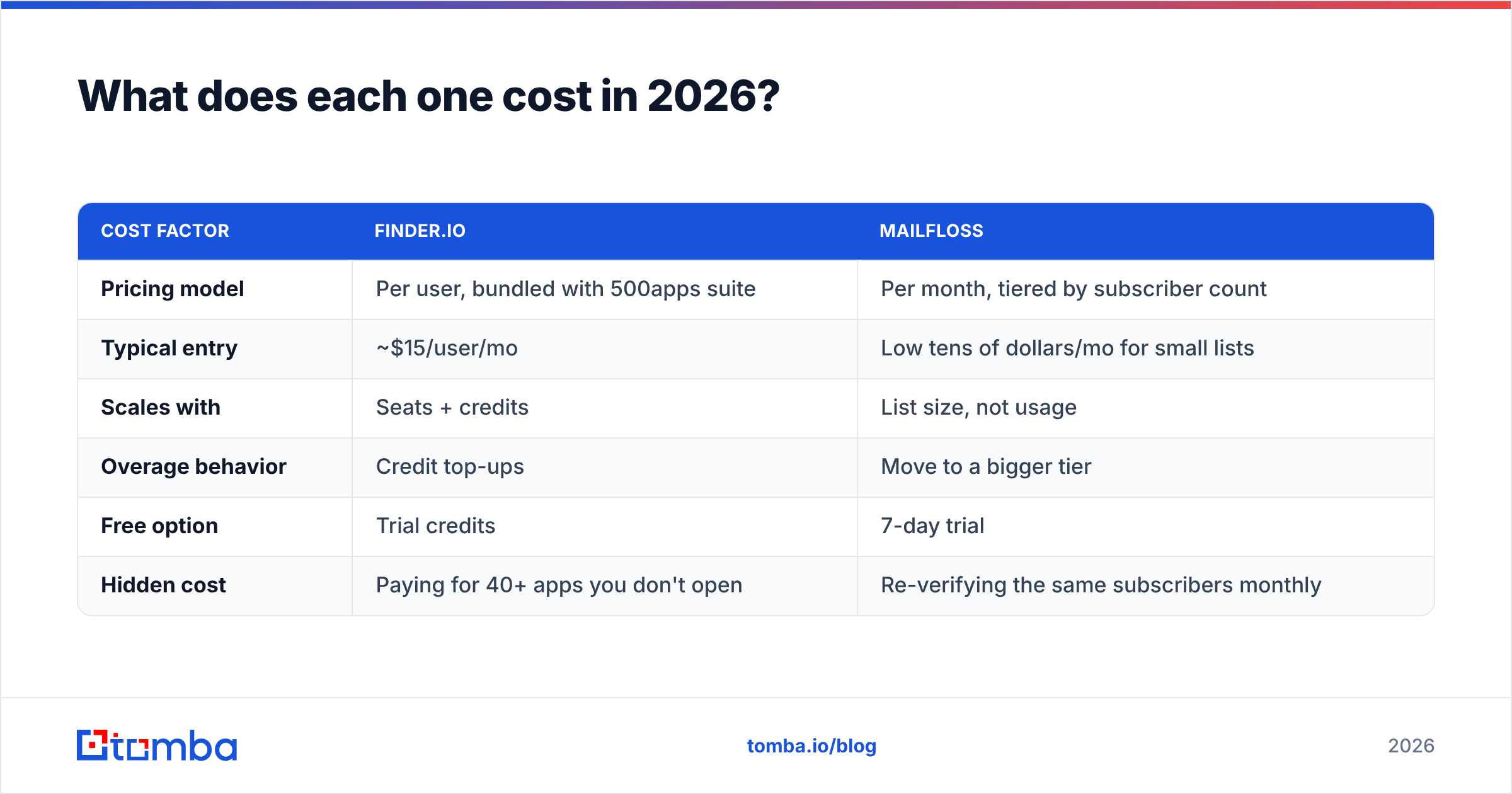
| Cost factor | Finder.io | Mailfloss |
|---|---|---|
| Pricing model | Per user, bundled with 500apps suite | Per month, tiered by subscriber count |
| Typical entry | ~$15/user/mo | Low tens of dollars/mo for small lists |
| Scales with | Seats + credits | List size, not usage |
| Overage behavior | Credit top-ups | Move to a bigger tier |
| Free option | Trial credits | 7-day trial |
| Hidden cost | Paying for 40+ apps you don't open | Re-verifying the same subscribers monthly |
The hidden costs deserve a paragraph each.
With Finder.io, you're buying a suite. If your team already uses 500apps for CRM, helpdesk, or project management, the marginal cost of the email finder is close to zero and it's an easy win. If you only want emails, you're paying for shelf space. That's not a knock on the product — it's a packaging fit question, and plenty of buyers churn out simply because they never adopted the rest of the bundle.
With Mailfloss, you pay by list size whether or not the list changed. A 40,000-subscriber list that grows by 300 people a month still gets billed at 40,000-subscriber rates. That's fine when the automation is genuinely protecting your sender reputation — a single blacklisting event costs more than a year of subscription. It's less fine when your list is static and you'd be happy verifying quarterly with a credit-based email verifier instead.
Rule of thumb: automation pricing wins when your list is dynamic; credit pricing wins when it's stable.
When should you pick Finder.io?#
Choose Finder.io when all of these are true:
- You need contacts you don't have. Prospecting, not maintenance.
- You already pay for 500apps or you're evaluating the bundle for other reasons. The economics only really sing when you use more than one app.
- Your targets are mid-market or larger. Pattern-based discovery works best where email conventions are consistent.
- You're fine with a light verifier. Finder.io's bundled verification is adequate for a first pass, not for cleaning a 50k-subscriber marketing list.
Skip it when your bottleneck is deliverability rather than volume, or when you need phone numbers, firmographics, and other enrichment attached to the contact record — that's a different tool class.
When should you pick Mailfloss?#
Choose Mailfloss when:
- Your contacts already exist in Mailchimp, ActiveCampaign, Klaviyo, ConvertKit, HubSpot, MailerLite, Drip, or another supported ESP.
- You send recurring campaigns — newsletters, lifecycle flows, re-engagement — where list decay (roughly 20–25% a year in most B2B lists) quietly eats your open rate.
- You want it to run unattended. The whole pitch is scheduled, hands-off cleaning. If you want manual control over every deletion, you'll fight the product.
- Typos are a real problem. Self-serve signup forms generate a shocking number of
@gmial.comand@yaho.comaddresses. Auto-correction recovers subscribers you'd otherwise lose.
Skip it if your data lives in a CRM or spreadsheet with no ESP in the loop, or if you're an outbound team — cold outreach lists are built fresh and verified at build time, not maintained on a schedule.

Do you actually need both — or one tool that does both?#
Here's the uncomfortable part of the Finder.io vs Mailfloss debate: most teams that ask this question end up needing both jobs done, and neither tool does the other one well.
The typical stack that results looks like this:
- Finder.io (or another finder) to build the list
- A separate verifier to validate it before the first send
- Mailfloss to keep it clean afterward
- A CSV shuttling between all three, usually maintained by one person who is tired of it
Three subscriptions and a manual handoff to solve what is fundamentally one workflow: get correct contact data into the system and keep it correct. That's why consolidated platforms have taken share in this category — not because any single feature is better, but because the seams between tools are where data quality actually dies. G2's category data shows the same pattern across lead intelligence: buyers consolidate after their second overlapping subscription.
If you go the consolidated route, the checklist is short:
- One API that covers find, verify, and enrich — so your ops team writes one integration, not three (email finder API style, not three vendor SDKs).
- Explicit catch-all handling, not a silent "valid."
- Bulk operations for the initial list build (bulk email finder or equivalent).
- Native CRM integrations so verified data lands where reps work, not in a download folder.
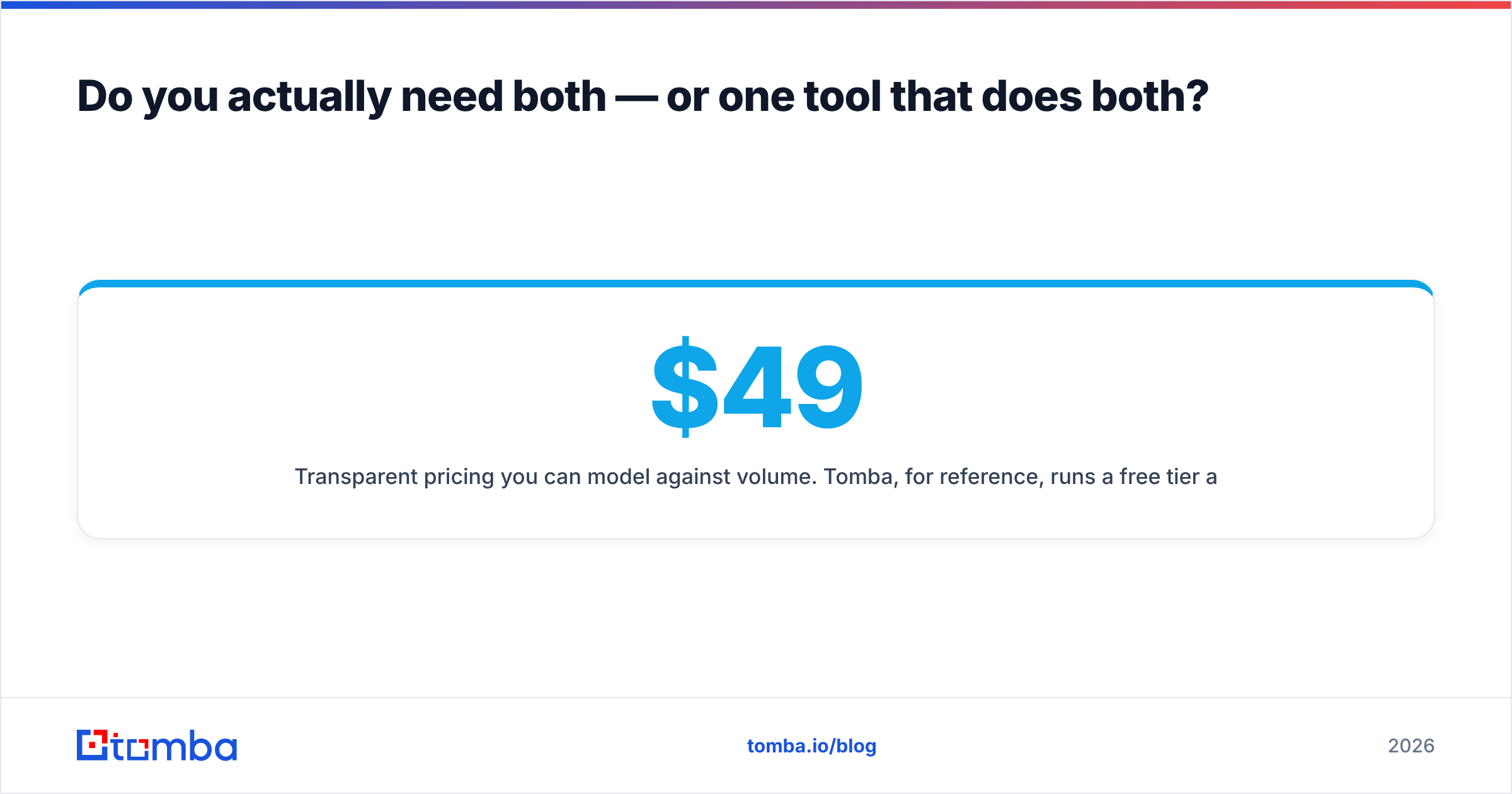
- Transparent pricing you can model against volume. Tomba, for reference, runs a free tier at 25 searches/month, then Starter at $49/mo, Growth at $99/mo, and Pro at $249/mo — full Tomba pricing is public, which makes forecasting easier than seat-based bundle math.
What's the verdict on Finder.io vs Mailfloss?#
If you have to choose one, choose based on which problem is currently costing you money.
- Empty pipeline, not enough conversations → Finder.io. Discovery is the constraint. Cleaning a list you don't have yet is a non-problem.
- Bounces climbing, opens sliding, ESP sending warnings → Mailfloss. Every day you wait, your email deliverability gets marginally harder to recover.
- Both problems at once → don't buy both. Price a combined finder-plus-verifier platform first, and only add a scheduled ESP cleaner if your marketing list is genuinely large and dynamic.
And be honest about the third scenario, because it's the most common one. Teams comparing an email finder against a list-hygiene tool are usually trying to fix a data pipeline with a point solution. The finder gets you contacts. The verifier keeps them valid. If those two live in separate vendors with a spreadsheet between them, quality degrades at the handoff every single time.
Start where the data enters your system. Use the Tomba Email Finder to build lists from a domain, a name, or a company — with verification built into the same workflow, catch-all scoring that doesn't pretend risky addresses are clean, and 25 free searches a month so you can benchmark it against Finder.io's hit rate on your own target accounts before you spend anything. If the results hold up on your list, you've replaced two subscriptions with one.
Related guides#
Ready to find emails that actually work?
Join 150,000+ professionals who stopped guessing and started sending. Free credits on signup — no credit card required.
Get the Tomba newsletter
Practical outbound tactics and product updates — once every two weeks.
About the author