Finderio vs Pipileads: Which Email Finder Wins in 2026?
Finderio and Pipileads both promise cheap, accurate B2B emails. We break down accuracy, credit math, bulk workflows and API depth so you can pick the one that actually fits your outbound motion.
TL;DR
- Finderio is the cheaper, volume-first option — bulk-oriented, thin on verification depth, best when you already have a clean company list and just need patterns filled in.
- Pipileads leans harder on the all-in-one prospecting angle (search UI, lists, some enrichment), which makes it friendlier for SDRs who live inside one dashboard.
- Neither tool publishes an audited accuracy benchmark. Both quote "95%+" — that number is marketing until you run your own 200-contact test.
- The real cost difference is not the sticker price. It is wasted credits on catch-all and unverifiable results, which is where cheap finders quietly get expensive.
- If your list is heavily catch-all (agencies, enterprise, EU domains), a dedicated verifier layer matters more than either tool's finder. That is where Tomba's stack tends to win the total-cost math.
Most "Finderio vs Pipileads" comparisons you'll find are affiliate pages that rank the tool paying the highest commission. This one is built the way you should actually evaluate them: same input list, same success definition, same cost-per-usable contact math.
What are Finderio and Pipileads?#
Both sit in the same crowded lane — B2B email finders that turn a name plus a company domain into a work email address.
Finderio (finderio.com) is positioned as a low-cost, high-volume email finder and verifier. Its pitch is throughput: upload a list, get emails back, pay less per lookup than the big incumbents. The UI is deliberately minimal. There's an API, bulk upload, and verification bundled in.
Pipileads (pipileads.com) markets itself closer to a prospecting platform than a single-purpose lookup tool. Expect a contact/company search layer, saved lists, and enrichment fields (title, company size, LinkedIn) alongside the core email finding. That extra surface area is the main functional difference between the two.
The distinction matters because it changes who each one is for. Finderio assumes you already know who you want to reach. Pipileads assumes you're still figuring that out.
If you're new to the category, it helps to understand what domain search actually is before comparing vendors — the underlying mechanics (pattern inference plus SMTP validation) are near-identical across every tool in this space, including these two.
How do Finderio and Pipileads compare head-to-head?#
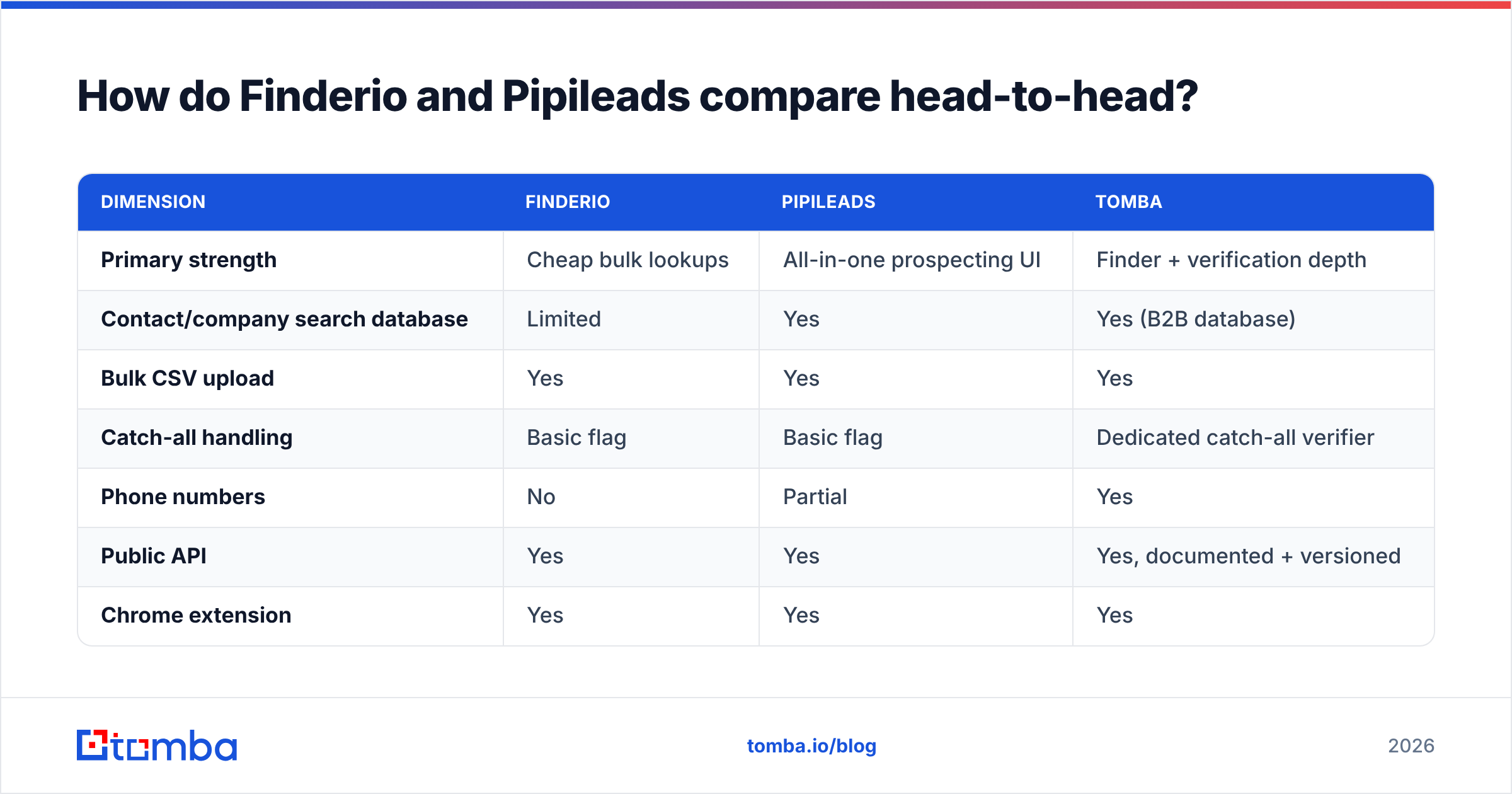
| Dimension | Finderio | Pipileads | Tomba |
|---|---|---|---|
| Primary strength | Cheap bulk lookups | All-in-one prospecting UI | Finder + verification depth |
| Contact/company search database | Limited | Yes | Yes (B2B database) |
| Bulk CSV upload | Yes | Yes | Yes |
| Catch-all handling | Basic flag | Basic flag | Dedicated catch-all verifier |
| Phone numbers | No | Partial | Yes |
| Public API | Yes | Yes | Yes, documented + versioned |
| Chrome extension | Yes | Yes | Yes |
| Free tier | Trial credits | Trial credits | 25 searches/mo, no card |
| Entry paid plan | Low double digits | Low double digits | $49/mo (Starter) |
| Native CRM sync | Via Zapier | Native + Zapier | Native HubSpot, Salesforce, Pipedrive |
Read that table with one caveat: pricing and feature lists in this category change every quarter. Verify current tiers on each vendor's own pricing page before you commit budget. What doesn't change quarterly is the architectural difference — how each tool treats a result it can't confirm.

Which one is more accurate?#
Neither vendor publishes a reproducible benchmark, so the honest answer is: test both on your own ICP before you believe anyone's percentage.
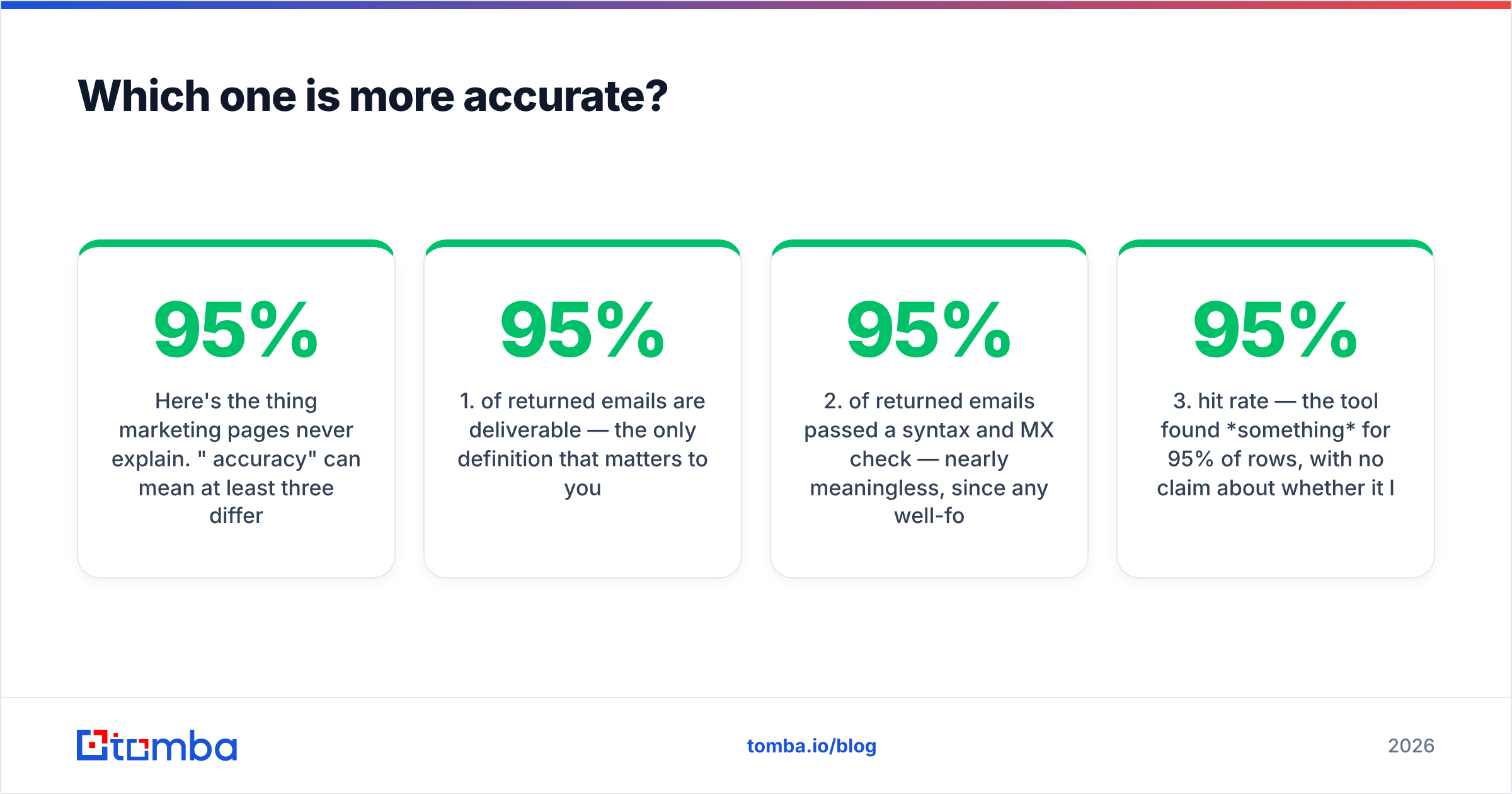
Here's the thing marketing pages never explain. "95% accuracy" can mean at least three different things:
- 95% of returned emails are deliverable — the only definition that matters to you.
- 95% of returned emails passed a syntax and MX check — nearly meaningless, since any well-formed address on a live domain passes.
- 95% hit rate — the tool found something for 95% of rows, with no claim about whether it lands.
Vendors love definition 3 because it's the easiest to hit. A tool that guesses firstname.lastname@domain.com for every row scores a 100% "hit rate" and a catastrophic bounce rate.

Run this test yourself — it takes 40 minutes#
Build a 200-row control list from contacts you can independently confirm (people who've already replied to you, or contacts sourced from a third system). Then:
- Split the list by domain type — 100 rows on standard MX (Google Workspace, Microsoft 365) and 100 on catch-all or unusual providers. This split is the whole test. Every tool looks good on Google Workspace.
- Run identical inputs through both tools — same name spelling, same domain, no manual cleanup between runs.
- Score three buckets, not two — found-and-verified, found-but-unverifiable (catch-all/risky), and not-found. Collapsing bucket two into bucket one is how you end up with a 12% bounce rate.
- Divide credits spent by verified results only. A tool at half the sticker price that burns credits on unverifiable guesses is not cheaper.
- Send a real 50-contact batch through a warmed inbox and record actual bounces. Nothing substitutes for this step.
In practice, most sub-$30/mo finders cluster within a few points of each other on standard MX domains. The spread opens up dramatically on catch-all domains — which is exactly where B2B enterprise and agency prospecting lives. If your ICP skews toward companies with 200+ employees, weight that half of the test at 80% of your decision.
How does the pricing actually work?#
Sticker price is the wrong metric. Cost per verified, deliverable contact is the right one. Here's how the math distorts:
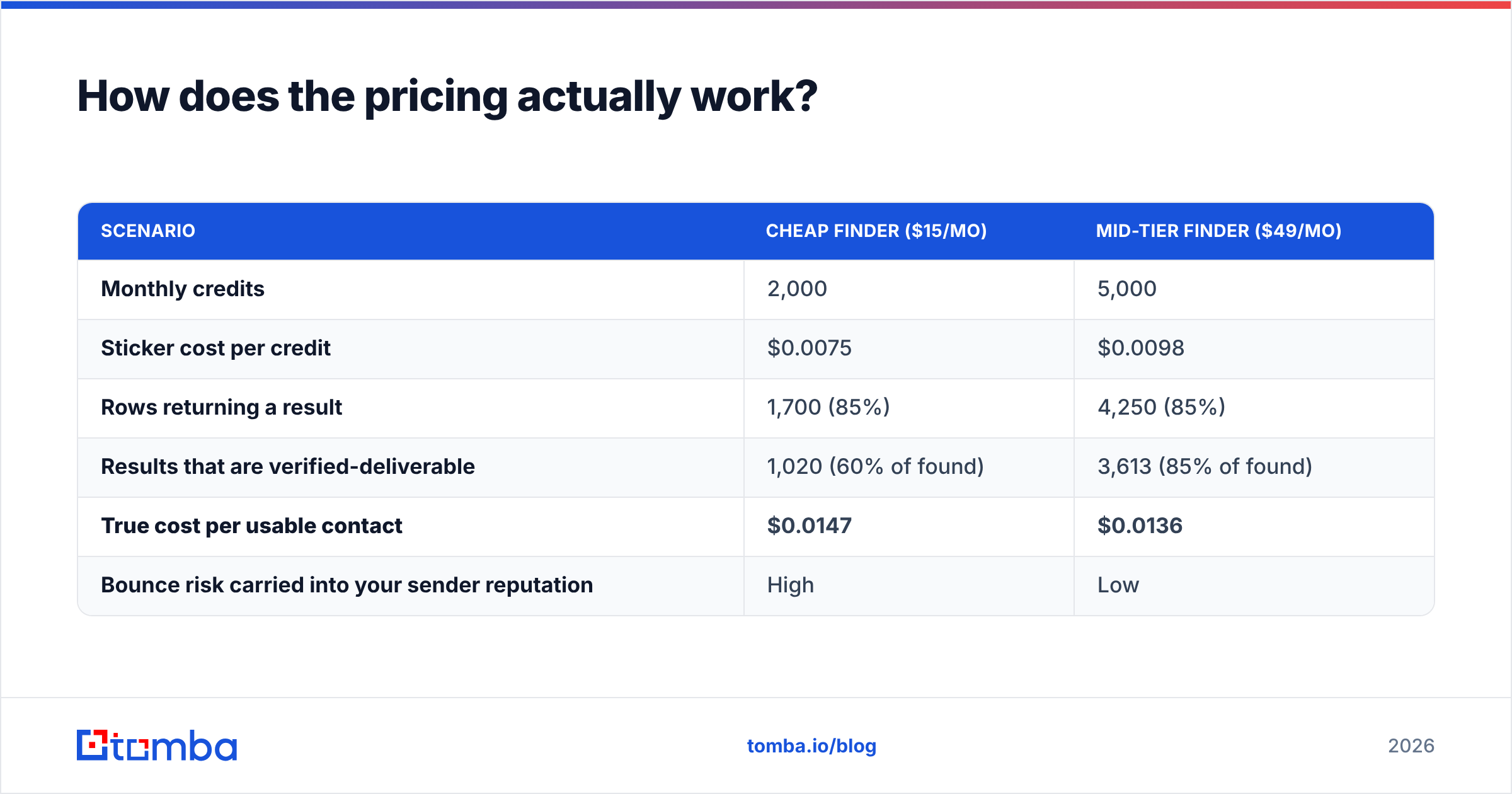
| Scenario | Cheap finder ($15/mo) | Mid-tier finder ($49/mo) |
|---|---|---|
| Monthly credits | 2,000 | 5,000 |
| Sticker cost per credit | $0.0075 | $0.0098 |
| Rows returning a result | 1,700 (85%) | 4,250 (85%) |
| Results that are verified-deliverable | 1,020 (60% of found) | 3,613 (85% of found) |
| True cost per usable contact | $0.0147 | $0.0136 |
| Bounce risk carried into your sender reputation | High | Low |
The cheap tool wins on the invoice and loses on the ledger — before you even price in the sender reputation damage from a 10%+ bounce rate. Google and Microsoft both tightened bulk sender enforcement, and a domain that bounces past ~3% starts getting throttled regardless of how good your copy is.
For reference on the other side of the market: Tomba's pricing runs a free tier at 25 searches/month, Starter at $49/mo, Growth at $99/mo, Pro at $249/mo, and custom Enterprise. That's meaningfully above Finderio's and Pipileads' entry points. Whether the delta is worth it depends entirely on your bounce tolerance — which is a function of how much your sending domain is worth to you.
When cheap genuinely wins: you're doing one-off research, sending under 500 emails a month, using a burner domain, or your ICP is 90% SMB on Google Workspace. In those cases, don't overpay. Finderio or Pipileads at their entry tier is the correct call.
When cheap loses: you're sending from your primary domain, your ICP is mid-market or enterprise, you're running 5,000+ contacts a month, or you have a RevOps team that will have to clean up the mess.
What does each tool miss?#
Both platforms are competent at the narrow job. The gaps show up at the edges of a real outbound workflow.
- Catch-all resolution. Roughly 20–25% of B2B domains accept all mail at the SMTP layer, so standard verification returns "unknown." Both tools flag these; neither resolves them well. You end up either discarding a fifth of your TAM or gambling on it. A dedicated catch-all verifier is a separate product category for a reason.
- Multi-channel data. If your sequence includes calls, an email-only tool means a second vendor and a second reconciliation job. Tools that bundle a phone finder collapse that into one row.
- Data provenance. Neither vendor is especially transparent about sourcing, which matters if you sell into the EU or handle procurement security reviews. Ask both for their data-sourcing documentation in writing before you sign an annual contract — compare against how a vendor like Tomba publishes its data sources.
- API maturity. Both have APIs. The difference is rate limits, webhook support, retry semantics, and whether bulk jobs are async. If you're wiring this into a pipeline rather than clicking buttons, read the docs before the trial, not after.
- Enrichment depth. Email plus name is the floor. Firmographics, tech stack, headcount, and funding signals are what actually drive segmentation. Neither tool is competitive here against dedicated enrichment.

Is there a better option than either?#
Depends on which failure mode you care about avoiding.
If your only complaint about your current stack is price, stay cheap. Finderio and Pipileads both do the job at the low end, and switching costs are real.
If your complaint is bounce rate, catch-all coverage, or the fact that you're paying three vendors to assemble one contact record, then you're not shopping for a cheaper finder — you're shopping for a consolidated one. That's a different purchase.
Where Tomba fits in this comparison, stated plainly:
- You pay more per month. $49/mo Starter versus low-double-digit entry tiers. That's a real difference on a small budget.
- You get verification and catch-all handling as first-class features, not as a checkbox on the finder. The email verifier is a standalone product, which is why it goes deeper than a bundled flag.
- You get the surrounding tooling — domain search for mapping a whole company, bulk processing, a Chrome extension, Google Sheets and Excel add-ins, and native CRM sync.
- You get a free tier with no card — 25 searches a month, enough to run the front half of the accuracy test described above at zero cost.
That's the honest trade. Cheaper tools optimize for cost per lookup. Tomba optimizes for cost per deliverable contact. Which one is correct for you is an arithmetic question, not a loyalty question — and the arithmetic depends on your catch-all percentage.
How should you decide in the next hour?#
Skip the feature matrices. Answer four questions:
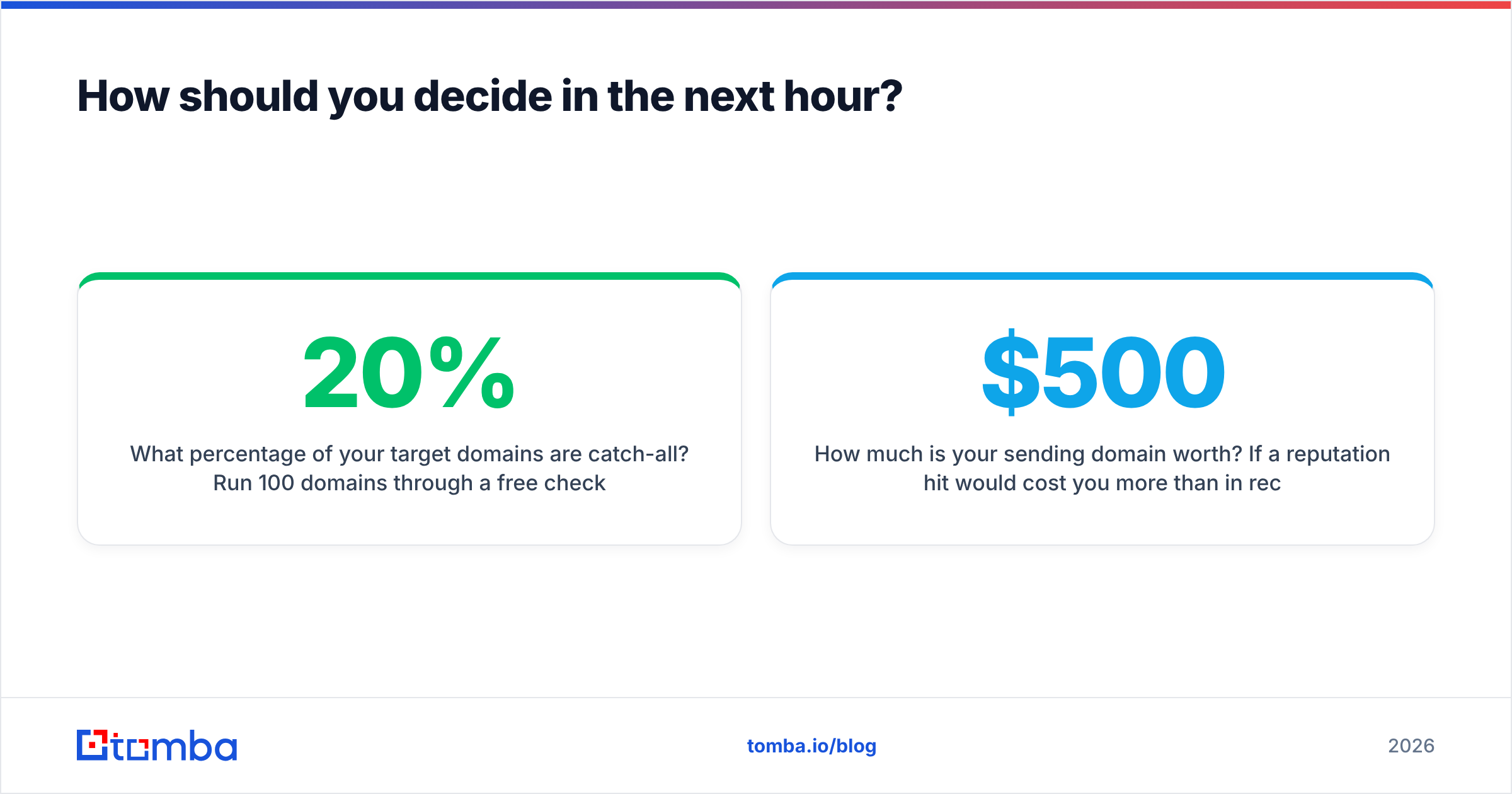
- What percentage of your target domains are catch-all? Run 100 domains through a free checker. Above 20%, verification depth outranks price.
- How much is your sending domain worth? If a reputation hit would cost you more than $500 in recovery time, don't optimize for a $30/month saving.
- Are you clicking or calling an API? Manual users should pick on UI quality — trial both, pick the one that feels less annoying. API users should pick on rate limits and async job support.
- Do you need phones and firmographics? If yes, a single-purpose email finder is the wrong category entirely; look at full enrichment.
Cross-checking against third-party review volume on G2 is worth ten minutes — not because star ratings are reliable, but because the negative reviews tell you what actually breaks in production. Look specifically for complaints about credit refunds on failed lookups. That's the tell.

Frequently asked questions#
Is Finderio or Pipileads better for bulk lists? Finderio is built more explicitly around bulk throughput; Pipileads is stronger if you also want to build the list inside the tool. If you're uploading a list someone else built, Finderio's model is a closer fit. If you're sourcing from scratch, Pipileads' search layer saves you a step.
Do either of them verify emails, or do I need a separate tool? Both include a verification step. Whether it's sufficient depends on your catch-all exposure. On standard MX domains, bundled verification is fine. On catch-all domains, plan for a dedicated verification layer regardless of which finder you pick.
Can I use both? Yes, and waterfall enrichment is a legitimate strategy — run tool A, send the misses to tool B. It raises coverage 10–20 points in most setups. It also means two invoices and a dedupe job, so only do it above roughly 3,000 contacts a month.
Which is cheaper long term? Whichever one returns fewer unverifiable results on your domains. There's no universal answer, which is why the 200-row test is non-negotiable before you buy an annual plan.
Ready to benchmark it properly?#
Run the same 200-row test against all three. Tomba's free tier gives you 25 searches a month with no card, and the Tomba Email Finder returns a confidence score plus verification status on every result — so you can score the found-and-verified bucket honestly instead of trusting a hit-rate number. If Finderio or Pipileads wins on your data, keep them. If your catch-all percentage is where most B2B lists sit, you'll see the difference in the third column of your own spreadsheet.
Related guides#
Ready to find emails that actually work?
Join 150,000+ professionals who stopped guessing and started sending. Free credits on signup — no credit card required.
Get the Tomba newsletter
Practical outbound tactics and product updates — once every two weeks.
About the author