Finder.io vs Pitchbox (2026): Which One Should You Buy?
Finder.io finds contact data. Pitchbox runs outreach campaigns at agency scale. They get compared constantly, but they solve different halves of the same problem — here is the honest breakdown.
Finder.io vs Pitchbox comes down to one question. Do you need contact data, or do you need an outreach workflow? Finder.io finds emails. Pitchbox runs the campaign around them.
TL;DR
Finder.io vs Pitchbox is not a fair fight. Finder.io is a contact-data tool (email lookup by domain or name). Pitchbox is a full outreach and link-building platform.
Pick Finder.io if you only need addresses and already have a sending stack. Pick Pitchbox if you run high-volume link building and need workflow, not just data.
Pricing does not compare per seat. Finder.io sits inside the cheap 500apps bundle. Pitchbox is quote-based and usually costs hundreds to thousands a month.
The common mistake: buying Pitchbox for its prospecting data, or expecting Finder.io to replace a sequencer.
Most teams end up with a split stack: a dedicated finder and verifier for data quality, plus a separate sending tool. An API-first option like Tomba fits that shape.
What is Finder.io, and what does it actually do?#
Finder.io is the email-finding app inside the 500apps suite. You give it a domain, a company name, or a first/last-name pair, and it returns a professional email address plus a confidence indicator. It also ships bulk lookup, a basic verifier, and a Chrome extension.
The pitch is bundling. You do not buy Finder.io alone. You buy the 500apps subscription, and it includes dozens of unrelated tools: CRM, helpdesk, project management, form builder. For a small team that wants everything cheap, that is a real draw. For a team that lives on data accuracy, it is the problem. An app that is one of fifty gets one-fiftieth of the engineering time.
What Finder.io does well:
- Cheap per-lookup cost. When the tool is part of a flat bundle, marginal credits feel free.
- Simple UI. Domain in, contacts out. No onboarding call required.
- Bulk CSV upload. Fine for a few thousand rows at a time.
What it does not do: sequencing, reply detection, mailbox rotation, campaign reporting, or link-building workflow. It is a data faucet, nothing more.

What is Pitchbox, and who is it built for?#
Pitchbox is an outreach platform built for SEO agencies and link builders. Digital-PR and content teams picked it up later. It is the opposite shape from Finder.io: heavy on workflow, moderate on data.
A typical Pitchbox run looks like this. You pull prospects from an integrated SEO index, and it connects to Moz, Majestic, Ahrefs, and Semrush. It then scrapes contact details from the sites it finds. You drop those contacts into a multi-step sequence with personalization tokens. The platform tracks opens, replies, and whether the link actually went live.
That last part is the moat. General sales-engagement tools do not check whether a placed link still exists three weeks later. Pitchbox does, and it rolls the result into agency reports you can hand to a client.
Who Pitchbox is genuinely for:
- Link-building and digital-PR agencies running dozens of concurrent client campaigns.
- In-house SEO teams doing sustained outreach at 500+ prospects/month.
- Content marketers who need guest-post and resource-page outreach tracked end to end.
Who it is not for: a two-person B2B SaaS startup that needs 300 verified sales emails a month. That team will pay agency pricing for features it will never open.
Finder.io vs Pitchbox: how do they compare head-to-head?#
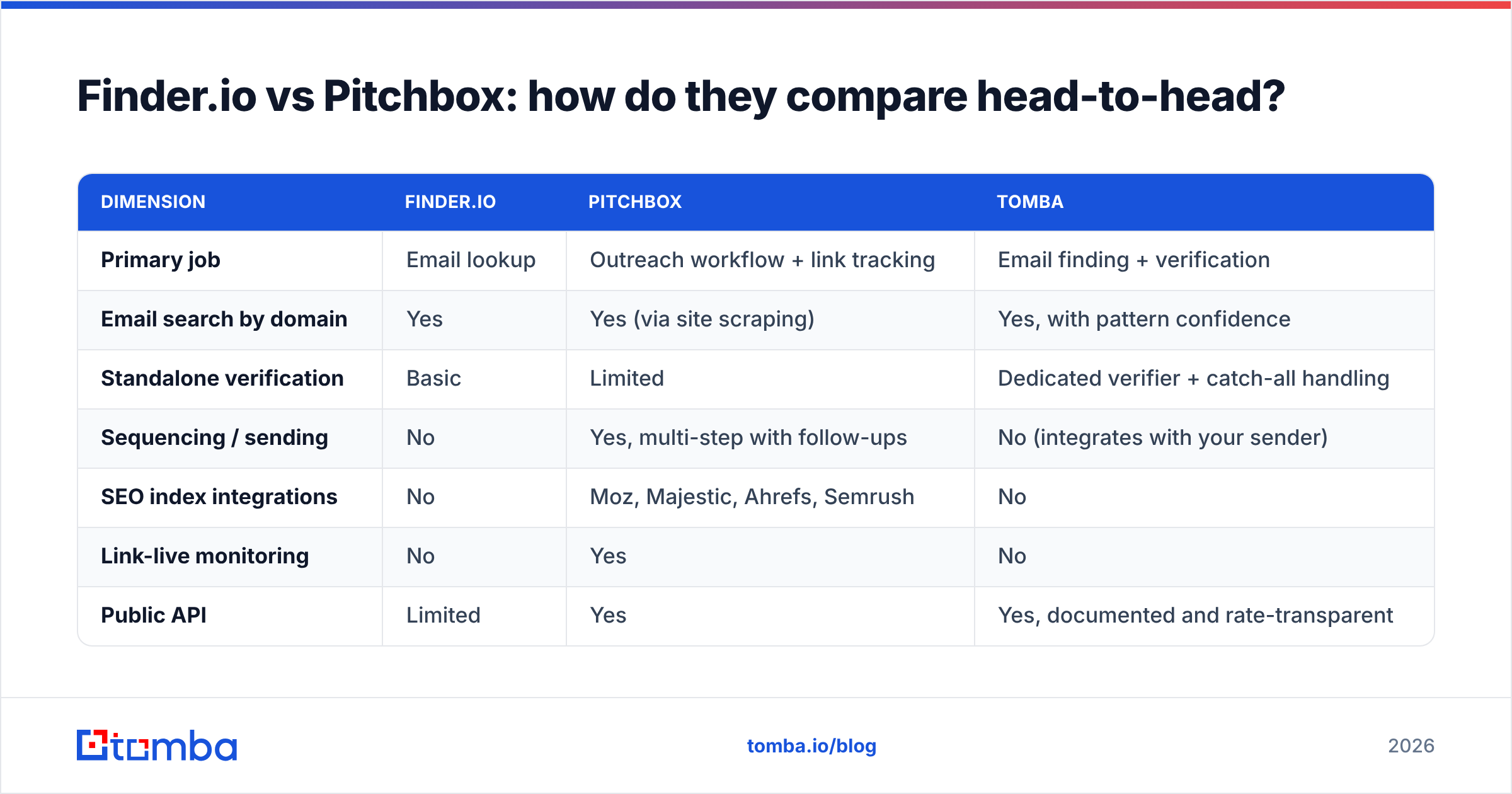
| Dimension | Finder.io | Pitchbox | Tomba |
|---|---|---|---|
| Primary job | Email lookup | Outreach workflow + link tracking | Email finding + verification |
| Email search by domain | Yes | Yes (via site scraping) | Yes, with pattern confidence |
| Standalone verification | Basic | Limited | Dedicated verifier + catch-all handling |
| Sequencing / sending | No | Yes, multi-step with follow-ups | No (integrates with your sender) |
| SEO index integrations | No | Moz, Majestic, Ahrefs, Semrush | No |
| Link-live monitoring | No | Yes | No |
| Public API | Limited | Yes | Yes, documented and rate-transparent |
| Entry price | Bundled (low per-month) | Quote-based, typically $400+/mo | Free tier, then $49/mo |
| Free tier | Yes, limited | No, demo only | 25 searches/mo |
| Best for | Cheap bulk lookups | Agency link-building at scale | Accuracy-first prospecting and enrichment |
Read that table twice before you shortlist. Four of the rows are mutually exclusive by design. No amount of feature-request voting will turn Finder.io into a sequencer, and Pitchbox will not become a per-credit data vendor.
The honest framing for Finder.io vs Pitchbox is simple: do I have a data problem or a workflow problem? If you are sitting on 4,000 target domains and no addresses, that is a data problem. If you have 4,000 verified contacts and a spreadsheet you keep forgetting to follow up on, that is a workflow problem.
Finder.io vs Pitchbox: which one has better data accuracy?#
Neither publishes a third-party-audited accuracy figure. Treat any number you see, including vendor screenshots, as marketing until you test it yourself.
What you can evaluate directly:
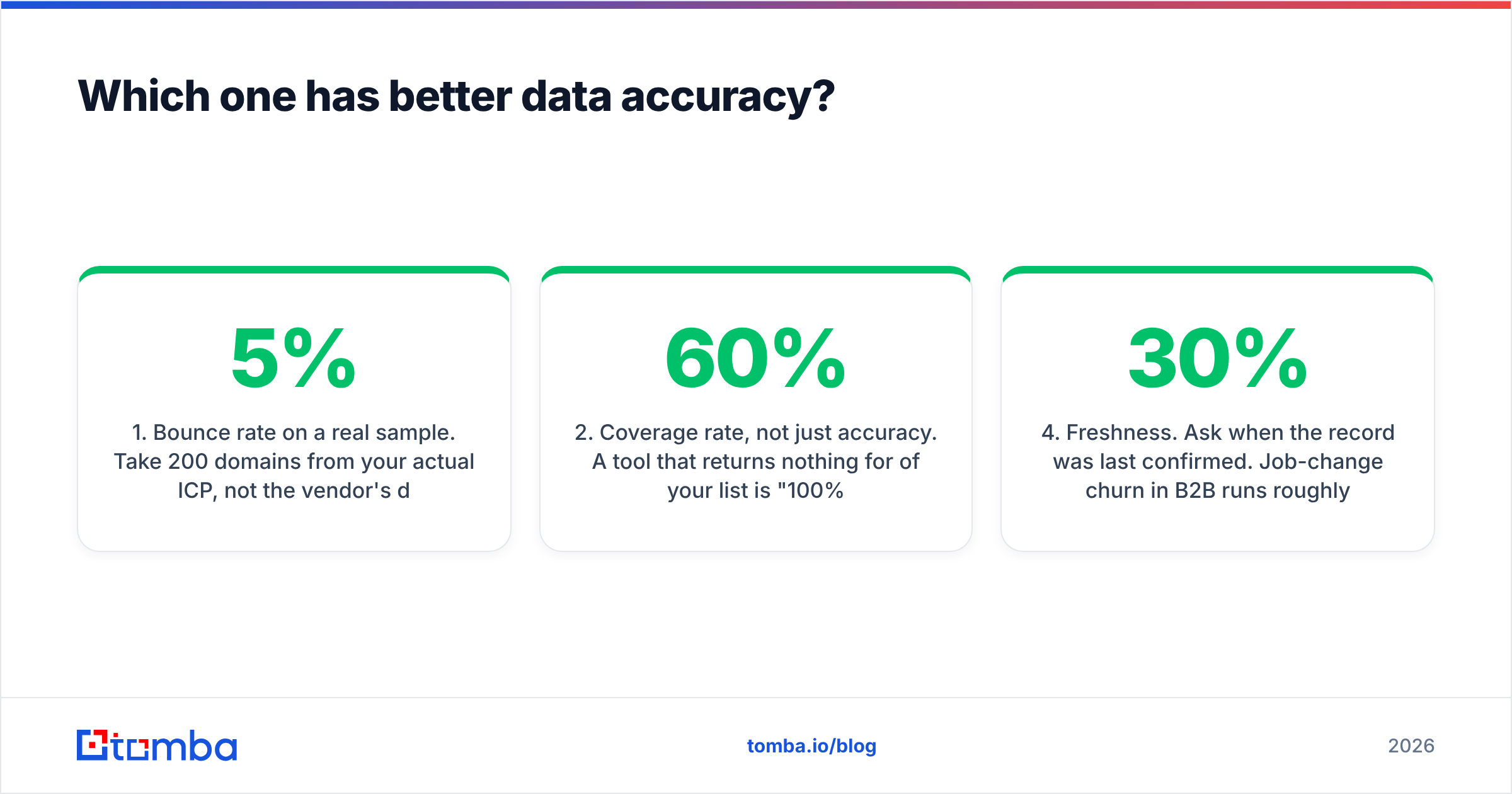
1. Bounce rate on a real sample. Take 200 domains from your own ICP, not the vendor's demo list. Run them through each tool. Send to a warmed throwaway domain and count hard bounces. Anything above 5% is a problem. Above 8%, you are burning sender reputation.
2. Coverage rate, not just accuracy. A tool that returns nothing for 60% of your list is "100% accurate" and completely useless. Track found and correct as separate columns.
3. Catch-all handling. Most B2B domains now accept every address at the SMTP layer. Naive verification then returns "valid" for addresses that do not exist. Ask each vendor how it scores catch-alls. If the answer is a shrug, that is your answer. A dedicated catch-all verifier exists because this is the hardest part of the job.
4. Freshness. Ask when the record was last confirmed. Job changes in B2B run about 20–30% a year, so a two-year-old record is a coin flip.
Pitchbox's contact discovery is scrape-based. It pulls emails and contact forms from the sites it surfaces. That works well for blogs, media sites, and resource pages, which usually publish an editor address. It is much weaker for enterprise B2B. Nobody puts the VP of Procurement's address in a footer.
Finder.io's data comes from crawling and pattern inference, which is the standard approach. It is fine for common patterns at mid-size companies. It degrades on smaller domains and odd formats. Because it ships as one app among many, expect slower fixes when a pattern breaks.
If accuracy is the whole game for you, run a purpose-built email verifier after whichever finder you choose. Finding and verifying are different technical problems. Tools that treat verification as a checkbox tend to be the ones producing your bounces.
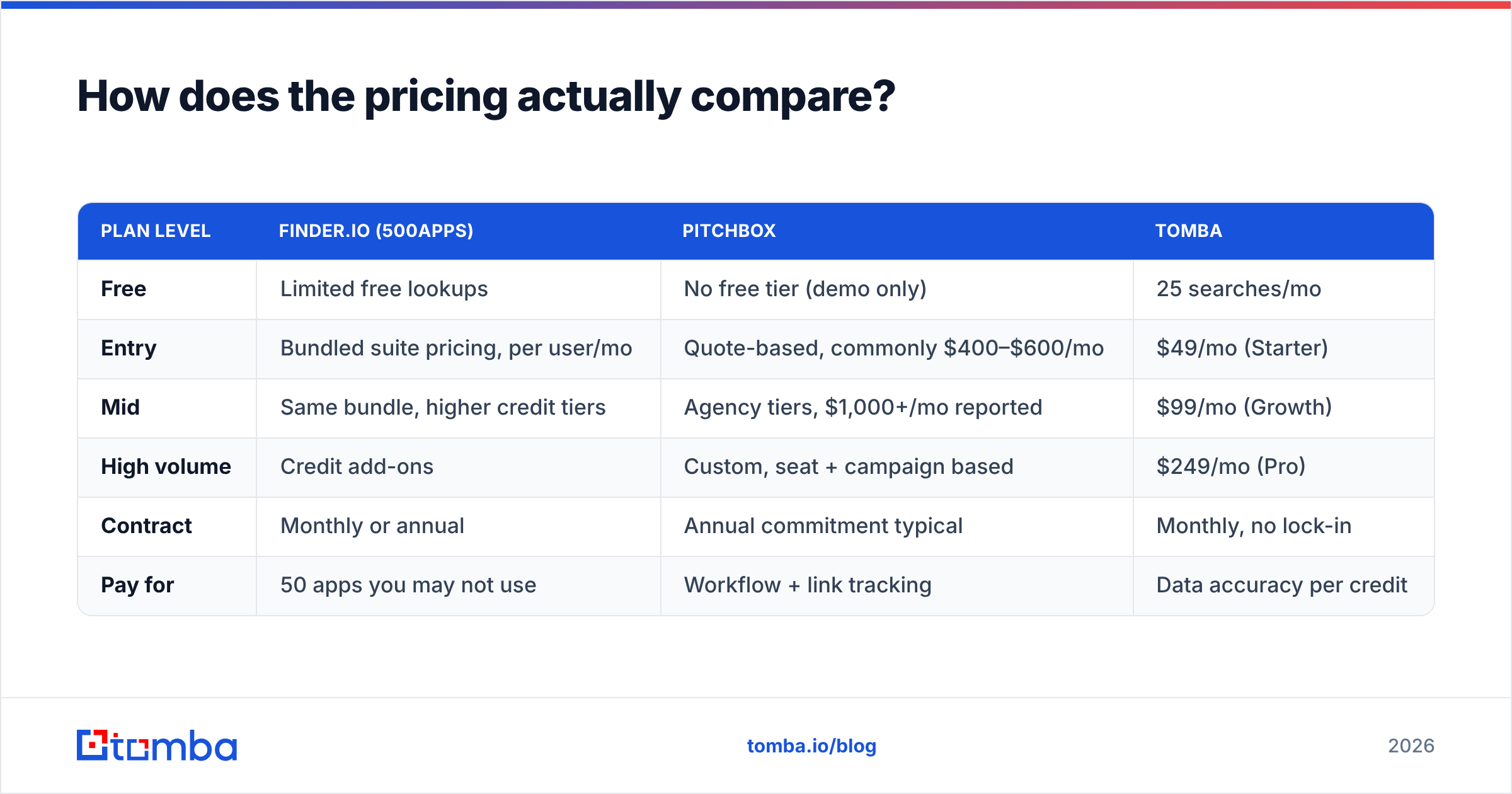
Finder.io vs Pitchbox pricing: how does it actually compare?#
| Plan level | Finder.io (500apps) | Pitchbox | Tomba |
|---|---|---|---|
| Free | Limited free lookups | No free tier (demo only) | 25 searches/mo |
| Entry | Bundled suite pricing, per user/mo | Quote-based, commonly $400–$600/mo | $49/mo (Starter) |
| Mid | Same bundle, higher credit tiers | Agency tiers, $1,000+/mo reported | $99/mo (Growth) |
| High volume | Credit add-ons | Custom, seat + campaign based | $249/mo (Pro) |
| Contract | Monthly or annual | Annual commitment typical | Monthly, no lock-in |
| Pay for | 50 apps you may not use | Workflow + link tracking | Data accuracy per credit |
Two things jump out.
First, Pitchbox is priced as agency software, not as a data tool. That is defensible, since it replaces a project manager's worth of coordination. But it means the comparison to Finder.io is category-confused. You would not compare a CRM to a phone directory on price.
Second, Finder.io's cheapness is bundle cheapness. The real question is whether you will use the other apps. If you will, the effective cost of email lookup is near zero and hard to beat. If you will not, you are paying for a suite to get one app, and a focused vendor at $49/mo usually gets you better data per dollar.
Always check the current pricing pages directly. Both vendors have changed packaging more than once, and review sites like G2 list numbers that lag reality by a quarter or more.
Which workflow fits your team?#
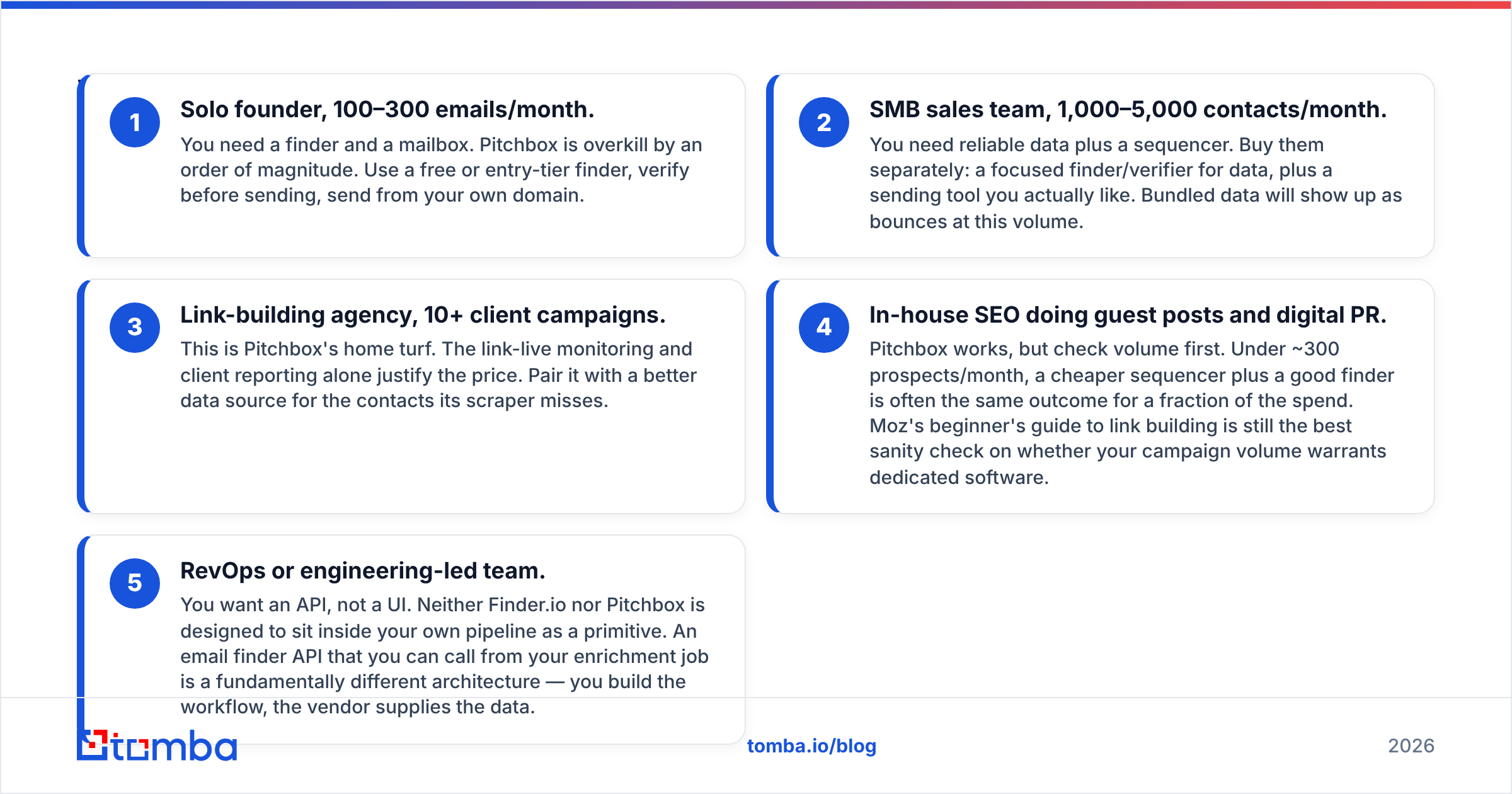
Map yourself to one of these five, honestly.
1. Solo founder, 100–300 emails a month. You need a finder and a mailbox. Pitchbox is overkill by an order of magnitude. Use a free or entry-tier finder, verify before sending, and send from your own domain.
2. SMB sales team, 1,000–5,000 contacts a month. You need reliable data plus a sequencer. Buy them separately: a focused finder and verifier for data, plus a sending tool you actually like. Bundled data shows up as bounces at this volume.
3. Link-building agency, 10+ client campaigns. This is Pitchbox's home turf. The link-live monitoring and client reporting alone justify the price. Pair it with a better data source for the contacts its scraper misses.
4. In-house SEO doing guest posts and digital PR. Pitchbox works, but check your volume first. Under about 300 prospects a month, a cheaper sequencer plus a good finder often gets the same result for a fraction of the spend. Moz's beginner's guide to link building is a good sanity check on whether your volume warrants dedicated software.
5. RevOps or engineering-led team. You want an API, not a UI. Neither Finder.io nor Pitchbox is built to sit inside your own pipeline as a primitive. An email finder API you call from an enrichment job is a different architecture. You build the workflow, and the vendor supplies the data.
That fifth pattern is growing fastest. Teams want data as a callable service feeding their CRM, warehouse, or an internal scoring model. They resent paying for a UI they never open.
Where do both tools fall short?#
Finder.io's weak points:
- Bundle dependency. You cannot buy it à la carte, so your data vendor's roadmap is set by a suite strategy.
- Thin verification. Catch-all domains and role accounts are where lists go bad, and this is the least-invested area in most bundled finders.
- Limited API depth compared to specialist vendors.
- Support is suite-wide, so niche data questions can take a while to reach someone who owns the crawler.
Pitchbox's weak points:
- Price floor. There is no realistic entry tier for a small team, and annual commitments are common.
- Contact data is a byproduct, not the product. For enterprise B2B targets, its scraper-based discovery leaves large gaps.
- Learning curve. It is a real platform with real configuration, so expect onboarding time.
- Overkill risk. Most teams that churn off Pitchbox were never running the volume that justified it.
Shared blind spot: neither one solves deliverability for you. Domain warmup, SPF/DKIM/DMARC alignment, and volume ramping are separate disciplines. You can have perfect data and a beautiful sequence and still land in spam, because your sending domain is three weeks old. Check your SPF record and warm up properly before you scale either tool.
So which should you choose in 2026?#
Choose Pitchbox if outreach workflow is your bottleneck. That means multiple concurrent campaigns, client reporting, link-placement tracking, and enough monthly volume that a project manager's time is the real cost. It is expensive, and it is worth it at that scale.
Choose Finder.io if you already use the 500apps suite, or genuinely want it, and your email-lookup needs are casual. As a standalone data purchase, it is hard to defend against focused competitors.
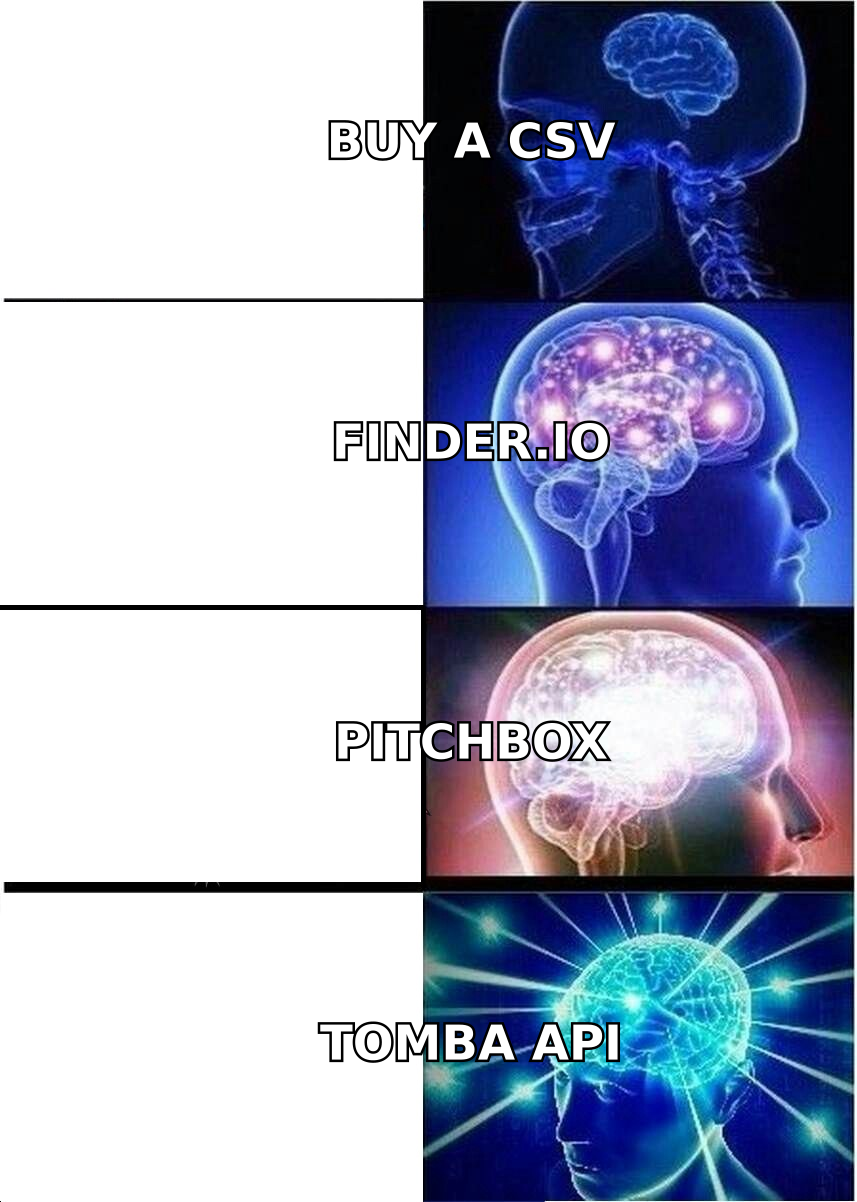
Choose neither if what you need is accurate contact data feeding a workflow you already own. That is the most common situation, and it is the one the Finder.io vs Pitchbox matchup handles worst. In that case you want a specialist finder with real verification, per-credit transparency, and an API you can wire into your own stack. Then bring your own sequencer.
That is the gap Tomba is built for. The Tomba Email Finder returns addresses by domain, name, or company with confidence scoring. A dedicated verifier backs it and handles catch-all domains instead of guessing. Start on the free tier at 25 searches a month. Run your own 200-domain bounce test against whatever you use today, and upgrade to Starter at $49/mo only when the numbers prove it. Data quality is the one part of the stack you should never take on faith. Test it, then buy it.
Related guides#
Ready to find emails that actually work?
Join 150,000+ professionals who stopped guessing and started sending. Free credits on signup — no credit card required.
Get the Tomba newsletter
Practical outbound tactics and product updates — once every two weeks.
About the author