Finderio vs Smarte: Which B2B Email Finder Wins in 2026?
Finderio bundles email lookup into a 50-app suite. SMARTe sells enterprise-grade contact intelligence with mobile numbers. We compare accuracy, pricing, coverage and workflow fit — and name the buyer each one actually suits.
Finderio vs SMARTe is a choice between two very different products. One is a cheap email finder inside a fifty-app bundle. The other is an enterprise contact database built around mobile numbers. This guide compares both on data, price, and workflow fit.
TL;DR
- Finderio (finder.io, part of the 500apps suite) is a cheap, bundled email finder. The price per seat is low. So is the depth of the data.
- SMARTe is the opposite trade. It is a sales intelligence platform for mid-market and enterprise teams, strong on mobile numbers and GDPR/CCPA-aware data, sold by demo and quote.
- Need verified work emails in your sequencer this week? Finderio is closer to that shape of problem.
- Need compliant contact data with phone coverage for 40 reps? SMARTe is the more serious platform.
- Neither is a clean win for a small outbound team. Finderio's ceiling is low. SMARTe's floor is expensive and slow to buy.
- The middle lane — public pricing, verified emails, catch-all handling, and a real API — is where tools like Tomba Email Finder sit. Plans start at $49/mo, with a free tier to test on your own domains first.
What is Finderio?#
Finderio (branded as finder.io) is the email-finding app inside 500apps. 500apps is a bundle that sells roughly fifty business tools on one subscription. The email tools cover the standard set: single lookup by name and company, domain search, bulk CSV upload, an email verifier, and a Chrome extension.
Price is the whole pitch. Finderio is sold as part of the suite, not as a standalone data product. So the cost per seat is a fraction of what dedicated vendors charge. That is fair value if email finding is a side task in a wider workflow. You wanted a CRM, a helpdesk, and a form builder anyway, and the finder comes along for the ride.
The trade-off is depth. Bundled apps rarely get the data engineering that a focused vendor puts into crawling, pattern matching, and SMTP checks. In practice you see thinner coverage on smaller companies. You also see stale records for people who changed jobs, and a verification layer that says valid too often. Check the current product scope on the official finder.io site before you commit.
What is SMARTe?#
SMARTe is a B2B contact and company data platform for outbound and account-based teams. Its edge is coverage, not price. You get direct dials and mobile numbers next to emails, plus firmographic and technographic filters for building account lists. Compliance is a headline too. SMARTe leans hard on GDPR and CCPA, with region-specific handling for EMEA and APAC data. That is where many US-centric databases quietly fall apart.
The buying motion is enterprise-shaped. There is a small free entry point and a Chrome extension you can try. Real volume goes through a sales call, a quote, and usually an annual contract with seat and credit limits. See the current positioning on smarte.io and cross-check practitioner reviews on G2.
That model has real upsides. You get a named contact, negotiated credit pools, security review documents, and someone accountable when a list comes back wrong. It also has real costs. You cannot self-serve. You cannot test much before you buy. And you will not see a price until you have spent an hour on a call.
Finderio vs SMARTe: what are the structural differences?#
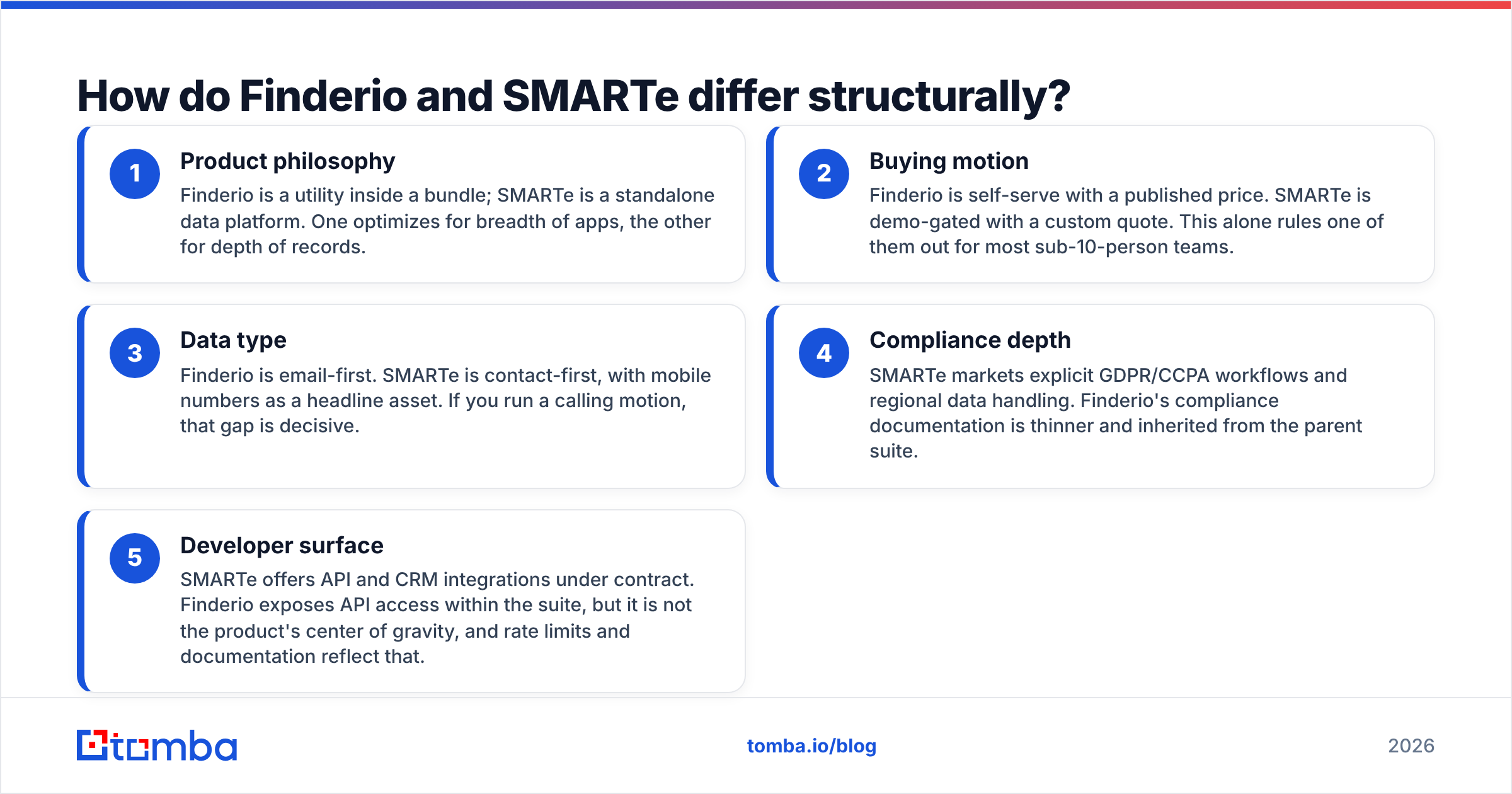
These are two different categories of product wearing similar labels. Start with how each one is sold:
- Product philosophy — Finderio is a utility inside a bundle. SMARTe is a standalone data platform. One optimizes for breadth of apps, the other for depth of records.
- Buying motion — Finderio is self-serve with a published price. SMARTe is demo-gated with a custom quote. That difference alone rules one of them out for most sub-10-person teams.
The products themselves differ just as much:
- Data type — Finderio is email-first. SMARTe is contact-first, with mobile numbers as its headline asset. If you run a calling motion, that gap decides it.
- Compliance depth — SMARTe markets explicit GDPR/CCPA workflows and regional data handling. Finderio's compliance documents are thinner and inherited from the parent suite.
- Developer surface — SMARTe offers API and CRM integrations under contract. Finderio exposes an API inside the suite, but it is not the center of the product. Rate limits and docs reflect that.
Which one finds more valid emails?#
Neither vendor publishes an audited accuracy number. So treat any marketing percentage as a claim, not a measurement. Run the same 200-row test list through both tools instead. Count three things: hit rate, validity rate against an independent verifier, and bounce rate after send.
Practitioners report a consistent pattern.
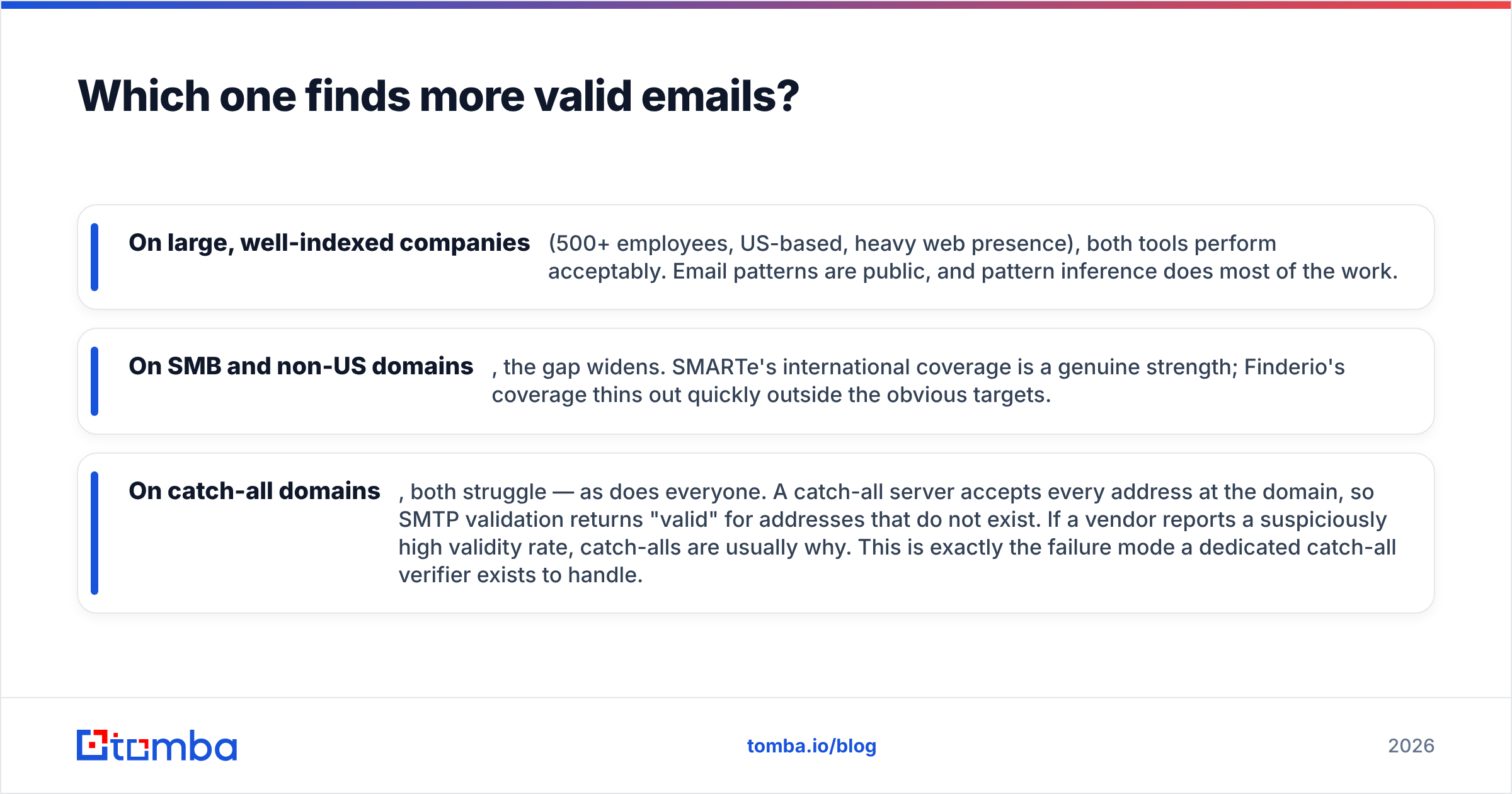
- On large, well-indexed companies (500+ staff, US-based, heavy web presence), both tools do fine. Email patterns are public, so pattern matching does most of the work.
- On SMB and non-US domains, the gap widens. SMARTe's international coverage is a genuine strength. Finderio thins out quickly outside the obvious targets.
- On catch-all domains, both struggle — as does everyone. A catch-all server accepts every address at the domain. SMTP checks then return valid for addresses that do not exist. When a vendor reports a suspiciously high validity rate, catch-alls are usually why. That is the exact failure a catch-all verifier is built to handle.

The practical takeaway is simple. Never trust a finder's own verified flag as your only gate. Run every address through a separate email verifier before it reaches your sequencer. A verification credit costs almost nothing. A damaged sending domain costs months.
How do the two compare feature by feature?#
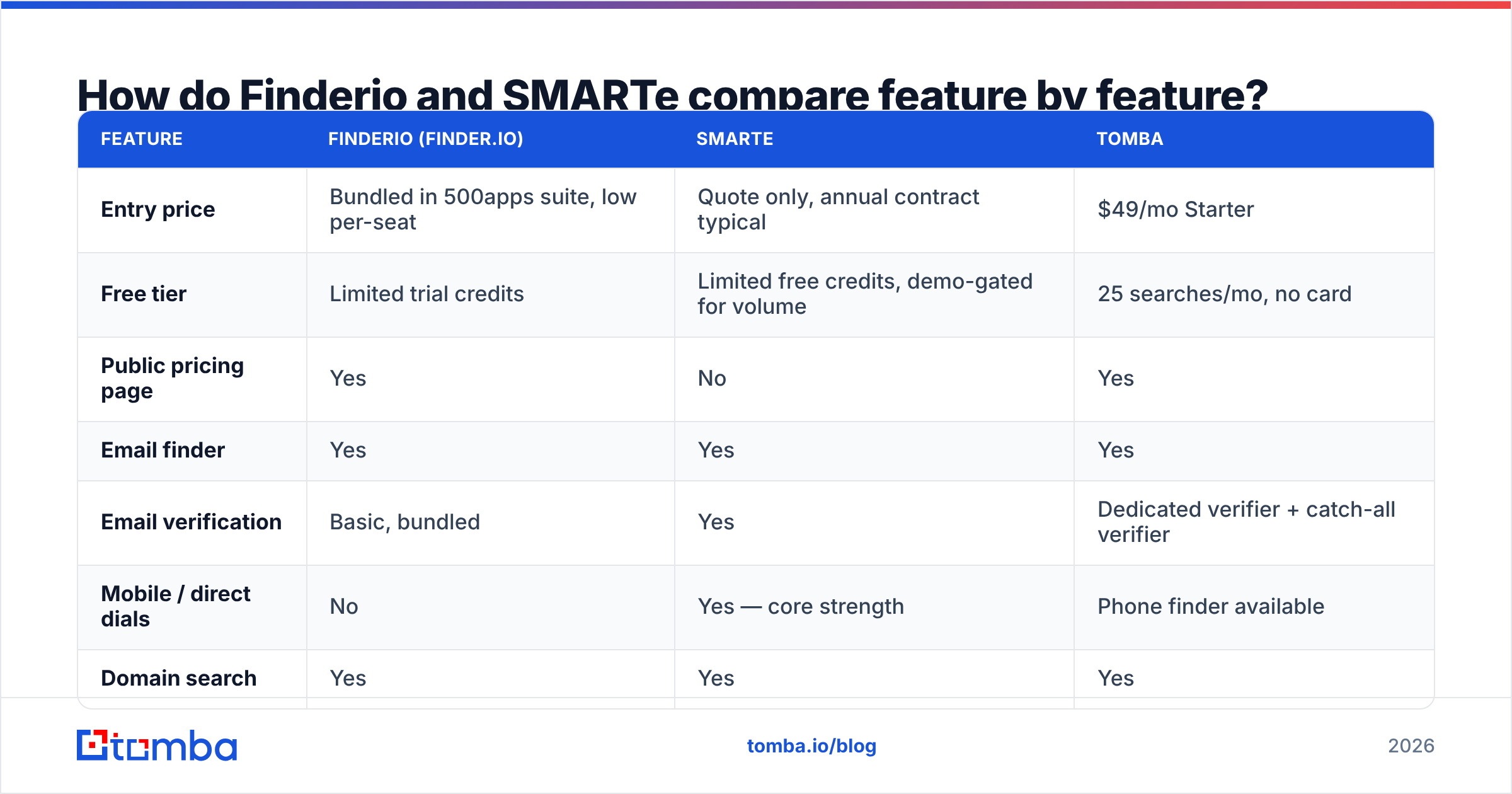
Here is the head-to-head. Pricing reflects public information at the time of writing. SMARTe's numbers are quote-based, so treat that row as directional and confirm with the vendor.
| Feature | Finderio (finder.io) | SMARTe | Tomba |
|---|---|---|---|
| Entry price | Bundled in 500apps suite, low per-seat | Quote only, annual contract typical | $49/mo Starter |
| Free tier | Limited trial credits | Limited free credits, demo-gated for volume | 25 searches/mo, no card |
| Public pricing page | Yes | No | Yes |
| Email finder | Yes | Yes | Yes |
| Email verification | Basic, bundled | Yes | Dedicated verifier + catch-all verifier |
| Mobile / direct dials | No | Yes — core strength | Phone finder available |
| Domain search | Yes | Yes | Yes |
| Bulk processing | CSV upload | Yes, contract-dependent | Bulk finder and verifier |
| API access | Within suite, limited docs | Under contract | Public REST API on all paid plans |
| CRM integrations | Suite-native apps | Salesforce, HubSpot, Outreach and similar | HubSpot, Salesforce, Pipedrive, Zapier, Make |
| Best fit | Cost-sensitive generalists | Enterprise ABM and calling teams | Self-serve outbound and dev-led workflows |

Two rows deserve emphasis. First, mobile numbers. If your motion is email-only, SMARTe's biggest advantage is irrelevant to you, and you pay enterprise prices for capacity you never use. Second, public pricing. For a five-person team, a demo-gated quote is not a small annoyance. It is a two-week delay before you send a single email.
How does pricing actually compare?#
Finderio vs SMARTe on price is not a like-for-like read. Finderio wins on sticker price and loses on clarity. The suite model means you pay for forty-nine apps you did not ask for to get the one you did. That is fine if the bundle fits your stack. It is waste if you only wanted a finder.
SMARTe wins on negotiated value at scale and loses badly on access. Enterprise contracts usually pool credits across a team, which is efficient when twenty reps burn through lookups. With three reps, you subsidize an account management layer you will never use.
The honest framing is a threshold question:
- Under 5 seats, email-only motion — neither. Use a self-serve tool with public pricing and a free tier. Test on your own ICP before you spend. Tomba pricing starts at $49/mo for exactly this profile.
- 5-20 seats, mixed email and phone — SMARTe is worth the demo call, especially if you sell into EMEA or APAC, where compliance and coverage both matter.
- Any size, cost is the binding constraint, and you already use 500apps — Finderio is defensible. Just plan to verify externally.
- Developer-led or automated enrichment — pick whichever vendor gives you documented API access without a contract. That is a hard requirement, and it rules out SMARTe for most self-serve buyers.

Which one should you pick for cold outbound?#
For a standard cold email motion — build a list, find addresses, verify, sequence — the answer turns on one variable. Do you need phone numbers?
If you do not need phones, SMARTe is over-specified. You would buy a mobile-number database and an enterprise support layer to solve an email problem. Finderio is under-specified the other way. It is cheap enough to justify, but you spend the savings on verification credits and on deals lost to bad data.
If you do need phones, SMARTe wins by a wide margin. Finderio has no real direct-dial product, so the comparison collapses.
If you need both at self-serve prices, that is the real gap in this matchup. Finding an address is one step. Making sure it survives contact with an inbox is another. A workflow that finds the email, verifies it, checks catch-all status, and enriches the record before your CRM sees it is what keeps email deliverability healthy over months of sending. That stack should not need a procurement cycle.
What are the common mistakes when switching tools?#
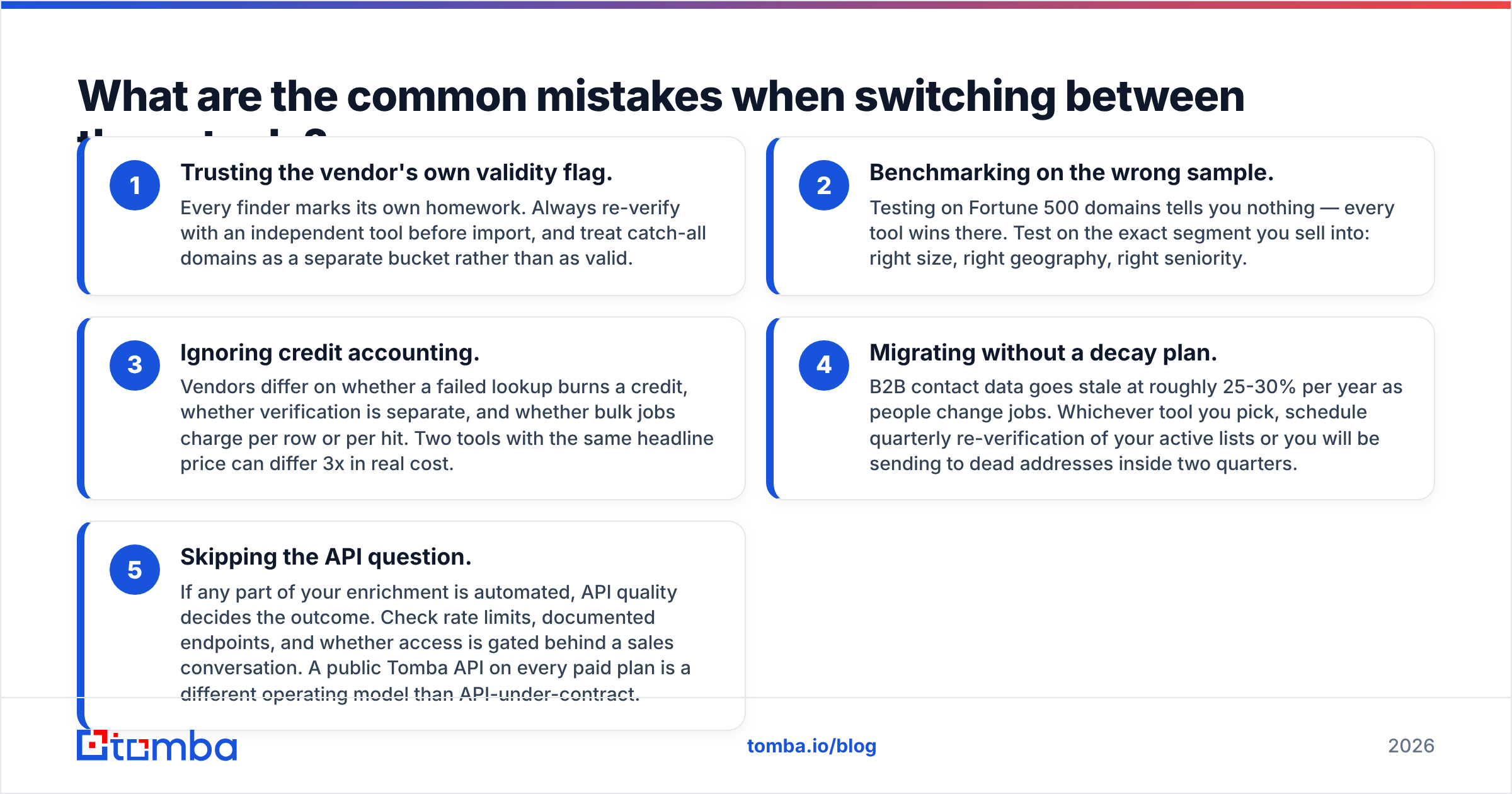
Five failure modes come up again and again in migrations. The first three are about data:
- Trusting the vendor's own validity flag. Every finder marks its own homework. Re-verify with an independent tool before import, and treat catch-all domains as their own bucket.
- Benchmarking on the wrong sample. Testing on Fortune 500 domains tells you nothing. Every tool wins there. Test the exact segment you sell into: right size, right geography, right seniority.
- Ignoring credit accounting. Vendors differ on whether a failed lookup burns a credit, whether verification is billed separately, and whether bulk jobs charge per row or per hit. Two tools with the same headline price can differ 3x in real cost.
The last two are about process:
- Migrating without a decay plan. B2B contact data goes stale at roughly 25-30% per year as people change jobs. Schedule quarterly re-verification of your active lists, or you will be mailing dead addresses within two quarters.
- Skipping the API question. If any part of your enrichment is automated, API quality decides the outcome. Check rate limits, documented endpoints, and whether access sits behind a sales call. A public Tomba API on every paid plan is a different operating model than API-under-contract.
Is there a better option than either?#
That depends on what you are optimizing for. Both tools are legitimate picks for specific buyers. Finderio suits a cost-constrained generalist already inside the 500apps ecosystem. SMARTe suits an enterprise team that needs mobile coverage, international data, and a compliance story it can hand to legal.
The buyer that Finderio vs SMARTe serves worst is the one most likely to be reading this. That is a small-to-mid outbound team that wants accurate emails today, transparent pricing, verification in the same platform, and an API it can wire into its own systems without signing anything.
That is the profile Tomba is built for. Start with the email finder on the free tier — 25 searches a month, no card. Run it against fifty of your real target accounts, next to whichever tool you are considering. Compare hit rate and post-verification validity, not marketing claims. If the numbers hold up, the Starter plan is $49/mo and the Tomba API is on every paid tier. The verifier, catch-all checker, and enrichment tools sit in the same account, not behind a separate contract. Test it on your own list before you take anyone's word for it — including ours.
Related guides#
Ready to find emails that actually work?
Join 150,000+ professionals who stopped guessing and started sending. Free credits on signup — no credit card required.
Get the Tomba newsletter
Practical outbound tactics and product updates — once every two weeks.
About the author