Finderio vs Thomson Data 2026: Which B2B Data Tool Wins?
One is a self-serve email finder you query on demand. The other sells you a list. We break down accuracy, pricing models, delivery, and which one actually belongs in your outbound stack in 2026.
Finderio vs Thomson Data comes down to one question. Do you look up emails yourself, or do you buy a finished list? Finderio is a self-serve finder. Thomson Data sells you a file. This guide compares price, accuracy, and delivery so you can pick fast.
TL;DR
- Finderio is a self-serve email finder and verifier. You search a domain or a name. You get an address back. You pay per credit.
- Thomson Data is a list vendor. You describe an audience. A rep quotes you. A file lands in your inbox.
- These are not two versions of the same product. Finderio vs Thomson Data is really live lookups against bulk purchase. Different costs. Different risks.
- Finderio wins on speed, clear pricing, and fresh data. Thomson Data wins on niche lists, such as healthcare and tech install-base.
- Both need your own check before you send. A list that was right at delivery is not right 90 days later.
- Want the finder model with public prices, an API, and a free tier to test on? Tomba is the closest direct alternative to Finderio.
Finderio vs Thomson Data: what is each one?#
Finderio (finderio.io) is a light B2B email discovery tool. Domain search returns the addresses at a company. The finder takes a name plus a domain and returns a best guess with a score. The verifier checks syntax, MX records, and the mailbox reply.
It sells credits. It has a browser extension and an API. It suits one person or a small team that needs contacts now.
Thomson Data (thomsondata.com) is a different animal. It is a Dallas-based B2B data provider. It has sold mailing lists, technology user lists, healthcare databases, and append services for over a decade.
You do not log in and run a search. You fill out a form and describe your buyer: industry, job function, geography, headcount, tech installed. Then a rep comes back with a count and a quote. Delivery is a CSV or XLSX file, sometimes with a replacement promise.
So the honest framing for Finderio vs Thomson Data is not "which tool is better." It is this: do you want a tap or a bucket?
Finderio vs Thomson Data: how do the models differ?#
This part decides your answer, so here it is in plain terms.
- How you buy. Finderio is product-led. Sign up, pay by card, and search in five minutes. Thomson Data is sales-led. Expect a call, a counts request, and a proposal first.
- How you pay. Finderio lists credit tiers on its site. Thomson Data prices per record or per campaign. The number moves with list size, exclusivity, and how many fields you want.
- How fresh the data is. A finder checks the address at the moment you ask. A bought list is a snapshot of a database. B2B contact data goes stale at about 25–30% per year. Job changes are the silent killer of bought files.
- What each covers. Finderio is strong when a company has a website and a clear email pattern. Thomson Data is strong in hard-to-scrape niches. Think physician lists, NPI-linked contacts, and ERP or CRM install-base data.
- Who owns compliance. With a finder, you run the lookup, so the paperwork is yours. With a bought list, you inherit the vendor's sourcing. Ask for it in writing, above all for EU or UK records under GDPR.


Finderio vs Thomson Data: which has better data accuracy?#
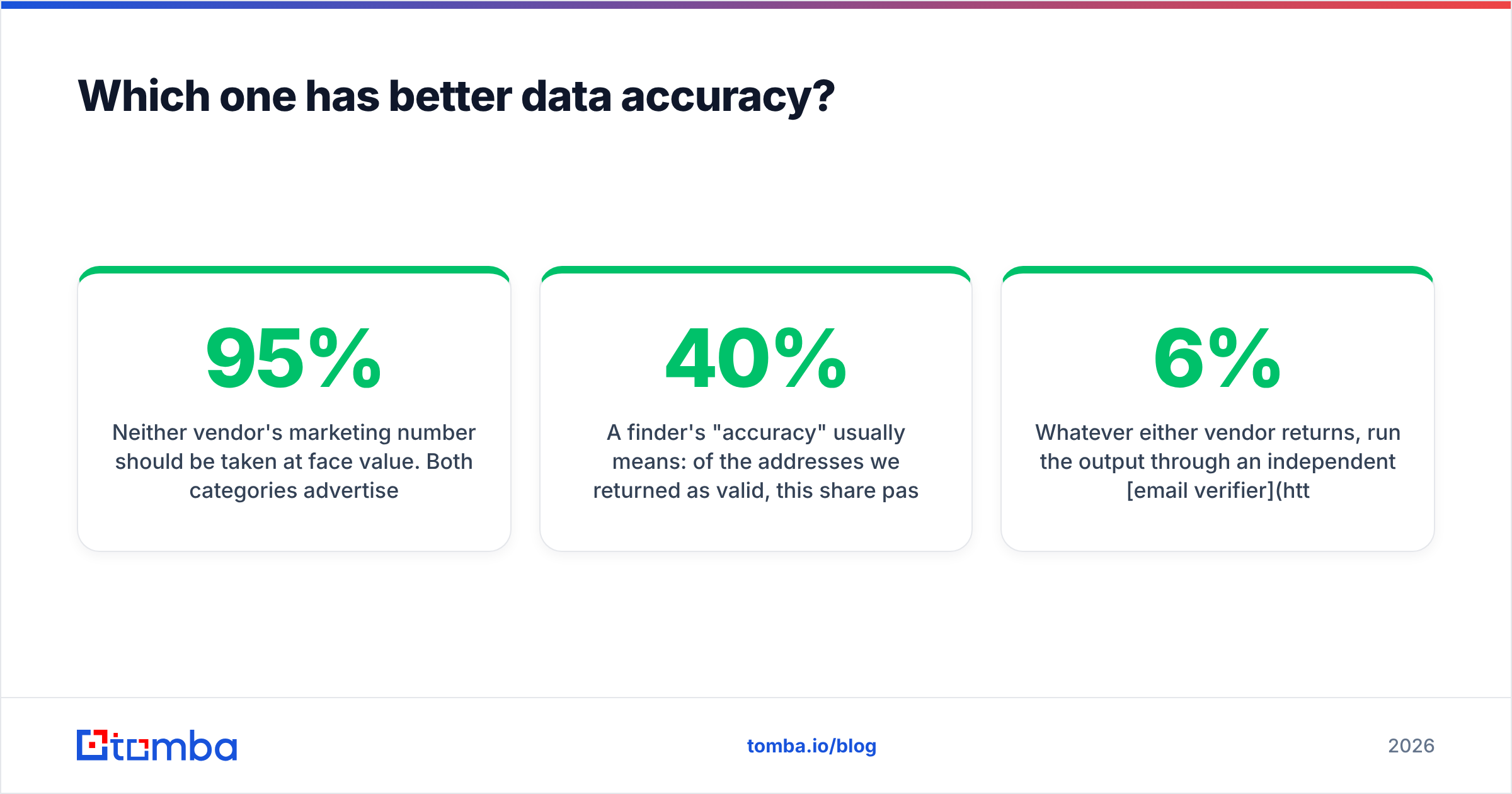
Take neither marketing number at face value. Both sides claim 90–95% accuracy. Both measure it in their own way.
A finder's "accuracy" means one thing. Of the addresses it returned as valid, this share passed a check at that moment. It leaves out every name it could not find. A tool with a 40% hit rate and 95% accuracy on the hits still leaves you with many blank cells.
A list vendor's "accuracy" means something else. At build time, this share of records passed a human or automated check. That check may be months old when the file reaches you. The promise is usually a credit or a swap on bounces above a threshold, not a refund.

One test settles it. Take 100 contacts you already know are right, such as your own customers or closed-won accounts. Run them through each source blind. Measure three numbers, not one:
- Coverage rate — how many came back with any address at all
- Match accuracy — how many matched the address you knew was right
- Bounce rate on send — the only number your inbox provider cares about
Run every result through an independent email verifier before it hits your sequencer. Checking is cheap. A 6% bounce rate that burns your sending domain is not.
Finderio vs Thomson Data: feature by feature#
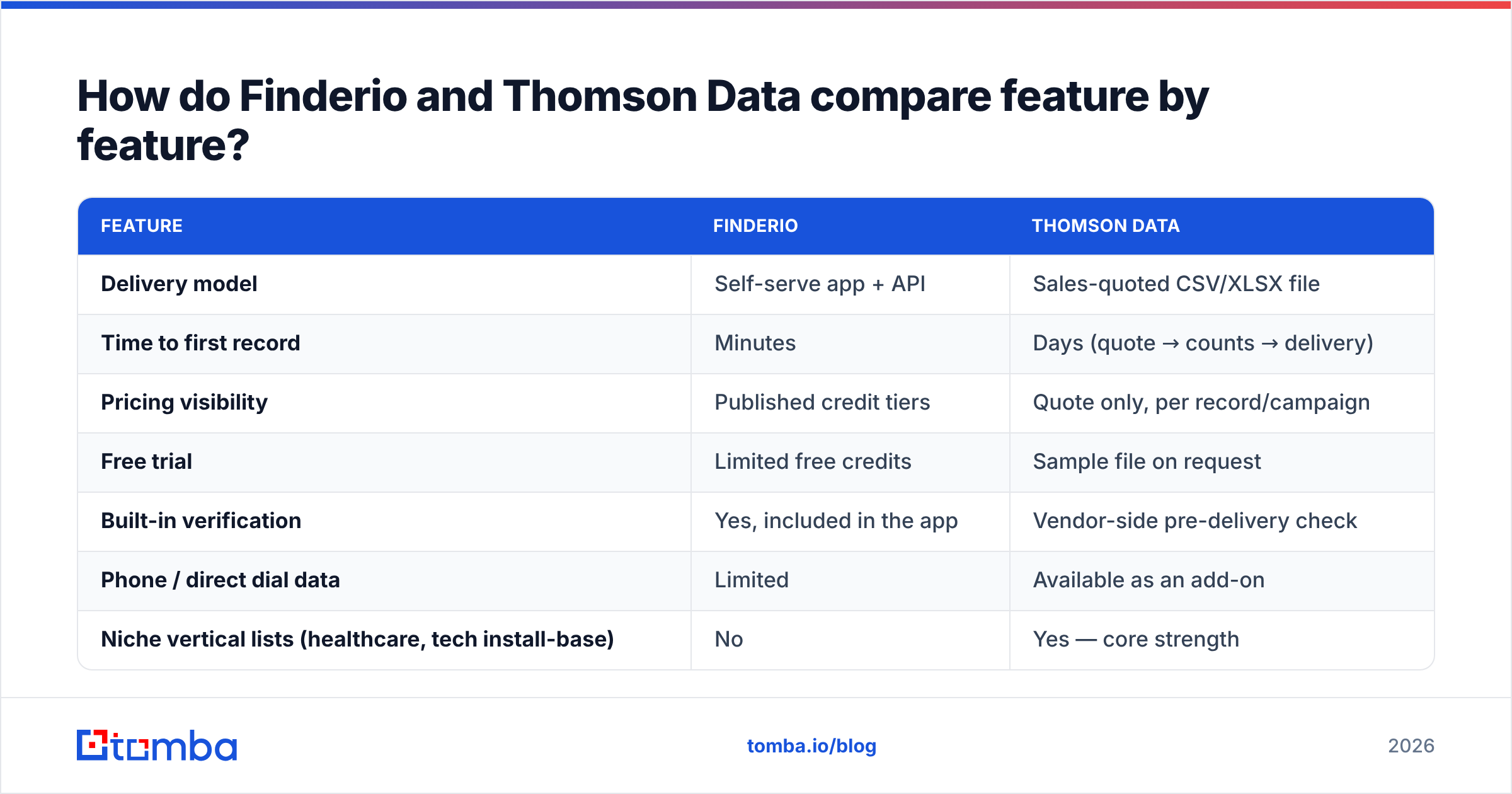
| Feature | Finderio | Thomson Data |
|---|---|---|
| Delivery model | Self-serve app + API | Sales-quoted CSV/XLSX file |
| Time to first record | Minutes | Days (quote → counts → delivery) |
| Pricing visibility | Published credit tiers | Quote only, per record/campaign |
| Free trial | Limited free credits | Sample file on request |
| Built-in verification | Yes, included in the app | Vendor-side pre-delivery check |
| Phone / direct dial data | Limited | Available as an add-on |
| Niche vertical lists (healthcare, tech install-base) | No | Yes — core strength |
| CRM / sequencer integrations | Extension + API | Manual import |
| Best for | SDRs, founders, agencies running rolling outbound | Marketing teams buying a defined campaign audience |

Read that table as a fork in the road, not a scoreboard. Is your outbound always on, with new accounts every week? Then the quote-per-file model adds friction you feel every week.
Is your outbound campaign-shaped instead, with one audience and one push per quarter? Then the file model is simpler than teaching a team to run searches.
Finderio vs Thomson Data: what does each one cost?#
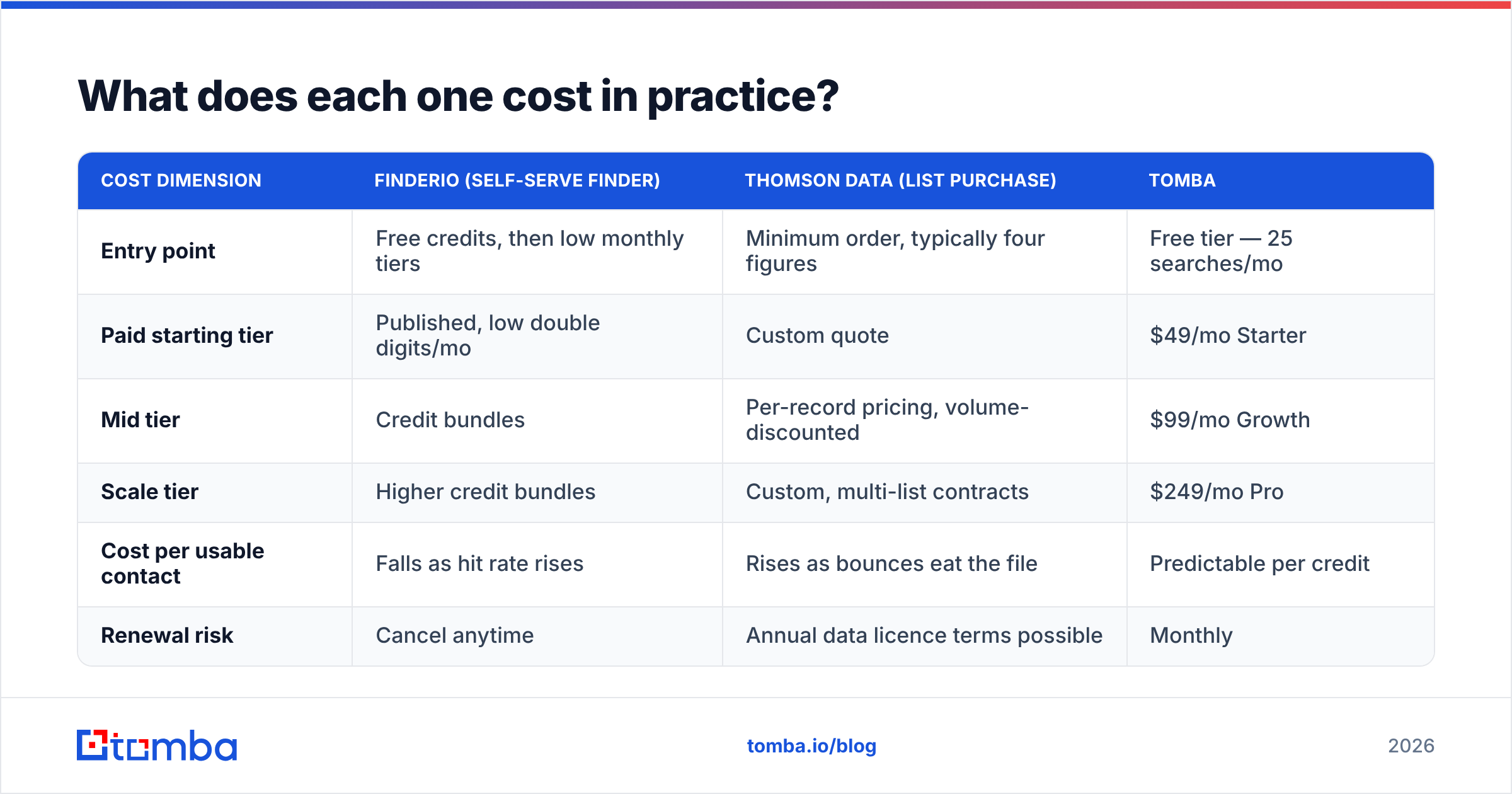
Prices move. Treat these as shapes, not quotes. Check the vendor's own pricing page before you commit.
| Cost dimension | Finderio (self-serve finder) | Thomson Data (list purchase) | Tomba |
|---|---|---|---|
| Entry point | Free credits, then low monthly tiers | Minimum order, typically four figures | Free tier — 25 searches/mo |
| Paid starting tier | Published, low double digits/mo | Custom quote | $49/mo Starter |
| Mid tier | Credit bundles | Per-record pricing, volume-discounted | $99/mo Growth |
| Scale tier | Higher credit bundles | Custom, multi-list contracts | $249/mo Pro |
| Cost per usable contact | Falls as hit rate rises | Rises as bounces eat the file | Predictable per credit |
| Renewal risk | Cancel anytime | Annual data licence terms possible | Monthly |
The number that matters is cost per usable contact. Cost per record hides the truth. A 10,000-record file at $0.15 each is $1,500. If 22% bounce and another 15% are the wrong role, your real cost is closer to $0.24 per contact you can email.
Run that math on a sample first. Ask for at least 100 rows you can check yourself. See Tomba pricing for what the clear version of this math looks like.
Where does each option fall short?#
Finderio's weak points:
- Gaps on small firms, non-English domains, and privacy-first mail hosts
- Catch-all domains return "accept-all" instead of a clean verdict. That risk lands on you, and a catch-all verifier is the fix
- Thin company data next to full platforms. You get the email, not the whole account picture
- Credit models punish sloppy searching. Every failed lookup costs you time, if not always a credit
Thomson Data's weak points:
- No self-serve path. Need 40 contacts on Thursday? The quote cycle is the wrong tool
- Snapshot decay. The file is stale the day it is built, and it keeps aging
- Sourcing you cannot see unless you ask. Find out which sources feed the list, and how consent is logged
- Swap promises often cover hard bounces only. Wrong title, wrong company, and left-the-role records are where most of the waste hides
Neither list kills the deal. Each one is the price of the model you picked.
Is there a third option worth a look?#
Yes. Most teams land here after a quarter of pain with both models.
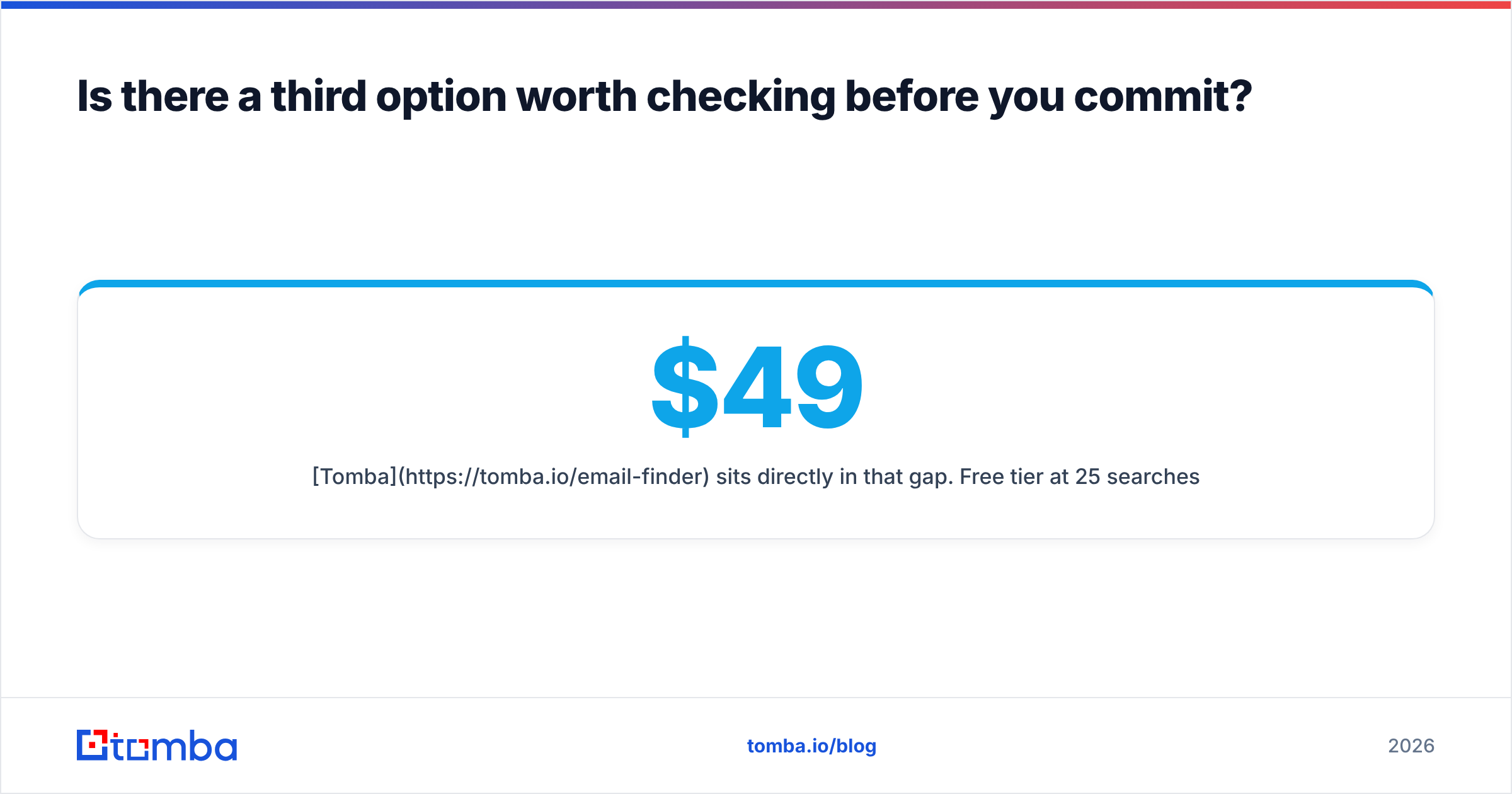
The gap in the middle is a finder with public pricing, a real API, a free tier, and enrichment built in. Then you stop choosing between "cheap but shallow" and "deep but quote-gated."
- Tomba sits in that gap. Free tier at 25 searches a month. Starter at $49/mo, Growth at $99/mo, Pro at $249/mo, Enterprise custom. Domain search, bulk email finder, catch-all handling, phone lookup, and data enrichment share one credit pool. The Tomba API lets RevOps wire lookups into the CRM instead of moving CSVs by hand.
- BookYourData fits if you want the list experience without the quote cycle. It is pay as you go with a bounce guarantee, which makes it a useful middle ground against traditional list vendors.
- Full GTM platforms (Apollo, ZoomInfo, and the like) add sequencing and intent data. The price and contract length only make sense above a certain team size.
Before you sign, read recent buyer reviews on G2. The pattern in one-star reviews tells you more about renewal than any feature grid.
How to run a fair Finderio vs Thomson Data trial in one week#
Do not judge on vibes. Run this:
- Build a 100-row truth set. Pull 100 contacts from closed-won deals where you know the real email. This is your answer key.
- Run the same 100 through both sources. Use the Finderio app or API. Ask Thomson Data for a sample that matches the same criteria.
- Score coverage and accuracy apart. For most outbound teams, 80% accuracy on 75% coverage beats 90% accuracy on 30% coverage.
- Check everything with a neutral tool. Do not grade a vendor with its own ruler. The free email checker works for spot checks.
- Send a 200-contact pilot. Measure hard bounces. Above 3% means the source needs another cleaning pass.
- Price the winner per usable contact. Divide total spend by contacts that were valid and correctly titled. That is your real number.
That takes about five working hours. It saves you from a four-figure list you will never use.
Finderio vs Thomson Data: which should you pick?#
Pick Finderio if you run steady outbound as a founder, SDR, or small agency. You want to pay by card today. Your targets have public websites. The self-serve loop is the whole point, and it works.
Pick Thomson Data if you need a specific, hard-to-build audience. Think healthcare specialties, technology install-base, or regional industry lists. You have budget for a campaign purchase. You are ready to negotiate sourcing and swap terms in writing. No self-serve finder copies that.
Pick neither if what you wanted was clear per-credit pricing, an API your engineers can call, checks built in, and no sales call. That is the case for a modern finder with enrichment. Most outbound teams end up there by year two.
Start with the truth-set test. Ninety minutes of measuring beats ninety days of guessing.
Ready to test the finder model without a quote cycle? Run your truth set through the Tomba Email Finder on the free tier. That is 25 searches a month, no card, with domain search and verification included. If the numbers beat your Finderio vs Thomson Data results, Starter is $49/mo. You can wire it into your CRM through the API the same afternoon.
Related guides#
Ready to find emails that actually work?
Join 150,000+ professionals who stopped guessing and started sending. Free credits on signup — no credit card required.
Get the Tomba newsletter
Practical outbound tactics and product updates — once every two weeks.
About the author