FindThatLead vs Hunter (2026): Which Email Finder Wins?
FindThatLead bundles prospecting and sending; Hunter is the accuracy-first domain search standard. We compare pricing, hit rates, verification depth, and API limits to show which one fits your outbound stack in 2026.
TL;DR
- FindThatLead is a bundle: email finder, LinkedIn extractor, lead search, and a built-in cold email sender. Good if you want one tab instead of three.
- Hunter is the accuracy-first specialist: domain search, email verifier, confidence scores, and a widely documented API. It does not try to be your sequencer.
- On raw B2B hit rate, Hunter generally edges out FindThatLead on mid-market and enterprise domains; FindThatLead can win on volume-per-dollar for broad SMB lists.
- Neither is the cheapest per verified contact. At $49/mo, Tomba lands in the same tier with a deeper verification stack (catch-all handling, phone finder, enrichment).
- Pick FindThatLead if you want find-and-send in one seat. Pick Hunter if deliverability and data confidence are the priority. Pick Tomba if you need API-first volume with verification built in.
What are FindThatLead and Hunter, exactly?#
Two tools that both answer the question "what is this person's work email?" — but they answer it from different starting points.
Hunter started as a domain-first index. You give it stripe.com, it returns the email pattern ({first}@stripe.com), a list of known addresses, sources where each was found publicly, and a confidence score. Its verifier is a separate, well-known product that a lot of teams buy on its own. Hunter's positioning has stayed narrow on purpose: find and verify, then hand off to your sequencer.
FindThatLead started from the prospector's workflow instead. It bundles a domain search, a LinkedIn-based finder, a "Lead Search" prospecting database with filters, and Scrapper — plus an integrated cold email sender. The pitch is that a solo founder or a two-person sales team can run the entire outbound motion without buying a separate sending tool.
That difference explains almost every trade-off below. Hunter optimizes for the quality of one field. FindThatLead optimizes for the number of steps you can do in one login.
How do FindThatLead and Hunter compare on features and price?#
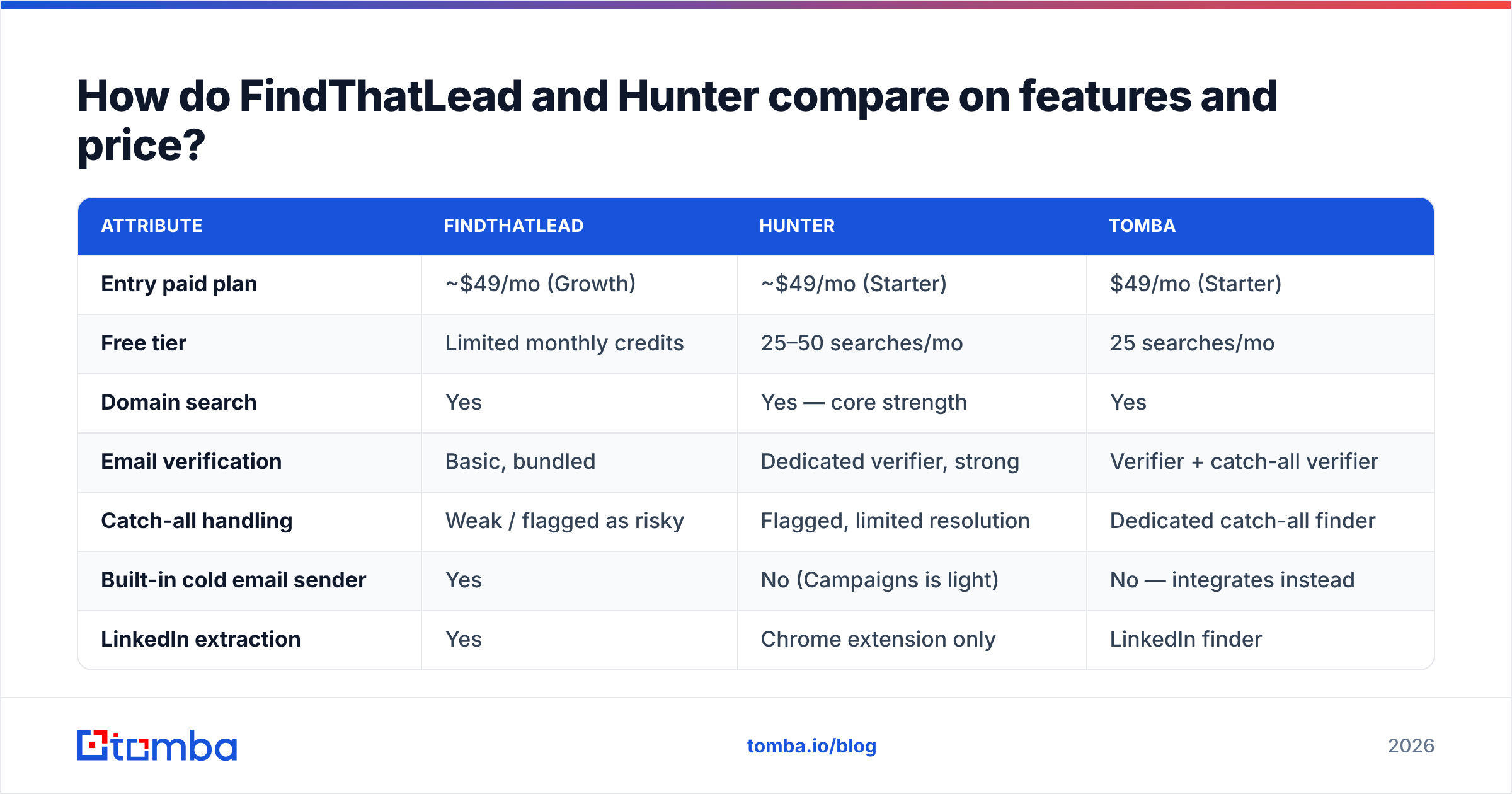
Here is the head-to-head, with Tomba included because it competes directly in the same price band.
| Attribute | FindThatLead | Hunter | Tomba |
|---|---|---|---|
| Entry paid plan | ~$49/mo (Growth) | ~$49/mo (Starter) | $49/mo (Starter) |
| Free tier | Limited monthly credits | 25–50 searches/mo | 25 searches/mo |
| Domain search | Yes | Yes — core strength | Yes |
| Email verification | Basic, bundled | Dedicated verifier, strong | Verifier + catch-all verifier |
| Catch-all handling | Weak / flagged as risky | Flagged, limited resolution | Dedicated catch-all finder |
| Built-in cold email sender | Yes | No (Campaigns is light) | No — integrates instead |
| LinkedIn extraction | Yes | Chrome extension only | LinkedIn finder |
| Phone numbers | No | No | Yes (phone finder + validator) |
| Public API | Yes, basic | Yes, well documented | Yes, full-stack |
| Bulk processing | CSV upload | CSV + API | CSV, API, CLI, Sheets, Excel |
| Best for | Solo founders, SMB volume | Deliverability-first teams | API-first and RevOps teams |
Prices move; check each vendor's page before you commit. The structural differences do not move.
Which one actually finds more emails?#
Hunter wins on confidence, FindThatLead wins on breadth — and both lose contacts you will only get by combining sources.
Run the same 500-row list through both and you'll usually see a pattern:
- Well-indexed domains (SaaS companies, agencies, anything with a public team page or lots of press mentions) — Hunter's hit rate is high and its sources are auditable. You can literally see the URL where an address was published.
- Mid-market industrials, healthcare, local services — coverage drops for both. FindThatLead's pattern-guessing sometimes returns an address Hunter withholds, but the address may be a guess dressed as a result.
- Catch-all domains — this is where both tools get soft. A catch-all server accepts everything at SMTP, so a "valid" verdict means almost nothing. Hunter marks it and moves on. FindThatLead's verification is thinner here.
- Sub-50-employee companies — often the widest gap. Small companies publish less, so index-based tools return fewer rows and pattern inference does more of the work.
That fourth bucket is where a lot of outbound campaigns actually live, and it's the reason "which tool has the best hit rate" is the wrong question. The right question is which tool's verified hit rate is highest, because unverified finds cost you sender reputation.

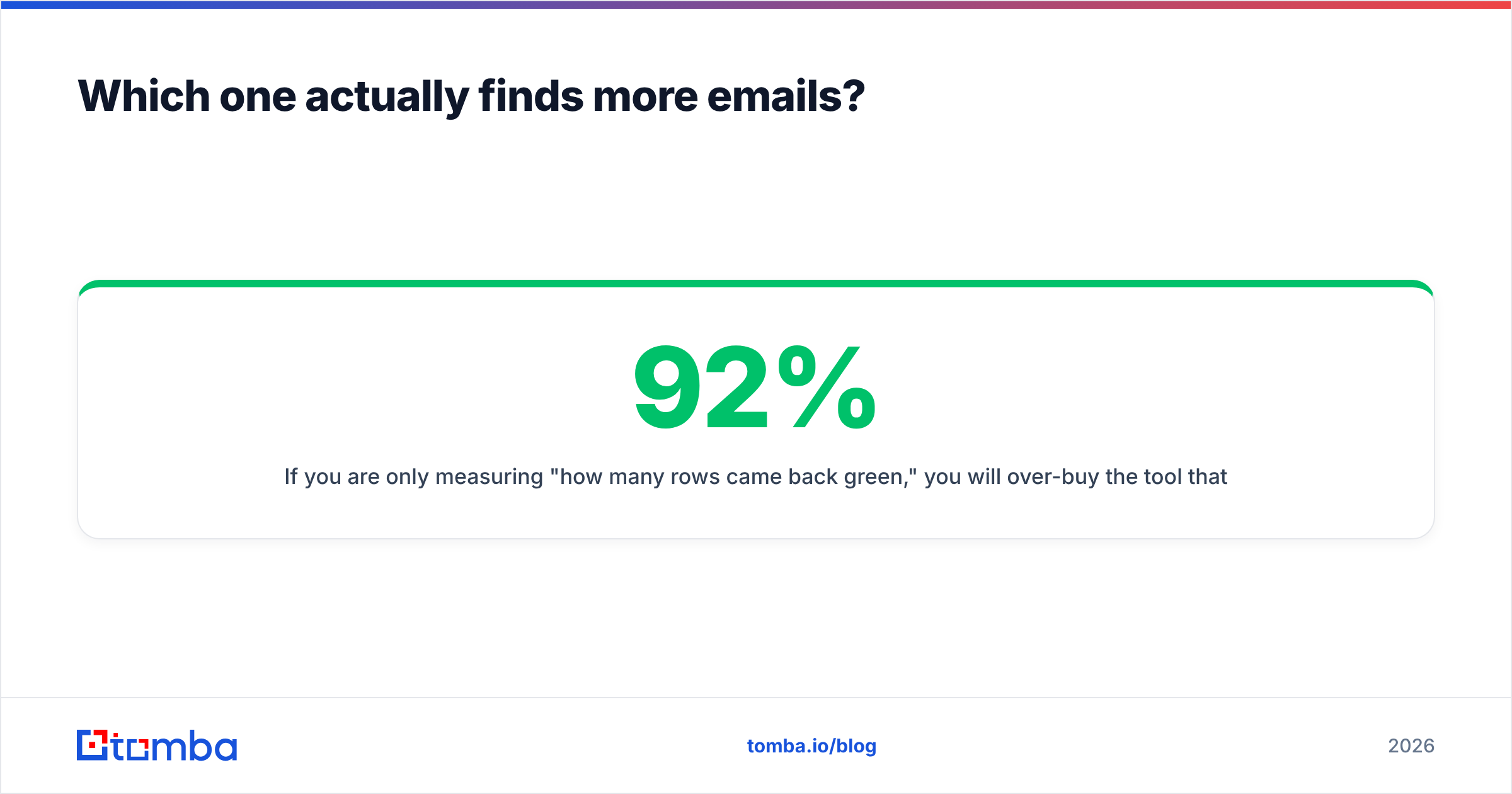
If you are only measuring "how many rows came back green," you will over-buy the tool that guesses most aggressively. Measure bounce rate on send instead. A 92% find rate that bounces at 8% is worse than an 80% find rate that bounces at 1%.
How does verification differ between them?#
Hunter's verifier is a genuine product; FindThatLead's is a feature.
Hunter runs format checks, MX record lookups, SMTP probing, and disposable/role-address detection, then returns a status plus a confidence percentage. It is conservative — it will tell you "accept-all" rather than pretend a catch-all domain is clean. For teams whose main constraint is email deliverability, that conservatism is a feature, not a limitation.
FindThatLead verifies too, but it is a checkbox inside a larger product. If your list is heavy on catch-all domains — common in enterprise and in European mid-market — you will want a second pass through a dedicated email verifier before you send anything.
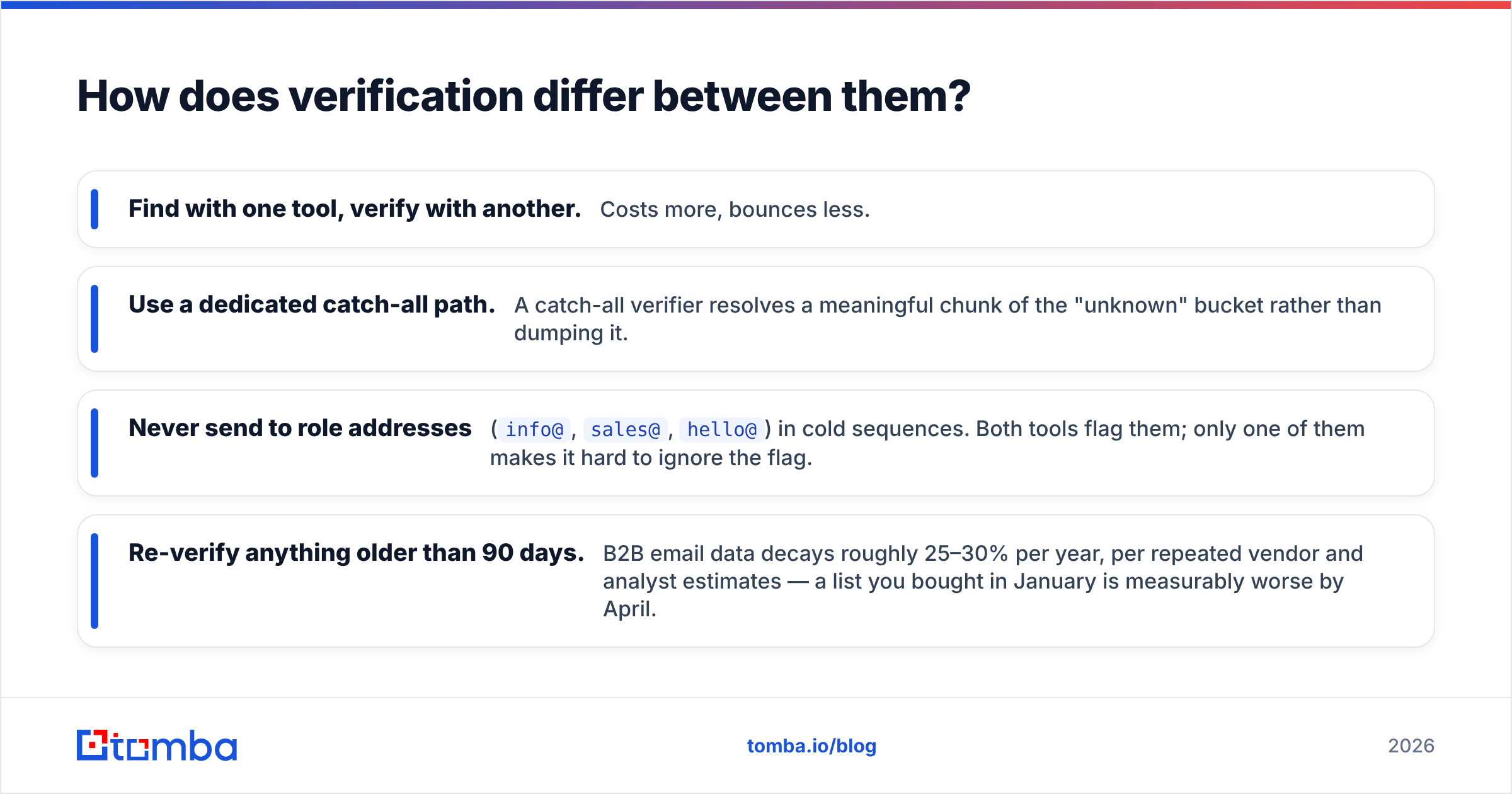
This is the practical split most teams land on:
- Find with one tool, verify with another. Costs more, bounces less.
- Use a dedicated catch-all path. A catch-all verifier resolves a meaningful chunk of the "unknown" bucket rather than dumping it.
- Never send to role addresses (
info@,sales@,hello@) in cold sequences. Both tools flag them; only one of them makes it hard to ignore the flag. - Re-verify anything older than 90 days. B2B email data decays roughly 25–30% per year, per repeated vendor and analyst estimates — a list you bought in January is measurably worse by April.
Is FindThatLead's built-in sender worth it?#
Only if you would otherwise pay for a separate sequencer and your volume is low.
FindThatLead's sending module handles basic sequences, follow-ups, and tracking. For a founder sending 200 emails a week, that is genuinely enough, and it saves a $60–99/mo line item.
It is not enough if you need inbox rotation across multiple domains, deliverability monitoring, reply classification, or anything resembling a real sending infrastructure. Teams that scale past a few hundred sends a day almost always migrate to a dedicated platform — Instantly, Smartlead, Saleshandy — and at that point you are paying FindThatLead for a module you stopped using.
Hunter took the opposite bet: stay narrow, integrate with everything. That's why Hunter shows up as a native integration in most sequencers and CRMs, and why it survives in stacks where the sending layer changes every 18 months.
There's a third pattern worth naming: keep the data layer API-first and let the sending layer be replaceable. If your finder is a clean API call, swapping sequencers costs you an afternoon. If your finder is your sequencer, swapping costs you a migration.
What do the pricing models actually cost per verified contact?#
Sticker price is the wrong unit. Cost per usable, verified contact is the right one.
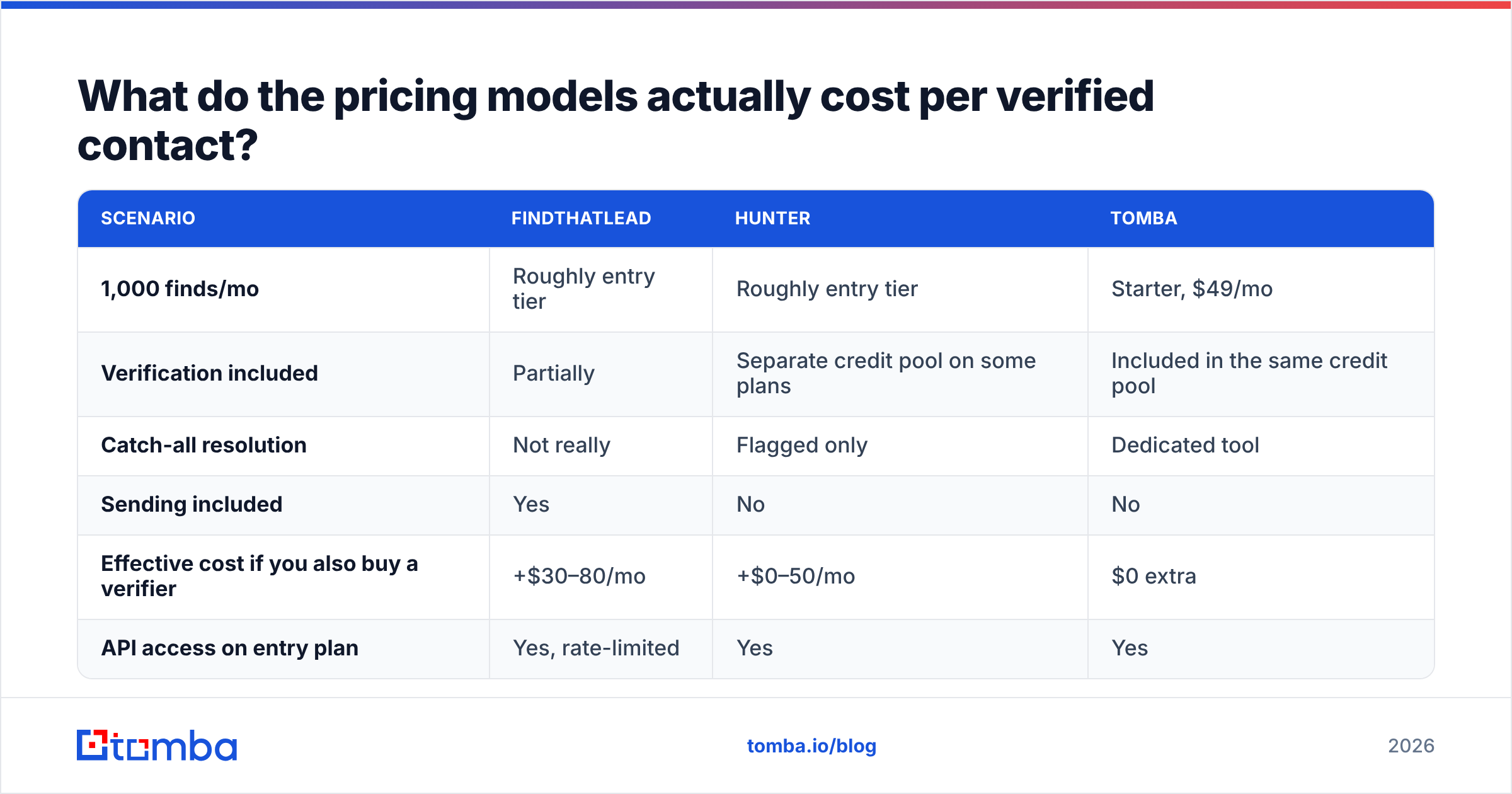
| Scenario | FindThatLead | Hunter | Tomba |
|---|---|---|---|
| 1,000 finds/mo | Roughly entry tier | Roughly entry tier | Starter, $49/mo |
| Verification included | Partially | Separate credit pool on some plans | Included in the same credit pool |
| Catch-all resolution | Not really | Flagged only | Dedicated tool |
| Sending included | Yes | No | No |
| Effective cost if you also buy a verifier | +$30–80/mo | +$0–50/mo | $0 extra |
| API access on entry plan | Yes, rate-limited | Yes | Yes |
Two things fall out of this. First, if you buy FindThatLead for the bundled sender and then buy a real sequencer anyway, your effective cost per contact roughly doubles. Second, if you buy Hunter and then buy a separate verification vendor for catch-alls, you've rebuilt a stack that some competitors ship as one product.
Neither is a scandal. Both are the normal result of buying tools one at a time instead of designing the stack.

Which should you choose for your team size?#
Solo founder or 2-person team, under 500 sends/month. FindThatLead. The bundle genuinely saves you money and a tool. Accept that you'll re-verify before big sends.
SDR team of 3–10, deliverability is the constraint. Hunter. The confidence scores and source transparency give your reps something to trust, and it plugs into whatever sequencer you already run. Budget for a verification pass.
RevOps, agency, or product team that needs data programmatically. Neither, necessarily. What you want is an API you can hit from your enrichment job, your CRM workflow, or your own product — with verification in the same call. That's where a Tomba API style setup wins, because domain search, verification, catch-all resolution, and enrichment come from one credit pool and one auth key instead of three vendors and three rate limits.
Recruiters and researchers. Look at coverage on individual-person lookups rather than domain sweeps. Hunter is domain-centric by design; tools with a strong LinkedIn path and reverse lookup will serve you better.
For a broader field, BookYourData is a solid option when you want pre-verified purchased lists rather than on-demand lookup — a genuinely different buying model, and often the faster path if you need 10,000 contacts this week rather than a repeatable API workflow. Compare all three on G2 before you sign an annual contract.

What questions should you ask before buying either?#
Run this checklist against your own list, not against a vendor demo:
- What's my real bounce rate on a 200-email test? Both tools offer free credits. Test with your actual ICP domains, not with
google.com. - What percentage of my target domains are catch-all? If it's over 30%, verification depth matters more than raw find rate.
- Will I still use the bundled sender in 12 months? If the honest answer is no, don't pay for it now.
- Do I need this in a workflow or in a browser? API and bulk email finder access changes the calculus completely versus manual one-off lookups.
- What happens to my credits if I pause? Rollover policies differ, and annual contracts hide this.
- Can I audit where the data came from? Hunter shows sources. That matters for GDPR-adjacent conversations more than most teams expect.
The verdict#
Hunter is the better email finder. FindThatLead is the better single purchase for someone who has nothing else.
If accuracy, source transparency, and clean integration into an existing stack are what you're optimizing for, Hunter is the safer buy and has been for years. If you're a solo operator who needs to go from zero to sending this week on one budget line, FindThatLead's bundle is a defensible shortcut — just plan the migration path before you're locked in.
And if you're reading this because you're building the data layer for a team rather than shopping for one seat, the honest answer is that both tools force you into a second purchase eventually: FindThatLead for real sending infrastructure, Hunter for deep catch-all verification.
That's the gap the Tomba Email Finder is built to close — domain search, verification, catch-all resolution, phone lookup, and enrichment from one API and one credit pool, starting at $49/mo with a free tier to test your own list first. Run 25 of your hardest domains through it, compare the bounce rate against whatever you're using now, and let the numbers pick the winner.
Related guides#
Ready to find emails that actually work?
Join 150,000+ professionals who stopped guessing and started sending. Free credits on signup — no credit card required.
Get the Tomba newsletter
Practical outbound tactics and product updates — once every two weeks.
About the author