FindThatLead vs LimeLeads (2026): Which Lead Tool Wins?
FindThatLead sells a prospecting suite with sending built in. LimeLeads sells a US B2B contact list you buy by the record. Here is how they actually compare on data, pricing, and export limits in 2026.
TL;DR
- They are not the same category. FindThatLead is a prospecting suite — email finder, Chrome/LinkedIn scraper, verifier, and a built-in cold email sender. LimeLeads is a list-building database — you filter a US-heavy B2B contact index and export records.
- Pick FindThatLead if you want find-to-send in one tab and you prospect from LinkedIn profiles or company domains one account at a time.
- Pick LimeLeads if you want to buy a filtered list of US SMB contacts by industry, headcount, and location, and you already have a sender and a CRM.
- Both leak budget the same way: you pay for records that bounce. Neither replaces a dedicated verification pass before you send.
- Cheapest sane stack for most teams: a high-accuracy email finder plus a separate sequencer, rather than one tool that does both at half strength.
What exactly are FindThatLead and LimeLeads?#
They solve the same end goal — get a working work email in front of your SDR — from opposite directions.
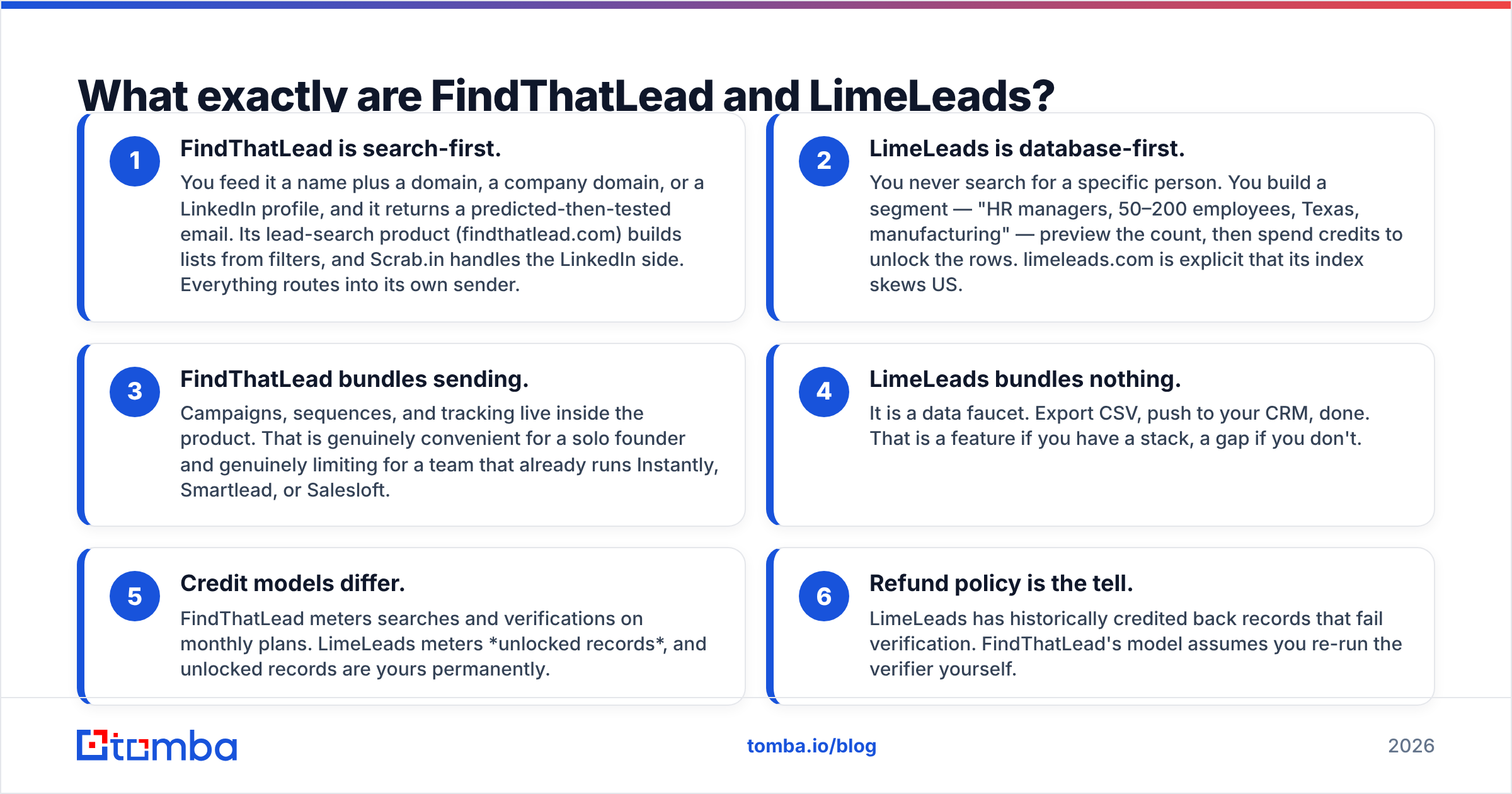
- FindThatLead is search-first. You feed it a name plus a domain, a company domain, or a LinkedIn profile, and it returns a predicted-then-tested email. Its lead-search product (findthatlead.com) builds lists from filters, and Scrab.in handles the LinkedIn side. Everything routes into its own sender.
- LimeLeads is database-first. You never search for a specific person. You build a segment — "HR managers, 50–200 employees, Texas, manufacturing" — preview the count, then spend credits to unlock the rows. limeleads.com is explicit that its index skews US.
- FindThatLead bundles sending. Campaigns, sequences, and tracking live inside the product. That is genuinely convenient for a solo founder and genuinely limiting for a team that already runs Instantly, Smartlead, or Salesloft.
- LimeLeads bundles nothing. It is a data faucet. Export CSV, push to your CRM, done. That is a feature if you have a stack, a gap if you don't.
- Credit models differ. FindThatLead meters searches and verifications on monthly plans. LimeLeads meters unlocked records, and unlocked records are yours permanently.
- Refund policy is the tell. LimeLeads has historically credited back records that fail verification. FindThatLead's model assumes you re-run the verifier yourself.
If you only remember one line: FindThatLead is a workflow, LimeLeads is an inventory.

How do FindThatLead and LimeLeads compare head-to-head?#
Here is the honest side-by-side. Pricing reflects publicly listed plans at the time of writing — both vendors change tiers often, so treat the numbers as shape, not gospel.
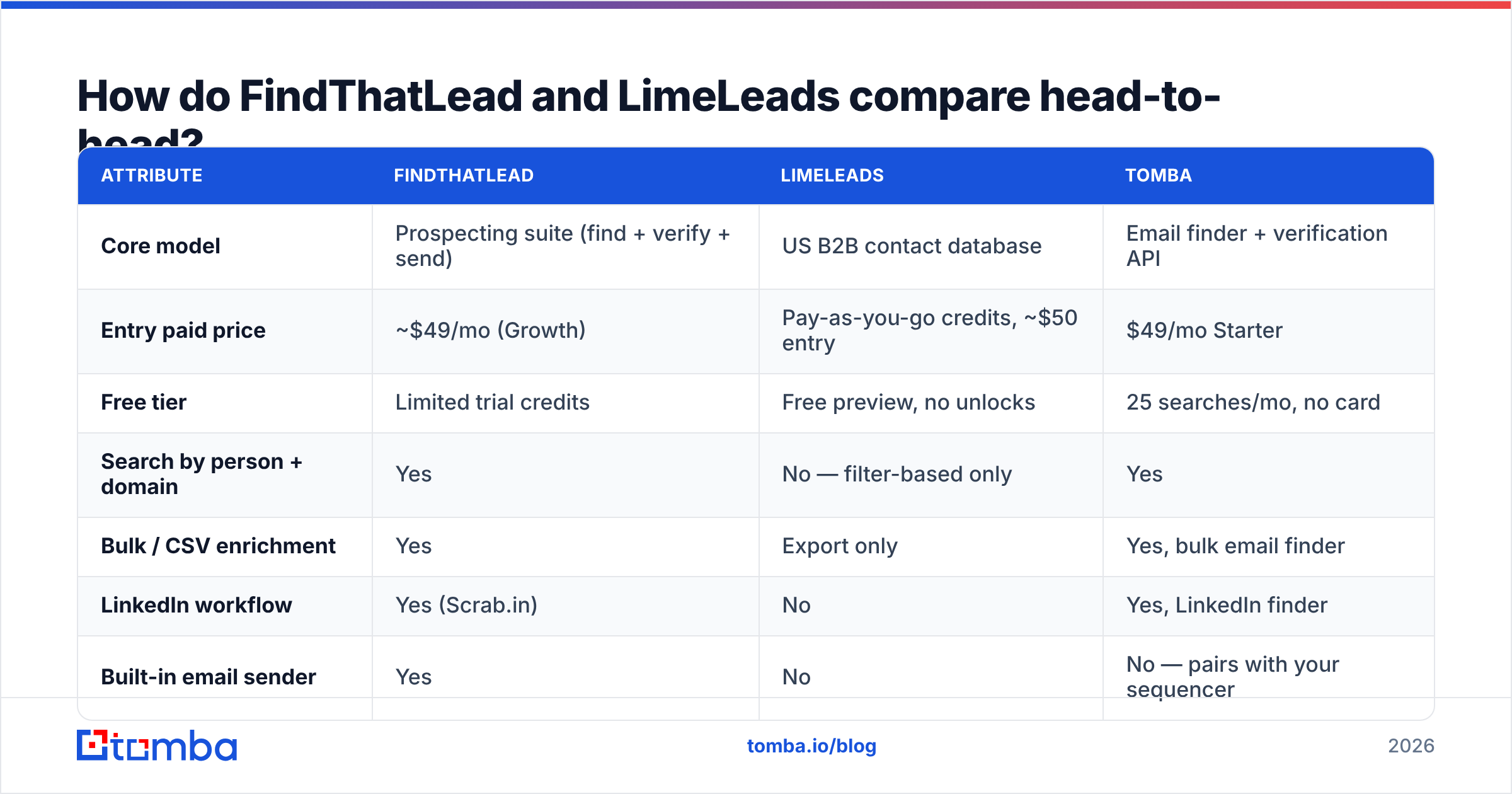
| Attribute | FindThatLead | LimeLeads | Tomba |
|---|---|---|---|
| Core model | Prospecting suite (find + verify + send) | US B2B contact database | Email finder + verification API |
| Entry paid price | ~$49/mo (Growth) | Pay-as-you-go credits, ~$50 entry | $49/mo Starter |
| Free tier | Limited trial credits | Free preview, no unlocks | 25 searches/mo, no card |
| Search by person + domain | Yes | No — filter-based only | Yes |
| Bulk / CSV enrichment | Yes | Export only | Yes, bulk email finder |
| LinkedIn workflow | Yes (Scrab.in) | No | Yes, LinkedIn finder |
| Built-in email sender | Yes | No | No — pairs with your sequencer |
| Catch-all handling | Basic | Not surfaced | Dedicated catch-all verifier |
| Geographic strength | Europe + LATAM + US | Heavily US | Global |
| API access | Yes | Limited | Full REST email finder API |
| Credit rollover | No | Unlocked records kept forever | Plan-dependent |

The table hides one thing worth saying out loud: FindThatLead and LimeLeads rarely compete for the same buyer. When teams put them side by side, it's usually because both showed up in a "cheap lead gen tool" search, not because the products overlap. If you shortlist them together, you probably have not decided whether you need targeting or finding.
Which one has better data accuracy?#
Neither vendor publishes a third-party audited accuracy figure, and you should be suspicious of any comparison post that claims otherwise. What you can evaluate is mechanism, and the mechanisms differ enough to predict outcomes.
FindThatLead generates candidate addresses from name-plus-domain patterns and then tests them. That approach is strong on companies with a clean, consistent pattern (first.last@, f.last@) and weak on companies that use random or legacy formats, aliases, or aggressive catch-all configurations. When a domain accepts everything, pattern-testing returns "valid" for addresses that route nowhere.
LimeLeads serves records that were collected earlier and sit in an index. Index freshness is the whole ballgame. A record captured 18 months ago on a company with 30% annual churn is a coin flip regardless of how clean it looked at capture time. LimeLeads' record-credit-back policy is a reasonable hedge, but a refunded credit does not refund the damage a bounce does to your sender reputation.

How to actually test this yourself, in one afternoon:
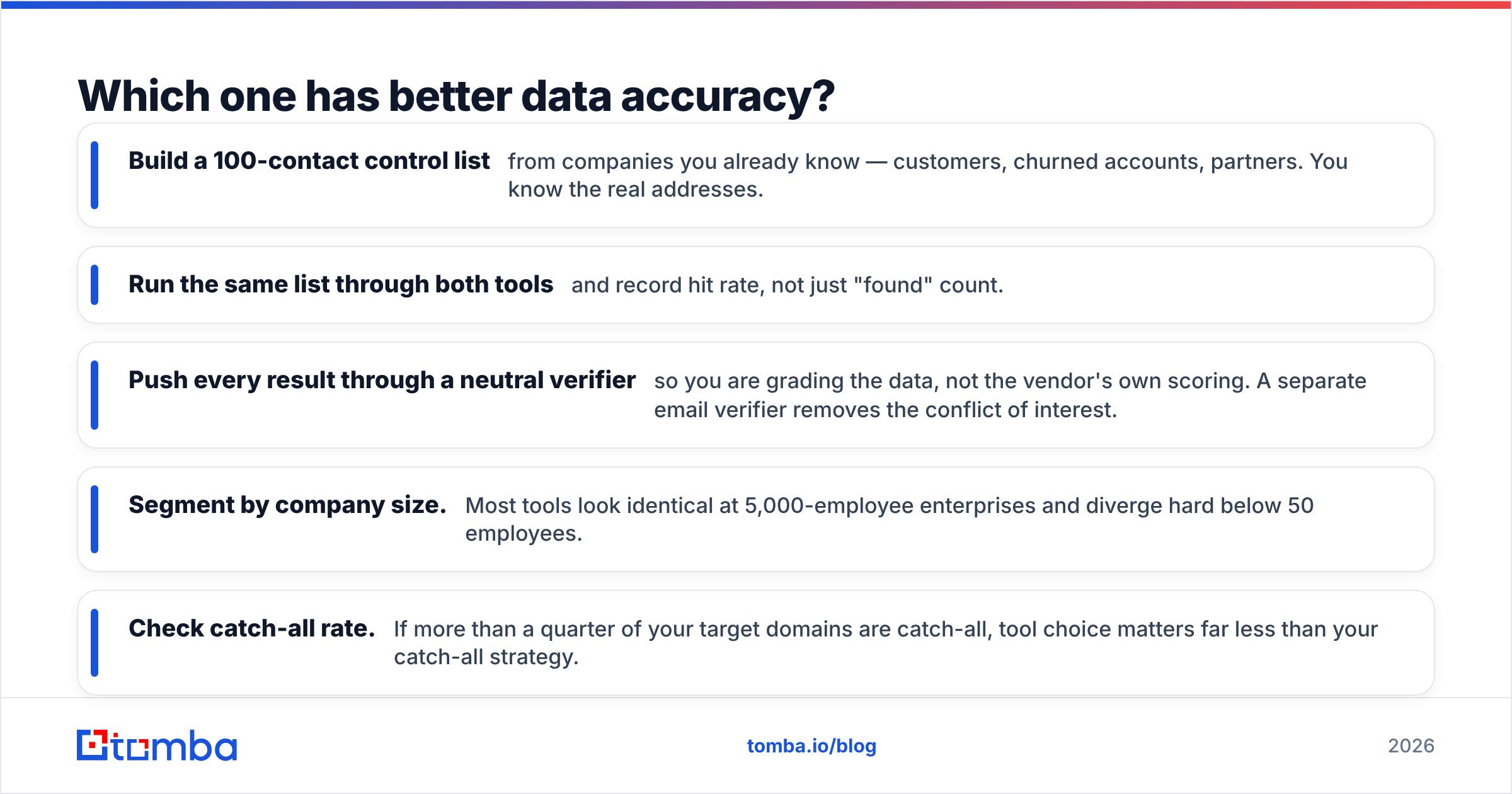
- Build a 100-contact control list from companies you already know — customers, churned accounts, partners. You know the real addresses.
- Run the same list through both tools and record hit rate, not just "found" count.
- Push every result through a neutral verifier so you are grading the data, not the vendor's own scoring. A separate email verifier removes the conflict of interest.
- Segment by company size. Most tools look identical at 5,000-employee enterprises and diverge hard below 50 employees.
- Check catch-all rate. If more than a quarter of your target domains are catch-all, tool choice matters far less than your catch-all strategy.
That test costs you two hours and settles the argument better than any review — including this one.
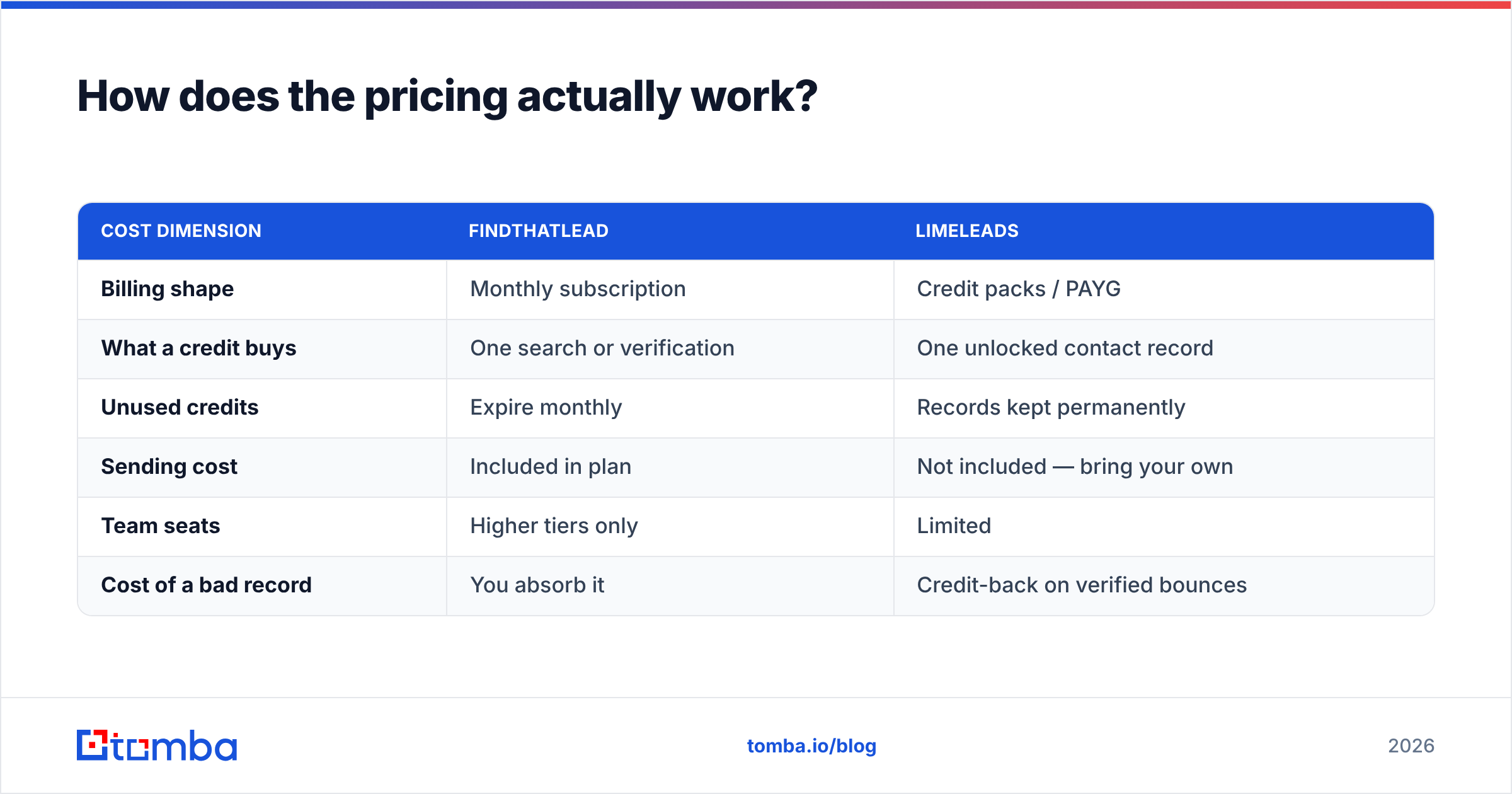
How does the pricing actually work?#
This is where the two models diverge most, and where teams get surprised.
| Cost dimension | FindThatLead | LimeLeads |
|---|---|---|
| Billing shape | Monthly subscription | Credit packs / PAYG |
| What a credit buys | One search or verification | One unlocked contact record |
| Unused credits | Expire monthly | Records kept permanently |
| Sending cost | Included in plan | Not included — bring your own |
| Team seats | Higher tiers only | Limited |
| Cost of a bad record | You absorb it | Credit-back on verified bounces |
FindThatLead's jump from its entry tier to its mid tier is steep — roughly $49 to $150 per month in its published lineup — and the jump is usually triggered by sending volume or seat count, not by data need. That is the classic bundling tax: you pay a data-plus-sending price even when you only outgrew one half.
LimeLeads is friendlier to bursty usage. If you build one 3,000-contact list per quarter and then go quiet, PAYG credits with permanent ownership beat a subscription you forget to cancel. If you prospect continuously, credit packs get expensive fast.
For reference, Tomba pricing sits at a free tier with 25 searches per month, $49/mo Starter, $99/mo Growth, $249/mo Pro, and custom Enterprise — data only, no sender bundled. Whether that is cheaper depends entirely on whether you already pay for a sequencer.
Is FindThatLead's built-in sender good enough to replace your sequencer?#
For a solo founder sending 50 emails a week: yes, comfortably. For anything with an inbox rotation, warmup schedule, or reply-routing requirement: no.
Bundled senders inside data tools are almost always a generation behind dedicated platforms on the things that decide whether your mail lands — per-inbox throttling, spintax, bounce-triggered pausing, custom tracking domains, and DMARC-aware sending. If you are running multi-domain outbound in 2026, email deliverability is the constraint, not lead volume, and you want a tool whose entire roadmap points at that problem.
The practical read: FindThatLead's sender is a real cost saver at low volume and a real ceiling at scale. Budget for replacing it around the point you add a second SDR.
LimeLeads sidesteps the question entirely by not having a sender. Whether that is honesty or a missing feature depends on your stack.
Which should you pick for your use case?#
- Solo founder, EU or LATAM market, under 500 emails/month → FindThatLead. The bundle genuinely saves you a tool and a Zapier hop.
- US-only SMB campaign, one big list, no ongoing search → LimeLeads. Permanent record ownership is the differentiator, and its US SMB coverage is its strongest asset.
- Agency running outbound for multiple clients → Neither alone. You need API-driven enrichment feeding whatever sequencer each client already uses.
- RevOps enriching an existing CRM export → A dedicated finder with bulk upload and a real API. FindThatLead can do it; LimeLeads is not built for "here are 4,000 names, find their emails."
- Recruiting or partnerships, person-first searching → FindThatLead or a finder. LimeLeads' filter-first model cannot answer "what is Maria Gonzalez's email at this company?"
- You already own a sequencer and just need accurate addresses → Skip the bundles and buy data-only. You will pay less and swap vendors more easily.
Check current user sentiment on G2 before you commit — both products have long review histories, and recent reviews tell you more about data freshness than anything a vendor page will.
Where does Tomba fit in this comparison?#
Honestly: as the unbundled option, which is the right shape for most teams but not all of them.
Tomba does not sell you a sender, so if the appeal of FindThatLead is "one tool, one bill," Tomba does not compete on that. What it competes on is the data layer itself — the email finder, verification including catch-all handling, domain search for mapping every reachable contact at a company, phone lookup, and enrichment, all exposed through an API you can wire into HubSpot, Salesforce, Sheets, or your own pipeline.
Three situations where that unbundling wins clearly:
- You already pay for a sequencer. Paying FindThatLead for a sender you will never open is pure waste.
- Your targets are global. LimeLeads' US skew is a hard ceiling for EMEA and APAC prospecting.
- You need programmatic enrichment. A CSV export is a one-time event; an API call is a system.
And one where it does not: if you want to sign up tonight and have emails leaving your account by tomorrow with zero other tools, FindThatLead's bundle is the shorter path. That is a real advantage and it would be dishonest to pretend otherwise.
What is the verdict on FindThatLead vs LimeLeads?#
FindThatLead wins on workflow breadth. LimeLeads wins on cost structure for burst list-building. Neither wins on being the best data layer.
If you are choosing between exactly these two and nothing else: pick FindThatLead if you prospect continuously and target specific people; pick LimeLeads if you build occasional US SMB lists and already own your sending stack.
But the more useful question is whether the shortlist is right. Most teams that end up comparing a prospecting suite against a contact database are really asking "how do I stop paying for emails that bounce?" — and that is a data-quality question, answered by testing accuracy on a control list and by verifying everything before it enters a sequence, not by picking the tool with more features on the pricing page.
Run the 100-contact test. Whatever wins it, wins.
Ready to benchmark your own list? Start with the Tomba Email Finder — the free tier gives you 25 searches a month with no card required, enough to run a real head-to-head against whatever you're using today. If the hit rate and bounce rate hold up on your accounts, plans start at $49/mo with full API access; if they don't, you have lost nothing but an afternoon.
Related guides#
Ready to find emails that actually work?
Join 150,000+ professionals who stopped guessing and started sending. Free credits on signup — no credit card required.
Get the Tomba newsletter
Practical outbound tactics and product updates — once every two weeks.
About the author