FindThatLead vs QuickEnrich: Which Email Finder Wins in 2026?
FindThatLead and QuickEnrich both promise verified B2B emails at low cost, but they solve different problems. Here is an honest breakdown of accuracy, pricing, waterfall coverage, and who each one actually fits.
TL;DR
- FindThatLead is a prospecting suite: lead search, email finding, and a built-in cold-email sender. Best if you want one tab for list-building and sending.
- QuickEnrich is a waterfall enrichment layer: it queries multiple data vendors per contact and returns the best hit. Best if you already have a CRM full of half-empty records.
- They are not really competitors. FindThatLead answers "who do I email?"; QuickEnrich answers "fill in what I'm missing on the people I already have."
- On raw email accuracy, both sit in the low-to-mid 80s on messy domains. Neither replaces a dedicated verification step.
- If you need one tool that finds, verifies, and enriches through a single API without stacking vendor bills, a focused email finder is usually the cheaper path.
What is FindThatLead and who actually uses it?#
FindThatLead is a Barcelona-built B2B prospecting platform that has been around since 2015. Its pitch is breadth: you search for companies or roles, pull emails, verify them, and push a cold sequence — all inside one dashboard.
The workflow most teams use looks like this:
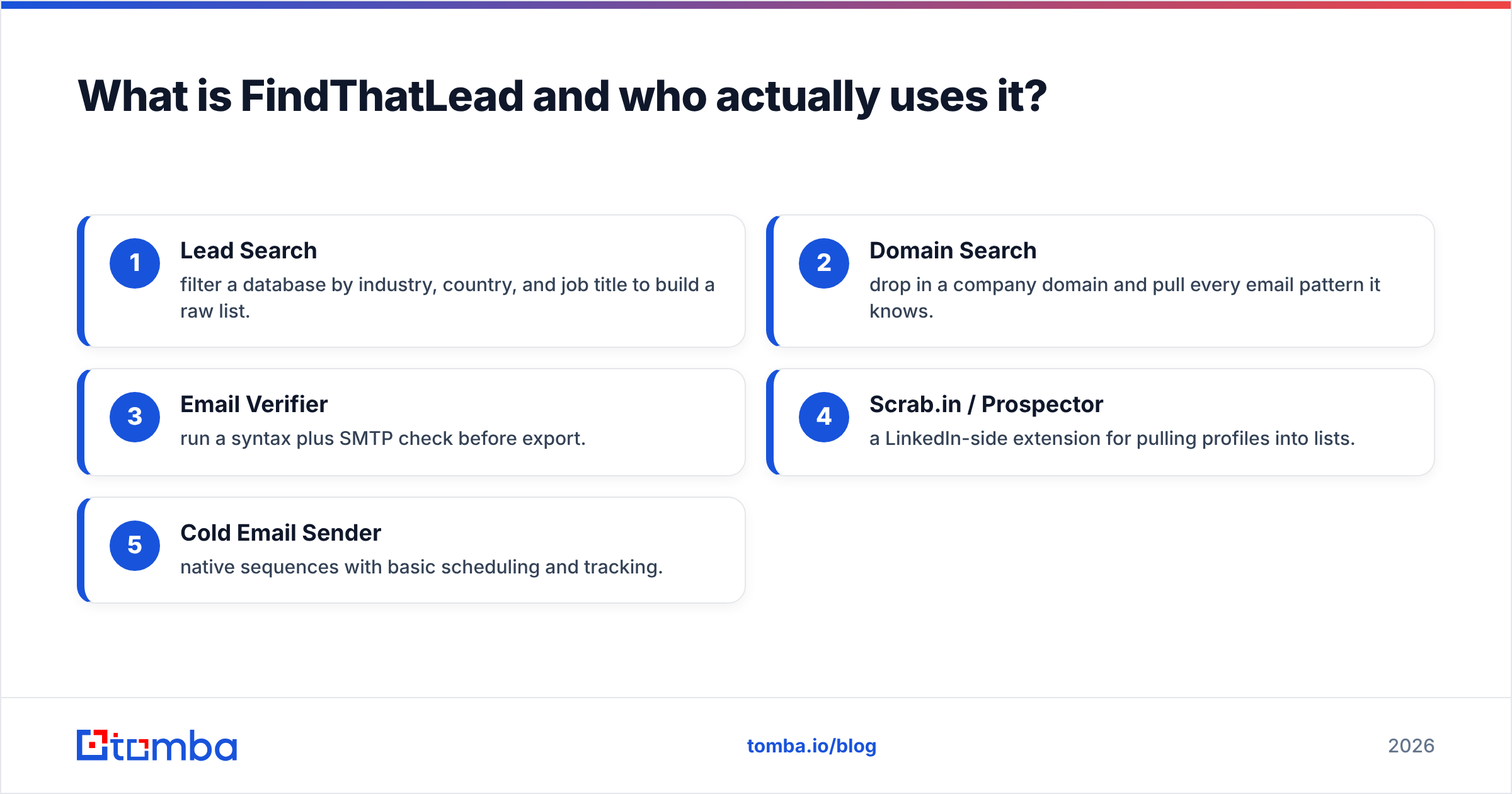
- Lead Search — filter a database by industry, country, and job title to build a raw list.
- Domain Search — drop in a company domain and pull every email pattern it knows.
- Email Verifier — run a syntax plus SMTP check before export.
- Scrab.in / Prospector — a LinkedIn-side extension for pulling profiles into lists.
- Cold Email Sender — native sequences with basic scheduling and tracking.
That last piece is the real differentiator. Most email finders stop at CSV export. FindThatLead lets a two-person team run the whole outbound motion without buying a separate sending tool. The trade-off is that each module is competent rather than excellent — the sender lacks the deliverability tooling of a dedicated platform, and the database skews heavily toward SMB and European contacts.
Where it gets awkward: FindThatLead charges credits for searches that return nothing usable. If a domain has no discoverable pattern, you can still burn credits discovering that. Budget for a 15–25% waste rate on cold, unresearched domains.
What is QuickEnrich and how is it different?#
QuickEnrich takes the opposite approach. It does not try to be your prospecting front end. It is an enrichment API and bulk-upload tool that sits behind your existing list.
The core mechanic is waterfall enrichment. You send a contact — usually a name plus a company domain, or a LinkedIn URL — and QuickEnrich queries several underlying data providers in sequence. Provider A misses, provider B is tried, provider C after that. You are charged only when a match comes back. On paper that pushes hit rates above what any single vendor delivers alone.
In practice, waterfall models have three characteristics you should plan around:
- Higher hit rate, higher variance in quality. A match from a weak fourth-tier provider still counts as a match. Coverage goes up; median freshness goes down.
- Opaque source attribution. You rarely know which vendor produced a given record, which makes GDPR provenance questions harder to answer.
- Latency. Serial provider calls mean enrichment can take several seconds per record instead of a few hundred milliseconds. Fine for nightly batch jobs, painful for a real-time form-fill.
QuickEnrich also returns firmographics — headcount, industry, tech stack signals — not just emails. If your goal is scoring inbound leads rather than sourcing new ones, that matters more than raw email count.

FindThatLead vs QuickEnrich: how do they compare head to head?#
Here is the practical comparison, with Tomba included as a reference point since it overlaps both categories.
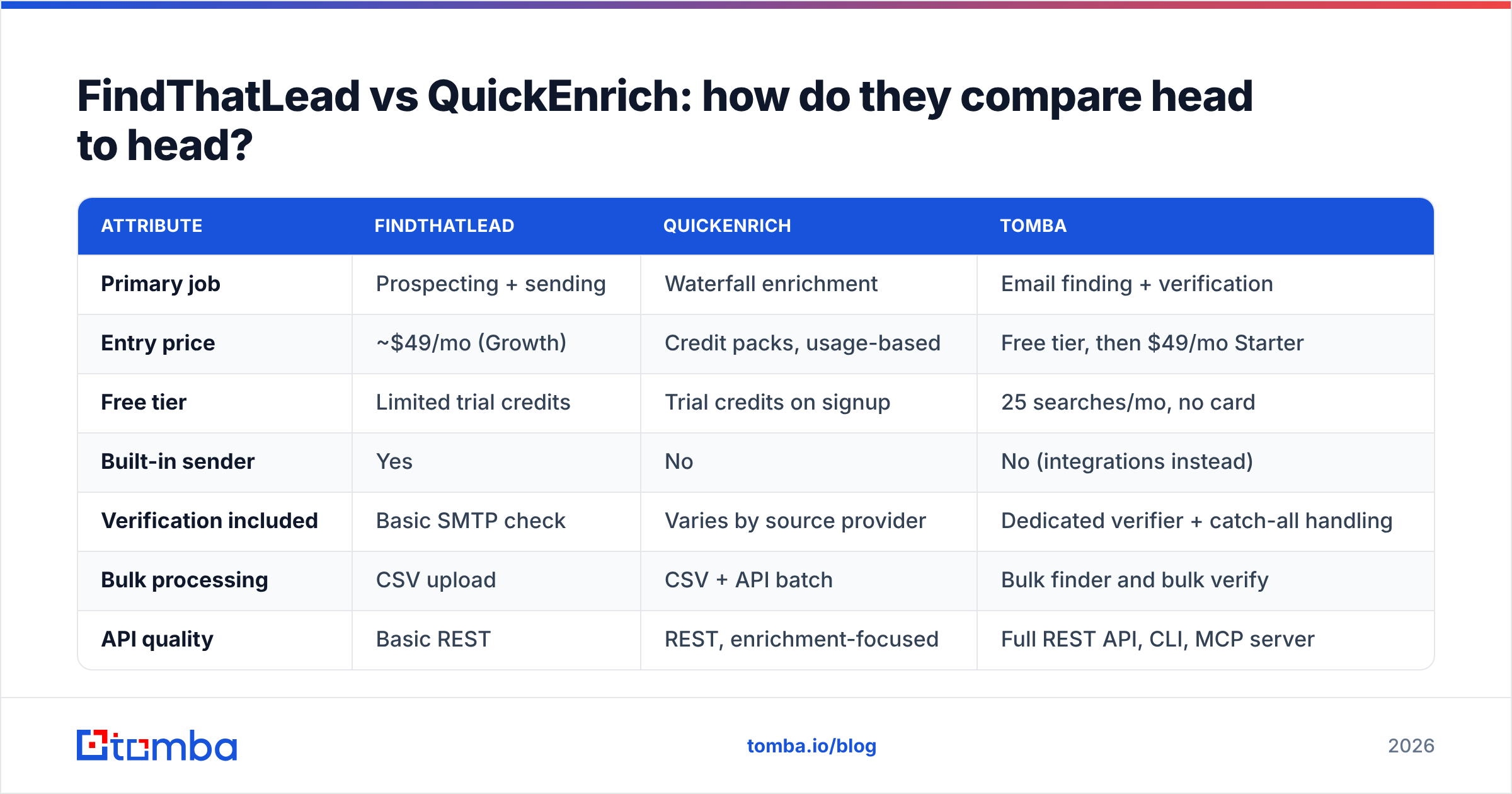
| Attribute | FindThatLead | QuickEnrich | Tomba |
|---|---|---|---|
| Primary job | Prospecting + sending | Waterfall enrichment | Email finding + verification |
| Entry price | ~$49/mo (Growth) | Credit packs, usage-based | Free tier, then $49/mo Starter |
| Free tier | Limited trial credits | Trial credits on signup | 25 searches/mo, no card |
| Built-in sender | Yes | No | No (integrations instead) |
| Verification included | Basic SMTP check | Varies by source provider | Dedicated verifier + catch-all handling |
| Bulk processing | CSV upload | CSV + API batch | Bulk finder and bulk verify |
| API quality | Basic REST | REST, enrichment-focused | Full REST API, CLI, MCP server |
| Phone numbers | No | Yes, on some tiers | Yes, via phone finder |
| Catch-all domains | Flagged, not resolved | Passed through | Dedicated catch-all verifier |
| Best fit | Solo founders, SMB agencies | RevOps filling CRM gaps | Teams needing accuracy at volume |
The table makes the split obvious. If your bottleneck is "I have no list," FindThatLead removes more steps. If your bottleneck is "my Salesforce records are 40% empty," QuickEnrich is the right shape of tool. Neither is a strict upgrade over the other.
Which one costs less per usable email?#
Sticker price is the wrong metric. The number that matters is cost per usable email — one that lands, gets read, and does not damage your sender reputation.
Work it out like this:
- Start with plan price divided by credits. That gives raw cost per lookup.
- Divide by hit rate. If only 65 of 100 lookups return an address, your real cost is 1.54× the raw number.
- Divide again by deliverable rate. If 12% of returned addresses bounce, multiply by another 1.14×.
- Add the verification bill. If your finder does not verify properly, you are paying a second vendor per address.
- Add wasted send capacity. Bounces consume warmed inbox slots you cannot get back.
Run that math on a $49 plan with 1,000 credits, a 65% hit rate, and a 12% bounce rate and your $0.049 lookup becomes roughly $0.086 per usable contact — before verification costs. A tool with a 90% hit rate and a 3% bounce rate at the same price lands near $0.056. That gap compounds fast at 20,000 contacts a quarter.
How accurate are these tools really?#
Vendor-published accuracy figures are close to meaningless because everyone measures differently. Some count "we returned something" as a hit. Some exclude catch-all domains from the denominator. Some test only against Fortune 500 domains where patterns are trivially predictable.
Run your own benchmark instead. It takes an afternoon:
- Build a 200-row control list from your actual ICP — same countries, same company sizes, same seniority mix you sell into. Do not use a public sample list; vendors optimize for those.
- Include 20% hard cases: catch-all domains, hyphenated surnames, non-Latin characters, and companies under 20 employees.
- Run the same list through each tool on trial credits. Record hit rate, not just returned rows.
- Verify every returned address through a neutral third party so no vendor grades its own homework. A standalone email verifier works for this.
- Send a low-volume test from a warmed domain and count hard bounces after 48 hours.
- Compute cost per usable email using the five-step formula above.

The catch-all question deserves its own note. Roughly a fifth of B2B domains accept mail for any address, so SMTP verification returns "unknown" rather than valid or invalid. Most tools either drop those contacts (killing your coverage) or pass them through unflagged (killing your bounce rate). A catch-all verifier that scores them by pattern confidence is the only approach that preserves both.
Where does Tomba fit against both?#
Tomba is closer to FindThatLead in category — it finds and verifies emails rather than running a sender — but it is built for teams that care about accuracy and API access more than about having a sequencer bundled in.
The practical differences:
- Verification is not an afterthought. Finding and verifying run in the same pipeline, so what you export has already been checked rather than needing a second vendor pass.
- Catch-all handling is explicit. Instead of a binary valid/invalid, you get a confidence signal on domains that cannot be SMTP-verified.
- The API is a first-class product. REST endpoints, a Tomba CLI, Google Sheets and Excel add-ins, and an MCP server for LLM agents. QuickEnrich has a solid API; FindThatLead's is thinner.
- Pricing is flat, not waterfall-stacked. Free tier at 25 searches a month, Starter at $49, Growth at $99, Pro at $249. Full Tomba pricing is public — no per-provider markup layered underneath.
- Adjacent data is included, not a separate SKU: domain search, phone finder, reverse lookup, and enrichment sit on the same credit pool.
What Tomba does not do: send your cold emails. If a single-tool workflow matters more to you than accuracy per credit, FindThatLead's bundled sender is a genuine advantage and you should weigh it honestly.

Which should you pick for your situation?#
Match the tool to the bottleneck, not to the feature list.
Pick FindThatLead if: you are a solo founder or a small agency, you send under 2,000 emails a month, and consolidating list-building plus sending into one subscription saves you more than the accuracy gap costs. Its European SMB coverage is genuinely better than most US-centric databases.
Pick QuickEnrich if: you already have thousands of records with missing fields, you run batch enrichment jobs on a schedule, and you need firmographics alongside contact data. Waterfall coverage is worth paying for when the alternative is manual research.
Pick a dedicated finder-plus-verifier if: email accuracy is what actually gates your pipeline, you push volume through an API rather than a UI, and you would rather pay one flat rate than stack vendor markups. This is where Tomba, and peers like BookYourData on the pre-built list side, tend to win on cost per usable contact.
Run two tools if: your inbound and outbound motions have genuinely different needs. Plenty of teams source with one tool and enrich the CRM with another. That is not indecision — it is correct architecture, as long as you are honest about the combined bill.

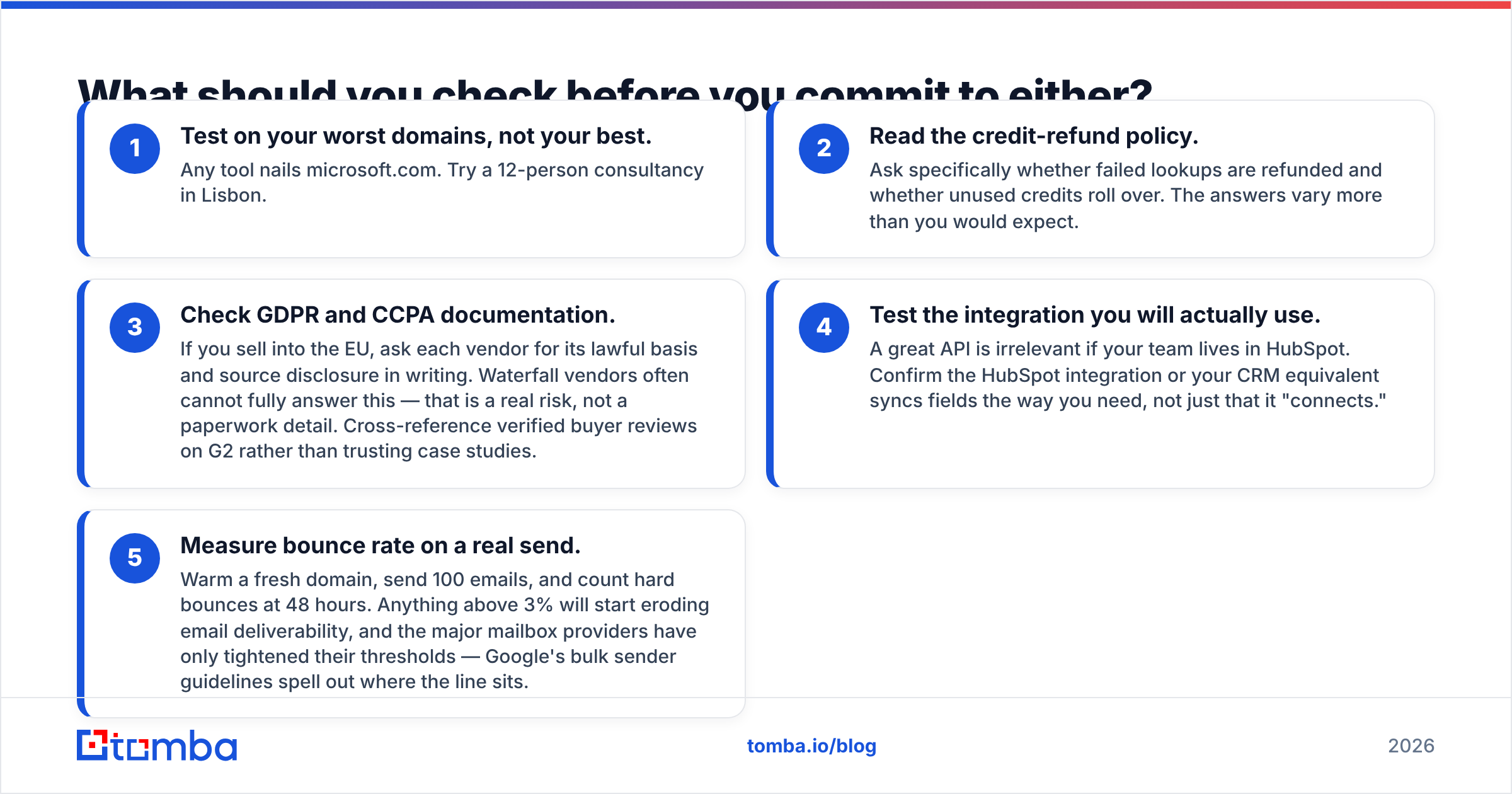
What should you check before you commit to either?#
Do these five things during the trial, not after the annual invoice clears.
- Test on your worst domains, not your best. Any tool nails microsoft.com. Try a 12-person consultancy in Lisbon.
- Read the credit-refund policy. Ask specifically whether failed lookups are refunded and whether unused credits roll over. The answers vary more than you would expect.
- Check GDPR and CCPA documentation. If you sell into the EU, ask each vendor for its lawful basis and source disclosure in writing. Waterfall vendors often cannot fully answer this — that is a real risk, not a paperwork detail. Cross-reference verified buyer reviews on G2 rather than trusting case studies.
- Test the integration you will actually use. A great API is irrelevant if your team lives in HubSpot. Confirm the HubSpot integration or your CRM equivalent syncs fields the way you need, not just that it "connects."
- Measure bounce rate on a real send. Warm a fresh domain, send 100 emails, and count hard bounces at 48 hours. Anything above 3% will start eroding email deliverability, and the major mailbox providers have only tightened their thresholds — Google's bulk sender guidelines spell out where the line sits.
One more thing worth internalizing: the tool matters less than the discipline around it. Teams that verify before every send, suppress aggressively, and keep lists under 90 days old outperform teams with better data and worse hygiene. Software cannot fix a process problem.
The bottom line#
FindThatLead and QuickEnrich are both reasonable purchases for the jobs they were built for. FindThatLead compresses prospecting and sending into one workflow at a fair price for small teams. QuickEnrich raises match rates on lists you already own by querying multiple providers. Neither is a bad tool; they are just answers to different questions.
The failure mode is buying either one expecting it to be the other — signing up for QuickEnrich and then wondering why there is no lead search, or leaning on FindThatLead's basic SMTP check as your only quality gate and watching bounce rates climb.
If your bottleneck is accurate, verified email addresses at volume — with catch-all handling that does not force you to choose between coverage and bounce rate — start with the Tomba Email Finder. The free tier gives you 25 searches a month with no card, which is enough to run the 200-row benchmark described above and settle the question with your own data instead of someone else's marketing page.
Related guides#
Ready to find emails that actually work?
Join 150,000+ professionals who stopped guessing and started sending. Free credits on signup — no credit card required.
Get the Tomba newsletter
Practical outbound tactics and product updates — once every two weeks.
About the author