FindThatLead vs RemoveBounce: Which Tool Wins in 2026?
FindThatLead finds emails. RemoveBounce cleans them. We compare accuracy, pricing, credit models, and API depth to show which one actually belongs in your 2026 outbound stack — and when you need neither.
TL;DR
- FindThatLead and RemoveBounce are not really competitors — one is a prospecting/email-finding tool, the other is a list-cleaning/verification service. Most teams comparing them are actually asking "which half of my email problem do I fix first?"
- FindThatLead is stronger if you have zero contacts and need names, domains, and emails from scratch. RemoveBounce is stronger if you already have a purchased or scraped list rotting in a CSV.
- Neither covers the full loop well. FindThatLead's verification is thin, and RemoveBounce cannot find a single new address.
- On raw cost per usable contact, running one platform that does both — find, verify, and enrich — beats stitching two credit systems together for most sub-50-person sales teams.
- If you only remember one rule: never send to an address that was found but not verified, and never pay twice for the same contact.
What are FindThatLead and RemoveBounce, exactly?#
They solve opposite ends of the same pipeline.
FindThatLead is a Spanish-built B2B prospecting platform. You give it a domain, a name, or a LinkedIn URL, and it returns a likely business email address. It bundles a lead search, a Chrome extension, a bulk CSV processor, and a light cold-email sender called Scrab.in-adjacent tooling. Its pitch is volume: get from "I know the company" to "I have the inbox" without leaving the browser.
RemoveBounce is a pure email verification and list-hygiene service. You upload a list you already own; it pings mail servers, checks syntax, flags disposables, role accounts, spam traps, and catch-all domains, and hands back a cleaned file with statuses. It finds nothing new. It only tells you what is safe to send.
That distinction matters more than any feature bullet. If you compare findthatlead vs removebounce on a spec sheet without noticing this, you will buy the wrong one and wonder why your bounce rate or your pipeline is still broken.

Which problem are you actually trying to solve?#
Run this diagnostic before you look at a single pricing page.
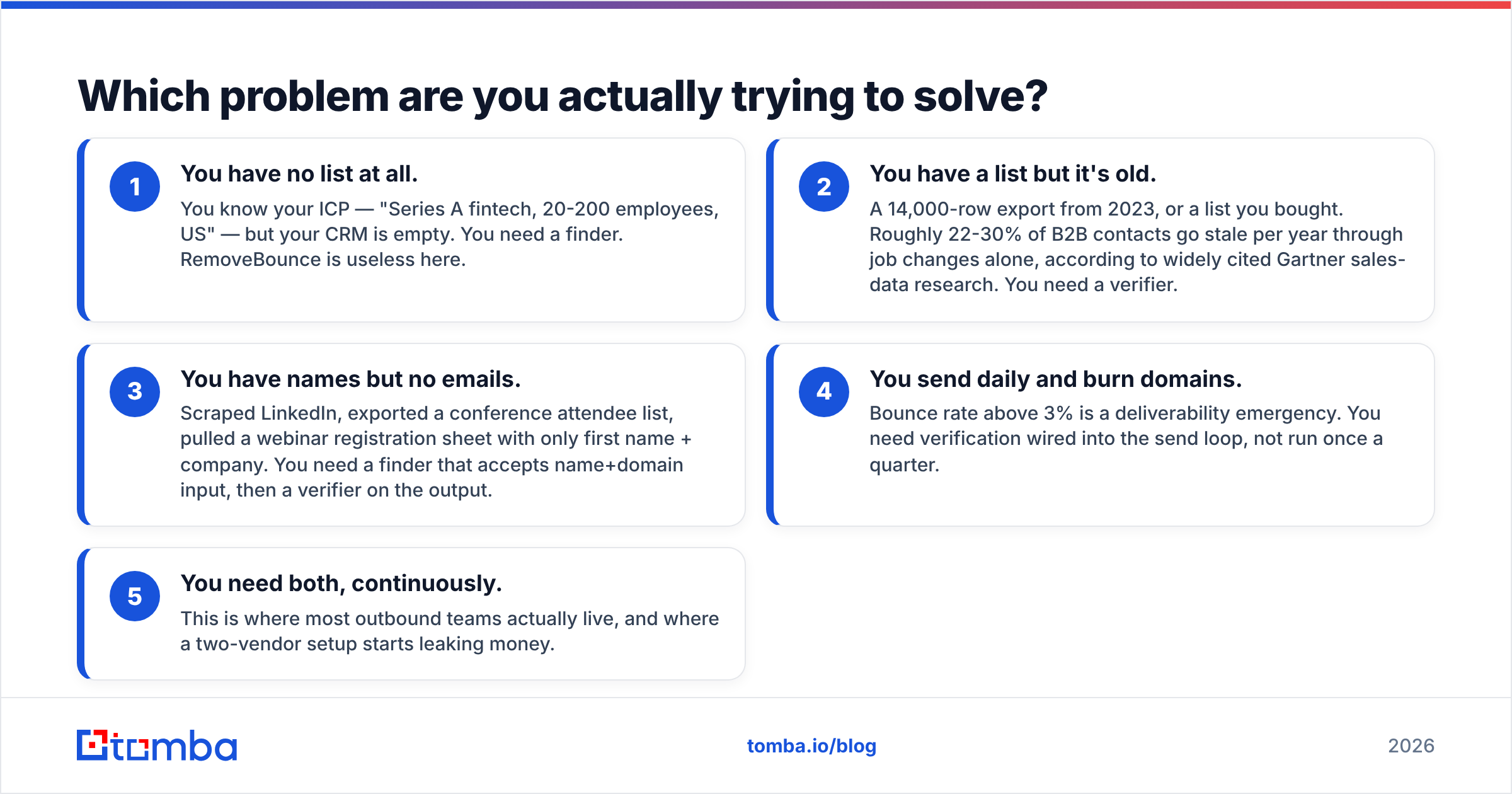
- You have no list at all. You know your ICP — "Series A fintech, 20-200 employees, US" — but your CRM is empty. You need a finder. RemoveBounce is useless here.
- You have a list but it's old. A 14,000-row export from 2023, or a list you bought. Roughly 22-30% of B2B contacts go stale per year through job changes alone, according to widely cited Gartner sales-data research. You need a verifier.
- You have names but no emails. Scraped LinkedIn, exported a conference attendee list, pulled a webinar registration sheet with only first name + company. You need a finder that accepts name+domain input, then a verifier on the output.
- You send daily and burn domains. Bounce rate above 3% is a deliverability emergency. You need verification wired into the send loop, not run once a quarter.
- You need both, continuously. This is where most outbound teams actually live, and where a two-vendor setup starts leaking money.
If you landed on #5, the honest answer is that neither tool alone is the right purchase.
How do FindThatLead and RemoveBounce compare head-to-head?#
Pricing and limits shift; check each vendor's page before you commit. This is the shape of the decision as of 2026.
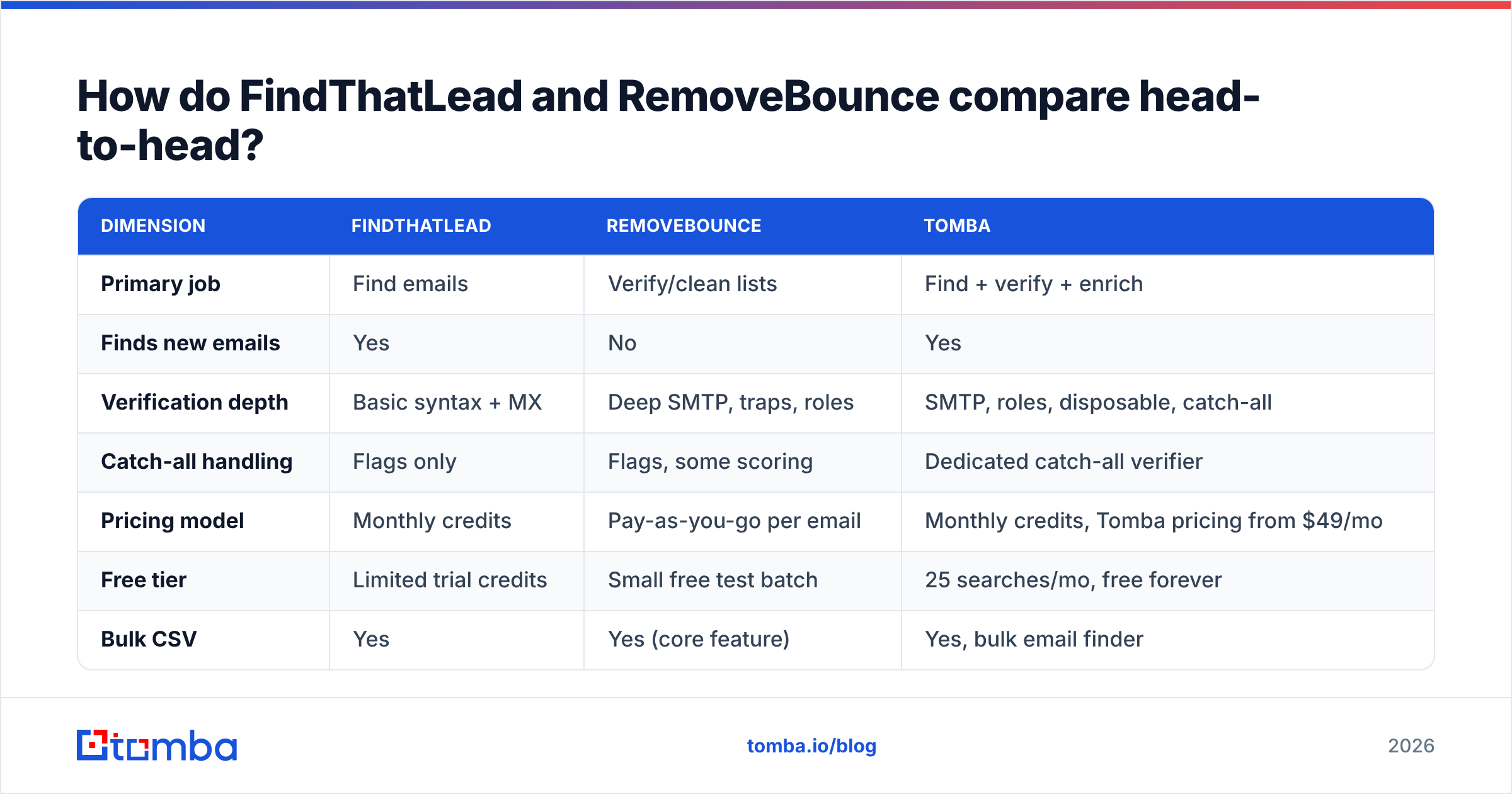
| Dimension | FindThatLead | RemoveBounce | Tomba |
|---|---|---|---|
| Primary job | Find emails | Verify/clean lists | Find + verify + enrich |
| Finds new emails | Yes | No | Yes |
| Verification depth | Basic syntax + MX | Deep SMTP, traps, roles | SMTP, roles, disposable, catch-all |
| Catch-all handling | Flags only | Flags, some scoring | Dedicated catch-all verifier |
| Pricing model | Monthly credits | Pay-as-you-go per email | Monthly credits, Tomba pricing from $49/mo |
| Free tier | Limited trial credits | Small free test batch | 25 searches/mo, free forever |
| Bulk CSV | Yes | Yes (core feature) | Yes, bulk email finder |
| Public API | Yes | Yes | Yes, Tomba API + CLI + MCP |
| Chrome extension | Yes | No | Yes |
| Native CRM sync | Limited | No | HubSpot, Salesforce, Pipedrive, Zapier |
| Phone numbers | No | No | Yes |
| Best for | Cold list building | Cleaning bought lists | End-to-end outbound data |
The table exposes the real gap: FindThatLead's verification column and RemoveBounce's discovery column are both blank in the places that cost you money.
Is FindThatLead accurate enough to send without a verifier?#
No — and that is not a knock specific to FindThatLead. It applies to every pattern-based finder.
Email finders work in two broad ways. Pattern inference guesses first.last@domain.com from an observed company format and validates it. Database lookup returns an address someone has previously observed and logged. Most tools blend both. Pattern inference is fast and cheap but produces confident-looking guesses; database lookups are more reliable but go stale when people change jobs.
FindThatLead leans on pattern inference plus its own index. In practice that means a chunk of results come back "valid format, plausible pattern, unconfirmed mailbox." Send to those at scale and your bounce rate climbs past the 2% line where Google and Microsoft start throttling you. Google's bulk sender guidelines are explicit that spam complaint and bounce signals govern inbox placement.
So the honest workflow with FindThatLead is: find, then verify elsewhere. Which is exactly the two-tool tax this comparison is about.

Accuracy claims from any vendor should be read as "on our test set." The number that matters is your bounce rate on your ICP. Run 200 contacts through any candidate tool, send a real campaign, and measure. That's a $10 experiment that beats a week of reading G2 reviews — though G2's email verification category is still a reasonable place to sanity-check vendor stability.
What does RemoveBounce actually do well?#
Verification services live or die on four things, and RemoveBounce is competent on most of them:
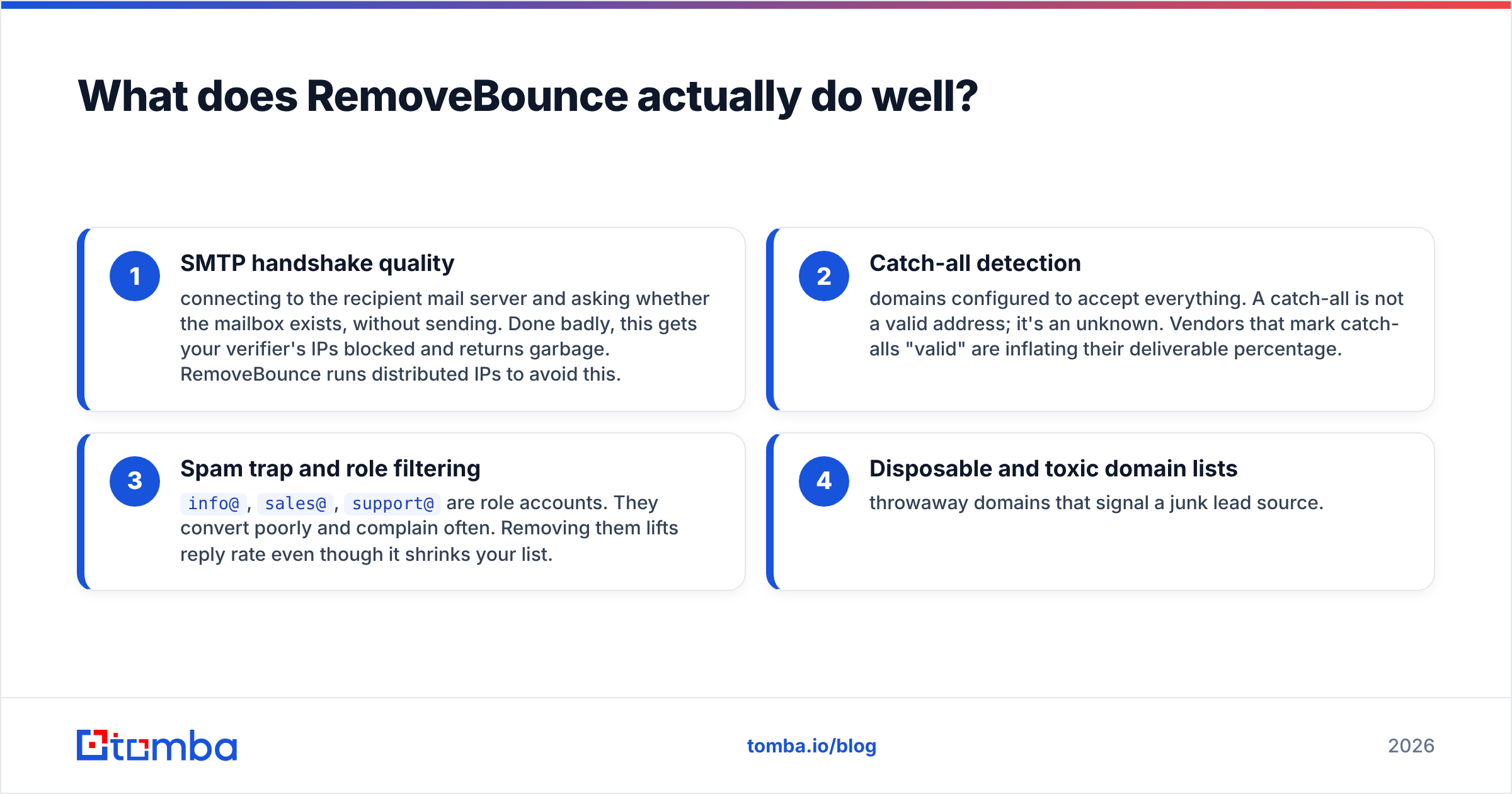
- SMTP handshake quality — connecting to the recipient mail server and asking whether the mailbox exists, without sending. Done badly, this gets your verifier's IPs blocked and returns garbage. RemoveBounce runs distributed IPs to avoid this.
- Catch-all detection — domains configured to accept everything. A catch-all is not a valid address; it's an unknown. Vendors that mark catch-alls "valid" are inflating their deliverable percentage.
- Spam trap and role filtering —
info@,sales@,support@are role accounts. They convert poorly and complain often. Removing them lifts reply rate even though it shrinks your list. - Disposable and toxic domain lists — throwaway domains that signal a junk lead source.
Where a pure verifier stops being enough: it can only grade what you give it. Clean a bad list and you get a smaller bad list. If 40% of your rows are stale contacts who left the company, verification tells you the mailbox is dead — it does not tell you who replaced them. That requires data enrichment or a fresh find pass.
Is running both tools worth the cost?#
Do the arithmetic on cost per usable contact, not per credit.
Say you need 5,000 verified, sendable contacts this month.
- Finder pass: you burn roughly 6,500-7,500 finder credits to surface 5,000 plausible addresses, because not every name resolves.
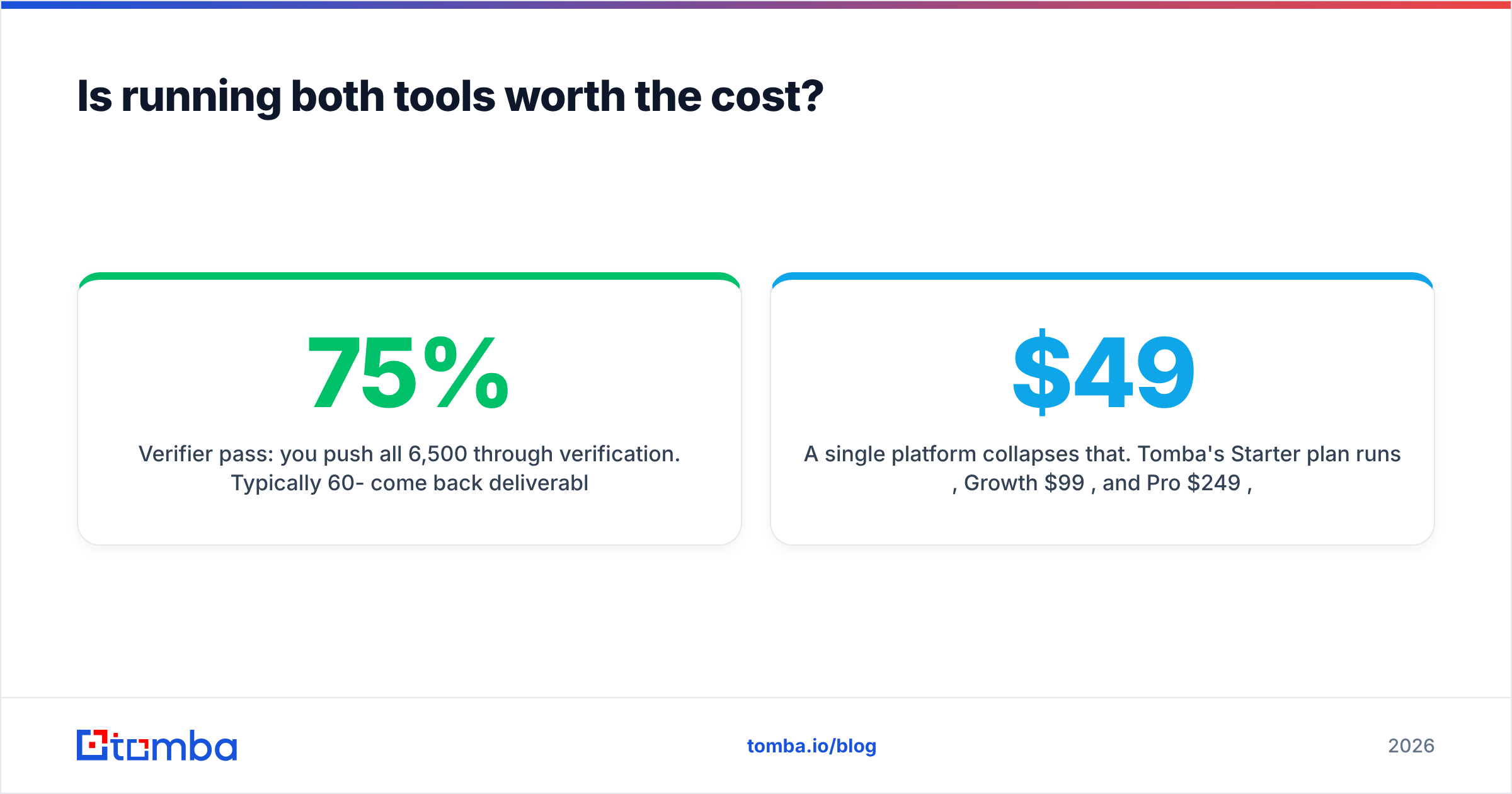
- Verifier pass: you push all 6,500 through verification. Typically 60-75% come back deliverable, depending on list source and industry.
- Net: somewhere near 4,000-4,900 truly sendable contacts, from two separate credit pools with two separate monthly minimums, two dashboards, two CSV round-trips, and no shared record of which contact came from where.
The CSV round-trip is the hidden cost. Export from the finder, upload to the verifier, wait, download, re-merge on email as the join key, dedupe, re-upload to your sequencer. That's 30-60 minutes of a rep's or ops person's time per batch, every batch. At even a modest loaded hourly rate, four batches a month costs more than the software.
A single platform collapses that. Tomba's Starter plan runs $49/mo, Growth $99/mo, and Pro $249/mo, with find and verify credits in one pool and a free tier of 25 searches to test before paying. The email verifier runs on the same result set as the email finder, so there is no export step at all.

What should you look for in any finder-plus-verifier stack?#
Score candidates on these, in this order:
- Bounce rate on your own 200-contact test batch. The only number that isn't marketing. Under 2% is healthy.
- Catch-all honesty. Ask the vendor directly how catch-alls are counted in their accuracy figure. Vendors who count them as valid are inflating.
- Credit refund policy on unknowns. Good tools don't charge for a search that returns nothing. Confirm this in writing.
- API and automation depth. If your ops person can't call it from a script, a Zap, or a workflow, you'll be doing CSVs forever. Look for a documented REST API, and ideally CLI/MCP access for AI-driven workflows.
- Where the data comes from. Web-crawled public sources, contributed data, and partner databases have different legal and freshness profiles. Vendors who publish their data sources are easier to defend in a procurement or GDPR review.
- Job-change signal. Contacts decay ~2-2.5% per month. A tool that re-checks and flags movers saves you a full re-find cycle.
When is FindThatLead the right pick?#
Choose FindThatLead if:
- You're a solo founder or small agency doing burst prospecting in Spanish- or European-market segments, where its index has decent coverage.
- You want a lightweight all-in-one that includes basic sending, and you're willing to accept a higher bounce rate in exchange for fewer tools.
- Your volume is low enough (under ~1,000 sends/month) that a 3-4% bounce rate won't torch your domain before you notice.
Choose RemoveBounce if:
- You bought or inherited a list and need to know what's safe before a single send.
- You run a newsletter or lifecycle program where the list is fixed and only hygiene matters.
- You need one-off cleaning without a monthly subscription — pay-as-you-go suits sporadic use.
When do you need neither — or something broader?#
If your outbound is continuous rather than project-based, a unified stack wins on both cost and cycle time. Specifically, look past a finder/verifier split when:
- You need phone numbers alongside emails — multichannel sequences outperform email-only, and a phone finder removes a third vendor.
- You prospect by domain rather than by name — domain search returns every discoverable address at a company plus the detected email pattern, which is a different motion than one-at-a-time lookups.
- You want verification inside the CRM rather than in a CSV — native HubSpot, Salesforce, and Pipedrive sync means bad addresses never enter the database in the first place.
- Your team builds AI or scripted workflows — an API, CLI, and MCP server let an agent find and verify contacts inline, which no CSV-first vendor supports.
Worth naming honestly: if your requirement is a large pre-built, filterable contact database rather than on-demand lookup, tools like BookYourData serve that use case well and are a legitimate alternative motion. Buying a static list and looking up contacts on demand are different strategies, and the right one depends on how tightly defined your ICP is.
What's the fastest way to test all of this yourself?#
Ninety minutes, three steps, no annual contract:
- Build a 200-row control set. Real target accounts, first name, last name, company domain. Not a random sample — your actual ICP.
- Run it through each candidate. Record hit rate (how many returned an address), then push every result through a verifier and record the deliverable rate. Multiply the two. That product is your real yield.
- Send a small real campaign. 50 contacts, plain text, one clear ask. Watch hard bounces in the first 24 hours. Anything over 2% means the data layer failed, not the copy.
Do this before you commit budget. Vendors will quote 95%+ accuracy; your control set will tell you the truth for your segment, which is the only number that pays your rent. If you want a sanity check on individual addresses while testing, a free email checker handles one-offs without burning credits.
The bottom line#
FindThatLead and RemoveBounce aren't rivals — they're two halves of a workflow that most teams end up paying for separately, then stitching together with spreadsheets. FindThatLead gets you addresses but leaves verification as your problem. RemoveBounce grades addresses but can't produce one. Both are reasonable at their specific job; neither closes the loop.
If you're building outbound that has to run every week rather than once a quarter, consolidate. Start with the Tomba Email Finder — find contacts by domain, name, or company, verify them in the same pass, and export straight to your CRM without a single CSV round-trip. The free tier gives you 25 searches a month to run the 200-contact test described above, and paid plans start at $49/mo when you're ready to scale. Test it against your own control set, and let the bounce rate decide.
Related guides#
Ready to find emails that actually work?
Join 150,000+ professionals who stopped guessing and started sending. Free credits on signup — no credit card required.
Get the Tomba newsletter
Practical outbound tactics and product updates — once every two weeks.
About the author