FindThatLead vs Salesgenie (2026): Which Data Tool Wins?
One is a European email finder built for cold outbound. The other is a US business-list database with roots in print directories. Here is how FindThatLead and Salesgenie actually compare on data, pricing, and bounce rates in 2026.
TL;DR
- FindThatLead is a European email-finding and cold-email tool: you give it a domain, a name, or a LinkedIn URL, and it returns work emails you can push straight into a sequence.
- Salesgenie (now sold under the Data Axle Genie brand) is a US business and consumer list database: you filter by SIC code, revenue, employee count, or geography and download a list — often with phone and postal data attached.
- They are not really competitors. They are two different purchases: precision contact discovery versus broad list building.
- On price, FindThatLead's entry plans land in the $49–$99/month range; Salesgenie's published plans start considerably higher, closer to $149/month per user, and scale by record count.
- If your motion is cold email to specific named people at specific companies, an email finder plus a verifier beats a downloaded list almost every time. Tomba's email finder and email verifier cover that workflow from $49/month with a free tier to test first.
What is FindThatLead and who is it for?#
FindThatLead is a Barcelona-based prospecting platform that started as a simple email finder and grew into a small outbound suite. Its core promise is that you can go from "I know this company" to "I have a deliverable email for the VP of Marketing" in a few clicks.
The pieces you actually use:
- Domain search — enter a company domain, get back the email addresses associated with it, usually with role labels and a confidence score.
- Lead search — filter by job title, industry, and location to build a prospect list from scratch rather than starting with a company list you already own.
- Prospector / social search — pull contact data from LinkedIn profiles and search results, which is where most SDRs spend their day.
- Email verification — a built-in check that runs before you export, so you are not sequencing addresses that will hard-bounce.
- Cold-email sender — a lightweight sequencing tool with scheduling and basic personalization, so you can send from inside the same product.
The audience is small teams and solo founders doing outbound in software, agencies, and e-commerce services. The tool is credit-based: every search or verification burns credits, and the plan you pick determines your monthly allowance. You can see the current tiers on the official FindThatLead site, and the plan names have shifted more than once, so treat any number you read in a blog post — including this one — as a starting point to verify.
What is Salesgenie and how is it different?#
Salesgenie comes from a completely different lineage. It is the SMB-facing front end for Data Axle's compiled database — a business that traces back to InfoUSA and, before that, to physical Yellow Pages compilation. That history matters, because it shapes what the data is good at.
Salesgenie sells coverage of businesses, not precision on individuals. You get:
- Firmographic filtering at scale — SIC/NAICS code, annual revenue, employee count, years in business, credit rating scores, and radius search around a ZIP code.
- Consumer lists as well as business lists — homeowner status, income bracket, household demographics. Very few email-finder tools touch B2C at all.
- Phone and postal data — main-line phone numbers and mailing addresses are first-class citizens, not an afterthought.
- Multi-channel campaign add-ons — direct mail, display, and email campaign services sold alongside the data.
That combination makes Salesgenie strong for local services, insurance, franchise development, home-improvement, and any motion where a mailed postcard or a cold call to a main line is still a legitimate channel. You can read the vendor's own positioning at Data Axle's Salesgenie page.
The catch: the contact-level email data on a compiled list is generally weaker than what a live email finder returns. Compiled records age. A "Marketing Director" field populated eighteen months ago is a coin flip today, and a generic info@ address is not a person.
FindThatLead vs Salesgenie: how do they compare feature by feature?#
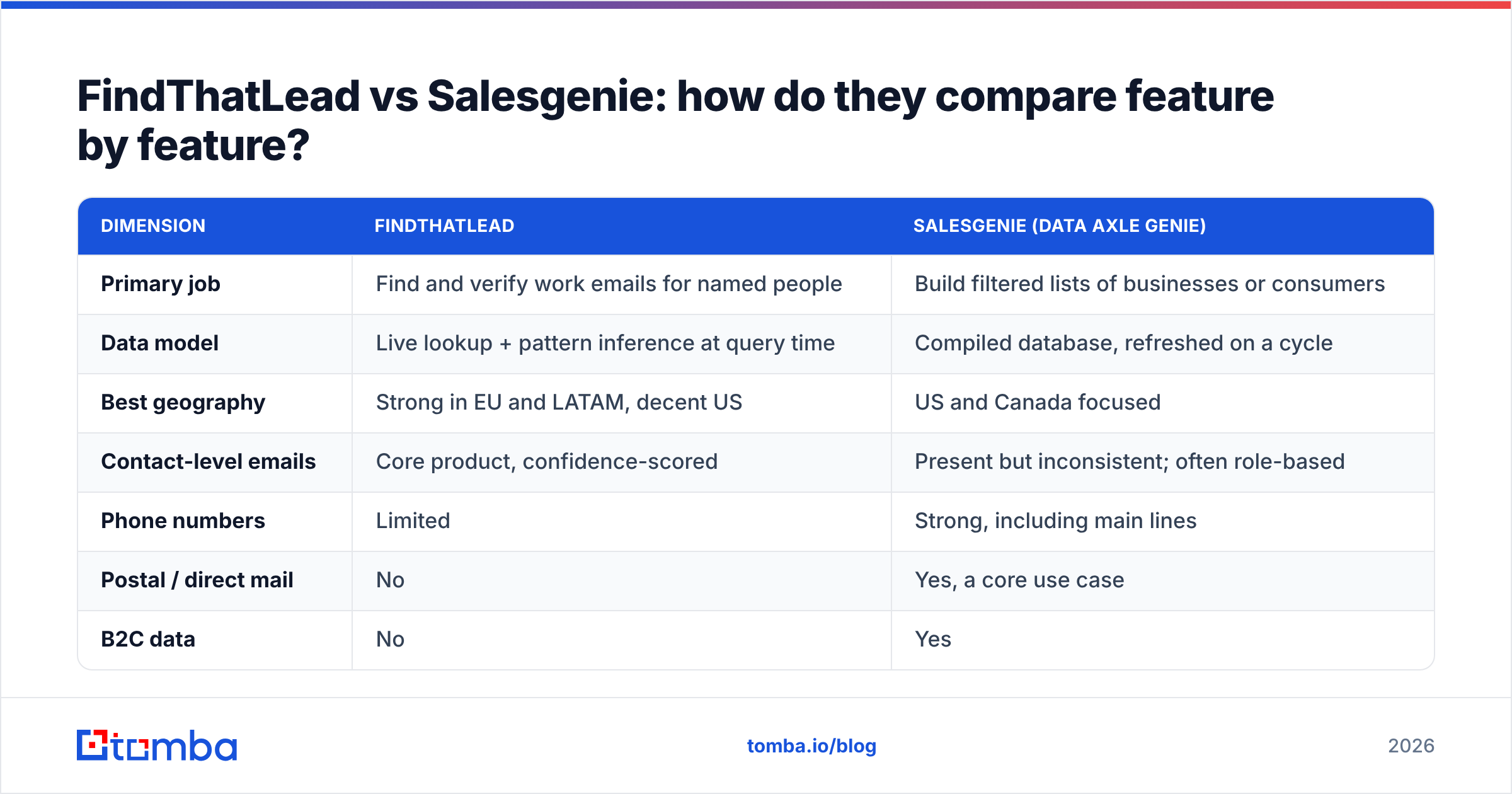
| Dimension | FindThatLead | Salesgenie (Data Axle Genie) |
|---|---|---|
| Primary job | Find and verify work emails for named people | Build filtered lists of businesses or consumers |
| Data model | Live lookup + pattern inference at query time | Compiled database, refreshed on a cycle |
| Best geography | Strong in EU and LATAM, decent US | US and Canada focused |
| Contact-level emails | Core product, confidence-scored | Present but inconsistent; often role-based |
| Phone numbers | Limited | Strong, including main lines |
| Postal / direct mail | No | Yes, a core use case |
| B2C data | No | Yes |
| Built-in sequencing | Yes, basic | Campaign services, sold separately |
| API access | Yes | Limited on SMB tiers |
| Typical entry price | ~$49/month | ~$149/month per user |
| Free trial | Free credits monthly | Short trial, limited downloads |
Read that table as a fork in the road, not a scoreboard. If your ICP is "Series A SaaS companies in Germany, head of growth," Salesgenie will frustrate you — that person is not in a compiled US business file with a verified personal email. If your ICP is "HVAC contractors with 10–50 employees within 40 miles of Dallas," FindThatLead's title filters will feel thin and you will wish you had phone numbers.
Which one has better data accuracy?#
Accuracy is the wrong single word here, because the two tools fail differently.
FindThatLead's failure mode is the guess. Like most finders, it infers patterns — first.last@domain.com, flast@domain.com — and then tries to confirm them. When the domain is well covered, you get a high-confidence hit. When it is a catch-all domain or a company with an unusual pattern, you get a "probable" result that may or may not land. This is why running results through independent verification matters, and why catch-all verification is a separate discipline from ordinary SMTP checks. Any vendor claiming they can definitively verify an address on a catch-all domain without extra signals is overselling.
Salesgenie's failure mode is age. Compiled records go stale on a predictable curve: B2B contact data decays somewhere around 22–30% per year, driven by job changes, company closures, and title shuffles. A record that was accurate when it was compiled can be badly wrong by the time you download it, and nothing about the download tells you which of the two you got. Independent reviews on G2 mention this pattern for compiled-data vendors generally — great firmographic coverage, uneven contact-level freshness.
The practical takeaway: whichever tool you buy, verify before you send. A 4% bounce rate is roughly where mailbox providers start to treat your domain as suspect, and both of these products can put you over that line if you export and blast without a check. Run a list through a bulk email verifier as a standing step, not an occasional cleanup.

How do the pricing models compare?#
| Plan level | FindThatLead | Salesgenie | Tomba |
|---|---|---|---|
| Free | 50 credits/mo (limited) | No true free tier | 25 searches/mo |
| Entry | ~$49/mo, ~5,000 credits | ~$149/mo per user | $49/mo Starter |
| Mid | ~$99/mo, larger credit pool | Scales by record volume | $99/mo Growth |
| High | ~$399/mo suite tier | Custom / enterprise quote | $249/mo Pro |
| Billing unit | Credits per search + verify | Records downloaded, per seat | Requests, pooled |
| API on entry plan | Yes | Not typically | Yes |
Two structural differences are worth more than the headline numbers.
Seats versus credits. Salesgenie's SMB pricing is per-user, which punishes teams. Three reps means three subscriptions, even if the third rep pulls twenty records a month. Credit-based tools like FindThatLead and Tomba pool the allowance across the account, so a team of five shares one budget.
Download caps versus lookup caps. A list product caps how many records you can pull. A finder caps how many lookups you can run, and a failed lookup usually does not consume a credit. If half your target accounts are companies whose emails you already have, you only pay for the gaps.
Also check the contract length. List-data vendors in this category have historically favored annual commitments with automatic renewal; email-finder tools are usually month-to-month. If you are testing a channel for one quarter, that difference is bigger than $50/month. Compare against Tomba pricing before you sign anything annual, if only to have a month-to-month baseline in the room.
Which should you pick for cold email specifically?#
For cold email, the finder wins — but not for the reason most comparison posts give.
It is not that finders have "better data." It is that cold email is a precision channel and list databases are a volume instrument. Modern deliverability makes volume actively dangerous. Google and Microsoft both tightened bulk-sender requirements, spam-complaint thresholds are enforced, and a list of 20,000 loosely-matched businesses is a fast way to burn a sending domain. The winning motion in 2026 is 200 well-researched accounts a week with a verified contact at each one, not 20,000 records dumped into a sequencer.
That workflow looks like:
- Define the account list first — from your CRM, a job-board scrape, funding announcements, or a tech-stack filter. Salesgenie is genuinely useful here if your ICP is US SMB.
- Identify the named person — by title, on LinkedIn, or from the company's own site. A LinkedIn email finder shortens this step considerably.
- Find and confirm the address — pattern lookup plus SMTP verification, with catch-all domains flagged separately rather than silently passed.
- Enrich for personalization — role, seniority, recent activity. Raw email without context produces the same reply rate as no email at all.
- Send from a warmed domain — with SPF, DKIM, and DMARC configured, and volume ramped rather than switched on.
Notice that steps 1 and 3 are different purchases. That is the real answer to "FindThatLead vs Salesgenie": for many teams the honest comparison is not either/or, it is list source plus contact finder, and the question is which list source and which finder.
Where does Tomba fit in this comparison?#
Tomba sits on the finder side of the line, alongside FindThatLead rather than Salesgenie — but with a wider surface for teams that want data infrastructure rather than a point tool.
The practical differences:
- The verifier is not an afterthought. Finding and verifying are treated as one pipeline, including explicit catch-all handling rather than a binary valid/invalid flag that quietly lies about catch-all domains.
- API and automation are on every paid tier. The Tomba API, CLI, and MCP server mean you can wire enrichment into your own systems instead of exporting CSVs by hand. Entry-tier API access is not universal in this category.
- Enrichment beyond email. Data enrichment, phone finder, and domain search sit in one account, which narrows the gap with list vendors on phone coverage.
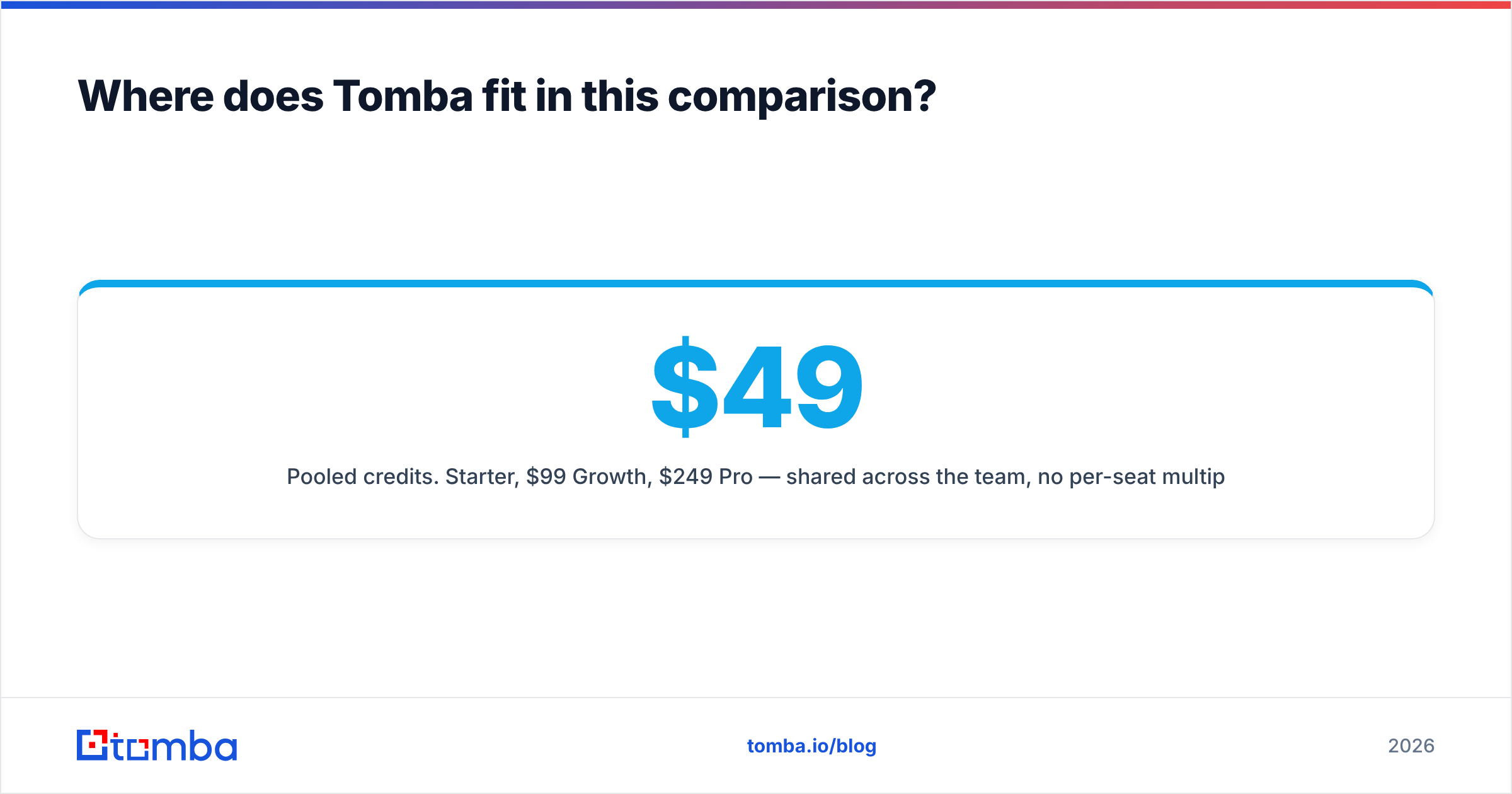
- Pooled credits. $49/month Starter, $99/month Growth, $249/month Pro — shared across the team, no per-seat multiplier.
- A real free tier. 25 searches a month is enough to test your actual ICP before spending anything, which is more than most list vendors offer.
Where Tomba is not the answer: if you need consumer demographic data, direct-mail addresses, or radius search over compiled US business records, buy that from a compiled-data vendor. No email finder replicates it, and pretending otherwise wastes your quarter.
Frequently asked questions#
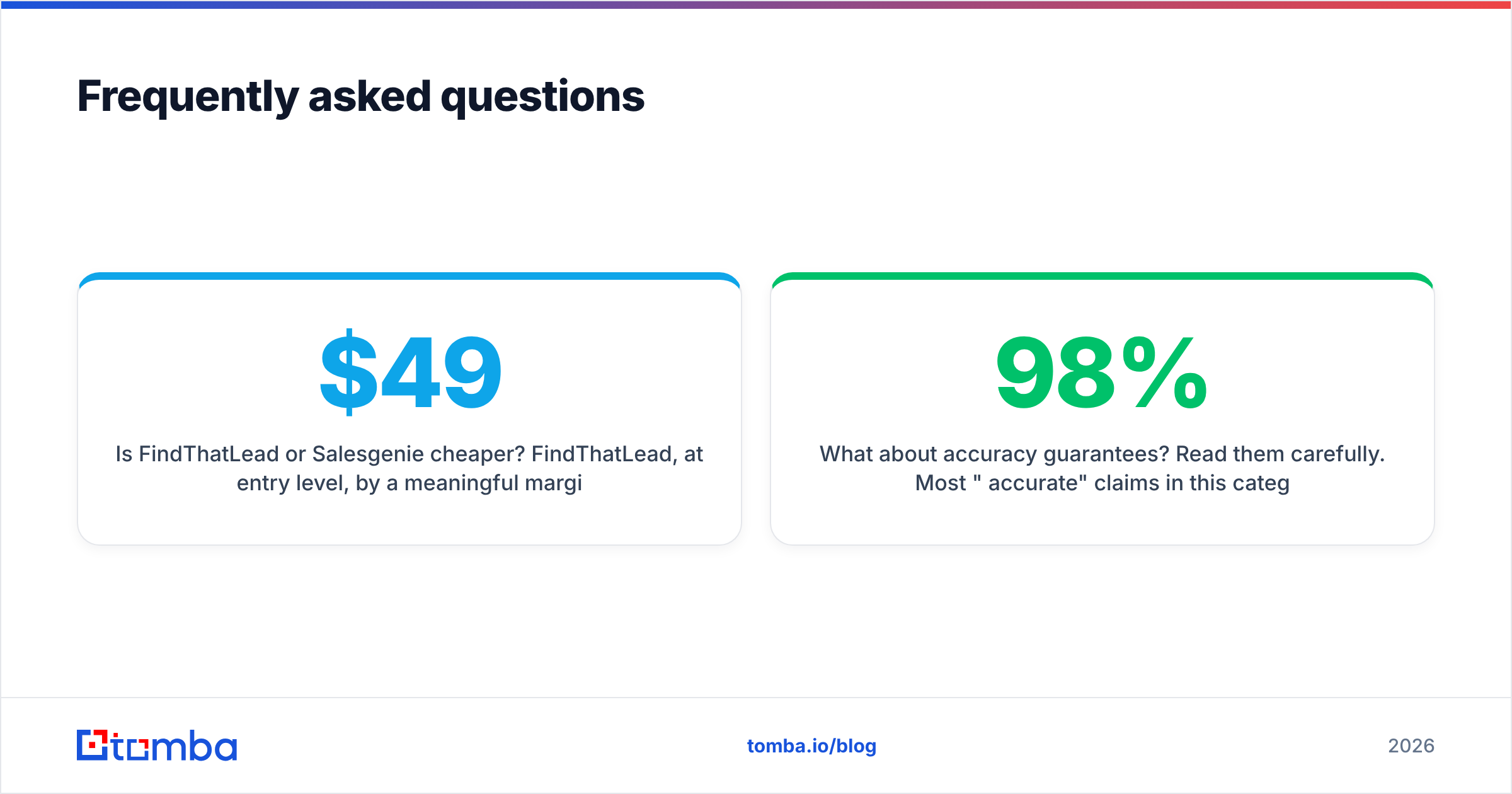
Is FindThatLead or Salesgenie cheaper? FindThatLead, at entry level, by a meaningful margin — roughly $49/month against roughly $149/month per seat. But cost per usable contact is the number that matters, and that depends entirely on how well each database covers your ICP. Test both against the same 50 target accounts before deciding.
Can I use Salesgenie for cold email? Technically yes, practically with caution. Verify every address independently before sending, expect a meaningful share of role-based addresses, and never import a raw download straight into a sequencer.
Does FindThatLead work outside Europe? Yes, though its coverage is strongest in EU and LATAM markets. For US-heavy prospecting, run a side-by-side hit-rate test rather than assuming parity.
What about accuracy guarantees? Read them carefully. Most "98% accurate" claims in this category measure syntax and deliverability at the moment of lookup, not whether the person still works there. Freshness and accuracy are different metrics.
Start with the contacts you can actually reach#
If your outbound depends on reaching named decision-makers rather than mailing a ZIP code, start on the finder side and add list data later if you need it. Try the Tomba Email Finder free — 25 searches a month, no card, enough to run your real ICP through it and compare hit rates against whatever you are using now. Then check the results in the verifier before a single email leaves your domain.
Related guides#
Ready to find emails that actually work?
Join 150,000+ professionals who stopped guessing and started sending. Free credits on signup — no credit card required.
Get the Tomba newsletter
Practical outbound tactics and product updates — once every two weeks.
About the author