FindThatLead vs Sendflock: Which Cold Email Tool Wins?
One tool is built to find and send from a single dashboard. The other is built to send at volume. Here is how FindThatLead and Sendflock actually differ, and which one belongs in your outbound stack.
TL;DR
- FindThatLead is a finder-plus-sender: prospecting search, email discovery, a Chrome extension, and a lightweight campaign tool bundled into one subscription.
- Sendflock is sending-first: inbox capacity, rotation, warmup, and campaign volume are the product. Contact data is something you bring, not something it manufactures.
- They are only "competitors" if you plan to run your whole outbound motion inside one vendor. Most teams past 5,000 sends a month split the job in two.
- The decision hinges on your bounce rate, not the feature grid. Below ~3% bounces, either works. Above it, no sending platform saves you.
- Cheapest reliable setup for most teams: a dedicated data layer (accuracy-first email finder plus verification) feeding a dedicated sender. That is where a tool like Tomba's email finder earns its slot.
What are FindThatLead and Sendflock, exactly?#
FindThatLead is a Spanish-built B2B prospecting suite that has been around since the mid-2010s. Its pitch is "search, find, send" in a single tab: you look up a domain or a LinkedIn profile, it returns likely business emails, and its Scrab.in / campaign modules push those contacts into a sequence without an export step. It is a generalist tool aimed at founders, solo SDRs, and small agencies who do not want to stitch four subscriptions together.
Sendflock sits on the other end of the pipeline. It belongs to the newer wave of cold email infrastructure platforms — the category Instantly, Smartlead, and Saleshandy popularised — where the value is in how many mailboxes you can connect, rotate, warm, and monitor without getting throttled. Sequencing, inbox rotation, reply detection, and deliverability telemetry are the core. Lead data is an input.
That difference explains almost every disagreement people have about these two tools. Someone who says "FindThatLead is better" usually means "I need contacts and I only send 500 emails a month." Someone who says "Sendflock is better" usually means "I already have a list of 40,000 verified contacts and I need to land them."
How do FindThatLead and Sendflock compare head-to-head?#
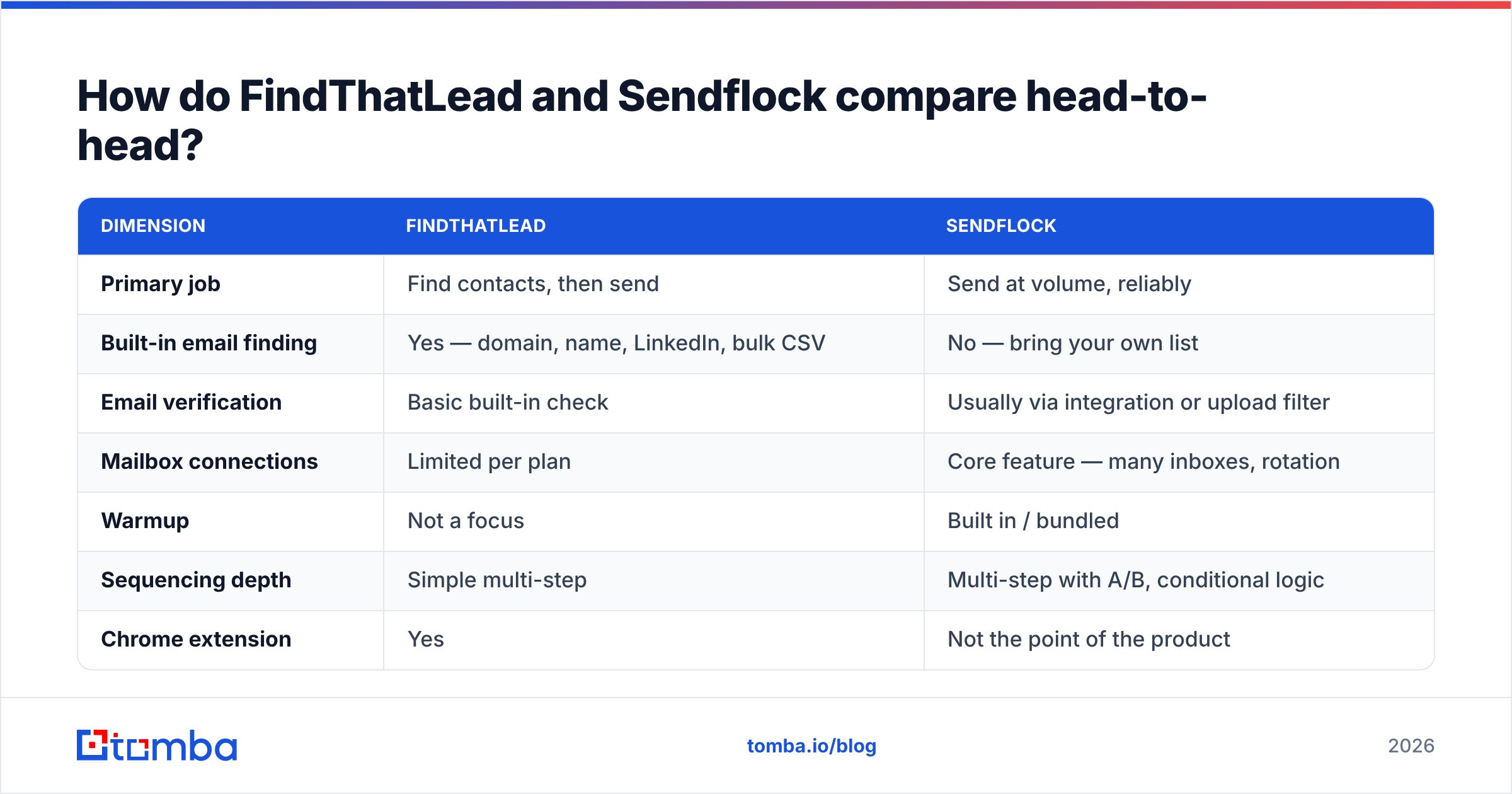
| Dimension | FindThatLead | Sendflock |
|---|---|---|
| Primary job | Find contacts, then send | Send at volume, reliably |
| Built-in email finding | Yes — domain, name, LinkedIn, bulk CSV | No — bring your own list |
| Email verification | Basic built-in check | Usually via integration or upload filter |
| Mailbox connections | Limited per plan | Core feature — many inboxes, rotation |
| Warmup | Not a focus | Built in / bundled |
| Sequencing depth | Simple multi-step | Multi-step with A/B, conditional logic |
| Chrome extension | Yes | Not the point of the product |
| API access | Yes, on higher plans | Yes, sending + campaign oriented |
| Best for | Solo founders, small agencies | Agencies, high-volume outbound teams |
| Weakest link | Data accuracy on niche domains | Nothing to fix a bad list |
The table hides one uncomfortable truth: a bundled finder is almost never as accurate as a specialist finder, and a bundled sender is almost never as deliverable as a specialist sender. Bundles trade peak quality for fewer invoices. Whether that trade is smart depends entirely on volume.
Which one actually finds better contact data?#
Only one of them tries. FindThatLead runs pattern inference plus a crawled index; Sendflock expects a clean CSV. So the honest comparison is not "which finds better data" but "is FindThatLead's data good enough to skip a dedicated data layer?"
Judge any finder — FindThatLead, Tomba, or anything else — on these five things, in this order:
- Bounce rate on your ICP, not on Fortune 500 domains. Every tool nails
microsoft.com. Test 100 contacts from the 20–200 employee companies you actually sell to. That is where indexes thin out and pattern-guessing starts. - Catch-all handling. Roughly a fifth of B2B domains accept everything at the SMTP layer, so a naive verifier marks garbage as valid. You want a tool that flags catch-alls explicitly and offers a deeper catch-all verifier rather than shrugging.
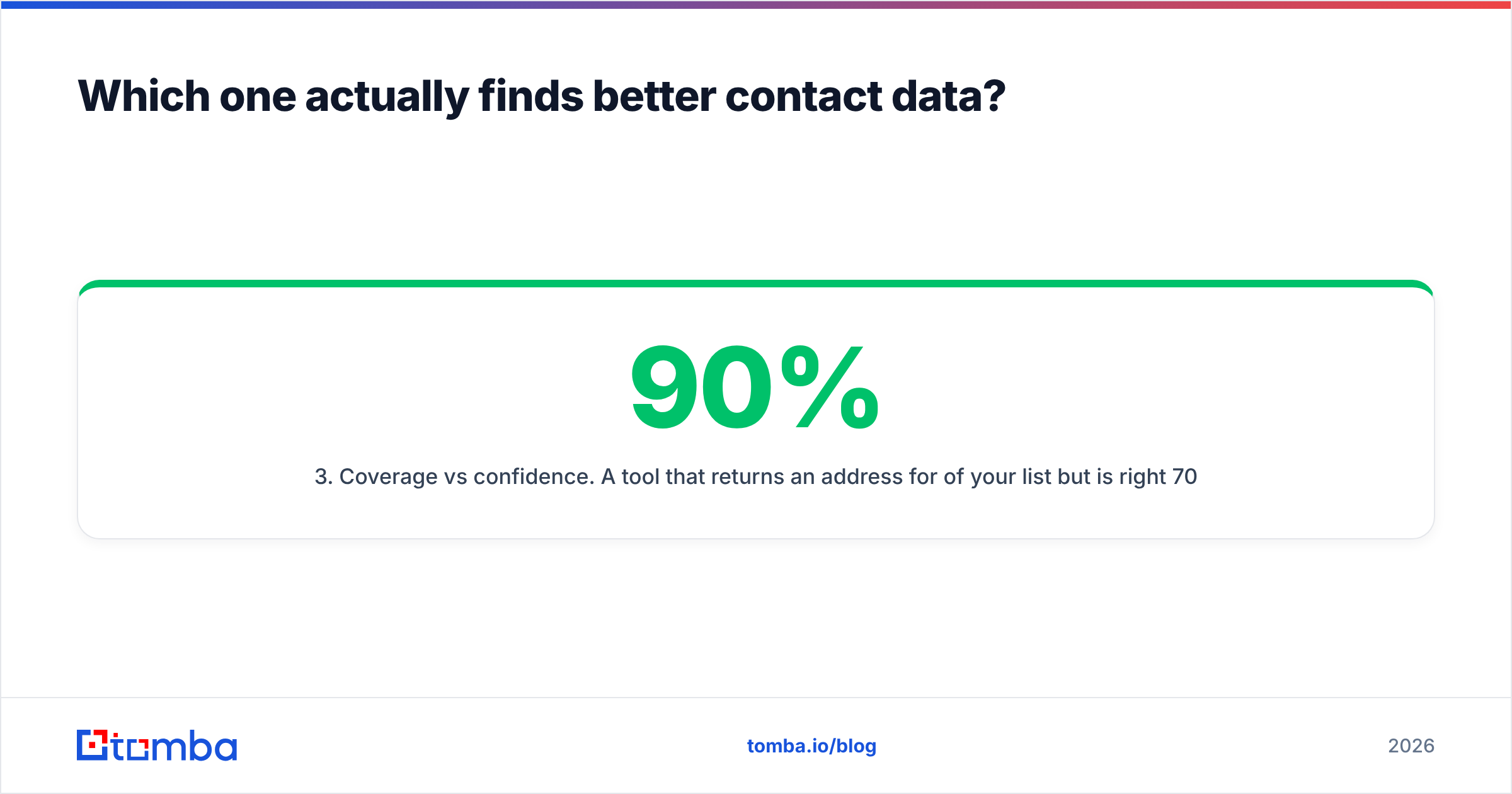
- Coverage vs confidence. A tool that returns an address for 90% of your list but is right 70% of the time is worse than one that returns 65% and is right 96%. Blank rows cost you nothing; bounces cost you domain reputation.
- Source transparency. Can the vendor tell you where a record came from and when it was last seen? Guessed permutations and verified sightings are not the same product, even when they arrive in the same column.
- Refund / credit policy on bad hits. Vendors that only bill for verified results have skin in the game. Vendors that bill per lookup do not.
Run that test before you commit to an annual plan. It takes an afternoon and it usually reverses the decision people were about to make.

How do sending limits and deliverability differ?#
This is Sendflock's home turf, and it is not close.
FindThatLead's campaign module is designed for modest volume from a small number of connected mailboxes. It works, it is fine for a founder sending 30–80 personalised emails a day, and it saves you a second login. What it does not give you is the machinery serious outbound now requires: dozens of rotating inboxes across multiple sending domains, per-mailbox reputation monitoring, automatic ramp-up schedules, and bounce-triggered pausing.
Sendflock is built around exactly that machinery. If you run three domains with five mailboxes each and need to push 15,000 emails a month without cooking any single sender, that architecture is the product.
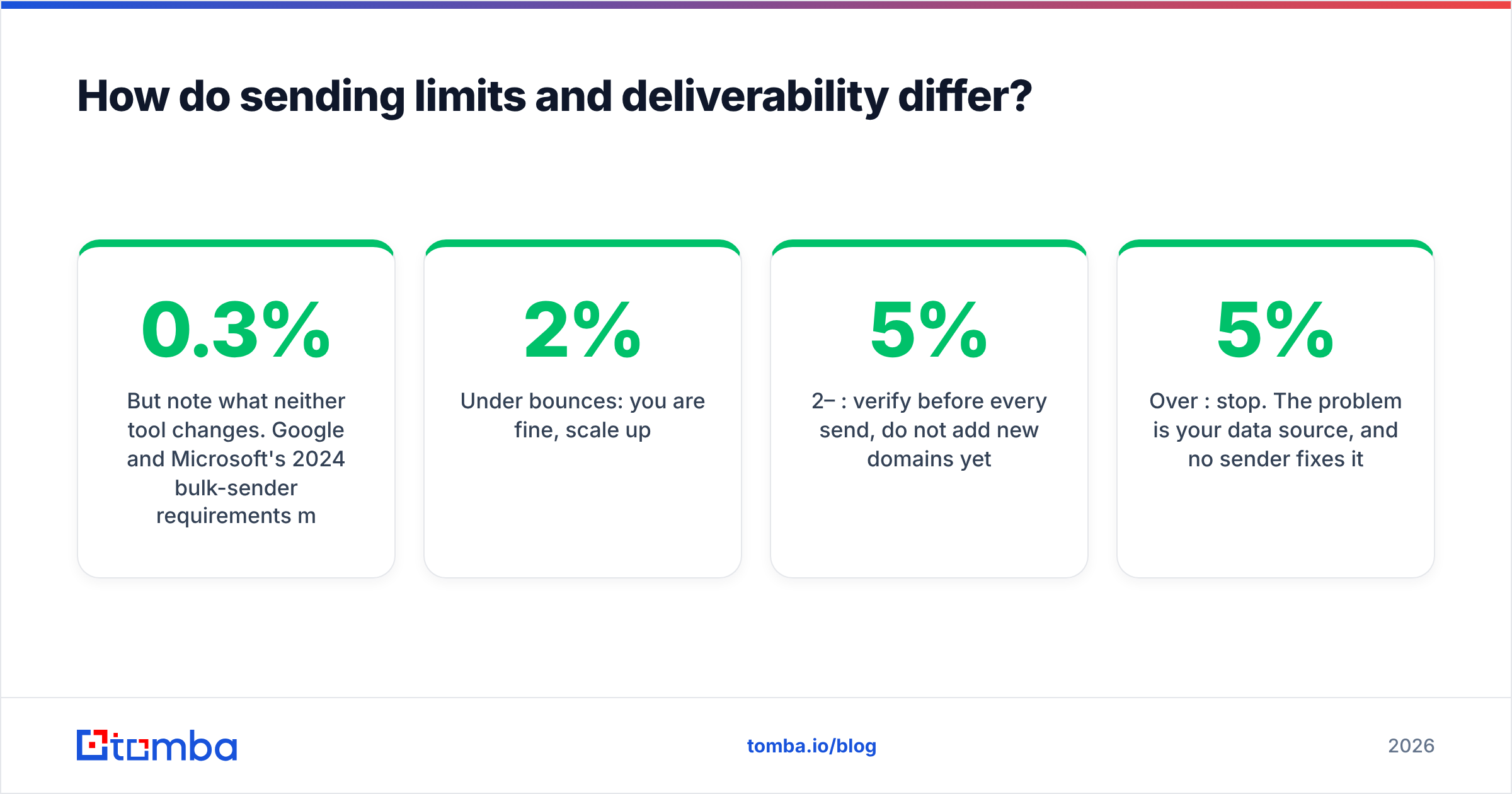
But note what neither tool changes. Google and Microsoft's 2024 bulk-sender requirements moved the goalposts for everyone: authenticated domains (SPF, DKIM, DMARC), one-click unsubscribe, and a spam-complaint rate under 0.3% are now table stakes, as documented in Google's own sender guidelines. No rotation strategy outruns a list full of dead addresses. A 12% bounce rate will burn a fresh domain in about two weeks regardless of which platform sends it. If you want the underlying mechanics, our glossary entry on email deliverability covers the signals mailbox providers actually score.
Rough guidance that holds across both tools:
- Under 2% bounces: you are fine, scale up.
- 2–5%: verify before every send, do not add new domains yet.
- Over 5%: stop. The problem is your data source, and no sender fixes it.
What does each one actually cost?#
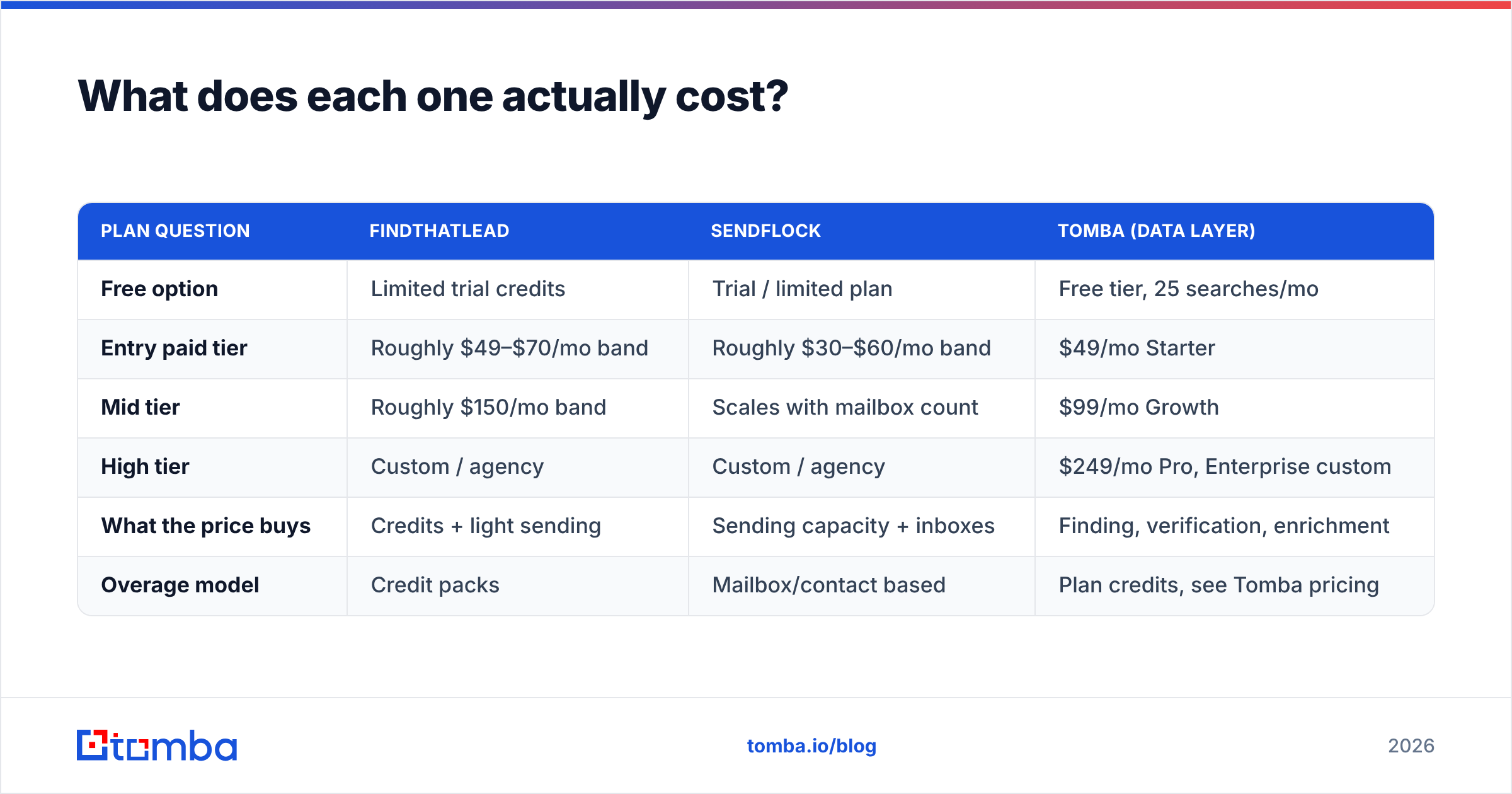
Pricing on both vendors moves, and both run promotional tiers, so treat the figures below as bands to verify on the vendor's own page before you buy — not as quotes.
| Plan question | FindThatLead | Sendflock | Tomba (data layer) |
|---|---|---|---|
| Free option | Limited trial credits | Trial / limited plan | Free tier, 25 searches/mo |
| Entry paid tier | Roughly $49–$70/mo band | Roughly $30–$60/mo band | $49/mo Starter |
| Mid tier | Roughly $150/mo band | Scales with mailbox count | $99/mo Growth |
| High tier | Custom / agency | Custom / agency | $249/mo Pro, Enterprise custom |
| What the price buys | Credits + light sending | Sending capacity + inboxes | Finding, verification, enrichment |
| Overage model | Credit packs | Mailbox/contact based | Plan credits, see Tomba pricing |
The pattern worth noticing: finder-plus-sender bundles price on credits, sending platforms price on capacity, and data platforms price on verified results. When people say a bundle is "cheaper," they are usually comparing a credit allowance against a capacity allowance, which is not a comparison at all. Compare cost per booked meeting and the ranking often flips, because a 9% bounce rate quietly deletes a third of your sends.
Which tool fits which team?#
Choose FindThatLead if: you are a solo founder or a two-person team, you send fewer than about 2,000 emails a month, and the operational cost of a second tool genuinely outweighs the accuracy gap. The all-in-one convenience is real at that scale.
Choose Sendflock if: you or your clients already have contact data, your bottleneck is inbox capacity and reputation, and you need per-mailbox visibility across several sending domains. Agencies running outbound for multiple clients land here almost by default.
Choose neither as your data source if: your ICP is SMB, non-US, or in a vertical where firmographic databases go stale fast. In those segments, a dedicated finder plus a verification pass is not a luxury — it is the difference between a working channel and a burned domain.
Choose both, split by job, if: you are past product-market fit and outbound is a real channel. Data layer feeds sending layer. That is how mature teams run it, and it is why the vendor landscape keeps splitting into these two camps rather than converging.

Where does Tomba fit in this comparison?#
Tomba is deliberately not competing with Sendflock. It does not send campaigns, does not rotate inboxes, and does not warm mailboxes. It sits one step earlier: domain search to map who works at a company, an email finder to resolve individuals, an email verifier to strip the addresses that would bounce, plus phone lookup and enrichment when you need more than an inbox.
The practical workflow looks like this:
- Build a target account list from your CRM, a scraper, or LinkedIn.
- Run domain search per account to see actual employees and the company's email pattern.
- Resolve individual contacts, then verify every result before export.
- Push only the verified rows into Sendflock, FindThatLead, or whatever sends for you.
- Re-verify anything older than 90 days — B2B contact data decays at roughly 25–30% a year, a figure most CRM vendors including HubSpot have echoed for a decade.
For teams doing this at scale, the Tomba API and bulk tools remove the CSV shuffling entirely. Step 4 becomes a webhook rather than a download.
None of that makes Tomba the "winner" of a FindThatLead vs Sendflock fight — it is not in that fight. It makes the fight smaller. Once data quality is handled upstream, FindThatLead becomes a nice-to-have and Sendflock becomes a straightforward capacity decision.
What do reviewers say about each tool?#
Public review sites are useful for pattern-spotting, less so for absolutes. On G2, the recurring themes are consistent with what the architectures predict: FindThatLead reviews praise the all-in-one convenience and the Chrome extension while flagging accuracy variance on smaller or non-English domains. Cold email infrastructure platforms in Sendflock's category draw praise for deliverability control and criticism for the setup burden — buying domains, configuring DNS, and waiting through warmup is genuinely a week of work before the first send.
Read the one-star and three-star reviews, not the five-star ones. The three-star reviews tell you which use case the tool quietly fails at, which is the only thing a feature page will never say.
Frequently asked questions#
Can Sendflock replace FindThatLead entirely? Only if you have another source of contact data. Sendflock sends; it does not find. Pair it with a finder and it covers everything FindThatLead does, usually better on the sending side.
Can FindThatLead replace Sendflock entirely? At low volume, yes. Past a few thousand emails a month across multiple domains, its sending module is not built for the job.
Which has better email accuracy? FindThatLead, by default, because Sendflock does not attempt it. But "better than nothing" is a low bar — benchmark any bundled finder against a specialist before you trust it with a domain you care about.
Do I still need a verifier if my finder claims verification? Usually yes, especially for catch-all domains and for any record older than a quarter. Verification is a point-in-time snapshot, not a permanent property.
What is the cheapest working stack? A free or entry-tier data plan plus an entry-tier sender. That combination typically costs less than a single mid-tier bundle and bounces far less.
The bottom line#
FindThatLead and Sendflock are answers to different questions. If your problem is "I do not have anyone to email," FindThatLead is the more direct fix. If your problem is "my emails are not landing," Sendflock is. If your problem is "my bounce rate is 11% and my domain is toast," neither one is — that is a data problem, and it only gets solved upstream.
Start there. Point the Tomba Email Finder at your next 100 target accounts, verify the results, and measure the bounce rate before you pick a sender. The free tier gives you 25 searches a month to run that test, and Starter is $49/mo if the numbers hold up. Get the data layer right and the FindThatLead vs Sendflock decision stops being a gamble — it becomes a straightforward question of how much sending capacity you need.
Related guides#
Ready to find emails that actually work?
Join 150,000+ professionals who stopped guessing and started sending. Free credits on signup — no credit card required.
Get the Tomba newsletter
Practical outbound tactics and product updates — once every two weeks.
About the author