FindThatLead vs The Data City: Honest 2026 Comparison
One tool finds contact emails at scale. The other maps entire UK markets by what companies actually do. Here's how FindThatLead and The Data City really compare in 2026 — and which one your pipeline needs first.
TL;DR
- FindThatLead and The Data City are not really competitors. FindThatLead is a self-serve prospecting and email-finding tool; The Data City is a UK company-intelligence platform that classifies firms by what they actually do, not by their filed SIC code.
- Pick FindThatLead if you need contact-level output today: emails, a verifier, a Chrome scraper, and a basic sender, all on a card-swipe monthly plan.
- Pick The Data City if your job is market sizing, sector mapping, economic research, or building a UK total-addressable-market list from real-time classifications rather than a stale taxonomy.
- Budget gap is the real story: FindThatLead lists self-serve plans in the tens-to-low-hundreds of dollars per month; The Data City sells quote-based annual licences with no public self-serve checkout.
- Most outbound teams end up needing both layers — an account/market layer and a verified contact layer — and the contact layer is where a dedicated email finder usually beats a bundled one.
What are FindThatLead and The Data City, actually?#
They solve two different halves of the same problem, which is exactly why people end up comparing them.
FindThatLead is a Spanish-built B2B prospecting suite. Its core loop is: search for people or domains, get email addresses back, verify them, then push them into a lightweight sending tool. Around that sit a Prospector (filter by role, industry, location), a Chrome extension that scrapes LinkedIn and search results, a bulk CSV enrichment flow, and an included cold-email sender. It's built for a founder or SDR who wants a list and a send button in the same afternoon.
The Data City is a different animal. It's a UK-focused company data platform whose signature feature is Real-Time Industrial Classifications (RTICs) — sector definitions built from what companies say and do on their websites, rather than the SIC code they ticked at registration years ago. Its customers skew toward economic development agencies, local government, universities, investors, and corporate strategy teams who need to answer "how big is the UK net-zero hardware sector, and who's in it?"
So the honest framing of FindThatLead vs The Data City is not "which tool is better." It's: do you need contacts or do you need a market map?
How do FindThatLead and The Data City compare head-to-head?#
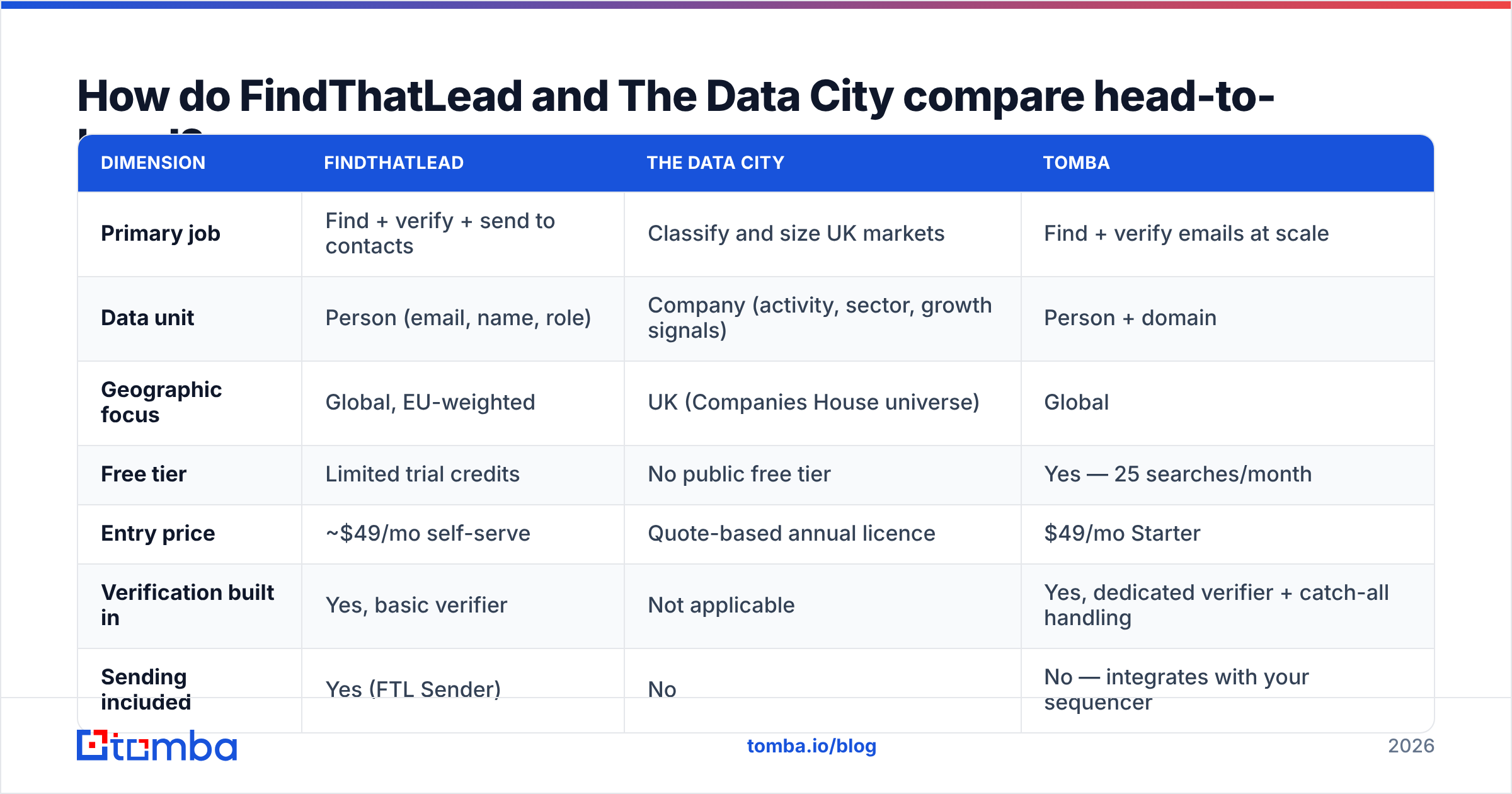
Here's the practical side-by-side. Prices are the publicly listed self-serve tiers as of early 2026 — always confirm on the vendor's own pricing page before you buy, because both vendors have changed packaging in the last 18 months.
| Dimension | FindThatLead | The Data City | Tomba |
|---|---|---|---|
| Primary job | Find + verify + send to contacts | Classify and size UK markets | Find + verify emails at scale |
| Data unit | Person (email, name, role) | Company (activity, sector, growth signals) | Person + domain |
| Geographic focus | Global, EU-weighted | UK (Companies House universe) | Global |
| Free tier | Limited trial credits | No public free tier | Yes — 25 searches/month |
| Entry price | ~$49/mo self-serve | Quote-based annual licence | $49/mo Starter |
| Verification built in | Yes, basic verifier | Not applicable | Yes, dedicated verifier + catch-all handling |
| Sending included | Yes (FTL Sender) | No | No — integrates with your sequencer |
| API access | Yes, on higher tiers | Yes, licence-dependent | Yes, on all paid plans |
| Best for | SDRs, founders, agencies | Analysts, policy teams, investors | Ops teams and devs who need clean contact data |
The table makes the split obvious. FindThatLead and Tomba are in the same lane — contact acquisition. The Data City is upstream of both: it tells you which companies deserve a list in the first place.
What does FindThatLead actually do well?#
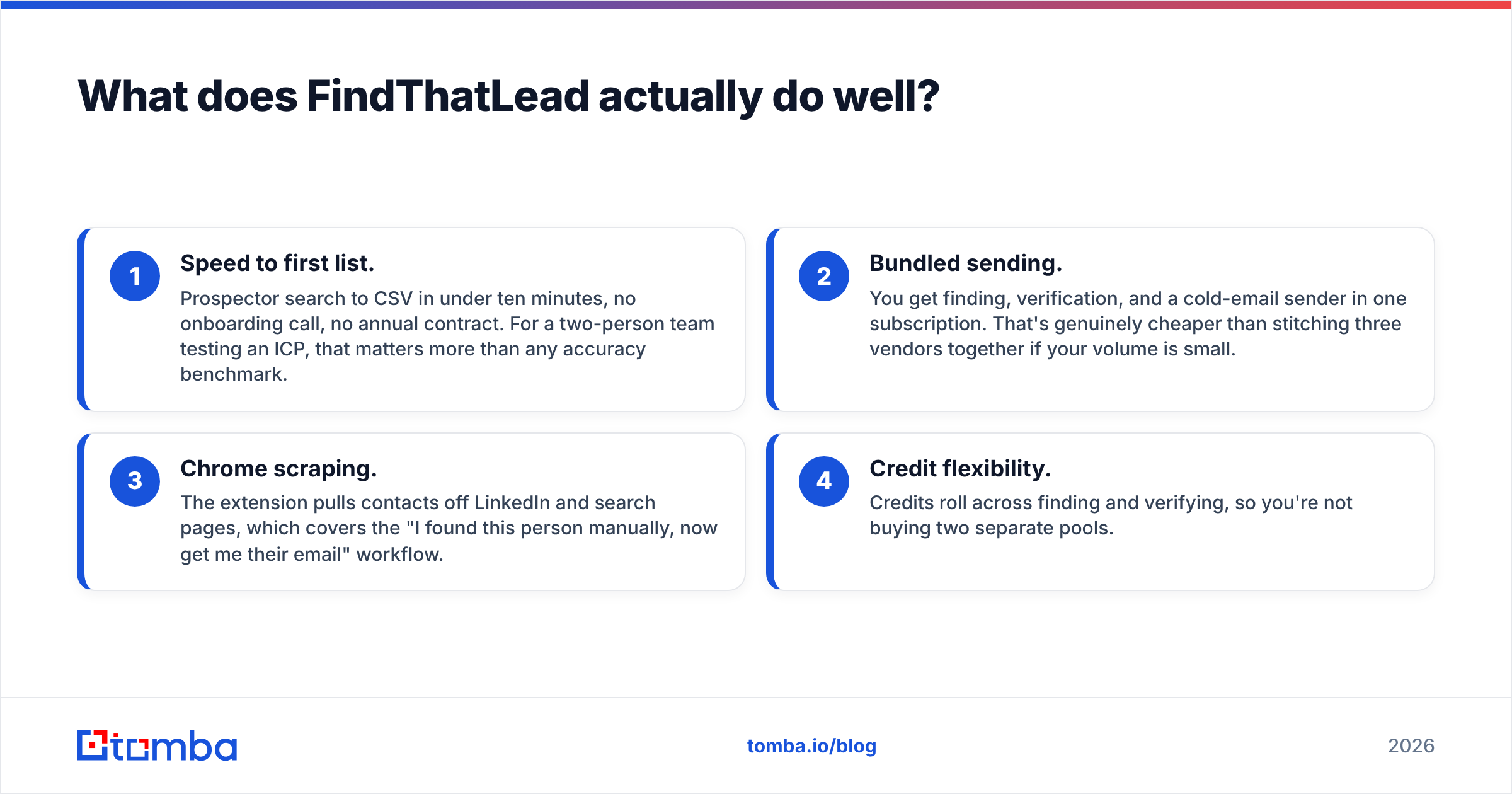
Four things, concretely:
- Speed to first list. Prospector search to CSV in under ten minutes, no onboarding call, no annual contract. For a two-person team testing an ICP, that matters more than any accuracy benchmark.
- Bundled sending. You get finding, verification, and a cold-email sender in one subscription. That's genuinely cheaper than stitching three vendors together if your volume is small.
- Chrome scraping. The extension pulls contacts off LinkedIn and search pages, which covers the "I found this person manually, now get me their email" workflow.
- Credit flexibility. Credits roll across finding and verifying, so you're not buying two separate pools.
Where it breaks down:
- Accuracy on long-tail domains. Like most bundled finders, FindThatLead leans on pattern inference for companies it hasn't seen before. You get a plausible
first.last@and a soft "risky" flag rather than a hard answer. That's fine at 200 contacts a month and expensive at 20,000. - Catch-all domains. Any tool that returns "accept-all" as its final answer is handing you the problem back. If a meaningful share of your ICP sits behind Microsoft 365 catch-all configurations, you need a dedicated catch-all verifier in the stack, not a status label.
- The sender is a starter sender. It works. It is not Instantly or Smartlead. Once you're running multiple inboxes with rotation and warmup, you'll outgrow it.
- No market layer. FindThatLead can filter by industry, but it's filtering on self-reported or inferred tags, not on a rebuilt taxonomy. It won't tell you a company pivoted into a new sector last year.
What does The Data City actually do well?#
The RTIC concept is the whole pitch, and it's a good one. Standard SIC codes were designed decades ago and are self-selected at incorporation, which means a company building battery management software might be filed as "other business support activities." The Data City re-derives classification from live web content, so emerging sectors — quantum, agritech, net zero, spacetech — actually become searchable populations instead of guesswork.
That unlocks work no email finder can touch:
- Market sizing with real headcount, turnover, and growth trajectories across a defined sector
- Cluster analysis by region — useful for inward-investment and economic-development teams
- Supply-chain and competitor mapping within the UK company universe
- Longitudinal tracking, because classifications are rebuilt rather than frozen
The honest limitations:
- UK-first. If your TAM is North America or DACH, the coverage story gets much thinner. This is the single biggest disqualifier for most outbound teams.
- No contact data. You will not get a decision-maker's email out of it. That's by design, not a defect — but it means The Data City is never a complete outbound stack on its own.
- Procurement, not checkout. Quote-based annual licensing means a sales cycle, a budget line, and probably a stakeholder who isn't you. Fast-moving SDR teams find that friction real.
- Analyst-shaped UI. It rewards people who think in cohorts and filters. A rep who wants "give me 50 leads" will find it heavy.
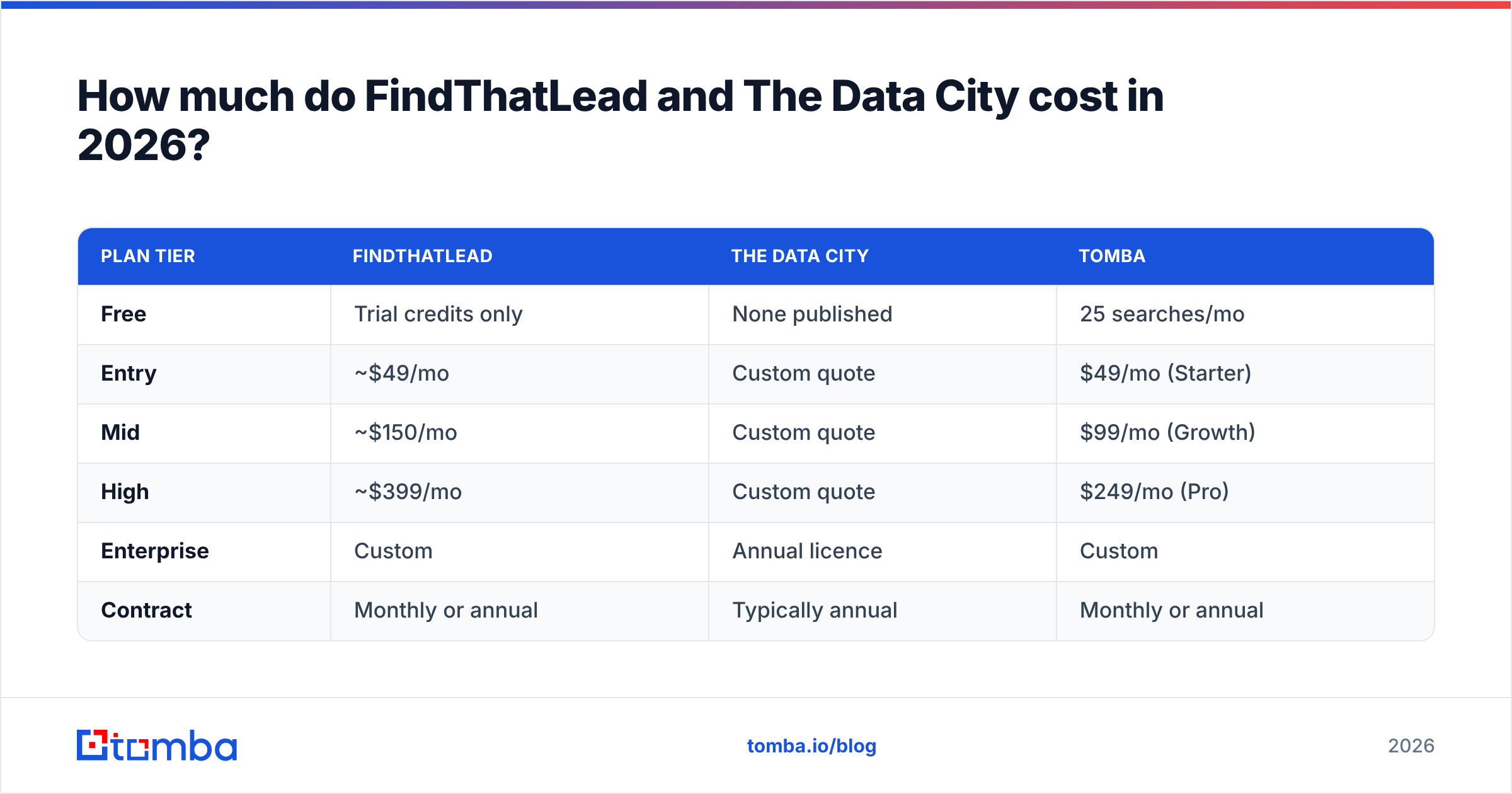
How much do FindThatLead and The Data City cost in 2026?#
| Plan tier | FindThatLead | The Data City | Tomba |
|---|---|---|---|
| Free | Trial credits only | None published | 25 searches/mo |
| Entry | ~$49/mo | Custom quote | $49/mo (Starter) |
| Mid | ~$150/mo | Custom quote | $99/mo (Growth) |
| High | ~$399/mo | Custom quote | $249/mo (Pro) |
| Enterprise | Custom | Annual licence | Custom |
| Contract | Monthly or annual | Typically annual | Monthly or annual |
Two things worth flagging. First, FindThatLead's credit model charges you for both finds and verifications from the same pool, so the effective cost per usable contact is higher than the headline suggests — if 30% of returned emails are unverified guesses, your real price per deliverable contact is roughly 1.4× the sticker. Second, The Data City's cost is impossible to benchmark publicly; treat any number you see quoted on a review site as an anecdote, not a price list. Check G2 for user-reported deployment experiences rather than pricing.
For reference, Tomba pricing is published in full, starts at $49/mo for Starter, and includes a genuine free tier at 25 searches per month — which is enough to test accuracy against your own known-good list before you spend anything.
Which one should you buy for your use case?#
Match the tool to the job, not to the review score.
- You're a founder doing first-100-customers outbound. FindThatLead. The bundled sender saves you a second subscription while volumes are low. Upgrade the finding layer when your reply rates start tracking bounce rates.
- You're an SDR team running 5,000+ contacts a month. Neither, alone. You need a high-accuracy finder with real verification and API access, plus a proper sequencer. Bounce rate is the metric that decides this, and bundled finders lose on it.
- You're an economic development or policy analyst. The Data City, without hesitation. Nothing in the email-finder category answers "which UK firms operate in synthetic biology" with defensible methodology.
- You're an investor or corporate strategy team scoping UK sectors. The Data City for the map, then a contact layer bolted on when you move from research to outreach.
- You're a RevOps lead building an enrichment pipeline. Skip both bundles and go API-first. You want data enrichment and verification as callable endpoints inside your own orchestration, not another UI to log into.

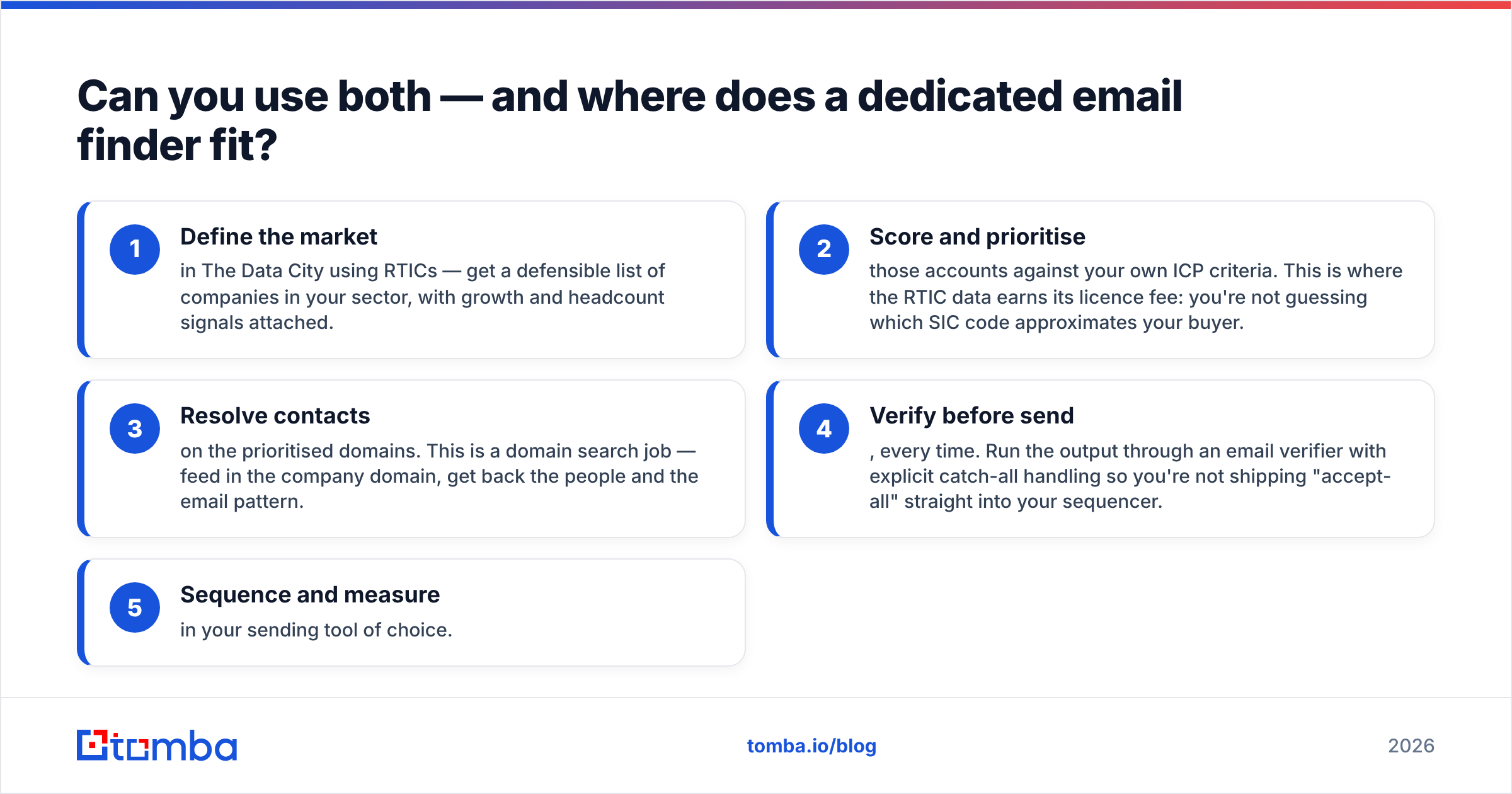
Can you use both — and where does a dedicated email finder fit?#
Yes, and for UK-focused teams it's the strongest configuration available. The pattern looks like this:
- Define the market in The Data City using RTICs — get a defensible list of companies in your sector, with growth and headcount signals attached.
- Score and prioritise those accounts against your own ICP criteria. This is where the RTIC data earns its licence fee: you're not guessing which SIC code approximates your buyer.
- Resolve contacts on the prioritised domains. This is a domain search job — feed in the company domain, get back the people and the email pattern.
- Verify before send, every time. Run the output through an email verifier with explicit catch-all handling so you're not shipping "accept-all" straight into your sequencer.
- Sequence and measure in your sending tool of choice.
Step 3 is where FindThatLead and Tomba compete directly, and the deciding factor is what happens on domains neither tool has seen before. A pattern-guessing engine returns a syntactically valid address with no evidence behind it. A source-backed engine either returns a confirmed address or tells you it doesn't have one. The second behaviour looks worse on a coverage chart and performs better in your inbox — because your sender reputation is priced in bounces, not in row counts.
If you're running volume, the operational difference shows up fastest in bulk. Uploading a 10,000-row account list and getting back verified contacts with confidence scores — via bulk email finder or the Tomba API — is a different workflow class from exporting CSVs out of a UI one search at a time.
What's the verdict on FindThatLead vs The Data City?#
They're not substitutes, so there's no single winner — but there is a clear rule.
If someone hands you this comparison as an either/or, they've mis-scoped the problem. The Data City answers who should we sell to. FindThatLead answers how do I reach them. Buying The Data City to do outbound leaves you with a beautiful market map and no email addresses. Buying FindThatLead to do market research leaves you with contacts from a sector you never validated.
And if the question is specifically about the contact layer — which is where most of the budget goes and where most of the damage happens — the bundle is rarely the strongest option. Bundled finders optimise for "everything in one tab." Dedicated finders optimise for the number that actually matters: how many of the emails you send land in a real inbox.
Start with the contact layer you can measure. Run 25 free searches through the Tomba Email Finder against a set of domains where you already know the right answers, compare the hit rate and the bounce rate to whatever you're using now, and let the data decide. If it doesn't beat your current tool on verified deliverable contacts, you've lost nothing but ten minutes.
Related guides#
Ready to find emails that actually work?
Join 150,000+ professionals who stopped guessing and started sending. Free credits on signup — no credit card required.
Get the Tomba newsletter
Practical outbound tactics and product updates — once every two weeks.
About the author