FindThatLead vs Verifalia: Which Email Tool Wins in 2026?
FindThatLead vs Verifalia is not a fair fight. One tool finds addresses. The other checks them. Here is how to tell which half of your outbound pipeline is actually broken, and what to buy for it.
FindThatLead vs Verifalia is the wrong fight. One tool finds emails. The other checks them. Pick by the job you need done, not by the brand name.
TL;DR
- FindThatLead vs Verifalia is not a real rivalry. FindThatLead finds emails. Verifalia checks them. They do different jobs.
- Empty list? You need a finder. Bounce rate over 3%? You need a checker. Most teams under 20 reps end up needing both.
- Verifalia is the better checker. It runs deep SMTP tests. It spots throwaway inboxes and role accounts. Its API ships with SDKs in a dozen languages.
- FindThatLead is the better finder. You get domain search, a Chrome add-on, and a built-in cold email sender. Its checks are fine, not deep.
- One platform that does both jobs (Tomba, Hunter, Apollo) usually beats two plans. That flips once you pass about 3,000 contacts a month.
FindThatLead vs Verifalia: what does each tool solve?#
Start here, because the names confuse people. Buyers search "FindThatLead vs Verifalia" as if both tools sit on the same shelf. They do not.
FindThatLead is built for search. Give it a domain, a company, or a LinkedIn profile. It hands back work emails. It also bundles a prospector, a Chrome add-on, a bulk CSV tool, and Scrab.in-style outreach. So you can go from list to sequence in one place.
Verifalia checks emails. It finds nothing. You feed it a list you already own. It tells you which rows will bounce. It flags throwaway domains. It flags role inboxes like info@. It also flags catch-all servers that confirm nothing.
Put simply: FindThatLead fills the bucket. Verifalia checks the bucket for holes. So the real question is not which tool is better. It is which gap costs you more money today.

Which one do you need first?#
Diagnose before you buy. Run these five checks on your last campaign.
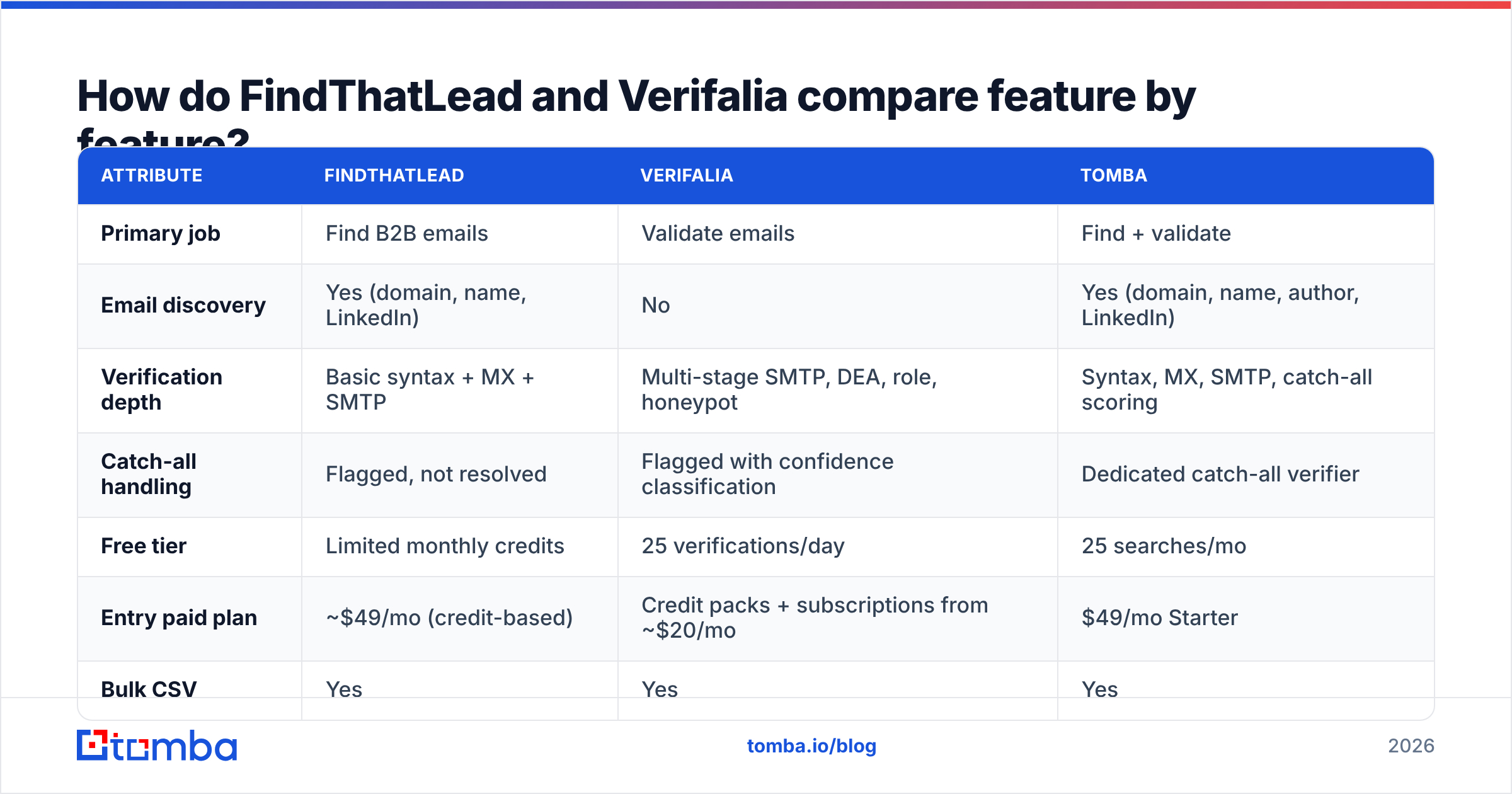
- Bounce rate above 3% — you have a data problem. Inbox providers read hard bounces as a spam signal. Google and Microsoft both tightened the rules after 2024. A checker pays for itself in a week.
- Coverage below 60% — you have a search problem. If you find emails for only half your target accounts, clean data will not fill the gaps.
- Reply rate is fine, volume is not — a search problem. You need more accounts, not tidier rows.
- Mail lands but nobody answers — neither tool helps. That is a targeting or copy problem. Software will not fix it.
- You import bought lists — a data problem, and an urgent one. Bought lists rot by 22–30% a year as people switch jobs. One stale send can burn your domain.
Most teams sit in two buckets at once. That is why so many of them buy two tools. It is also why the bill climbs.
FindThatLead vs Verifalia: how do the features compare?#
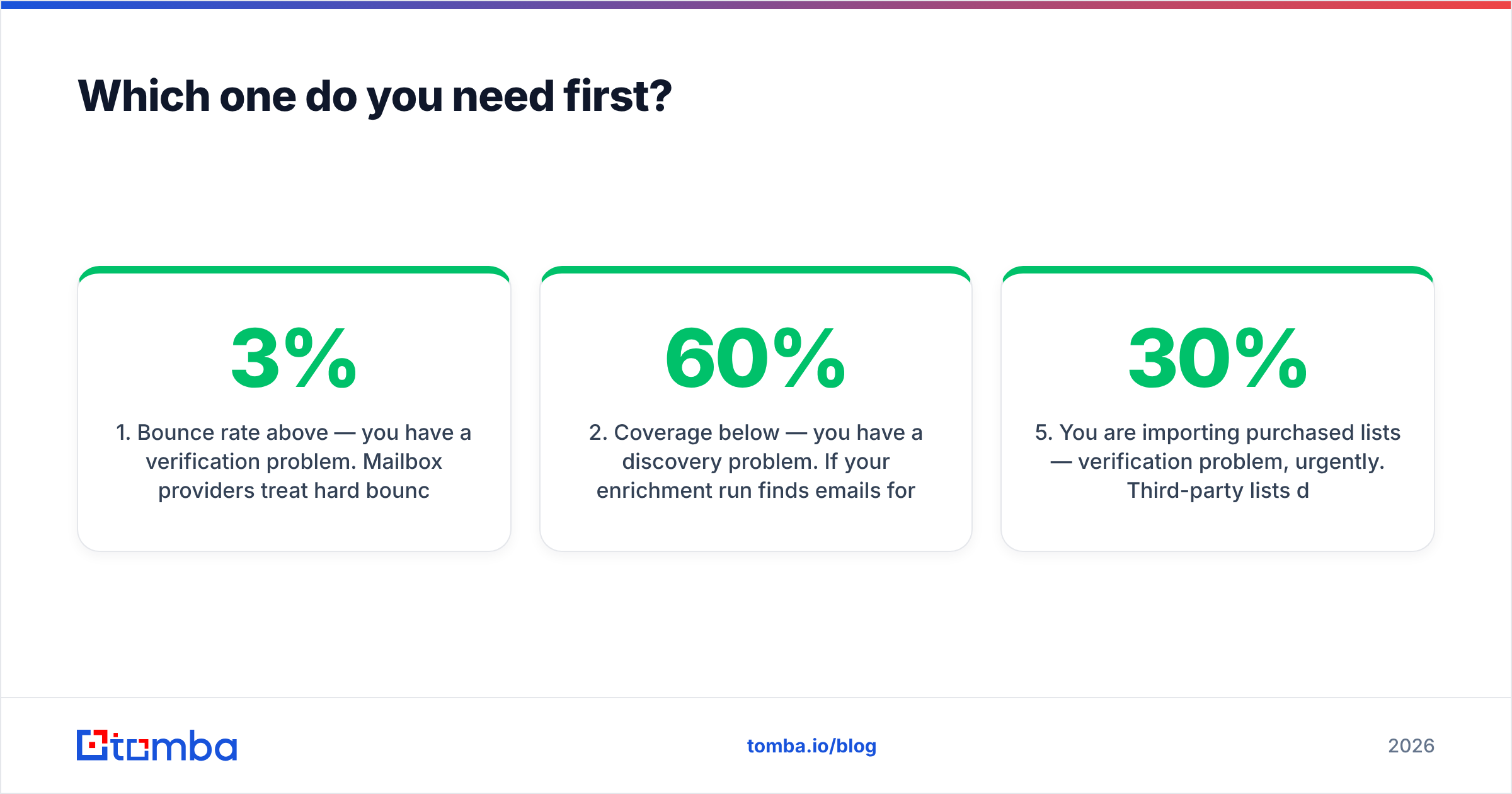
Here is the head-to-head. Tomba sits in the table too, since it covers both jobs.
| Attribute | FindThatLead | Verifalia | Tomba |
|---|---|---|---|
| Primary job | Find B2B emails | Validate emails | Find + validate |
| Email discovery | Yes (domain, name, LinkedIn) | No | Yes (domain, name, author, LinkedIn) |
| Verification depth | Basic syntax + MX + SMTP | Multi-stage SMTP, DEA, role, honeypot | Syntax, MX, SMTP, catch-all scoring |
| Catch-all handling | Flagged, not resolved | Flagged with confidence classification | Dedicated catch-all verifier |
| Free tier | Limited monthly credits | 25 verifications/day | 25 searches/mo |
| Entry paid plan | ~$49/mo (credit-based) | Credit packs + subscriptions from ~$20/mo | $49/mo Starter |
| Bulk CSV | Yes | Yes | Yes |
| Public API | Yes | Yes, with SDKs in 10+ languages | Yes, plus CLI and MCP server |
| Built-in sender | Yes | No | No (integrates instead) |
| Best for | SMBs wanting find + send in one | Dev teams needing forensic validation | Teams wanting one data layer |
Prices move. Check FindThatLead's site, Verifalia's pricing page, and Tomba pricing first. Each vendor defines a credit in its own way. Headline numbers mislead.
How accurate is each tool?#
Accuracy means two things here. Vendors lean on that gap.
For a finder, accuracy is the deliver rate. Of the emails it returns, how many accept mail? FindThatLead reports numbers in the 80s. That is normal for a mid-tier finder. Buyer reviews on G2 tell you more. The common gripe is not wrong addresses. It is thin coverage on small firms and non-US domains.
For a checker, accuracy is label quality. Does valid mean valid? Does unknown show up only when the server truly refuses to answer? Verifalia is strong here. Its pipeline splits syntax errors, DNS errors, mailbox rejections, throwaway domains, and honeypots. It does not lump them into one yes or no. If you screen signups at the form, that detail matters.

Watch for one trap. A finder scores accuracy only on the rows it chose to return. A tool that guesses less posts a nicer number. So read accuracy next to coverage, never alone. Then test it yourself. Take 200 accounts you know well. Run both tools. Score coverage and bounces apart.
What about catch-all domains?#
This is where the two tools split most. It is also where lists rot in silence.
A catch-all server accepts mail for every address at a domain, valid or not. About a fifth of B2B domains work this way. The share is higher in big firms and in Europe. Normal SMTP checks cannot crack them. The server says yes to everything.
FindThatLead flags catch-alls and moves on. That is honest. But it leaves you with rows you cannot use. Verifalia sorts them with more care. It also lets you set a rule per list. That is better. It still cannot prove the mailbox exists.
The only real fix is scoring by pattern. Does the domain use first.last? Has anyone seen this mailbox in the wild? Does the role match the pattern? Tomba's catch-all verifier works this way. It returns a confidence band, not a shrug. Whatever you buy, learn its catch-all rule first. If a fifth of your market comes back unknown, your real coverage is much lower than the sales page claims.
Is running two tools worth it?#
Sometimes. Here is the math behind the FindThatLead vs Verifalia budget call.
Say you process 5,000 new contacts a month. With two tools you pay for a finder plan and a checker plan. You keep two API keys. You write glue code to move CSVs between them. At renewal you compare two credit systems. Call it $100–$180 a month, plus a few hours of dev time each quarter.
With one platform you pay one bill in the same range, and you skip the glue. The finder and the checker share one data set. So a mailbox proven during search is not re-checked and re-billed later.
Two tools still make sense when:
- You check far more than you find. A product-led team may clean 200,000 signups a month and prospect only 500 people. Buy a dedicated checker. Verifalia's volume pricing beats any bundle at that scale.
- Rules force a split. Some buying teams demand a checker with set data-residency terms. Verifalia's EU options exist for that reason.
- You have dev time to spare. If an engineer already owns the pipeline, a second API costs little.
Otherwise one platform wins. It wins on hassle more than on price.

Where does Tomba fit in the FindThatLead vs Verifalia debate?#
Tomba sits where most outbound teams work. It finds the address and checks it in the same call.
The email finder searches by domain, by person, by article byline, or by LinkedIn profile. The email verifier runs the usual chain: syntax, MX, SMTP, throwaway and role checks. It returns a status plus a score, not a bare yes or no. You reach all of it through the same API, CLI, Chrome add-on, and Google Sheets add-on.
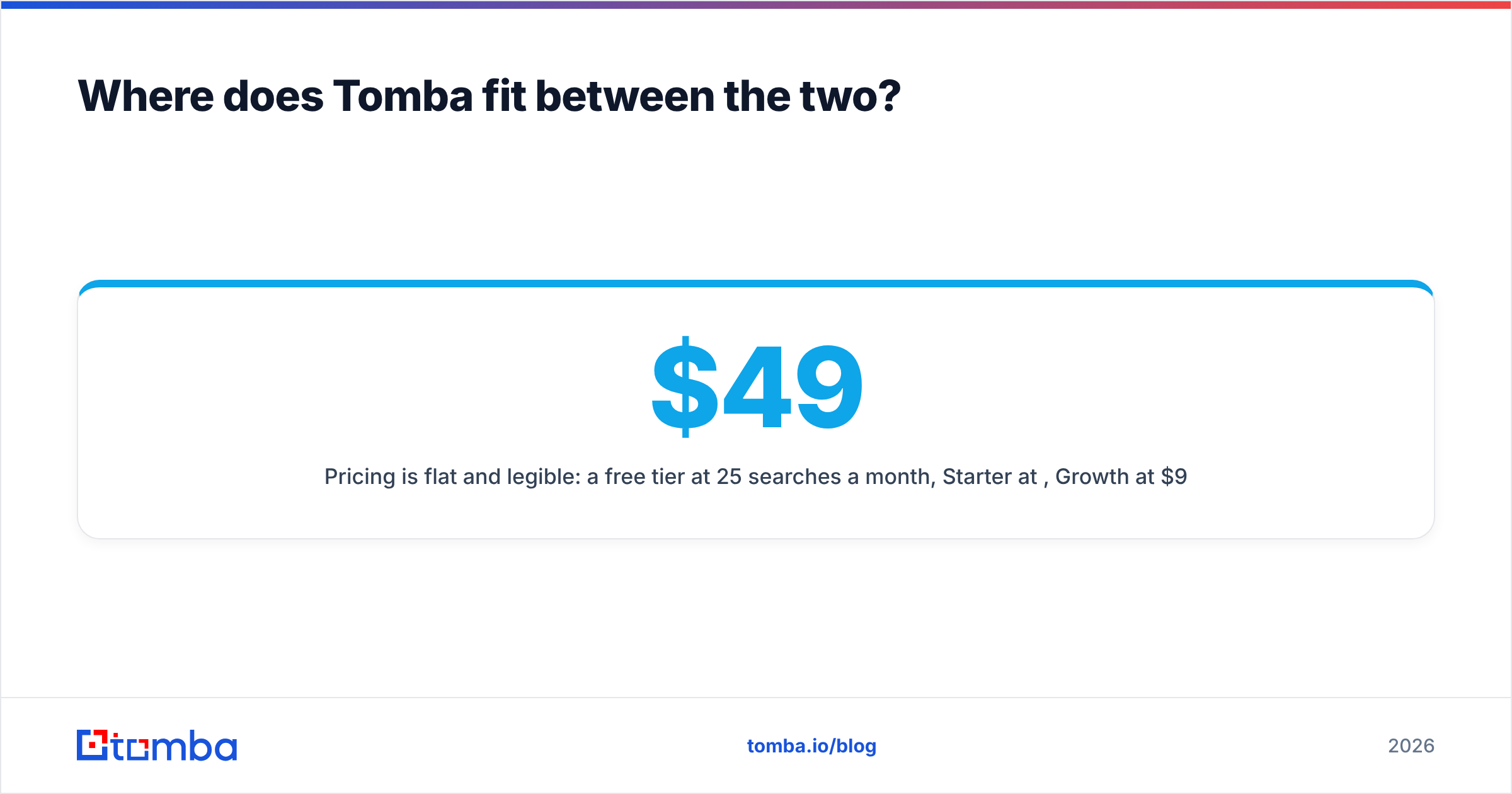
Pricing is flat and easy to read. The free tier gives 25 searches a month. Starter is $49/mo. Growth is $99/mo. Pro is $249/mo. Enterprise is on request. There is no second meter for checks and no credit table to decode.
Tomba does not do everything. It has no built-in cold email sender. FindThatLead has one. For a two-person agency that wants find and send in one login, that bundle is a fair reason to pick it. Tomba assumes you already run Instantly, Smartlead, Lemlist, or HubSpot, and it plugs into them.

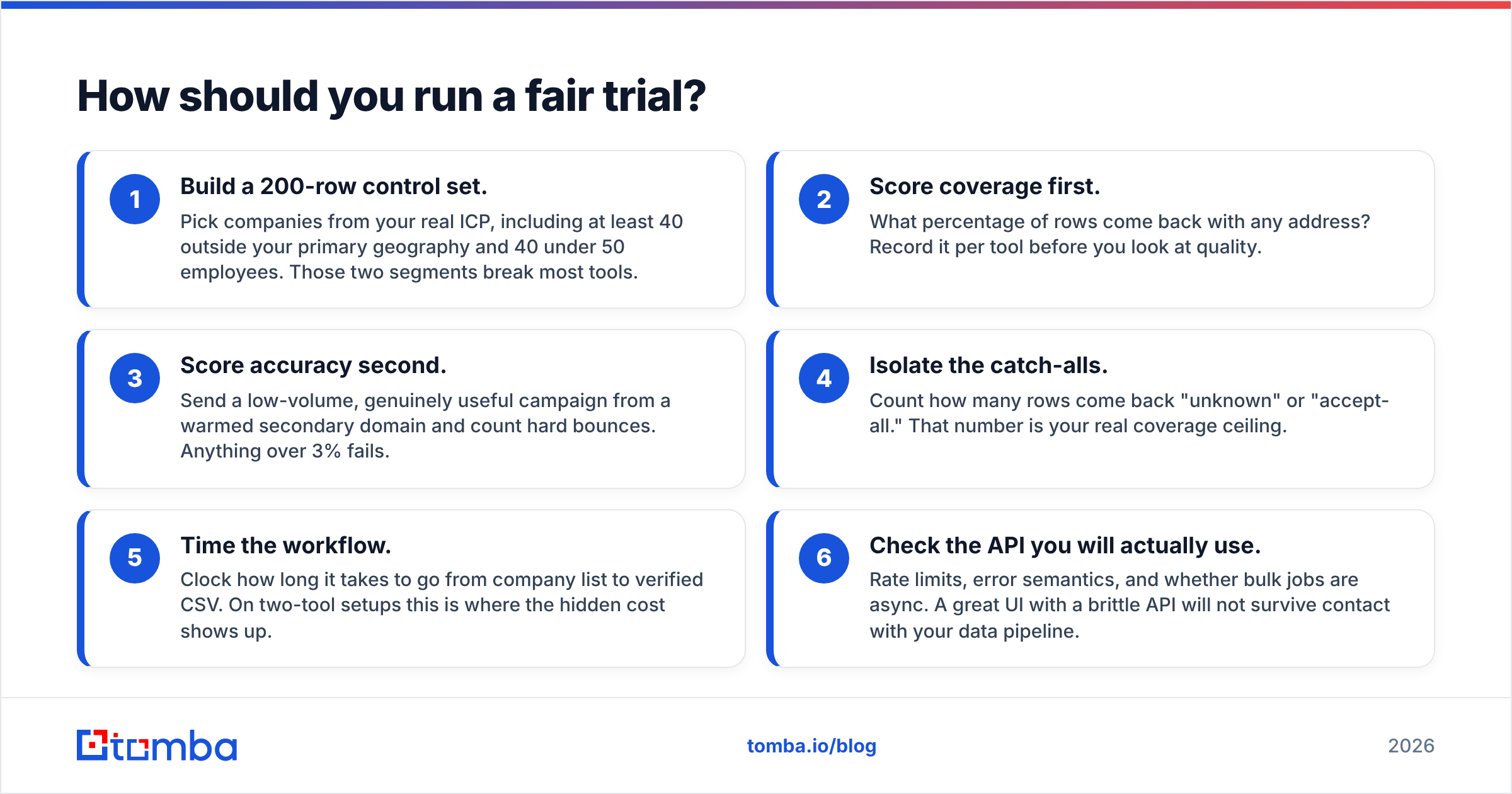
How should you run a fair trial?#
Vendor benchmarks are marketing. Run your own FindThatLead vs Verifalia test. It takes an afternoon.
- Build a 200-row control set. Pick firms from your real ICP. Include at least 40 outside your main region and 40 with under 50 staff. Those two groups break most tools.
- Score coverage first. What share of rows come back with any address? Note it per tool before you judge quality.
- Score accuracy second. Send a small, genuinely useful campaign from a warmed spare domain. Count hard bounces. Over 3% is a fail.
- Isolate the catch-alls. Count the rows that come back unknown or accept-all. That number is your true coverage ceiling.
- Time the workflow. Clock the trip from company list to clean CSV. With two tools, this is where the hidden cost shows up.
- Check the API you will really use. Look at rate limits, error messages, and whether bulk jobs run async. A pretty UI with a weak API will not survive your data pipeline.
Every tool here has a free tier big enough for this test. So there is no excuse for buying on a demo.
FindThatLead vs Verifalia: which should you choose?#
Short version:
- Choose Verifalia if checking is the whole job. Think high-volume signup screening, list hygiene for an ESP, or a compliance case where label detail and data residency beat search.
- Choose FindThatLead if you are a small team that wants prospecting and sending in one login, and can live with mid-tier checks. Its coverage is strong in Spain and Latin America.
- Choose one platform for both if you do both jobs at fair volume and would rather run one setup than two. That is the common case.
Here is the trap. People treat a finder and a checker as swaps for each other. They are steps in the same pipeline. Buy only the finder and you get bounces. Buy only the checker and you get a very clean, very short list.
Want both halves under one key? Start with the Tomba Email Finder. The free tier gives 25 searches a month with checks included. That is enough to run the 200-row test above on your own ICP. You see the coverage and bounce numbers before any card comes out. If Tomba wins, Starter is $49/mo. If it does not, you now hold a clean benchmark for every other vendor.
Related guides#
Ready to find emails that actually work?
Join 150,000+ professionals who stopped guessing and started sending. Free credits on signup — no credit card required.
Get the Tomba newsletter
Practical outbound tactics and product updates — once every two weeks.
About the author