FindThatLead vs Webbula (2026): Which Email Data Tool Wins?
FindThatLead finds new B2B emails. Webbula cleans the ones you already have. Here is the honest 2026 breakdown of pricing, accuracy, data scope, and which one actually belongs in your outbound stack.
TL;DR
- FindThatLead and Webbula are not really competitors. FindThatLead finds new B2B email addresses from domains, names, and LinkedIn. Webbula cleans email lists you already own, stripping spam traps, bots, and decayed addresses.
- Pick FindThatLead if your problem is "I have no leads." Pick Webbula if your problem is "I have 400,000 records and my bounce rate is killing my sender reputation."
- FindThatLead is self-serve and starts around $49/mo. Webbula is enterprise, quote-only, and typically sold to marketing teams mailing at volume through ESPs.
- Neither one covers both jobs well. Most teams under 50 seats end up paying two vendors for what one tool with a find-plus-verify pipeline can do.
- If you want discovery, verification, catch-all handling, and enrichment in one API, that is where a combined platform like Tomba lands cheaper than stitching the two together.
What are FindThatLead and Webbula, exactly?#
They sit at opposite ends of the same pipeline, which is why comparing them on a single feature list is misleading.
FindThatLead is a Barcelona-built prospecting tool. You give it a domain, a first name plus last name, or a LinkedIn URL, and it returns a business email address. Around that core it has bolted a Prospector (search by role, industry, and location), a Chrome extension, a bulk CSV processor, and a lightweight cold email sender. It is a top-of-funnel machine built for SDRs, founders, and agencies who need contacts that do not exist in their CRM yet.
Webbula is an Ohio-based data quality company. Its flagship product, cloudHygiene, runs an email address you already have through a multi-method screen and tells you whether it is deliverable, a spam trap, a honeypot, a bot-generated click source, a known complainer, or a decayed record. It also sells demographic and firmographic appends and audience segments. Webbula's buyer is usually an email marketing or database team at a mid-market-to-enterprise brand, not an SDR.
The clean way to say it: FindThatLead creates records. Webbula defends the ones you have.

How do FindThatLead and Webbula compare head-to-head?#
Here is the practical breakdown across the attributes that actually change your buying decision.
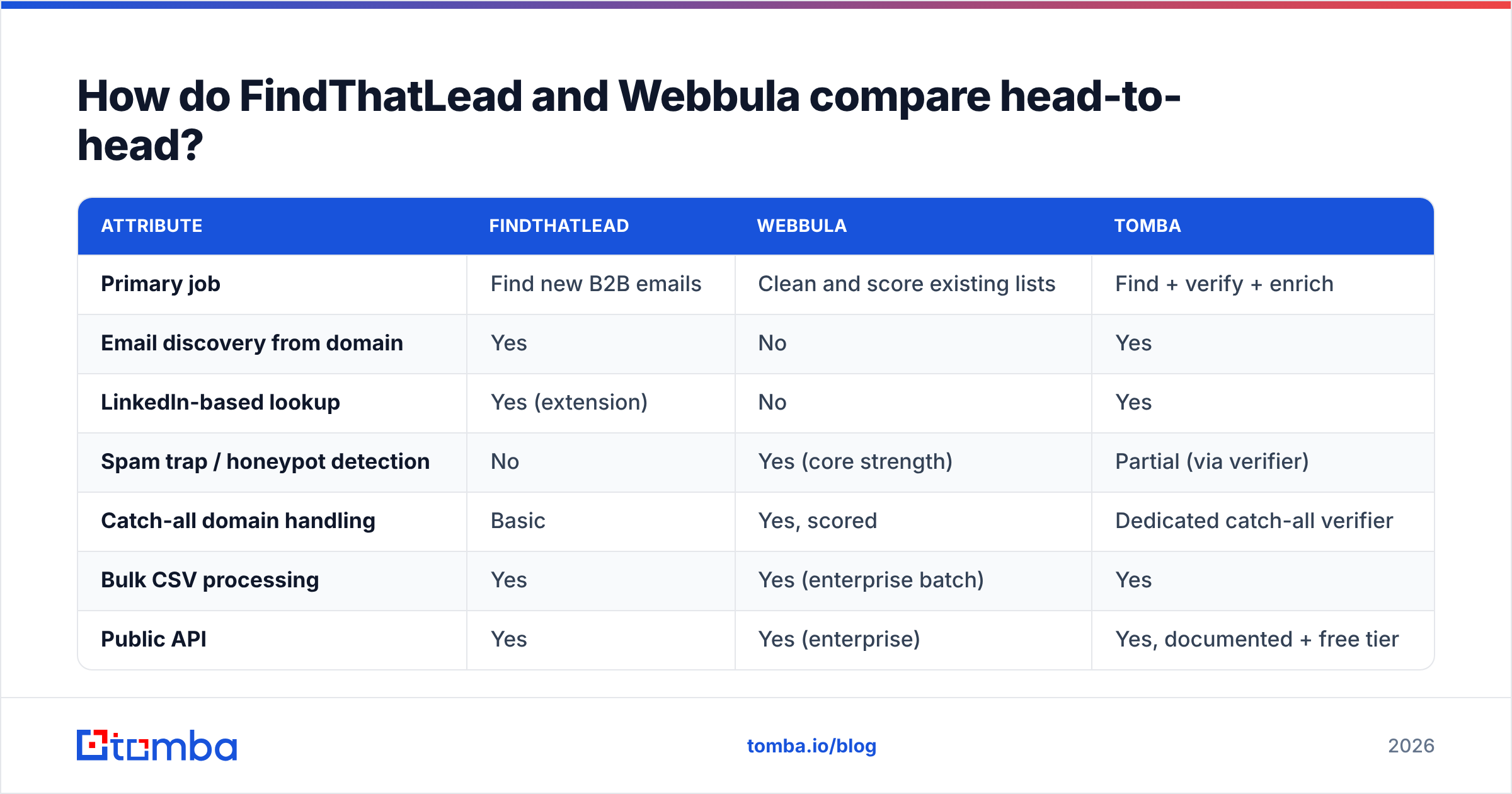
| Attribute | FindThatLead | Webbula | Tomba |
|---|---|---|---|
| Primary job | Find new B2B emails | Clean and score existing lists | Find + verify + enrich |
| Email discovery from domain | Yes | No | Yes |
| LinkedIn-based lookup | Yes (extension) | No | Yes |
| Spam trap / honeypot detection | No | Yes (core strength) | Partial (via verifier) |
| Catch-all domain handling | Basic | Yes, scored | Dedicated catch-all verifier |
| Bulk CSV processing | Yes | Yes (enterprise batch) | Yes |
| Public API | Yes | Yes (enterprise) | Yes, documented + free tier |
| Self-serve signup | Yes | No, sales-led | Yes |
| Built-in cold email sender | Yes (basic) | No | No (integrations instead) |
| Typical buyer | SDR, founder, agency | Email marketing / DB team | SDR, RevOps, developer |
| Entry price | ~$49/mo | Custom quote | $49/mo (free tier available) |

Read that table twice before you shortlist. If a row you care about says "No" under Webbula, no amount of negotiation fixes it, because it is not a product gap, it is a different product category.
What does FindThatLead actually do well?#
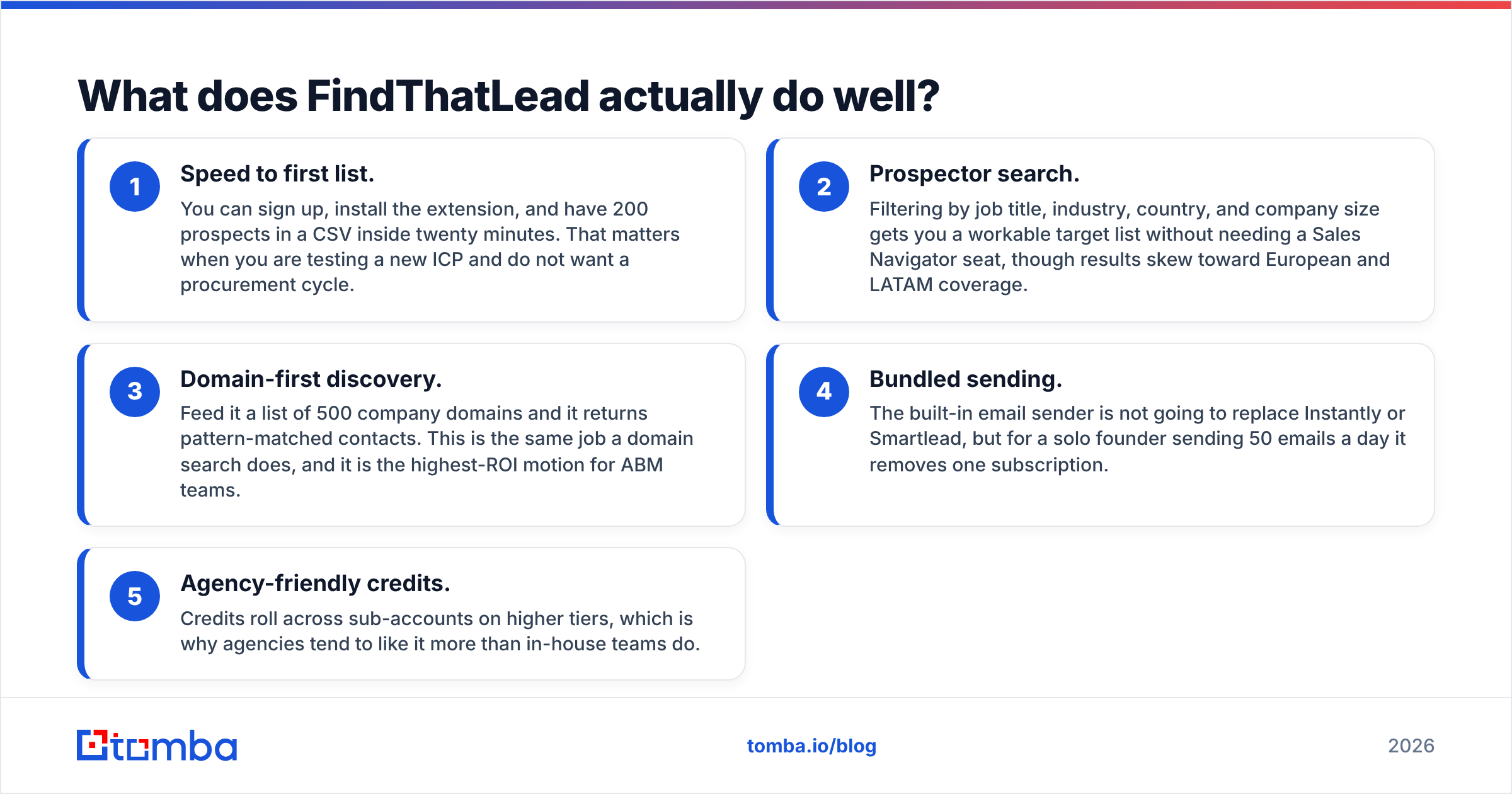
- Speed to first list. You can sign up, install the extension, and have 200 prospects in a CSV inside twenty minutes. That matters when you are testing a new ICP and do not want a procurement cycle.
- Prospector search. Filtering by job title, industry, country, and company size gets you a workable target list without needing a Sales Navigator seat, though results skew toward European and LATAM coverage.
- Domain-first discovery. Feed it a list of 500 company domains and it returns pattern-matched contacts. This is the same job a domain search does, and it is the highest-ROI motion for ABM teams.
- Bundled sending. The built-in email sender is not going to replace Instantly or Smartlead, but for a solo founder sending 50 emails a day it removes one subscription.
- Agency-friendly credits. Credits roll across sub-accounts on higher tiers, which is why agencies tend to like it more than in-house teams do.
Where it falls down: verification depth. FindThatLead returns a confidence label, not a forensic verdict. On catch-all domains, which now cover a large slice of mid-market B2B, that label is closer to a guess than a guarantee. You will still want a dedicated email verifier in front of your sending tool.
What does Webbula actually do well?#
- Spam trap and honeypot detection. This is the reason enterprises pay for it. A single pristine trap in a 200k-record send can get a domain blocklisted, and standard SMTP-ping validators do not catch traps at all.
- Bot and non-human activity flagging. Webbula identifies addresses whose "opens" and "clicks" come from security scanners rather than humans, which quietly inflates every engagement metric you report to leadership.
- Decay scoring. Instead of a binary valid/invalid, it grades how likely an address is to have gone stale, which is useful for suppression tiering rather than deletion.
- Demographic and firmographic appends. For B2C and hybrid brands, appending age, income, and interest data to an email list is something no email-finder tool offers.
- Enterprise compliance posture. Contracts, DPAs, and named support are standard. If your legal team reviews every data vendor, this is the smoother path.
Where it falls down: acquisition. Webbula will not hand you a single new prospect. If your pipeline problem is volume rather than quality, buying Webbula is like hiring a proofreader when you have not written the article.
How accurate is each one, and how would you even know?#
Accuracy claims in this category are close to unfalsifiable unless you test them yourself. Every vendor quotes a high-90s number, and every one of those numbers is measured on a sample the vendor selected.

Run your own benchmark instead. It takes an afternoon:
- Build a 100-row control set of contacts you have already emailed successfully in the last six months. You know the ground truth.
- Strip the emails and feed only company domain plus first and last name to each finder tool. Measure hit rate (how many it returned) and match rate (how many matched the known-good address exactly).
- Feed the known-good list to the hygiene tool and see how many it wrongly flags. False positives are expensive; a validator that kills 8% of your good records is worse than a slightly leaky one.
- Test 20 catch-all domains separately. This is the segment where tools diverge hardest, and where a catch-all verifier earns its keep.
- Track cost per verified-and-delivered contact, not cost per credit. A cheap credit that returns nothing is infinitely expensive.
In our own testing, the pattern holds across this category: finder tools are strong on standard corporate domains with predictable patterns and weak on catch-alls, small businesses, and non-Latin-script regions. Hygiene tools are strong on trap and bot detection and useless on discovery. Neither category is lying; they are just optimized for different failure modes.
For context on real user sentiment rather than vendor marketing, both tools have review histories on G2 worth reading, particularly the one-star and three-star reviews, which describe the edge cases the five-star reviews skip.
What do FindThatLead and Webbula cost in 2026?#
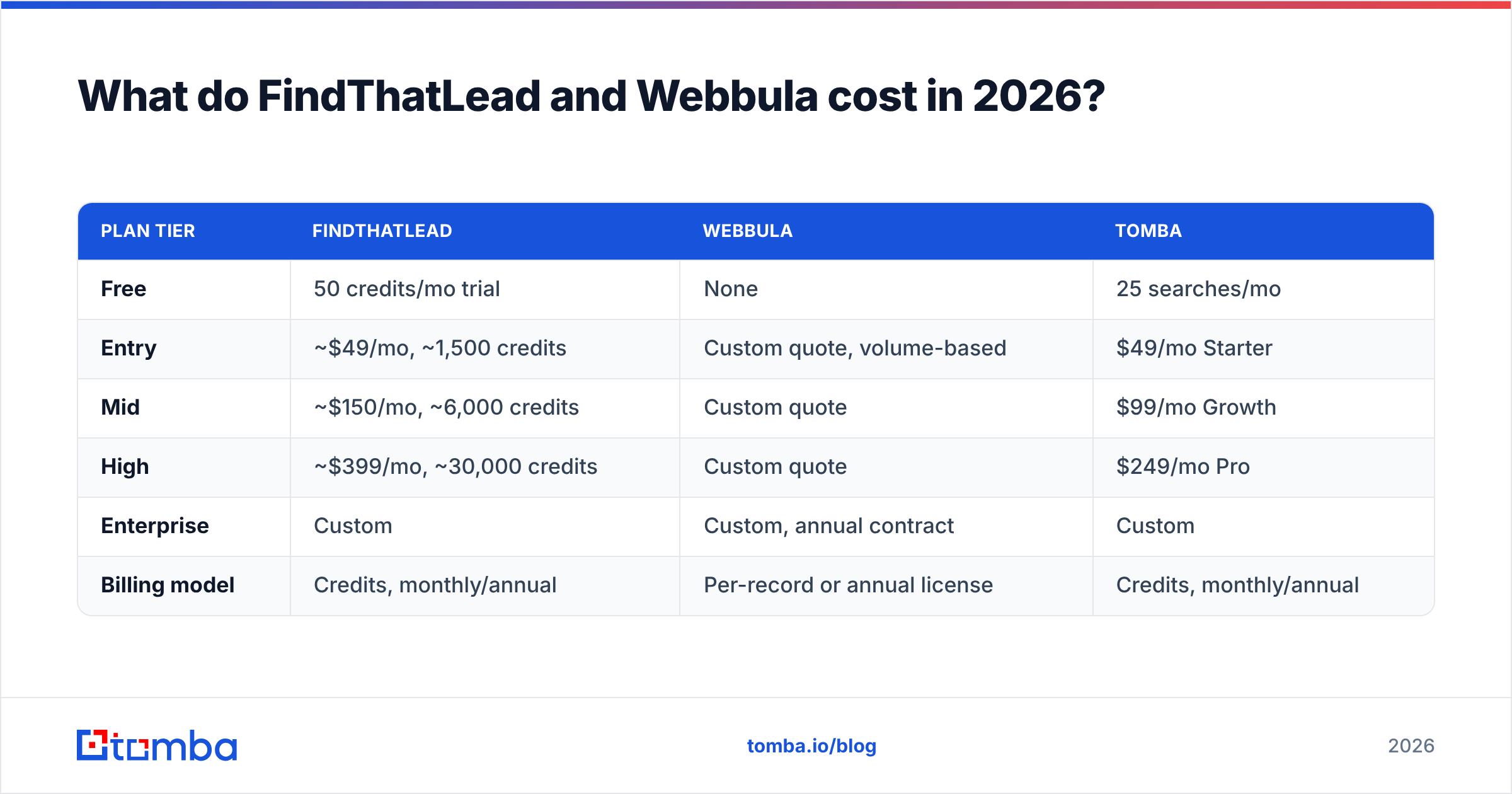
| Plan tier | FindThatLead | Webbula | Tomba |
|---|---|---|---|
| Free | 50 credits/mo trial | None | 25 searches/mo |
| Entry | ~$49/mo, ~1,500 credits | Custom quote, volume-based | $49/mo Starter |
| Mid | ~$150/mo, ~6,000 credits | Custom quote | $99/mo Growth |
| High | ~$399/mo, ~30,000 credits | Custom quote | $249/mo Pro |
| Enterprise | Custom | Custom, annual contract | Custom |
| Billing model | Credits, monthly/annual | Per-record or annual license | Credits, monthly/annual |
Vendor pricing changes; treat the FindThatLead and Webbula figures as directional and confirm on their sites before you sign. Two structural points matter more than the exact numbers:
Webbula does not publish pricing at all. That is normal for enterprise data vendors, but it means a minimum commitment, a sales cycle measured in weeks, and an annual contract. If you are a five-person team, you are probably below their floor.
FindThatLead's credit math punishes bulk work. At roughly 1,500 credits on the entry plan, a single 2,000-row enrichment job exhausts your month. Teams that run weekly list builds tend to jump two tiers within a quarter, at which point the "cheap" tool is $399/mo. Compare that against published Tomba pricing before you assume the entry tier is your real cost.

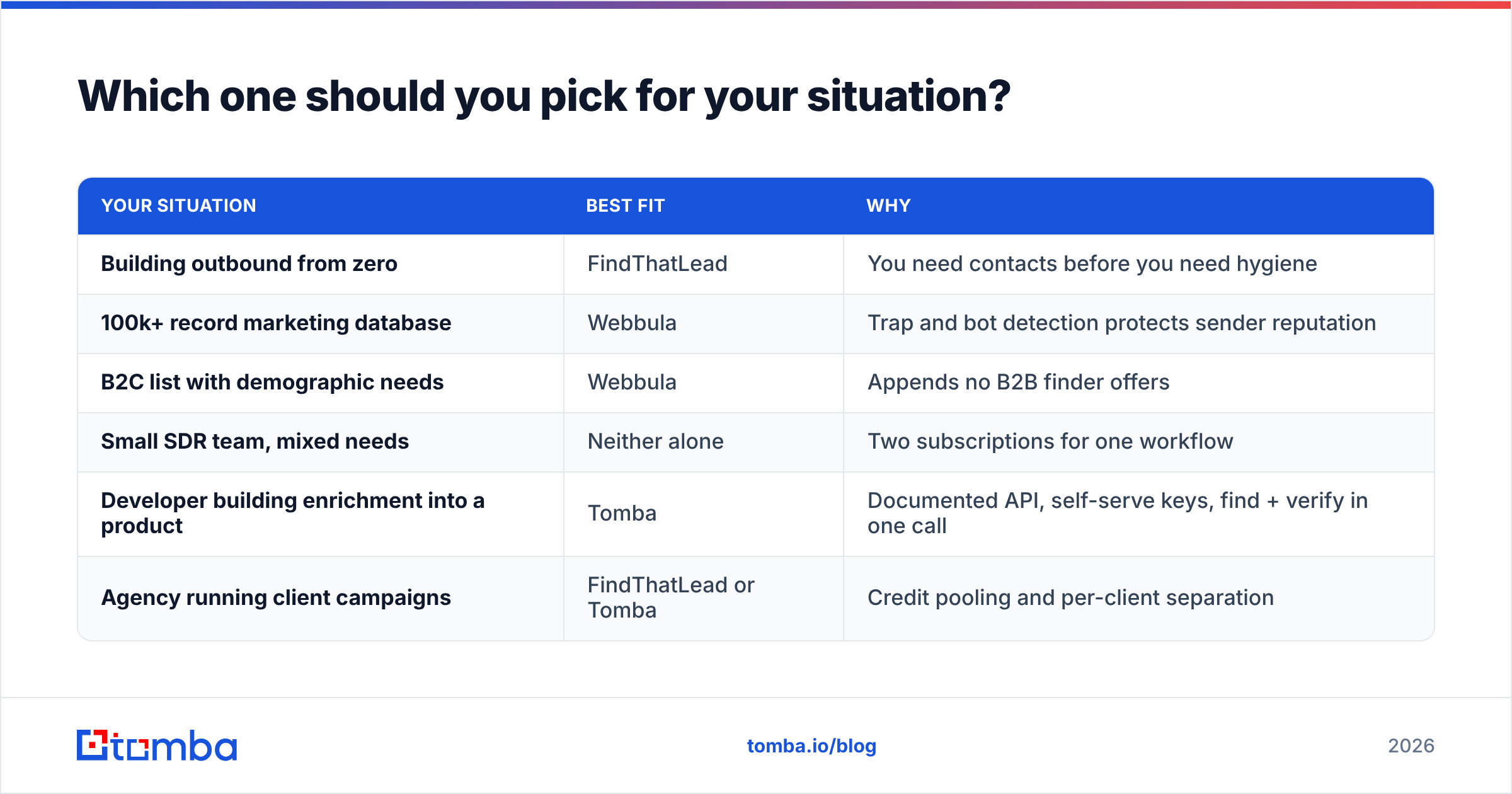
Which one should you pick for your situation?#
| Your situation | Best fit | Why |
|---|---|---|
| Building outbound from zero | FindThatLead | You need contacts before you need hygiene |
| 100k+ record marketing database | Webbula | Trap and bot detection protects sender reputation |
| B2C list with demographic needs | Webbula | Appends no B2B finder offers |
| Small SDR team, mixed needs | Neither alone | Two subscriptions for one workflow |
| Developer building enrichment into a product | Tomba | Documented API, self-serve keys, find + verify in one call |
| Agency running client campaigns | FindThatLead or Tomba | Credit pooling and per-client separation |
The uncomfortable answer for most readers: if you are choosing between these two, you have probably misdiagnosed your problem. Teams that "need Webbula" almost always discovered the need after a deliverability incident caused by unverified data they acquired somewhere upstream. Fixing the upstream source is cheaper than buying a downstream cleaner.
Do you actually need both, or something else entirely?#
Run the pipeline test. A working B2B contact pipeline has four stages: discover, verify, enrich, sync. FindThatLead covers stage one and a thin slice of stage two. Webbula covers a deep slice of stage two and part of stage three. Neither covers stage four beyond CSV export and a handful of integrations.
Stacking them costs you two contracts, two credit systems, two support queues, and a manual CSV handoff between them. For enterprise marketing teams mailing millions of records, that overhead is worth it, because Webbula's trap detection genuinely has no substitute at that scale.
For everyone else — SDR teams, founders, agencies, RevOps groups under 50 seats — a single platform that does discovery and verification in the same call is both cheaper and faster. That is the gap Tomba is built for: find email addresses by domain or name, verify them in the same workflow, handle catch-all domains with a dedicated verifier, pull B2B phone numbers where they exist, and push the result into HubSpot, Salesforce, or Sheets without a CSV round trip. The Tomba API does all of it programmatically if you would rather not touch a UI at all.
What are the common mistakes when comparing these tools?#
- Comparing credit counts across vendors. A FindThatLead credit and a Webbula record are not the same unit of work. Normalize on cost per usable contact instead.
- Ignoring the catch-all problem. If 30% of your target accounts run catch-all domains and your tool cannot score them, 30% of your list is a coin flip regardless of the headline accuracy number.
- Buying hygiene to fix a sourcing problem. Cleaning bad data does not make it good data; it makes it a smaller pile of bad data.
- Skipping the trial on real ICP data. Vendor demo lists are chosen to look good. Test on 100 accounts from your actual target segment or the test tells you nothing.
- Forgetting sync cost. If moving data between tools requires a human exporting CSVs weekly, that is a real recurring cost that never shows up in the pricing table.
The verdict#
FindThatLead wins if your job is filling an empty pipeline on a self-serve budget, and you accept that you will need separate verification before you send. Webbula wins if you already have a large list, you mail at volume, and a single spam trap could take your domain down — no email finder replaces what it does there.
But if you are reading a "FindThatLead vs Webbula" comparison, you most likely need one tool that finds contacts and validates them in the same step, without an enterprise contract or a two-vendor CSV shuffle.
Start with the Tomba Email Finder. The free tier gives you 25 searches a month to run the benchmark described above against your own control list, and paid plans start at $49/mo with verification, catch-all scoring, and API access included rather than sold separately. Run your 100-row test against all three, and let the match rate pick the winner instead of the marketing page.
Related guides#
Ready to find emails that actually work?
Join 150,000+ professionals who stopped guessing and started sending. Free credits on signup — no credit card required.
Get the Tomba newsletter
Practical outbound tactics and product updates — once every two weeks.
About the author