Findymail vs Findemails.com (Toofr): Which Email Finder Wins in 2026?
Findymail and Findemails.com (formerly Toofr) both promise verified B2B emails, but they take opposite approaches to sourcing, pricing, and verification. Here is the honest breakdown — plus where each one actually loses.
Findymail vs Findemails.com comes down to one thing: where your list starts. One tool finds people on LinkedIn. The other guesses an address from a name and a domain. Both work. They fail in very different ways, and the price gap is wide.
TL;DR
- Findymail is the newer tool. It is built for LinkedIn-led outbound and plugs into Clay, Lemlist, and Instantly. You pay only for emails that pass its checks.
- Findemails.com is Toofr under a new name. It has run since 2013. It is cheap, plain, and pattern-driven.
- On hit rate for mid-market and enterprise domains, Findymail tends to win. On price per lookup, Findemails.com is hard to beat.
- Neither one solves catch-all domains. Neither adds phone numbers. Neither does real enrichment.
- Pick Findymail for volume. Pick Findemails.com for a cheap guesser. Pick a platform like Tomba if you want a finder, a verifier, and an API in one place.
What are Findymail and Findemails.com (Toofr)?#
Two tools with similar names, built a decade apart. Both do the same job: they turn a name and a company into a working email.
Findymail launched in 2022. It went after Hunter and Apollo with one promise: you only pay for emails that pass its checks. A bounce guarantee backs that up. It also ships a LinkedIn Chrome add-on and a Sales Navigator list export. Most of its volume comes from there. It plugs into Clay, Lemlist, Smartlead, Instantly, and HubSpot.
Findemails.com is the old Toofr on a cleaner domain. Toofr has run since about 2013. The engine still looks the same. It keeps a store of company email formats. It returns a score for each guess. You can upload a CSV, and there is a simple API. It was built before Sales Navigator scraping was a thing. That shows in good ways: it is cheap, small, and quick. It shows in bad ways too: it is weak on domains with no public pattern.
So the Findymail vs Findemails.com split is not subtle. Findymail is a sourcing tool that checks its work. Findemails.com is a guesser that scores its work. Different products. Different ways to fail.
How do their email-finding engines actually differ?#
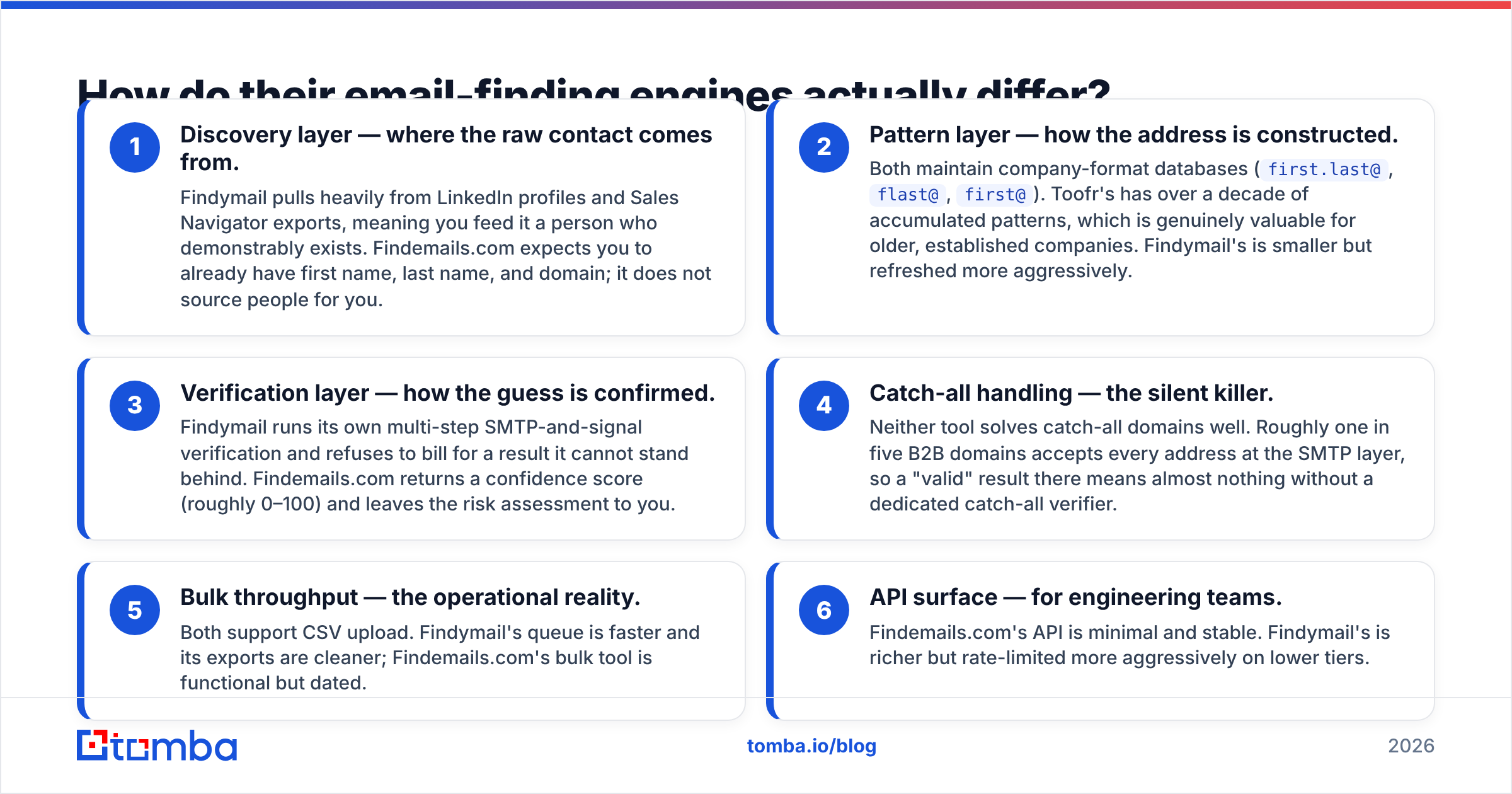
An email finder is three systems in one. It finds the person. It builds the address. It checks the result. Findymail vs Findemails.com weight those three parts in opposite ways.
- Discovery — where the contact comes from. Findymail pulls from LinkedIn and Sales Navigator. You feed it a person who clearly exists. Findemails.com does not source people for you. You bring the first name, last name, and domain.
- Pattern — how the address gets built. Both keep a store of company formats, such as
first.last@orflast@. The Toofr store is older, with more than a decade of data. That helps on long-standing firms. The Findymail store is smaller but fresher. - Checks — how the guess gets proven. Findymail runs its own SMTP and signal checks. It will not bill you for a result it cannot stand behind. Findemails.com hands you a score from 0 to 100 and lets you judge the risk.
The next three points matter once you move past a test list.
- Catch-all domains — the quiet killer. Neither tool solves them. About one in five B2B domains accepts every address. A "valid" result there means little without a catch-all verifier.
- Bulk jobs. Both take a CSV. The Findymail queue is faster and its export is cleaner. The Findemails.com bulk tool works, but it feels old.
- API. The Findemails.com API is small and stable. The Findymail API does more, but the rate caps bite on low tiers.
Start with a LinkedIn list and the discovery step does most of the work. Findymail wins by default. Start with a CRM export that already has names and domains, and the last two steps decide it. That fight is much closer.

Which one is more accurate?#
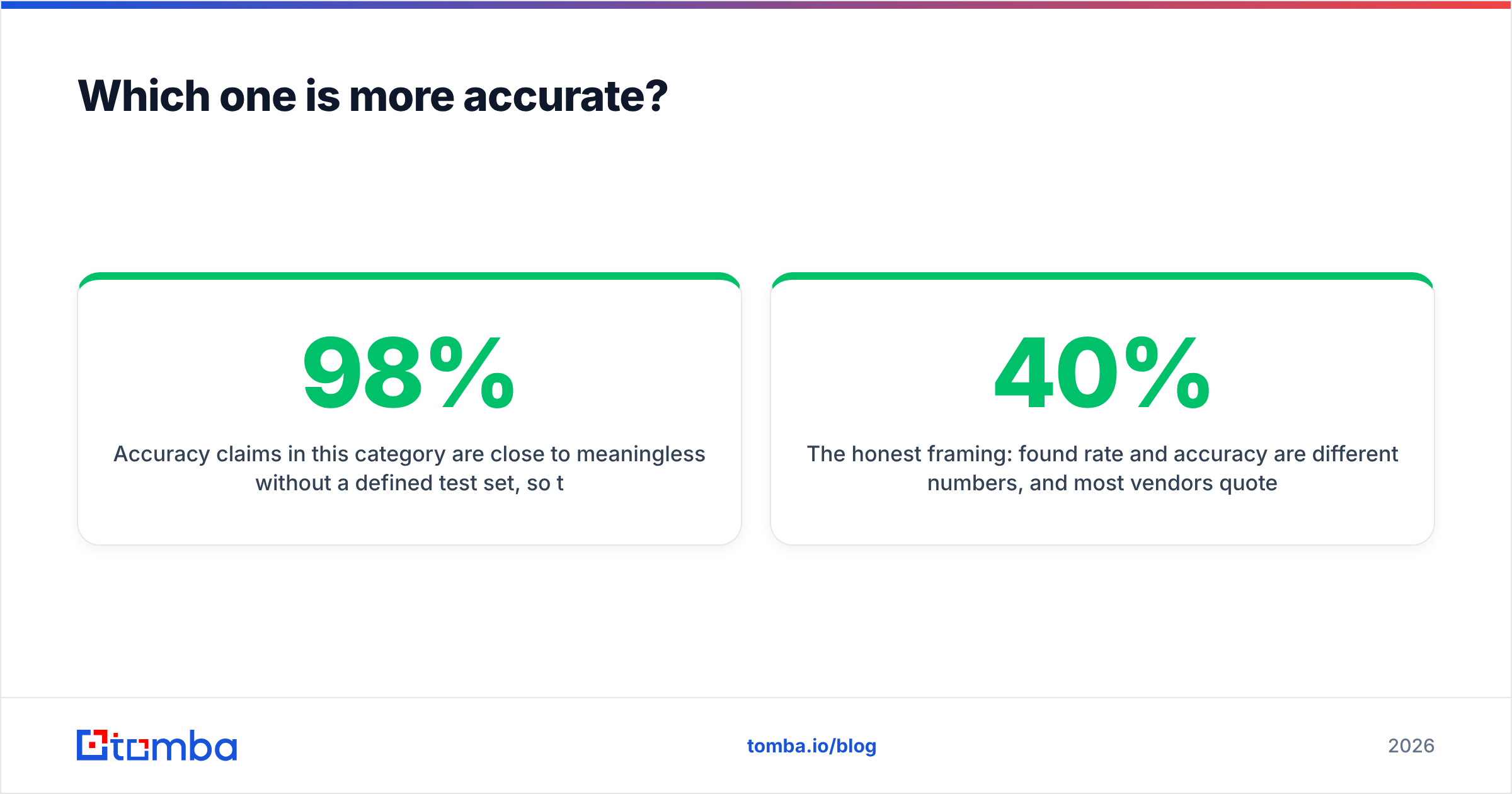
Accuracy claims here mean little without a test set. Treat every "98% accurate" banner as an ad. That includes the one on Findymail.
Here is what holds up in user reports on G2 and Capterra.
- Findymail finds more people at tech, SaaS, and VC-backed firms. LinkedIn covers those well. Bounce rates on its verified results are low. Its billing model gives it a reason to stay careful.
- Findemails.com does fine on large, old, non-tech firms. Think plants, freight, law, and accounting. Those email formats have been stable for years. It drops off on start-ups, small shops, and odd formats.
- Both struggle on the same things: catch-all domains, founders on personal domains, EU firms with GDPR suppression, and alias-heavy setups.
Here is the part that matters. Found rate and accuracy are not the same number. Vendors quote the one that looks better. A tool can skip 40% of your list and still claim 99% accuracy on the rest.
In the Findymail vs Findemails.com match-up, each side games a different metric. The Findymail billing model makes its accuracy number easier to trust. The Findemails.com score makes its coverage easier to see. Neither one is lying. They just track different things.
So run both on 200 rows from your own ICP. Want a third data point? Send the same list through a bulk email finder. Then compare what lands after a send, not before.
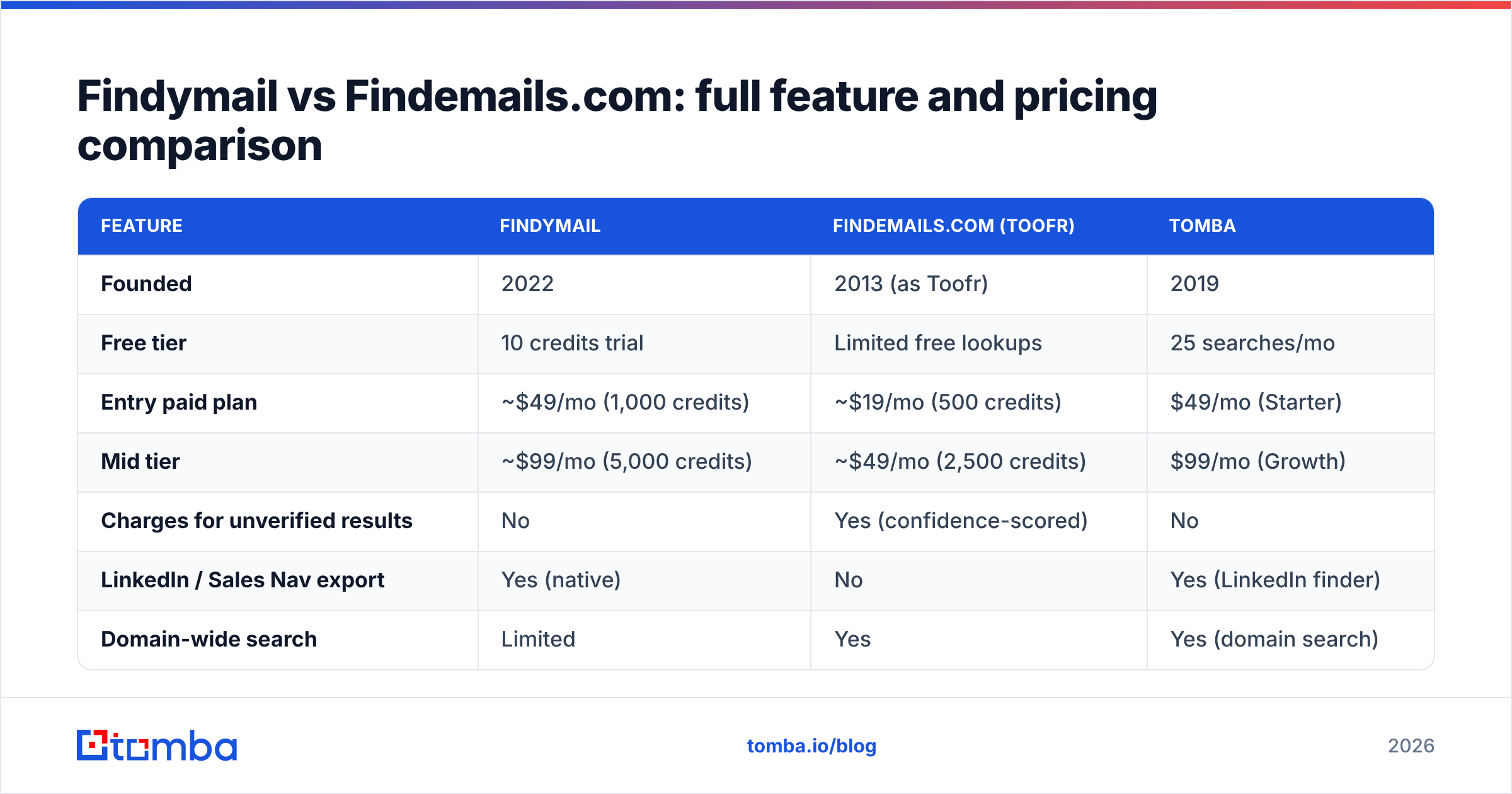
Findymail vs Findemails.com: full feature and pricing comparison#
Prices below are the public plans as of early 2026. Check the vendor page before you buy. Tiers change often here.
| Feature | Findymail | Findemails.com (Toofr) | Tomba |
|---|---|---|---|
| Founded | 2022 | 2013 (as Toofr) | 2019 |
| Free tier | 10 credits trial | Limited free lookups | 25 searches/mo |
| Entry paid plan | ~$49/mo (1,000 credits) | ~$19/mo (500 credits) | $49/mo (Starter) |
| Mid tier | ~$99/mo (5,000 credits) | ~$49/mo (2,500 credits) | $99/mo (Growth) |
| Charges for unverified results | No | Yes (confidence-scored) | No |
| LinkedIn / Sales Nav export | Yes (native) | No | Yes (LinkedIn finder) |
| Domain-wide search | Limited | Yes | Yes (domain search) |
| Standalone email verifier | Bundled only | Basic | Yes, standalone |
| Catch-all resolution | No | No | Yes |
| Phone numbers | No | No | Yes |
| Public API | Yes | Yes | Yes (Tomba API) |
| Chrome extension | Yes | No | Yes |
| Native CRM sync | HubSpot, Pipedrive | Via Zapier | HubSpot, Salesforce, Pipedrive |
| Best for | LinkedIn-led outbound | Cheap bulk pattern guessing | Finder + verifier + enrichment in one |
The table shows the real trade. Findymail costs about 2.5x per credit, but it bills only for wins. Findemails.com bills every try. So your cost per usable email can even out. On a messy list, it can flip.
Do the math on your own data. Take 1,000 rows. Count the deliverable addresses each tool returns. Divide the plan price by that count. That is your true cost per lead. Teams with messy SMB lists often burn cheap Findemails.com credits on dead guesses. Teams with clean Sales Navigator exports tend to earn back the Findymail premium in a week.
What are the real limitations of each tool?#
Findymail's constraints:
- No standalone verifier. Got a 50,000-row list that just needs cleaning? Wrong tool. Use a dedicated email verifier instead.
- Credits do not roll over on most plans. Seasonal teams pay for volume they never use.
- It leans on LinkedIn. If LinkedIn changes the rules, that is a real risk. It has bitten other scrapers already.
- No phone data. No tech stack data. No company data. It does one job by design.
Findemails.com's constraints:
- Little has changed since the Toofr days. No Chrome add-on. No native LinkedIn flow. A thin list of integrations.
- Scores help, but they hand the risk back to you. A score of 70 still needs a second check before you send.
- Support and roadmap move at small-team speed. That is fine when things work, and rough when they break mid-campaign.
- The bulk screen feels dated for 2026.
What both miss: neither tool solves catch-all domains. Neither returns phone numbers. Neither adds company data. If your GTM plan needs firm data, intent, or more than one channel, you buy a second tool either way. That is the hole in the whole Findymail vs Findemails.com debate.

When should you pick a different tool entirely?#
Three cases where Findymail vs Findemails.com is the wrong question.
Case 1 — you want a finder, a verifier, and enrichment in one. Three vendors per contact is how RevOps budgets swell. One platform (Tomba, Dropcontact, Apollo) trades some depth for a single API, one credit pool, and one bill. Check the pricing details first. A bundle often costs less than three point tools.
Case 2 — you want to buy a list, not look up rows. Some vendors sell ready-made lists. BookYourData is one. That is a different product with different math. It is a strong option when your ICP is clear and you need volume on day one.
Case 3 — you are building, not clicking. Engineering-led teams should judge the API, the rate caps, and the webhooks. UI polish does not matter here. The Findemails.com API is simple but thin. The Findymail API does more, yet it caps you sooner. If you wire lookups into a product, weigh the email finder API options on docs and burst limits. That is what you live with at 3am.
One more note on delivery. No finder can save a domain with bad auth. Check that your SPF record is clean. Check your sender reputation too. A great list still lands in spam from a broken domain.

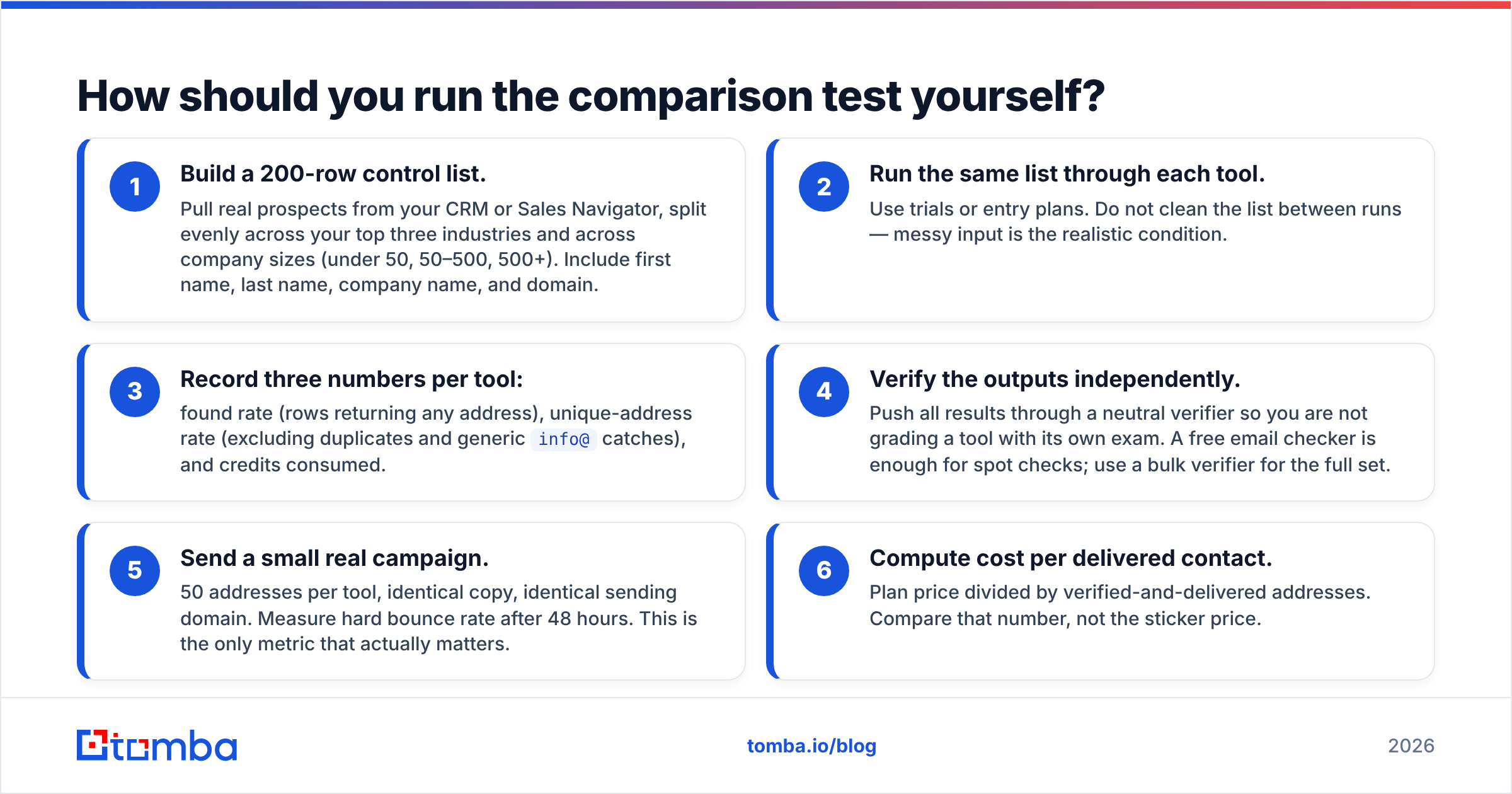
How should you run the comparison test yourself?#
Do not take our word for it. This test takes about ninety minutes. It settles Findymail vs Findemails.com for your own ICP.
- Build a 200-row control list. Pull real prospects from your CRM or Sales Navigator. Spread them across your top three industries. Spread them across company sizes too: under 50, 50 to 500, and 500 plus. Include first name, last name, company, and domain.
- Run the same list through each tool. Use a trial or an entry plan. Do not clean the list between runs. Messy input is the real-world case.
- Log three numbers per tool. Found rate. Unique addresses, minus duplicates and generic
info@hits. Credits spent.
Now grade the results.
- Check the output somewhere else. Push every result through a neutral verifier. Do not let a tool grade its own exam. A free email checker covers spot checks. Use a bulk verifier for the full set.
- Send a small real campaign. Use 50 addresses per tool, the same copy, and the same sending domain. Read the hard bounce rate after 48 hours. This is the number that counts.
- Work out cost per delivered contact. Take the plan price and divide it by delivered addresses. Compare that, not the sticker price.
Teams who run this test report the same pattern. The cheap tool wins on the invoice and loses on the bounce rate. The gap is often wide enough that the pricey tool was cheaper all along. Your result still depends on your ICP. Enterprise lists and SMB lists can crown different winners.
So which one should you buy?#
Buy Findymail if: your pipeline starts on LinkedIn. You send high volume. You care more about bounce rate than credit price. You already run Clay, Instantly, or Smartlead. The pay-for-verified model is the best thing about it, and it cuts real waste.
Buy Findemails.com (Toofr) if: you already have clean names and domains. You target old, non-tech firms with stable email formats. Your budget is tight. You are happy to own the checking step. It is an honest, plain tool, and thirteen years of uptime is not nothing.
Buy neither if: you need catch-all resolution, phone numbers, checks at scale, or one API for finding and enriching. That is a platform job. Forcing a finder to do it costs more in workarounds than you save on the licence.
For most teams, Findymail vs Findemails.com is not the real question. Point tool or platform is. If you can see yourself buying a finder now, a verifier next quarter, and an enrichment vendor after that, bundle up front.
Ready to test a bundled option? The Tomba Email Finder covers finding, checks, catch-all, domain search, and enrichment on one credit pool. It starts free with 25 searches a month, and Starter is $49/mo. Run it on the same 200-row list you build for Findymail vs Findemails.com. Compare cost per delivered contact. Let the bounce rate pick the winner.
Related guides#
Ready to find emails that actually work?
Join 150,000+ professionals who stopped guessing and started sending. Free credits on signup — no credit card required.
Get the Tomba newsletter
Practical outbound tactics and product updates — once every two weeks.
About the author