Findymail vs Generect 2026: Which Email Finder Wins?
Findymail and Generect both promise verified B2B emails, but they solve different problems. Here's a hands-on breakdown of accuracy, pricing, LinkedIn coverage, and which one actually fits your outbound stack in 2026.
TL;DR
- Findymail is a verification-first email finder built for cold outreach teams who care more about bounce rate than volume. Its selling point is that it does not charge you for emails it cannot verify.
- Generect is a LinkedIn-centric lead database and API. It leans on real-time LinkedIn scraping and list building, which makes it stronger for company/people search than for one-off email lookups.
- If your workflow starts from a LinkedIn Sales Navigator search, Generect fits better. If it starts from a domain, a CSV, or a CRM record, Findymail fits better.
- Both are single-purpose tools. Neither gives you phone numbers, catch-all resolution, and enrichment in one API — which is where a broader platform like Tomba becomes the cheaper consolidation play.
- Real cost per usable email matters more than headline credit price. A $49 plan that returns 60% valid data is more expensive than a $99 plan returning 95%.
What are Findymail and Generect, actually?#
Findymail and Generect get lumped together in "email finder" roundups, but they were built for different jobs.
Findymail (findymail.com) launched as a reaction to a specific complaint: most email finders burn your credits returning guessed, unverified addresses that bounce. Findymail's core promise is verified-only output — if it cannot confirm the address, you are not billed. It plugs into Sales Navigator, Apollo exports, and CSV enrichment flows, and it markets heavily to agencies running high-volume cold email who cannot afford a 6% bounce rate.
Generect (generect.com) is a lead-generation data platform with a LinkedIn-first architecture. Instead of a static database refreshed on a quarterly cycle, it pulls people and company records in near real time and exposes them through an API and a UI. Its strongest use case is building a list from scratch — "give me all Series B fintech companies in Germany with 50-200 employees and their heads of growth" — rather than resolving one known person's address.
That distinction drives everything else. Findymail answers "what is this person's email?" Generect answers "who should I be emailing?"

How do Findymail and Generect compare on features and pricing?#
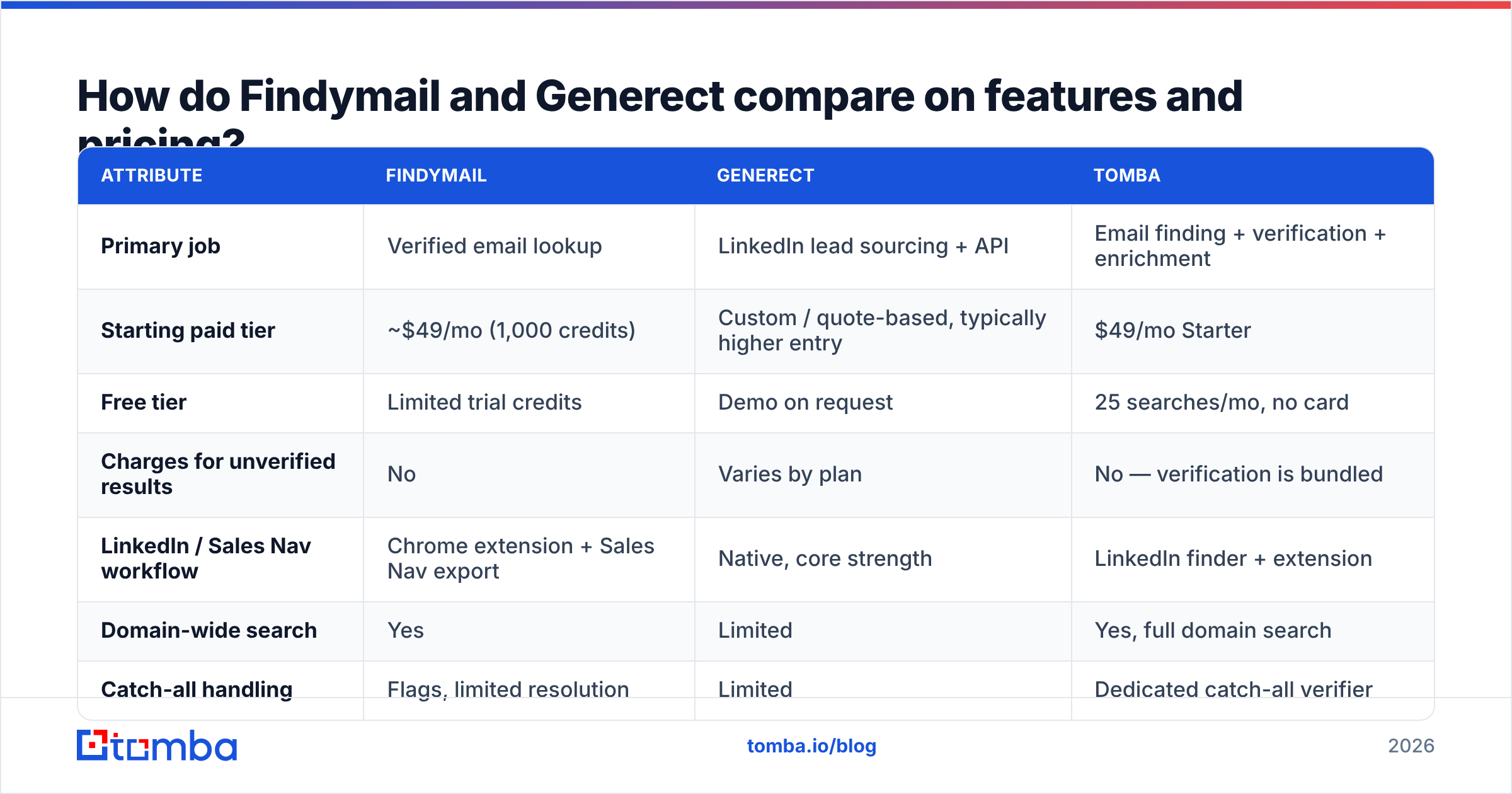
Here is the practical side-by-side. Prices reflect publicly listed entry tiers as of 2026 and change often — check each vendor before you buy.
| Attribute | Findymail | Generect | Tomba |
|---|---|---|---|
| Primary job | Verified email lookup | LinkedIn lead sourcing + API | Email finding + verification + enrichment |
| Starting paid tier | ~$49/mo (1,000 credits) | Custom / quote-based, typically higher entry | $49/mo Starter |
| Free tier | Limited trial credits | Demo on request | 25 searches/mo, no card |
| Charges for unverified results | No | Varies by plan | No — verification is bundled |
| LinkedIn / Sales Nav workflow | Chrome extension + Sales Nav export | Native, core strength | LinkedIn finder + extension |
| Domain-wide search | Yes | Limited | Yes, full domain search |
| Catch-all handling | Flags, limited resolution | Limited | Dedicated catch-all verifier |
| Phone numbers | No | Partial | Yes, phone finder + validator |
| Public API | Yes | Yes, API-first | Yes, plus CLI and MCP server |
| Native spreadsheet add-ons | CSV enrichment | CSV / API | Google Sheets, Excel, Airtable |
| Best for | Agencies protecting deliverability | Teams building lists from LinkedIn ICP filters | Teams wanting one API for the whole contact record |
Two things jump out. First, Findymail's pricing is transparent and self-serve; Generect's leans enterprise and quote-based, which is fine if you are buying seats for a team but annoying if you want to test with $50. Second, neither tool covers the full contact record — you will end up bolting on a verifier, a phone provider, or an enrichment layer.
Which one is more accurate?#
Accuracy is the only metric that survives contact with a real inbox, and it splits into two numbers people constantly conflate:
- Hit rate — of the prospects you submitted, how many got an email back?
- Validity rate — of the emails returned, how many actually deliver?
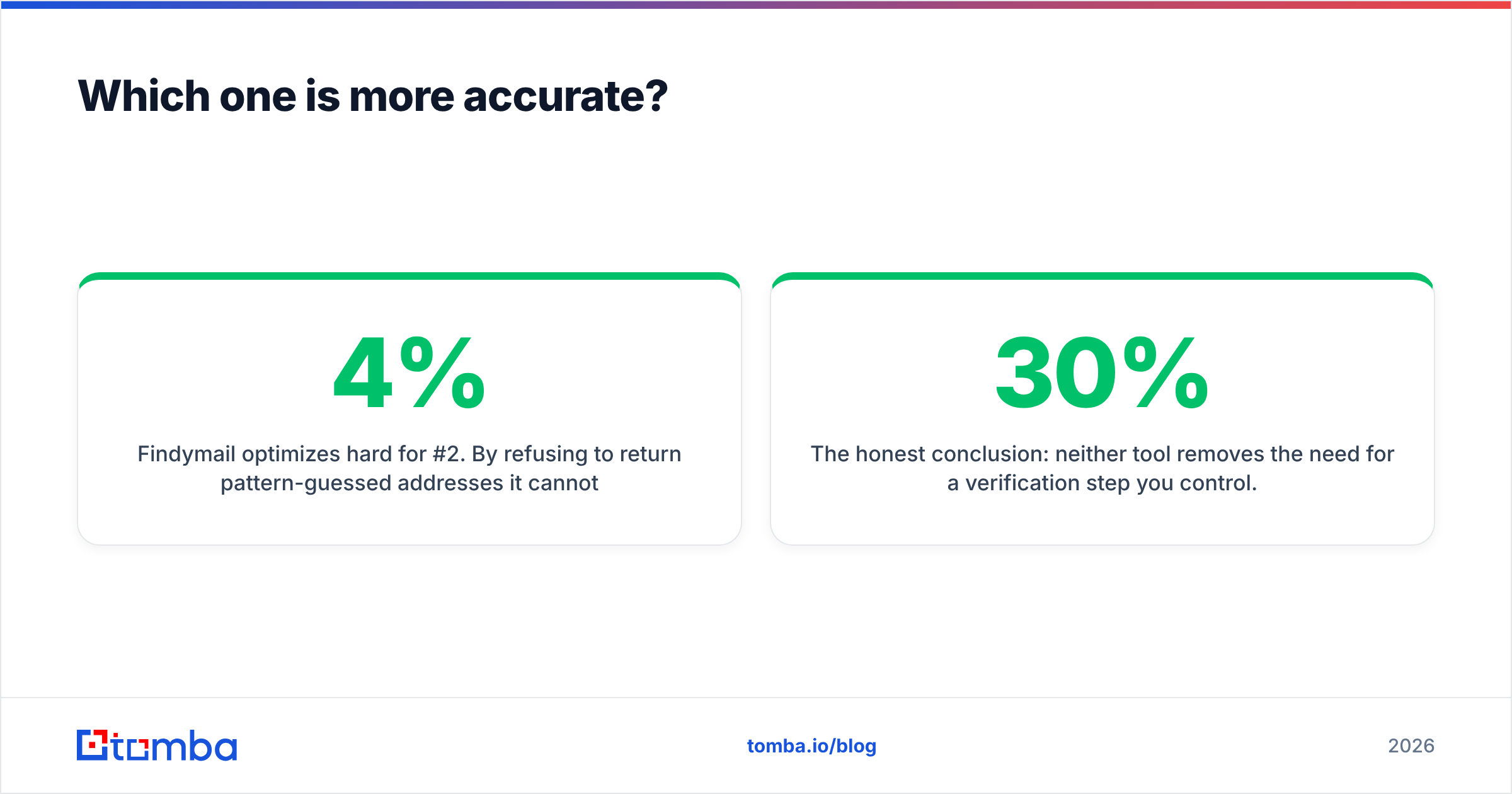
Findymail optimizes hard for #2. By refusing to return pattern-guessed addresses it cannot verify, it keeps validity high and hit rate moderate. In practice that means you get fewer rows back, but the rows you get are safe to mail. For a team already fighting email deliverability problems, that trade is usually correct — a bounce above 3-4% starts damaging sender reputation at Google and Microsoft, and Google's own bulk-sender guidance puts the acceptable spam-complaint threshold well under 0.3%.
Generect optimizes for #1 in a different way: because it sources live from LinkedIn, its person records are fresher than most static databases — job changes surface faster. But freshness of the profile does not automatically mean freshness of the email. A person who moved from Acme to Globex last month will show correctly in Generect's profile data while the associated work email may still need independent verification.
The honest conclusion: neither tool removes the need for a verification step you control. Findymail bundles it. Generect largely assumes you have one. If you are running either at volume, route the output through a standalone email verifier before it hits your sequencer, and use a catch-all verifier for the 20-30% of B2B domains that accept everything at the SMTP layer and tell you nothing useful.

A useful sanity test before you commit to either: build a 200-row control list of people whose emails you already know (past customers, newsletter subscribers, colleagues at partner companies). Run it through both tools. Measure hit rate and validity against ground truth. Vendor-published accuracy numbers are marketing; your control list is evidence.
How should you evaluate the real cost per verified email?#
Headline credit pricing is close to meaningless. What matters is cost per deliverable email, and you compute it in four steps.
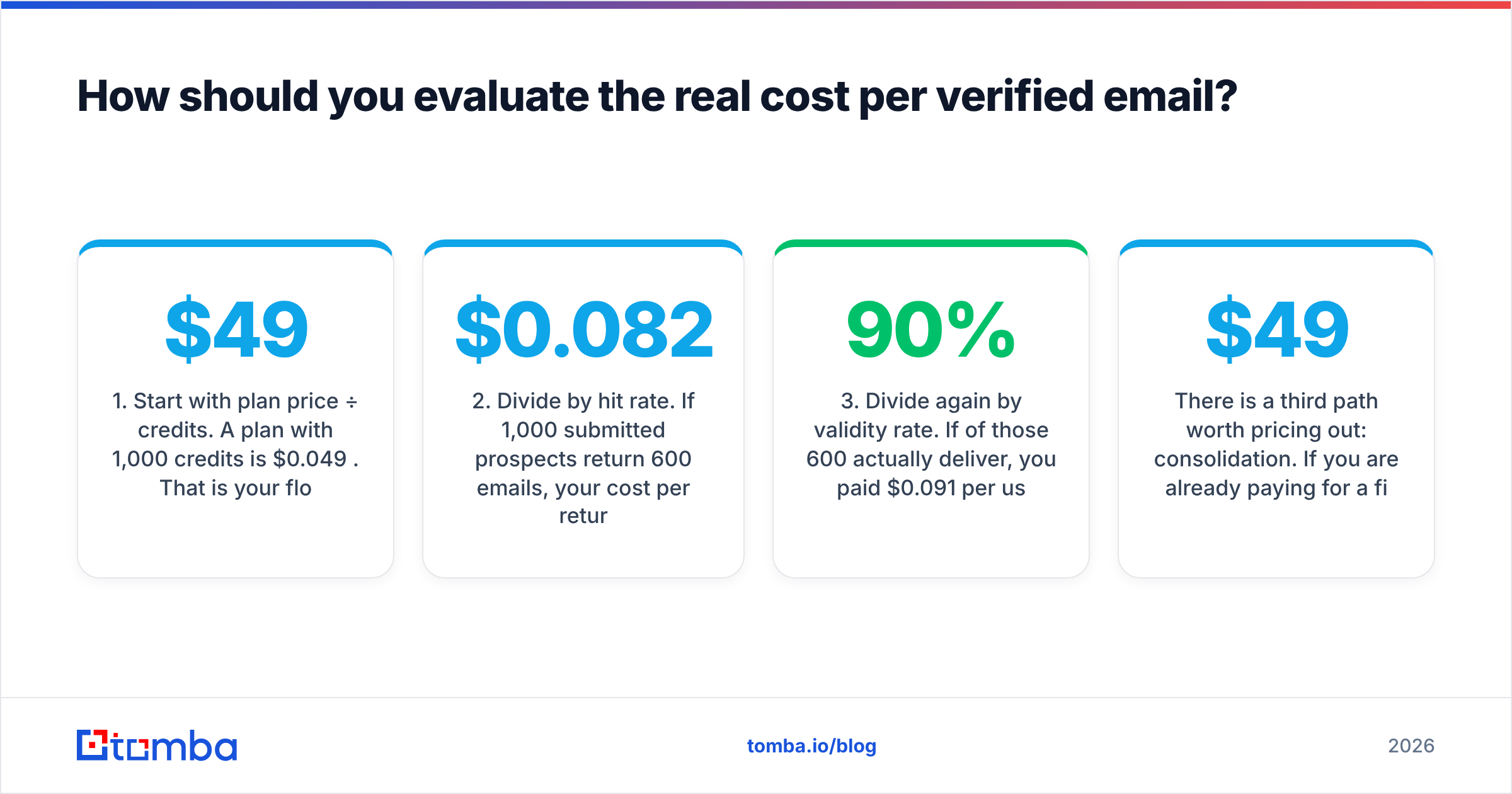
- Start with plan price ÷ credits. A $49 plan with 1,000 credits is $0.049 per credit. That is your floor, not your cost.
- Divide by hit rate. If 1,000 submitted prospects return 600 emails, your cost per returned email is $0.082.
- Divide again by validity rate. If 90% of those 600 actually deliver, you paid $0.091 per usable contact.
- Add the hidden costs. Bounced sends that burn domain reputation, the verification tool you bolted on, the SDR hour spent cleaning the export, and the credits you spent on unverified guesses.
Run that math on both vendors with real data from your control list. It routinely reverses the "cheaper" verdict. A tool that only bills for verified results — Findymail's model — looks expensive per credit and cheap per usable contact. A tool with an enterprise contract and a rich database looks expensive full stop until you factor in that it also replaced your list-building hours.
There is a third path worth pricing out: consolidation. If you are already paying for a finder, a verifier, and a phone-number vendor separately, compare that stack total against a single platform. Tomba pricing runs $49/mo Starter, $99/mo Growth, and $249/mo Pro, with a free tier of 25 searches per month, and covers finding, verification, catch-all checks, phone lookup, and data enrichment under one API key. Whether that beats a Findymail + verifier combo depends entirely on how many of those modules you actually use — but it is a line item worth putting in the spreadsheet.
Which tool fits which team?#
Choose Findymail if:
- Your outbound volume is high enough that a 5% bounce rate would get your domain flagged.
- You work primarily from Sales Navigator lists or CSV exports you already own.
- You want self-serve pricing with no sales call.
- You are a lead-gen agency and clients audit your bounce reports.
Choose Generect if:
- Your bottleneck is finding the right accounts and people, not resolving known contacts.
- You need firmographic and headcount filters that a plain domain search cannot express.
- You are building an internal data product and want an API-first vendor.
- You have budget for an annual contract and a use case that justifies it.
Choose a consolidated platform if:
- You are stitching together three tools and reconciling three exports every week.
- You need phone numbers alongside emails for a multi-channel sequence.
- You want the same data available in the UI, a Google Sheets add-on, a Chrome extension, and an API without paying three vendors.
- You run enrichment inside your own product and need predictable per-call pricing.

What do you lose by picking only one?#
Every single-purpose tool leaves a gap. Mapping the gaps honestly is more useful than declaring a winner.
With Findymail alone, you are missing: account discovery. It will not tell you which 400 companies to target. You need a database, a scraper, or Sales Navigator upstream. You also have no phone channel, which matters if your ICP is a persona that ignores email entirely.
With Generect alone, you are missing: an independent verification layer you control, and the simple domain-first workflow. When a founder says "get me everyone at stripe.com in payments ops," a full domain search answers that in one call; a LinkedIn filter chain takes longer and misses people with sparse profiles.
With either alone, you are missing: catch-all resolution. Roughly a quarter of B2B domains are configured to accept all mail at the gateway, which makes standard SMTP verification return "unknown." Tools that flag catch-alls but do not attempt resolution leave you guessing on a meaningful slice of your list.
With either alone, you are also missing: reverse workflows. Finding a person from an email you already have — inbound form fills, webinar registrations, support tickets — is a reverse email lookup problem, not an email-finder problem.
If you want a fuller landscape before committing, both the Findymail alternative breakdown and third-party review aggregators like G2 are worth an hour. Read the 3-star reviews specifically — 5-star reviews tell you what marketing promised, 1-star reviews are usually billing disputes, and 3-star reviews tell you where the product actually bends.
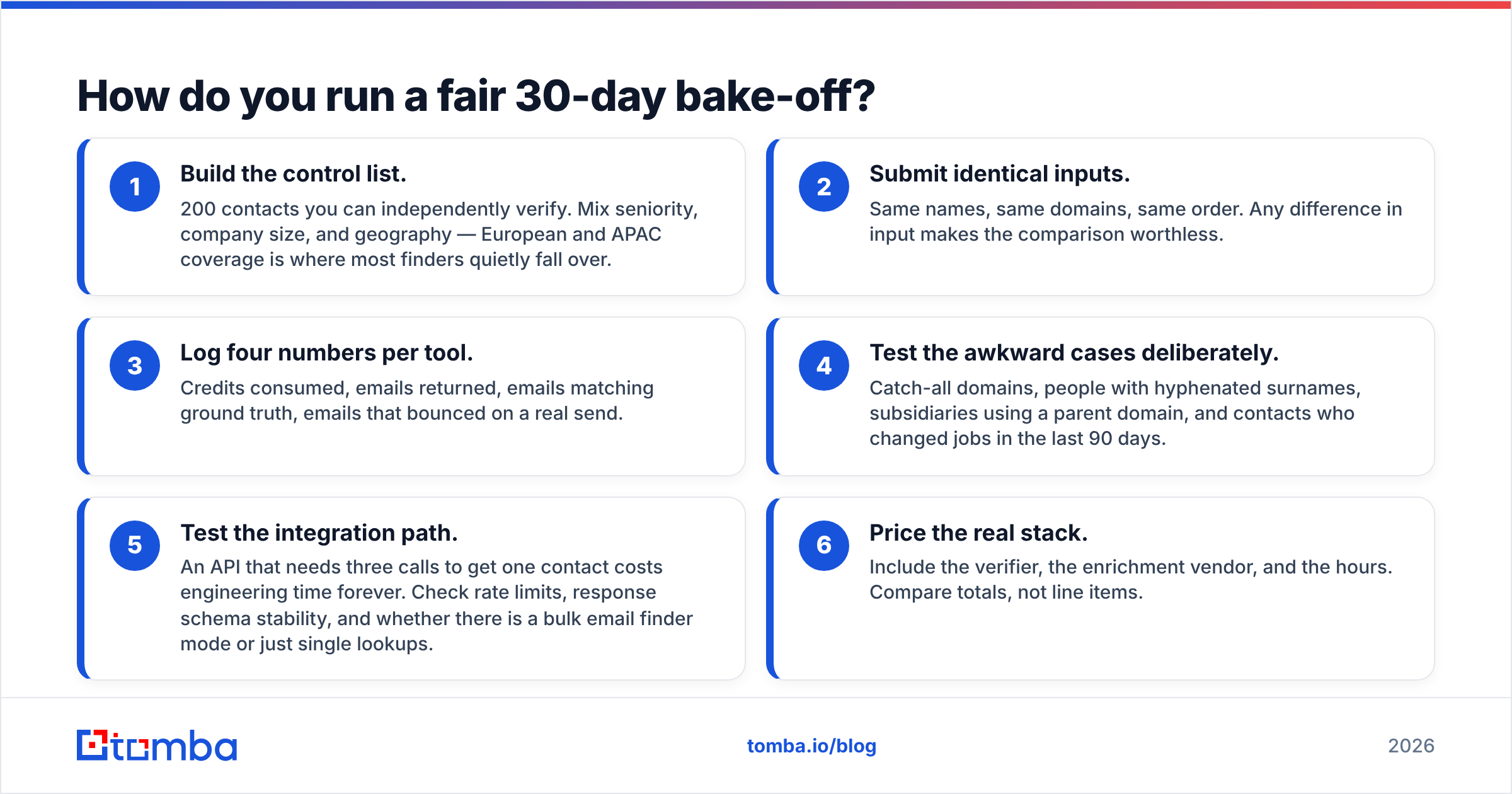
How do you run a fair 30-day bake-off?#
Do not decide from a feature table, including this one. Run a structured test.
- Build the control list. 200 contacts you can independently verify. Mix seniority, company size, and geography — European and APAC coverage is where most finders quietly fall over.
- Submit identical inputs. Same names, same domains, same order. Any difference in input makes the comparison worthless.
- Log four numbers per tool. Credits consumed, emails returned, emails matching ground truth, emails that bounced on a real send.
- Test the awkward cases deliberately. Catch-all domains, people with hyphenated surnames, subsidiaries using a parent domain, and contacts who changed jobs in the last 90 days.
- Test the integration path. An API that needs three calls to get one contact costs engineering time forever. Check rate limits, response schema stability, and whether there is a bulk email finder mode or just single lookups.
- Price the real stack. Include the verifier, the enrichment vendor, and the hours. Compare totals, not line items.
Most teams that run this test discover their actual constraint was never the finder — it was the absence of a single reliable contact record. That is a consolidation problem, and no amount of switching between two point tools solves it.
Verdict: which should you pick in 2026?#
For most cold-email teams, Findymail is the safer default — self-serve pricing, verification-first output, and a workflow that maps to how SDRs actually work. Its ceiling is that it stops at the email address.
For data-heavy GTM teams whose problem is targeting, Generect earns its price — the LinkedIn-native sourcing and API-first design are genuinely differentiated, and no amount of email-finding accuracy fixes a bad account list.
Neither is a full stack. If your spreadsheet already lists a finder, a verifier, a catch-all checker, and a phone vendor, the highest-leverage move in 2026 is not choosing between two point tools — it is collapsing four line items into one.
That is where Tomba fits. Start with the Tomba Email Finder on the free tier — 25 searches a month, no card — and run it against the same control list you build for Findymail and Generect. Verification, catch-all resolution, domain search, and phone lookup sit behind the same API key, so if the numbers hold up you consolidate the stack instead of adding to it. Paid plans start at $49/mo, and the Tomba API is the same endpoint whether you are calling it from a script, a Chrome extension, or a spreadsheet.
Related guides#
Ready to find emails that actually work?
Join 150,000+ professionals who stopped guessing and started sending. Free credits on signup — no credit card required.
Get the Tomba newsletter
Practical outbound tactics and product updates — once every two weeks.
About the author