Findymail vs Labnify 2026: Full Comparison and Verdict
Findymail finds and verifies B2B emails. Labnify sends them at volume. Comparing the two only makes sense once you know which half of the cold email stack is actually broken — here is the honest breakdown.
TL;DR
- Findymail and Labnify are not really competitors. Findymail is a lead-data tool (find and verify B2B email addresses). Labnify is a sending and email-marketing platform (deliver those emails at volume).
- If your problem is "my list is thin or bouncing," you need a finder/verifier. If your problem is "my emails land in spam or my ESP costs too much at scale," you need a sender.
- Findymail's pitch is bounce-protected, verified-on-export data with LinkedIn/Sales Navigator scraping. Labnify's pitch is high-volume sending, warmup, and pricing that does not scale linearly with contacts.
- Most teams buying one of these actually need both — plus a verification step in between that neither tool fully replaces.
- Budget check: a workable 2026 stack (finder + verifier + sender) runs roughly $100-$200/month for a small team. Paying more usually means you bought two overlapping platforms.
What are Findymail and Labnify, exactly?#
Start here, because half the confusion in this comparison comes from category mismatch.
Findymail is a B2B contact-data tool. You give it a name and company, a domain, or a LinkedIn/Sales Navigator list, and it returns work email addresses. Its main differentiator is that it verifies before it charges you — the marketing promise is that you do not pay for emails that bounce. It plugs into outbound sequencers and CRMs, and it is built for SDR teams and agencies who burn through lists weekly. You can see the vendor's own framing on findymail.com.
Labnify sits at the other end of the same pipeline. It is an email delivery and marketing platform — sending infrastructure, campaign management, warmup, and list handling — positioned as a cheaper alternative to per-contact ESPs when you send serious volume. It is commonly sold on lifetime-deal style pricing rather than classic per-seat SaaS terms, so the economics look very different from a monthly finder subscription. Check labnify.com for current plan terms, since deal-based pricing changes more often than standard SaaS pricing.
So "Findymail vs Labnify" is less "which tool wins" and more "which end of my pipeline is leaking."
How do Findymail and Labnify compare head-to-head?#
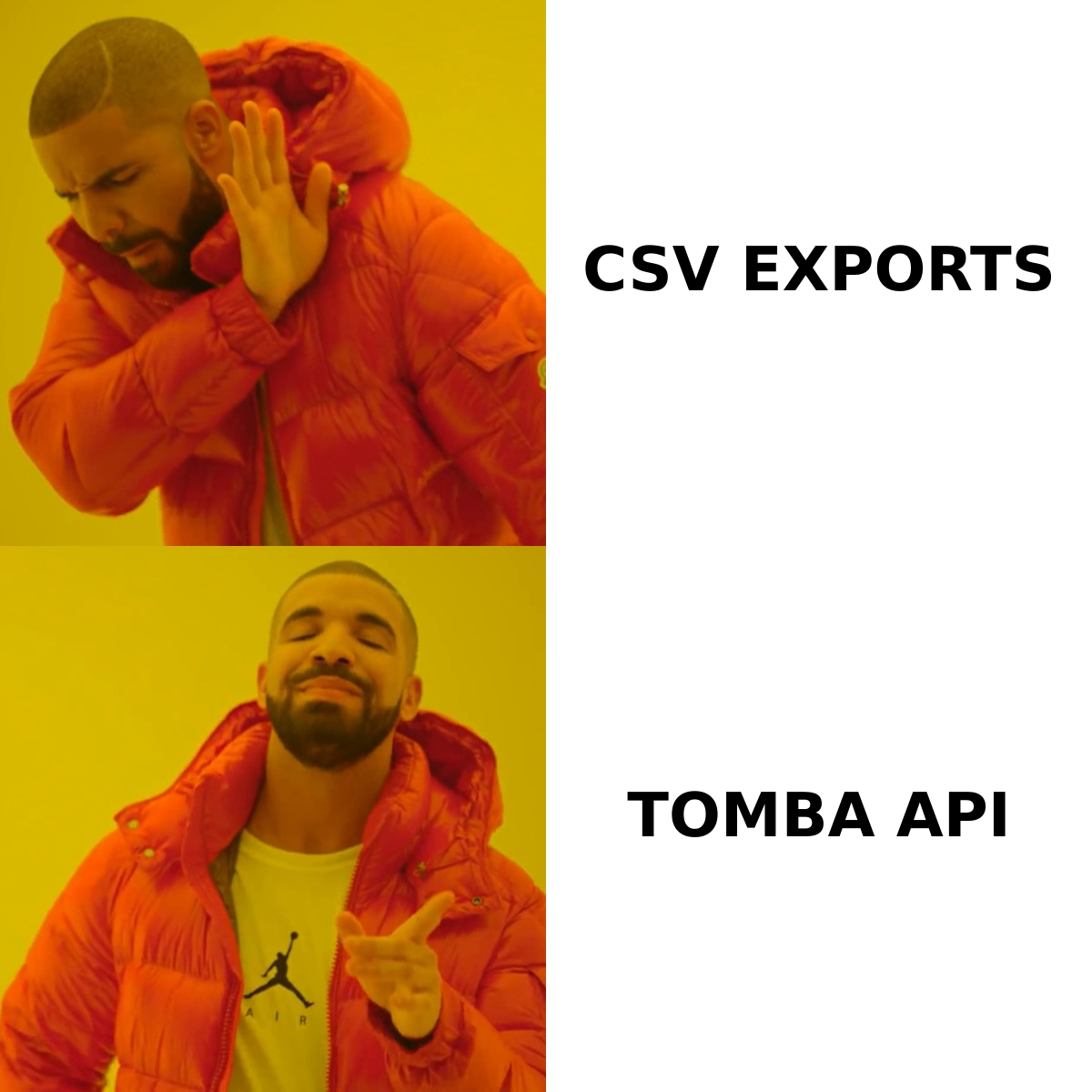
Here is the honest side-by-side. Treat pricing as directional — both vendors change plans, and Labnify's deal-based model in particular does not map cleanly to monthly tiers.
| Attribute | Findymail | Labnify | Tomba |
|---|---|---|---|
| Primary job | Find + verify B2B emails | Send email at volume | Find, verify, enrich |
| Core input | Name + company, domain, LinkedIn URL | An existing contact list | Name + company, domain, LinkedIn URL |
| Verification | Built in, bounce-protected credits | Basic list hygiene | Dedicated verifier + catch-all handling |
| Sending built in? | No | Yes | No |
| Warmup / inbox rotation | No | Yes | No |
| Bulk processing | Yes (CSV + integrations) | Yes (campaign lists) | Yes (bulk finder + bulk verify) |
| Public API | Yes | Limited / campaign-oriented | Yes, full REST API + CLI + MCP |
| Free tier | Trial credits | Deal-dependent | 25 searches/month, no card |
| Entry paid price | ~$49/mo list price | Deal / lifetime pricing | $49/mo Starter |
| Best for | SDRs building lists | Senders at 50k+/month volume | Teams that need clean data at any volume |
The table makes the real decision obvious: the row where a tool says "No" is the row you have to fill with something else.
Which one actually solves your problem?#
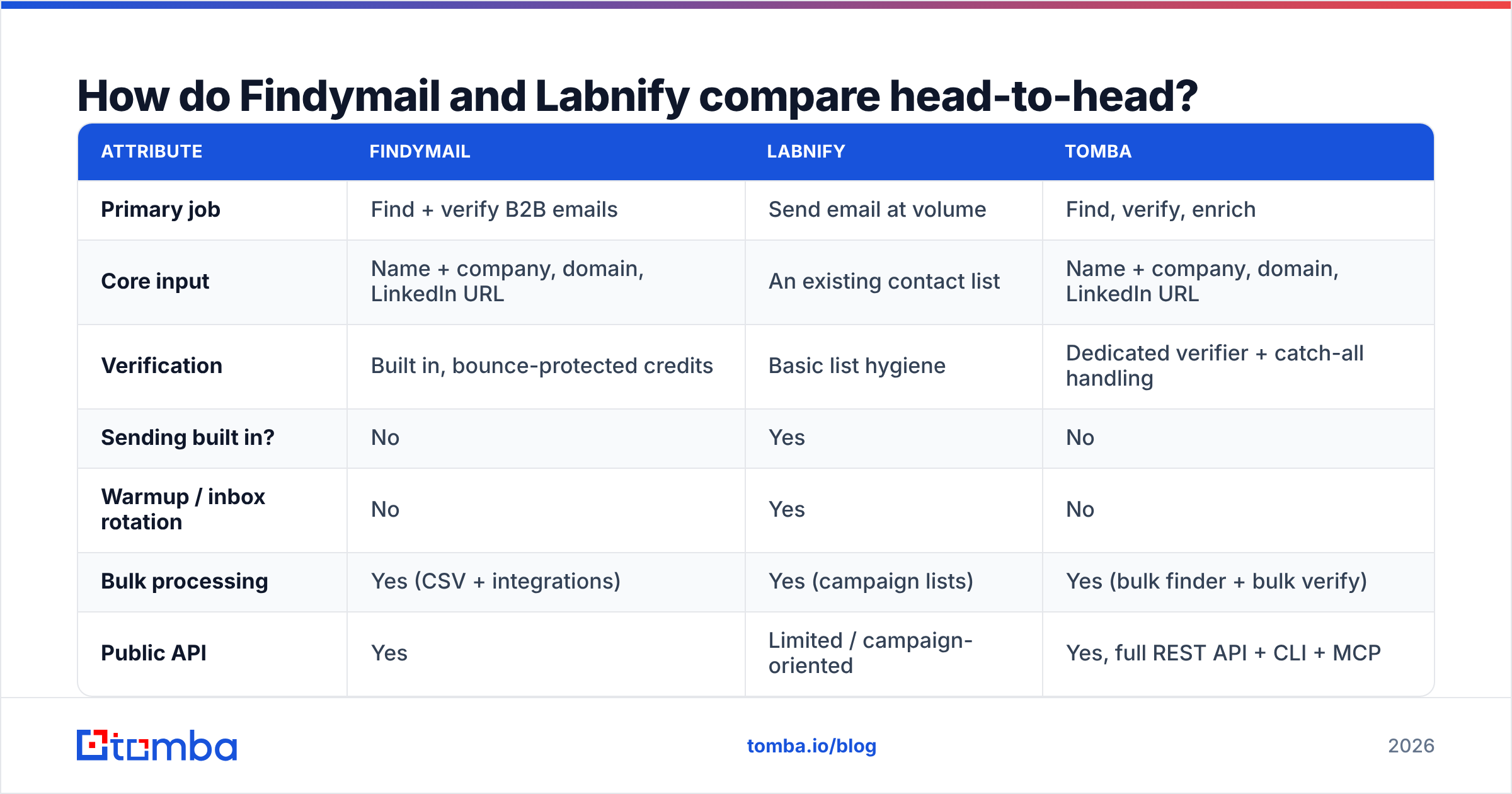
Work through these five checks in order. The first one that describes your situation is the tool you should buy first.
- Your bounce rate is above 3%. This is a data problem, not a sending problem. No warmup tool, no rotation, no fancy ESP fixes a dirty list. You need a finder that verifies on export and a standalone email verifier for lists you inherited from anywhere else.
- You cannot build lists fast enough. Also a data problem. Findymail's Sales Navigator export flow is genuinely good here; so is a bulk email finder if you already have company domains and just need the contacts behind them.
- Your emails are verified but still landing in spam. Now it is a sending problem. Authentication, domain reputation, volume ramp, and content all matter. Google's own bulk sender guidelines are the baseline spec — read them before you buy any tool. Labnify plays here.
- Your ESP bill scales with contacts and it hurts. Sending problem, economic flavor. Labnify's deal-style pricing exists precisely for teams sending far more than their contact count would justify paying for.
- You need contact data inside a product or workflow, not a dashboard. Then you need an API, not a UI. A email finder API that returns confidence scores and sources is worth more than any export button.
If you answered yes to items 1 or 2, buying a sending platform will not move a single number on your dashboard. That is the most common expensive mistake in this comparison.
Is Findymail's data accurate enough?#
Findymail's core claim — you do not pay for emails that bounce — is a genuinely good consumer-protection model, and it is the reason the tool has a loyal SDR following. Independent user reviews on G2 generally back up the accuracy claim for standard corporate domains.
The caveats are the same ones every finder faces:
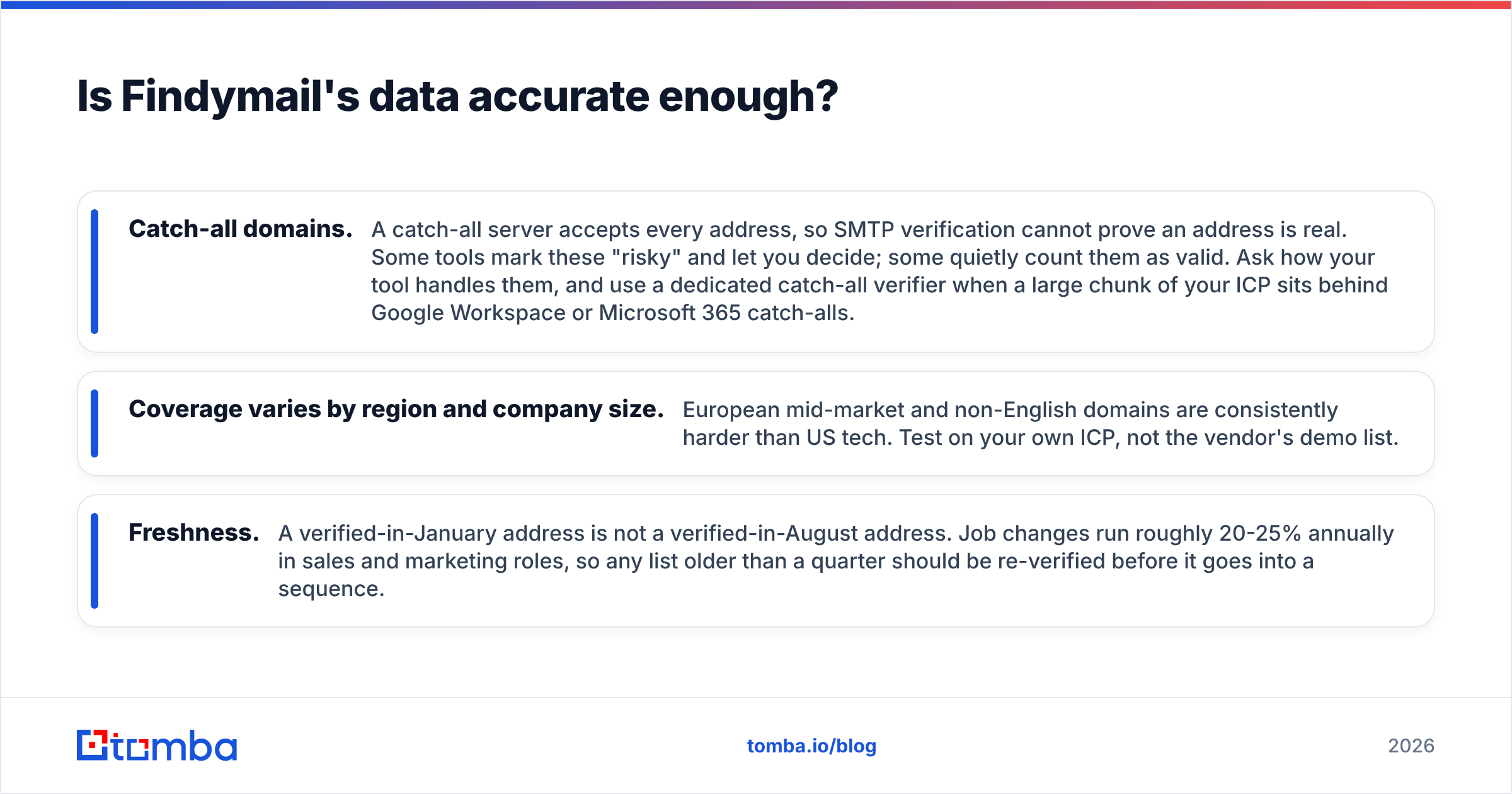
- Catch-all domains. A catch-all server accepts every address, so SMTP verification cannot prove an address is real. Some tools mark these "risky" and let you decide; some quietly count them as valid. Ask how your tool handles them, and use a dedicated catch-all verifier when a large chunk of your ICP sits behind Google Workspace or Microsoft 365 catch-alls.
- Coverage varies by region and company size. European mid-market and non-English domains are consistently harder than US tech. Test on your own ICP, not the vendor's demo list.
- Freshness. A verified-in-January address is not a verified-in-August address. Job changes run roughly 20-25% annually in sales and marketing roles, so any list older than a quarter should be re-verified before it goes into a sequence.
The practical move: run a 200-contact bakeoff on your actual target accounts. Feed the same list to two or three finders, then verify all outputs through a single neutral email verification pass. Whichever tool produces the most addresses that survive independent verification wins — for your ICP, which is the only benchmark that matters.
Does Labnify fix deliverability on its own?#
Partly. And the "partly" is where teams get burned.
A sending platform controls infrastructure: IPs, domains, throttling, warmup schedules, rotation. Those matter. But inbox placement is a function of recipient engagement and list quality far more than it is a function of which SMTP relay you rent. If you send 10,000 emails to a list with 12% invalid addresses, mailbox providers read that as a spam signal no matter how well-warmed your domain is.
The order of operations that actually works:
- Fix the list first. Verify, drop invalids, quarantine catch-alls into a low-volume test segment.
- Authenticate properly. SPF, DKIM, and DMARC on every sending domain. A missing or broken SPF record is a silent killer.
- Ramp, do not spike. New domains need weeks, not days. A warmup plan beats a warmup button.
- Then optimize sending. Rotation, timing, volume caps — this is where Labnify earns its keep.
Labnify handles steps 3 and 4 well and gives you tooling for step 2. It does not do step 1. That is the gap.

What does each one cost in practice?#
Pricing is where the two tools stop being comparable at all, because they meter different things. Findymail meters contacts found. Labnify meters sending capacity. Here is how a realistic small-team stack prices out.
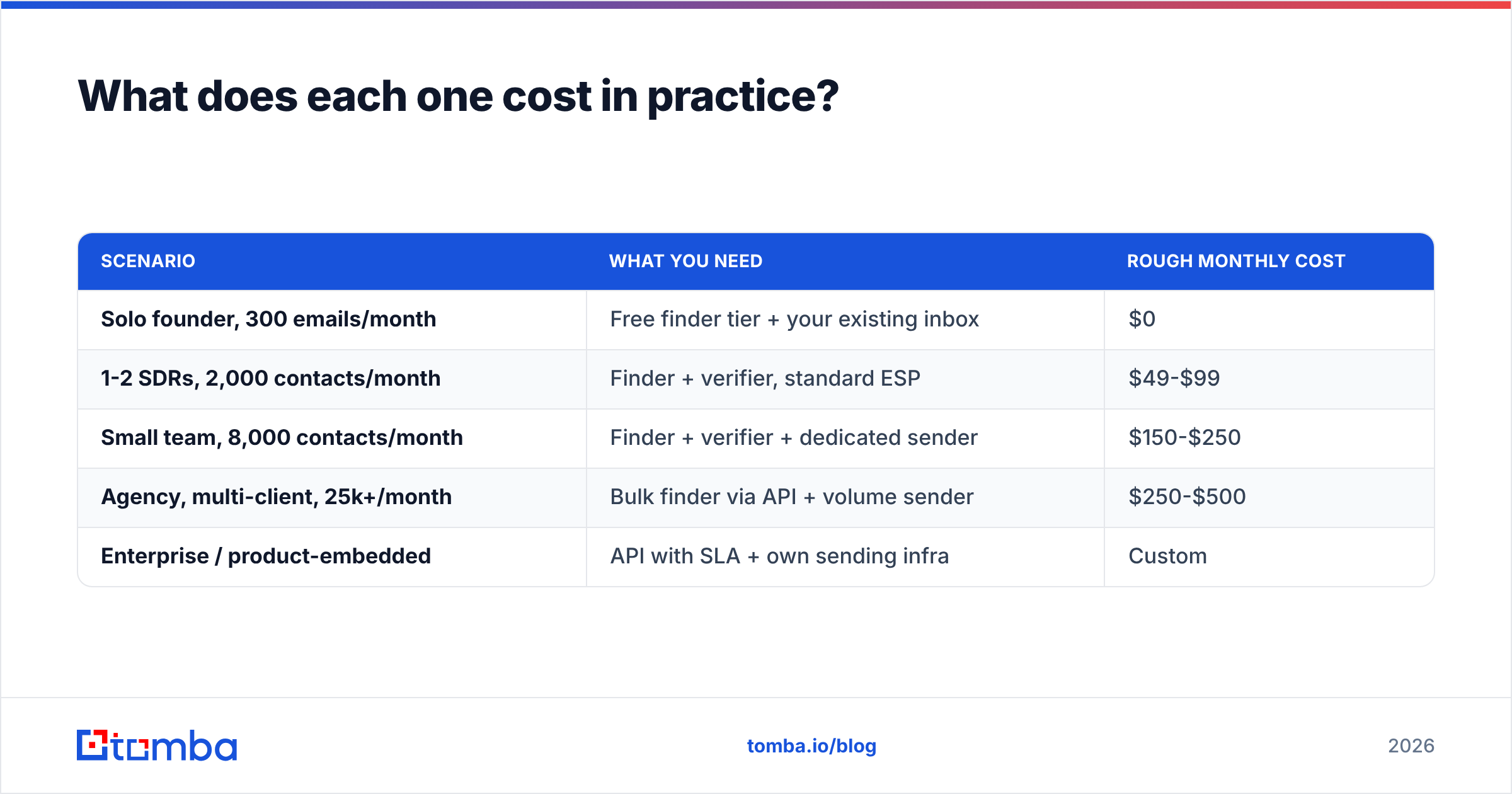
| Scenario | What you need | Rough monthly cost |
|---|---|---|
| Solo founder, 300 emails/month | Free finder tier + your existing inbox | $0 |
| 1-2 SDRs, 2,000 contacts/month | Finder + verifier, standard ESP | $49-$99 |
| Small team, 8,000 contacts/month | Finder + verifier + dedicated sender | $150-$250 |
| Agency, multi-client, 25k+/month | Bulk finder via API + volume sender | $250-$500 |
| Enterprise / product-embedded | API with SLA + own sending infra | Custom |
For reference, Tomba pricing runs Free (25 searches/month), Starter at $49/mo, Growth at $99/mo, Pro at $249/mo, and custom Enterprise — with the verifier, domain search, catch-all handling, and enrichment included rather than sold as separate line items. Findymail's list pricing starts in a similar range for its entry tier. Labnify's lifetime-deal model can look dramatically cheaper on a 12-month view, but lifetime deals carry real risk: feature roadmaps, support levels, and deliverability infrastructure all depend on the vendor's ongoing revenue.
Rule of thumb: pay monthly for the layer that touches your data quality, because that is the layer where staleness costs you money every single week.
What should you actually buy?#
Buy Findymail if your bottleneck is list building, you live in LinkedIn Sales Navigator, and you want a finder whose billing model protects you from bounces. It is a focused, well-built tool for exactly that job.
Buy Labnify if your lists are already clean, your volume is high enough that per-contact ESP pricing hurts, and you want sending infrastructure plus campaign management in one place. Verify the current deal terms directly with the vendor before committing.
Buy neither, yet, if you have not measured your bounce rate and reply rate separately. Those two numbers tell you which half of the pipeline is broken, and buying before you measure is how teams end up with four overlapping subscriptions and the same 1.2% reply rate.
Consider a broader data platform if you need more than emails — phone numbers, enrichment, reverse lookups, website visitor identification, or an API your engineers can build on. Point tools are cheap until you own five of them. A single data enrichment layer that also covers finding and verification usually costs less than the sum of the parts and produces one consistent confidence score instead of five conflicting ones.
How do you test both without wasting a month?#
Run a two-week, one-cohort test. Do not run tools in parallel on different lists — you will not be able to attribute anything.
- Week 1, data. Pick 250 target accounts. Run them through each finder's free or trial tier. Record: match rate, verified rate, and how many addresses survive an independent verification pass.
- Week 1, cost. Divide your spend by the number of addresses that survived verification. That is your true cost per usable contact — not the number on the pricing page.
- Week 2, sending. Take the surviving list, split it in half, and send identical sequences through your current ESP and the candidate sending platform. Compare inbox placement (use a seed-list test) and reply rate, not open rate.
- Decide on deltas, not vibes. If the sending platform moves placement by less than five points on a clean list, your problem was never sending.
Two weeks, one clean answer, and you will know which line item to cancel.
The bottom line#
Findymail and Labnify are two halves of the same machine. Findymail finds and verifies; Labnify delivers. Comparing them as rivals is like comparing a water filter to a pump — the question is which one is currently broken in your house.
What both comparisons share is a dependency on data quality. Verified, fresh, well-sourced contact data is the input that determines whether everything downstream works. If your finder is producing addresses that bounce, no sending platform on earth will save the campaign.
If that is the layer you want to fix first, start with the Tomba Email Finder. The free tier gives you 25 searches a month with no card, verification is built into the same workflow instead of billed separately, and the full REST API, CLI, and spreadsheet add-ons mean the same data reaches your CRM, your sequencer, and your product without a CSV round-trip. Run your own 250-account bakeoff against whatever you use today — the numbers will decide it faster than any comparison post can.
Related guides#
Ready to find emails that actually work?
Join 150,000+ professionals who stopped guessing and started sending. Free credits on signup — no credit card required.
Get the Tomba newsletter
Practical outbound tactics and product updates — once every two weeks.
About the author