Findymail vs LeadRocks: Which B2B Email Tool Wins in 2026
Findymail sells verified email discovery. LeadRocks sells a searchable contact database. They solve different problems at similar prices — here is how they actually compare on accuracy, credits, and coverage.
TL;DR
- Findymail is a finder-first tool. You bring a name, domain, or LinkedIn URL and it returns a verified email. Its selling point is bounce protection, not database browsing.
- LeadRocks is a database-first tool. You search a pre-built contact index by title, industry, and geography, then export what matches. Its selling point is discovery, not per-lookup precision.
- They are not really substitutes. If you already know who you want to reach, Findymail wins. If you are still building the target list, LeadRocks wins. Buying the wrong one means paying for a workflow you do not have.
- Both charge in credits, and both burn credits on misses in different ways. Findymail's "no charge for unfound emails" policy is the single biggest cost difference between them.
- Neither replaces a verification layer. Whatever you export, run it through a real email verifier before it touches your sending domain.
What are Findymail and LeadRocks?#
Findymail is a B2B email finding and verification tool built primarily around list enrichment. You upload a CSV, paste a LinkedIn Sales Navigator export, or hit the API, and it resolves work emails with a verification step baked into the pipeline. It markets itself hard on deliverability: the pitch is that you will not get bounces, because unverifiable results are simply not returned.
LeadRocks is a B2B contact database. It ships a searchable index of business contacts — emails, phone numbers, LinkedIn profiles, job titles, company size — that you filter down and export. It gained traction through lifetime-deal channels, which means a lot of its user base bought once and never renewed. The value proposition is volume access at a low entry price, not surgical accuracy on any single lookup.
That difference in shape matters more than any feature checkbox. One is a lookup engine. The other is a haystack you search. Comparing them on "which finds more emails" is like comparing a phone book to a directory-assistance operator — the operator is more accurate per request, the phone book is better when you do not know the name yet.

How do Findymail and LeadRocks compare head-to-head?#
Here is the practical comparison, stripped of marketing language. Treat pricing as approximate and verify on each vendor's site before you buy — both have changed tiers more than once.
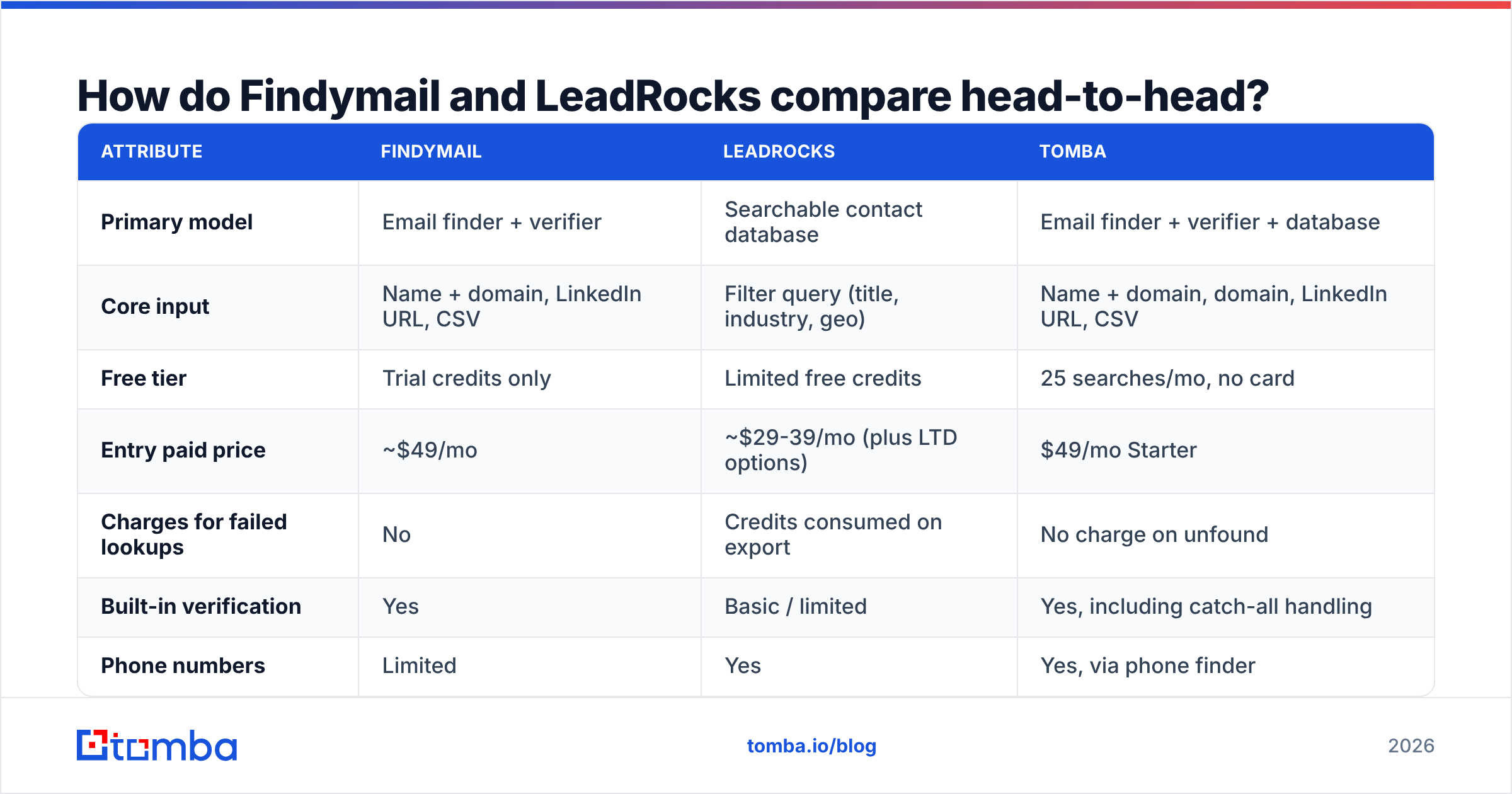
| Attribute | Findymail | LeadRocks | Tomba |
|---|---|---|---|
| Primary model | Email finder + verifier | Searchable contact database | Email finder + verifier + database |
| Core input | Name + domain, LinkedIn URL, CSV | Filter query (title, industry, geo) | Name + domain, domain, LinkedIn URL, CSV |
| Free tier | Trial credits only | Limited free credits | 25 searches/mo, no card |
| Entry paid price | ~$49/mo | ~$29-39/mo (plus LTD options) | $49/mo Starter |
| Charges for failed lookups | No | Credits consumed on export | No charge on unfound |
| Built-in verification | Yes | Basic / limited | Yes, including catch-all handling |
| Phone numbers | Limited | Yes | Yes, via phone finder |
| Sales Navigator export support | Strong | Not the core flow | Via LinkedIn finder |
| Public API | Yes | Limited | Yes, full REST API |
| Bulk CSV enrichment | Yes | Export-based | Yes, bulk finder + verifier |
| Best for | Enriching a known list | Building a list from scratch | Both, in one workspace |
The row that decides most purchases is "charges for failed lookups." A tool that bills you for a blank result quietly doubles its own price on hard verticals — think manufacturing, healthcare, and anything in EMEA with heavy privacy filtering. If half your list comes back empty and you paid for all of it, your real cost per usable contact is 2x the sticker.

How accurate is each one in practice?#
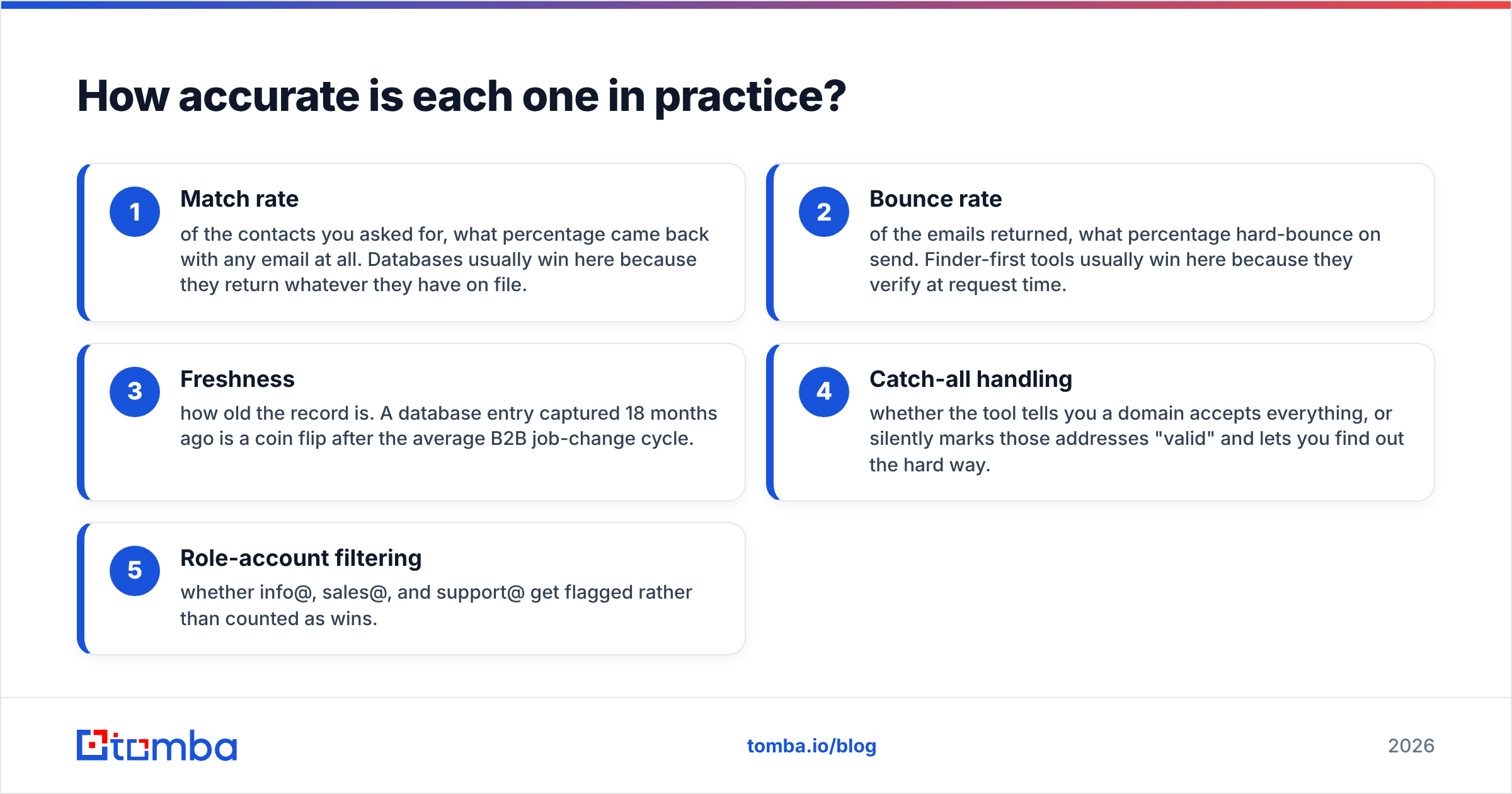
Accuracy claims in this category are close to meaningless without definitions, so define them first.
- Match rate — of the contacts you asked for, what percentage came back with any email at all. Databases usually win here because they return whatever they have on file.
- Bounce rate — of the emails returned, what percentage hard-bounce on send. Finder-first tools usually win here because they verify at request time.
- Freshness — how old the record is. A database entry captured 18 months ago is a coin flip after the average B2B job-change cycle.
- Catch-all handling — whether the tool tells you a domain accepts everything, or silently marks those addresses "valid" and lets you find out the hard way.
- Role-account filtering — whether info@, sales@, and support@ get flagged rather than counted as wins.
Findymail's architecture optimizes for #2 and #4. It runs verification before delivery and withholds results it cannot stand behind, which is why users report low bounce rates and lower-than-expected match rates on the same list. That is a deliberate trade, and it is the right trade if your sending domain is the asset you are protecting.
LeadRocks optimizes for #1 and #3-at-scale. You get more rows back. Some of those rows are stale, and freshness is the known weak point of any static index — including the good ones. The fix is not to abandon databases; it is to treat every database export as unverified input.

If you want to sanity-check any vendor's numbers yourself, take 200 contacts you already have confirmed emails for, run them through the tool, and measure agreement. Vendor-published match rates are computed on vendor-chosen samples. Yours will not match. Independent reviews on G2 are directionally useful but suffer from the same self-selection problem — happy users write more reviews right after onboarding, when their data is newest.
What does each one actually cost per usable lead?#
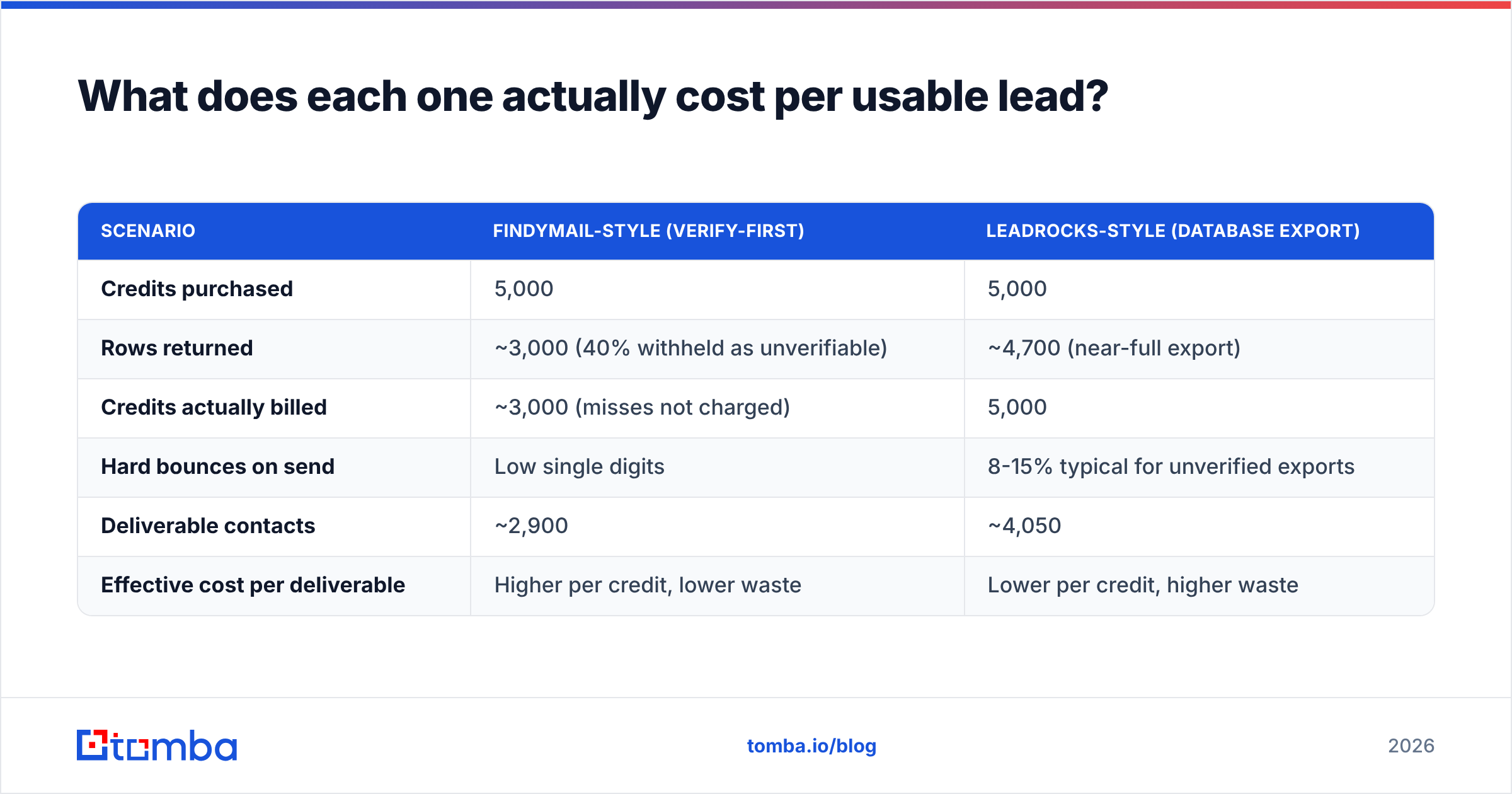
Sticker price is the wrong metric. Cost per verified, deliverable, in-ICP contact is the right one. Here is how the same 5,000-contact month plays out under different assumptions.
| Scenario | Findymail-style (verify-first) | LeadRocks-style (database export) |
|---|---|---|
| Credits purchased | 5,000 | 5,000 |
| Rows returned | ~3,000 (40% withheld as unverifiable) | ~4,700 (near-full export) |
| Credits actually billed | ~3,000 (misses not charged) | 5,000 |
| Hard bounces on send | Low single digits | 8-15% typical for unverified exports |
| Deliverable contacts | ~2,900 | ~4,050 |
| Effective cost per deliverable | Higher per credit, lower waste | Lower per credit, higher waste |
Neither column is obviously better. The database gives you more usable contacts in absolute terms; the verify-first tool gives you a cleaner sending reputation. If your domain is new or you have had inbox-placement problems, that clean list is worth more than the extra thousand rows — bounces above roughly 3% start dragging sender reputation down, and recovering reputation costs weeks you cannot buy back.
The honest framing: LeadRocks is cheaper per row, Findymail is cheaper per mistake. Pick based on which one you make more of.
Which one fits your workflow?#
Match the tool to the shape of your process, not to the feature list.
- You have a named account list from marketing or the CRM. You know the companies and often the people. You need emails attached. This is enrichment, and Findymail — or any verify-first finder — is the correct category. A database adds nothing because you are not discovering anyone.
- You are opening a new segment with no list at all. You know "Series B fintech, 50-200 headcount, VP Engineering, US." You need discovery. LeadRocks or a comparable B2B database is the correct category, followed by a verification pass.
- You run LinkedIn-sourced outbound. Sales Navigator search is your discovery layer, so the tool's job is to convert profile URLs into emails. Findymail handles this well; a LinkedIn finder built for the same flow is the direct alternative.
- You need programmatic enrichment inside a product or internal system. API quality, rate limits, and response schemas matter more than the UI. Check whether the vendor documents the API publicly before you commit — a thin or undocumented API is a hard blocker six months in.
- You need phone numbers alongside email. Neither tool is a dialer-grade phone source. Budget for a dedicated phone finder rather than assuming coverage.

Where does Tomba fit in this comparison?#
Tomba sits deliberately across both categories, which is either the point or the caveat depending on your bias.
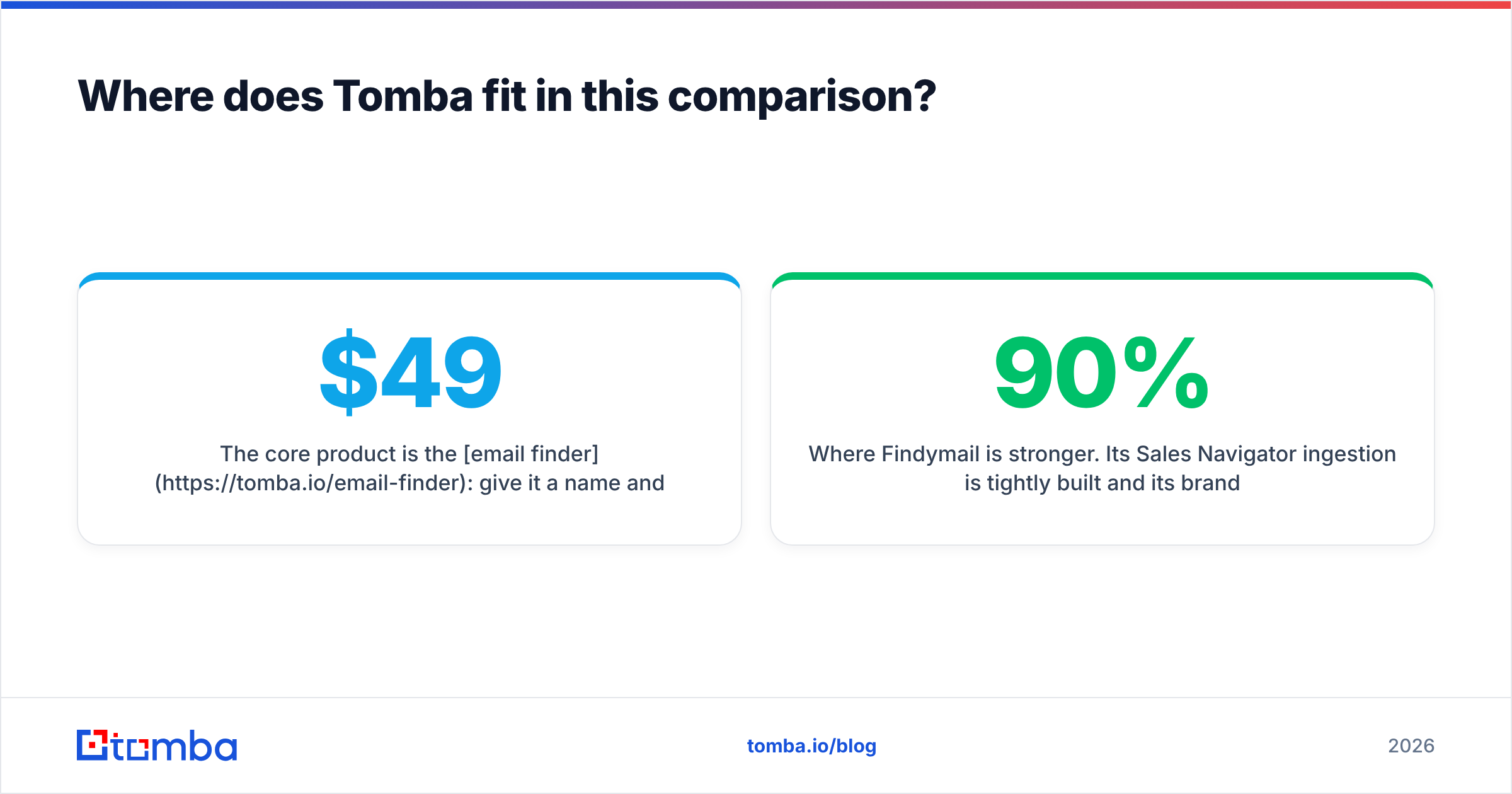
The core product is the email finder: give it a name and a domain, or just a domain, and it returns work emails with a confidence score and the sources it used. Alongside it sit a verifier, a domain search for mapping a whole company at once, a catch-all verifier for the domains that break most tools, phone lookup, and enrichment. Pricing runs Free (25 searches/mo), Starter $49/mo, Growth $99/mo, Pro $249/mo, and Enterprise custom — see Tomba pricing for current credit allocations.
Three things are worth calling out honestly:
Where Tomba is stronger. Catch-all domains. Most finders either refuse to guess or return an unverified address and let you eat the bounce. A dedicated catch-all verification path gives you a defensible answer on domains that swallow every address. Tomba also does not charge for lookups that return nothing, which puts it on the same side of that cost question as Findymail.
Where a pure database is stronger. If your entire motion is "filter by ten attributes, export 3,000 rows, load into a sequencer," a search-first index is a more natural fit than a lookup-first API. Tomba's database covers this, but a tool built only for browsing will feel more direct on day one.
Where Findymail is stronger. Its Sales Navigator ingestion is tightly built and its brand promise around bounce protection is unusually specific. If that single workflow is 90% of your week, a specialist is a reasonable purchase.
Also worth noting: this space has more than two players. BookYourData is a solid pay-as-you-go option if you dislike subscriptions entirely, and it takes accuracy guarantees seriously enough to publish them. Depending on your volume pattern, credit-pack pricing beats a monthly plan outright.
What should you check before you commit to either?#
Run this list before entering a card. It takes an afternoon and saves a quarter.
- Test on 100 known contacts. Use records where you already have the verified email. Measure agreement, not match rate.
- Test on your hardest vertical. Every tool looks good on US SaaS. Run manufacturing, healthcare, or non-English-speaking markets — that is where the gaps live.
- Check the credit rollover policy. Credits that expire monthly turn a $99 plan into a use-it-or-lose-it tax on slow months.
- Read the export terms. Some database vendors restrict what you may do with exported records, especially around resale and CRM sync.
- Confirm the compliance posture. Ask directly how the vendor handles GDPR data-subject requests and where records come from. Vendors that publish their data sources are easier to defend in a security review.
- Send a real 200-contact campaign. Not a verification test — an actual send. Bounce rate under live conditions is the only number that matters.
Which one wins?#
There is no single winner, and any post that declares one is selling something.
Choose Findymail if you already have target accounts and contacts, you send from a domain you cannot afford to burn, and your discovery happens in LinkedIn rather than in a database UI. You will pay more per contact and get fewer of them, and that is the trade you are buying.
Choose LeadRocks if you are still defining segments, you need volume at a low entry price, and you have a verification step downstream. Do not send to a raw export. Ever.
Choose a combined platform if you do both jobs in the same week and do not want two subscriptions, two credit pools, and two CSV formats to reconcile. Consolidation is worth real money once you are running more than one motion.
Whichever way you go, the verification layer is not optional. The tools that let you skip it are the ones that will cost you a domain.
Ready to test the finder side yourself? Start with the Tomba Email Finder on the free tier — 25 searches a month, no card required — and run it against the same 100 known contacts you use to test everyone else. Compare the confidence scores and the catch-all handling directly against your current tool. If it wins on your data, upgrade. If it does not, you have lost nothing but an afternoon and gained a benchmark you can hold every future vendor to.
Related guides#
Ready to find emails that actually work?
Join 150,000+ professionals who stopped guessing and started sending. Free credits on signup — no credit card required.
Get the Tomba newsletter
Practical outbound tactics and product updates — once every two weeks.
About the author