Findymail vs Leadsrush 2026: Accuracy, Pricing, and Verdict
Findymail and Leadsrush both promise verified B2B emails, but they solve different problems. Here is an honest breakdown of accuracy, credit models, coverage, and which one earns a slot in your stack.
Findymail vs Leadsrush is the call a lot of outbound teams face in 2026. One tool guards your bounce rate. The other builds bigger lists. This guide shows which one earns a slot in your stack.
TL;DR
- Findymail is a focused email finder for cold outbound teams. It cares about clean lists, not big ones. It refunds credits on invalid emails and plugs into sequencers.
- Leadsrush leans toward volume. You get broad search filters and scraping-style workflows. Verification is a step, not the headline promise.
- Accuracy decides the Findymail vs Leadsrush call. A tool that returns 60% of a list at 98% valid beats one that returns 90% at 80% valid. Bounces cost you domain trust, not just credits.
- Credit models differ more than sticker prices. Ask whether failed lookups, checks, extra fields, and exports each burn credits.
- Want coverage and checks on one bill? Tomba's free tier (25 searches/mo) and $49/mo Starter plan cost less than either paid floor.
What are Findymail and Leadsrush?#
Findymail vs Leadsrush starts as the same surface problem. You have a name and a company. You need a work email that actually gets read. They take different routes to it.
Findymail built its name on one promise: emails that do not bounce. It ships a Chrome extension, LinkedIn and Sales Navigator exports, bulk CSV enrichment, and an API. The pitch is blunt. You pay for results, and bad results get refunded. That shapes the product. Findymail returns fewer emails per list than the widest databases, and it does that on purpose.
Leadsrush sits closer to list building. The workflow starts with search. Filter by industry, place, headcount, or title. Pull a set of companies and people. Then extract contact data in bulk. Verification exists, but discovery is the core job.
That split matters more than any feature checklist. Findymail is a resolver. Leadsrush is a discoverer. Already know who you want to reach? You need a resolver. Still building the account list? You need a discoverer. Teams that buy the wrong type end up blaming the tool for a job it never had.
How do Findymail and Leadsrush actually find emails?#
Every email finder mixes five methods. The mix tells you where it will fail.
- Pattern inference — the tool learns that a company uses
first.last@domain.com, then applies it to new names. Cheap and fast. It breaks when a company runs mixed formats after a merger. - Public-web crawling — scraping bylines, press releases, GitHub commits, event pages, and help docs for addresses that were published on purpose.
- Licensed and shared data — bought B2B files or contributor networks. High volume, mixed freshness.
- SMTP and MX checks — asking the mail server whether the mailbox exists before returning it. This turns a guess into a result.
- Catch-all handling — what to do when a domain accepts every address. Some tools hide these. Some flag them. Some return them as valid anyway.
Findymail leans on steps 4 and 5. Its guarantee only works if it drops anything it cannot confirm. That is why coverage falls on small or catch-all domains. Leadsrush leans on steps 2 and 3. That is why it surfaces more contacts per search, and why the checks land on you.
Neither route is dishonest. In Findymail vs Leadsrush terms, they are two different risk trades. The question is which risk your sending setup can absorb.

Which tool is more accurate in 2026?#
In a Findymail vs Leadsrush test, accuracy claims mean little without a definition. Vendors quote three numbers and call all three accuracy:
- Hit rate — how many of your input rows came back with any email at all.
- Validity rate — how many of the returned emails pass a check.
- Deliverability rate — how many of your sends reach an inbox.
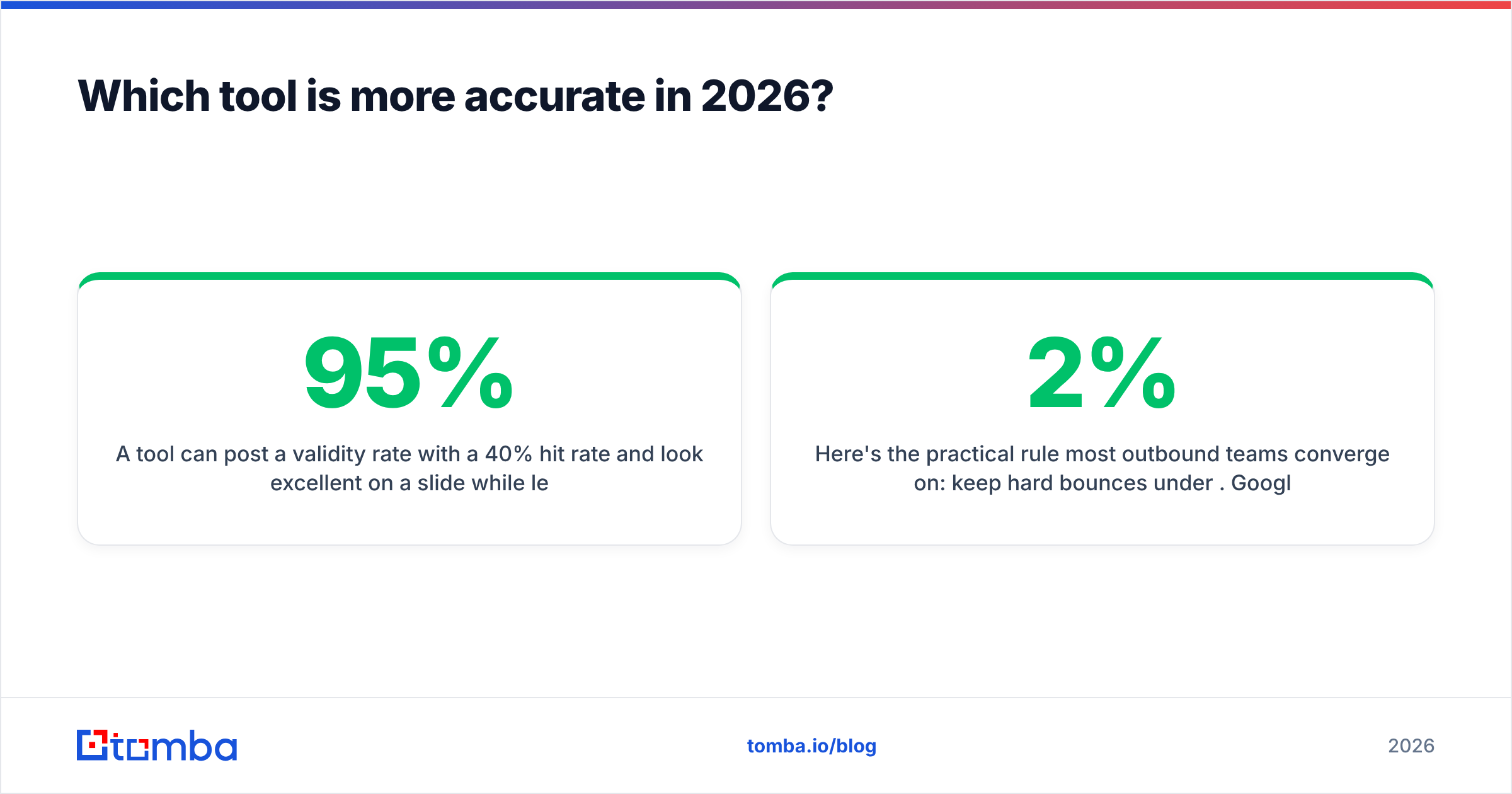
A tool can post a 95% validity rate with a 40% hit rate. It looks great on a slide. It also leaves 60% of your list unworked. Another can post a 90% hit rate at 78% validity and quietly burn your domain. So test Findymail vs Leadsrush on your own data. Read all three numbers side by side.

Most outbound teams land on one rule: keep hard bounces under 2%. Google and Microsoft both read a high bounce rate as a spam signal. A bounce message from a dead mailbox is the worst kind. It proves you never checked. At 5,000 sends a month, the gap between a 1.5% and a 6% bounce rate is about 225 extra failures. Two campaigns like that can push your domain into the spam folder.
So Findymail's careful posture helps teams that send from a few warmed domains. Leadsrush's wider returns work only if you run every export through an email verifier first. Treat any verified label as a guess, not a fact. On catch-all domains, a second-opinion catch-all verifier is the only way to tell real mailboxes from open ones.
How do Findymail, Leadsrush, and Tomba compare head to head?#
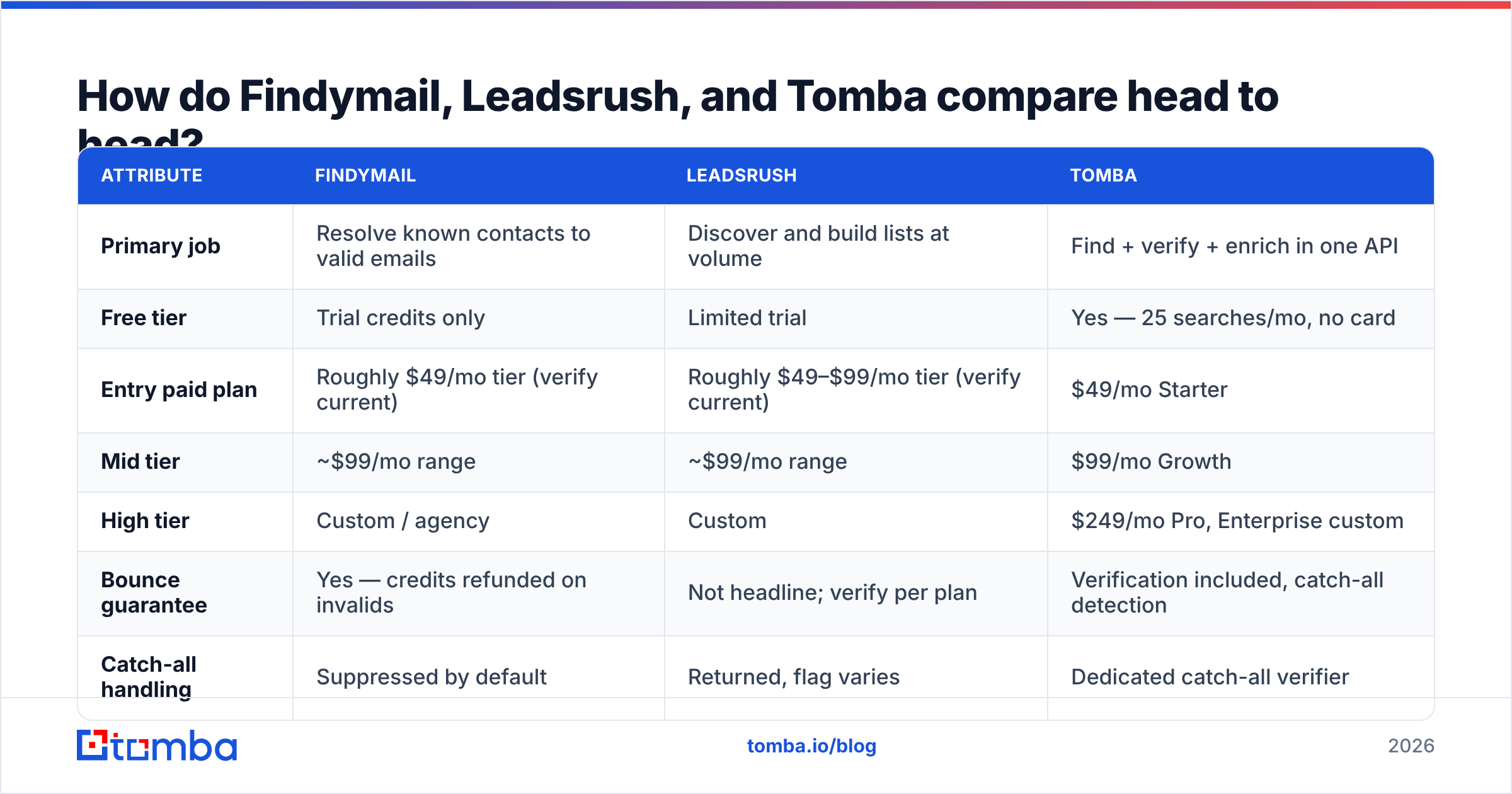
The table sets Findymail vs Leadsrush against Tomba on the things that move your bill and your bounce rate. Vendor pricing shifts often. Check each provider's own pricing page before you buy. Only Tomba's numbers here are first-party confirmed.

| Attribute | Findymail | Leadsrush | Tomba |
|---|---|---|---|
| Primary job | Resolve known contacts to valid emails | Discover and build lists at volume | Find + verify + enrich in one API |
| Free tier | Trial credits only | Limited trial | Yes — 25 searches/mo, no card |
| Entry paid plan | Roughly $49/mo tier (verify current) | Roughly $49–$99/mo tier (verify current) | $49/mo Starter |
| Mid tier | ~$99/mo range | ~$99/mo range | $99/mo Growth |
| High tier | Custom / agency | Custom | $249/mo Pro, Enterprise custom |
| Bounce guarantee | Yes — credits refunded on invalids | Not headline; verify per plan | Verification included, catch-all detection |
| Catch-all handling | Suppressed by default | Returned, flag varies | Dedicated catch-all verifier |
| LinkedIn workflow | Extension + Sales Nav exports | Search + bulk extraction | LinkedIn finder + Chrome extension |
| Bulk CSV enrichment | Yes | Yes | Yes, plus Sheets/Excel/Airtable |
| Public API | Yes | Yes | Yes — REST, CLI, and MCP server |
| Phone numbers | No | Limited | Yes — phone finder + validator |
| Best for | Low-volume, high-hygiene outbound | Wide top-of-funnel list building | Teams that want one vendor for both |
Two rows deserve extra weight.
Catch-all handling. This one behavior explains most of the bounce gap between tools. Findymail hides catch-alls. That is why its hit rate looks lower and its bounce rate looks better. Judge on hit rate alone and you will pick wrong.
Credit accounting. Ask each vendor three questions in writing. Does a failed lookup cost a credit? Is a check billed apart from a find? Do extra fields like title, company size, and LinkedIn URL bill on their own? A $49 plan with 1,000 credits can mean 1,000 verified emails, or 300.
Which one should you pick for your use case?#
The Findymail vs Leadsrush answer shifts by team. Here is the short version:
- Founder-led outbound, under 1,000 sends a month. Findymail. One bounce hurts a small warmed domain. The refund model puts the vendor on your side. You can hand-research the misses at this volume.
- Agency running many client domains. Findymail for hygiene, plus a discovery source. Agencies live on reply rate per domain. One burned client domain costs more than a year of credits.
Now the coverage and automation side:
- Building a new TAM list from scratch. Leadsrush. A resolver has nothing to resolve without names. Pull wide, then check hard before you send.
- Recruiting and talent sourcing. Leadsrush wins on breadth in new markets. Pair it with a reverse email lookup when you have an address and need the person behind it.
- Product or engineering team embedding lookups. Skip the Findymail vs Leadsrush debate. Pick on API design, rate limits, and whether a check is a separate call.
- RevOps enriching a CRM. Pick whichever tool bills extra fields cheapest at your row count. Test 500 rows from your own CRM, not a vendor sample.

Where does Tomba fit in this comparison?#
Tomba belongs on the shortlist when Findymail vs Leadsrush feels like a false choice. That happens when you need both jobs done. Paying two vendors and tracking two credit pools gets old fast.
Here is where the overlap sits:
- Domain search covers discovery. Give it a company domain. It returns the people on file with roles and confidence scores. That is closer to Leadsrush than to Findymail.
- The email finder covers the resolver job. Name plus domain in, checked address out. SMTP and catch-all checks run first.
- Checks are not a separate purchase. Find, verify, and catch-all all sit in one account and one bill. That removes the most common hidden cost here.
- API, CLI, and MCP access matter when you automate rather than click. Teams wiring lookups into an agent care about Tomba API rate limits, not the UI.
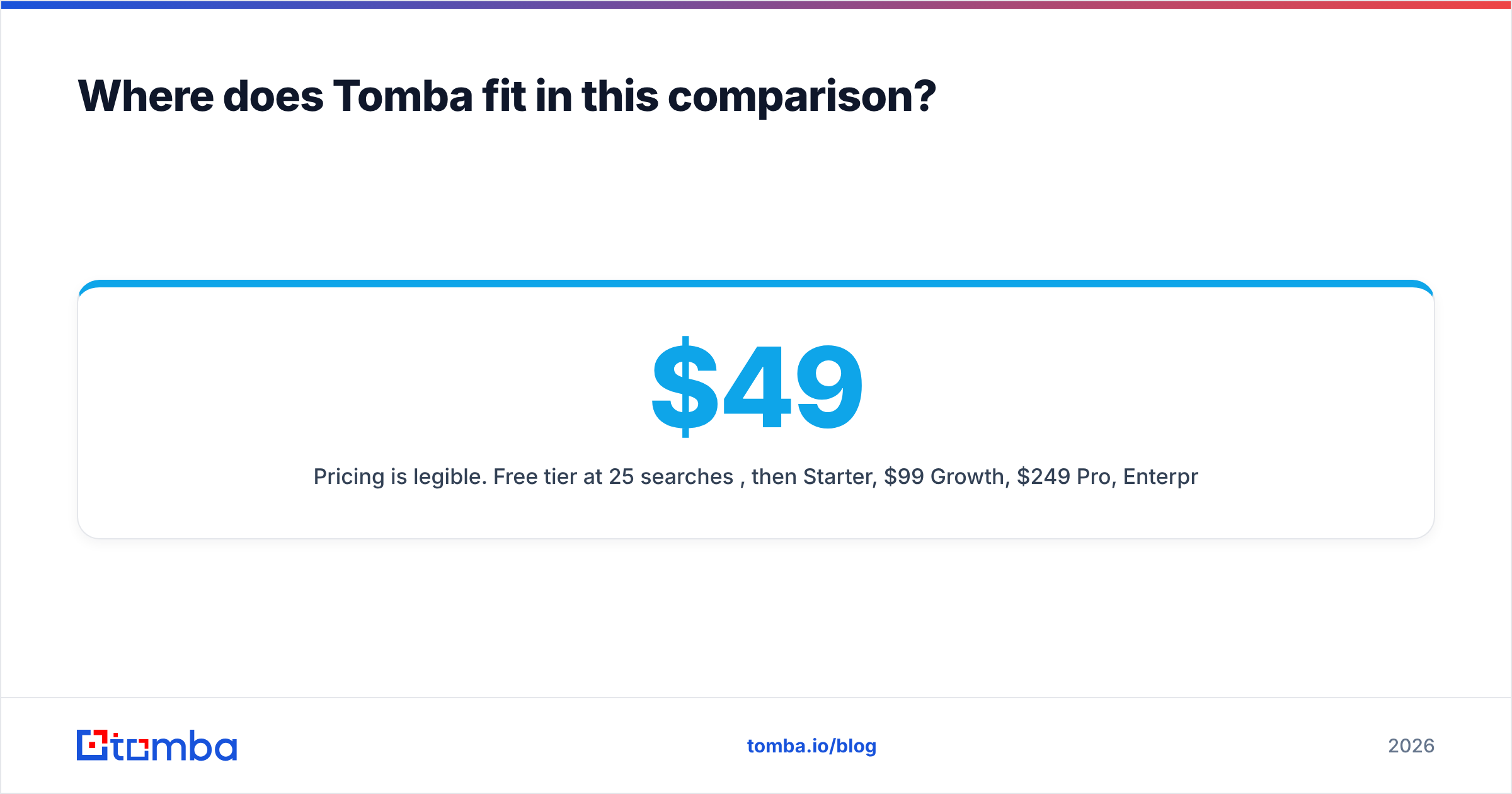
- Pricing is easy to read. Free at 25 searches/mo, then $49/mo Starter, $99/mo Growth, $249/mo Pro, and custom Enterprise. See Tomba pricing for current credit counts.
One honest caveat. Findymail's bounce refund is a cleaner promise than we check before we return. If finance needs a written credit-back policy, that is a fair reason to buy it. And if your whole motion is top-of-funnel volume in markets you do not know, a discovery tool will out-cover a resolver. Pick the shape of the tool first. Argue about price later.
What should you test before you commit?#
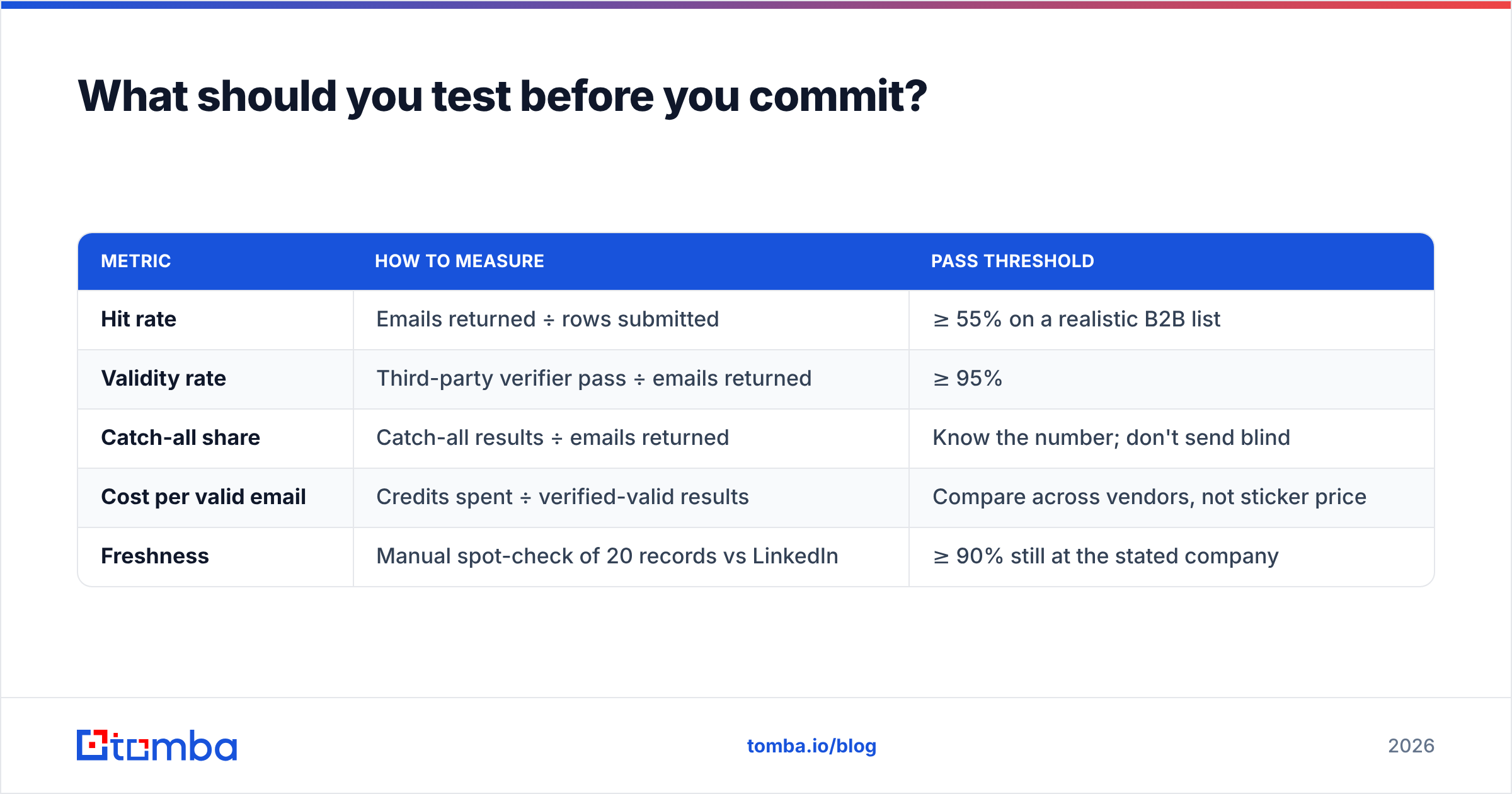
Run the same 200 rows through every tool on your Findymail vs Leadsrush shortlist. Not a vendor demo list. Your list, from your ICP, with the awkward domains left in. Then measure:
| Metric | How to measure | Pass threshold |
|---|---|---|
| Hit rate | Emails returned ÷ rows submitted | ≥ 55% on a realistic B2B list |
| Validity rate | Third-party verifier pass ÷ emails returned | ≥ 95% |
| Catch-all share | Catch-all results ÷ emails returned | Know the number; don't send blind |
| Cost per valid email | Credits spent ÷ verified-valid results | Compare across vendors, not sticker price |
| Freshness | Manual spot-check of 20 records vs LinkedIn | ≥ 90% still at the stated company |
That last row catches the failure nobody advertises. An address can be well formed and SMTP-valid, and still belong to someone who left 14 months ago. That is a wasted send and a possible spam complaint. Ask where a vendor gets and refreshes its records. Tomba lists its data sources in public. Expect the same from anyone you pay.
Check the boring things too. Export formats. GDPR deletion. Seat pricing. Whether the API rate limit survives a bulk backfill. Then read reviews on G2 for the gripes vendors never publish. Support speed and billing disputes top that list.
What's the verdict on Findymail vs Leadsrush?#
Pick Findymail if deliverability is your limit. Low volume, high value, few domains. The refund and the strict catch-all rule are exactly what you want. The lower hit rate is a fair price.
Pick Leadsrush if coverage is your limit. New markets, loose TAM, heavy top-of-funnel. Budget for a separate check pass. A discovery-first tool hands you the hygiene problem.
Pick one platform if you pay for both jobs anyway. A single credit pool for find, verify, catch-all, and enrichment is cheaper and simpler than two bills.
Either way, run your own 200 rows. Every public accuracy figure was measured on a list that flattered it.
Want to test the resolver side? Run your next 25 lookups through the Tomba Email Finder free — no card needed. Compare hit rate, validity rate, and catch-all share against your current tool. If the numbers hold on your list, Starter is $49/mo. If they don't, you lost ten minutes.
Related guides#
Ready to find emails that actually work?
Join 150,000+ professionals who stopped guessing and started sending. Free credits on signup — no credit card required.
Get the Tomba newsletter
Practical outbound tactics and product updates — once every two weeks.
About the author