Findymail vs Mailtester Ninja: Accuracy, Pricing, Verdict
Findymail sells verified B2B emails at a premium. Mailtester Ninja sells volume verification for pennies. They are not the same product — and picking the wrong one costs you either budget or deliverability.
TL;DR
- Findymail and Mailtester Ninja solve different halves of the same problem. Findymail is a finder that ships verification with it. Mailtester Ninja is a verifier (with a cheap guess-and-check finder bolted on).
- Mailtester Ninja is dramatically cheaper per credit. Findymail is dramatically cheaper per usable lead if you are starting from names and companies rather than an existing list.
- If your workflow is "export from Sales Navigator, get emails, send," Findymail is the closer fit. If your workflow is "I already have 200k addresses from a scrape or an old CRM," Mailtester Ninja is the closer fit.
- Neither one gives you domain search, phone numbers, enrichment, and an API on the same credit pool. That is where a consolidated platform like Tomba changes the math.
- The honest verdict: run the same 200-row sample through both before you commit to an annual plan. Published accuracy numbers are marketing; your ICP's domains are the only benchmark that counts.
What are Findymail and Mailtester Ninja, actually?#
They get compared constantly because both end with an email address in your CSV. The route there is completely different.
Findymail is a B2B email finder built around one loud promise: no bounces. It pitches itself at outbound teams running LinkedIn and Sales Navigator exports, and it markets a bounce guarantee — if a delivered email bounces, you get the credit back. The product is finder-first: you feed it a name plus a company or domain, it returns a verified professional address.
Mailtester Ninja came at it from the opposite direction. It is a verification engine first — SMTP-level checking at a price point that undercuts nearly everyone, which is why it shows up in scraping communities and growth-hacking Discords. It also exposes a finder endpoint that generates likely permutations of a name at a domain and verifies them, returning whichever pattern responds.
That distinction is the whole article. One sells discovery with verification included. The other sells verification with discovery included. You are not comparing two versions of the same tool — you are comparing two ends of a pipeline.
Where each one sits in the outbound stack#
- Sourcing — you decide who to contact (Sales Navigator, a conference list, a job-board scrape). Neither tool does this for you.
- Finding — you turn a name and company into an address. Findymail's core job; Mailtester Ninja's secondary job.
- Verifying — you confirm the mailbox exists before sending. Mailtester Ninja's core job; bundled into Findymail's result.
- Enriching — you add phone, seniority, tech stack, LinkedIn URL. Neither tool is built for this; you would add a data enrichment layer.
- Sending — Instantly, Smartlead, Lemlist, HubSpot sequences. Both tools integrate by CSV or API; neither sends for you.
Most teams that "compare" these two are actually asking a step-2-vs-step-3 question and don't realise it yet.

How accurate is each tool in practice?#
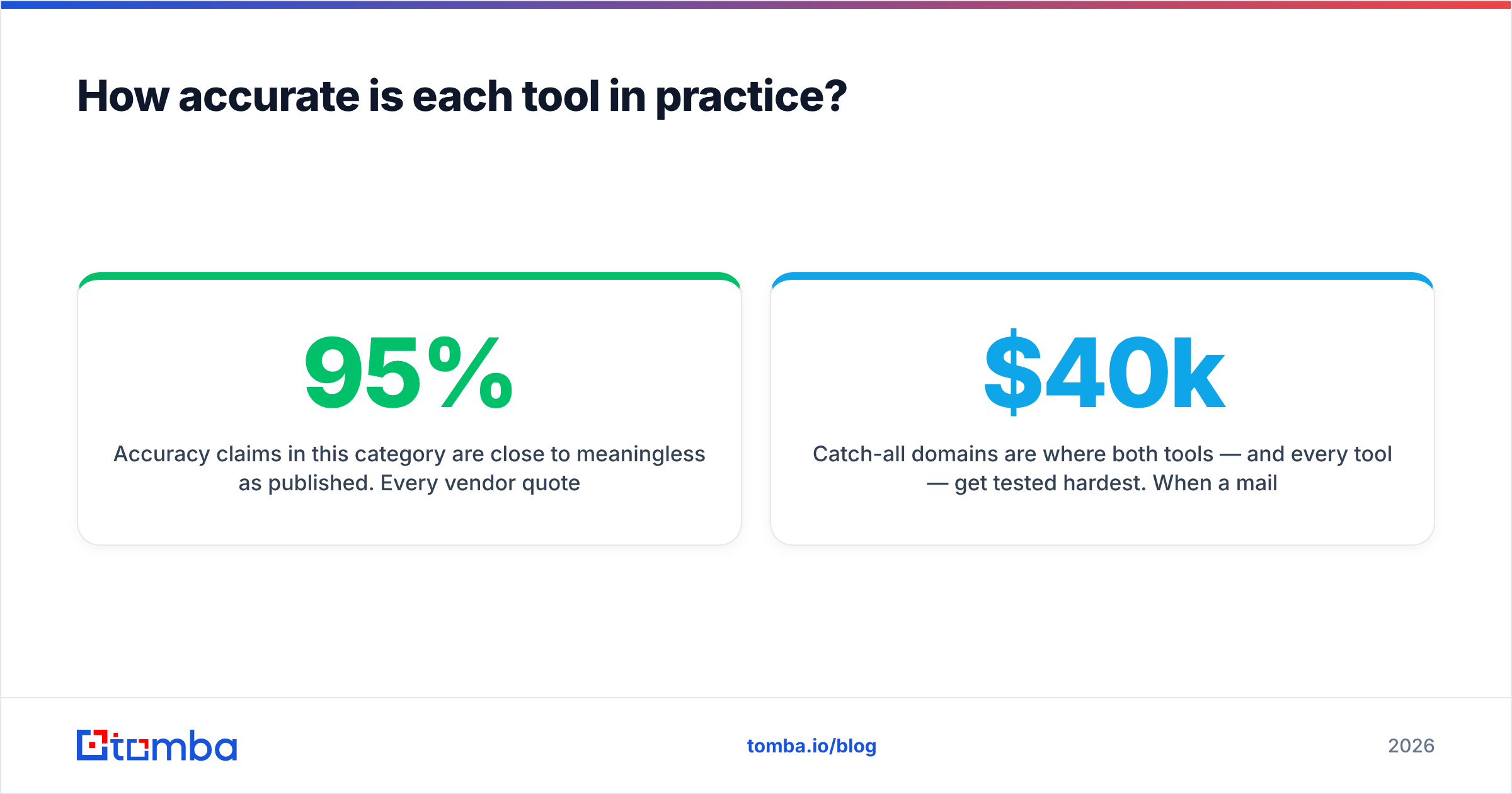
Accuracy claims in this category are close to meaningless as published. Every vendor quotes a number between 95% and 99%, and every number is measured on a sample the vendor chose. What varies wildly is how the tool behaves when it isn't sure.
Three failure modes matter:
- False positives — the tool says valid, the mailbox doesn't exist, you bounce. This is the expensive one. It burns sender reputation, not just credits.
- False negatives — the tool says invalid or unknown, the mailbox is fine, you skip a real prospect. Invisible cost, but real.
- Silent guesses — the tool returns
firstname.lastname@domain.combecause that pattern usually works at that company, without ever confirming this specific mailbox. Findymail's guarantee is aimed squarely at this; permutation-style finders are the most prone to it.
Findymail's approach leans conservative: it would rather return nothing than return a guess, which is why users report lower hit rates on smaller or obscure domains but very low bounce rates on what it does return. Mailtester Ninja's finder leans permissive — you get more addresses back, and more of them carry an "unknown" or catch-all flavoured result you have to decide about yourself.

Catch-all domains are where both tools — and every tool — get tested hardest. When a mail server accepts everything, SMTP verification tells you nothing. Some vendors mark these "risky" and move on; others run additional signal checks. If a meaningful share of your ICP sits on Microsoft 365 with catch-all enabled (very common in enterprise), you want a dedicated catch-all verifier rather than a generic risky/unknown flag, because "risky" on a $40k deal is not an acceptable answer.
Practical test: take 200 contacts you already emailed successfully last quarter. Run them through both tools. Count how many each marks invalid or unknown. That false-negative rate tells you more than any vendor page.
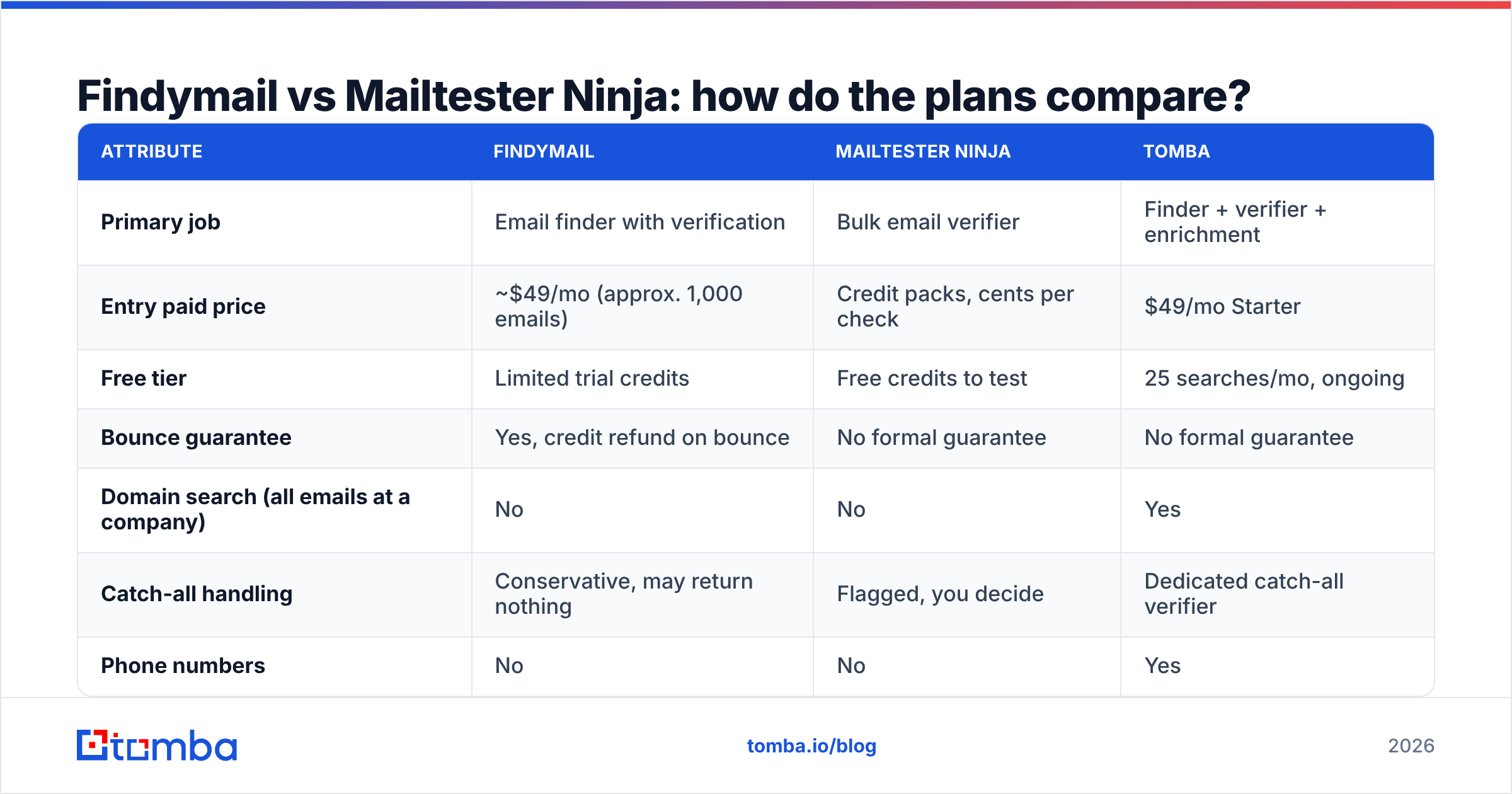
Findymail vs Mailtester Ninja: how do the plans compare?#
Pricing on both platforms moves, and Mailtester Ninja in particular sells credit packs rather than clean monthly tiers — always confirm on the vendor's own page before you buy. The table below reflects the published shape of each offer at the time of writing, with Tomba included for a third reference point.
| Attribute | Findymail | Mailtester Ninja | Tomba |
|---|---|---|---|
| Primary job | Email finder with verification | Bulk email verifier | Finder + verifier + enrichment |
| Entry paid price | ~$49/mo (approx. 1,000 emails) | Credit packs, cents per check | $49/mo Starter |
| Free tier | Limited trial credits | Free credits to test | 25 searches/mo, ongoing |
| Bounce guarantee | Yes, credit refund on bounce | No formal guarantee | No formal guarantee |
| Domain search (all emails at a company) | No | No | Yes |
| Catch-all handling | Conservative, may return nothing | Flagged, you decide | Dedicated catch-all verifier |
| Phone numbers | No | No | Yes |
| Public API | Yes | Yes | Yes, plus CLI and MCP |
| Native spreadsheet add-ons | Limited | Limited | Excel + Google Sheets |
| Best for | Sales Nav exports, low-volume ABM | Cleaning huge existing lists | Teams wanting one credit pool |

The row that decides most purchases is domain search. Neither Findymail nor Mailtester Ninja lets you type stripe.com and get back the mailable people at that company with roles attached. Both require you to already know who you want. If your prospecting starts at the account level rather than the person level, that gap forces a second subscription — and at that point comparing their per-credit prices is comparing the wrong number. A domain search tool plus a finder plus a verifier in three separate contracts almost always costs more than one consolidated platform.
Which one is cheaper per usable lead?#
Cost per credit is the number vendors advertise. Cost per usable lead is the number that hits your P&L. They diverge fast.
Work an example. You have 1,000 names from a Sales Navigator search, no email addresses.
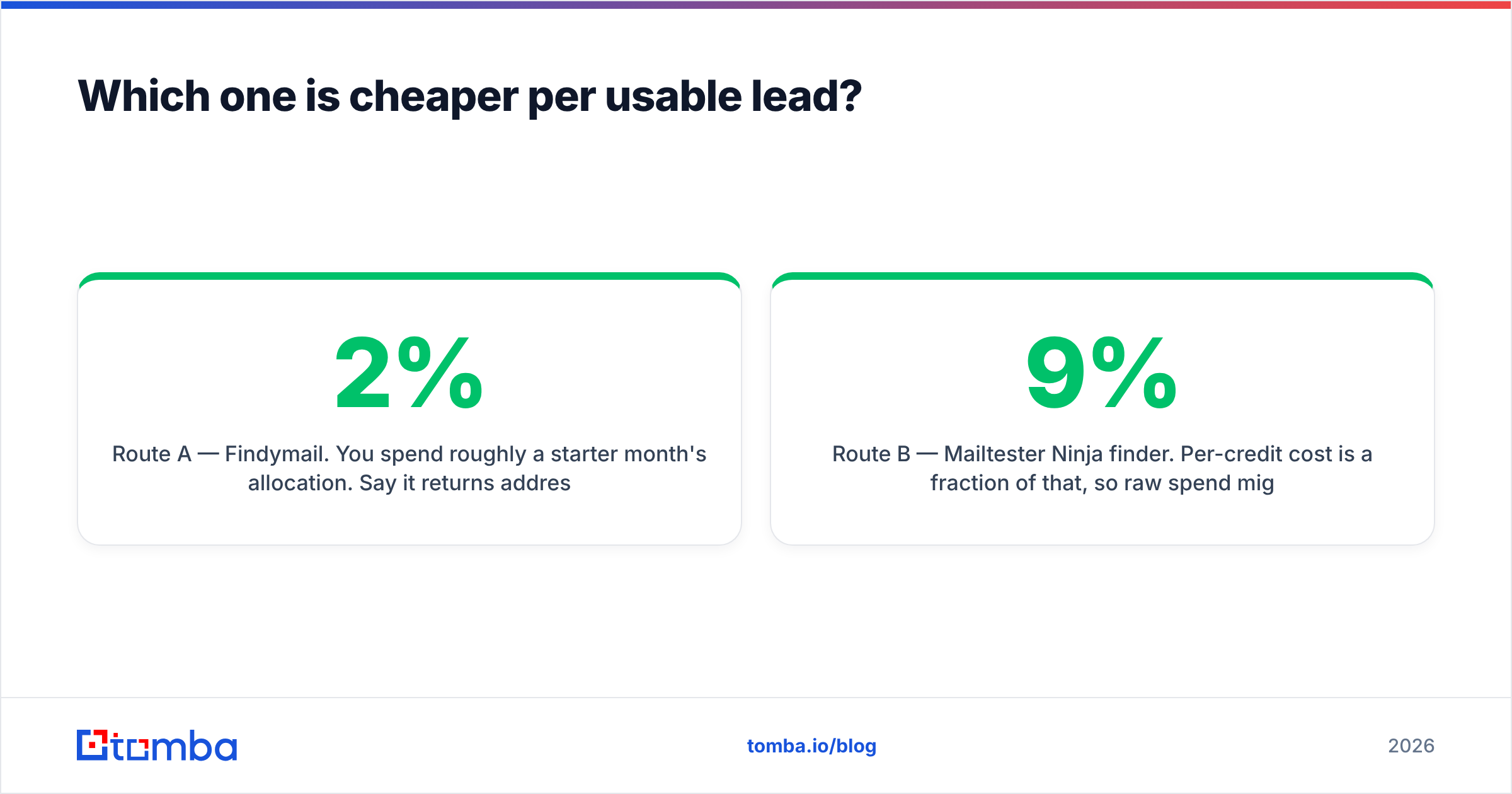
Route A — Findymail. You spend roughly a starter month's allocation. Say it returns addresses for 680 of the 1,000 and bounces on 2%. You end with ~666 usable contacts for around $49, or about $0.074 per usable contact. The 320 misses cost you nothing but they also don't exist.
Route B — Mailtester Ninja finder. Per-credit cost is a fraction of that, so raw spend might be a few dollars. But permutation-based finding on names you have no pattern data for yields more unknowns. Say it returns 700 addresses, of which 500 are confidently valid, 200 are unknown/catch-all. If you send to all 700 and bounce on 9%, your sequence is now a deliverability problem, and the true cost includes a domain you may have to warm up again. If you send only to the 500 confident ones, your effective cost per usable contact is still very low — genuinely lower than Route A — but you left 180 real prospects on the table.
Route C — you already have the list. You scraped 150,000 addresses or inherited a stale CRM. Here Mailtester Ninja is not just cheaper, it is the obviously correct tool. Findymail's value is in finding; paying finder-tier prices to clean a list you already own is waste. Any competent email verifier beats a finder on this job.
So the honest answer: Mailtester Ninja wins on raw price almost every time. Findymail wins on price per contact you can actually email safely when you're starting from zero. Which of those two sentences applies to you depends entirely on what's in your CSV before you start.

Is either tool good enough to be your only data vendor?#
No, and neither vendor really claims otherwise.
Findymail is deliberately narrow. That focus is a feature — narrow tools tend to do their one job well — but it means you will add tooling for anything beyond name-to-email. No phone numbers, no firmographic enrichment, no way to work an account list top-down. Teams running multichannel outbound end up bolting on a phone finder and an enrichment provider, and now you're managing three vendors, three credit balances, and three renewal dates.
Mailtester Ninja is narrower still. It is infrastructure, not a GTM platform. It has no CRM integrations to speak of, minimal UI polish, and no pretence of being a database. That is precisely why it's cheap, and why engineers like it. Treat it as a utility you call from a script, not as a place your sales team logs in.
The consolidation question is worth doing arithmetic on. If your stack today is a finder at $49, a verifier pack at $20, and an enrichment tool at $99, you're at $168/mo across three contracts with three failure points. Tomba pricing puts finder, verifier, domain search, catch-all verification, phone lookup, and enrichment on one credit pool starting at $49/mo, with a Growth tier at $99/mo and Pro at $249/mo. That is not automatically the right answer — if you only ever verify, Mailtester Ninja's per-credit price is unbeatable — but if you're paying three vendors, run the numbers before your next renewal.
Also worth checking: how each tool handles the boring operational stuff. Bulk upload limits, whether the API rate-limits you at scale, whether results are deduped, whether you can push straight into HubSpot without a Zapier hop. The Tomba API exposes finding, verification, and enrichment through one key, which matters if you're building the pipeline in code rather than clicking through a UI. Read real operator reviews on G2 for each vendor before you sign — the complaints there are more useful than the feature lists.
How should you choose between them?#
Pick by the shape of your input data, not by the marketing.
- Choose Findymail if you export from LinkedIn or Sales Navigator, your volumes are moderate (low thousands per month), and a bounce guarantee genuinely reduces your risk. The premium buys you conservatism.
- Choose Mailtester Ninja if you already own a large list, you're technical enough to work through an API, and you can make your own judgement calls on unknown and catch-all results. The savings at 100k+ verifications are real and large.
- Choose neither alone if you prospect at the account level, need phone numbers, or want one platform your whole team logs into. Two narrow tools stitched together is a real ongoing cost that never shows on the invoice.
- Run the sample test regardless. 200 rows of your actual ICP, both tools, same day. Compare hit rate, bounce rate, and unknown rate. Then decide.
One more thing that gets skipped: whichever tool you pick, verification quality only protects you up to the moment you press send. If your sending domain has no SPF alignment or your volume ramp is too steep, clean data won't save the campaign. Run your records through an SPF checker and treat email deliverability as a separate discipline from data quality — because it is.
The verdict#
Findymail is the better finder. Mailtester Ninja is the better verifier, and it isn't close on price. Comparing them head-to-head as if they're interchangeable is the actual mistake — the winner is whichever one covers the step your pipeline is currently failing at.
If you want both steps handled without stacking two subscriptions, start with the Tomba Email Finder. The free tier gives you 25 searches a month with no card, so you can run your own 200-row benchmark against Findymail and Mailtester Ninja on your own ICP before spending anything. Verification, domain search, catch-all checking, and enrichment draw from the same credit pool, so scaling up doesn't mean signing another contract — and the API, Chrome extension, and Google Sheets add-on all use the same key. Test it against your list, not against a vendor's chosen sample, and let the bounce rate settle the argument.
Related guides#
Ready to find emails that actually work?
Join 150,000+ professionals who stopped guessing and started sending. Free credits on signup — no credit card required.
Get the Tomba newsletter
Practical outbound tactics and product updates — once every two weeks.
About the author