Findymail vs Nymeria 2026: Which Email Finder Wins?
Findymail sells verified-only B2B emails. Nymeria sells breadth across social profiles. We compare accuracy, pricing, credit models and API depth to show which one actually fits your outbound motion in 2026.
TL;DR
- Findymail is a verified-only email finder built for outbound teams: it refuses to return a guess, charges credits only on found contacts, and leans hard on LinkedIn/Sales Navigator list exports.
- Nymeria is a breadth-first people-data tool: emails plus personal emails, phones, and social profiles pulled from a large identity graph, with a browser extension that works across LinkedIn, GitHub, and Twitter/X.
- If your ICP is standard B2B SaaS with corporate domains, Findymail's hit rate on valid work emails is the stronger bet. If you need recruiter-style coverage (personal emails, mobiles, GitHub profiles), Nymeria covers more surface.
- Both are credit-metered, and both leave gaps: Findymail is thin on phones and enrichment; Nymeria's verification is looser, so you carry more bounce risk.
- A third option — running a dedicated email finder plus a separate email verifier — usually costs less per deliverable contact than either, because you stop paying for records you can't email.
What are Findymail and Nymeria, exactly?#
Findymail (findymail.com) is a B2B email-finding tool that markets one promise above all others: the emails it returns are verified, and you are not billed for the ones it can't find. Its core workflows are single lookups, bulk CSV enrichment, LinkedIn and Sales Navigator list exports, and an API. It sits deliberately narrow — email and, more recently, some phone data — and does not try to be a full sales-intelligence platform.
Nymeria (nymeria.io) started as a people-data enrichment service and grew a Chrome extension around it. It resolves a person to a profile bundle: work email, personal email, phone number, and linked social accounts across LinkedIn, GitHub, Twitter/X, and others. Its identity graph orientation makes it popular with recruiters and technical sourcers, not just SDRs.
The practical difference: Findymail asks "is this work email real and deliverable?" Nymeria asks "who is this person and how many ways can I reach them?" Those are different questions, and the tool that answers yours is the one you should buy.

How do Findymail and Nymeria compare head-to-head?#
Here is the comparison most buyers actually need — feature by feature, not marketing bullet by marketing bullet. Pricing reflects publicly listed plans as of early 2026; always confirm on the vendor's own page before you commit, since credit packaging changes often.
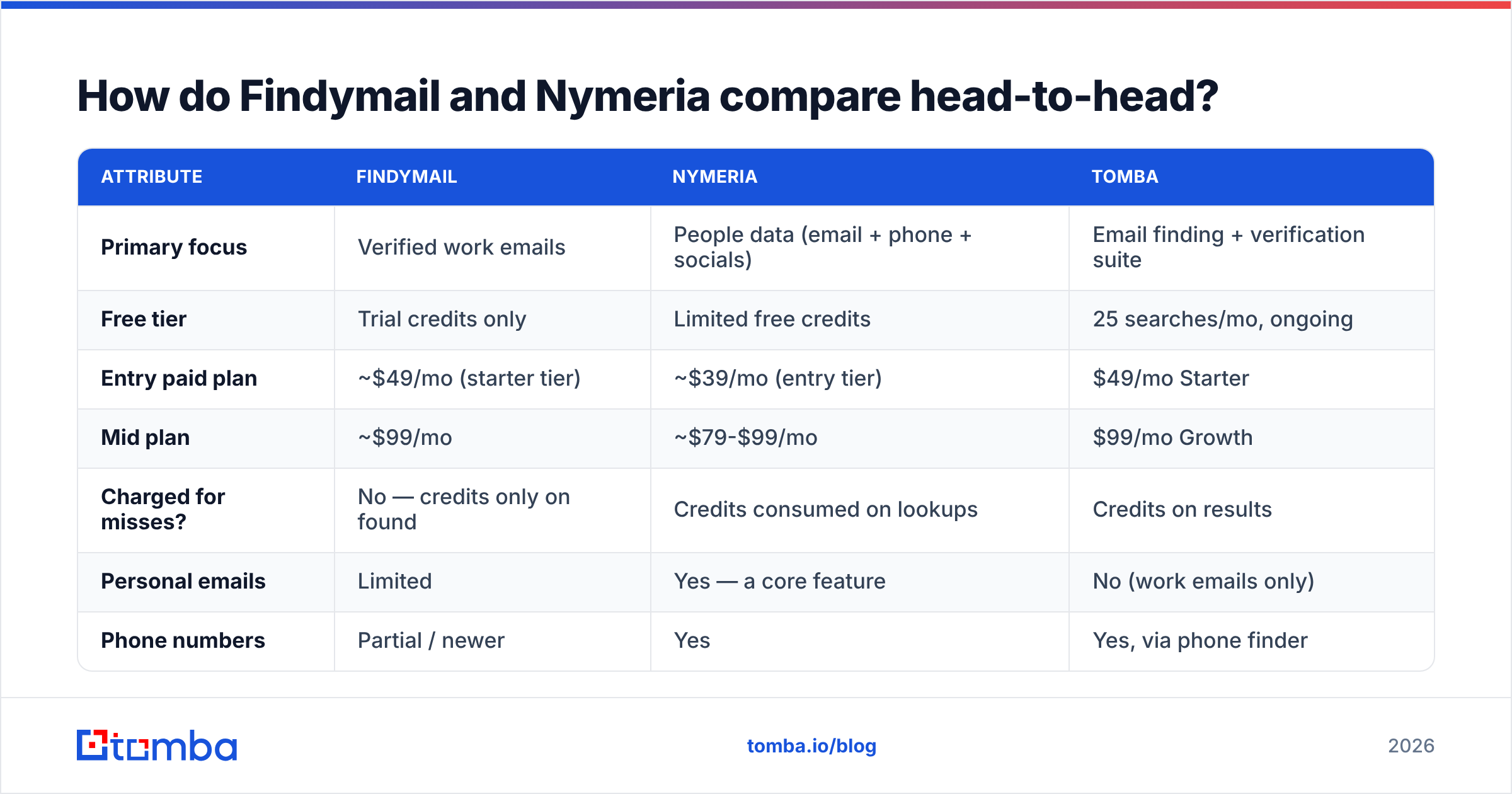
| Attribute | Findymail | Nymeria | Tomba |
|---|---|---|---|
| Primary focus | Verified work emails | People data (email + phone + socials) | Email finding + verification suite |
| Free tier | Trial credits only | Limited free credits | 25 searches/mo, ongoing |
| Entry paid plan | ~$49/mo (starter tier) | ~$39/mo (entry tier) | $49/mo Starter |
| Mid plan | ~$99/mo | ~$79-$99/mo | $99/mo Growth |
| Charged for misses? | No — credits only on found | Credits consumed on lookups | Credits on results |
| Personal emails | Limited | Yes — a core feature | No (work emails only) |
| Phone numbers | Partial / newer | Yes | Yes, via phone finder |
| Catch-all handling | Flags, conservative | Returns with lower confidence | Dedicated catch-all verifier |
| LinkedIn export | Yes, strong (Sales Nav lists) | Yes, via extension | Yes, LinkedIn finder |
| Bulk CSV enrichment | Yes | Yes | Yes, bulk tools |
| Public API | Yes | Yes | Yes, documented REST API |
| Native integrations | Zapier, Make, HubSpot, Clay | Zapier, API-first | HubSpot, Salesforce, Pipedrive, Sheets, Excel, Airtable, Zapier, Make |
| Best fit | SDR teams on corporate domains | Recruiters, technical sourcing | Teams wanting find + verify in one stack |
Two things fall out of that table. First, the entry prices are close enough that price alone should not decide this — a $10/mo gap is noise next to a 20-point difference in usable-contact rate. Second, the tools are not substitutes. Findymail with phone data bolted on is still an email tool. Nymeria with tighter verification is still an identity graph.

Which one is more accurate?#
Accuracy is the whole ballgame, and it is also where vendor claims get slippery. Every provider in this category advertises a number in the 95-99% range. Those numbers are not comparable, because each vendor defines the denominator differently.
Read the claims like this:
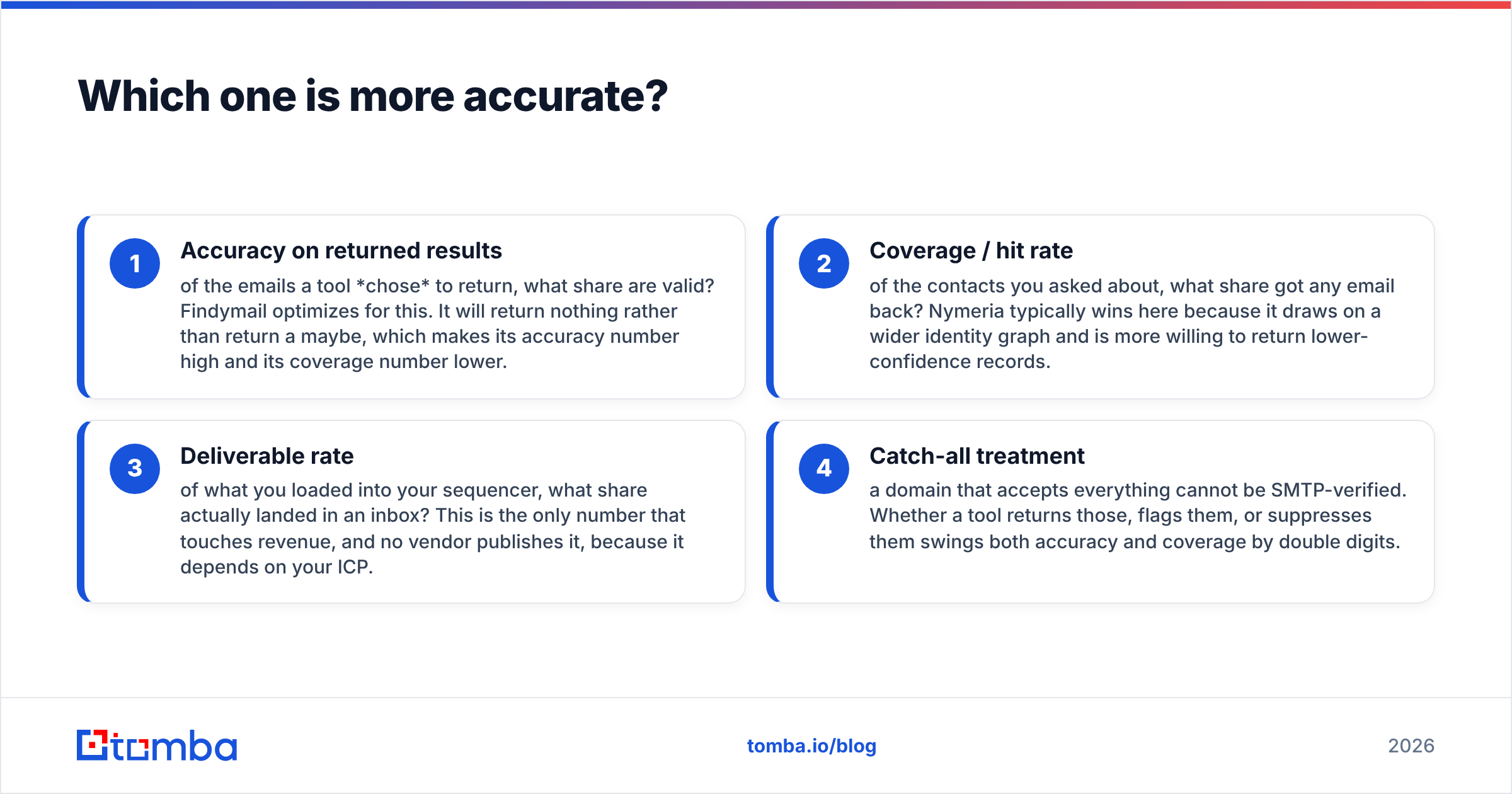
- Accuracy on returned results — of the emails a tool chose to return, what share are valid? Findymail optimizes for this. It will return nothing rather than return a maybe, which makes its accuracy number high and its coverage number lower.
- Coverage / hit rate — of the contacts you asked about, what share got any email back? Nymeria typically wins here because it draws on a wider identity graph and is more willing to return lower-confidence records.
- Deliverable rate — of what you loaded into your sequencer, what share actually landed in an inbox? This is the only number that touches revenue, and no vendor publishes it, because it depends on your ICP.
- Catch-all treatment — a domain that accepts everything cannot be SMTP-verified. Whether a tool returns those, flags them, or suppresses them swings both accuracy and coverage by double digits.
In practice, on standard corporate domains (SaaS, agencies, mid-market services), Findymail's returned emails hold up well in real sends — bounce rates in the low single digits are typical when you sequence exactly what it gives you. Nymeria returns more rows per input list, but a meaningful slice of those rows are personal Gmail addresses or older work emails from a prior employer, which is fine for recruiting and toxic for cold B2B outbound.

The fix, regardless of which you pick, is to stop treating a finder's output as final. Run every list through an independent verification pass before it touches your sending domain. A separate email verification step catches stale records the finder's own cache still believes in, and a catch-all verifier gives you a real risk score on accept-all domains instead of a binary guess. Google's own guidance on bulk sending — documented in the Gmail sender guidelines — puts spam-complaint and bounce thresholds squarely on the sender, not the data vendor. Your list hygiene is your problem.
How do the pricing and credit models actually differ?#
Both tools sell credits. The difference is what burns a credit.
Findymail's model: you are charged when a contact is found. A miss costs nothing. This is genuinely buyer-friendly, and it makes budgeting predictable — if you buy 5,000 credits, you get 5,000 contacts, not 5,000 attempts. The tradeoff is a higher effective price per credit, because the vendor prices in its own miss rate.
Nymeria's model: lookups consume credits more broadly, and enrichment fields (phone, personal email, socials) can pull from the same pool. You get more data per successful record, but a list with poor match rates burns budget faster.
Run the math the way your CFO would:
- Cost per row loaded — the naive number vendors want you to compare. Ignore it.
- Cost per contact found — total spend divided by rows with an email. Findymail's no-charge-on-miss model looks best here.
- Cost per deliverable contact — total spend divided by rows that survive verification. This is the number that decides your real CPL.
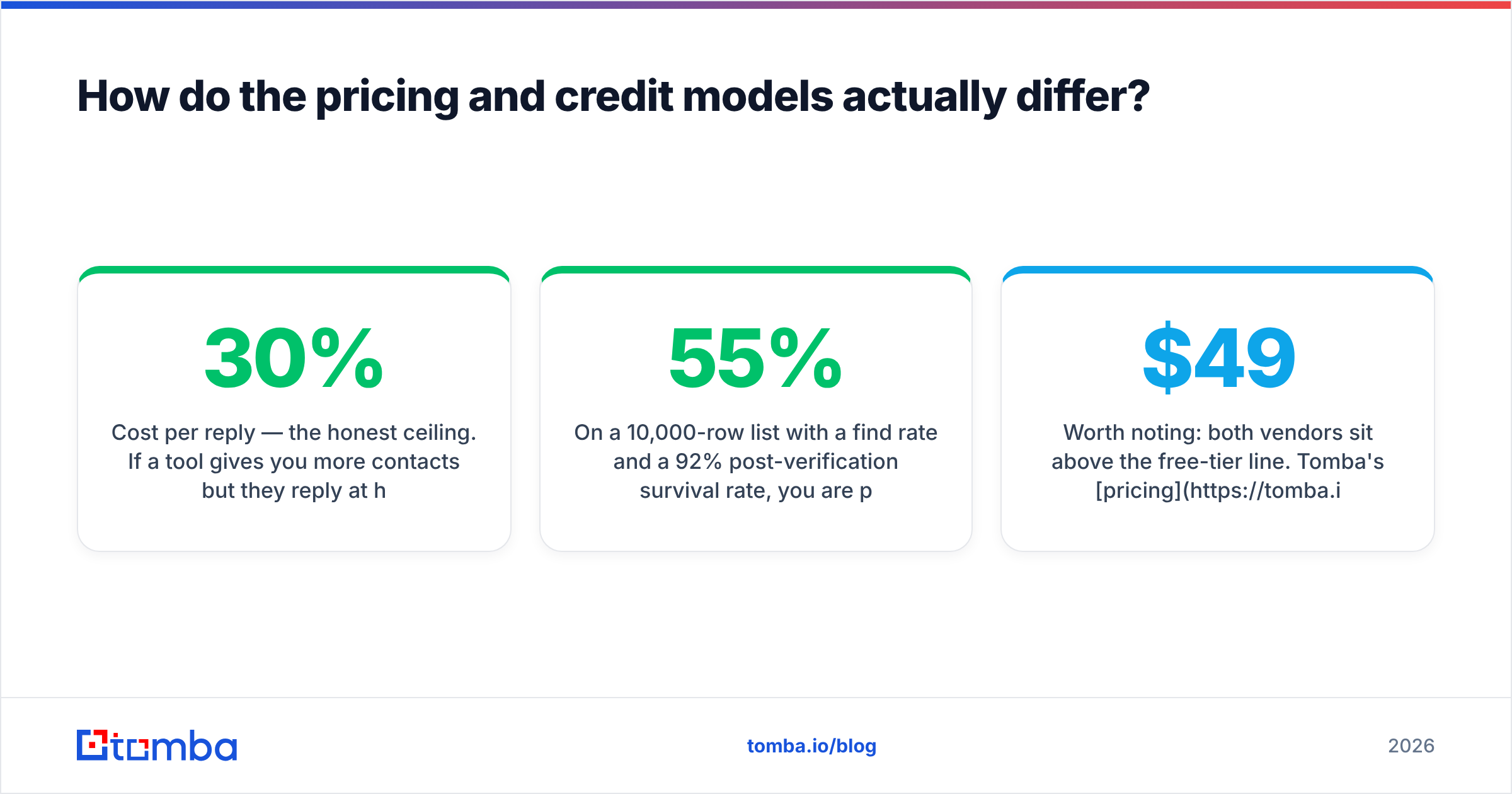
- Cost per reply — the honest ceiling. If a tool gives you 30% more contacts but they reply at half the rate, you paid more for less.
On a 10,000-row list with a 55% find rate and a 92% post-verification survival rate, you are paying for roughly 5,060 usable contacts. If a competing tool hits 70% find but only 78% survives verification, that is 5,460 usable contacts — better, but only if the extra rows are the same quality of person. They usually aren't.
Worth noting: both vendors sit above the free-tier line. Tomba's pricing keeps a permanent free tier at 25 searches/month, with Starter at $49/mo, Growth at $99/mo, and Pro at $249/mo — useful if you want to sanity-test the same 25 contacts across all three tools before committing budget anywhere.
Which tool fits which team?#
Pick Findymail if:
- Your outbound is classic B2B: corporate domains, named accounts, Sales Navigator lists.
- You care more about a clean sender reputation than about maximum list size.
- Your workflow is "export a Sales Nav list → enrich → sequence" and you want that loop to be two clicks.
- You hate paying for rows you can't use.
Pick Nymeria if:
- You are sourcing candidates, not prospects, and personal email plus mobile beats work email.
- Your targets live on GitHub or Twitter/X as much as LinkedIn.
- You want one record to carry multiple contact channels for multi-touch sequencing.
- You are building an internal dataset and value breadth over immediate deliverability.
Consider a different stack if:
- You need a documented API with predictable rate limits as the primary interface, not a UI with an API attached.
- You need data enrichment beyond contact details — company size, tech stack, social handles — in the same call.
- Your team lives in Google Sheets, Excel, or Airtable and wants enrichment where the list already sits.
What are the real limitations of each?#
No tool review is honest without this section.
Findymail's gaps. Coverage drops off outside its sweet spot. Very small businesses, non-English-speaking markets, and companies on shared or unusual mail infrastructure return fewer hits. Phone data is newer and thinner than dedicated providers. There is no meaningful firmographic enrichment — you get an email, not a picture of the account. And because it suppresses uncertain results, you occasionally lose a contact that a more permissive tool would have found correctly.
Nymeria's gaps. Verification rigor is the recurring complaint in G2 reviews across this category: breadth-first providers ship records that were true eighteen months ago. Job changes are the silent killer — a person moves companies, the old work email lingers in the graph, you send to it, it bounces or worse, it hits a recycled spam trap. Compliance posture also matters more when personal emails are in play; if you sell into the EU, personal-address outreach carries GDPR exposure that work-address outreach largely does not.
Both. Neither is a sequencer, neither is a CRM, and neither replaces the verification pass. Both will happily let you export a list and sequence it the same afternoon, which is exactly how new domains get burned.

Is there a better third option?#
Sometimes — and the honest answer depends on what breaks first in your workflow.
If your problem is credit waste, a find-then-verify stack beats either tool. You use a finder tuned for coverage, then gate everything through verification, and you only pay sequencer seats and sending reputation on records that survive. Tomba's domain search pulls every discoverable address on a company domain in one call, which is materially faster than person-by-person lookups when you're doing account-based work.
If your problem is engineering integration, the deciding factor is API design, not data. Check rate limits, batch endpoints, webhook support, and whether the vendor documents its confidence scoring. The Tomba API exposes finder, verifier, domain search, and enrichment as separate endpoints, which matters when you want to verify on a different cadence than you find.
If your problem is scale, look at bulk tooling directly. Uploading a 50,000-row CSV and getting a clean file back is a different product than an extension that enriches one profile at a time.
And if you are cost-sensitive at the low end, the permanent free tier is not nothing. Twenty-five searches a month won't run an outbound team, but it will let you benchmark all three tools against the same control list of contacts you already know the answers for. That is the single most useful hour you can spend before signing an annual contract — more useful than any comparison post, including this one.
For a broader view of the category, Capterra's email-finder listings and vendor pricing pages (findymail.com, nymeria.io) are worth ten minutes each. Ignore the star ratings and read the one-star reviews — that's where the coverage gaps and billing surprises live.
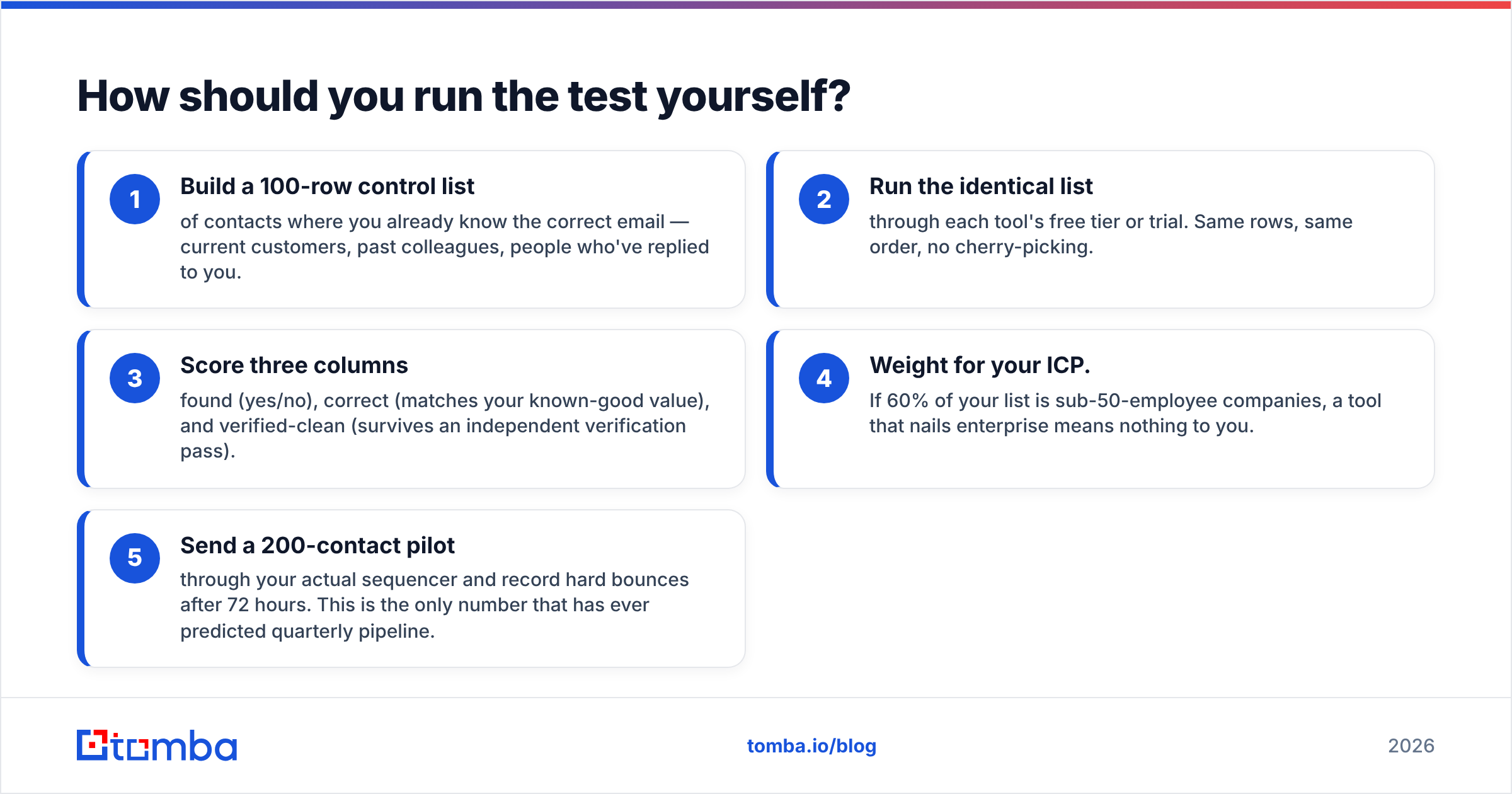
How should you run the test yourself?#
Do not buy on a comparison table, including this one. Run a controlled bake-off:
- Build a 100-row control list of contacts where you already know the correct email — current customers, past colleagues, people who've replied to you.
- Run the identical list through each tool's free tier or trial. Same rows, same order, no cherry-picking.
- Score three columns: found (yes/no), correct (matches your known-good value), and verified-clean (survives an independent verification pass).
- Weight for your ICP. If 60% of your list is sub-50-employee companies, a tool that nails enterprise means nothing to you.
- Send a 200-contact pilot through your actual sequencer and record hard bounces after 72 hours. This is the only number that has ever predicted quarterly pipeline.
Teams that do this consistently find the gap between vendors is smaller than the gap between a verified list and an unverified one. Fixing your verification step is usually worth more than switching finders.
Which one wins in 2026?#
Findymail wins for cold B2B outbound. Its no-charge-on-miss billing and conservative verification make it the lower-risk choice when your sending domain is the asset you're protecting. Nymeria wins for recruiting and multi-channel sourcing, where personal emails, mobiles, and GitHub profiles are the point and a slightly higher bounce rate is an acceptable cost of coverage.
Neither wins outright, because they're solving adjacent problems. Buy for the problem you actually have, verify everything before it sends, and re-run your bake-off every six months — data providers drift, and the winner in Q1 is often not the winner in Q4.
If you'd rather not pick between coverage and verification, start with the Tomba Email Finder. It finds work emails by domain, name, or company, ships with a built-in verifier and catch-all checker so you're not stitching two vendors together, and the free tier gives you 25 searches a month to benchmark it against whatever you're using now — no card, no trial clock. Paid plans start at $49/mo, and the API, Chrome extension, Sheets add-on, and bulk tools are all included rather than gated behind an upgrade.
Related guides#
Ready to find emails that actually work?
Join 150,000+ professionals who stopped guessing and started sending. Free credits on signup — no credit card required.
Get the Tomba newsletter
Practical outbound tactics and product updates — once every two weeks.
About the author