Findymail vs Tami AI: Which B2B Email Tool Wins in 2026?
Findymail sells bounce-proof email finding. Tami AI sells an autonomous prospecting agent. They solve different halves of the same problem — here is which one actually belongs in your stack in 2026.
TL;DR
- Findymail is a focused email finder and verifier. You give it a name plus a company, or a LinkedIn/Sales Navigator export, and it returns addresses it believes will not bounce. That is the whole product, and it is good at it.
- Tami AI sits one layer up: it markets itself as an AI prospecting agent that researches accounts, builds lists, and drafts outreach. Contact data is an input to that workflow, not the product itself.
- They are not really the same category. Comparing them is comparing a precision drill to a workshop robot — the honest question is which layer you are missing.
- Cost reality: a data-only tool like Findymail or Tomba runs $49–$99/mo for most SMB teams. Agent-style platforms price per seat or per workflow and climb fast once you add sequencing and enrichment.
- If you only need reliable addresses at a predictable price — and an API to pipe them into what you already use — a dedicated finder wins on cost per usable contact.
Most "Findymail vs Tami AI" searches come from the same place: you have a list of target accounts, your last sending domain got scorched by bounces, and you are trying to decide whether to buy a better data source or buy an AI that does the whole job. Those are different purchases. This post separates them, then shows what each actually costs per usable contact.
What is Findymail?#
Findymail is a B2B email finding and verification tool built around one promise: the addresses it returns should not bounce. It exposes a web app, a Chrome extension, bulk CSV enrichment, LinkedIn and Sales Navigator list export, and an API. You can check the current feature set on the official Findymail site.
The product's design philosophy is aggressive filtering. Rather than returning every guessable permutation with a confidence score attached, Findymail leans toward returning nothing when it is not confident. That is a deliberate trade: lower hit rate on obscure contacts, fewer bounces on the ones you do get. For teams whose main pain is deliverability rather than volume, that trade is usually correct.
Where it stops: Findymail does not write your emails, does not send them, and does not decide who to target. It is a data layer. You still need a sequencer, a CRM, and a list-building motion around it.
What is Tami AI?#
Tami AI belongs to the 2024–2026 wave of "AI SDR" and autonomous prospecting platforms. The category pitch is consistent across vendors: describe your ideal customer profile in plain language, and the agent researches accounts, assembles a target list, enriches contacts, writes personalized first-touch copy, and in some configurations sends it.
The contact data underneath these platforms is almost always licensed or aggregated from third-party providers rather than built in-house from scratch. That matters more than the marketing suggests — it means the accuracy of an AI prospecting agent is capped by whichever data vendor sits behind it, and you rarely get to see which one that is or swap it out.
Because this category moves fast and pricing is frequently quote-based, verify Tami AI's current plan structure and data sourcing directly with the vendor before you commit. Do not budget off a blog post — including this one.
How do Findymail and Tami AI actually differ?#
The clean way to think about it is by which job each one removes from your week.
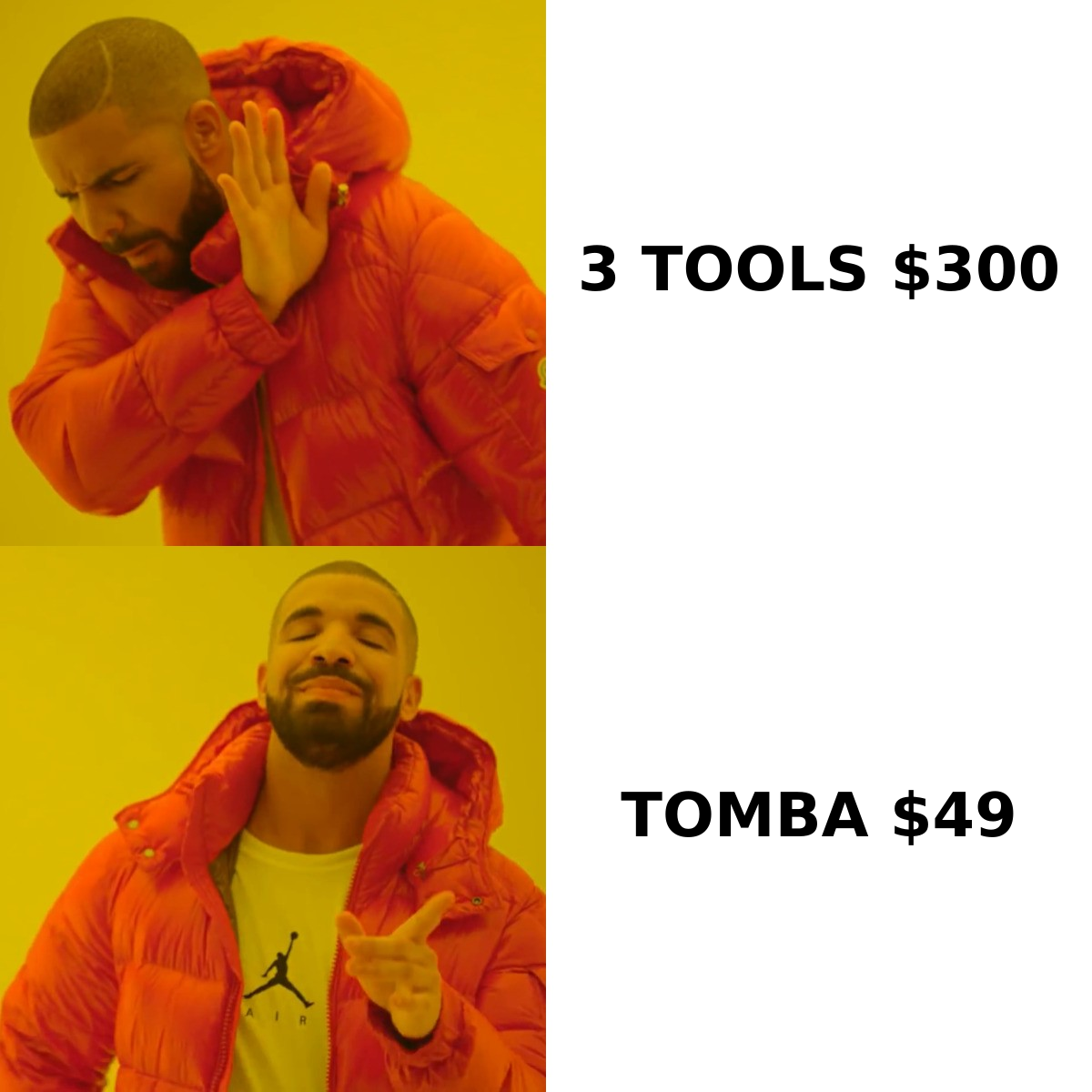
- Findymail removes the "find the address" job. You already know who you want. It converts identity into a deliverable inbox.
- Tami AI removes the "decide who to contact and what to say" job. It aims at the top of the funnel — targeting, research, and first-draft copy — with contact data bundled in.
- Findymail is deterministic; agents are probabilistic. A finder either returns an address or it doesn't. An AI agent's account selection and copy quality vary run to run, which means you need a review loop that a finder does not require.
- Cost scales differently. Finders charge per credit, so cost tracks list size. Agent platforms usually charge per seat or per workflow, so cost tracks headcount and ambition, not volume.
- Portability differs. Emails from a finder move anywhere — CSV, CRM, sequencer, warehouse. An agent's value lives inside its own interface, so switching costs are higher.
- Failure modes differ. A finder fails loudly (no result, or a bounce you can measure). An agent fails quietly — it contacts plausible-but-wrong accounts and you only notice in pipeline three months later.
If you have a working outbound motion and a bounce problem, buy the finder. If you have deliverable data and no idea who to target, the agent layer is where the leverage is. Buying the agent to fix a data problem is the expensive mistake.
Which one returns more valid emails?#
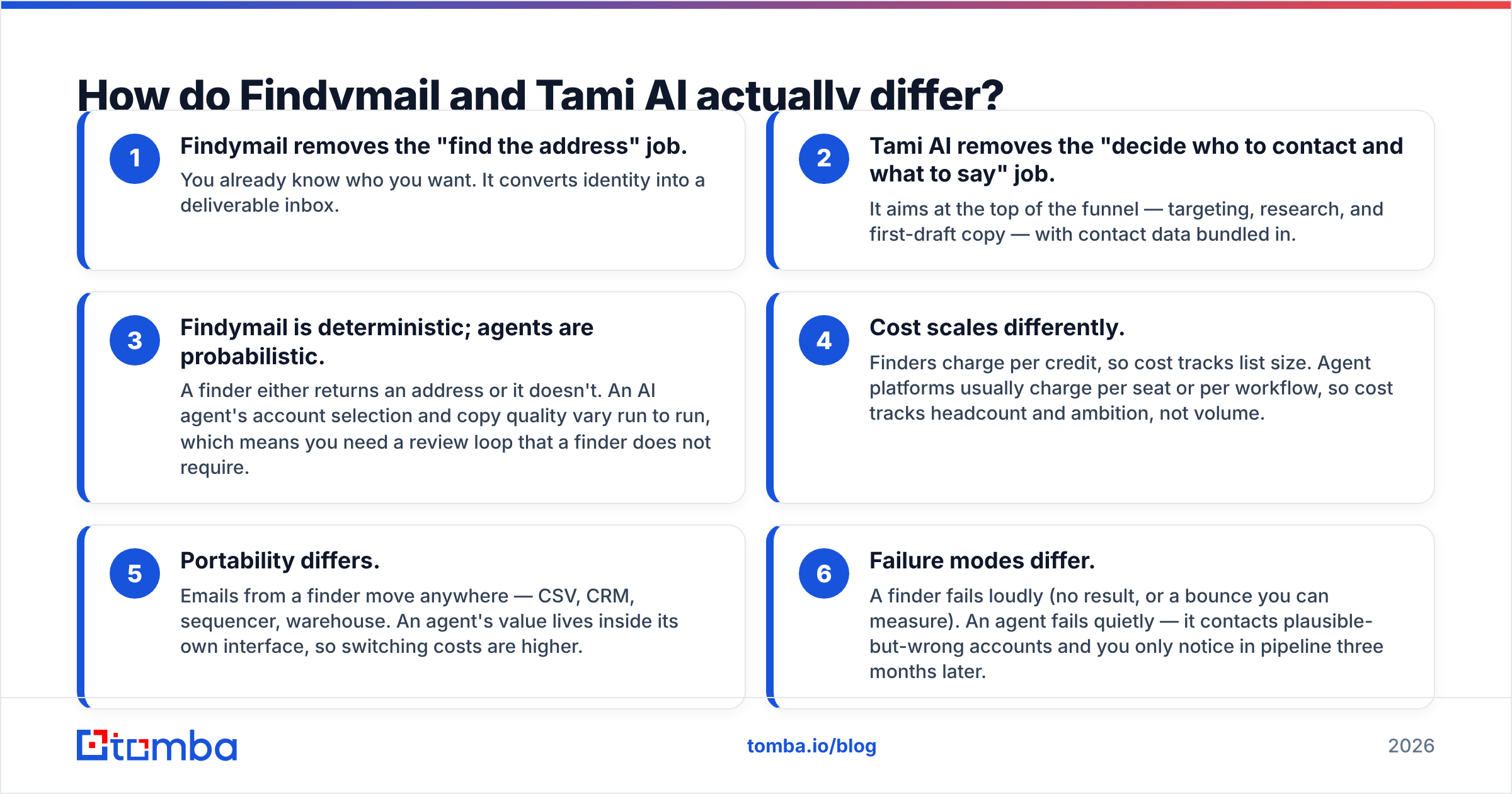
Neither vendor's published accuracy number should be taken at face value, and that is not a dig at either company — it is a structural problem with the category. "95% accuracy" means nothing until you know the denominator. Accuracy on found emails is a different metric from coverage across your list, and vendors quote whichever is flattering.

Run your own test instead. It takes an afternoon:
- Take 200 contacts from your real ICP — not a sample of Fortune 500 CEOs, which every tool covers well.
- Run the same list through each tool's free tier or trial.
- Record three numbers per tool: hit rate (addresses returned ÷ contacts submitted), bounce rate on a small seed send, and cost per delivered address.
- Segment by company size. Most tools converge on 500+ employee companies and diverge sharply under 50 employees, which is where SMB-focused teams actually live.
That third number is the only one that matters. A tool with a 55% hit rate and a 1% bounce rate frequently beats a tool with an 80% hit rate and a 9% bounce rate, because the bounces cost you sender reputation that takes weeks to rebuild. If you want to check the addresses independently before sending, run them through a neutral email verifier rather than trusting the finder's own self-grading.
One more thing your test should catch: catch-all domains. A large share of B2B domains accept everything at the SMTP layer, which means neither Findymail nor any agent platform can prove an address exists there through verification alone. Tools handle this differently — some suppress catch-alls entirely (protecting your bounce rate but shrinking your list), others return them unflagged. Check which behavior you are getting, and use a dedicated catch-all verifier when a domain matters enough to push further.
How do Findymail, Tami AI, and Tomba compare on price?#
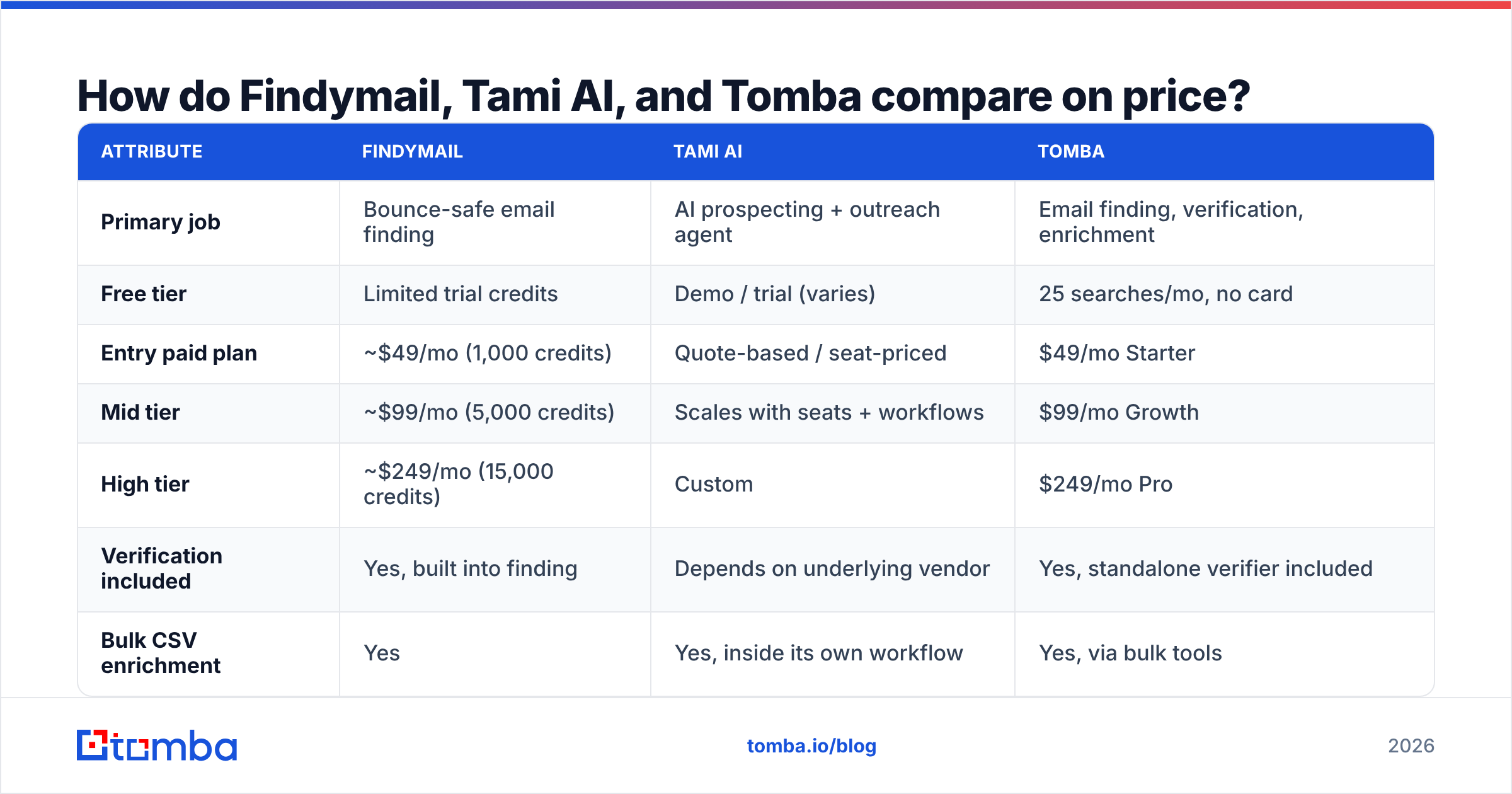
Here is the head-to-head on the attributes that change the buying decision. Verify current numbers with each vendor before purchase — pricing in this category changes quarterly.
| Attribute | Findymail | Tami AI | Tomba |
|---|---|---|---|
| Primary job | Bounce-safe email finding | AI prospecting + outreach agent | Email finding, verification, enrichment |
| Free tier | Limited trial credits | Demo / trial (varies) | 25 searches/mo, no card |
| Entry paid plan | ~$49/mo (1,000 credits) | Quote-based / seat-priced | $49/mo Starter |
| Mid tier | ~$99/mo (5,000 credits) | Scales with seats + workflows | $99/mo Growth |
| High tier | ~$249/mo (15,000 credits) | Custom | $249/mo Pro |
| Verification included | Yes, built into finding | Depends on underlying vendor | Yes, standalone verifier included |
| Bulk CSV enrichment | Yes | Yes, inside its own workflow | Yes, via bulk tools |
| Public API | Yes | Varies by plan | Yes, documented and versioned |
| Writes/sends outreach | No | Yes — core feature | No |
| Data portability | High (CSV, API) | Lower (platform-bound) | High (CSV, API, CLI, Sheets, Excel) |
| Best for | Teams with a bounce problem | Teams with a targeting problem | Teams wanting data + verification in one bill |

Read the table by column, not by row. Findymail and Tomba are priced on volume — you can forecast next quarter's bill from your list size. Agent platforms are priced on capability, which is fine when the agent replaces headcount and painful when it does not.
Where does Tomba fit in this comparison?#
Tomba occupies the same layer as Findymail — data, not agents — with a broader surface area around it. The email finder is the core, but domain search, catch-all verification, phone lookup, reverse email lookup, and contact enrichment sit on the same credit pool and the same bill.
The practical difference for most buyers is consolidation. A typical outbound stack ends up with a finder, a separate verifier, and sometimes a third tool for phone numbers — three subscriptions, three credit systems, three integrations to maintain. Getting those under one plan is usually worth more than a marginal difference in hit rate.
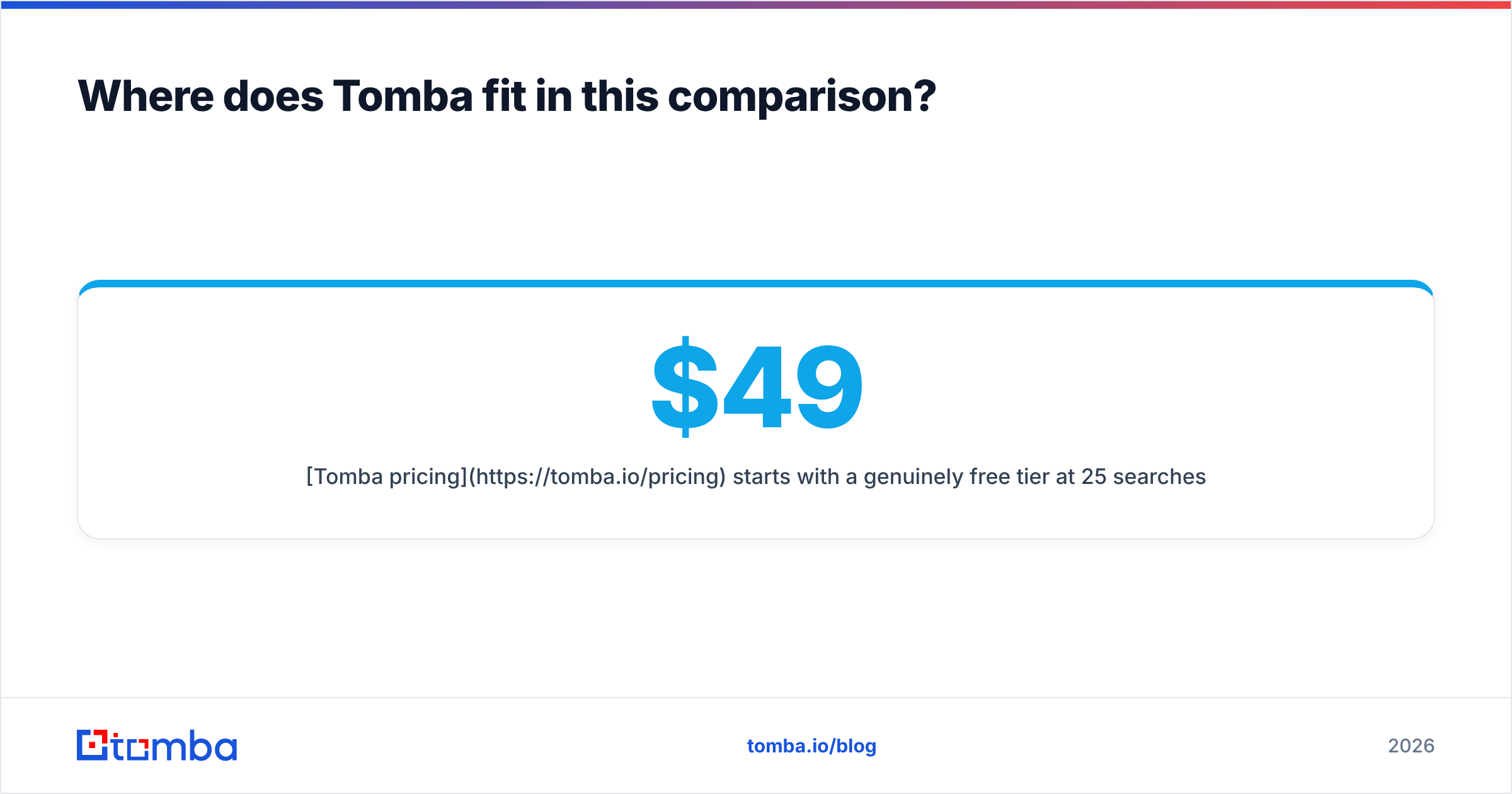
Tomba pricing starts with a genuinely free tier at 25 searches per month, then $49/mo Starter, $99/mo Growth, $249/mo Pro, with Enterprise on request. The free tier exists specifically so you can run the 200-contact test described above without a credit card.
The other thing worth checking before you buy anything: how the tool gets into your workflow. If your team lives in a spreadsheet, an add-on matters more than a slick web app. If your team lives in code, the Tomba API and CLI matter more than either. Tools lose to friction more often than they lose to accuracy.

Is an AI prospecting agent worth it in 2026?#
Sometimes — but the honest answer depends on which constraint is actually binding.
Analyst coverage of the sales-tech market has been consistent on this point: automation multiplies whatever process you already have, good or bad. If your targeting is sharp and your copy converts, an agent scales it. If your targeting is fuzzy, an agent scales the fuzz, faster, at a higher price point. G2's lead intelligence category is a useful place to read unfiltered reviews of both categories side by side, and the pattern in negative reviews of agent platforms is remarkably consistent — teams report volume going up and reply rates going down.
There is also a durability question. Data tools are boring and stable; an email address is an email address whether you found it in 2020 or 2026. Agent platforms are re-architected constantly as models improve, which means the tool you buy today may work meaningfully differently in six months. That is not a reason to avoid them. It is a reason to avoid deep integration until the category settles.
Which should you choose?#
Choose Findymail if your bounce rate is the problem, you already know your target accounts, and you want a tool that does one thing without asking you to change how you work.
Choose Tami AI (or another agent platform) if your bottleneck is genuinely upstream — you have sending capacity and no idea who to point it at — and you have someone who will review the agent's output rather than trusting it blind.
Choose Tomba if you want the data layer consolidated: finding, verification, catch-all handling, and enrichment on one plan, with an API that lets you build whatever agent layer you want on top rather than renting someone else's.
The worst outcome is buying an agent platform to fix a data problem, then discovering six months later that the agent's underlying data vendor is the same one you could have bought directly for a third of the price.
Start with the data layer. Run 200 real ICP contacts through the Tomba Email Finder on the free tier — 25 searches, no card — then scale to Starter at $49/mo if the hit rate and bounce rate hold up on your list. Measure cost per delivered address, not marketing claims, and let that number decide.
Related guides#
Ready to find emails that actually work?
Join 150,000+ professionals who stopped guessing and started sending. Free credits on signup — no credit card required.
Get the Tomba newsletter
Practical outbound tactics and product updates — once every two weeks.
About the author