FINTRX vs Skrapp: Which B2B Data Tool Fits Your Team?
FINTRX sells private-wealth intelligence to asset managers. Skrapp finds work emails on LinkedIn. They rarely belong in the same shortlist — here is how to tell which one your pipeline actually needs, and what each really costs.
TL;DR
- FINTRX and Skrapp are not really competitors. FINTRX is a private-wealth intelligence database (family offices, RIAs, allocators). Skrapp is a LinkedIn-first email finder for general B2B outbound.
- If you sell financial products to wealth managers and allocators, Skrapp cannot replace FINTRX — the firm-level intelligence simply is not in a generic email database.
- If you sell software, services, or anything else to normal B2B companies, FINTRX is wildly over-specified and priced for a different buyer.
- Pricing models differ structurally: Skrapp publishes monthly self-serve tiers starting around $49/mo; FINTRX is a quote-based annual contract negotiated per seat.
- Most teams comparing these two are really asking "do I need a niche vertical database or a horizontal contact-data layer?" — and the honest answer is usually the second one.
Why are people comparing FINTRX vs Skrapp at all?#
Because both show up when you search "B2B contact data," and both promise verified emails. That is where the overlap ends.
FINTRX is a private wealth intelligence platform. Its whole reason to exist is mapping the alternative-investment ecosystem: single and multi-family offices, registered investment advisors, wealth managers, and the people inside them who allocate capital. The typical buyer is a fund manager, a placement agent, an alt-asset sponsor, or a wealthtech vendor trying to reach allocators.
Skrapp is an email finder. You install a Chrome extension, browse LinkedIn or Sales Navigator, and it pulls likely work emails for the profiles you view — plus a bulk domain search and a verifier. The typical buyer is an SDR, a founder doing their own outbound, or a small agency building lists.
So the real comparison is not "which tool is better." It is "which layer of the data stack am I buying?" One sells who matters in a narrow, hard-to-map market. The other sells how to reach anyone with a corporate email address.
Confusing the two costs money in both directions. Teams that buy FINTRX for general SaaS outbound pay enterprise rates for coverage they never touch. Teams that try to run an allocator campaign off a LinkedIn scraper end up emailing analysts at the wrong firms with no idea of AUM, mandate, or check size.

What does FINTRX actually give you?#
FINTRX is a research product wearing a CRM-adjacent interface. Its value is in the attributes, not the contact record.
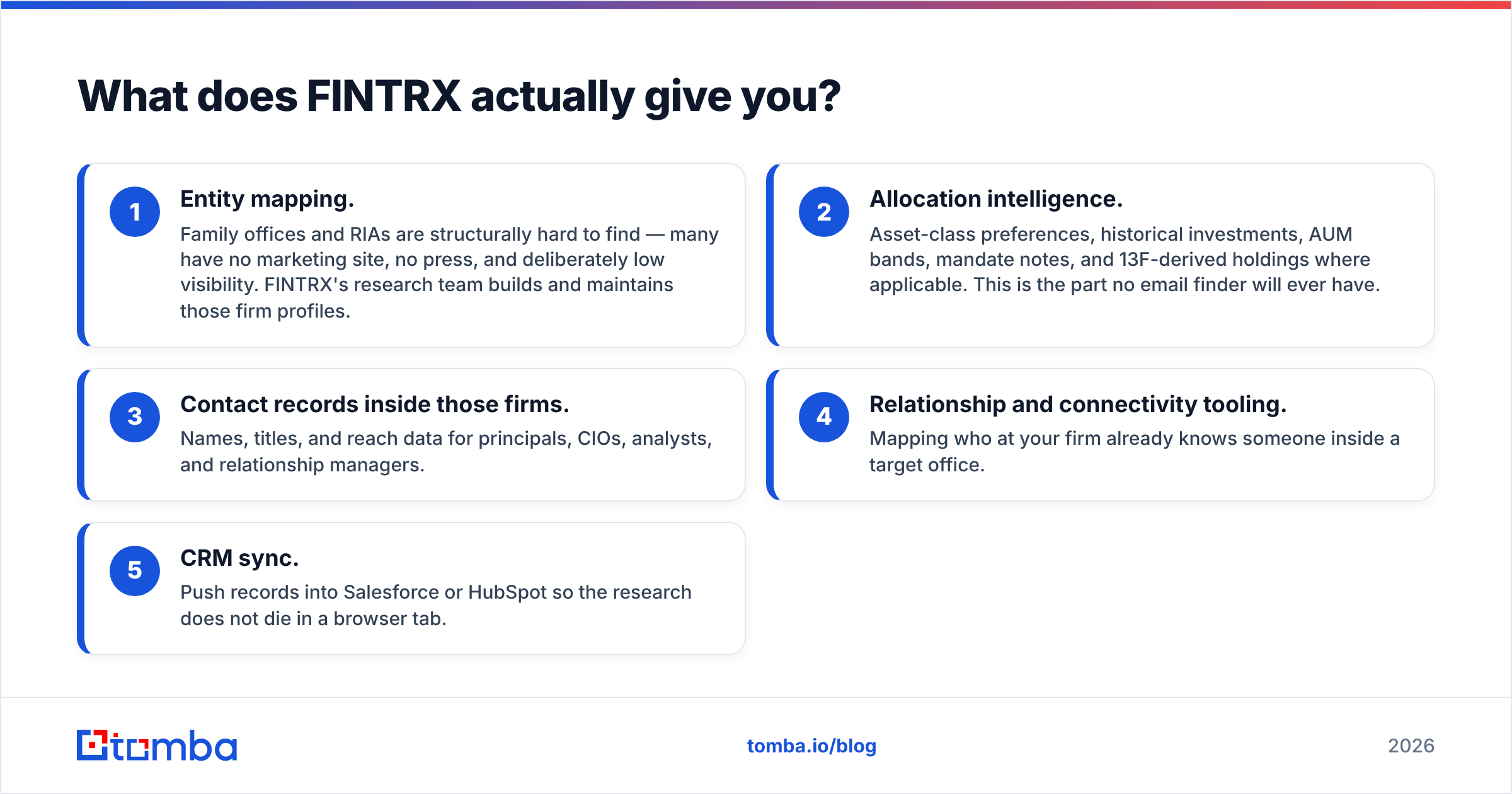
- Entity mapping. Family offices and RIAs are structurally hard to find — many have no marketing site, no press, and deliberately low visibility. FINTRX's research team builds and maintains those firm profiles.
- Allocation intelligence. Asset-class preferences, historical investments, AUM bands, mandate notes, and 13F-derived holdings where applicable. This is the part no email finder will ever have.
- Contact records inside those firms. Names, titles, and reach data for principals, CIOs, analysts, and relationship managers.
- Relationship and connectivity tooling. Mapping who at your firm already knows someone inside a target office.
- CRM sync. Push records into Salesforce or HubSpot so the research does not die in a browser tab.
Ask about coverage counts in your specific segment during the demo rather than trusting a homepage headline number. Vertical databases are deep where their researchers focus and thin at the edges; a platform built around North American family offices will not have the same density in, say, European corporate procurement.
The catch is the commercial model. FINTRX does not publish per-seat pricing. Expect a demo, a scoping call, an annual contract, and a per-seat number that lands in the same neighborhood as PitchBook or Preqin rather than anything in the self-serve tooling market. That is not a criticism — proprietary human-researched data is expensive to produce — but it does mean the buying process takes weeks, not minutes.
What does Skrapp actually give you?#
Skrapp is a much simpler product, and it is honest about it.
- LinkedIn extension. Capture profiles and their probable work emails while you prospect, including from Sales Navigator search results.
- Domain search. Enter a company domain, get the email pattern plus known addresses.
- Email finder. Name plus domain in, address out.
- Verifier. SMTP-level checks to strip obvious bad addresses before you send.
- Lists and CSV export. Basic list management, then out to your sequencer.
Published plans at the time of writing start around $49/mo for a starter allowance and rise through roughly $99, $199, and $299/mo tiers as monthly credits scale, with a small free allowance for testing. Always re-check the vendor page — email-finder pricing changes frequently and credits are often defined differently between "found" and "verified."
Where Skrapp is weakest is exactly where every LinkedIn-first finder is weakest: the moment you leave LinkedIn. If your target list starts as a spreadsheet of 4,000 domains rather than a Sales Navigator search, an extension-centric workflow becomes friction. That is why teams doing volume outbound tend to pair or replace it with an API-first email finder that treats bulk and programmatic access as the default rather than an upsell.
FINTRX vs Skrapp: how do they compare side by side?#
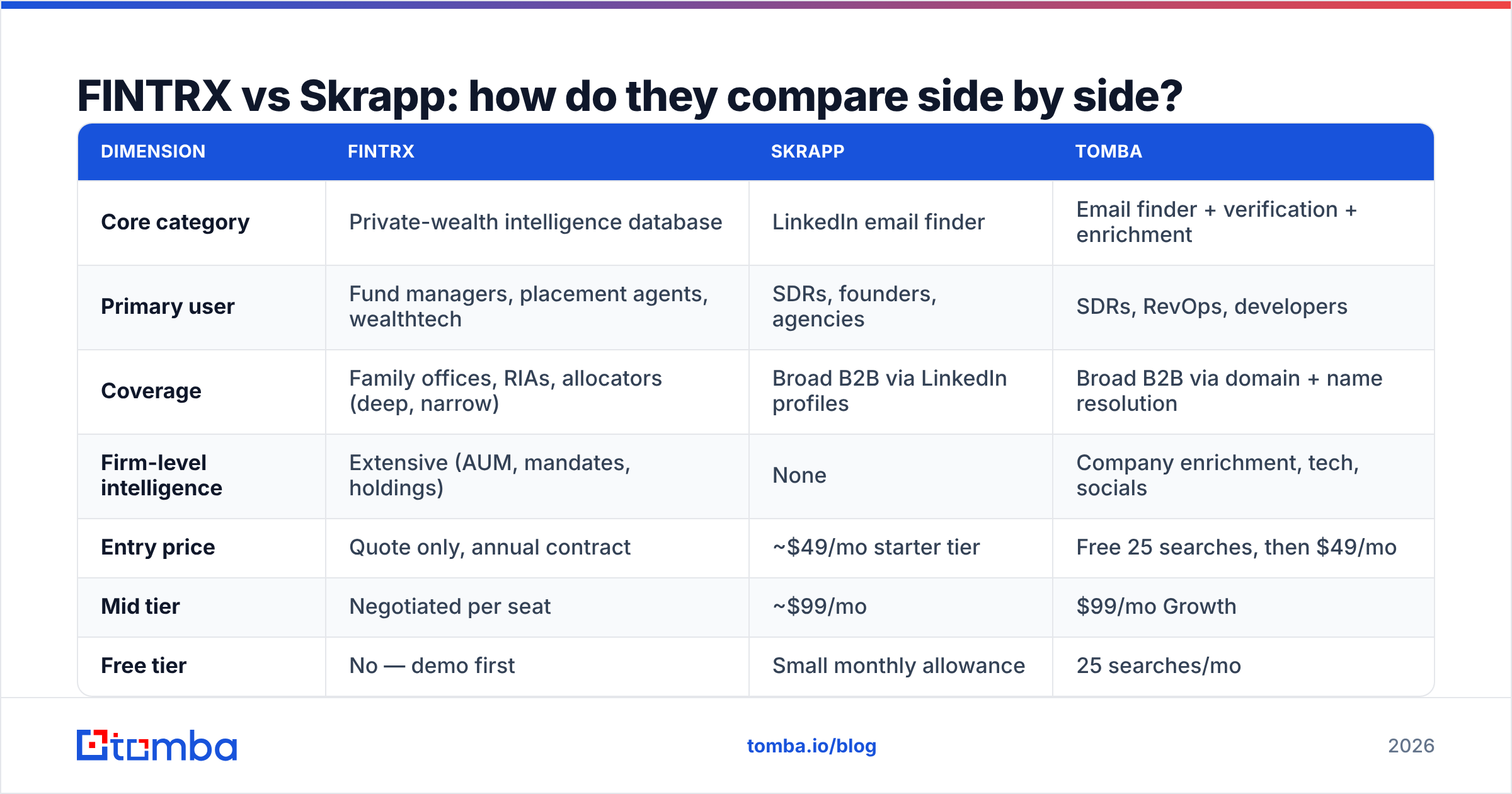
| Dimension | FINTRX | Skrapp | Tomba |
|---|---|---|---|
| Core category | Private-wealth intelligence database | LinkedIn email finder | Email finder + verification + enrichment |
| Primary user | Fund managers, placement agents, wealthtech | SDRs, founders, agencies | SDRs, RevOps, developers |
| Coverage | Family offices, RIAs, allocators (deep, narrow) | Broad B2B via LinkedIn profiles | Broad B2B via domain + name resolution |
| Firm-level intelligence | Extensive (AUM, mandates, holdings) | None | Company enrichment, tech, socials |
| Entry price | Quote only, annual contract | ~$49/mo starter tier | Free 25 searches, then $49/mo |
| Mid tier | Negotiated per seat | ~$99/mo | $99/mo Growth |
| Free tier | No — demo first | Small monthly allowance | 25 searches/mo |
| Bulk processing | Exports and CRM sync | CSV bulk on paid tiers | Native bulk finder + verifier |
| API access | Enterprise add-on | Limited | Full REST API on all paid plans |
| Verification | Contacts researched, not SMTP-scored | Built-in verifier | Verifier + catch-all handling |
| Time to first email | Days to weeks (sales cycle) | Minutes | Minutes |
The table makes the split obvious. FINTRX competes with PitchBook, Preqin, and Dakota. Skrapp competes with Hunter, Findymail, and Tomba. Nobody runs a real bake-off between the two columns unless they have not yet decided what problem they are solving.
Which one should you buy for your use case?#
Match the tool to the sale, not to the feature list.
- You raise capital or sell to allocators. Buy FINTRX (or a peer like Dakota). The firm intelligence is the product; email addresses are a rounding error. A generic finder cannot tell you which family office writes $5M checks into private credit.
- You sell SaaS, services, or products to normal companies. Skip FINTRX entirely. You need contact coverage and deliverability, not AUM data. Skrapp, Tomba, or Hunter are the shortlist.
- You do both. Run FINTRX for the allocator motion and a horizontal finder for everything else. This is common at wealthtech vendors who sell software to RIAs while also selling to fintechs and banks.
- You are volume-constrained, not intelligence-constrained. If your bottleneck is "I have 10,000 domains and no emails," neither FINTRX nor an extension-first workflow fixes it. You want a bulk email finder and an API.
- You are accuracy-constrained. If your bounce rate is the problem, the fix is a verification layer, not a new database. Run every list through an email verifier before it touches your sequencer, regardless of source.
Is Skrapp accurate enough to replace a research database?#
No — and that framing is the trap.
Accuracy in an email finder means "does this address exist and accept mail." Accuracy in a research database means "is this firm's mandate, AUM, and decision-maker correctly described." Those are different measurements, and a tool that scores well on one tells you nothing about the other.
For the email side, treat every vendor's published accuracy claim as marketing until you test it. The only honest benchmark is your own: take 200 contacts you can independently confirm, run them through each tool, and measure hit rate, bounce rate, and — critically — the catch-all rate. Catch-all domains are where finders quietly inflate their numbers, because an address on a catch-all domain can never be disproven by SMTP alone. A catch-all verifier that scores those separately is worth more than a two-point difference in headline accuracy.
For the intelligence side, there is no substitute for the research team. If your campaign copy depends on knowing that a firm just closed a $200M fund with an infrastructure mandate, no amount of email-finding sophistication produces that fact.

What does each one really cost over a year?#
Model total cost, not sticker price.
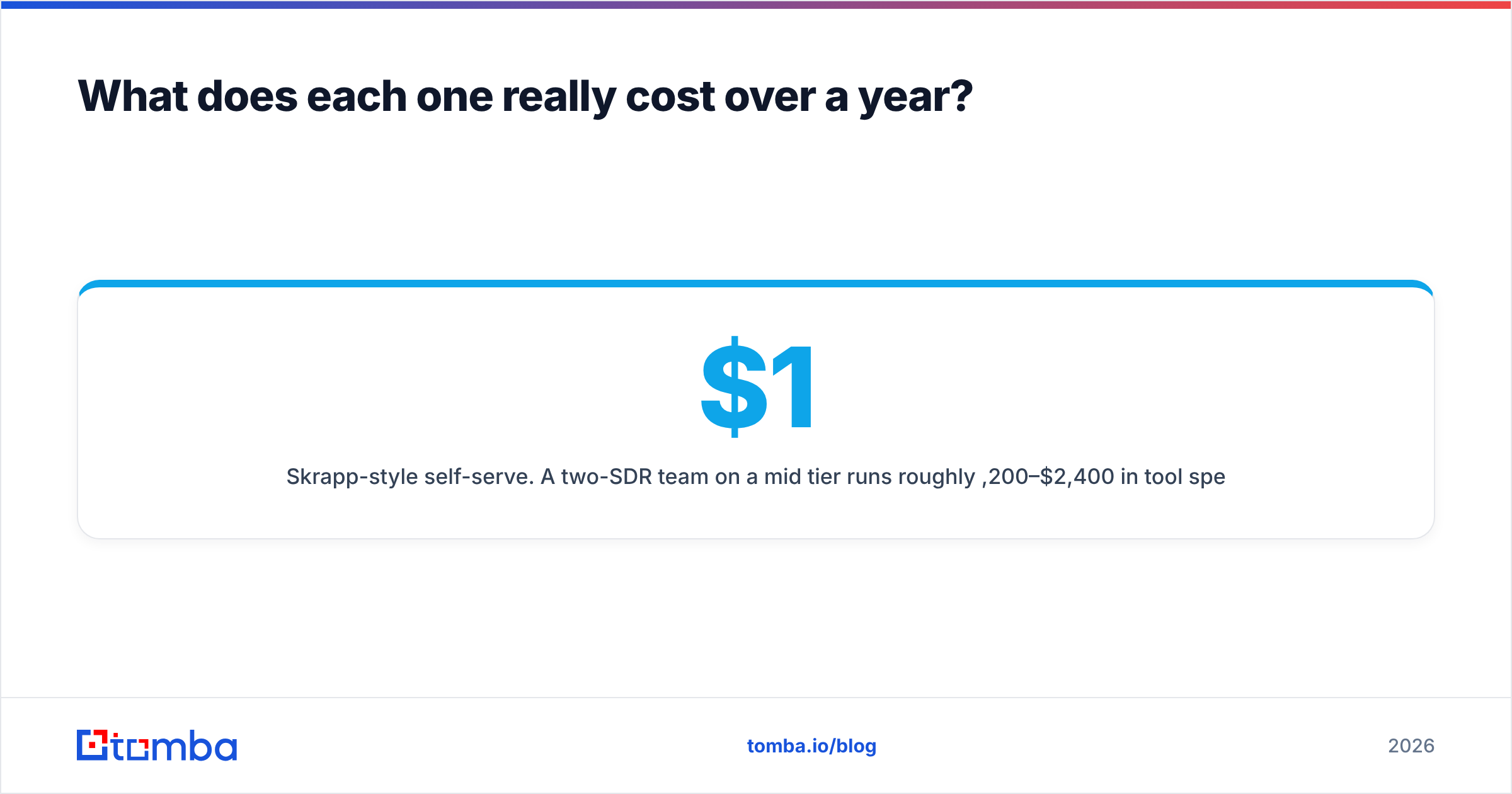
Skrapp-style self-serve. A two-SDR team on a mid tier runs roughly $1,200–$2,400/year in tool spend, plus whatever you burn on bounced sends and domain reputation repair if verification is weak. The hidden cost is credit waste: if 30% of your credits return catch-all or unknown results you cannot safely mail, your effective cost per usable contact is far above the advertised rate.
FINTRX-style enterprise. Quote-based annual contracts with per-seat pricing, typically negotiated with a minimum commitment. Budget for a procurement cycle, a security review, and onboarding time. The hidden cost is under-utilization — seats bought for a team of six that only two people actually log into.
The blended reality. Most GTM teams end up with a horizontal contact layer that everyone uses daily plus, at most, one vertical database for the segment where intelligence genuinely drives the sale. Buying two vertical databases is almost always a duplicate spend; buying zero horizontal layers means your reps are hand-copying addresses off websites.
Independent review sites are useful for sanity-checking vendor claims about support and onboarding. Filter G2's data intelligence category by company size before reading the scores — enterprise reviewers and solo founders rate the same product very differently, and an average across both is meaningless.
What should your evaluation checklist look like?#
Run the same five tests against any shortlist, whether it is these two or another pair.
- Segment test. Pull 50 accounts you already closed. Can the tool find them, and does it describe them correctly? A database that misses your best customers will miss your next ones.
- Bounce test. Export 200 addresses, send a real (small) campaign, and measure hard bounces. Anything above 3% means the verification layer is not doing its job.
- Workflow test. Can a rep go from "target account" to "contact in the sequencer" without a CSV round trip? Check the integrations and CRM sync before you sign, not after.
- Scale test. Ask what happens at 10x volume. Extension-based tools tend to hit rate limits; API-based tools tend to hit credit ceilings. Know which wall you will hit.
- Exit test. Can you export your data if you leave? Some enterprise contracts restrict export of enriched records. Read that clause.
Run those five and the FINTRX vs Skrapp question usually answers itself within a week.
The bottom line#
FINTRX and Skrapp solve different problems for different buyers, and the comparison only exists because both words appear near "B2B data." If you are raising capital or selling into private wealth, pay for the research — the intelligence is the moat. If you are running standard B2B outbound, you need contact coverage, verification, and a way to process thousands of records without babysitting a browser extension.
That second job is where most teams comparing these two actually live. If that is you, start with the Tomba Email Finder: a free tier with 25 searches/month to test against your own list, $49/mo Starter and $99/mo Growth plans with full API access included rather than gated behind an enterprise upgrade, plus native bulk processing, catch-all scoring, and verification in the same workflow. Test it on 200 contacts you can verify yourself — that benchmark will tell you more than any vendor comparison page, including this one.
Related guides#
Ready to find emails that actually work?
Join 150,000+ professionals who stopped guessing and started sending. Free credits on signup — no credit card required.
Get the Tomba newsletter
Practical outbound tactics and product updates — once every two weeks.
About the author