9 Best Fireberry Alternatives for B2B Sales Teams in 2026
Fireberry is a cheap, flexible, AI-flavored CRM — until you outgrow its ecosystem. Here are nine alternatives compared on price, customization, automation depth, and how painful the migration actually is.
TL;DR
- Fireberry (formerly Powerlink) is a low-cost, no-code CRM with strong custom-object flexibility and a growing AI layer. It wins on price and configurability, loses on ecosystem depth and sales-engagement features.
- If you left Fireberry because of integration gaps, HubSpot or Zoho CRM are the safest landings. If you left because of UI friction, Pipedrive, monday CRM, or Attio feel dramatically lighter.
- If you left because of outbound limitations, no CRM fixes that — you need a data layer (email finding, verification, enrichment) feeding whatever CRM you pick.
- Realistic switching cost: 2–6 weeks for a 10-seat team, most of it spent on data cleanup and re-building automations — not on the import itself.
- Cheapest credible replacements start around $9–$15/seat/month; the "safe" enterprise-track options start around $25/seat and climb fast.
What is Fireberry and who actually uses it?#
Fireberry is a business-management CRM built around no-code custom objects. You define your own record types, fields, relationships, and automations without a developer, and the platform ships an AI assistant layer on top for summarization, field suggestions, and basic generation. It rebranded from Powerlink and pushes hard on one promise: enterprise-style customization at SMB pricing. You can see the current feature set on fireberry.com.
The typical Fireberry user is a 5–50 person company — often services, real estate, insurance, or field operations — that needs a CRM shaped around a non-standard process. Teams pick it because Salesforce quotes gave them sticker shock and Pipedrive felt too deal-centric for their data model.
Teams start searching for Fireberry alternatives for four repeatable reasons:
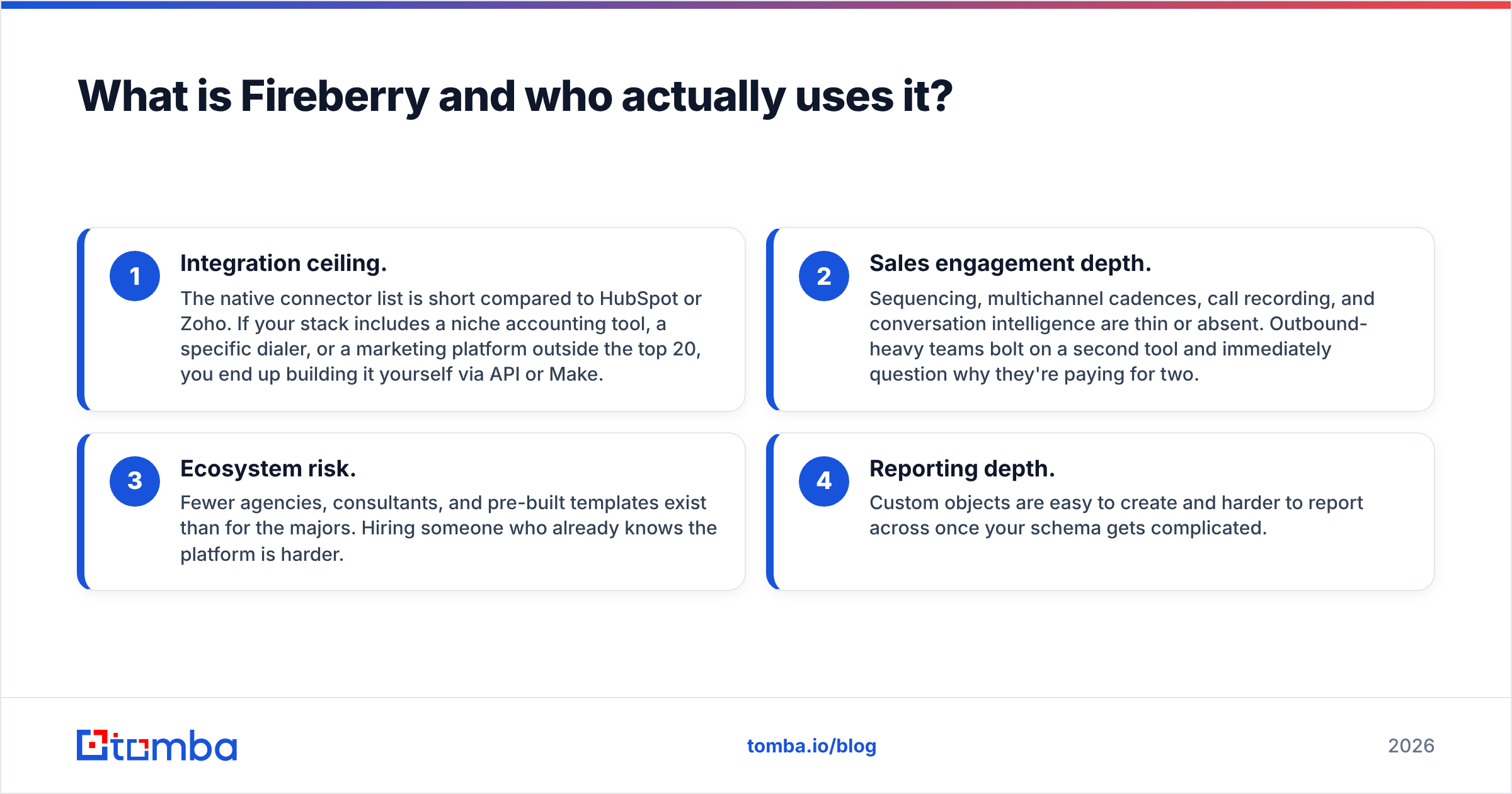
- Integration ceiling. The native connector list is short compared to HubSpot or Zoho. If your stack includes a niche accounting tool, a specific dialer, or a marketing platform outside the top 20, you end up building it yourself via API or Make.
- Sales engagement depth. Sequencing, multichannel cadences, call recording, and conversation intelligence are thin or absent. Outbound-heavy teams bolt on a second tool and immediately question why they're paying for two.
- Ecosystem risk. Fewer agencies, consultants, and pre-built templates exist than for the majors. Hiring someone who already knows the platform is harder.
- Reporting depth. Custom objects are easy to create and harder to report across once your schema gets complicated.
None of those are disqualifying. They're just the specific gaps that push teams to look. Match your reason to the replacement, or you'll migrate twice.

How should you evaluate Fireberry alternatives?#
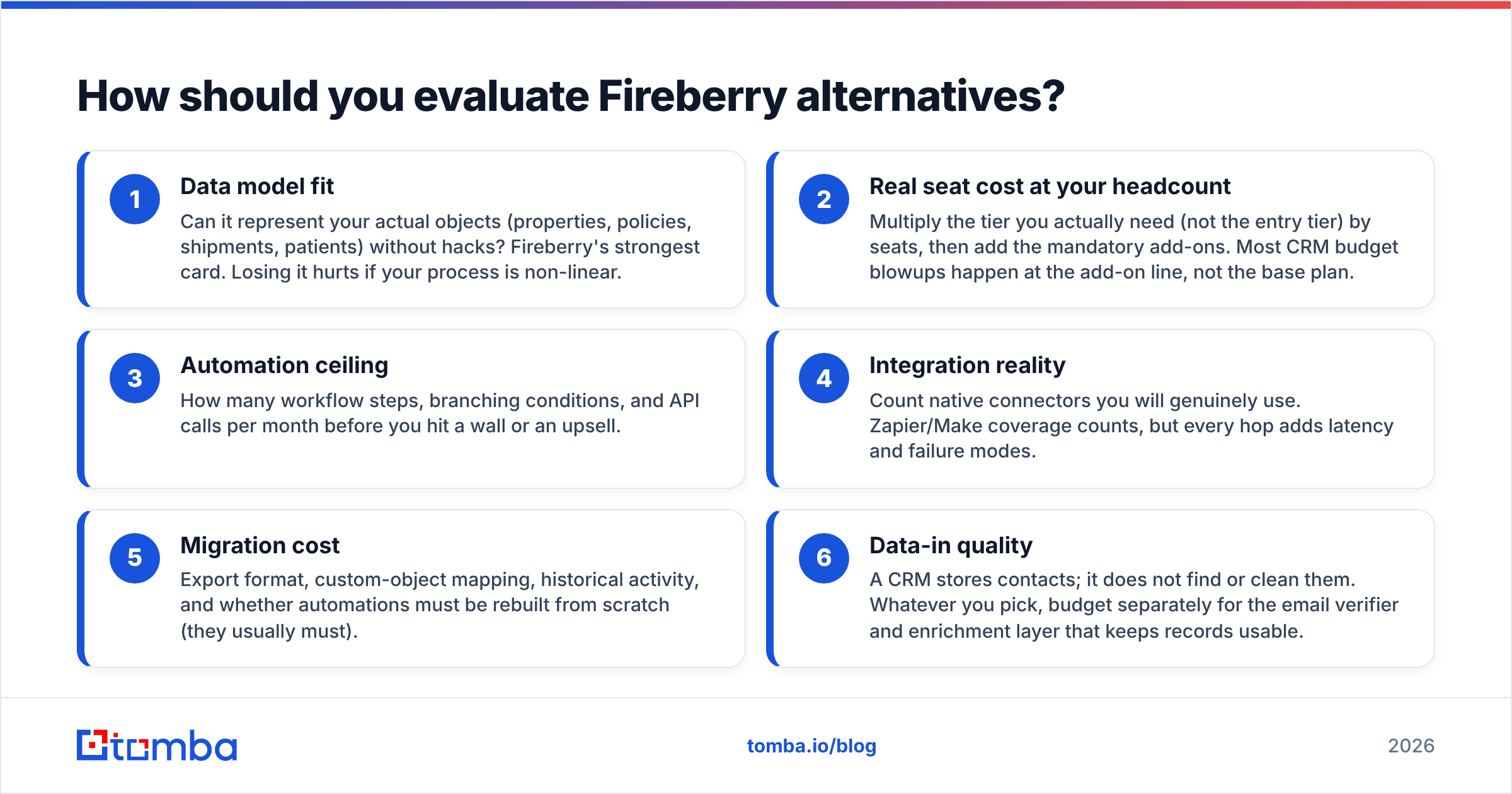
Score every candidate on six axes before you look at a demo. This is the structured checklist we use when auditing a CRM swap:
- Data model fit — Can it represent your actual objects (properties, policies, shipments, patients) without hacks? Fireberry's strongest card. Losing it hurts if your process is non-linear.
- Real seat cost at your headcount — Multiply the tier you actually need (not the entry tier) by seats, then add the mandatory add-ons. Most CRM budget blowups happen at the add-on line, not the base plan.
- Automation ceiling — How many workflow steps, branching conditions, and API calls per month before you hit a wall or an upsell.
- Integration reality — Count native connectors you will genuinely use. Zapier/Make coverage counts, but every hop adds latency and failure modes.
- Migration cost — Export format, custom-object mapping, historical activity, and whether automations must be rebuilt from scratch (they usually must).
- Data-in quality — A CRM stores contacts; it does not find or clean them. Whatever you pick, budget separately for the email verifier and enrichment layer that keeps records usable.
That last point is the one most teams skip. Migrating dirty data into a nicer CRM produces a nicer-looking dirty database. Clean on the way out, not after you land.
Which Fireberry alternatives are worth comparing in 2026?#
Here's the head-to-head. Prices are list prices at the time of writing, billed annually, per seat per month — always confirm on the vendor's own pricing page before you budget, because CRM pricing changes quarterly.
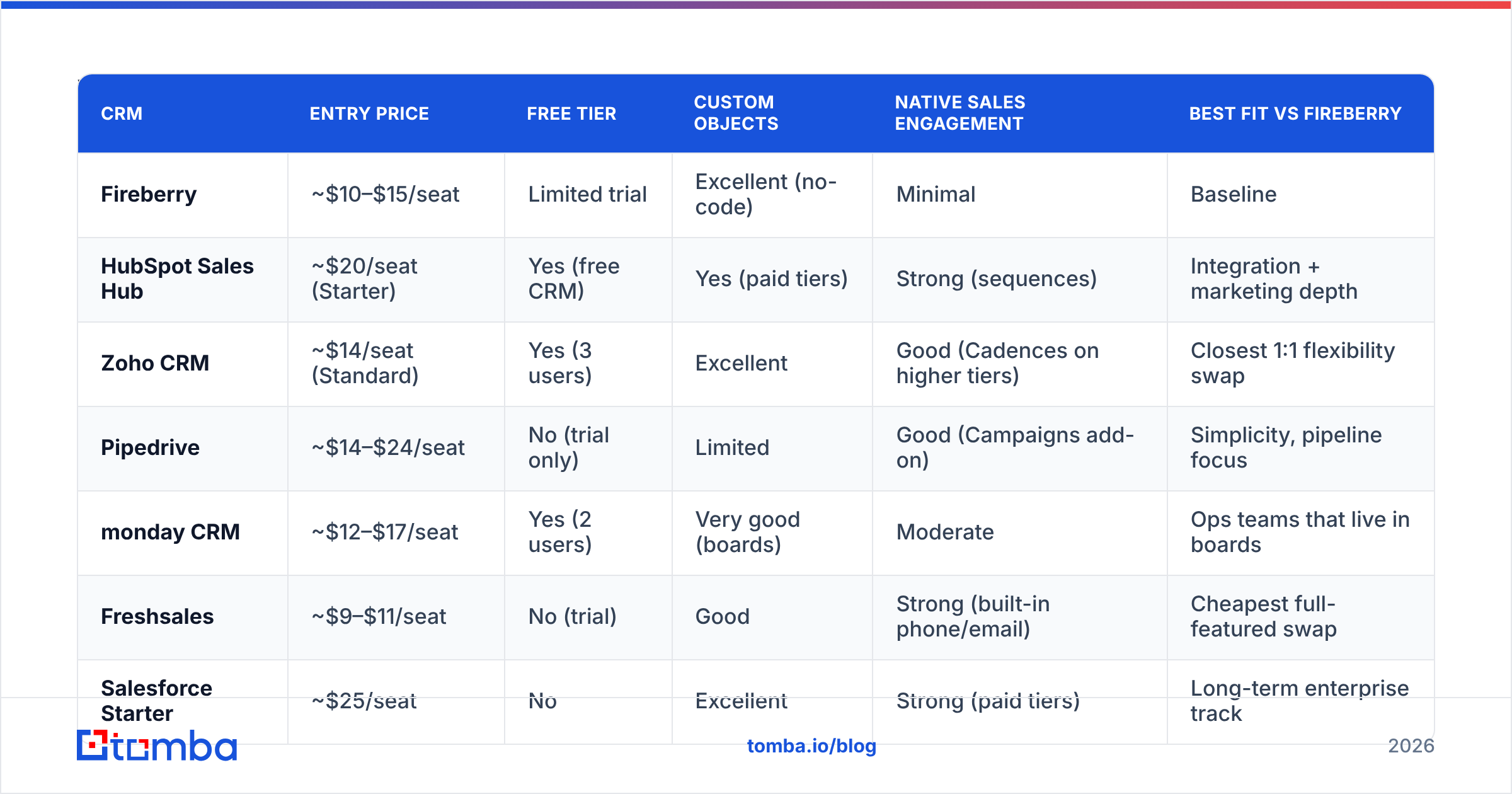
| CRM | Entry price | Free tier | Custom objects | Native sales engagement | Best fit vs Fireberry |
|---|---|---|---|---|---|
| Fireberry | ~$10–$15/seat | Limited trial | Excellent (no-code) | Minimal | Baseline |
| HubSpot Sales Hub | ~$20/seat (Starter) | Yes (free CRM) | Yes (paid tiers) | Strong (sequences) | Integration + marketing depth |
| Zoho CRM | ~$14/seat (Standard) | Yes (3 users) | Excellent | Good (Cadences on higher tiers) | Closest 1:1 flexibility swap |
| Pipedrive | ~$14–$24/seat | No (trial only) | Limited | Good (Campaigns add-on) | Simplicity, pipeline focus |
| monday CRM | ~$12–$17/seat | Yes (2 users) | Very good (boards) | Moderate | Ops teams that live in boards |
| Freshsales | ~$9–$11/seat | No (trial) | Good | Strong (built-in phone/email) | Cheapest full-featured swap |
| Salesforce Starter | ~$25/seat | No | Excellent | Strong (paid tiers) | Long-term enterprise track |
| Attio | ~$29/seat | Yes (limited) | Excellent (data-model first) | Moderate | Modern, API-first startups |
| Close | ~$19–$29/seat | No | Limited | Excellent (calling + SMS) | Outbound / inside sales teams |
| Bitrix24 | Free–$49 flat | Yes (unlimited users) | Good | Good | Budget-constrained, all-in-one |
Four things jump out of that table.
Nothing beats Fireberry on price-per-flexibility except Zoho. If your only complaint is ecosystem size, Zoho CRM is the least disruptive move — comparable custom-object power, a far bigger app marketplace, and a partner network you can actually hire from. Check the current tier breakdown on zoho.com.
HubSpot is the "never think about integrations again" tax. Starter is genuinely affordable; the cost curve bites at Professional. But the connector library, documentation, and hiring pool are unmatched in the SMB segment, and the HubSpot integration path means your enrichment stack plugs in without custom code.
Close and Freshsales solve a different problem. If you're leaving Fireberry because your reps are copying phone numbers into a separate dialer, a CRM with native calling and sequencing removes an entire tool from the stack. That's usually a bigger productivity gain than a prettier UI.
Bitrix24's flat pricing is unusual and underrated. Unlimited users on a flat plan changes the math completely for teams over 20 seats, at the cost of a busier interface.
Is HubSpot actually better than Fireberry for a small team?#
Better at different things. HubSpot wins on ecosystem, reporting, and sales engagement. Fireberry wins on modeling weird processes cheaply.
The honest decision rule: if your sales process is linear (lead → demo → proposal → closed) and your pain is tooling around the CRM, HubSpot or Pipedrive. If your process is relational (one account spawns many entities that relate to each other in non-obvious ways), stay in the custom-object family — Zoho, Attio, monday, or Fireberry itself.
Watch the HubSpot upgrade trap. Sequences, custom reporting depth, and workflow branching live above Starter. A 10-seat team that "just needs sequences" often ends up on Professional, which multiplies the monthly bill several times over. Model that before you sign. Independent tier-by-tier reviews on G2 are useful here precisely because they capture what users hit after month three.
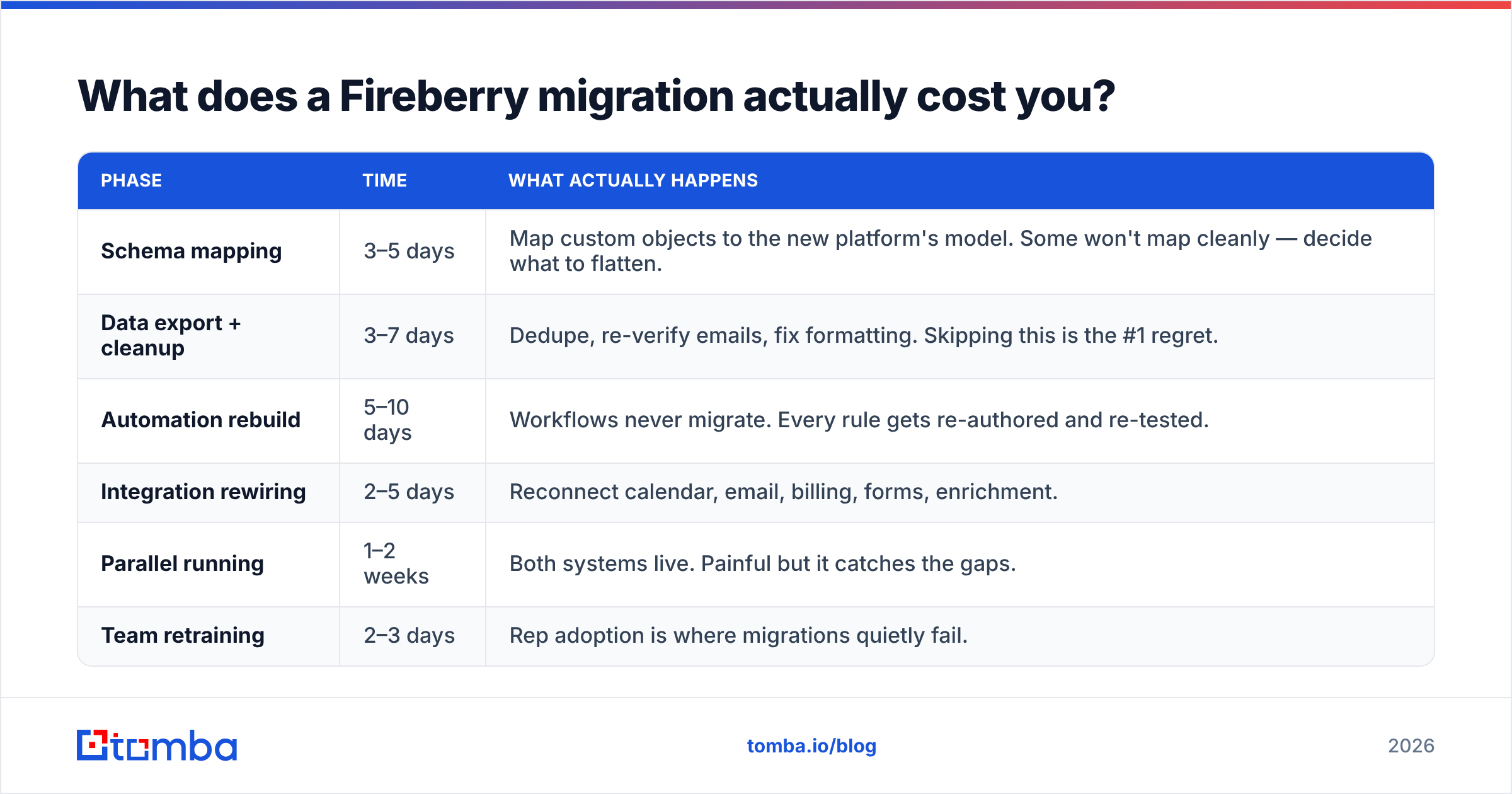
What does a Fireberry migration actually cost you?#
Not the import. The rebuild.
Here's what an honest 10-seat migration plan looks like:
| Phase | Time | What actually happens |
|---|---|---|
| Schema mapping | 3–5 days | Map custom objects to the new platform's model. Some won't map cleanly — decide what to flatten. |
| Data export + cleanup | 3–7 days | Dedupe, re-verify emails, fix formatting. Skipping this is the #1 regret. |
| Automation rebuild | 5–10 days | Workflows never migrate. Every rule gets re-authored and re-tested. |
| Integration rewiring | 2–5 days | Reconnect calendar, email, billing, forms, enrichment. |
| Parallel running | 1–2 weeks | Both systems live. Painful but it catches the gaps. |
| Team retraining | 2–3 days | Rep adoption is where migrations quietly fail. |
Two rules that save projects:
- Verify contact data before it lands. Exported CRM databases decay roughly 25–30% per year through job changes alone. Run the list through bulk verification first so your new CRM starts clean — that's what bulk verify is for. Importing 40,000 records and discovering a third are dead makes every downstream report wrong.
- Don't migrate everything. Archive contacts with zero activity in 24 months. You'll cut volume, cost, and cleanup time in one move.
Which alternative fits your specific reason for leaving?#
Match the trigger to the tool:
- "Integrations are too limited." → HubSpot or Zoho CRM. Biggest native connector libraries in the SMB tier.
- "Reps won't use it." → Pipedrive or monday CRM. Both optimize for the daily-driver experience over configurability.
- "We need calling and sequences built in." → Close or Freshsales. Native dialer, SMS, and cadences remove a whole vendor.
- "We need a real data model, but modern." → Attio. API-first, fast, and built by people who clearly hated legacy CRM UX.
- "We're heading upmarket and need the enterprise track." → Salesforce. Painful today, fewer forced migrations in three years.
- "Budget is the constraint, headcount is growing." → Bitrix24 flat pricing, or Zoho's lower tiers.
- "Actually, the CRM is fine — our pipeline is empty." → You don't have a CRM problem. Keep Fireberry and fix the top of funnel.
That last case is more common than the CRM vendors would like to admit. Teams blame the CRM for a pipeline that's starved of qualified contacts, migrate, and discover the same empty dashboard in a new color scheme.
What should you fix before you switch CRMs at all?#
The data layer. Every CRM on this list is a container — the value comes from what you put in it and how accurate it stays.
A functioning stack has three parts:
- Sourcing — turning a target account list into named, reachable contacts. Domain-level prospecting via domain search pulls the people at a company who match a role, so you're not manually hunting on LinkedIn.
- Validation — confirming addresses are deliverable before they enter the CRM and before they enter a sequence. This protects your sender reputation, which is far more expensive to repair than to preserve.
- Enrichment — filling in title, company size, tech stack, and phone so your segmentation and routing rules actually have fields to work with.
Doing that upstream means the CRM you migrate to inherits a clean database instead of the accumulated mess of the last three years. And because this layer is CRM-agnostic, you can run it through an API into HubSpot, Pipedrive, Salesforce, or Fireberry without changing your process when you eventually switch again — which, statistically, you will.
Frequently asked questions about Fireberry alternatives#
Is Fireberry a Salesforce competitor? Only at the low end. Fireberry competes for SMB deals where Salesforce is overpriced and overweight. It does not compete on ecosystem, AppExchange depth, or enterprise governance.
Is there a free Fireberry alternative? Yes — HubSpot's free CRM, Zoho CRM's free 3-user tier, and Bitrix24's free plan all run a small team indefinitely. Expect limits on automation, reporting, and email volume.
How long does a CRM migration take? Two to six weeks for a 10-seat team with a moderately customized setup. Heavily customized instances with many custom objects can run two to three months. Budget more time for automation rebuilding than for data import.
Can I keep my historical activity data? Partially. Contacts, companies, and deals export cleanly. Email threads, call logs, and audit history often don't map. Common approach: import the objects, archive a full CSV of activity history in cold storage.
Does switching CRMs improve my reply rates? No. Reply rates come from list quality, targeting, and copy. A new CRM changes how you track outcomes, not what those outcomes are.
Start with the data, not the demo#
Pick your CRM on your actual reason for leaving — integrations, engagement features, UX, or price — and be honest that most of the migration cost is rebuilding automations and cleaning records, not moving rows.
Before you import a single contact into whatever you choose, fix the input. Use the Tomba Email Finder to source verified, role-matched contacts at your target accounts, and push them into your new CRM through the Tomba API or a native integration. Free tier gives you 25 searches a month to test the accuracy on your own domains, and paid plans start at $49/month — see current Tomba pricing for the tier breakdown. Clean data in, useful CRM out. It works that way in that order, and only that order.
Related guides#
Ready to find emails that actually work?
Join 150,000+ professionals who stopped guessing and started sending. Free credits on signup — no credit card required.
Get the Tomba newsletter
Practical outbound tactics and product updates — once every two weeks.
About the author