9 Best Flowlu Alternatives in 2026 (Free and Paid Compared)
Flowlu bundles CRM, projects, invoicing and knowledge base into one flat-priced suite — but seat caps, shallow sales reporting and no built-in contact data push teams out. Here are nine alternatives, compared honestly.

TL;DR
- Flowlu is an all-in-one business OS — CRM, projects, invoicing, knowledge base — sold at a flat price per plan with a hard user cap, not per seat. That model is its biggest strength and the single most common reason teams outgrow it.
- If you want deeper sales reporting and a real marketing layer, HubSpot or Pipedrive are the natural upgrades. If you want more apps for the money, Zoho One, Bitrix24 and Odoo win on breadth.
- If your real problem is project execution rather than deals, ClickUp, monday.com or Teamwork.com replace Flowlu's PM half far more convincingly than its CRM half.
- No alternative on this list solves the gap that actually kills pipeline: none of them find contact data for you. Your CRM stores contacts; it doesn't create them.
- Pair whichever suite you pick with a dedicated data source. That's where a tool like Tomba's email finder or a purchased list from a vetted provider does the work your CRM can't.
What is Flowlu, and who is it actually built for?#
Flowlu is a business management suite aimed at small agencies, consultancies and service firms — the kind of company that runs 20 client projects and 40 open deals at the same time and doesn't want five separate subscriptions. In one login you get a CRM pipeline, project and task management, time tracking, invoicing and expenses, a knowledge base, and a lightweight team chat.
Think of it as a Swiss Army knife. Every blade works. None of them is the best blade you could buy on its own.
The pricing model is the part worth understanding before you compare anything. Most SaaS charges per seat, so cost scales linearly with headcount. Flowlu charges a flat monthly fee per plan and then caps how many users that plan allows — a free tier for a couple of users, then paid tiers that bundle roughly 8, 16, 25 and 50 users at fixed prices (billed annually; check flowlu.com for current numbers, since vendor pricing moves).
For a 12-person agency, that's genuinely cheap. For a 9-person agency sitting one head above an 8-user cap, it's an abrupt jump to the next tier. And that jump is the moment most people start searching for Flowlu alternatives.

Why do teams look for Flowlu alternatives?#
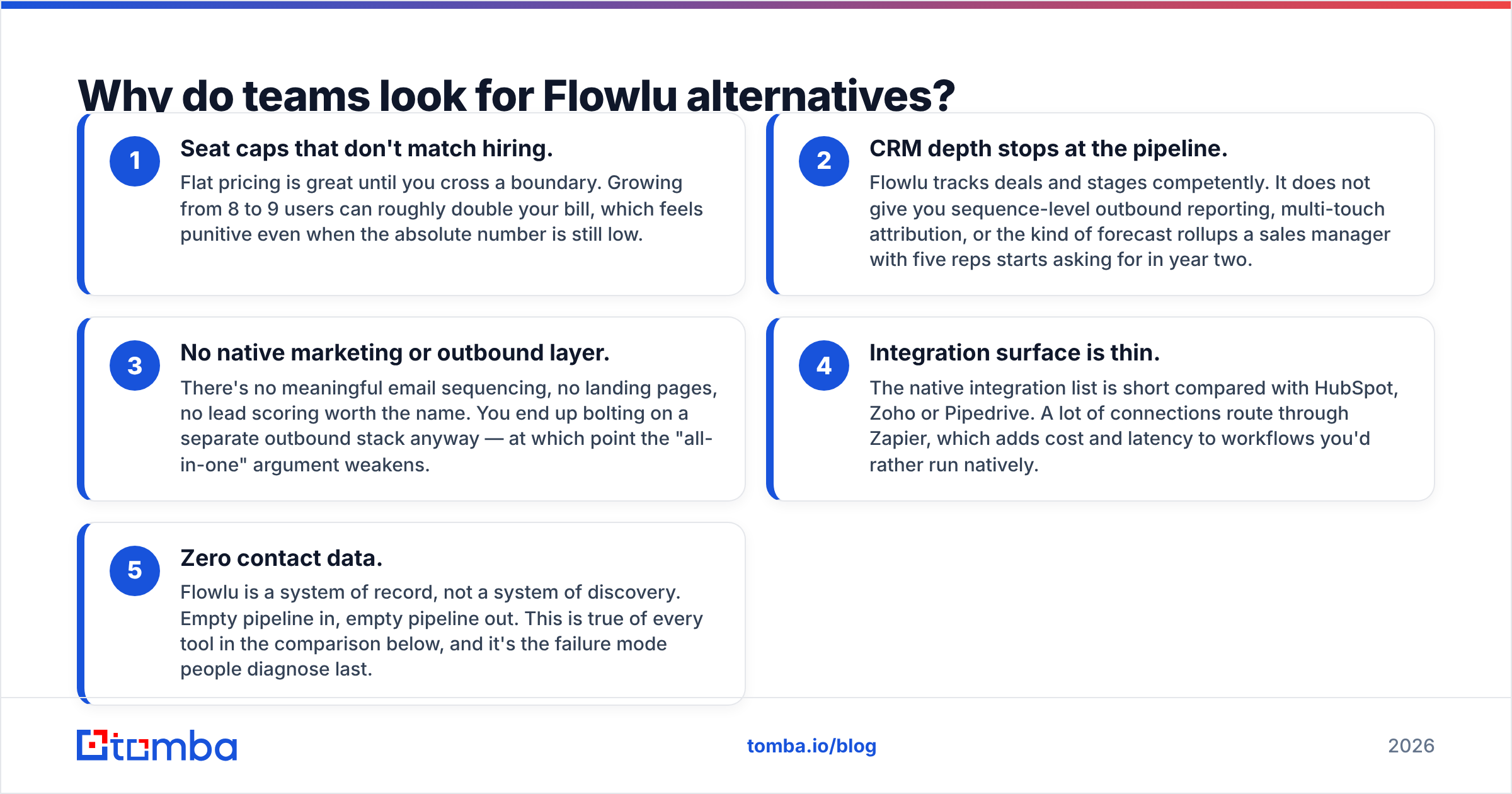
From reading user reviews on G2 and vendor comparison threads, the complaints cluster into five repeatable patterns. Match yours to the right replacement instead of jumping to the most popular name.
- Seat caps that don't match hiring. Flat pricing is great until you cross a boundary. Growing from 8 to 9 users can roughly double your bill, which feels punitive even when the absolute number is still low.
- CRM depth stops at the pipeline. Flowlu tracks deals and stages competently. It does not give you sequence-level outbound reporting, multi-touch attribution, or the kind of forecast rollups a sales manager with five reps starts asking for in year two.
- No native marketing or outbound layer. There's no meaningful email sequencing, no landing pages, no lead scoring worth the name. You end up bolting on a separate outbound stack anyway — at which point the "all-in-one" argument weakens.
- Integration surface is thin. The native integration list is short compared with HubSpot, Zoho or Pipedrive. A lot of connections route through Zapier, which adds cost and latency to workflows you'd rather run natively.
- Zero contact data. Flowlu is a system of record, not a system of discovery. Empty pipeline in, empty pipeline out. This is true of every tool in the comparison below, and it's the failure mode people diagnose last.
If your issue is #1 or #4, a cheaper per-seat tool fixes it. If it's #2 or #3, you need a sales-first platform. If it's #5, changing CRMs will not help you at all — keep reading to the data section.
What are the best Flowlu alternatives in 2026?#
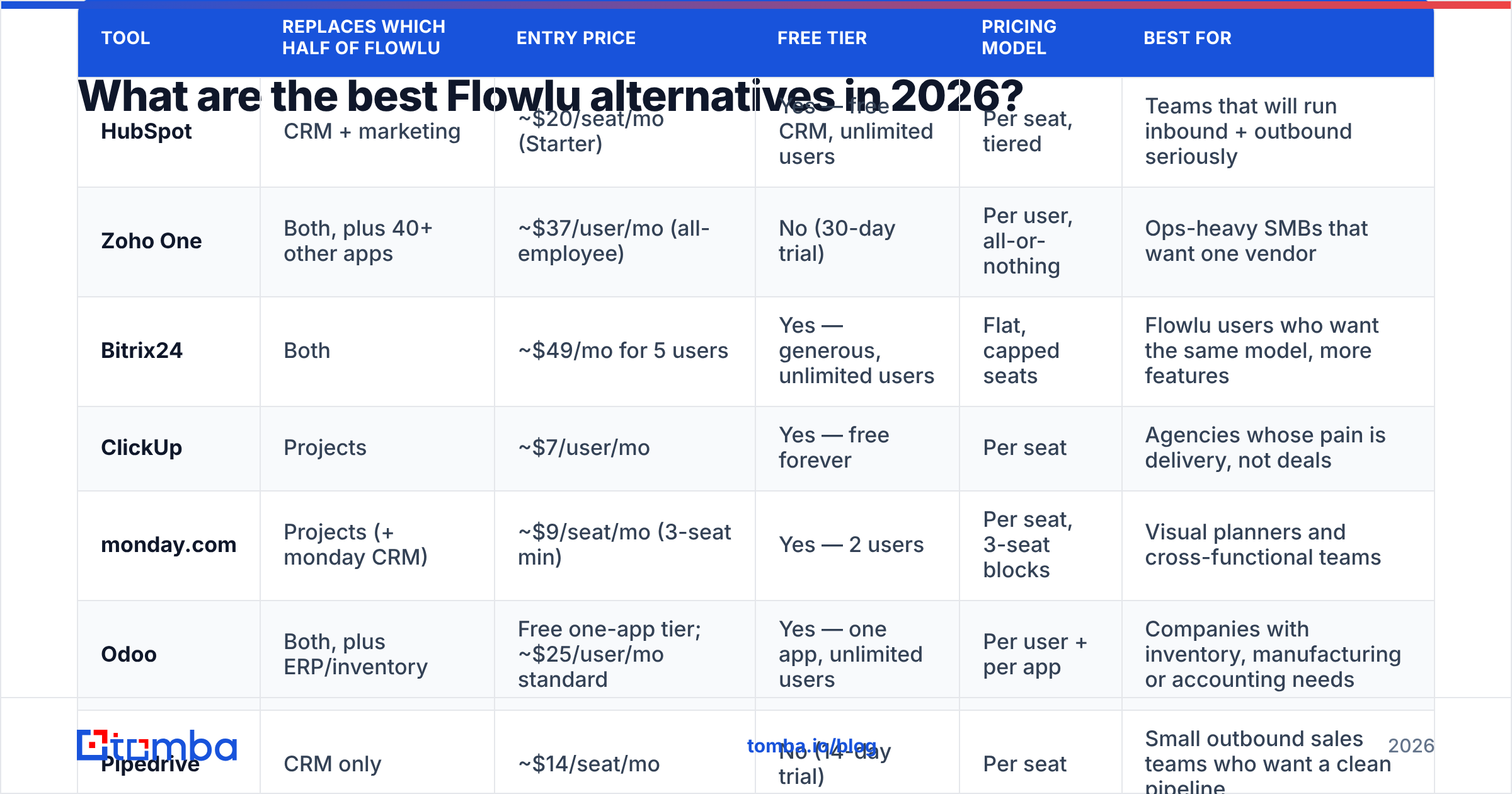
Nine tools, grouped by what they actually replace. Prices below are entry-level list prices at the time of writing and are rounded; every vendor changes them, so treat this as a shape, not a quote.
| Tool | Replaces which half of Flowlu | Entry price | Free tier | Pricing model | Best for |
|---|---|---|---|---|---|
| HubSpot | CRM + marketing | ~$20/seat/mo (Starter) | Yes — free CRM, unlimited users | Per seat, tiered | Teams that will run inbound + outbound seriously |
| Zoho One | Both, plus 40+ other apps | ~$37/user/mo (all-employee) | No (30-day trial) | Per user, all-or-nothing | Ops-heavy SMBs that want one vendor |
| Bitrix24 | Both | ~$49/mo for 5 users | Yes — generous, unlimited users | Flat, capped seats | Flowlu users who want the same model, more features |
| ClickUp | Projects | ~$7/user/mo | Yes — free forever | Per seat | Agencies whose pain is delivery, not deals |
| monday.com | Projects (+ monday CRM) | ~$9/seat/mo (3-seat min) | Yes — 2 users | Per seat, 3-seat blocks | Visual planners and cross-functional teams |
| Odoo | Both, plus ERP/inventory | Free one-app tier; ~$25/user/mo standard | Yes — one app, unlimited users | Per user + per app | Companies with inventory, manufacturing or accounting needs |
| Pipedrive | CRM only | ~$14/seat/mo | No (14-day trial) | Per seat | Small outbound sales teams who want a clean pipeline |
| Scoro | Both, professional-services flavour | ~$26/user/mo (5-user min) | No | Per user, minimum seats | Consultancies billing by the hour with margin tracking |
| Teamwork.com | Projects + client billing | ~$11/user/mo | Yes — limited | Per user | Client-services shops tracking billable utilisation |
HubSpot — the upgrade path when sales gets serious#
HubSpot's free CRM has no user limit, which is the exact opposite of Flowlu's model and immediately fixes the seat-cap complaint. You get contacts, deals, pipelines, meeting links and basic reporting for nothing. Where it earns money is the Starter and Professional tiers, which add sequences, workflows, custom reporting and the marketing hub.
The honest tradeoff: HubSpot's project management is not a Flowlu replacement. It has tasks and projects in a marketing-campaign sense, not a Gantt-chart-and-timesheet sense. If you bill hours, you'll need something alongside it. Also budget for the price cliff — the jump from Starter to Professional is steep, and contract terms are annual. Compare the free CRM tier against what you actually use in Flowlu before assuming it's cheaper.
Pick it if: your pipeline is the growth constraint and you'd rather over-invest in sales tooling than in delivery tooling.
Zoho One — the maximalist option#
Zoho One bundles more than forty applications: CRM, Projects, Books (accounting), Desk (support), Campaigns, Sign, Recruit, and so on. On paper it replaces Flowlu and six other subscriptions for roughly $37 per employee per month on the all-employee plan.
The catch is the "all-employee" clause — you license every person in the company, not just the ones who need the software. And Zoho's apps vary in polish. Zoho CRM is genuinely strong; some of the peripheral apps feel like they were built by different teams in different decades, because they were.
Pick it if: you have an operations person who enjoys configuring things and you want one vendor, one invoice, one support contract.
Bitrix24 — the closest structural match#
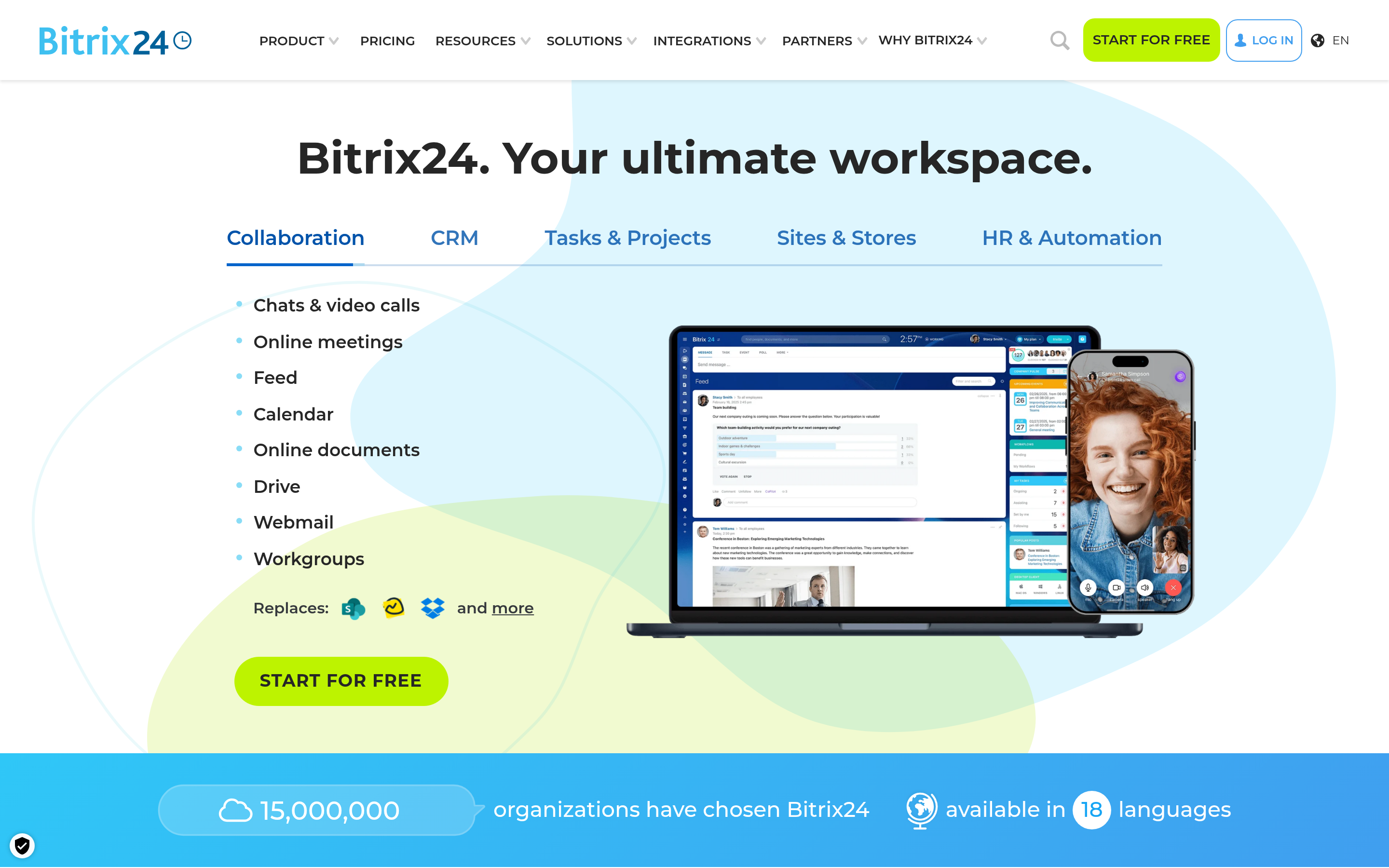
Of everything on this list, Bitrix24 is the most Flowlu-like: CRM, tasks, documents, telephony, website builder and internal social feed, sold in flat-rate tiers with user allowances. The free plan is unusually generous — unlimited users with feature restrictions rather than seat restrictions.
The reason people bounce off it is the interface. Bitrix24 does a lot, and it shows you all of it at once. Onboarding a non-technical team takes real effort. But if you liked Flowlu's model and just wanted more surface area, this is the shortest migration.
Pick it if: flat pricing was the reason you chose Flowlu and you're leaving over features, not billing.
ClickUp, monday.com and Teamwork.com — when the problem is delivery#
If you're honest and the CRM was always secondary, replace the project half and keep something simple for deals.
- ClickUp is the deepest and cheapest, with custom fields, dashboards, docs, goals and native time tracking around $7/user/mo. It's also the most likely to sprawl if nobody owns the workspace structure.
- monday.com wins on clarity. The board metaphor is legible to clients and non-technical staff on day one, and monday CRM covers a basic pipeline if you want it. Note the three-seat minimum — a two-person shop pays for three.
- Teamwork.com is purpose-built for agencies: billable vs non-billable hours, client users, retainer tracking, utilisation reports. If your Flowlu use was mostly timesheets and invoices, this is the most direct swap.
Odoo and Scoro — the specialists#
Odoo goes further down the ERP path than Flowlu ever will. Inventory, manufacturing, POS, full double-entry accounting. The one-app-free tier is a real offer, and the open-source community edition is self-hostable. Costs escalate as you add apps and implementation partners, so price the whole build, not the first module.
Scoro is professional-services software with an opinion: it ties quotes, projects, time and invoices to a real-time margin view per client. Consultancies who can't answer "is this account profitable?" get the most from it. It's the priciest per user here, with a five-seat minimum.
Is any Flowlu alternative actually cheaper?#
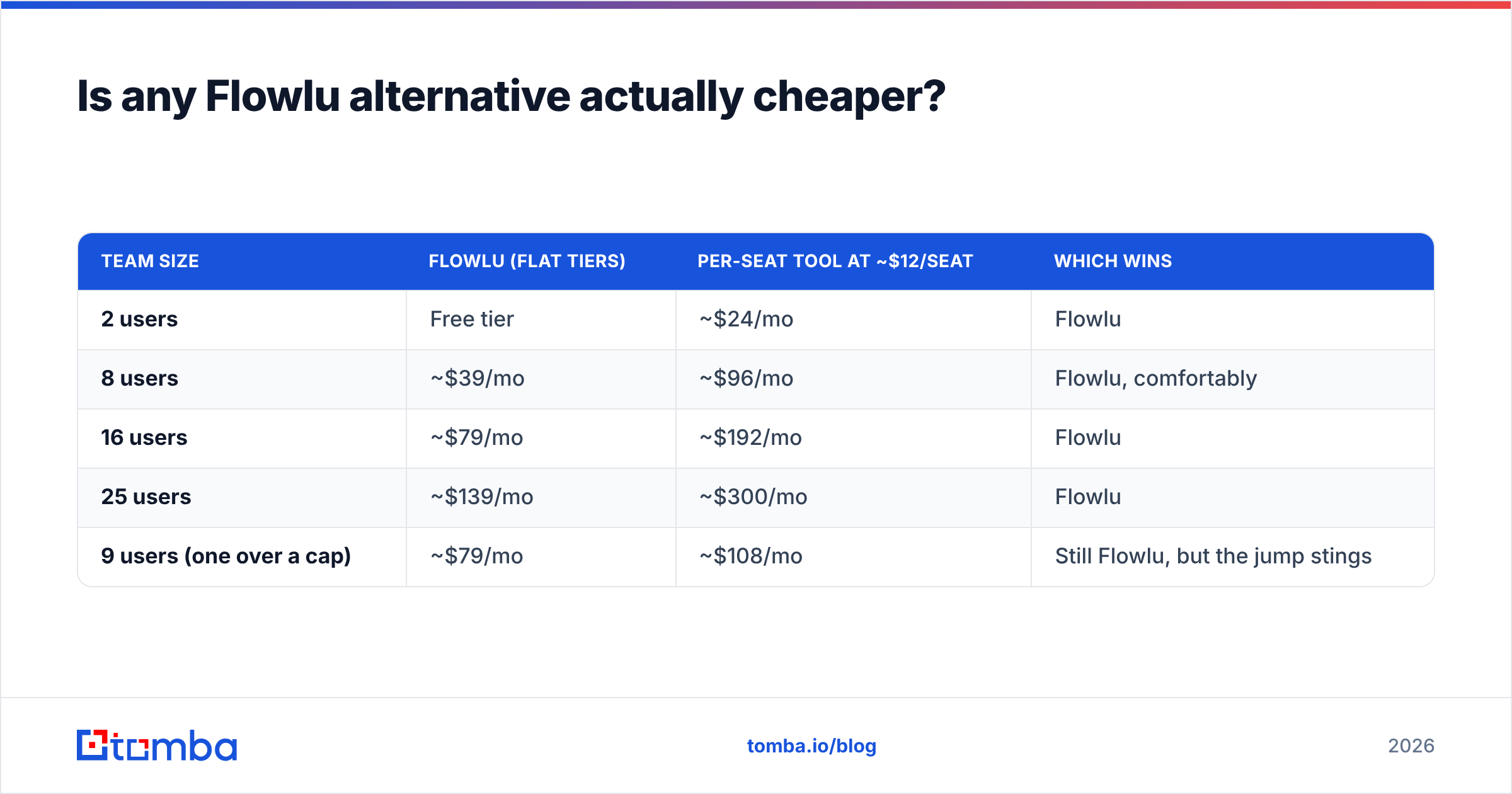
Depends entirely on headcount, and the crossover point is not where people expect.
| Team size | Flowlu (flat tiers) | Per-seat tool at ~$12/seat | Which wins |
|---|---|---|---|
| 2 users | Free tier | ~$24/mo | Flowlu |
| 8 users | ~$39/mo | ~$96/mo | Flowlu, comfortably |
| 16 users | ~$79/mo | ~$192/mo | Flowlu |
| 25 users | ~$139/mo | ~$300/mo | Flowlu |
| 9 users (one over a cap) | ~$79/mo | ~$108/mo | Still Flowlu, but the jump stings |
Read that table carefully, because it undercuts the usual advice: on raw price, Flowlu usually wins. People don't leave Flowlu to save money. They leave because a specific capability is missing and the workaround costs more in hours than the subscription costs in dollars.
So the real question isn't "what's cheaper than Flowlu." It's "what does the missing capability cost me per month in manual work?" Price the gap, not the plan.

What none of these tools do — and why it matters more than the CRM choice#
Every platform above is a container. Flowlu, HubSpot, Zoho, Pipedrive, Bitrix24 — they store, route, remind and report on contacts. Not one of them puts a new, verified decision-maker into your pipeline.
That's the gap that quietly caps outbound teams. You migrate from Flowlu to HubSpot expecting more pipeline, get better dashboards, and discover the dashboards are reporting on the same 300 contacts you already had.
Filling that gap needs three things your CRM doesn't provide:
- A way to find contacts at target companies. Give a domain, get the people and their work emails. A domain search turns a target-account list into a named contact list without manual LinkedIn digging.
- Verification before send. Bounce rates above roughly 3% start damaging sender reputation, and a damaged domain hurts every campaign afterwards. Running lists through an email verifier before import is the cheapest insurance in outbound.
- Enrichment on the records you already have. Half-complete CRM rows — name and company, no email, no title — are the most common form of dead weight in a migrated database. Contact data enrichment backfills them in bulk instead of one rep at a time.
You can also buy data rather than find it. Providers like BookYourData sell pre-built, filterable B2B lists with accuracy guarantees, which suits teams who want volume immediately and don't want to run their own sourcing workflow. Bought lists and found-and-verified contacts solve slightly different problems — bought data gets you breadth fast, discovery gets you precision on a named account list. Plenty of teams run both.
How should you choose between Flowlu alternatives?#
Work through it in this order and you'll avoid the expensive mistake of migrating for the wrong reason.
- Write down the one thing Flowlu can't do. If you can't name it in a sentence, don't migrate. The switching cost — data export, retraining, rebuilt automations, lost history — is real and usually underestimated at two to six weeks of partial productivity.
- Decide which half matters more. Sales-led? HubSpot or Pipedrive. Delivery-led? ClickUp, monday.com or Teamwork. Ops-led? Zoho One, Odoo or Bitrix24. Trying to keep both halves equally strong in one tool is how you end up back where you started.
- Model cost at your headcount in 18 months, not today. Per-seat tools look cheap at 4 people and expensive at 30. Flat-tier tools look cheap until the cap.
- Check the integration list before the feature list. Whatever you pick has to talk to your email, calendar, accounting and data tools. Verify the native connectors exist — a Zapier workaround for a daily workflow is a recurring tax.
- Run a two-week parallel trial with real deals. Not sample data. Real ones, entered twice. It's annoying and it's the only test that predicts adoption.
Frequently asked questions#
Is there a free Flowlu alternative? Yes, several. HubSpot's free CRM has no user cap, ClickUp's free tier covers unlimited members with feature limits, and Bitrix24's free plan is the closest all-in-one equivalent to Flowlu's.
Can I export my Flowlu data? Flowlu supports CSV export for core entities. Export contacts, deals, projects and invoices separately, and expect to remap custom fields by hand. Clean and dedupe during the migration, not after — it's the only time you'll have permission to touch every record.
Should I split CRM and project management into two tools? Often, yes. The all-in-one pitch saves money and loses depth. Two best-in-class tools with a solid integration usually beat one mediocre suite once you pass roughly 15 people.
Will switching CRMs improve my close rate? Almost never on its own. Close rate improves when pipeline quality and volume improve — which is a data and process problem, not a software problem.
Where to start#
Pick your alternative based on which half of Flowlu you actually lived in — then fix the input problem, because a better CRM full of the same stale contacts produces the same results with nicer charts.
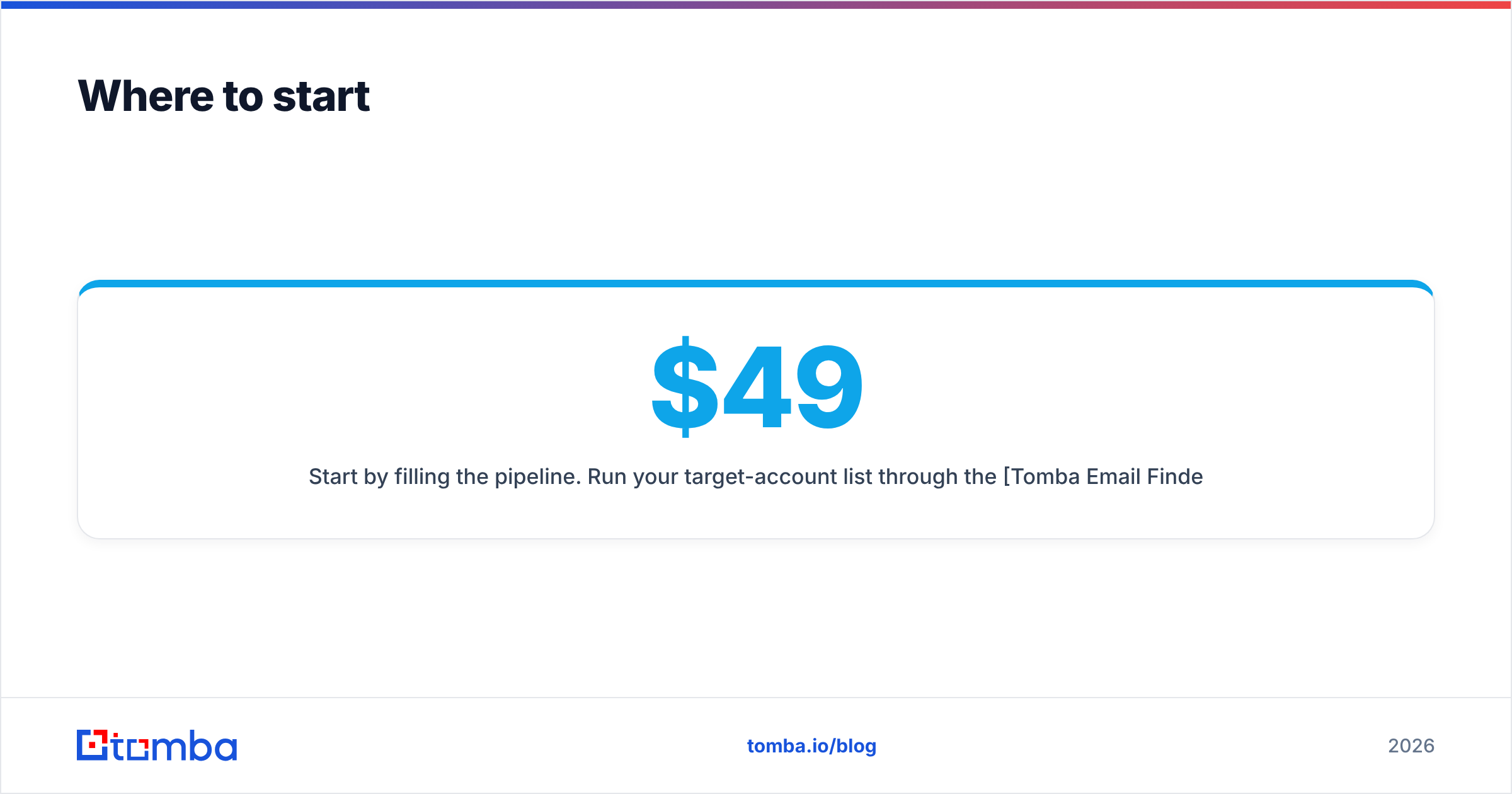
Start by filling the pipeline. Run your target-account list through the Tomba Email Finder to turn company domains into verified, named contacts, then push them straight into whichever platform you land on. Tomba's free tier covers 25 searches a month so you can test data quality before paying anything; paid plans start at $49/mo on Starter, with Growth at $99/mo and Pro at $249/mo — full details on the Tomba pricing page. Whatever CRM wins your evaluation, the contacts are what make it worth logging into.
Related guides#
Ready to find emails that actually work?
Join 150,000+ professionals who stopped guessing and started sending. Free credits on signup — no credit card required.
Get the Tomba newsletter
Practical outbound tactics and product updates — once every two weeks.
About the author