Free Email Lookup by Name: How to Find Anyone's Email in 2026
Most free email lookup tools hand you a guess dressed up as an answer. Here's how name-based lookup actually works, which free tiers are worth your time in 2026, and when free stops being cheap.
TL;DR
- A free email lookup by name works by matching a person's name against a company's known email pattern, then confirming the result against real mail-server and source data. Skip the confirmation step and you have a guess, not an address.
- Almost every "free" tool caps you at 10–50 lookups per month. Tomba gives 25 searches/mo free, Hunter gives 25, Snov.io gives 50 credits. That's a sampling budget, not a prospecting budget.
- Accuracy varies wildly by company size and mail setup. Big-company patterns (first.last@) resolve easily; small startups on catch-all domains are where most free tools quietly fail.
- Never send to an unverified name-based match. Bounce rates above 3% start damaging your sending domain, and one bad list can undo months of warmup.
- Free is right for spot checks and testing a vendor's data quality. Paid starts making sense the moment you need more than ~50 confirmed contacts a month.
What is a free email lookup by name?#
A free email lookup by name is a search that takes two inputs — a person's full name and the company they work at (or its domain) — and returns their most likely professional email address, at no cost, usually within a monthly limit.
Think of it like finding an apartment number when you only know the building and the resident's name. You don't check every door. You learn how the building numbers its units, narrow to a floor, then knock once to confirm. Email lookup tools do the same thing: identify the company's naming convention, apply the name to it, then confirm before you commit.
That last part is what separates a lookup from a guess. Tools that skip confirmation are really just email permutators with better branding — they generate john.smith@acme.com, jsmith@acme.com, john@acme.com and let you sort it out. Useful, but not the same product.
Two things a name-based lookup cannot do, and you should be skeptical of any tool claiming otherwise:
- Find a personal Gmail address from a name alone. Free-mail providers publish nothing. Anything that returns
johnsmith1987@gmail.comfrom a name is scraping breach data or fabricating. - Work without a company. "John Smith" with no employer is not a query. The company is what makes the search solvable.
How do email lookup tools actually find an address by name?#
Four mechanisms, usually layered. Understanding the stack tells you exactly where a free tool is cutting corners.
- Pattern inference. The tool has already crawled
acme.comand observed 40 real addresses in the wild — press releases, GitHub commits, PDF footers, staff pages. It sees 37 of 40 followfirst.last@, so it applies that pattern to your name with high confidence. This is the workhorse and it's why a company email pattern check is a useful standalone tool. - Direct index match. Some names are already in the provider's database because the exact address was observed publicly. No inference needed. This is the highest-confidence result type, and the size and freshness of a provider's index is most of what you're paying for. Tomba publishes its data sources if you want to see how that side works.
- SMTP verification. The tool opens a conversation with the recipient's mail server and asks whether the mailbox exists, without sending anything. A clean
250reply means deliverable. This is the confirmation step, and it's the one most free tiers ration hardest. - Catch-all detection. Roughly a third of B2B domains accept mail to any address, which makes SMTP verification useless — the server says yes to everything. Good tools flag this and fall back to pattern confidence plus source evidence. Weak tools return "valid" and let you find out the hard way. A dedicated catch-all verifier exists precisely because this case breaks the normal flow.
The practical consequence: a lookup that returns a result with no confidence score, no source, and no verification status is giving you step 1 only. That's about 60–70% accurate on large companies and considerably worse on companies under 50 people.
How accurate is a free email lookup by name?#
Accuracy depends far more on the target than on the tool. Here's the honest breakdown of where name-based lookup succeeds and fails:
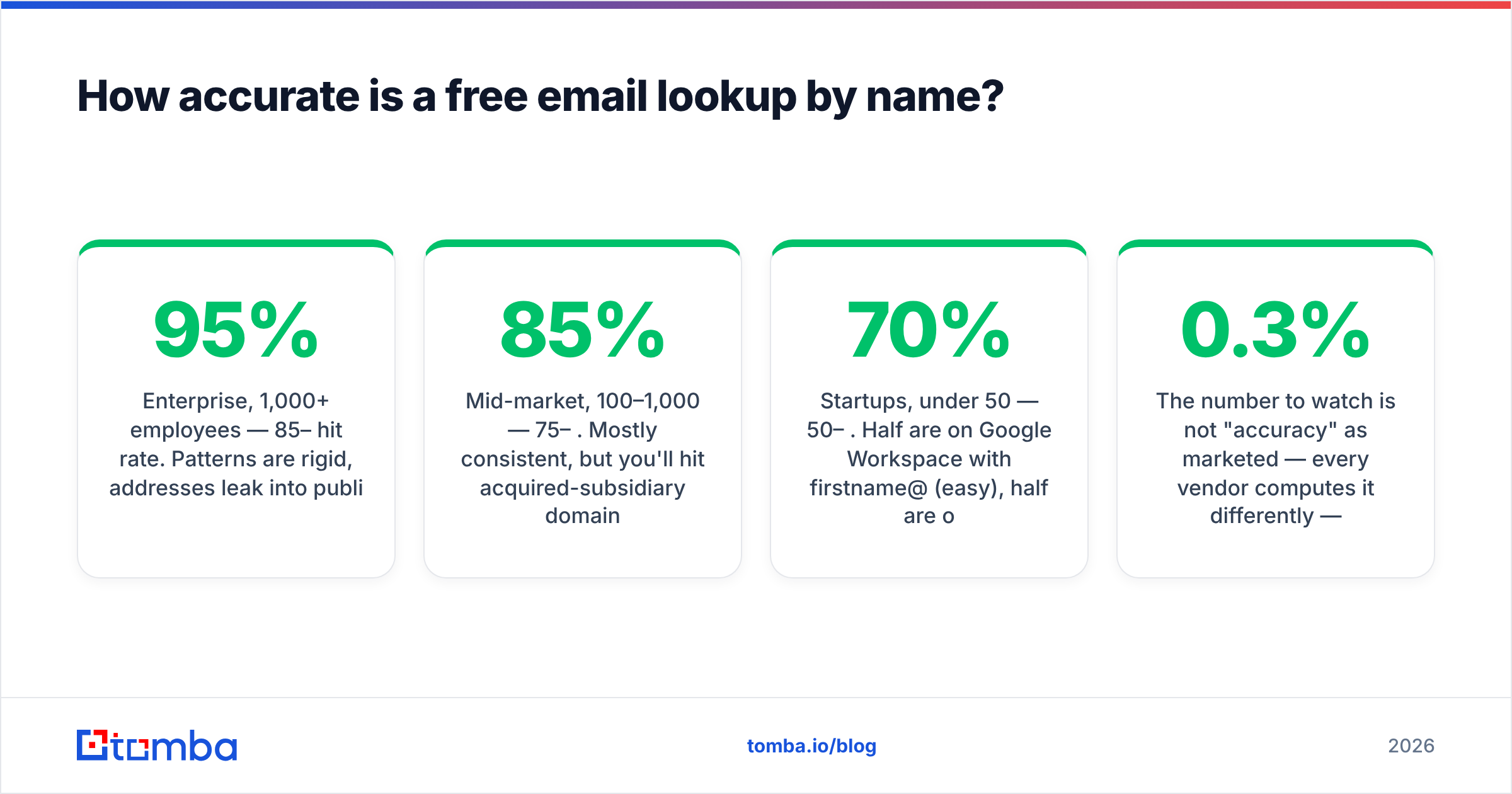
- Enterprise, 1,000+ employees — 85–95% hit rate. Patterns are rigid, addresses leak into public documents constantly, and the mail server usually answers SMTP probes truthfully.
- Mid-market, 100–1,000 — 75–85%. Mostly consistent, but you'll hit acquired-subsidiary domains and legacy formats.
- Startups, under 50 — 50–70%. Half are on Google Workspace with
firstname@(easy), half are on a catch-all with no public footprint (hard). - Agencies, consultancies, franchises — lowest reliability. Shared inboxes, rotating contractor addresses, and personal domains fragment everything.
- Non-English-language markets — accents, transliteration, and compound surnames break naive pattern application.
José García-Lópezhas at least six plausible renderings.

The number to watch is not "accuracy" as marketed — every vendor computes it differently — but bounce rate on your actual sends. Mailbox providers treat hard bounces as a signal that you're mailing a purchased or scraped list. Google and Yahoo's bulk-sender requirements pushed the tolerated spam-complaint rate to 0.3%, and while there's no published hard-bounce threshold, sustained bounce rates above 3% reliably degrade sender reputation. Run every name-based match through an email verifier before it enters a sequence. This is not optional hygiene; it's the difference between a working domain and a burned one.
Which free email lookup tools are worth using in 2026?#
Here's what the free tiers actually give you. Figures reflect published pricing at the time of writing — check each vendor before committing, since free tiers change often.
| Tool | Free tier | Verification included | API on free | Paid entry | Best for |
|---|---|---|---|---|---|
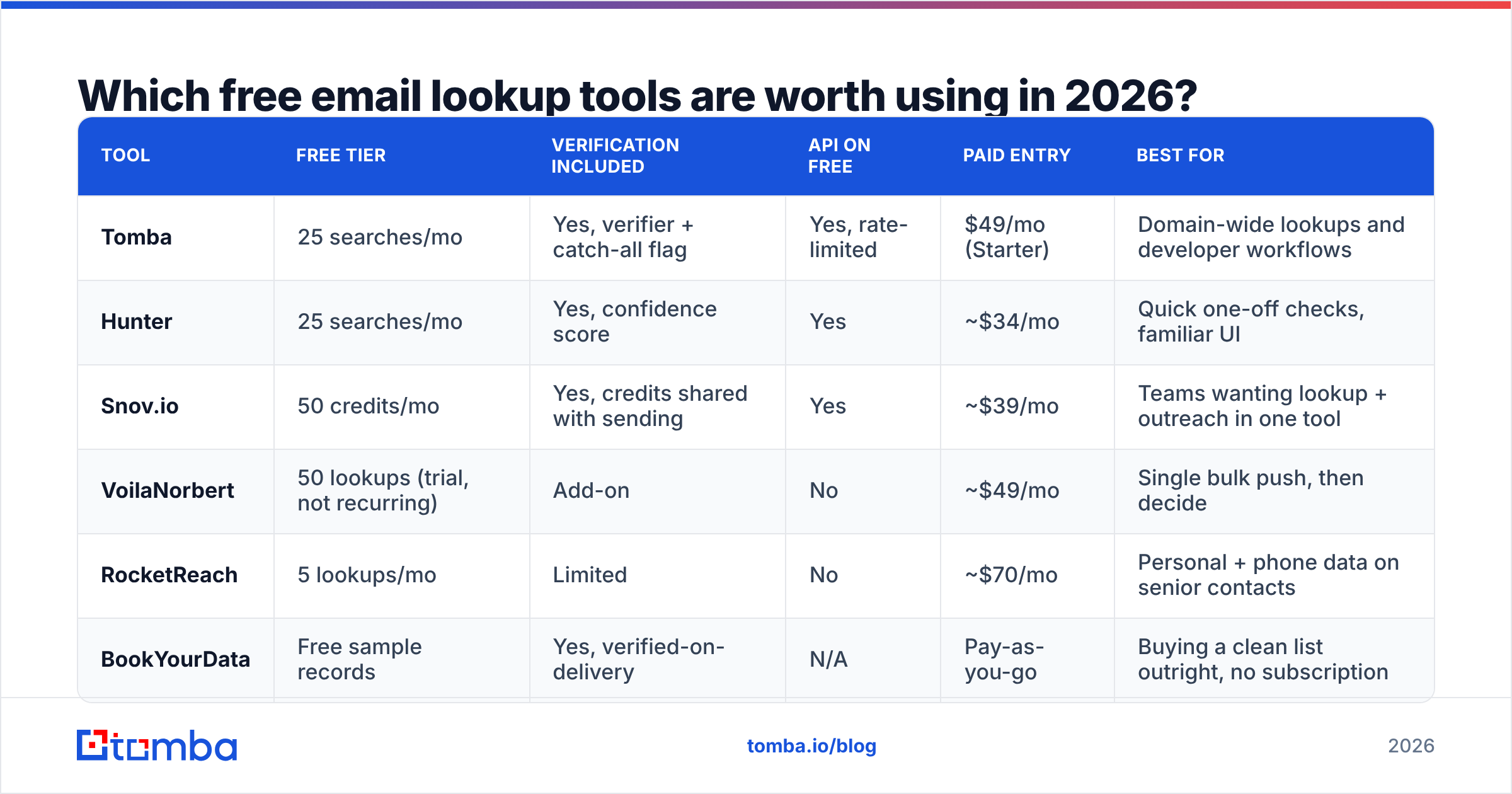
| Tomba | 25 searches/mo | Yes, verifier + catch-all flag | Yes, rate-limited | $49/mo (Starter) | Domain-wide lookups and developer workflows |
| Hunter | 25 searches/mo | Yes, confidence score | Yes | ~$34/mo | Quick one-off checks, familiar UI |
| Snov.io | 50 credits/mo | Yes, credits shared with sending | Yes | ~$39/mo | Teams wanting lookup + outreach in one tool |
| VoilaNorbert | 50 lookups (trial, not recurring) | Add-on | No | ~$49/mo | Single bulk push, then decide |
| RocketReach | 5 lookups/mo | Limited | No | ~$70/mo | Personal + phone data on senior contacts |
| BookYourData | Free sample records | Yes, verified-on-delivery | N/A | Pay-as-you-go | Buying a clean list outright, no subscription |

A few reads on that table.
The free tiers are evaluation budgets, not workflows. Twenty-five searches is roughly one afternoon of manual prospecting. Nobody builds a pipeline on it, and vendors don't intend you to. Use the free tier to test data quality against contacts you already know — pick ten colleagues or customers whose addresses you can verify independently, run them through, and count the hits. That single test tells you more than any G2 review.
Credit models differ more than the headline number. Snov.io's 50 credits are shared between finding and sending; burn them on emails and you have none left for lookup. Tomba counts a domain search returning 40 addresses differently from 40 individual lookups, which matters enormously if you work company-by-company rather than person-by-person.
API access on the free tier is the real differentiator for anyone technical. If you want to enrich a spreadsheet, a CRM, or an internal script, a free tier without API access is a manual-only tool. Tomba's email finder API is available on the free plan at reduced rate limits, which is unusual and genuinely useful for prototyping before you commit budget.
Pay-as-you-go is an underrated middle path. BookYourData's model — buy verified records outright with no subscription — suits the buyer who needs 2,000 contacts once and has no ongoing need. Subscription tools punish that pattern; credit-purchase tools don't. Match the billing model to your actual usage shape, not to the sticker price.
For independent signal beyond vendor claims, G2's email-finder category shows review volume and recency, which at least tells you which products still have active users.
How do you run a free email lookup by name, step by step?#
- Get the domain right first.
acme.comandacme.ioandgetacme.commay all resolve to the same company, but only one carries the mail. Check the domain in the company's own email signature or on their contact page — not from a search result. - Search the domain before the person. A domain search returns every known address at the company plus the dominant pattern. If your target appears in that list, you're done, and you've spent one credit instead of several.
- Run the name lookup. Full legal first name matters. "Mike" often fails where "Michael" succeeds, because HR systems provision from legal names. Try both if the first attempt returns low confidence.
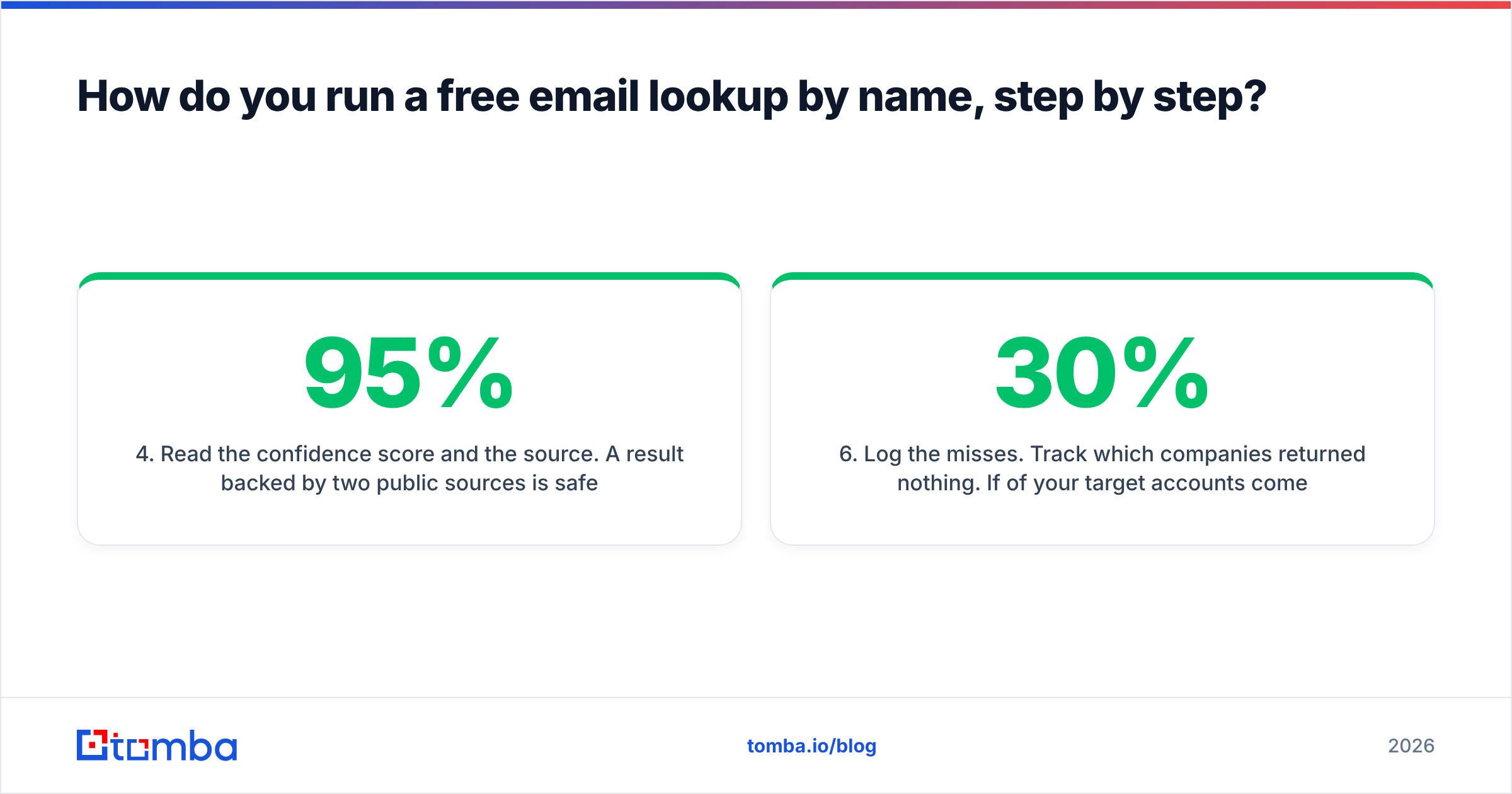
- Read the confidence score and the source. A 95% result backed by two public sources is safe to send. A 62% result with no sources is a pattern guess — treat it as a hypothesis.
- Verify before it touches a sequence. Push the address through verification and check for the catch-all flag. If the domain is catch-all, you get no server-level confirmation, so lean on pattern confidence and consider a lower-risk first touch.
- Log the misses. Track which companies returned nothing. If 30% of your target accounts come back empty, the problem is provider coverage in your niche, and switching vendors will help more than trying harder.

For volume work, skip the one-at-a-time loop entirely. A bulk email finder that accepts a CSV of names and domains will do in four minutes what takes two hours by hand — but note that no free tier will let you run bulk at meaningful scale, and that's the honest boundary where free ends.
Is guessing email formats a safe alternative to a lookup tool?#
Only for reconnaissance, never for sending. Format guessing has a specific, legitimate use: when a lookup returns nothing and you need to understand what the company's addresses probably look like before deciding whether the account is worth pursuing.
The failure mode is what people do next. They generate eight permutations and email all eight, reasoning that seven will bounce harmlessly. They don't bounce harmlessly. Seven hard bounces to one domain, repeated across a list, is one of the clearest spam signals a mailbox provider can read, and it's exactly the pattern that filtering systems are tuned to catch. You are not testing addresses; you are advertising that you don't have real data.
If you're going to permutate, permutate and then verify, sending only to the one address that resolves. That's a legitimate workflow. The tools for it are free — a permutator plus a free email checker covers it — and it costs you nothing but a few extra minutes per contact.
Is free email lookup by name legal?#
In most jurisdictions, yes, with meaningful conditions. Business contact data occupies a different legal category than consumer personal data in the US, and B2B outreach to a work address is broadly permitted under CAN-SPAM provided you identify yourself, use a real physical address, and honor opt-outs promptly.
Europe is stricter. Under GDPR, a work email that identifies an individual is still personal data. Most B2B senders rely on legitimate interest as the lawful basis, which requires the outreach to be genuinely relevant to that person's professional role and requires you to be able to explain, on request, where the data came from. That last obligation is why vendor transparency about sourcing matters commercially, not just ethically — you may need to answer for it.
Three practical rules that keep you clear regardless of jurisdiction:
- Work addresses only. Never send business outreach to an address you inferred was personal.
- Honor opt-outs immediately and permanently, including informal ones ("stop emailing me" in a reply counts).
- Keep provenance. Store which tool returned each address and when. If a recipient asks, you can answer in one sentence instead of scrambling.
Note also that scraping LinkedIn directly to build lists sits in genuinely contested territory — the hiQ line of cases addressed public-data scraping but did not bless it universally, and platform terms of service still prohibit it. Using a compliant LinkedIn finder that works from public profile data with proper sourcing is a materially different risk posture than running a browser scraper against the platform. See Wikipedia's overview of email address structure if you want the technical grounding on what's actually being resolved here.
When should you stop using free tools?#
Three signals, any one of which means free has stopped being cheap:
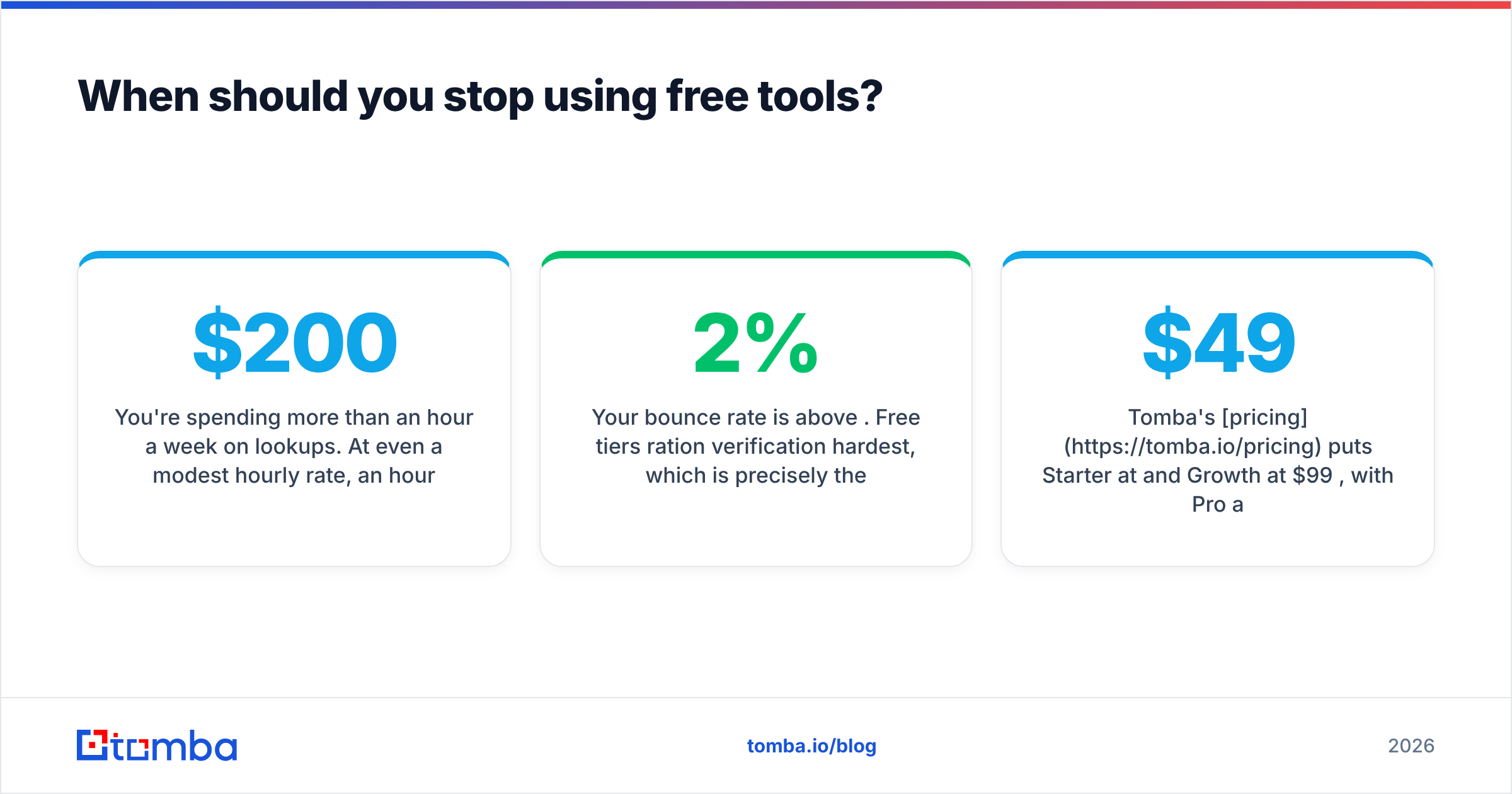
You're spending more than an hour a week on lookups. At even a modest hourly rate, an hour a week is $200+/month of labor to avoid a $49/month subscription. That math never favors free.
Your bounce rate is above 2%. Free tiers ration verification hardest, which is precisely the step that prevents bounces. Paying for verification is paying to protect your domain — the single most expensive asset in outbound.
You need the same lookup twice. Free tools don't retain your history usefully. The moment you're re-searching contacts you already found, you need a contact database or a CRM sync rather than a search box.
Tomba's pricing puts Starter at $49/mo and Growth at $99/mo, with Pro at $249/mo for teams running real volume. Compare that to your own time before assuming free is the frugal choice.
Start with the free tier and test it honestly. Take ten contacts whose addresses you already know, run them through the Tomba Email Finder, and count the exact matches. Twenty-five free searches a month is enough to answer the only question that matters — does this tool actually find the people you sell to? — before you spend anything. If the hit rate holds up on your accounts, upgrade. If it doesn't, you've learned that for free, which is the entire point of a free tier.
Related guides#
Ready to find emails that actually work?
Join 150,000+ professionals who stopped guessing and started sending. Free credits on signup — no credit card required.
Get the Tomba newsletter
Practical outbound tactics and product updates — once every two weeks.
About the author