Free Prospecting Tools in 2026: 18 That Actually Work
Most "free" prospecting tools burn your credits in three days or hand you stale data. Here are the 18 free tiers worth building a workflow on in 2026 — with real limits, real costs, and where each one breaks.
TL;DR
- "Free" in prospecting means one of four things: a permanent monthly credit allowance, a time-limited trial, a freemium tool with a hard feature wall, or a genuinely free utility. Only the first and fourth are worth building a workflow on.
- A realistic free stack gets you roughly 150–400 verified contacts per month across stacked tiers — enough to validate an ICP, not enough to run a team.
- The credit allowance is rarely the constraint. Export limits, verification gating, and "view-only" contact reveals kill more free workflows than credit caps do.
- Free email finders vary from about 60% to 95%+ accuracy. A free tool with 65% accuracy costs you more in domain reputation than a $49/mo plan saves you.
- Best zero-cost combination in 2026: LinkedIn Sales Navigator trial for targeting, a free email finder tier for contact discovery, a free verifier for hygiene, and a spreadsheet for orchestration.
Every SDR has the same first week. You get a quota, no budget, and a vague instruction to "build a list." So you Google free prospecting tools, sign up for nine of them, and by Thursday you're sitting on 40 unverified emails and eleven login credentials you'll never use again.
This guide is the version of that week I wish someone had handed me. It covers what's actually free in 2026, what the free tier really buys you, where each tool hits a wall, and how to sequence them so the free credits go toward the contacts that matter instead of getting burned on test searches.
What counts as a free prospecting tool?#
Vendors use "free" to mean four very different things, and the difference determines whether a tool belongs in your permanent stack or your trash folder.
- Permanent free tier — a monthly credit allowance that resets and never expires. Tomba's 25 searches/month, Hunter's 25 lookups, Apollo's credit bundle. These are the only tools you can build a repeatable process on, because next month they're still there.
- Time-limited trial — 7 to 30 days of near-full access, then a wall. Sales Navigator, ZoomInfo, Clay. Enormously useful for a one-time list build; useless as infrastructure. Plan the trial around a specific deliverable.
- Freemium with a feature wall — free forever, but the thing you actually need (CSV export, bulk operations, API access) sits behind the paywall. You can research but not operationalize. Common with browser extensions.
- Genuinely free utilities — no account, no credits, no catch. Email permutators, SPF checkers, pattern lookups, deduplication tools. Small in scope but unlimited, and they quietly do a lot of work.
The mistake almost everyone makes is treating category 2 like category 1. You build a beautiful workflow around a trial, then day 15 arrives and the whole thing collapses. Anchor your process on categories 1 and 4; use category 2 tactically for a single burst.

Which free prospecting tools are worth using in 2026?#
Here's the honest breakdown. Numbers reflect publicly listed free tiers as of early 2026 — vendors adjust these regularly, so verify before you commit a workflow to one.
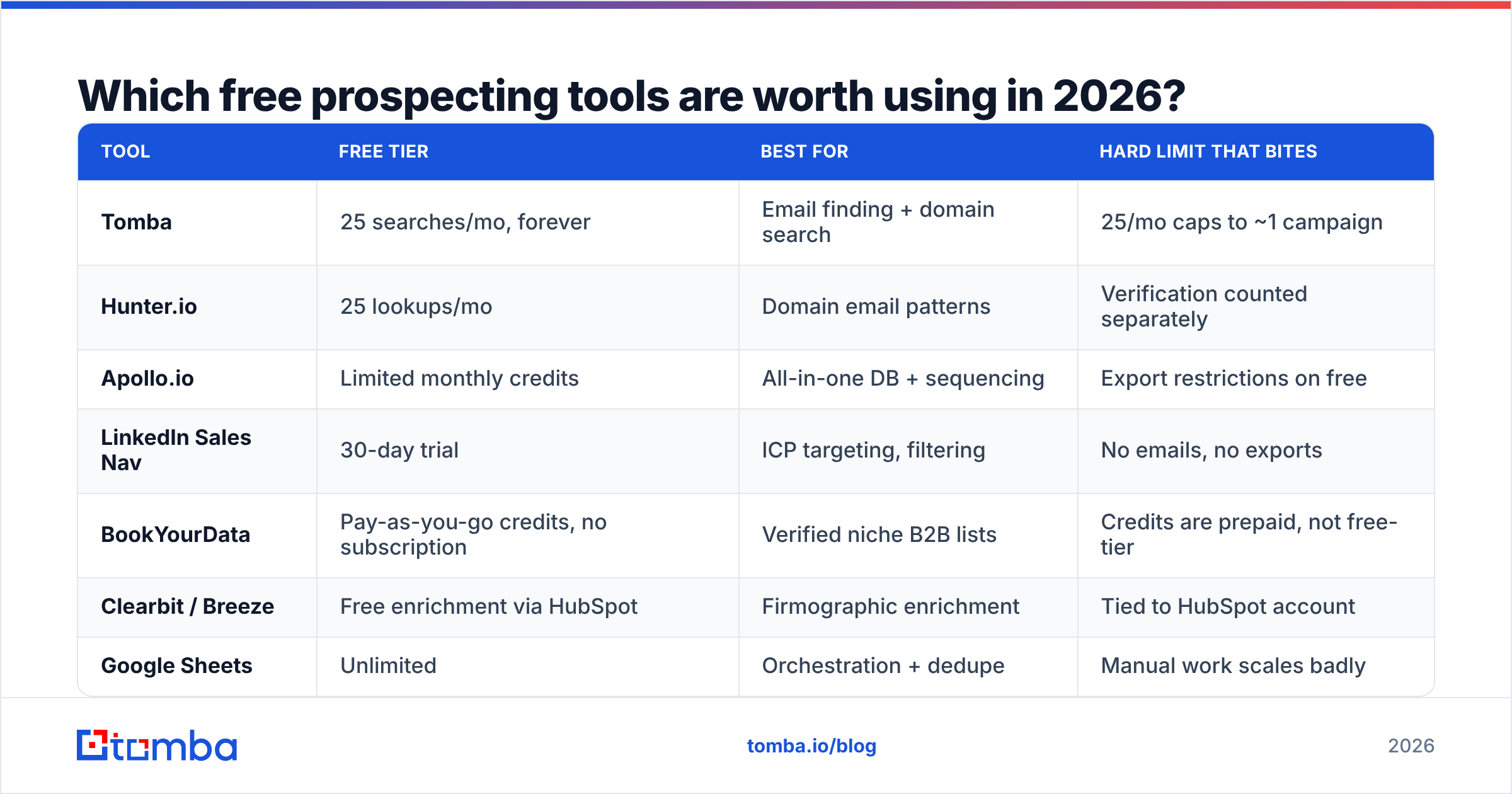
| Tool | Free tier | Best for | Hard limit that bites |
|---|---|---|---|
| Tomba | 25 searches/mo, forever | Email finding + domain search | 25/mo caps to ~1 campaign |
| Hunter.io | 25 lookups/mo | Domain email patterns | Verification counted separately |
| Apollo.io | Limited monthly credits | All-in-one DB + sequencing | Export restrictions on free |
| LinkedIn Sales Nav | 30-day trial | ICP targeting, filtering | No emails, no exports |
| BookYourData | Pay-as-you-go credits, no subscription | Verified niche B2B lists | Credits are prepaid, not free-tier |
| Clearbit / Breeze | Free enrichment via HubSpot | Firmographic enrichment | Tied to HubSpot account |
| Google Sheets | Unlimited | Orchestration + dedupe | Manual work scales badly |
| Tomba Email Verifier | Free tier included | List hygiene before send | Bulk verify needs paid |
Two things stand out when you lay it out like this. First, no single free tier covers the full chain from targeting to verified contact — you always need at least two. Second, the constraint that stops you is almost never the number you saw on the pricing page.
The limits nobody advertises#
- Export gating. You can see 500 contacts in the UI but download 25. This is the single most common freemium wall in prospecting, and it's rarely stated on the pricing page.
- Verification counted separately. Finding an email and confirming it's deliverable are two billable events at most vendors. A "50 free credits" tier can mean 25 usable contacts.
- Reveal-on-click accounting. Browser extensions often bill a credit the moment a profile loads, whether or not you keep the contact.
- Catch-all domains returning "unknown." Roughly 15–20% of B2B domains accept all mail, so a standard verifier can't confirm them. Free tiers usually mark these as unverified and you lose the credit anyway. A dedicated catch-all verifier is the workaround, and it's rarely part of a free bundle.
- Rate limits on API access. Free API keys often cap at a handful of requests per minute, which quietly breaks any script you write.
How accurate are free email finders?#
This is where free gets expensive. Deliverability, not credit count, is the metric that should drive your tool choice.
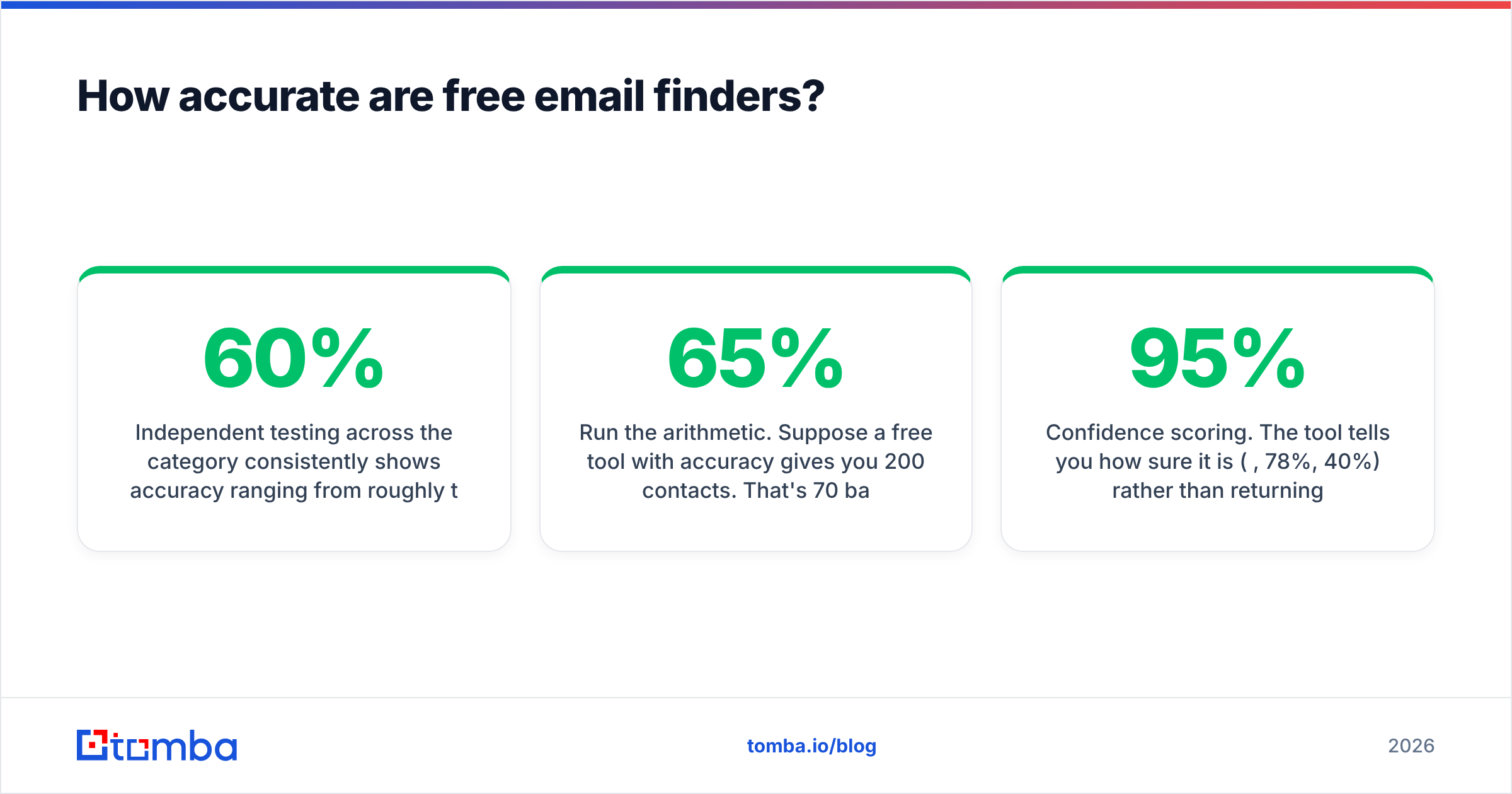
Independent testing across the category consistently shows accuracy ranging from roughly 60% to 95%+ depending on the provider, the region, and the company size. That spread matters enormously. At a 5% bounce rate you're fine. At 15% you're triggering spam filters at Google and Microsoft, and past 20% you're doing structural damage to a sending domain that takes weeks to repair.

Run the arithmetic. Suppose a free tool with 65% accuracy gives you 200 contacts. That's 70 bad addresses. Send to all 200 and you post a 35% bounce rate — enough for most ESPs to throttle or suspend you. The cleanup costs more than a month of any paid plan.
The rule: never send to an unverified list, regardless of source. Run every address through an email verifier before it enters a sequence. Free verification tiers exist at nearly every vendor, and a free email checker will handle small batches without an account at all.
Three signals separate accurate free tools from bad ones:
- Confidence scoring. The tool tells you how sure it is (95%, 78%, 40%) rather than returning a flat "found." Anything under about 85% goes into a separate bucket for verification.
- Source transparency. The provider explains where the data comes from. Tomba publishes its data sources; many free scrapers don't, which usually means recycled 2019 lists.
- SMTP-level checking. Pattern-guessing alone ("first.last@domain.com") is a coin flip. Real verification pings the mail server.
Can you build a real prospecting workflow on free tiers alone?#
Yes — up to about 150–400 contacts per month, and only if you sequence the tools rather than running them in parallel. The trick is to spend the scarce credits last, after cheap filtering has narrowed the list.
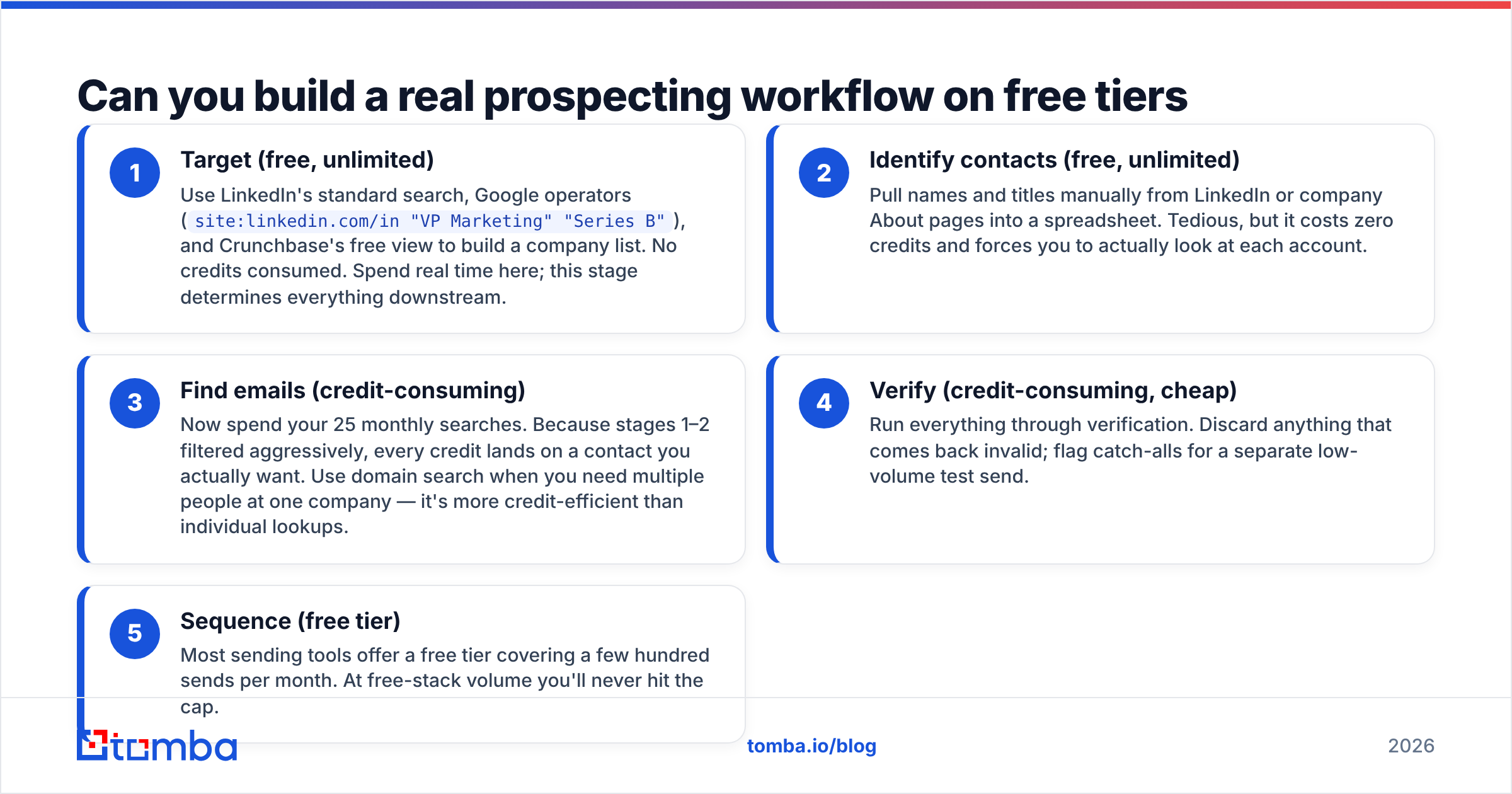
The five-stage free stack:
- Target (free, unlimited) — Use LinkedIn's standard search, Google operators (
site:linkedin.com/in "VP Marketing" "Series B"), and Crunchbase's free view to build a company list. No credits consumed. Spend real time here; this stage determines everything downstream. - Identify contacts (free, unlimited) — Pull names and titles manually from LinkedIn or company About pages into a spreadsheet. Tedious, but it costs zero credits and forces you to actually look at each account.
- Find emails (credit-consuming) — Now spend your 25 monthly searches. Because stages 1–2 filtered aggressively, every credit lands on a contact you actually want. Use domain search when you need multiple people at one company — it's more credit-efficient than individual lookups.
- Verify (credit-consuming, cheap) — Run everything through verification. Discard anything that comes back invalid; flag catch-alls for a separate low-volume test send.
- Sequence (free tier) — Most sending tools offer a free tier covering a few hundred sends per month. At free-stack volume you'll never hit the cap.
The failure mode is doing stage 3 first. People sign up, get excited, and burn 25 credits on companies they haven't qualified. Filtering is free. Contact data is not. Order accordingly.

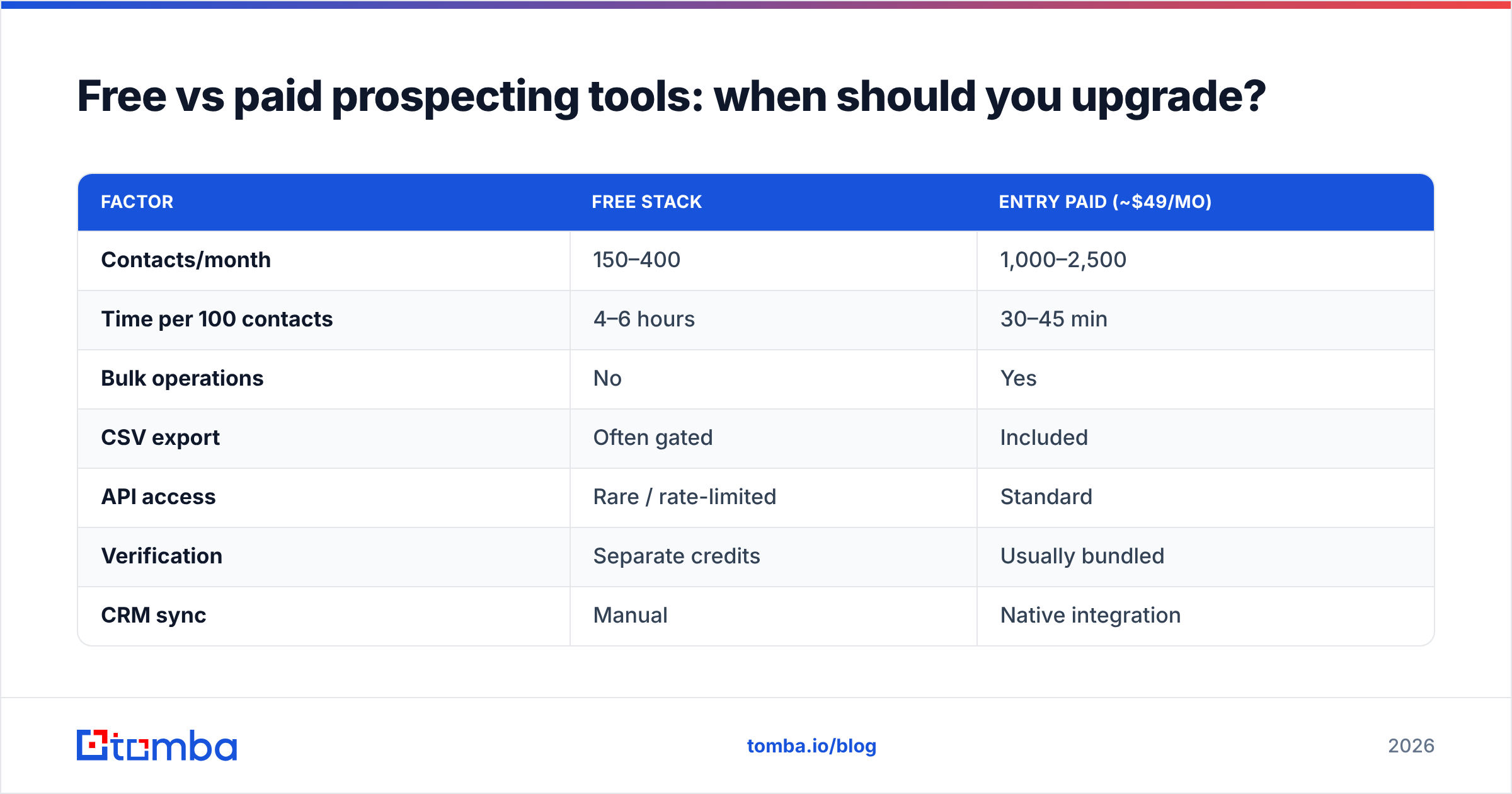
Free vs paid prospecting tools: when should you upgrade?#
There's a clean break-even point, and it's about time, not money.
| Factor | Free stack | Entry paid (~$49/mo) |
|---|---|---|
| Contacts/month | 150–400 | 1,000–2,500 |
| Time per 100 contacts | 4–6 hours | 30–45 min |
| Bulk operations | No | Yes |
| CSV export | Often gated | Included |
| API access | Rare / rate-limited | Standard |
| Verification | Separate credits | Usually bundled |
| CRM sync | Manual | Native integration |
At $30/hour fully loaded, a rep spending five hours to assemble 100 free contacts is burning $150 in labor to avoid a $49 charge. The free stack makes sense in exactly three situations: you're pre-revenue and validating whether outbound works at all; you're testing a new segment before committing budget; or your volume genuinely is under ~100 contacts a month.
Upgrade the moment any of these is true:
- You're spending more than 3 hours/week on manual list assembly. That's the labor-cost line.
- You need bulk operations. One-at-a-time lookups don't scale past a few hundred, and a bulk email finder turns a full day into a coffee break.
- Bounce rates exceed 5%. You've outgrown whatever free verification you're using, and reputation damage compounds.
- You need CRM sync. Manual CSV round-trips between tools introduce errors that quietly poison your pipeline data.
For reference, Tomba pricing starts at $49/mo for Starter, $99/mo for Growth, and $249/mo for Pro, with a permanent free tier at 25 searches/month underneath. Most vendors in the category cluster in the same $40–$100 entry range, so the decision is rarely about price — it's about which data set covers your geography and industry.

Worth noting: not every path runs through subscriptions. Pay-as-you-go providers like BookYourData sell prepaid verified credits with no monthly commitment, which suits teams running occasional campaigns rather than continuous outbound. It's not free, but it avoids paying for months you don't prospect.
What free tools should be in every prospecting stack?#
These cost nothing, have no credit meter, and most people don't know they exist.
- Email permutator — Generates every plausible format for a name and domain. Feed the output to a verifier and you've reconstructed a contact without spending a finder credit. Try an email permutator when a lookup comes back empty.
- Company email pattern lookup — Once you know a company uses
first.last@, you can derive every other contact there for free. A company email pattern check on one known address unlocks the whole org. - Deduplication — Stacked free tiers produce overlapping lists. Deduping before verification saves credits directly; a remove duplicates pass is the cheapest credit savings available.
- Spam checker — Run your copy before sending. A high spam score wastes good contacts on messages that never land.
- SPF/DKIM checker — If your authentication is misconfigured, list quality is irrelevant. Check before your first send, not after your first campaign flops.
How do you avoid burning free credits?#
Six habits that roughly double the yield from any free tier:
- Never test with real searches. Use a domain you already know the answer for, or the vendor's demo, to learn the UI. Test searches on real prospects are the most common way people lose half their monthly allowance in an afternoon.
- Batch monthly, not daily. Credits reset monthly. Doing 25 searches on day one means 30 days of nothing. Split into weekly batches of six and you always have capacity when a good account appears.
- Prefer domain search over individual lookups. One domain query returning eight contacts beats eight separate name lookups on nearly every credit model.
- Dedupe before you search. Checking whether a contact is already in your CRM costs nothing. Searching for someone you already have costs a credit.
- Stack accounts legitimately. Signing up for three or four different vendors' free tiers with your real work email is allowed and gives you 75–100 combined lookups. Creating fake accounts at one vendor is not, and will get you banned.
- Log every miss. When a tool returns nothing, note the domain. Patterns emerge fast — some tools are weak on European SMBs, others on US enterprise. Route future searches to whichever tool actually covers your segment.
What's changing in free prospecting tools this year?#
Three shifts worth planning around.
Free tiers are shrinking on data, growing on AI. Vendors are trimming free contact credits while adding free AI features — message generation, ICP scoring, intent summaries. Data is the expensive part; text generation is nearly free to serve. Expect more of this. It means the free AI copy tools are genuinely good and the free data allowances will keep tightening.
Verification is becoming non-optional. Google and Yahoo's bulk sender requirements pushed bounce thresholds down hard, and Microsoft followed. Sending unverified lists isn't merely inefficient now — it's actively penalized. Understanding email deliverability basics has moved from nice-to-have to prerequisite.
Compliance is narrowing free tools. GDPR enforcement and state-level US privacy laws have pushed several free scrapers out of the market. The surviving free tiers come from vendors with actual compliance programs — which is a good filter for you as a buyer. If a free tool won't say where its data comes from, that's your answer.
The practical recommendation#
Start with a permanent free tier from a vendor that publishes its accuracy and data sourcing, add a free verifier, and orchestrate in a spreadsheet. Run that for a month, measure your reply rate, and only then decide whether to spend money. If outbound works at 200 contacts, it'll work at 2,000 and the paid plan pays for itself in week one. If it doesn't work at 200, no amount of credits fixes it.
If you want a free tier that doesn't gate the thing you actually need, start with the Tomba Email Finder — 25 searches a month, permanent, with confidence scores and verification included so you know which addresses are safe to send before you send them. No card required, and when you outgrow it, the $49/mo Starter plan picks up exactly where the free tier left off.
Sources and further reading#
- G2 sales intelligence category — user reviews and free-tier comparisons across vendors
- HubSpot free CRM tools — free CRM tier commonly paired with free prospecting stacks
- Capterra lead generation software — filterable directory including free-tier vendors
Related guides#
Ready to find emails that actually work?
Join 150,000+ professionals who stopped guessing and started sending. Free credits on signup — no credit card required.
Get the Tomba newsletter
Practical outbound tactics and product updates — once every two weeks.
About the author