Free Sales Intelligence Tools: 12 Picks That Actually Work in 2026
Most "free" sales intelligence tools give you 10 credits and a paywall. Here are the 12 that genuinely move pipeline on a $0 budget — plus exactly where each one stops being free.
TL;DR
- "Free" in sales intelligence almost always means a credit cap (10–50 lookups/month), a feature cap (no exports, no API), or a data cap (emails but no phones, no intent).
- The best zero-cost stack in 2026 is not one tool — it's three: a free email finder, a free verifier, and a free company/tech lookup, stitched together in a spreadsheet.
- Tomba's free tier gives 25 searches/month with the same data engine as paid plans, plus free standalone tools (permutator, checker, extractor) that don't touch your credit balance.
- Watch for the export trap: several free tiers let you see contacts but not download them, which makes them useless for outbound at any volume.
- If you need more than ~200 verified contacts a month, free stacks break down. Budget $49–$99/mo and stop burning hours on workarounds.
What Are Free Sales Intelligence Tools, Really?#
Sales intelligence is the layer between "I think this company is a fit" and "here is the person to email and how to reach them." It covers firmographics (size, industry, revenue), technographics (what software they run), contact data (emails, phones, LinkedIn), and signals (hiring, funding, job changes, website visits).
Free sales intelligence tools give you a slice of that layer at zero cost. The slice is deliberately narrow — vendors are running acquisition, not charity. Understanding which slice each vendor gives away tells you exactly how to combine them.
Think of it like a supermarket sample table. Every vendor hands you a toothpick-sized portion of a different dish. One free tool alone won't feed you. Three or four, chosen so they don't overlap, will get you through a quarter of prospecting.
Here's how the free layer typically gets sliced:
- Credit-capped finders — full product, tiny volume. Usually 10–50 lookups/month. Best for spot-checking a shortlist of named accounts.
- Feature-capped platforms — big database, but exports, API access, or filters are locked behind the paywall. You can browse; you can't operationalize.
- Freemium browser extensions — pull contacts one profile at a time while you're already on LinkedIn or a company site. Volume is capped by your own clicking speed.
- Genuinely free utilities — pattern generators, syntax checkers, SPF/blacklist lookups. No account, no credits, no cap. These are the quiet workhorses.
- Free data reference sets — public filings, Crunchbase basic profiles, LinkedIn company pages. Slow to mine, but unlimited and unusually accurate for firmographics.

Which Free Sales Intelligence Tools Are Worth Using in 2026?#
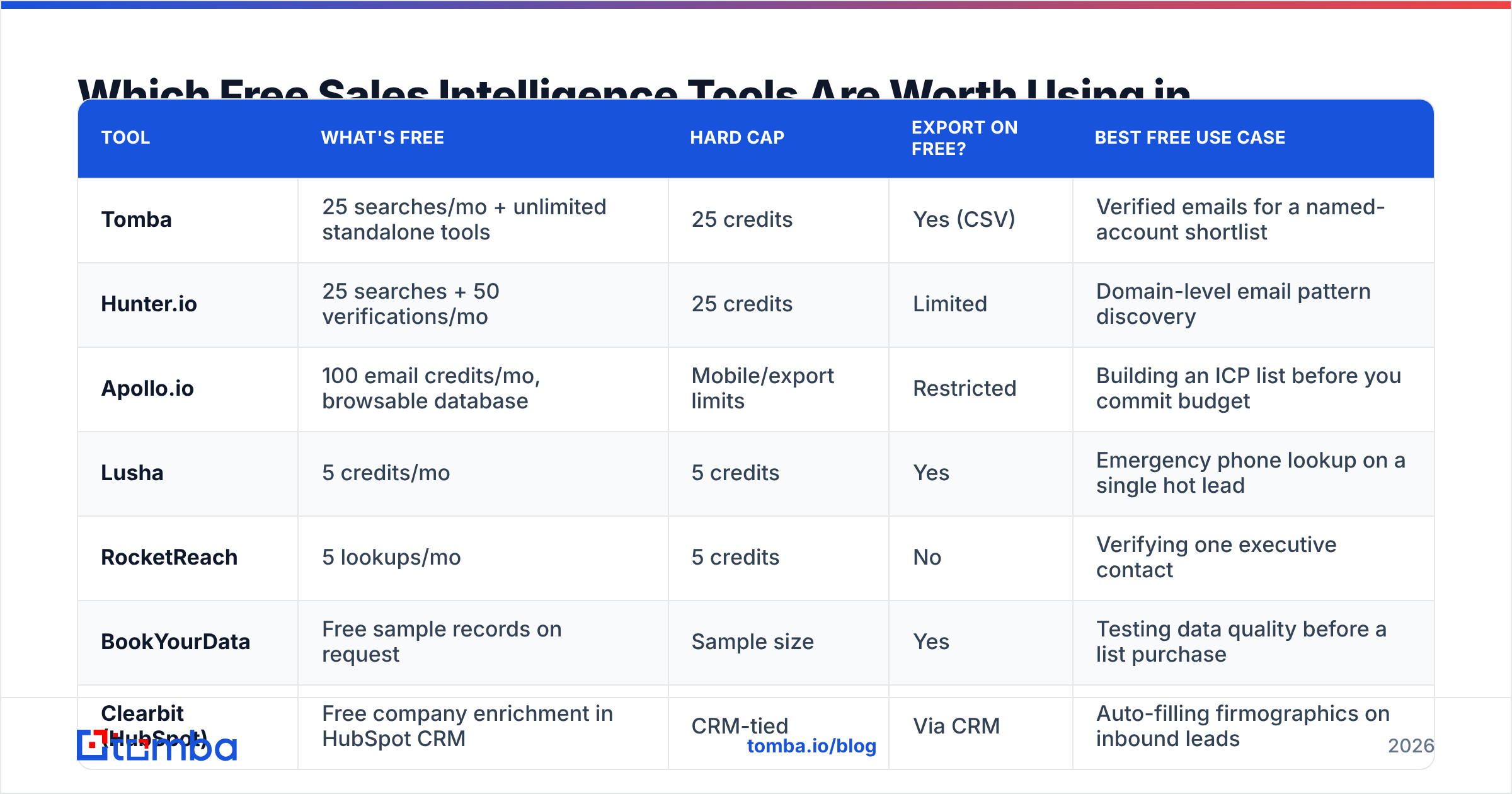
The honest answer: about a dozen, and only if you know where each one stops. Below is the comparison that matters — not feature checklists, but the exact wall you hit.
| Tool | What's free | Hard cap | Export on free? | Best free use case |
|---|---|---|---|---|
| Tomba | 25 searches/mo + unlimited standalone tools | 25 credits | Yes (CSV) | Verified emails for a named-account shortlist |
| Hunter.io | 25 searches + 50 verifications/mo | 25 credits | Limited | Domain-level email pattern discovery |
| Apollo.io | 100 email credits/mo, browsable database | Mobile/export limits | Restricted | Building an ICP list before you commit budget |
| Lusha | 5 credits/mo | 5 credits | Yes | Emergency phone lookup on a single hot lead |
| RocketReach | 5 lookups/mo | 5 credits | No | Verifying one executive contact |
| BookYourData | Free sample records on request | Sample size | Yes | Testing data quality before a list purchase |
| Clearbit (HubSpot) | Free company enrichment in HubSpot CRM | CRM-tied | Via CRM | Auto-filling firmographics on inbound leads |
| LinkedIn Sales Nav | 30-day trial, then paid | Trial only | No | Mapping buying committees during the trial |
| Crunchbase | Basic company profiles | No contacts | Manual | Funding and headcount signals |
| BuiltWith | Limited tech lookups | Daily cap | No | Technographic qualification |
| Google Alerts | Unlimited keyword alerts | None | N/A | Trigger events (funding, exec hires) |
| Tomba free tools | Permutator, checker, extractor, SPF | None | Copy/paste | Prep work that shouldn't cost credits |
Two patterns jump out.
First, contact-data free tiers cluster at 5–25 credits. That's roughly one afternoon of prospecting. Nobody is running outbound at scale on these; they exist so you can validate accuracy before paying. Tomba's 25/month and Hunter's 25/month are the most generous of the credit-capped group, and both run the same engine on free as on paid — you're testing the real product, not a degraded demo.
Second, the export restriction is the real paywall. RocketReach and several others will show you a contact on screen but block the CSV. If your workflow ends in a sequencer or CRM import, a view-only free tier is decoration. Check this before you invest an hour building a list you can't move.
How Accurate Is Free-Tier Data Compared to Paid?#
Usually identical — because it's the same database. What changes is volume and enrichment depth, not the underlying record.
The exception is tools that use free tiers to seed their own data. Some extensions harvest what you look up and recycle it. Read the terms if you work in a regulated space or handle client lists.

Accuracy in this category depends far more on the type of address than the vendor's marketing claims:
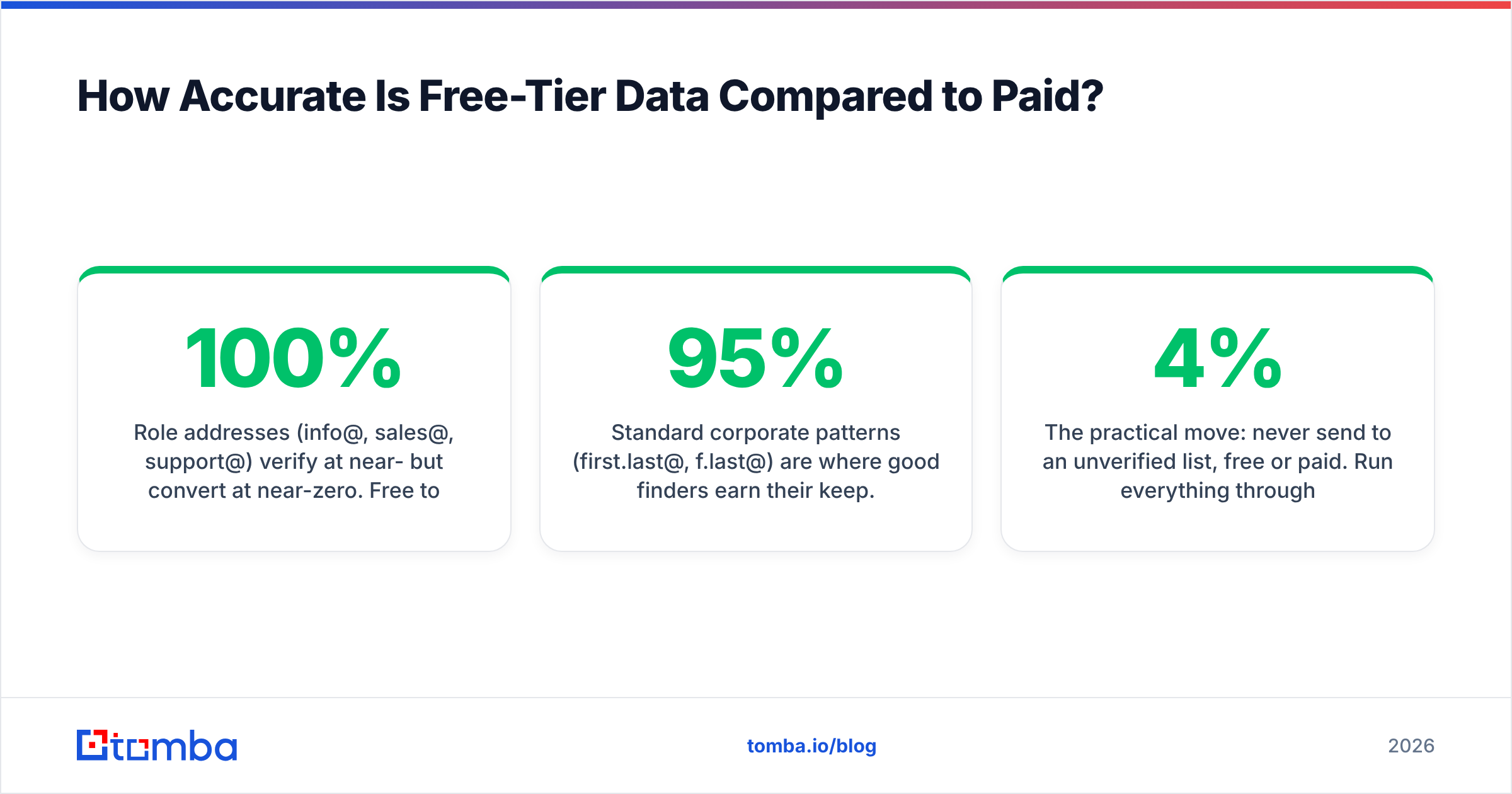
- Role addresses (info@, sales@, support@) verify at near-100% but convert at near-zero. Free tools return these disproportionately because they're cheap to confirm.
- Standard corporate patterns (first.last@, f.last@) are where good finders earn their keep. Hit rates of 85–95% are realistic on companies with 50+ employees and a public web presence.
- Catch-all domains are the honest failure point. SMTP says "yes" to everything, so no tool can confirm the mailbox by ping alone. A dedicated catch-all verifier uses pattern confidence and secondary sources instead of blind SMTP — most free tiers just mark these "risky" and move on.
- Sub-20-employee companies and personal domains are where every vendor's accuracy collapses. If your ICP lives here, budget for manual research regardless of tooling.
The practical move: never send to an unverified list, free or paid. Run everything through an email verifier before it touches your sequencer. A 4% bounce rate will damage sender reputation far more expensively than a paid credit would have cost you.
How Do You Build a Working Stack from Free Tiers?#
Stop thinking "which free tool replaces ZoomInfo" and start thinking "which four free tools cover four different jobs." Here's a stack that works on a $0 budget for roughly 100–150 contacts a month.
Step 1 — Build the account list without touching a credit. Use Crunchbase basic profiles, LinkedIn company search, and BuiltWith technographics to assemble 50–100 target domains. This costs nothing but time. Google Alerts on your trigger keywords ("Series B", "VP of Sales hire", competitor names) feeds the list continuously.
Step 2 — Discover the email pattern per domain, once. You don't need a credit for every contact at a company — you need the pattern. One domain search reveals whether Acme uses first.last@ or flast@. Then a free email permutator generates candidates for every other person at that company at zero credit cost. This single trick multiplies a 25-credit tier into 100+ usable addresses.
Step 3 — Verify before you send. Pattern-generated addresses are guesses until confirmed. Free verification tiers (Hunter's 50/month, Tomba's included verifications) plus a free email checker for syntax and MX filtering will catch most of the garbage.
Step 4 — Enrich only the accounts that reply. This is the discipline most people skip. Don't spend credits enriching 100 cold accounts; spend them on the 8 that engaged. Phone numbers, funding data, and org charts are worth paying for after interest is established, not before. If you need direct dials at that point, a targeted phone finder lookup on eight people costs a fraction of enriching the full list.
Step 5 — Protect deliverability, which is free to check. Run an SPF checker, a blacklist checker, and a spam-score test on your template. These cost nothing and prevent the failure mode where perfect data lands in spam anyway. Google's Postmaster Tools is free and shows your actual reputation with Gmail — the single most important inbox on your list.
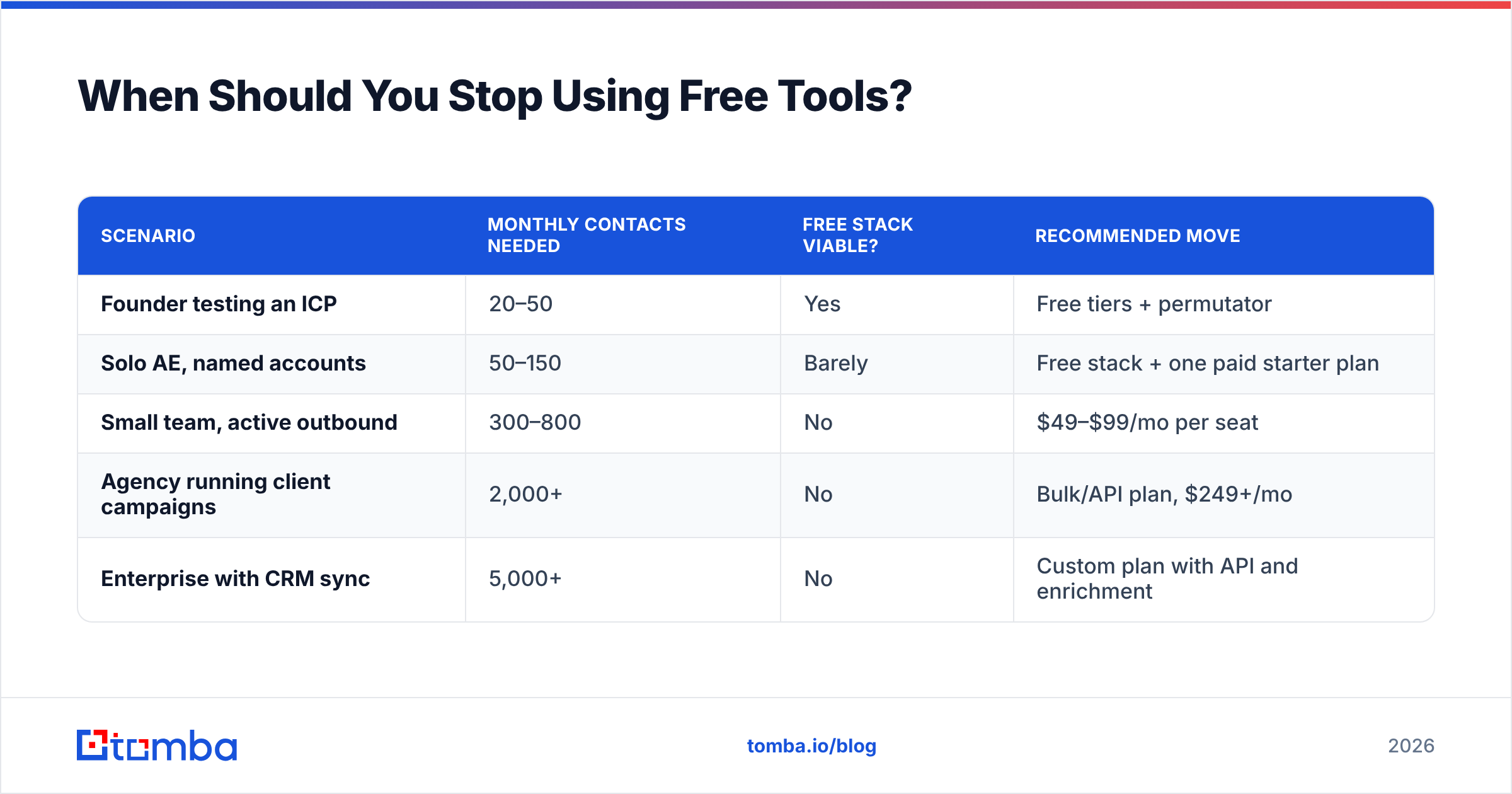
When Should You Stop Using Free Tools?#
There's a clean breakeven. Compute it once and stop agonizing.
| Scenario | Monthly contacts needed | Free stack viable? | Recommended move |
|---|---|---|---|
| Founder testing an ICP | 20–50 | Yes | Free tiers + permutator |
| Solo AE, named accounts | 50–150 | Barely | Free stack + one paid starter plan |
| Small team, active outbound | 300–800 | No | $49–$99/mo per seat |
| Agency running client campaigns | 2,000+ | No | Bulk/API plan, $249+/mo |
| Enterprise with CRM sync | 5,000+ | No | Custom plan with API and enrichment |
The math that decides it: if you spend more than two hours a month stitching free tools together, you've already spent more than a $49 plan costs. At a $60/hour fully-loaded rep cost, three hours of workaround labor equals $180 — more than three months of a starter plan.
Tomba pricing illustrates the typical ladder: Free at 25 searches/month, Starter at $49/mo, Growth at $99/mo, Pro at $249/mo, and Enterprise on custom terms. Most teams that outgrow free land on Starter or Growth and never look back. The jump isn't just volume — paid tiers unlock the bulk email finder, API access, and CRM integrations that turn prospecting from a manual chore into a pipeline.
For teams buying static lists rather than searching live, BookYourData takes a different and legitimate approach — pay-as-you-go verified records with free sample data so you can inspect quality before committing. That's a genuinely useful free step when your motion is list-based rather than account-based.
What Do Free Sales Intelligence Tools Never Give You?#
Five things, consistently, across every vendor:
- API access. Free tiers almost never include programmatic access. If you want to enrich records automatically as they enter your CRM, that's a paid feature everywhere. The Tomba API and equivalents start at paid tiers for a reason — server-side calls are the expensive part.
- Bulk processing. Uploading a 5,000-row CSV and getting it back enriched is the single highest-value feature in this category, and it is never free. Free tiers are one-at-a-time by design.
- Intent and signal data. Website visitor identification, buying-intent scores, and technographic change alerts are premium products built on expensive data partnerships. No free tier includes real intent.
- Mobile numbers at volume. Direct dials cost vendors real money per record. Lusha's 5 free credits and RocketReach's 5 lookups reflect actual unit economics, not stinginess.
- Support and SLAs. When free data is wrong, you have no recourse. On paid plans, accuracy guarantees and credit refunds for bad records are standard — G2's category reviews show support responsiveness is the top differentiator once data quality is comparable.
Knowing these five boundaries stops you from wasting a week hunting for a free tool that does something no free tool does.
How Do You Judge a Free Tier Before Committing?#
Run a 20-minute test on any free tier before you build a workflow around it. Use this checklist:
- Seed test. Look up 10 contacts you already know the correct email for — colleagues, customers, ex-coworkers. Count exact matches. Anything under 7/10 on companies with 50+ staff is a red flag.
- Catch-all behavior. Feed it a known catch-all domain. Does it say "risky" and give up, or does it return a confidence score with reasoning? The second is worth paying for.
- Export check. Try to download a CSV on day one. If it's blocked, you know the real limit.
- Credit accounting. Does a failed search consume a credit? Some vendors charge for misses. Tomba and Hunter don't charge for a no-result; several competitors do.
- Data provenance. Check the vendor's data sources page or equivalent. Vague answers about "proprietary methods" usually mean scraped-and-recycled data with compliance risk attached.
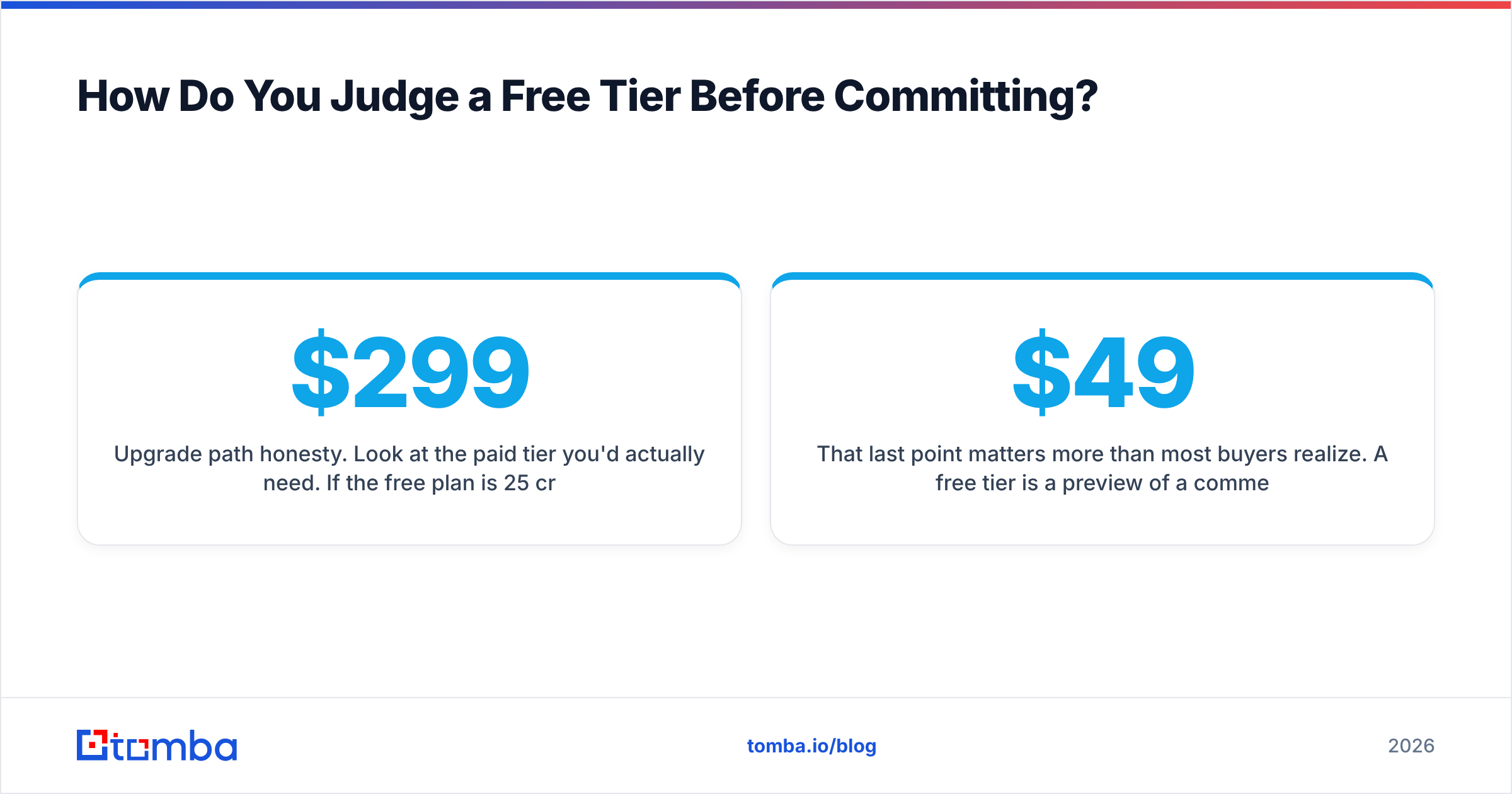
- Upgrade path honesty. Look at the paid tier you'd actually need. If the free plan is 25 credits and the next step is $299/mo, the free tier is bait, not a trial.
That last point matters more than most buyers realize. A free tier is a preview of a commercial relationship. Vendors with a sane ladder — free, then $49, then $99 — are signaling they want small customers to grow. Vendors with a cliff between free and enterprise are using the free tier purely to harvest leads.
Frequently Asked Questions#
Are free sales intelligence tools GDPR-compliant? The tool can be; your use of it may not be. Legitimate vendors source business contact data from public and licensed sources and honor deletion requests. Your obligation is having a lawful basis for outreach and honoring opt-outs. Check the vendor's DPA before processing EU contacts.
Can I combine multiple free tiers legally? Yes, as long as you use one account per tool. Creating multiple accounts at the same vendor to farm credits violates virtually every terms of service and typically gets all your accounts banned.
What's the single most valuable free tool in this category? The email permutator combined with a verifier. Pattern generation costs nothing, and verification is cheap. Together they turn a handful of credits into a working list.
Do free email finders return worse data than paid ones? Not from the same vendor — the database is shared. You just get fewer lookups and no bulk or API access.
Where to Start#
Pick your account list first, then find the people. Free tiers are perfectly good for validating that a vendor's data actually matches your market before money changes hands — that's exactly what they're for. Test with the 10-contact seed check, watch for the export trap, and don't burn credits enriching accounts that haven't shown a signal.
When you're ready to test real data on real accounts, start with the Tomba Email Finder. The free tier gives you 25 searches a month on the same engine that powers the paid plans — enough to run a proper accuracy test on your own ICP, with CSV export included so you can actually use what you find. If the hit rate holds up on your market, Starter at $49/mo scales it. If it doesn't, you've lost nothing but twenty minutes.
Related guides#
Ready to find emails that actually work?
Join 150,000+ professionals who stopped guessing and started sending. Free credits on signup — no credit card required.
Get the Tomba newsletter
Practical outbound tactics and product updates — once every two weeks.
About the author