9 Best Funnelflare Alternatives for Sales Teams in 2026
Funnelflare bundles CRM, email automation and a dialer into one SMB tool. Here are nine alternatives compared on price, data quality, automation depth and how painful the migration actually is.
TL;DR
- Funnelflare is an all-in-one SMB sales automation tool — CRM, email sequences, click-to-call dialer and lead scoring in one seat license. Teams leave it mostly for depth, integrations, or contact data it does not supply.
- If you want a heavier CRM, look at HubSpot Sales Hub, Pipedrive or Close. If you want better outbound sequencing, look at Salesloft, Instantly or Apollo.
- Nearly every alternative on this list has the same blind spot Funnelflare does: it automates sending, not finding. You still need a contact data layer underneath.
- Per-seat pricing is what actually kills the budget. A five-rep team on a $50/seat tool pays $3,000/year before a single data credit.
- Best combined setup for most SMB teams in 2026: a lean CRM plus a dedicated sequencer, with a verified data source like Tomba Email Finder feeding both.
What is Funnelflare and who is it actually for?#
Funnelflare is a sales automation platform aimed at small and mid-sized B2B teams that don't want to assemble a stack. In one login you get a lightweight CRM, email automation with drip sequences, a click-to-call VOIP dialer, web tracking, lead scoring, and task automation. The pitch on funnelflare.io is straightforward: stop paying for four tools that half-integrate.
That bundle works well for a specific profile — a 2 to 10 rep team selling a considered B2B product, running phone-plus-email cadences, with no dedicated RevOps person to maintain integrations. Think manufacturers, industrial distributors, regional service firms, agencies.
It works less well when any single dimension outgrows the bundle. All-in-one tools are built wide, not deep. The moment your marketing team needs real lifecycle automation, or your SDRs need multichannel sequencing with LinkedIn steps, or your finance team wants forecasting that isn't a pipeline sum, the bundled version of that feature starts to feel like a placeholder.
Why do teams look for Funnelflare alternatives?#
Five recurring reasons show up in G2 reviews and in conversations with teams that switched:
- Depth ceiling on individual modules. The CRM is fine for pipeline hygiene but thin on reporting, custom objects and territory management. The sequencer is fine for three-step drips but not for branching, multichannel cadences.
- Integration surface. All-in-ones assume you live inside them. If your company standardizes on HubSpot, Salesforce or a product-led data warehouse, an isolated CRM becomes a sync problem instead of a solution.
- Per-seat cost math. Bundled tools price per user because every user needs the dialer. Add reps and cost scales linearly, even for reps who only need read access.
- No contact data included. Funnelflare automates outreach to contacts you already have. It does not find or verify them. Teams discover the gap after their first bounce spike.
- Ecosystem and hiring. Reps arrive knowing Salesforce, HubSpot, Outreach and Apollo. Niche tools carry a real onboarding tax.
None of these make Funnelflare a bad product. They make it a product with a specific fit window. The question is whether you're still inside it.
How should you compare Funnelflare alternatives?#
Score every candidate on these six axes before you look at a demo. Most buying mistakes come from evaluating on features 1 and 2 and discovering 4 and 5 in month three.
- Pricing model, not price. Per-seat, per-credit, per-contact, or flat workspace fee. A $99 flat plan beats a $29/seat plan the moment you hire your fourth rep.
- Where the record of truth lives. If the CRM is the tool, migration is expensive and lock-in is real. If the CRM is separate, you can swap the sequencer any time.
- Sequencing depth. Count the things you actually need: conditional branches, LinkedIn and call steps, reply detection, A/B testing at the step level, sending-window controls per timezone.
- Data in or data out. Does the tool supply contacts, or consume them? Almost all sequencers consume. Budget for the data layer separately.
- Deliverability controls. Inbox rotation, warmup, custom tracking domains, per-mailbox send caps. Weak controls here quietly cap every other number in your funnel.
- Exit cost. Can you export contacts, activity history and sequence performance in a usable format? Ask before you sign, not after.
The lesson underneath all six: separate the system of record, the execution layer, and the data layer. Bundles collapse all three into one vendor, which is convenient right up until one of them underperforms.
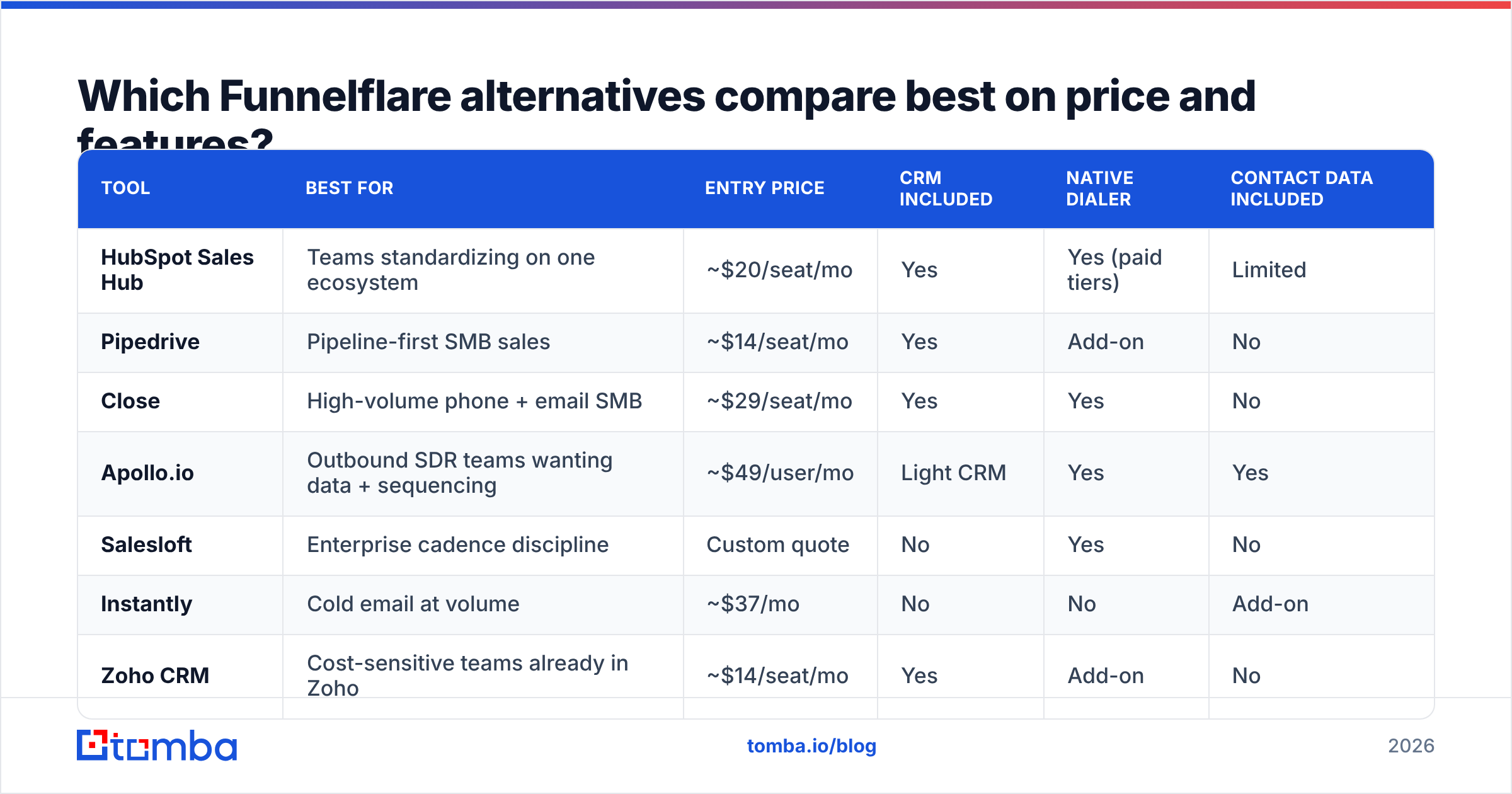
Which Funnelflare alternatives compare best on price and features?#
Prices below are published list prices at the time of writing and change frequently — confirm on each vendor's own pricing page before you budget.
| Tool | Best for | Entry price | CRM included | Native dialer | Contact data included |
|---|---|---|---|---|---|
| HubSpot Sales Hub | Teams standardizing on one ecosystem | ~$20/seat/mo | Yes | Yes (paid tiers) | Limited |
| Pipedrive | Pipeline-first SMB sales | ~$14/seat/mo | Yes | Add-on | No |
| Close | High-volume phone + email SMB | ~$29/seat/mo | Yes | Yes | No |
| Apollo.io | Outbound SDR teams wanting data + sequencing | ~$49/user/mo | Light CRM | Yes | Yes |
| Salesloft | Enterprise cadence discipline | Custom quote | No | Yes | No |
| Instantly | Cold email at volume | ~$37/mo | No | No | Add-on |
| Zoho CRM | Cost-sensitive teams already in Zoho | ~$14/seat/mo | Yes | Add-on | No |
| BookYourData | Buying targeted verified lists on demand | Pay-as-you-go credits | No | No | Yes |
| Tomba | Verified email + enrichment layer under any stack | Free, then $49/mo flat | No | No | Yes |
Two things stand out. First, only three rows supply contact data at all — the rest assume you bring your own list. Second, the flat-fee rows scale differently: a team of eight on a $29/seat CRM pays $232/month for the CRM alone, before sequencing and before data.
What are the 9 best Funnelflare alternatives in 2026?#
1. HubSpot Sales Hub — best all-in-one replacement#
The closest philosophical match to Funnelflare, several sizes larger. You get CRM, sequences, a dialer, meeting links, quotes and forecasting, plus the deepest app ecosystem in B2B. HubSpot also has the largest pool of people who already know how to use it.
The catch is the pricing curve. Starter is genuinely cheap; Professional is a different budget conversation, and contact-tier pricing means your marketing list size affects your sales bill. Best for teams that expect to run marketing and sales on the same platform for the next five years.
2. Pipedrive — best lean pipeline CRM#
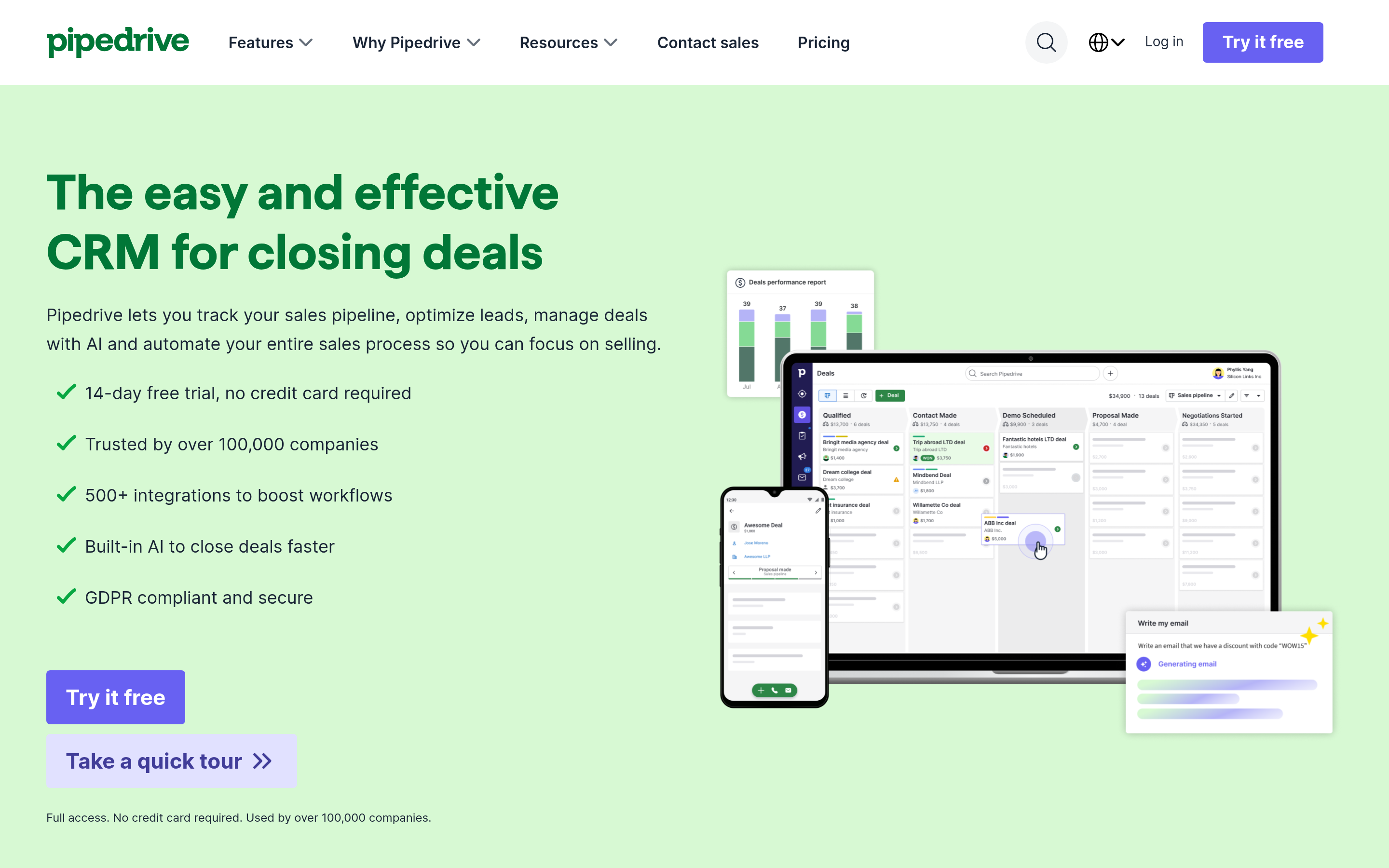
If what you liked about Funnelflare was pipeline visibility and what you disliked was everything else feeling half-built, Pipedrive is the trade. It does deal stages, activity tracking and forecasting cleanly, stays out of your way, and integrates with almost every sequencer worth using.
You'll add tools for email sequencing and calling. That's the point — Pipedrive is the record of truth, not the execution layer.
3. Close — best for phone-heavy SMB teams#
Close is the alternative most similar to Funnelflare's actual daily use pattern: reps living in one screen, calling and emailing from the same record. Built-in power dialer, predictive dialer on higher tiers, native SMS, solid email sequences.
It's more expensive per seat than Pipedrive and less extensible than HubSpot, but for a team whose day is 60 dials and 40 emails, it removes more friction than either.
4. Apollo.io — best data-plus-sequencing bundle#
Apollo pairs a large contact database with sequencing and a dialer, which makes it a genuine one-tool replacement for Funnelflare plus your list vendor. For teams that want volume fast, it's the shortest path.
The trade-off is data freshness on long-tail domains and the fact that you're renting your prospect list from the same vendor that sends your mail. Many teams run Apollo for sequencing and verify contacts elsewhere before sending. If Apollo's per-seat model is the sticking point, the Apollo alternative comparison walks through the data-only route.
5. Salesloft — best for cadence discipline at scale#
Salesloft is what outbound looks like when there are managers enforcing process. Cadence frameworks, conversation intelligence, coaching workflows, deep Salesforce sync. It's not an SMB tool and it isn't priced like one, but if you're leaving Funnelflare because you hired a VP of Sales who wants a real playbook engine, this is the category leader alongside Outreach.
6. Instantly — best for cold email volume#
Purpose-built for high-volume cold email: unlimited mailbox connections on most plans, built-in warmup, inbox rotation, deliverability monitoring. It does one job and does it properly.
There's no CRM and no dialer, so Instantly is a component, not a replacement — pair it with Pipedrive or Close. Worth reading up on email deliverability before you scale sends, because volume tools punish sloppy list hygiene faster than anything else.
7. Zoho CRM — best budget all-in-one#
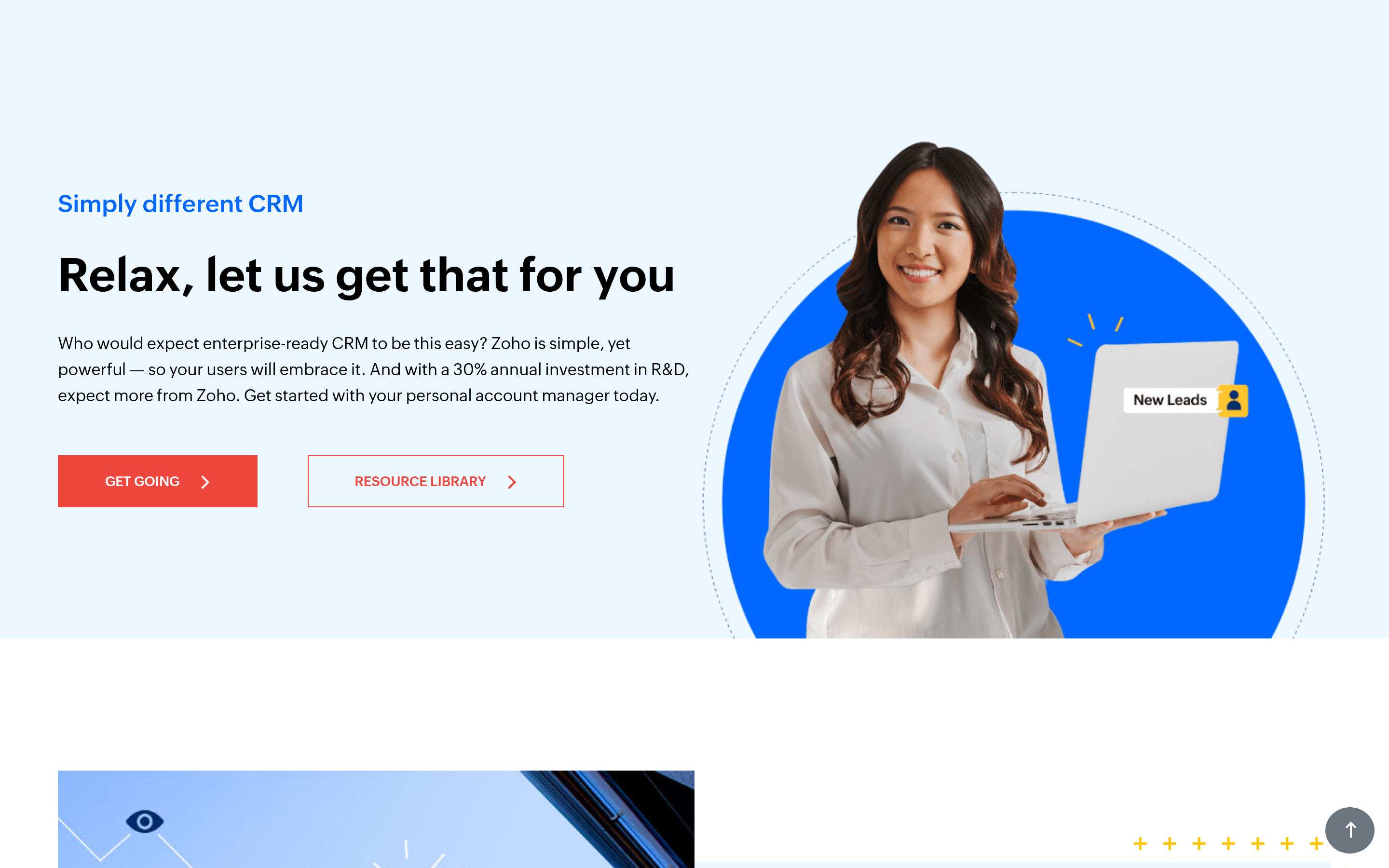
If the appeal of Funnelflare was "one vendor, one bill," Zoho makes the same argument at a lower price with a wider suite behind it — CRM, campaigns, telephony, desk, books. The UI is denser and setup takes longer, but total cost of ownership for a 10-person team is hard to beat.
8. BookYourData — best for buying targeted verified lists#
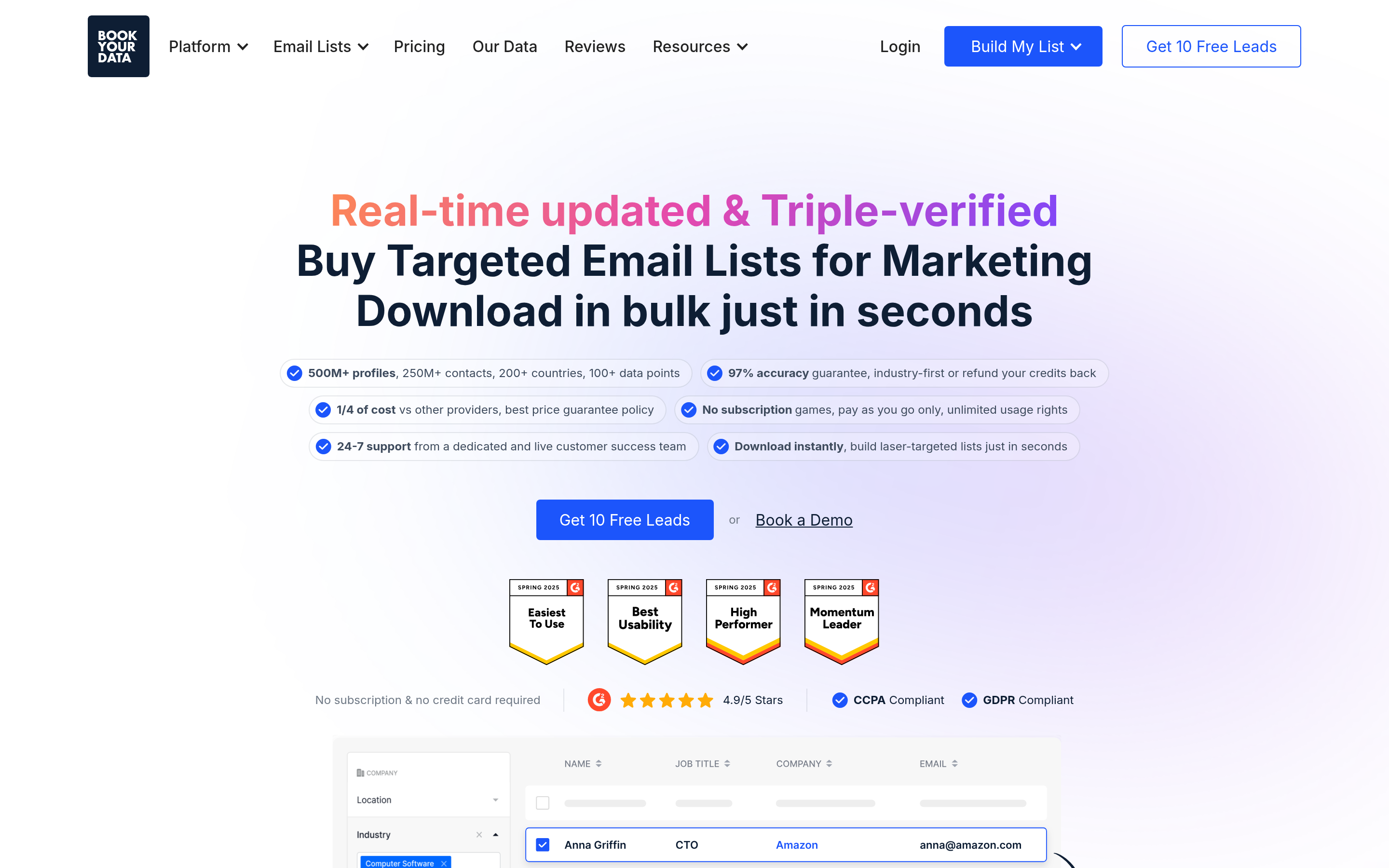
A different shape of alternative: rather than replacing Funnelflare's automation, BookYourData replaces the list-building work that happens before automation. You filter by industry, title, geography and technology, then buy verified contacts as a one-time credit purchase rather than a subscription. For teams running a handful of focused campaigns a quarter — where an always-on data subscription is hard to justify — pay-as-you-go list purchasing is a clean fit, and the verification guarantee removes most of the bounce risk.
9. Tomba — best data layer under whichever stack you pick#
Tomba doesn't compete with Funnelflare's automation. It fixes the gap all nine alternatives share: getting accurate, verified contact details into the sequencer in the first place.
You get domain search to pull every reachable address at a target company, an email verifier with catch-all handling, data enrichment to fill in titles and company attributes, plus a phone finder for dial-heavy teams. Pricing is flat and workspace-based rather than per seat: free for 25 searches a month, then $49/mo Starter, $99/mo Growth, $249/mo Pro. The Tomba API and CRM integrations mean the data lands wherever your team actually works.

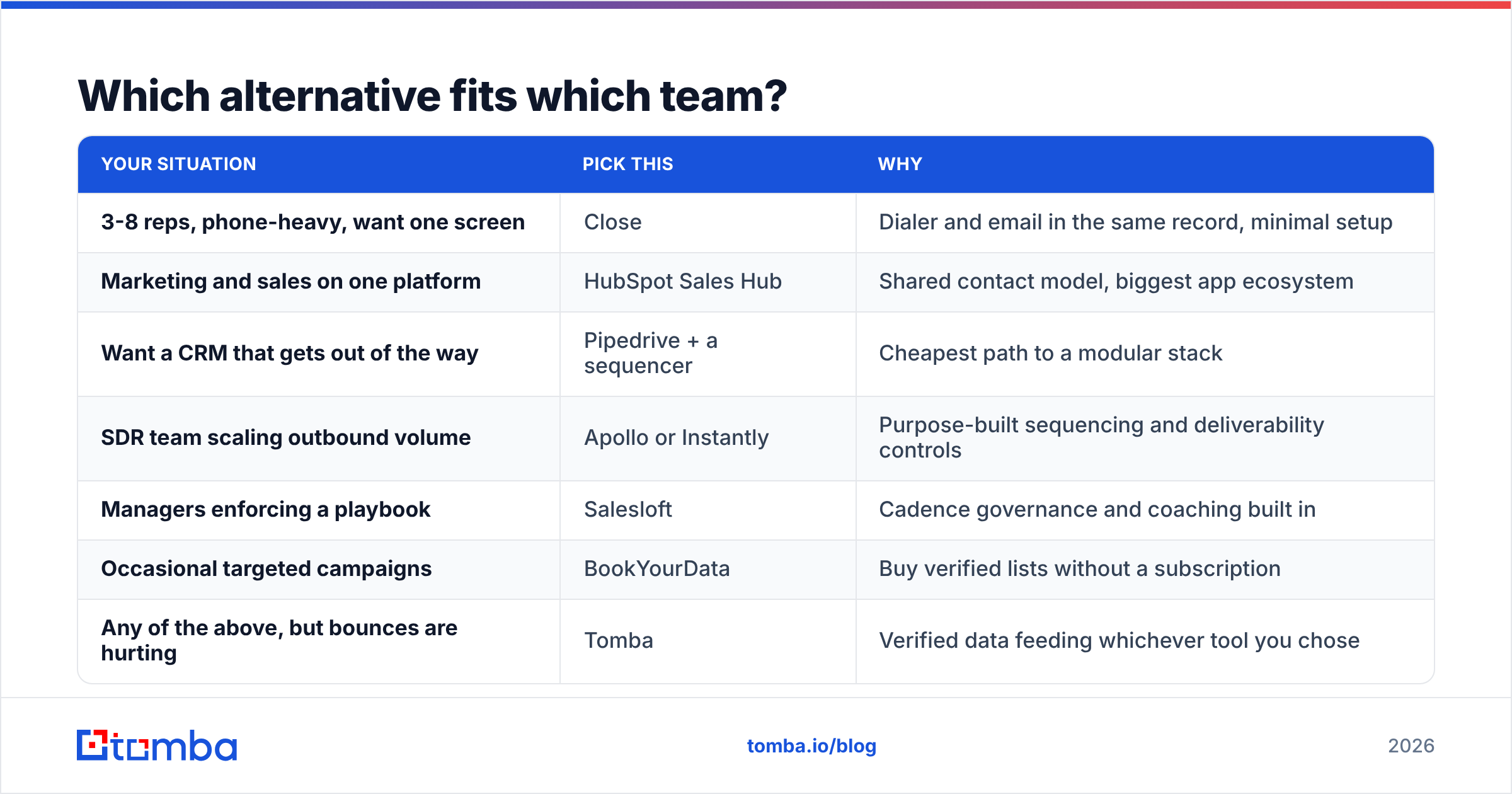
Which alternative fits which team?#
| Your situation | Pick this | Why |
|---|---|---|
| 3-8 reps, phone-heavy, want one screen | Close | Dialer and email in the same record, minimal setup |
| Marketing and sales on one platform | HubSpot Sales Hub | Shared contact model, biggest app ecosystem |
| Want a CRM that gets out of the way | Pipedrive + a sequencer | Cheapest path to a modular stack |
| SDR team scaling outbound volume | Apollo or Instantly | Purpose-built sequencing and deliverability controls |
| Managers enforcing a playbook | Salesloft | Cadence governance and coaching built in |
| Occasional targeted campaigns | BookYourData | Buy verified lists without a subscription |
| Any of the above, but bounces are hurting | Tomba | Verified data feeding whichever tool you chose |
How do you migrate off Funnelflare without losing pipeline?#
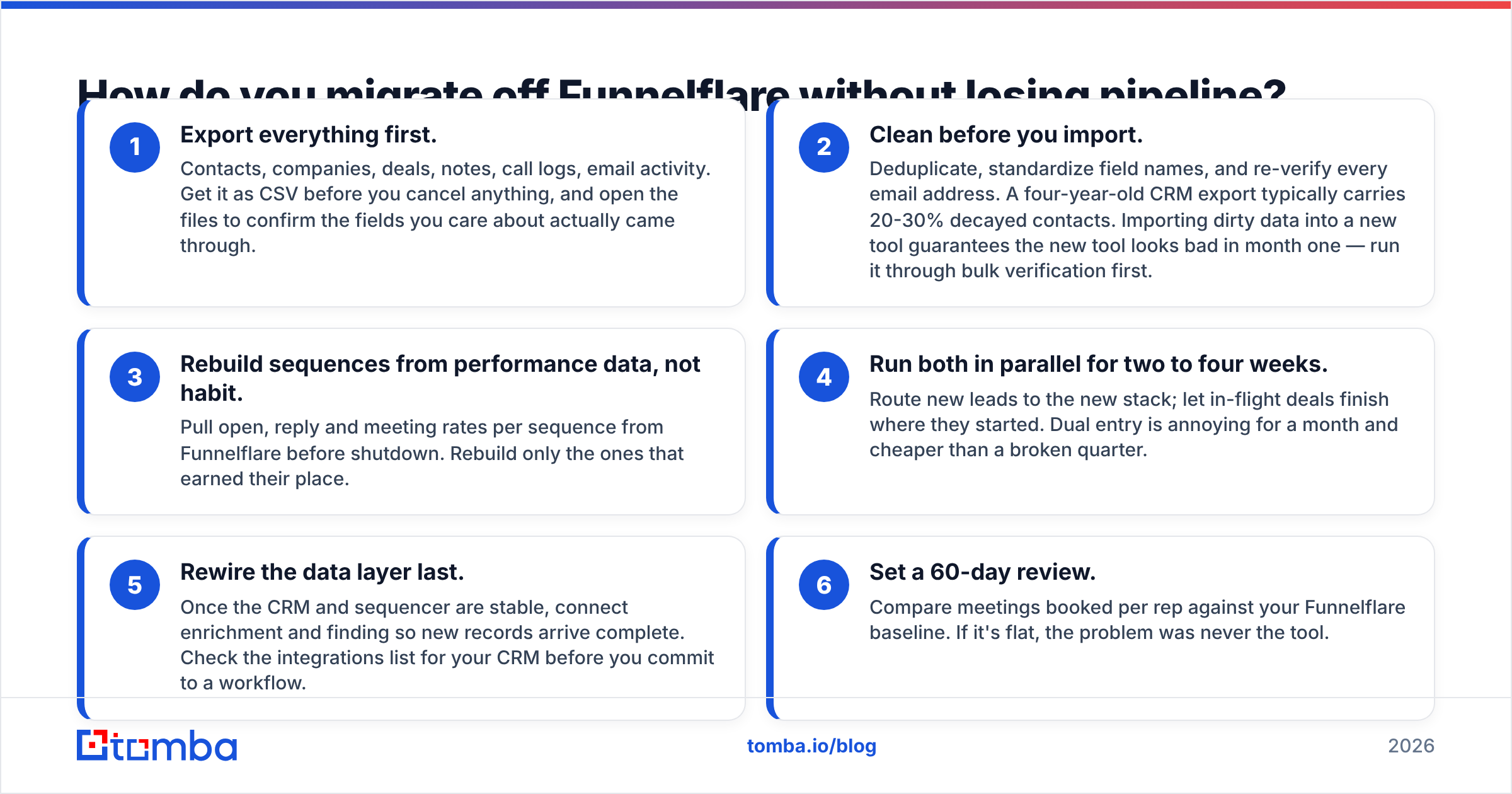
Do it in this order. Skipping steps two and four is how teams lose three months of activity history.
- Export everything first. Contacts, companies, deals, notes, call logs, email activity. Get it as CSV before you cancel anything, and open the files to confirm the fields you care about actually came through.
- Clean before you import. Deduplicate, standardize field names, and re-verify every email address. A four-year-old CRM export typically carries 20-30% decayed contacts. Importing dirty data into a new tool guarantees the new tool looks bad in month one — run it through bulk verification first.
- Rebuild sequences from performance data, not habit. Pull open, reply and meeting rates per sequence from Funnelflare before shutdown. Rebuild only the ones that earned their place.
- Run both in parallel for two to four weeks. Route new leads to the new stack; let in-flight deals finish where they started. Dual entry is annoying for a month and cheaper than a broken quarter.
- Rewire the data layer last. Once the CRM and sequencer are stable, connect enrichment and finding so new records arrive complete. Check the integrations list for your CRM before you commit to a workflow.
- Set a 60-day review. Compare meetings booked per rep against your Funnelflare baseline. If it's flat, the problem was never the tool.
What does this comparison actually conclude?#
There is no single best Funnelflare alternative, because Funnelflare bundles three separate jobs. Pick your replacement by which job was failing.
If the CRM was the weak link, go HubSpot, Pipedrive or Zoho. If sequencing was the weak link, go Salesloft, Instantly or Apollo. If calling was the weak link, go Close. And if the honest answer is that the automation worked fine but your contact list was stale, bouncing and half-guessed, then swapping automation vendors solves nothing — you'll rebuild the same funnel on the same bad inputs.
That last case is more common than the sales-tool market likes to admit. Reply rates collapse from bad data far more often than from bad software.
Start with the data layer. Tomba's Email Finder gives you verified professional email addresses by name, domain or company, with catch-all detection and enrichment attached, at flat workspace pricing instead of per-seat fees — free for your first 25 searches, $49/mo when you're ready to scale. See full Tomba pricing, plug it into whichever alternative you shortlisted above, and let your new stack run on contacts that actually exist.
Related guides#
Ready to find emails that actually work?
Join 150,000+ professionals who stopped guessing and started sending. Free credits on signup — no credit card required.
Get the Tomba newsletter
Practical outbound tactics and product updates — once every two weeks.
About the author