G Lock EasyMail7 vs GetProspect: Which One Do You Need?
One of these tools sends your email. The other one finds the address. Here is an honest breakdown of where G-Lock EasyMail7 and GetProspect overlap, where they don't, and what a sane 2026 outbound stack actually looks like.
TL;DR — G Lock EasyMail7 vs GetProspect
- These two tools are not really competitors. EasyMail7 is a self-hosted email sender. GetProspect is a cloud contact finder and B2B database. The head-to-head only makes sense if you are deciding which half of the outbound problem to solve first.
- Pick G-Lock EasyMail7 if you want a one-time license, full control of your sending setup, and no per-contact fees on a list you already own.
- Pick GetProspect if you have no list yet. It gives you LinkedIn-sourced contacts with verified work emails on a monthly credit plan.
- Most teams end up needing both jobs done. The cheaper path is a dedicated data provider (Tomba, GetProspect, or similar) plus a sending layer you control. One tool rarely does both well.
- Whatever you choose, verify first. Sending to unverified addresses is the fastest way to burn a domain you spent months warming.
What is G-Lock EasyMail7?#
G-Lock EasyMail7 is a Windows-based email marketing app from G-Lock Software. Unlike Mailchimp or Instantly, it installs on your own machine or server. The app is the client, and a local service stores your lists, templates, and campaign history.
The defining trait is bring-your-own-sending. EasyMail7 ships no shared IP pool of its own. You connect it to an SMTP relay you control — Amazon SES, SendGrid, Mailgun, Postmark, an in-house Postfix box, or a plain mailbox. EasyMail7 then handles list management, personalization, throttling, and bounce processing on top.
That design has real consequences:
- Your data stays local. Lists live on your hardware, not a vendor's cluster. That is a genuine selling point for teams with procurement or GDPR-residency headaches.
- Your sending cost is metered by your relay, not by contacts. SES bills fractions of a cent per email. A 200,000-contact list costs you the license plus SES fees, not a five-figure ESP tier.
- Your reputation is entirely yours. No shared-IP neighbors torch your inbox rate. There are also no vendor safety rails when you make a mistake.
- It has no built-in contact data. EasyMail7 assumes you already have a list. It will import CSV, Excel, Access, and database queries all day long. It will not tell you who to email.
That last point is the whole reason this comparison exists.
What is GetProspect?#
GetProspect sits on the other side of the workflow. It is a cloud B2B contact database and email finder, best known for its LinkedIn Chrome extension. Browse a Sales Navigator search, click the extension, and it returns names, job titles, companies, and work email addresses into a list. From there you can export it or push it into a CRM.
The core capabilities are:
- LinkedIn extraction — pull contacts and enriched attributes from profile and search pages.
- A searchable database — filter a stored contact pool by title, industry, headcount, location, and technology.
- Email finding — resolve a name plus company domain into a likely work address.
- Built-in verification — SMTP-level validation, so you are not exporting guesses.
- Light enrichment and CRM sync — push to HubSpot, Pipedrive, and similar via native connectors or Zapier.
What GetProspect does not do is run your campaigns at scale. It has basic sending features, but nobody buys it as a sending platform. It is a data layer.

G Lock EasyMail7 vs GetProspect: are they real competitors?#
No. The search results that pit them against each other are mostly keyword collisions.
Here is the honest framing. Outbound email has four jobs:
- Find the right people — build a list of contacts who match your ICP.
- Get valid addresses — resolve and verify each contact's real work email.
- Send the messages — infrastructure, throttling, personalization, warmup.
- Handle the replies — bounce processing, unsubscribes, routing to a CRM.
GetProspect covers jobs 1 and 2. G-Lock EasyMail7 covers jobs 3 and 4. The overlap is tiny. GetProspect can send a simple sequence, and EasyMail7 can dedupe and segment a list. Neither earns its keep there.
So the real question is not "which is better." It is which gap is costing you more money right now. Say you have 40,000 opted-in contacts in a spreadsheet and no cheap way to mail them. EasyMail7 solves that. If you have a great sending setup and an empty list, GetProspect does.
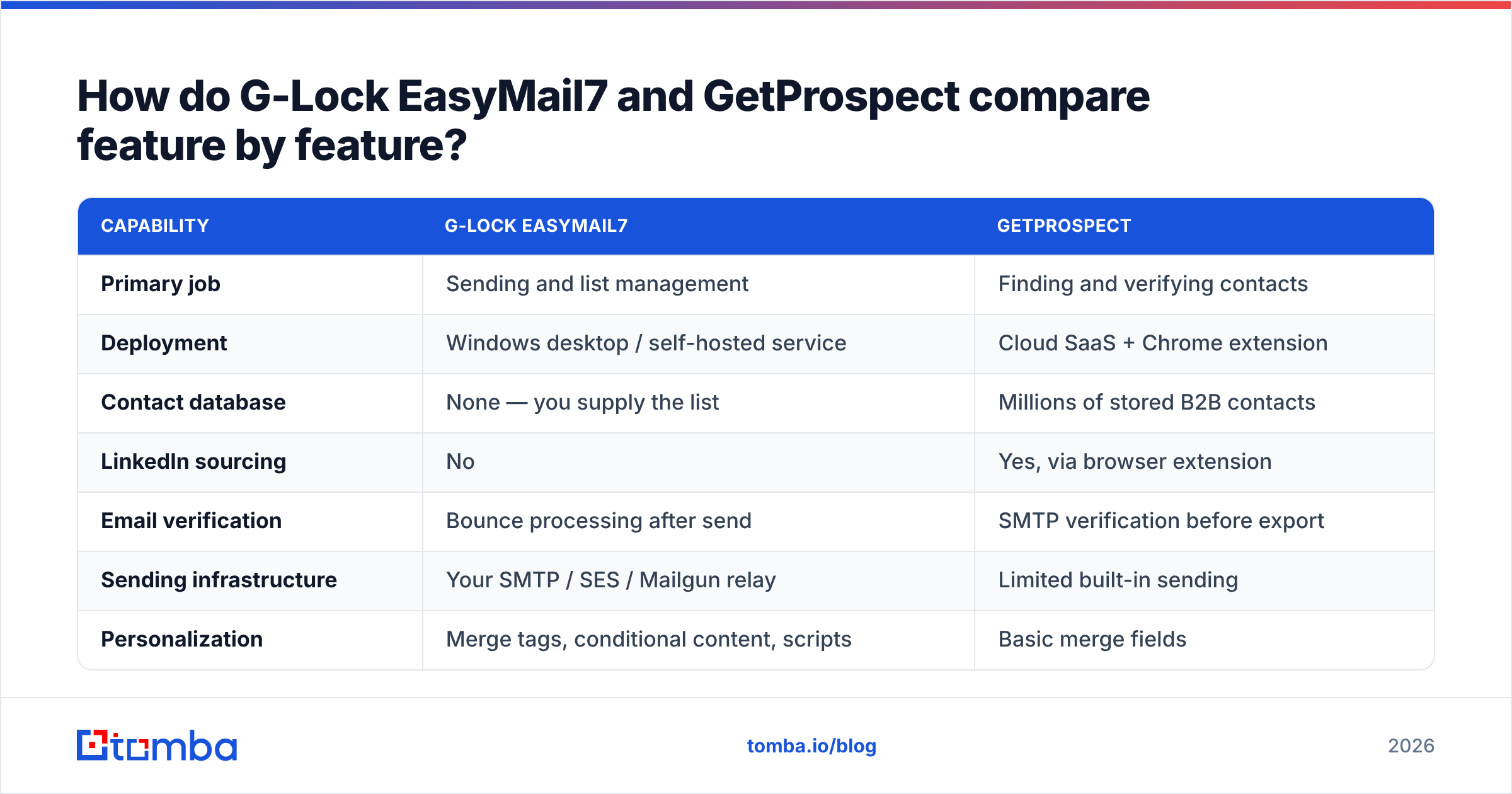
G Lock EasyMail7 vs GetProspect: feature by feature#
| Capability | G-Lock EasyMail7 | GetProspect |
|---|---|---|
| Primary job | Sending and list management | Finding and verifying contacts |
| Deployment | Windows desktop / self-hosted service | Cloud SaaS + Chrome extension |
| Contact database | None — you supply the list | Millions of stored B2B contacts |
| LinkedIn sourcing | No | Yes, via browser extension |
| Email verification | Bounce processing after send | SMTP verification before export |
| Sending infrastructure | Your SMTP / SES / Mailgun relay | Limited built-in sending |
| Personalization | Merge tags, conditional content, scripts | Basic merge fields |
| Bounce & unsubscribe handling | Built-in, IMAP-based | Minimal |
| Pricing model | One-time license per install | Monthly credit subscription |
| Data residency | Local — on your machine | Vendor cloud |
| API access | Limited | Yes |
| Best fit | Owned lists, newsletters, high volume | Net-new prospecting |
Two rows deserve extra weight.
Bounce handling. EasyMail7 connects over IMAP to the mailbox behind your sending address. It parses hard and soft bounces and cleans them out of your list on its own. Most modern cold-email tools handle this worse. If you send to large owned lists, it matters.
Verification timing. GetProspect verifies before you export. EasyMail7 learns about bad addresses after you send. Those are opposite philosophies, and only one of them protects your sender reputation. Pre-send verification is the right default in 2026. Mailbox providers are far less forgiving of high bounce rates than they were three years ago.
What does each one actually cost?#
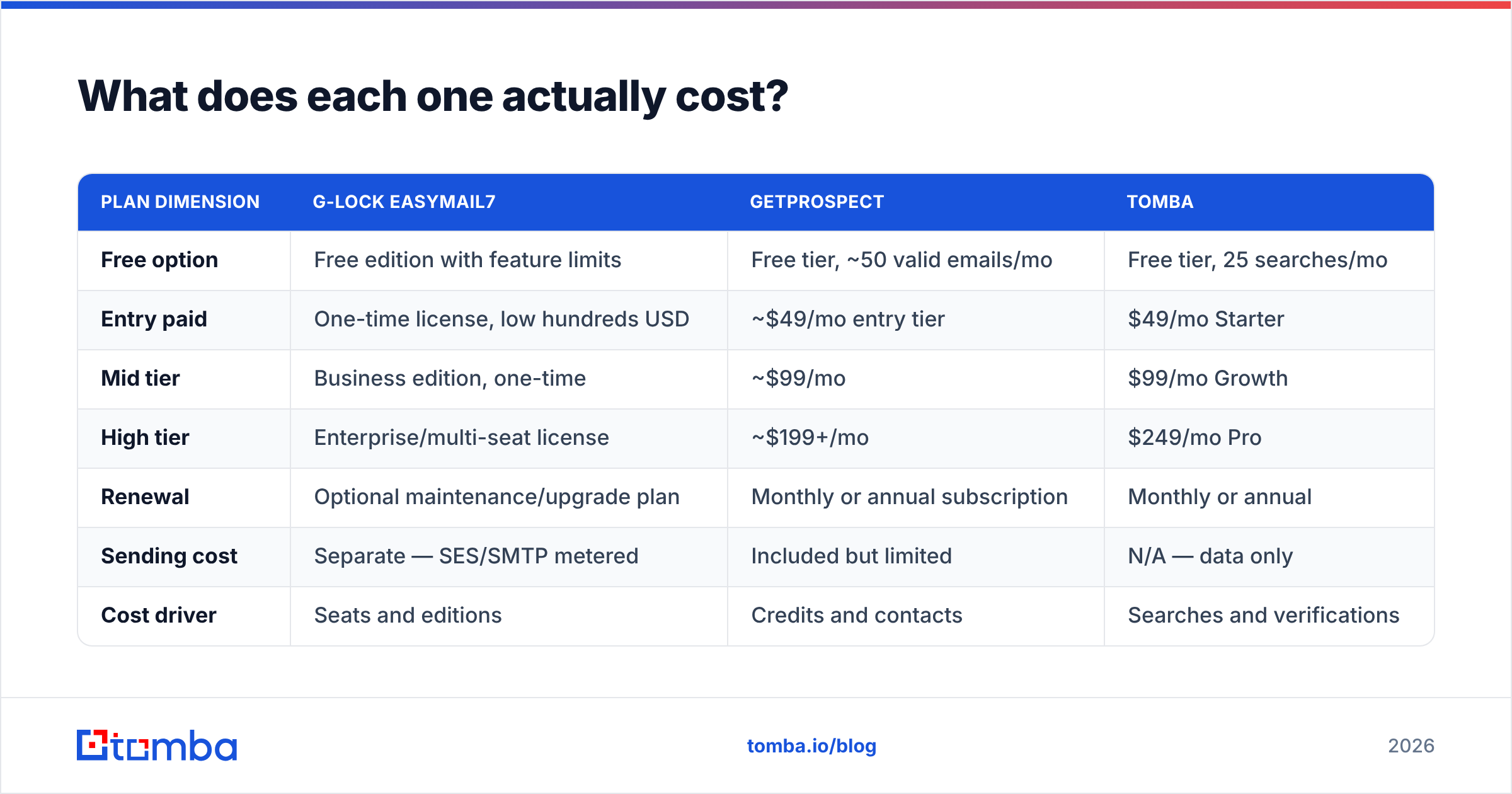
Pricing for both vendors moves. Treat the table below as directional and confirm on their own pages before you buy.
| Plan dimension | G-Lock EasyMail7 | GetProspect | Tomba |
|---|---|---|---|
| Free option | Free edition with feature limits | Free tier, ~50 valid emails/mo | Free tier, 25 searches/mo |
| Entry paid | One-time license, low hundreds USD | ~$49/mo entry tier | $49/mo Starter |
| Mid tier | Business edition, one-time | ~$99/mo | $99/mo Growth |
| High tier | Enterprise/multi-seat license | ~$199+/mo | $249/mo Pro |
| Renewal | Optional maintenance/upgrade plan | Monthly or annual subscription | Monthly or annual |
| Sending cost | Separate — SES/SMTP metered | Included but limited | N/A — data only |
| Cost driver | Seats and editions | Credits and contacts | Searches and verifications |
The economics diverge sharply at volume.
EasyMail7 gets cheaper the more you send. Pay the license once and add Amazon SES at roughly a tenth of a cent per email. A monthly send to 100,000 contacts then costs less than a mid-tier ESP plan. The catch: deliverability monitoring, warmup, and template QA are all your job.
GetProspect gets more expensive the more you prospect, because credits map to contacts. That is fair pricing for a data product. It also means your list-building budget scales in step with pipeline targets. This is where cross-shopping data vendors pays off. Entry tiers cluster around $49/mo across Tomba pricing, GetProspect, and peers like BookYourData. But credit definitions, verification, and API access differ enough to swing your real cost per usable contact by 2–3x.
Read the fine print on what counts as a credit. Some vendors charge for a search that returns nothing. Some charge separately for verification. Some bundle both. That detail matters more than the headline price.
Which one wins on data quality?#
GetProspect wins by default, because EasyMail7 does not compete in that category at all. The more useful question is how GetProspect stacks up against purpose-built data providers.
Four things decide whether a contact database is worth its price:
- Coverage — what share of your ICP the provider can resolve. LinkedIn-sourced tools skew toward tech, SaaS, and mid-market roles with active profiles. They thin out in trades, manufacturing, local services, and non-English markets.
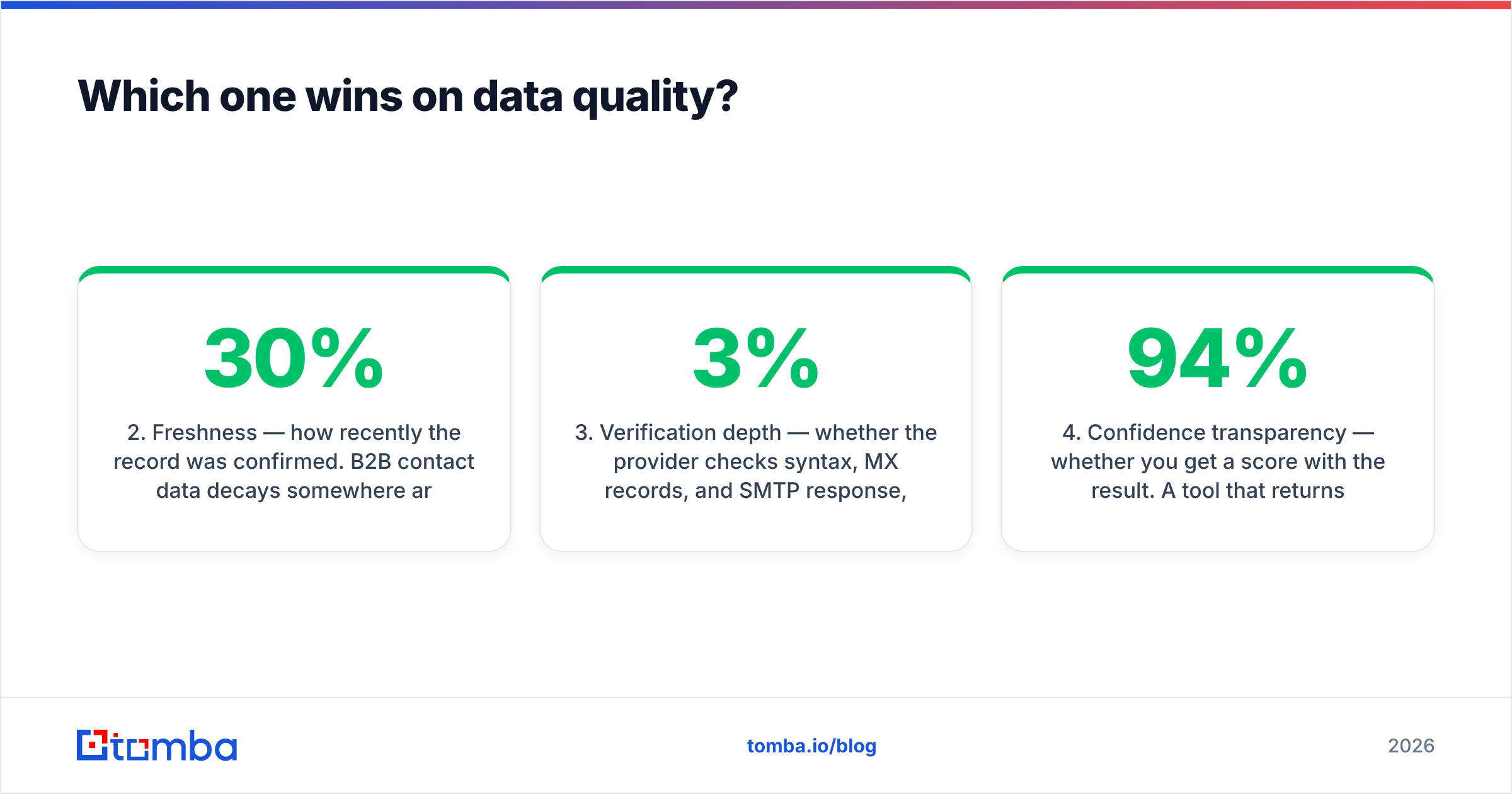
- Freshness — how recently the record was confirmed. B2B contact data decays 25–30% per year through job changes alone. A database refreshed quarterly is a different product from one refreshed daily.
- Verification depth — whether the provider checks syntax, MX records, and SMTP response. It should also flag catch-all domains honestly instead of marking them "valid." A catch-all verifier is what separates a 3% bounce rate from a 12% one.
- Confidence transparency — whether you get a score with the result. A tool that returns "john@acme.com — 94%" lets you route low-confidence contacts to LinkedIn instead. A tool that returns a bare address makes that call for you, badly.
If you are already sold on LinkedIn-first prospecting, GetProspect's extension is a solid workflow. If your motion starts from a target account list instead, try a domain search approach. Feed it a company domain and get back every discoverable address with role and confidence. It usually gives cleaner coverage with less clicking. Both are legitimate. They just fit different prospecting styles.

Which one wins on deliverability control?#
EasyMail7, decisively — but "control" cuts both ways.
Because you own the relay, you decide the sending IP, the throttle rate, the warmup curve, and the authentication setup. Nothing gets throttled because a neighbor on a shared IP blasted a scraped list. You can run a strict schedule: 200 per hour on a new domain, ramping over six weeks, with a hard stop the moment complaint rates move.
The flip side is that every deliverability failure is now yours to diagnose. You have to configure SPF, DKIM, and DMARC correctly. You have to watch Google Postmaster Tools and Microsoft SNDS. You have to notice when your bounce rate crosses 2%, before a filter notices for you. Managed platforms do a lot of this quietly. EasyMail7 hands you the keys and the responsibility.
Practical guardrails if you go self-hosted:
- Authenticate everything. SPF, DKIM, and a DMARC policy at minimum
p=nonewith reporting on. Move to quarantine once you are clean. - Verify before every send, not once at import. A list verified six months ago has a 10%+ bounce rate today. Run it through an email verifier on a schedule.
- Separate your domains. Cold outbound goes on a lookalike domain. Transactional and newsletter traffic stay on your primary. One bad campaign should not take down billing receipts.
- Throttle harder than you think you need to. Volume spikes are the loudest signal to a spam filter.
- Process bounces immediately. EasyMail7's IMAP bounce handling is genuinely good here. Use it, and do not override the suppression list.
Who should pick G-Lock EasyMail7?#
You are a good fit if most of these are true:
- You already have the list. Customers, webinar registrants, opted-in subscribers, an imported CRM export. EasyMail7 monetizes lists you own.
- You are on Windows and comfortable with infrastructure. SMTP credentials, DNS records, and IMAP settings should not intimidate you.
- You want predictable, non-recurring software cost. A one-time license plus metered SES beats per-contact ESP pricing once your list passes roughly 20,000.
- Data residency matters to you. Regulated industries, EU-only storage rules, or a security team that will not approve another cloud vendor.
- Your volume is high and your personalization is templated, not individually researched.
You are a bad fit if you are a two-person sales team. Fifty hyper-personalized emails a day is not worth touching a DNS record for.
Who should pick GetProspect?#
You are a good fit if:
- You are starting from zero list. GetProspect turns "we should sell to Series B fintech CTOs" into a spreadsheet of actual people.
- LinkedIn is where your ICP lives. Software, agencies, professional services, recruiting. The extension workflow is fast when profiles are rich.
- You want verification bundled. Skipping a separate verifier is a real convenience at small volume.
- You need CRM sync more than sending. Contacts land in HubSpot or Pipedrive and your existing sequencer takes over.
You are a bad fit if you need broad coverage outside LinkedIn-heavy verticals. Same if your volume makes per-credit pricing painful. At that point, an API-first provider with a bulk email finder and flat search pricing usually wins on cost per usable contact.
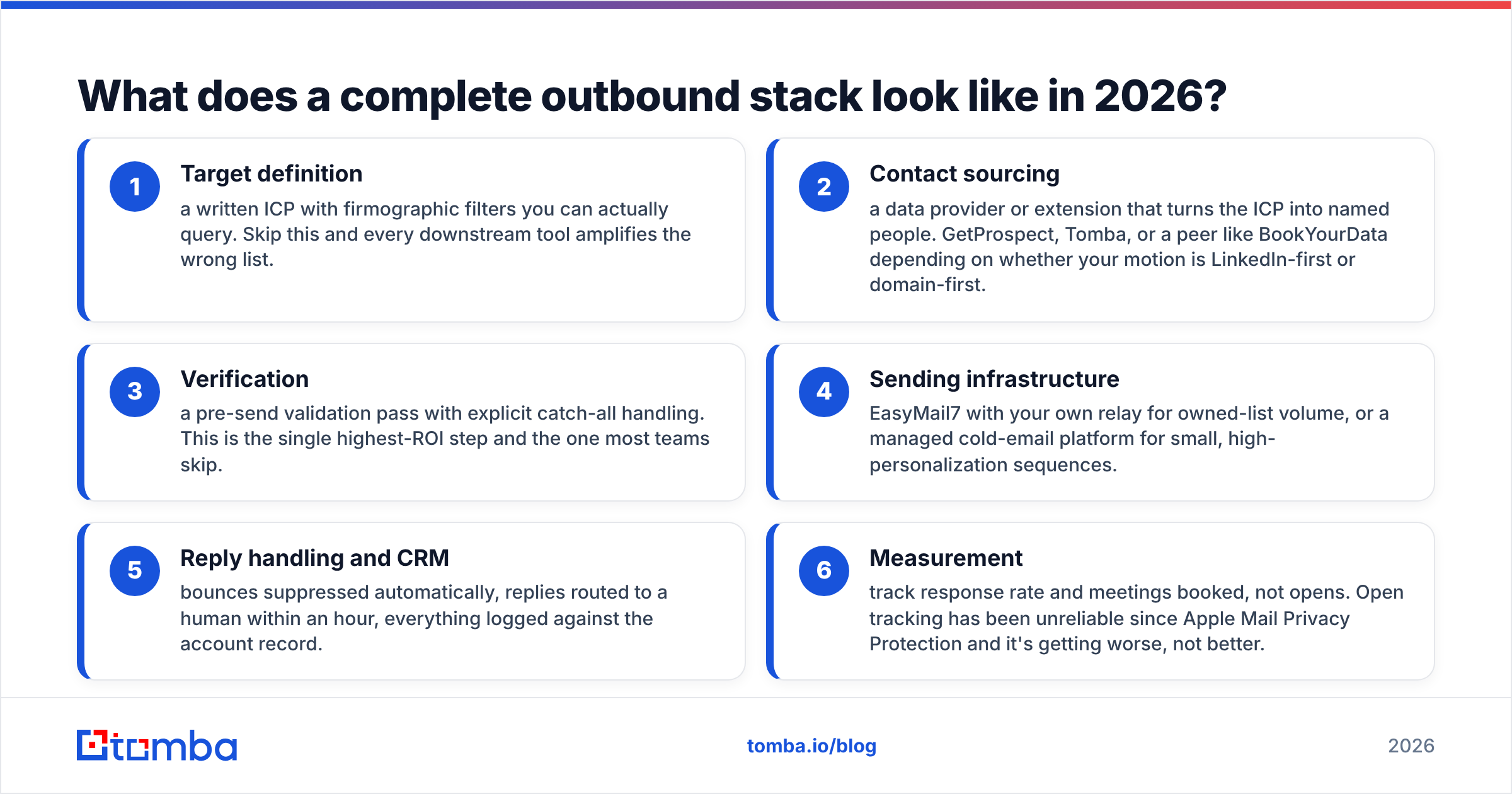
What does a complete outbound stack look like in 2026?#
Neither tool alone is a stack. Here is the shape that works, in order:
- Target definition — a written ICP with filters you can actually query. Skip this and every downstream tool amplifies the wrong list.
- Contact sourcing — a data provider or extension that turns the ICP into named people. GetProspect, Tomba, or a peer like BookYourData, depending on whether your motion is LinkedIn-first or domain-first.
- Verification — a pre-send validation pass with explicit catch-all handling. This is the highest-ROI step and the one most teams skip.
- Sending infrastructure — EasyMail7 with your own relay for owned-list volume. Or a managed cold-email platform for small, high-personalization sequences.
- Reply handling and CRM — bounces suppressed automatically, replies routed to a human within an hour, everything logged against the account record.
- Measurement — track response rate and meetings booked, not opens. Open tracking has been unreliable since Apple Mail Privacy Protection, and it keeps getting worse.
The mistake to avoid is buying a tool that claims all six and does two of them well. Check user reviews on G2 before you commit. Pay attention to reviews from companies your size, not the enterprise logos on the vendor's homepage.
The bottom line#
G Lock EasyMail7 vs GetProspect is not a choice between two versions of the same thing. EasyMail7 is infrastructure you own. GetProspect is data you rent. If you already have contacts and need cheap, controlled sending, EasyMail7 is underrated in a market obsessed with SaaS subscriptions. If your list is the bottleneck, no sending tool will fix that, and GetProspect is a reasonable place to start.
If the data half is where you are stuck, compare more than one provider before you commit a year of budget. The Tomba Email Finder resolves work emails from a name and domain, with a confidence score on every result. It includes catch-all detection instead of quietly marking risky addresses valid. It runs on the same $49/mo Starter tier most of the category prices at, plus a free plan of 25 searches a month. Use that free plan to spot-check accuracy against your own known-good contacts first. Run the same 50 test contacts through two or three tools, count the verified hits, and let the numbers pick your vendor.
Related guides#
Ready to find emails that actually work?
Join 150,000+ professionals who stopped guessing and started sending. Free credits on signup — no credit card required.
Get the Tomba newsletter
Practical outbound tactics and product updates — once every two weeks.
About the author