G Lock EasyMail7 vs Tomba: Sender vs Finder Compared 2026
One is a Windows desktop bulk email sender you own outright. The other is a cloud email finder and verifier that feeds it clean data. Here is where each one actually wins — and where using both beats picking one.
G Lock EasyMail7 vs Tomba is a matchup that trips up a lot of buyers. One tool sends bulk email from a Windows PC you own. The other finds and verifies the addresses you mail. Here is what each one does, and when you want both.
TL;DR
- These two tools are not rivals. EasyMail7 sends bulk email through your own SMTP or Amazon SES. Tomba finds and verifies the addresses you send to.
- Got a 40,000-row list and no cheap way to mail it? EasyMail7 is a fair answer. You buy the license, you own the sending setup, and there is no per-contact SaaS tax.
- No addresses yet, or half of them bounce? No sending tool fixes that. You need an email finder and an email verifier first.
The two cost models work in opposite ways:
- EasyMail7 is a one-time desktop license plus your own SES or SMTP bill. Tomba is a monthly credit plan: free at 25 searches/mo, then $49 Starter, $99 Growth, or $249 Pro.
- For most B2B teams in 2026, build and clean the list with Tomba first. Then pick the delivery layer on its own merits: EasyMail7, a modern sequencer, or plain SES.
What is G-Lock EasyMail7?#
G-Lock EasyMail7 is an on-premise email marketing app from G-Lock Software. Your contacts never sit on a vendor's server. You install a client and a local mail server component on a Windows machine, and the database stays on your own disk. Delivery runs through whatever transport you set up: your corporate SMTP, a relay like SendGrid or Mailgun, or Amazon SES.
That design is the whole pitch. You rent nothing per contact. A 100,000-record list costs the same to store as a 500-record list. That is a very different curve from Mailchimp, HubSpot, or any ESP that prices by list size.
What you get in the box:
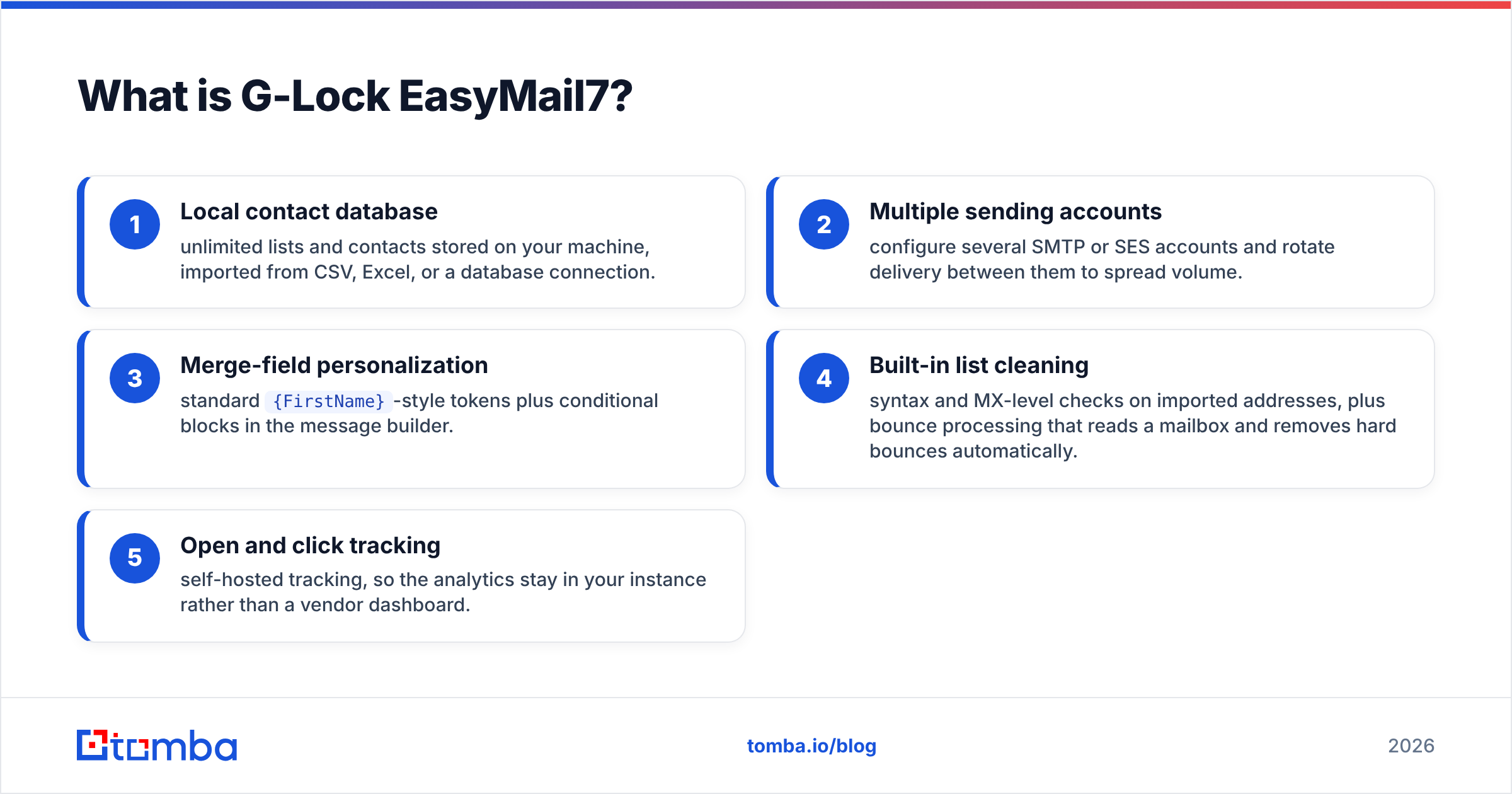
- Local contact database — unlimited lists and contacts on your machine, imported from CSV, Excel, or a database connection.
- Multiple sending accounts — set up several SMTP or SES accounts and rotate them to spread volume.
- Merge-field personalization —
{FirstName}-style tokens plus conditional blocks in the message builder. - Built-in list cleaning — syntax and MX checks on import, plus bounce handling that reads a mailbox and drops hard bounces.
- Open and click tracking — self-hosted, so the numbers stay in your instance instead of a vendor dashboard.
The tradeoffs are just as clear. It is a Windows desktop product. There is no browser access from a laptop in an airport, no team collaboration, and no mobile view. Sending only happens while the machine is on.
One more limit matters for cold outreach. EasyMail7 is a broadcast tool, not a reply-threaded sequencer. It suits newsletters and announcements to people who already know you. It does not run 4-step personalized sequences that stop when someone replies.
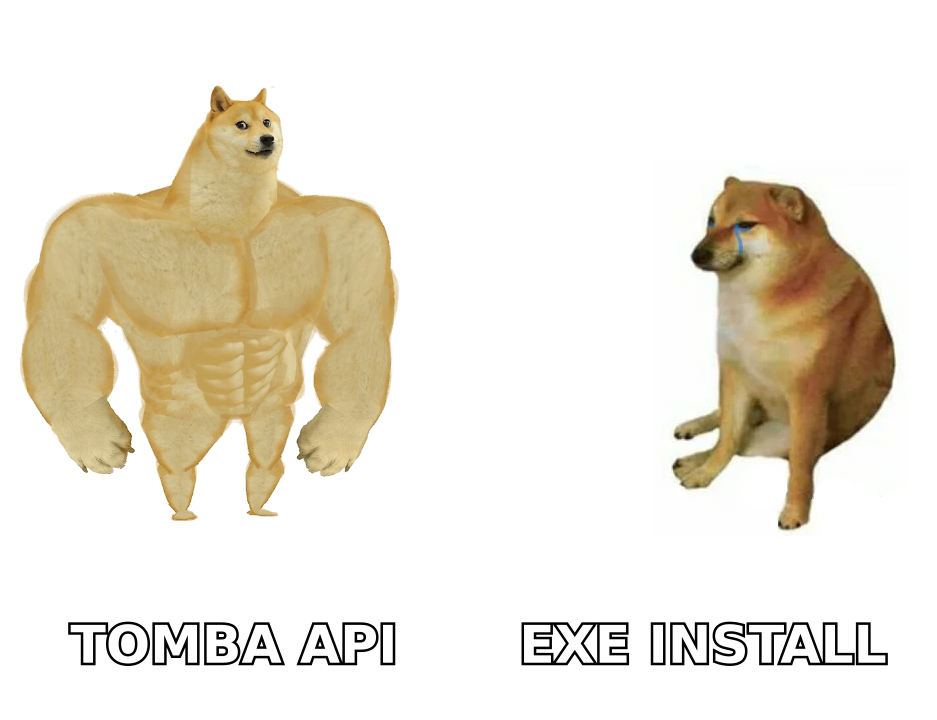
What is Tomba, and why does it show up here?#
Tomba sits one step earlier in the pipeline. It is a B2B contact data platform, and its core product is an email finder. Give it a domain, a person's name, or a company, and it returns the work email address. Each result carries a confidence score and the public sources behind it.
People search "G Lock EasyMail7 vs Tomba" because both names land on the same shortlist when someone types "cheap email outreach software." Then they find that the two tools solve different problems. EasyMail7 answers one question: how do I deliver 50,000 messages without paying per contact? Tomba answers another: where do 50,000 valid addresses come from, and which ones will bounce?
Around the finder, Tomba ships the adjacent data tools:
- Domain search — pull every discoverable address at a company, plus the detected email pattern.
- Email verifier — SMTP-level validation with a separate path for catch-all domains, so you know which "risky" addresses are truly risky.
- Bulk processing — upload a CSV of names and companies, get back enriched, verified rows.
- Tomba API — the same functions as REST endpoints, plus CLI, Sheets, Excel, and Chrome extension surfaces.
G Lock EasyMail7 vs Tomba: how do they compare feature by feature?#
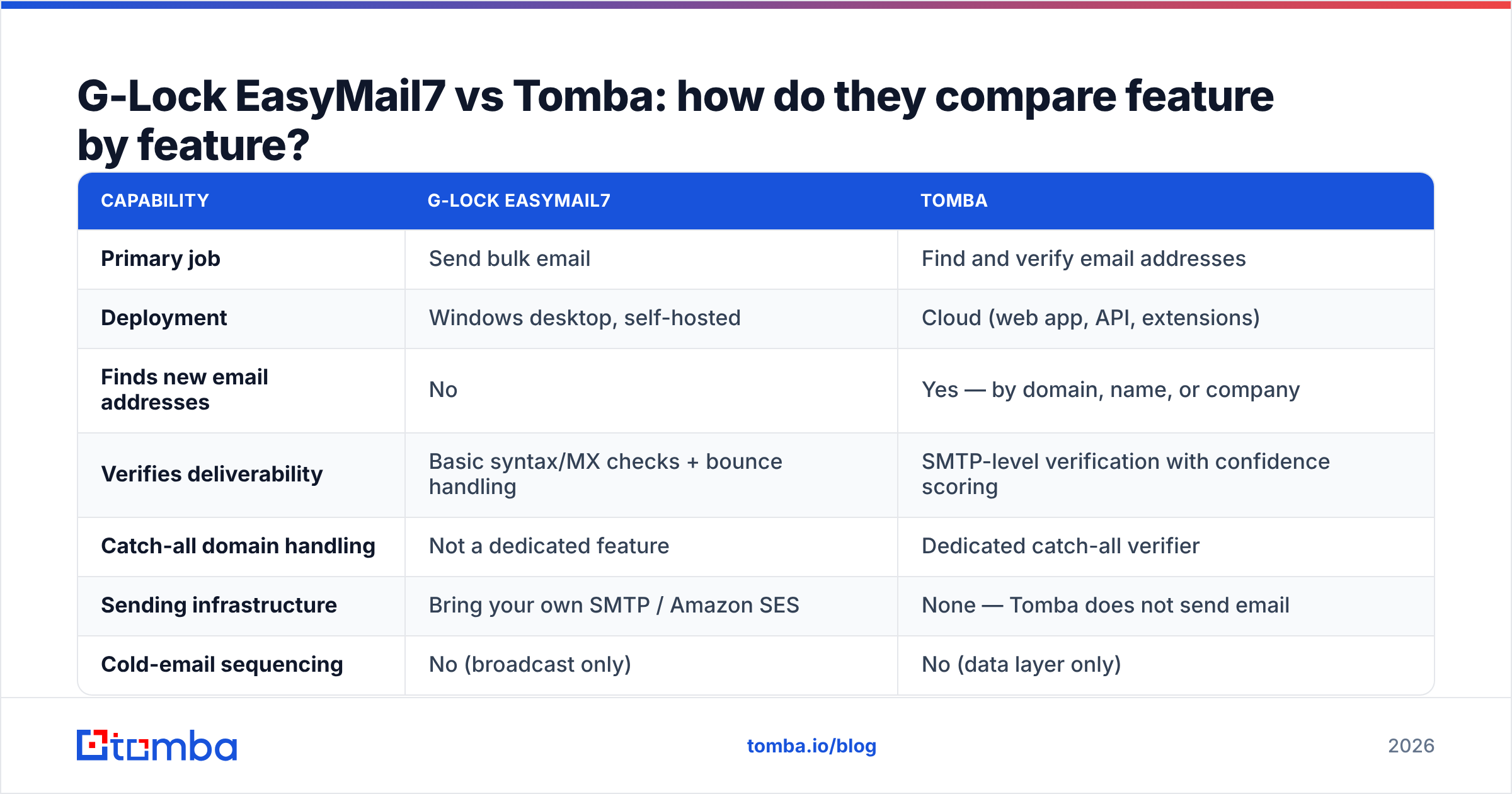
Here is the side-by-side that matters. Notice how few rows have a real head-to-head answer. That is the finding, not a flaw in the table.
| Capability | G-Lock EasyMail7 | Tomba |
|---|---|---|
| Primary job | Send bulk email | Find and verify email addresses |
| Deployment | Windows desktop, self-hosted | Cloud (web app, API, extensions) |
| Finds new email addresses | No | Yes — by domain, name, or company |
| Verifies deliverability | Basic syntax/MX checks + bounce handling | SMTP-level verification with confidence scoring |
| Catch-all domain handling | Not a dedicated feature | Dedicated catch-all verifier |
| Sending infrastructure | Bring your own SMTP / Amazon SES | None — Tomba does not send email |
| Cold-email sequencing | No (broadcast only) | No (data layer only) |
| Team collaboration | Single-machine, license-bound | Multi-seat cloud workspace |
| API access | Limited | Full REST API, CLI, MCP server |
| Data residency | Fully on your hardware | Vendor cloud, GDPR-oriented |
| Cost model | One-time/periodic license + your SES bill | Monthly credits, free tier available |
One row decides most evaluations: "Finds new email addresses." Do you already own a permissioned list of customers, webinar signups, or opted-in subscribers? Then EasyMail7 is a cheap, reasonable delivery engine, and you may not need a finder at all. If the list does not exist yet, no sending software will conjure it.
How does the pricing actually compare?#
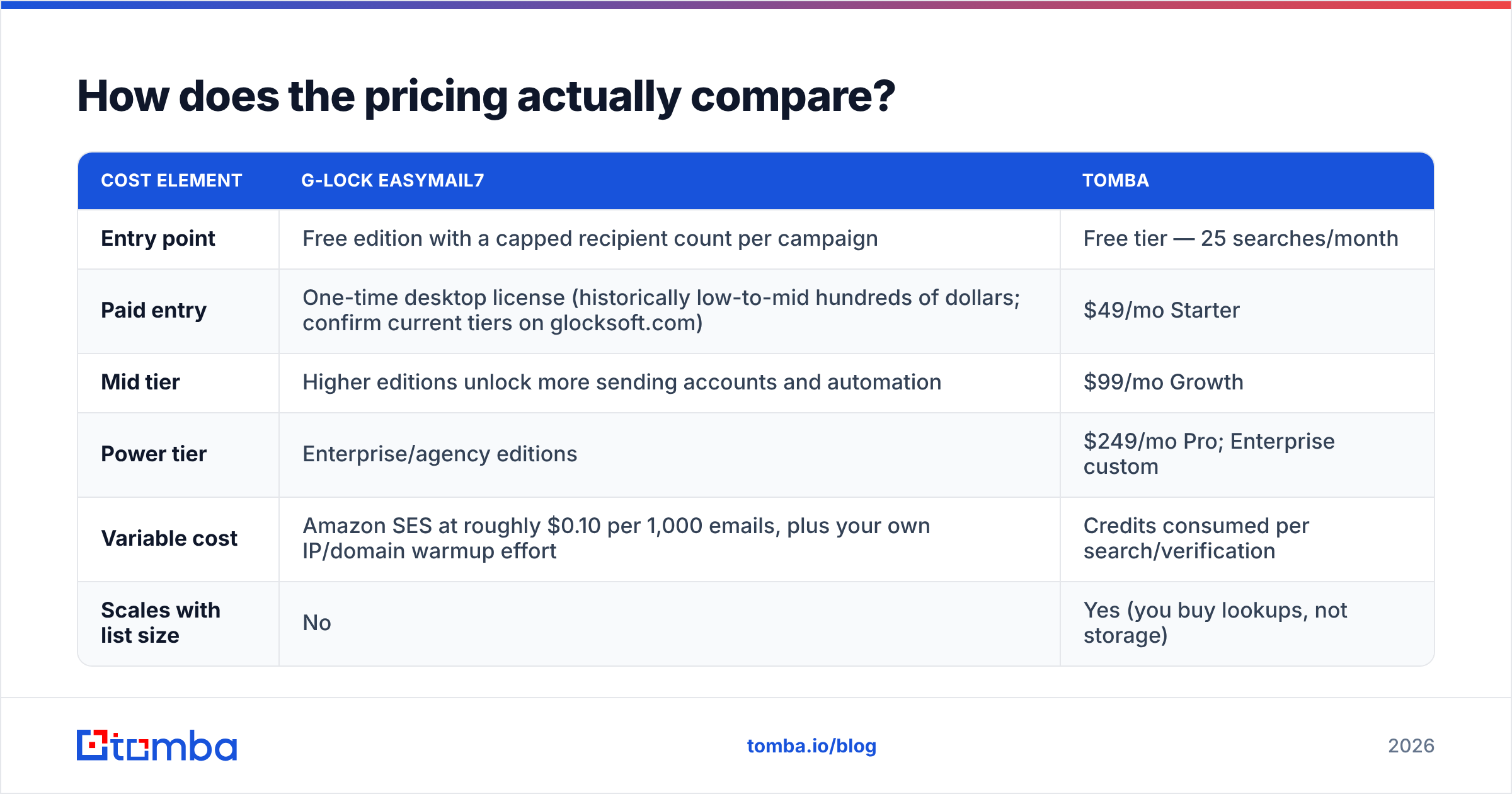
These are two different billing universes. Compare total annual cost, not sticker price.
| Cost element | G-Lock EasyMail7 | Tomba |
|---|---|---|
| Entry point | Free edition with a capped recipient count per campaign | Free tier — 25 searches/month |
| Paid entry | One-time desktop license (historically low-to-mid hundreds of dollars; confirm current tiers on glocksoft.com) | $49/mo Starter |
| Mid tier | Higher editions unlock more sending accounts and automation | $99/mo Growth |
| Power tier | Enterprise/agency editions | $249/mo Pro; Enterprise custom |
| Variable cost | Amazon SES at roughly $0.10 per 1,000 emails, plus your own IP/domain warmup effort | Credits consumed per search/verification |
| Scales with list size | No | Yes (you buy lookups, not storage) |
Read that table honestly and EasyMail7's edge is real. At 200,000 sends a month to a list you already own, a one-time license plus SES beats almost every per-contact ESP. The downside is just as real. None of it helps when 22% of the list is stale and your domain reputation collapses in week two.
Tomba's pricing runs the other way. You pay once to find and validate a contact. That data is yours after that, whatever sender you push it through. Price a finder against the cost of a bad list, not against a sending tool's license fee.
Do you have to choose between them at all?#
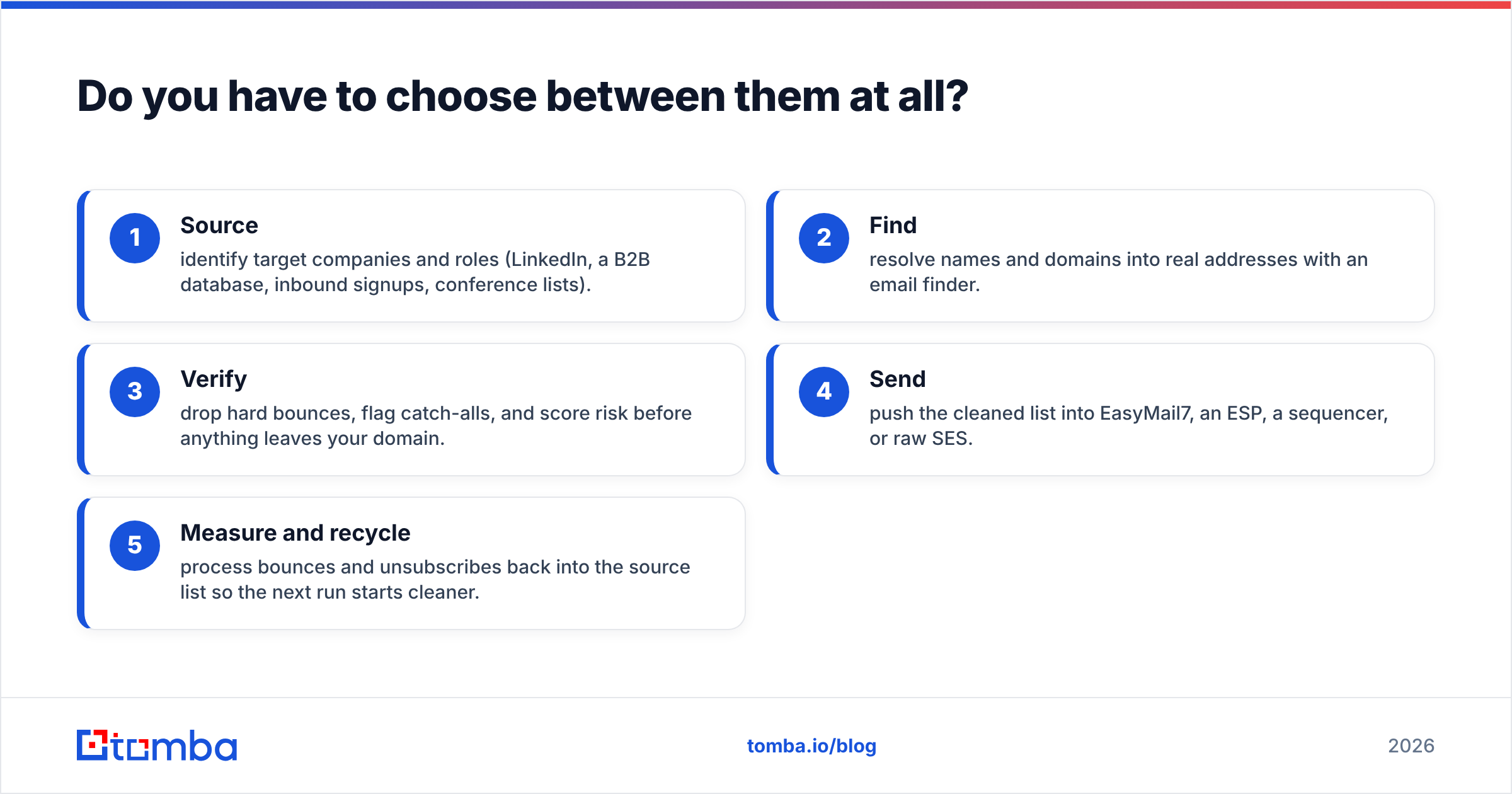
No, and for most readers that is the practical answer. The two products sit in adjacent slots of the same pipeline:
- Source — pick target companies and roles (LinkedIn, a B2B database, inbound signups, conference lists).
- Find — turn names and domains into real addresses with an email finder.
- Verify — drop hard bounces, flag catch-alls, and score risk before anything leaves your domain.
- Send — push the clean list into EasyMail7, an ESP, a sequencer, or raw SES.
- Measure and recycle — feed bounces and unsubscribes back into the source list so the next run starts cleaner.
Steps 2 and 3 are Tomba. Step 4 is EasyMail7. Skip steps 2 and 3, and you mail a scraped CSV straight from your own server. That is how self-hosted senders earn their spam reputation. The software is not the problem. The input data is.
What about deliverability — does self-hosting hurt you?#
Self-hosting moves deliverability work from the vendor to you. That is fine, as long as you will do the work.
With a mainstream ESP, shared IP pools, feedback loops, and bounce suppression happen out of sight. With EasyMail7 plus SES, you own SPF, DKIM, and DMARC alignment. You also own IP warmup, complaint monitoring, and suppression list hygiene.
Google's bulk sender requirements now demand authentication and cap spam complaints for anyone sending real volume to Gmail. Microsoft has tightened similar rules. Miss them and your mail is not filtered. It is rejected.
The biggest lever on email deliverability in a self-hosted setup is list quality. Bounce rate is the signal mailbox providers weigh fastest. A 3% hard-bounce rate is a warning. An 8–10% rate on a cold IP gets a sending domain throttled in the very first campaign.
EasyMail7's bounce processor is reactive. It cleans addresses after they have already hurt you. Pre-send verification prevents the damage instead. That ordering is the whole case for putting a verifier in front of any bulk sender.
Which one should you pick for your situation?#
Pick by the problem you have today.
- You own a large permissioned list and want to stop paying per contact — EasyMail7 fits. Budget time for authentication setup, and keep a Windows machine on during sends. Run the list through a verifier before the first campaign.
- You are building outbound from zero — start with Tomba. There is nothing to send until you have addresses. The free tier at 25 searches a month shows whether your segment is findable at all.
- You need reply-threaded cold sequences — neither tool covers this. Use Tomba for the data layer and add a dedicated sequencer.
A few edge cases change the answer:
- You have strict data-residency rules — EasyMail7's on-premise storage is a real differentiator. You can still call a finder API once and keep the list local afterward.
- You want one vendor, not three — that is not achievable across finding, verifying, and sending. Pick the strongest data layer, then the cheapest adequate sender.
- You run high-volume newsletters to opted-in subscribers — a modern ESP with a deliverability team may beat both. This comparison targets cold and semi-cold B2B outreach.
What do real users complain about?#
For EasyMail7, reviewers on sites like G2 and vendor forums hit the same three notes. It is Windows-only. The interface looks dated next to browser tools. SMTP and SES setup has a learning curve. The praise is steady too: cost at volume, and not handing a customer list to a third party.
Email finders draw a different complaint, Tomba included. Coverage varies by region and company size. No finder resolves 100% of a list. Coverage on large US and EU tech firms is strong across the category. Coverage on 5-person firms in secondary markets is thin everywhere.
So judge any finder on verified-hit rate against your target account list, not on a headline accuracy number. Run the same 100-row sample through two or three tools. Count only the addresses that survive verification.
Check where the data comes from as well. Tomba publishes its data sources and returns the public source URL with each result. That lets you sanity-check a match instead of trusting a score on its own.
What is the verdict on G Lock EasyMail7 vs Tomba?#
They are not substitutes. Any comparison that crowns a single winner is measuring the wrong thing.
EasyMail7 wins on sending economics at scale, on data residency, and on owning your infrastructure. It loses on modern workflow: no cloud access, no sequencing, no team collaboration, and no way to produce a single new contact.
Tomba wins the part of the funnel that decides whether sending is worth doing at all. It gets correct, verified, current addresses into your list. It does not send email, and it does not pretend to.
If you can fund only one line item, spend it upstream. A cheap sender with a clean list beats an expensive sender with a dirty one. The reverse has never been true.
Start by checking whether your target accounts are reachable at all. Run your account list through the Tomba Email Finder. The free tier covers 25 searches a month with no card, which is enough to measure real coverage on your segment. Paid plans start at $49/mo when you are ready to build the full list. Every result comes back with a confidence score and its public source, so you know exactly what you are about to mail.
Related guides#
Ready to find emails that actually work?
Join 150,000+ professionals who stopped guessing and started sending. Free credits on signup — no credit card required.
Get the Tomba newsletter
Practical outbound tactics and product updates — once every two weeks.
About the author