Gamalogic vs Wiza (2026): Which Email Finder Actually Wins?
One tool is built around bulk email verification at rock-bottom credit prices. The other exports LinkedIn Sales Navigator lists with emails and phones attached. Here is how Gamalogic and Wiza actually compare in 2026 — and when neither is the right pick.
TL;DR
- Gamalogic and Wiza are not really competitors. Gamalogic is a low-cost bulk email verification and finder API. Wiza is a LinkedIn-first prospecting tool that turns Sales Navigator searches into exportable contact lists.
- Pick Wiza if your entire prospecting motion starts inside LinkedIn and you want names, titles, emails, and phone numbers in one export.
- Pick Gamalogic if you already have lists and need cheap, high-volume verification or a low-cost finder API to bolt onto an internal tool.
- Cost per usable contact matters more than headline price. Wiza charges per revealed contact; Gamalogic charges per credit consumed. A cheap credit that returns a catch-all guess is not cheaper than an expensive credit that returns a deliverable inbox.
- If you need both sides — finding, verifying, enriching, and an API that doesn't depend on LinkedIn scraping — a general-purpose platform like Tomba covers the same ground from a $49/mo Starter plan with a free tier for testing.
What are Gamalogic and Wiza?#
Gamalogic is an email intelligence provider focused on verification at volume. Its pitch is simple: upload or stream large lists, get validity signals back, and pay very little per record. It also offers email finding by name and domain, plus API access for teams that want to embed the checks inside their own systems. The buyer it attracts is usually technical — an ops engineer, a growth developer, or an agency processing millions of records a month where fractions of a cent compound into real money.
Wiza attacks a completely different problem. It plugs into LinkedIn and LinkedIn Sales Navigator, takes a search, a saved list, or a set of profile URLs, and returns a spreadsheet with work emails, personal emails, and phone numbers appended. There is a Chrome extension for one-at-a-time reveals and a web app for bulk exports. The buyer is an SDR, a founder doing their own outbound, or a recruiter who lives inside LinkedIn all day.
That framing explains almost every difference that follows. One tool is a data-quality utility. The other is a list-building machine with a specific source of truth.

How do Gamalogic and Wiza actually differ?#
The distinction is easier to hold onto as a short list of structural differences rather than a feature checklist:
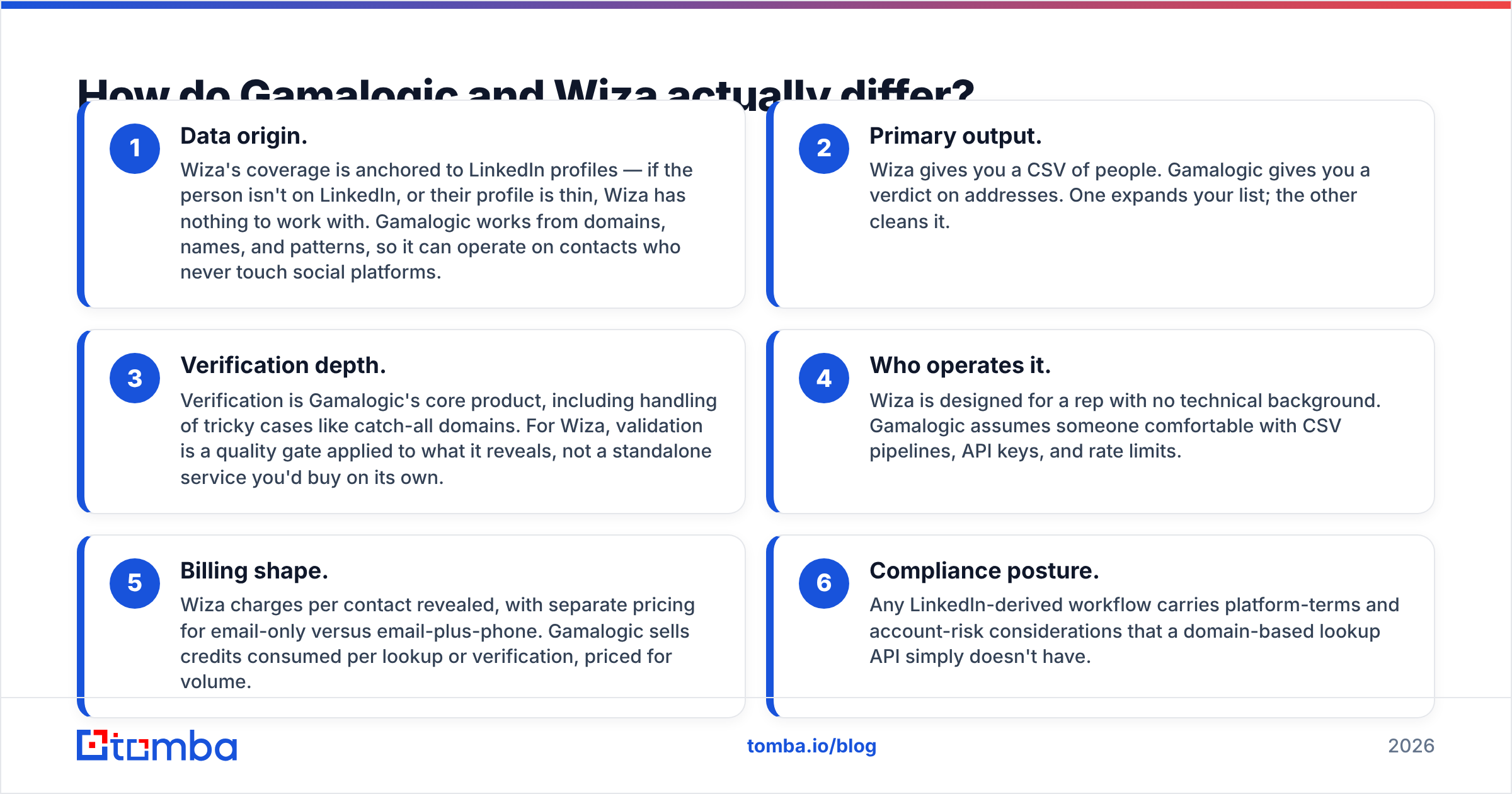
- Data origin. Wiza's coverage is anchored to LinkedIn profiles — if the person isn't on LinkedIn, or their profile is thin, Wiza has nothing to work with. Gamalogic works from domains, names, and patterns, so it can operate on contacts who never touch social platforms.
- Primary output. Wiza gives you a CSV of people. Gamalogic gives you a verdict on addresses. One expands your list; the other cleans it.
- Verification depth. Verification is Gamalogic's core product, including handling of tricky cases like catch-all domains. For Wiza, validation is a quality gate applied to what it reveals, not a standalone service you'd buy on its own.
- Who operates it. Wiza is designed for a rep with no technical background. Gamalogic assumes someone comfortable with CSV pipelines, API keys, and rate limits.
- Billing shape. Wiza charges per contact revealed, with separate pricing for email-only versus email-plus-phone. Gamalogic sells credits consumed per lookup or verification, priced for volume.
- Compliance posture. Any LinkedIn-derived workflow carries platform-terms and account-risk considerations that a domain-based lookup API simply doesn't have.
If you read those six points and thought "I need both," that instinct is correct for most outbound teams — and it's the reason the third-option section below exists.
Which one is more accurate?#
Accuracy is the wrong single question. The right question is accuracy on which population of contacts.
Wiza tends to perform well on contacts who match a strong LinkedIn presence at mid-size and enterprise companies in North America and Western Europe — exactly the profiles Sales Navigator surfaces best. Where it struggles is the long tail: small local businesses, non-English-speaking markets, technical staff who abandoned LinkedIn years ago, and roles where the person's employer on LinkedIn is 18 months stale. A stale employer field produces a confidently-formatted email at a company the person left.
Gamalogic's accuracy profile is inverted. Because it reasons from domains and patterns, it doesn't care whether someone maintains a profile. But pattern-based finding has a known ceiling: on catch-all domains, SMTP-level checks accept everything, so any provider that reports "valid" without a separate catch-all methodology is reporting confidence it doesn't have. This is where a dedicated catch-all verifier earns its keep, and where you should read any vendor's accuracy claim carefully.

Two practical rules survive every vendor benchmark:
- Never trust a single provider's own accuracy percentage. Run a 200-contact test on your ICP. Vendor benchmarks are run on populations chosen to flatter the vendor.
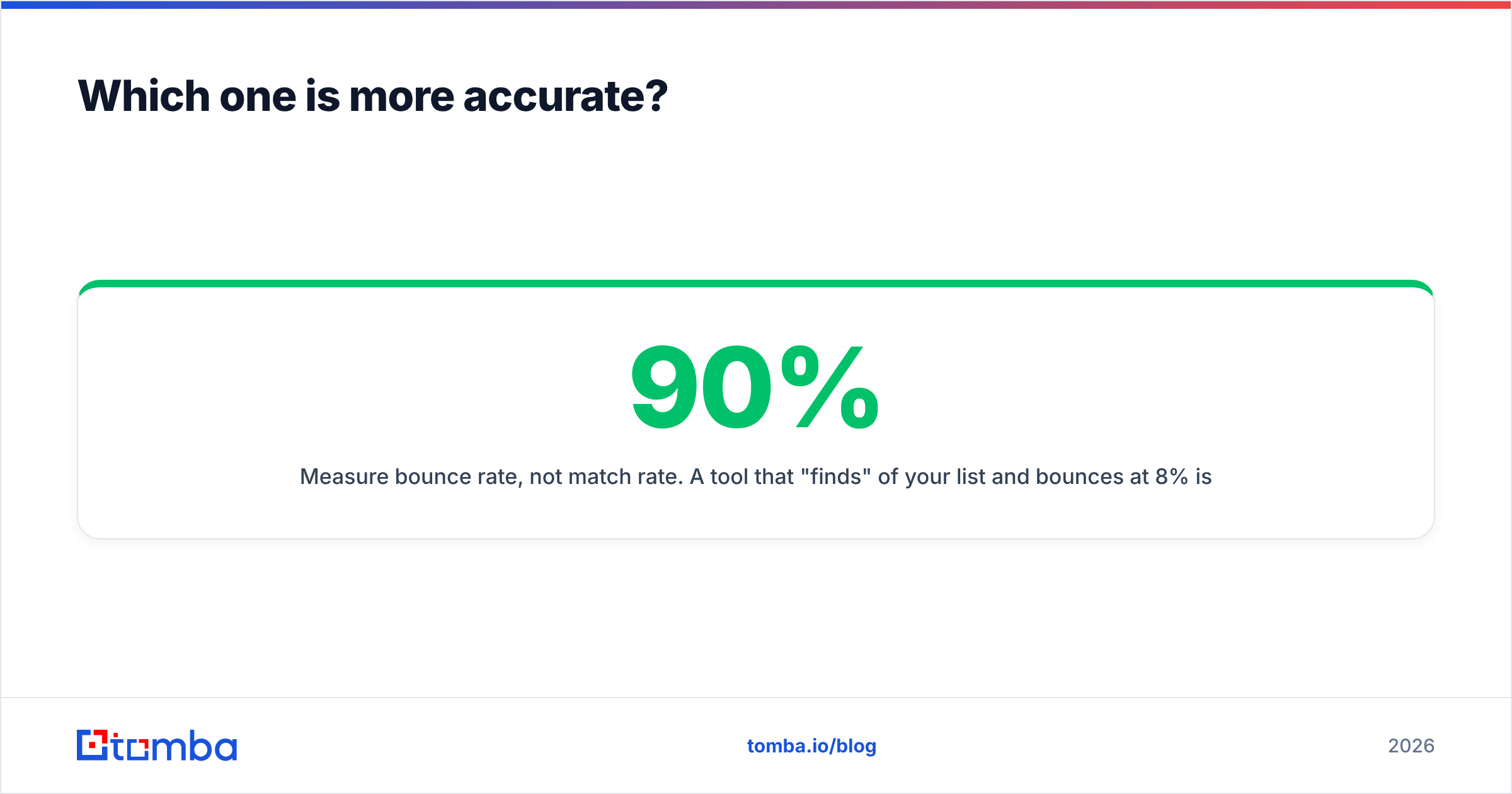
- Measure bounce rate, not match rate. A tool that "finds" 90% of your list and bounces at 8% is worse than one that finds 65% and bounces at 1%. Mailbox providers judge you on the second number, and so should you.
How do Gamalogic vs Wiza pricing models compare?#
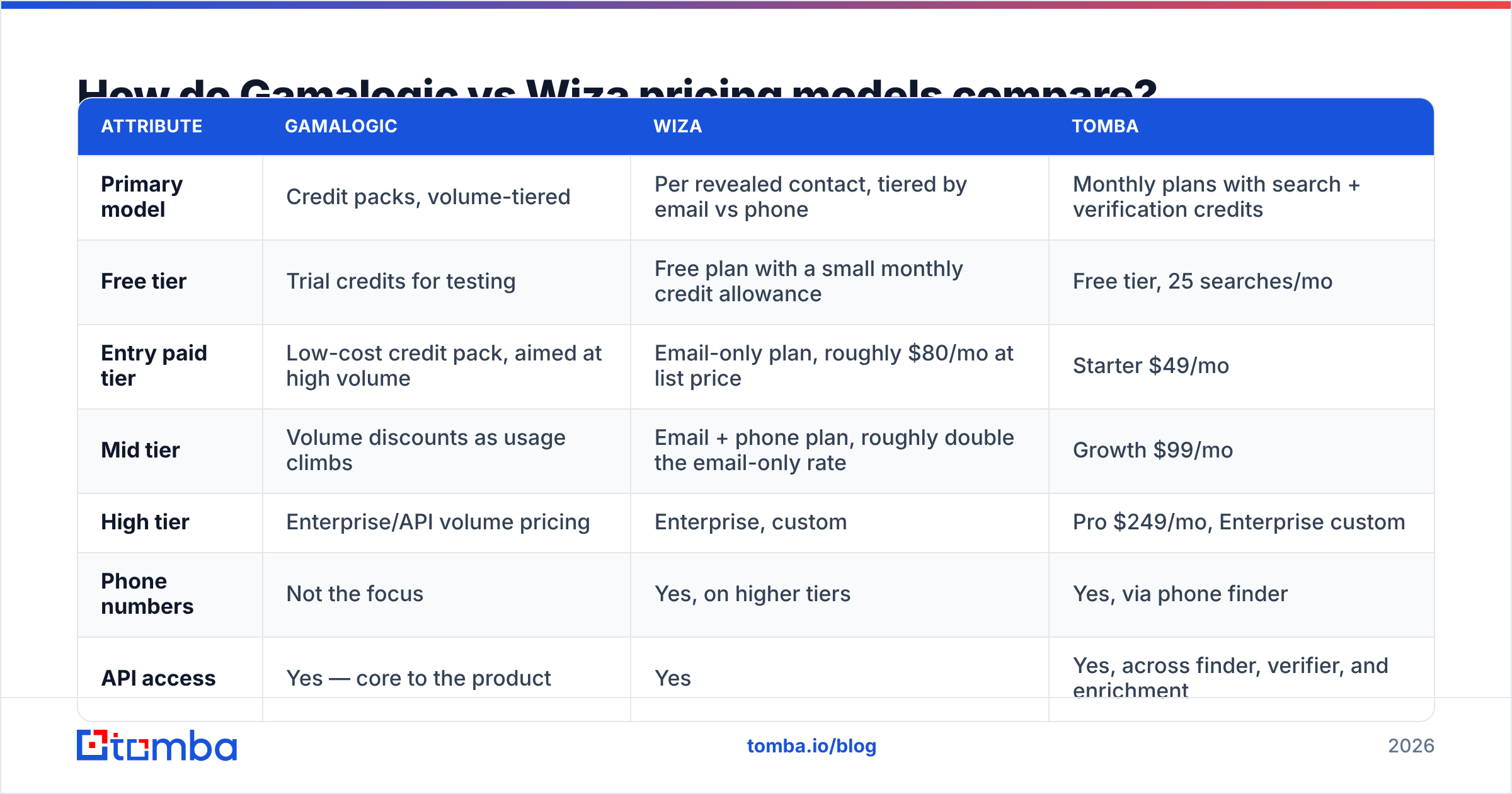
Here is where the comparison gets sharpest. These are the pricing models, with list figures as published at the time of writing — always confirm current numbers on each vendor's own pricing page before you commit budget.
| Attribute | Gamalogic | Wiza | Tomba |
|---|---|---|---|
| Primary model | Credit packs, volume-tiered | Per revealed contact, tiered by email vs phone | Monthly plans with search + verification credits |
| Free tier | Trial credits for testing | Free plan with a small monthly credit allowance | Free tier, 25 searches/mo |
| Entry paid tier | Low-cost credit pack, aimed at high volume | Email-only plan, roughly $80/mo at list price | Starter $49/mo |
| Mid tier | Volume discounts as usage climbs | Email + phone plan, roughly double the email-only rate | Growth $99/mo |
| High tier | Enterprise/API volume pricing | Enterprise, custom | Pro $249/mo, Enterprise custom |
| Phone numbers | Not the focus | Yes, on higher tiers | Yes, via phone finder |
| API access | Yes — core to the product | Yes | Yes, across finder, verifier, and enrichment |
| Best unit economics for | Millions of verifications | A few thousand LinkedIn-sourced contacts | Mixed find + verify + enrich workflows |

The trap in this table is comparing the "entry paid tier" row directly. Gamalogic's per-record price looks dramatically lower than Wiza's, but they aren't selling the same unit. Gamalogic sells a verdict on an address you already have. Wiza sells the address itself, sourced and attached to a profile you selected. Paying $0.10 for a contact you couldn't have found otherwise is not more expensive than paying $0.002 to check an address you don't have yet.
The honest way to compare is cost per contacted, non-bouncing prospect in your ICP:
true cost = (list-building cost + verification cost) / contacts that reached an inboxRun that formula with real numbers from a 500-contact pilot and the ranking usually flips at least once. You can sanity-check your own list hygiene first with a free email checker before spending a cent on either platform.
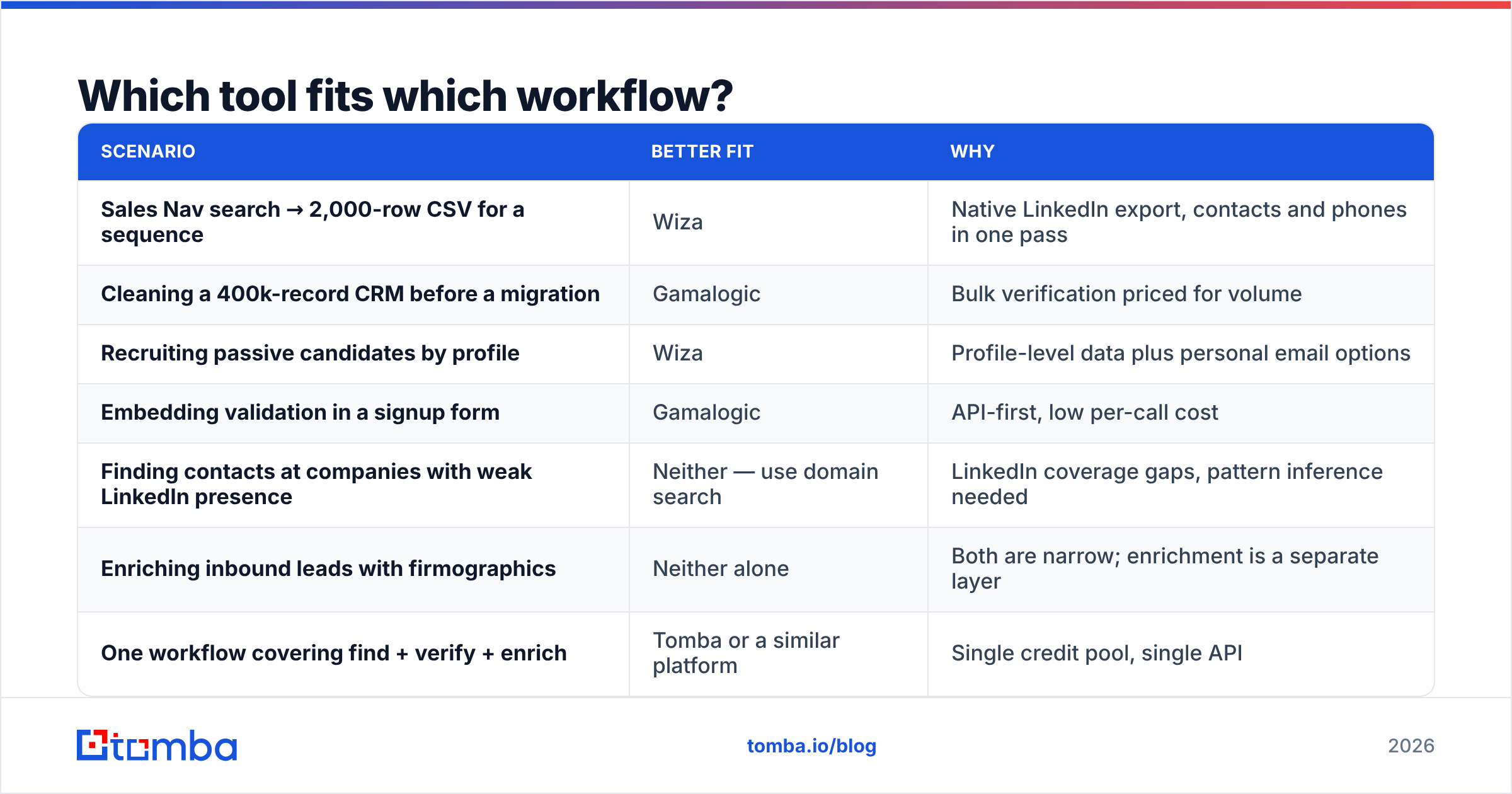
Which tool fits which workflow?#
| Scenario | Better fit | Why |
|---|---|---|
| Sales Nav search → 2,000-row CSV for a sequence | Wiza | Native LinkedIn export, contacts and phones in one pass |
| Cleaning a 400k-record CRM before a migration | Gamalogic | Bulk verification priced for volume |
| Recruiting passive candidates by profile | Wiza | Profile-level data plus personal email options |
| Embedding validation in a signup form | Gamalogic | API-first, low per-call cost |
| Finding contacts at companies with weak LinkedIn presence | Neither — use domain search | LinkedIn coverage gaps, pattern inference needed |
| Enriching inbound leads with firmographics | Neither alone | Both are narrow; enrichment is a separate layer |
| One workflow covering find + verify + enrich | Tomba or a similar platform | Single credit pool, single API |
That "neither" row appears twice for a reason. Both tools are deliberately narrow, and narrow tools are excellent right up to the moment your workflow steps outside their lane.

Where does each tool fall short?#
Wiza's real limitations:
- Coverage is capped by LinkedIn. No profile, no data. Industries with low LinkedIn adoption — trades, local services, much of manufacturing, large parts of APAC and LATAM — return sparse results.
- Platform dependency is a structural risk. Any tool built on top of a third-party network inherits that network's policy changes. This isn't a knock on Wiza specifically; it applies to every LinkedIn-adjacent tool, and it's worth factoring into a multi-year data strategy.
- Cost scales linearly with list size. There's no meaningful volume break that makes a 100,000-contact export cheap. If your motion is high-volume, the math gets uncomfortable fast.
- Stale employment data propagates silently. Wiza can only be as current as the profile. Titles and employers that haven't been updated produce plausible-looking wrong emails.
Gamalogic's real limitations:
- It won't build your list. If you don't already have domains and names, verification has nothing to chew on. It's the second half of a pipeline, not the whole thing.
- Catch-all handling is the whole ballgame. Any verifier's value on catch-all domains depends entirely on methodology beyond a basic SMTP handshake. Test this explicitly with domains you know are catch-all.
- Less hand-holding for non-technical users. If your SDRs need a point-and-click flow with a Chrome extension, the API-first orientation is friction, not a feature.
- Enrichment beyond the address is thin. You get validity, not job titles, company size, tech stack, or funding data.
For deeper reading on how the broader category is structured, G2's email verification and lead intelligence categories are a reasonable place to sanity-check user sentiment across dozens of tools rather than relying on any single review.
What are the alternatives to Gamalogic and Wiza?#
If the head-to-head leaves you unsatisfied — which it should, given the two tools barely overlap — a few directions are worth considering:
- Platform tools that cover the full chain. Tomba, for instance, combines an email finder, an email verifier, domain search, catch-all verification, phone lookup, and enrichment behind one API and one credit pool. That removes the reconciliation work of running two vendors and two billing cycles. Full Tomba pricing runs from a free tier at 25 searches/mo up to Pro at $249/mo.
- Verified B2B database providers. If you'd rather buy a pre-built, human-verified list than assemble one, providers like BookYourData take that approach and are a solid option when you want guaranteed-accuracy records rather than a lookup workflow.
- LinkedIn-alternative prospecting tools. Several tools compete directly on the Sales Navigator export use case with different pricing shapes; comparing them on your specific ICP is more useful than reading feature grids. Our Wiza alternative breakdown goes deeper on that specific swap.
- Building on APIs directly. If you have engineering capacity, wiring a finder API to a verifier API inside your own enrichment service gives you full control over waterfall logic and cost. Both categories support this; the question is whether you want to own the orchestration.
Which should you choose in 2026?#
Choose Wiza if LinkedIn is genuinely where your prospects live, your list sizes are in the hundreds-to-low-thousands per campaign, you want phone numbers alongside emails, and you value a rep-friendly interface over per-record cost. It's the stronger pick for recruiters and for founder-led sales in software, where LinkedIn coverage is dense.
Choose Gamalogic if you're processing large volumes, you already have contact data flowing in from other sources, and your bottleneck is bounce rate rather than list size. It's the stronger pick for RevOps teams doing CRM hygiene and for developers embedding validation in a product.
Choose neither, alone, if your outbound motion needs to find contacts and verify them and enrich them without gluing two vendors together with a Zapier chain and a monthly reconciliation spreadsheet. That's the majority of teams doing more than one campaign a quarter.
Whatever you pick, run the same pilot: 200 contacts from your actual ICP, measured on bounce rate, on how many reached a real human, and on total cost per reply — not on the vendor's published match rate. Both tools will look good on their own benchmark. Only one of them will look good on yours.
Ready to test a single-platform approach? Run your next list through the Tomba Email Finder — search by domain, name, or company, verify in the same workflow, and pull the results into your CRM through the API or a spreadsheet add-on. The free tier gives you 25 searches a month, which is enough to run the 200-contact pilot described above before you commit budget to anything.
Related guides#
Ready to find emails that actually work?
Join 150,000+ professionals who stopped guessing and started sending. Free credits on signup — no credit card required.
Get the Tomba newsletter
Practical outbound tactics and product updates — once every two weeks.
About the author