Generect vs Noparam 2026: Which B2B Email Data Tool Wins?
Generect sells database-scale B2B lists with an API. Noparam sells waterfall-style email finding with a bounce guarantee. Here is how they actually compare on coverage, accuracy, pricing, and where each one breaks.
TL;DR
- Generect is a database-and-API play: LinkedIn-derived company and people records, filters, and bulk pulls. You buy coverage and structure.
- Noparam is a finder-and-verifier play: you feed it a name plus a domain (or a LinkedIn URL) and it returns a deliverable address, with an emphasis on low bounce rates.
- They overlap on maybe 40% of the job. If you need lists, Generect is the closer fit. If you need addresses for people you already identified, Noparam is.
- Both charge more than most small outbound teams need to spend. A per-search tool like the Tomba Email Finder starts at $49/mo with a free tier, and covers the finder half of the job.
- Do not pick on hit rate alone. Test both against a 200-row sample of your ICP, then compare cost per verified, non-bouncing email — not cost per credit.
What are Generect and Noparam, actually?#
They get compared because both sell "B2B contact data." That framing hides the real difference: one is a database, the other is a lookup engine.
Generect (generect.com) positions itself as a B2B lead-generation data source built around LinkedIn-style search. You define an audience — job titles, headcount, industry, geography, tech signals — and it returns structured records with work emails and company data. It leans API-first, which is why agencies and product teams building their own prospecting layer tend to look at it. The pitch is coverage and filters.
Noparam (noparam.com) approaches from the other end. It takes a person you have already identified — a name and a company domain, a LinkedIn profile, a CSV row — and resolves the work email. Its marketing centres on accuracy and bounce control rather than list building. The pitch is this address will land.
That distinction drives everything downstream: pricing model, failure modes, and who on your team actually logs in.

How do Generect and Noparam compare head to head?#
Here is the practical comparison. Treat pricing as directional — both vendors move tiers and neither publishes every number publicly, so confirm on their pricing pages before you sign anything.
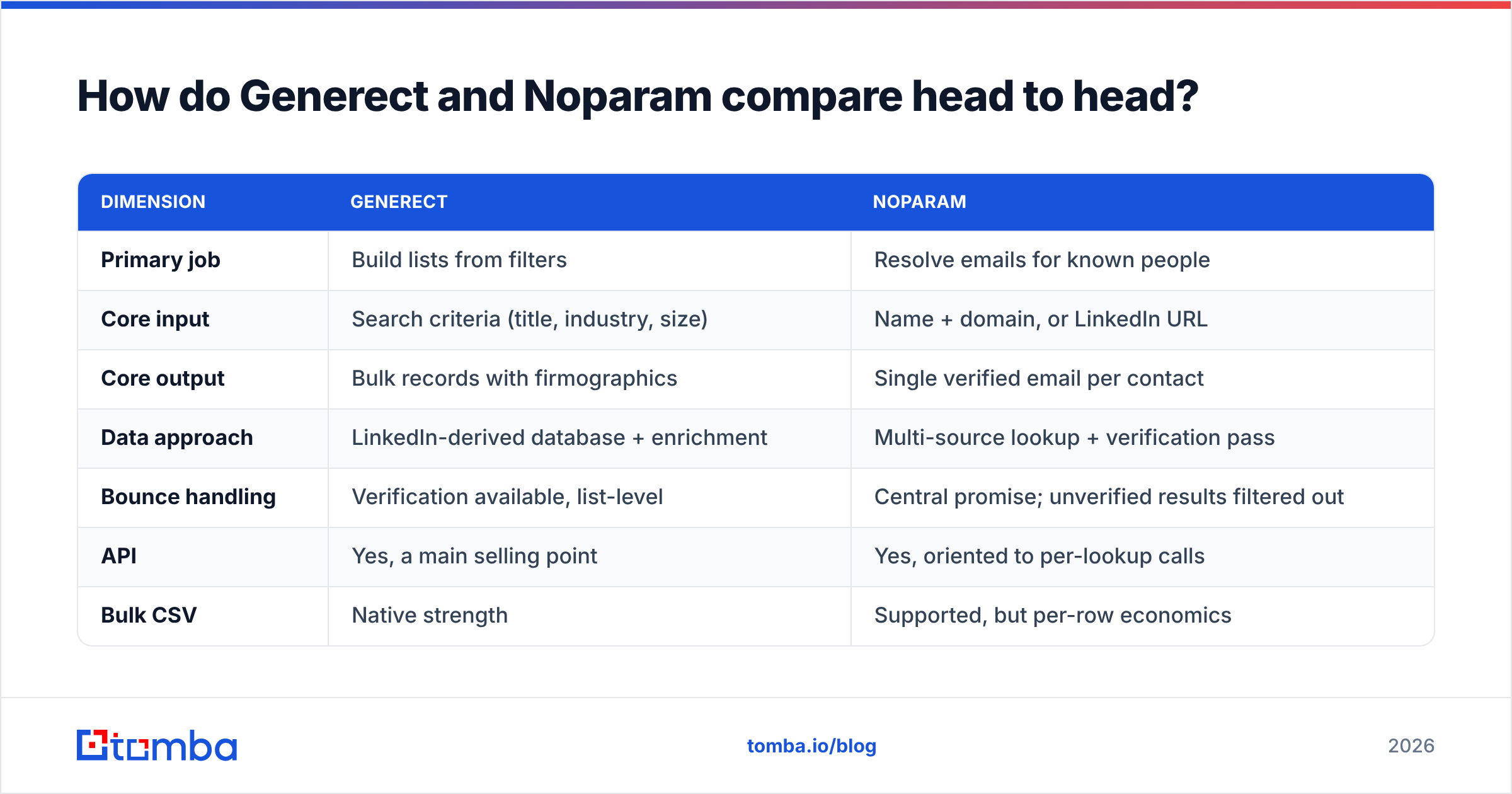
| Dimension | Generect | Noparam |
|---|---|---|
| Primary job | Build lists from filters | Resolve emails for known people |
| Core input | Search criteria (title, industry, size) | Name + domain, or LinkedIn URL |
| Core output | Bulk records with firmographics | Single verified email per contact |
| Data approach | LinkedIn-derived database + enrichment | Multi-source lookup + verification pass |
| Bounce handling | Verification available, list-level | Central promise; unverified results filtered out |
| API | Yes, a main selling point | Yes, oriented to per-lookup calls |
| Bulk CSV | Native strength | Supported, but per-row economics |
| Typical buyer | Agency, RevOps, data team | SDR, founder, growth marketer |
| Pricing shape | Subscription tied to record volume/seats | Credit-based, pay for successful finds |
| Entry cost | Higher — mid two to three figures monthly | Lower entry, scales with volume |
| Free trial | Limited, usually sales-gated | Small free allowance |
| Best when | You do not know who yet | You know who, not how to reach |
The row that matters most is the last one. Buying a list tool to solve a lookup problem — or a lookup tool to solve a list problem — is the single most common way teams overspend on data.
Which one has better data accuracy?#
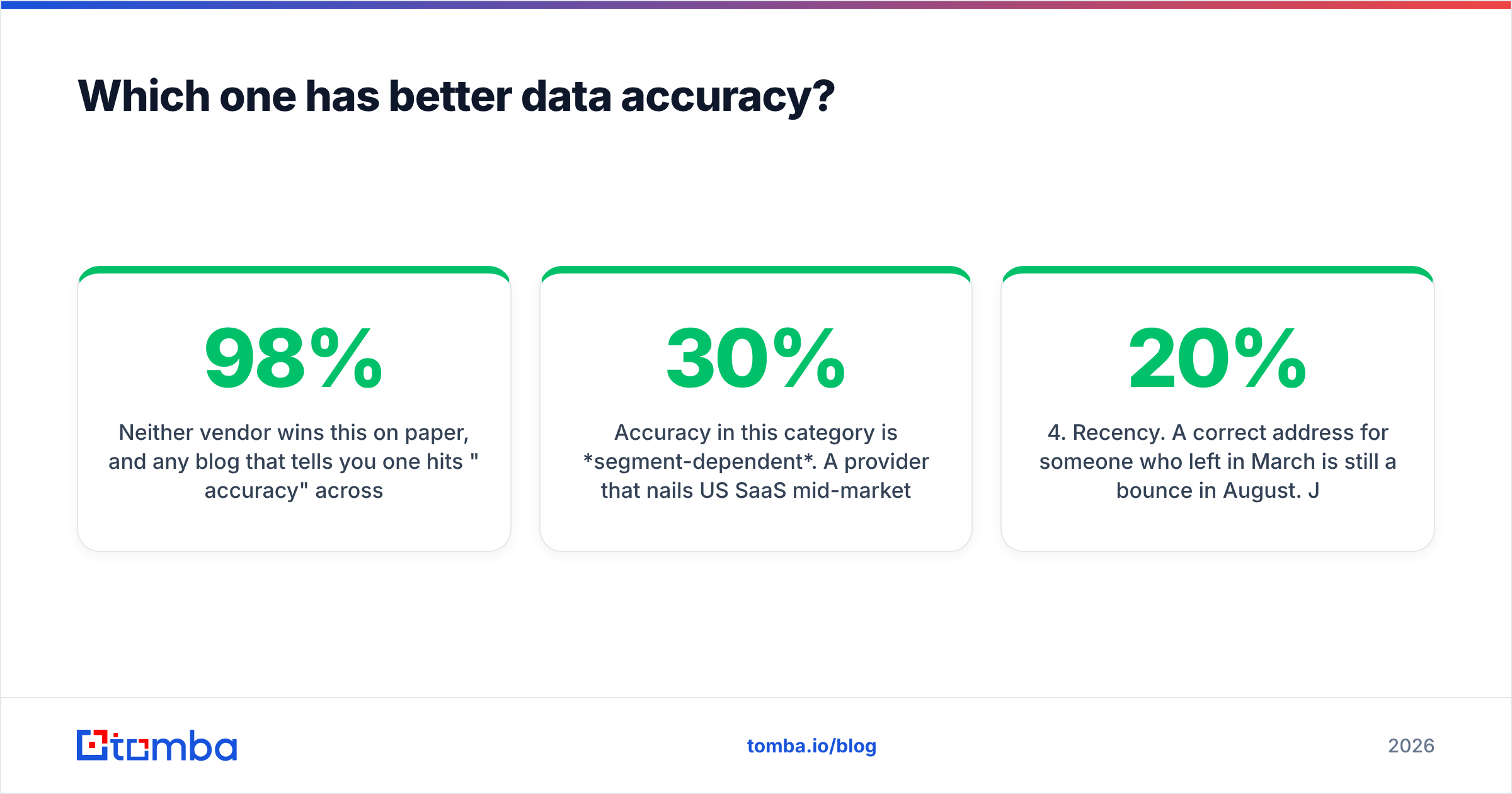
Neither vendor wins this on paper, and any blog that tells you one hits "98% accuracy" across the board is repeating a marketing number.
Accuracy in this category is segment-dependent. A provider that nails US SaaS mid-market VPs can fall to a 30% hit rate on German manufacturing plant managers or Brazilian logistics operators. Both Generect and Noparam are stronger on tech and English-speaking markets than on long-tail industries — that is true of essentially every provider working from public professional data.

Read a comparison like the one above as a baseline, not a verdict. What actually determines your results:
- ICP concentration. Narrow, tech-heavy, US/EU ICPs get high hit rates from almost any tool. Broad or emerging-market ICPs collapse the spread between vendors.
- Company size. Sub-20-employee companies are the hardest. Pattern-based inference works well at 200+ headcount, where
first.last@conventions dominate. - Catch-all domains. Roughly a fifth of B2B domains accept everything at the SMTP layer, so the mail server cannot tell you whether the mailbox exists. This is where "verified" gets slippery — you need a dedicated catch-all verifier, not a green checkmark.
- Recency. A correct address for someone who left in March is still a bounce in August. Job-change churn runs roughly 20% annually in sales and marketing roles.
- Verification depth. Syntax + MX + SMTP handshake is the floor. Whether the vendor also runs role-account detection, disposable-domain checks, and greylisting retries decides your real bounce rate.
Noparam's product design directly addresses points 3 and 5 — it withholds results it cannot stand behind, which is why its hit rate can look lower while its bounce rate looks better. Generect's design addresses points 1 and 2 — it gives you volume and structure, and leaves final verification more in your hands.
Those are different bets, not different quality tiers.
How does the pricing really break down?#
This is where most evaluations go wrong. Teams compare list prices instead of unit economics.
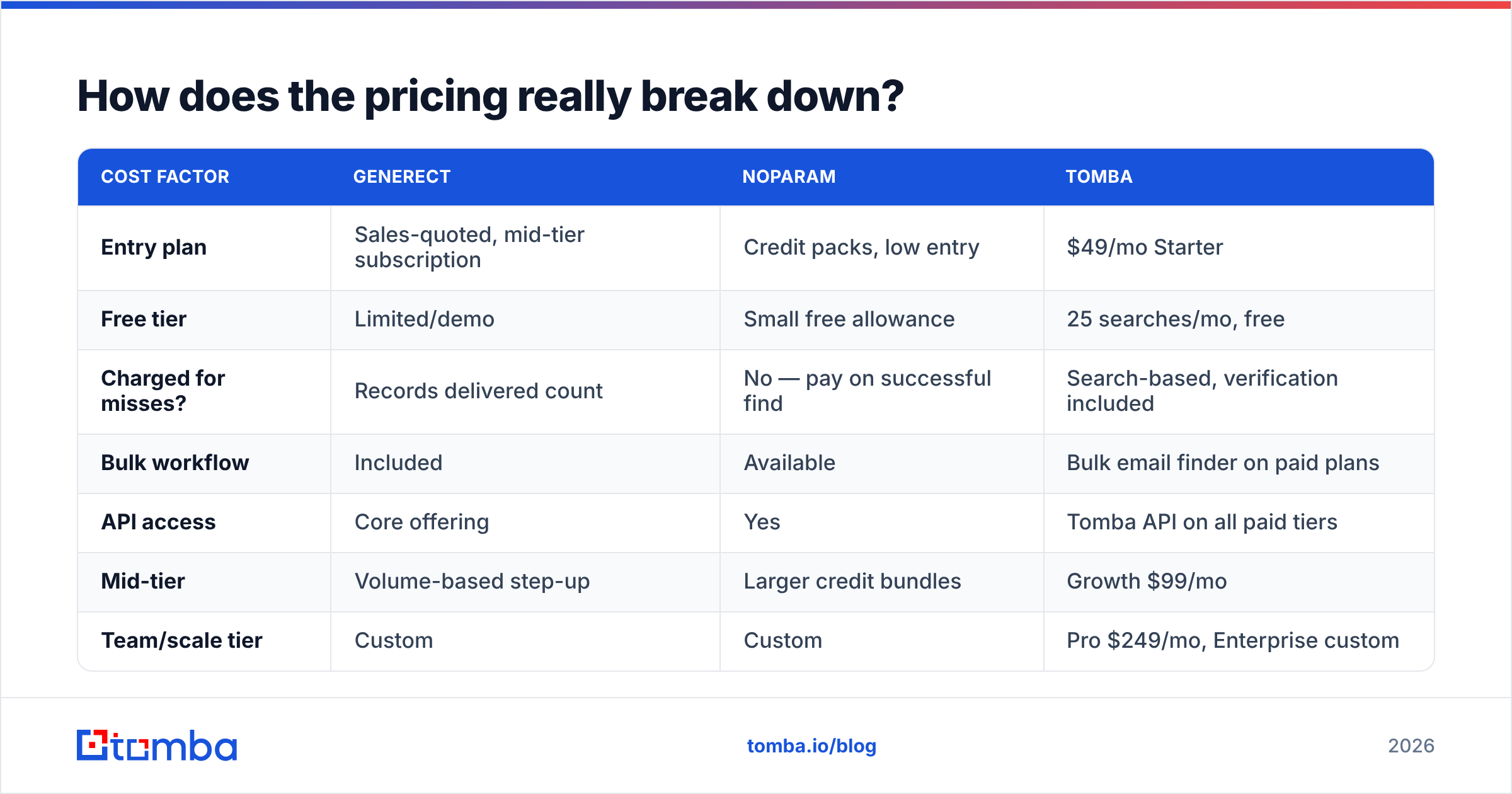
| Cost factor | Generect | Noparam | Tomba |
|---|---|---|---|
| Entry plan | Sales-quoted, mid-tier subscription | Credit packs, low entry | $49/mo Starter |
| Free tier | Limited/demo | Small free allowance | 25 searches/mo, free |
| Charged for misses? | Records delivered count | No — pay on successful find | Search-based, verification included |
| Bulk workflow | Included | Available | Bulk email finder on paid plans |
| API access | Core offering | Yes | Tomba API on all paid tiers |
| Mid-tier | Volume-based step-up | Larger credit bundles | Growth $99/mo |
| Team/scale tier | Custom | Custom | Pro $249/mo, Enterprise custom |
| Seat model | Often per-seat | Credit-pooled | Credit-pooled |
Two things to check before you commit:
Do you pay for failures? Noparam's pay-for-what-you-find model is genuinely better for messy or long-tail lists, because you are not burning credits on records nobody could resolve. If your ICP is hard, that structure alone can beat a cheaper per-credit rate.
Do you pay per seat? Per-seat pricing punishes exactly the teams that grow. Five SDRs on a $99 seat is $495/mo before you have enriched a single record. Credit-pooled pricing — the model Tomba and Noparam both use — scales with usage instead of headcount.

What does the workflow look like day to day?#
With Generect, the loop is: define an audience → pull a segment → dedupe against your CRM → verify → push into sequencing. It's a batch rhythm. You do it weekly or monthly, and the work is mostly filtering and hygiene. Data teams like it because it slots behind an API and populates a warehouse table. The failure mode is list rot: you pull 5,000 records, sequence 800, and the other 4,200 quietly go stale.
With Noparam, the loop is: identify a person (LinkedIn, a conference list, a hiring page, an intent signal) → look up the address → send. It's a continuous rhythm and it pairs naturally with signal-based outbound, where you are reacting to a trigger rather than working a static list. The failure mode is volume ceiling: it will not tell you who to contact, so your pipeline is capped by however fast you can source names.
Most teams that run both are actually admitting they have two jobs. That's a legitimate stack — it's just an expensive one, and worth pressure-testing before you commit to two annual contracts.
Is there a cheaper alternative that covers both jobs?#
Partly, and it depends which job dominates your week.
If 80% of your work is "I have a company and a person, get me the address," you are paying database prices for a lookup problem. A dedicated finder handles it for less. Tomba's email finder resolves by name and domain, domain search pulls every discoverable address at a company, and the email verifier runs SMTP-level checks before you send. Starter is $49/mo, Growth is $99/mo, and there's a free tier at 25 searches a month for testing — see Tomba pricing for the full breakdown.
If you genuinely need filtered list building at scale — "every Head of Ops at 50–200 person logistics firms in Benelux" — a finder alone will not get you there, and a database product is the right category. Generect fits that brief, and so do peers like BookYourData, which sells pay-as-you-go B2B lists with a bounce guarantee and is worth quoting alongside Generect if you want to avoid a subscription commitment.

The practical middle path most teams land on: one database source for quarterly list refreshes, plus a cheap per-search finder for the daily one-off lookups. That combination is usually cheaper than either vendor's "do everything" tier.
How should you run the evaluation?#
Do not trust anyone's published hit rate — including this post's framing. Run a controlled bake-off. It takes an afternoon.
- Build a 200-row ground-truth sample. Pull real target accounts from your CRM, not a generic list. Include your hard segments deliberately — small companies, non-English markets, whatever normally fails.
- Run the same sample through every candidate. Same rows, same order, same day. Free tiers and trials are usually enough for 200 rows.
- Record three numbers per tool: hit rate (how many returned an address), verified rate (how many passed independent verification), and cost for that run.
- Send a real, low-volume test. 50 addresses through a warmed inbox. Measure hard bounces. This is the only number that maps to revenue risk.
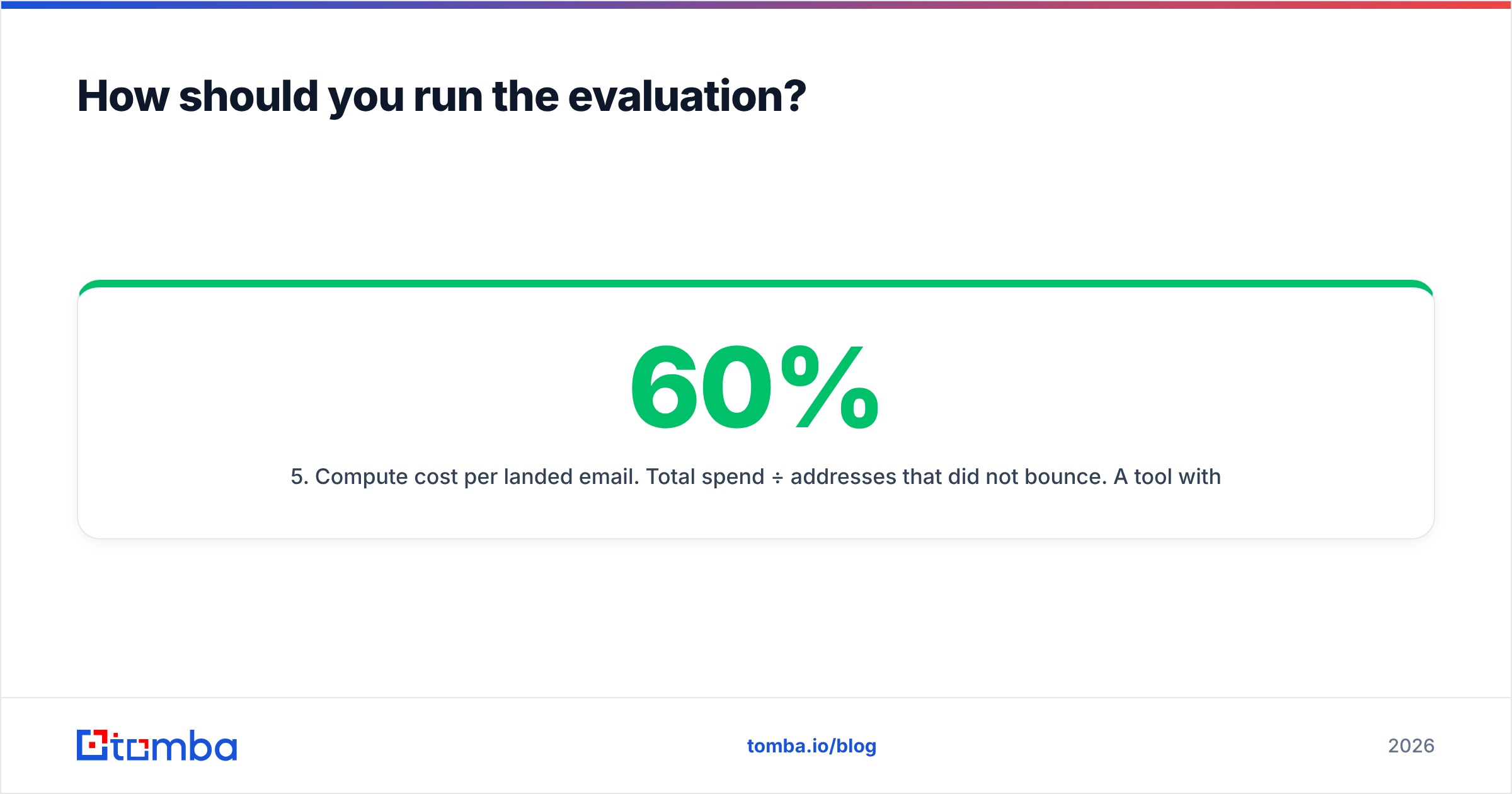
- Compute cost per landed email. Total spend ÷ addresses that did not bounce. A tool with a 60% hit rate and a 2% bounce rate often beats an 85% hit rate with a 12% bounce rate — because bounces cost you sender reputation, not just credits.
- Check the boring stuff. GDPR/CCPA posture, opt-out handling, refund policy on bad data, and whether the API rate limits fit your volume. Cross-reference reviews on G2 for support responsiveness — that is the thing you cannot test in an afternoon.
Step 5 is the one teams skip and later regret. Google and Yahoo's bulk-sender requirements made bounce rates a hard operational constraint, not a vanity metric. A provider that returns fewer addresses but cleaner ones is protecting an asset — your domain — that no credit refund replaces.
So which should you pick?#
Pick Generect if you need to discover audiences you have not identified yet, you want firmographic filters, and you have an engineer or RevOps person who will actually wire the API into something. Budget for a verification step on top; do not sequence raw database exports.
Pick Noparam if you already know who you want to reach, your list sources are LinkedIn and manual research, and bounce rate is your binding constraint. The pay-on-success model is fair for hard ICPs.
Pick neither if your real requirement is "find work emails for people I identify, verify them, and not spend $200+/mo doing it." That is the most common actual requirement, and it is a finder problem, not a database problem.
That last case is where Tomba fits. Start with the free tier — 25 searches a month, no card — and run the same 200-row sample you'd use to test Generect and Noparam. Use the email finder for name-plus-domain lookups, domain search when you want every address at an account, and the built-in verification before anything hits your sequencer. If the numbers hold on your ICP, Starter at $49/mo covers most solo founders and small SDR teams; Growth at $99/mo covers the rest. Compare it against your bake-off results and let cost per landed email decide.
Sources: generect.com, noparam.com, g2.com
Related guides#
Ready to find emails that actually work?
Join 150,000+ professionals who stopped guessing and started sending. Free credits on signup — no credit card required.
Get the Tomba newsletter
Practical outbound tactics and product updates — once every two weeks.
About the author