GetProspect vs HeyBounce: Which B2B Email Tool Wins?
GetProspect finds emails. HeyBounce verifies them. Comparing them head-to-head only makes sense once you know which half of the pipeline is actually costing you replies — here's the honest breakdown.
TL;DR
- GetProspect and HeyBounce are not really competitors. GetProspect is a B2B contact database and email finder; HeyBounce is a dedicated email verification service built around catch-all domains.
- If your bounce rate is above 3%, verification is your problem. If your list is thin or stale, sourcing is your problem. Diagnose before you buy.
- GetProspect's free tier and LinkedIn extension make it easy to start; its verification depth on catch-all domains is the weak spot most teams hit at scale.
- HeyBounce solves the catch-all question well but gives you zero net-new contacts — it only grades a list you already have.
- Running one platform that finds and verifies (Tomba, Hunter, Findymail-class tools) usually beats stitching two vendors together on cost, latency, and CRM hygiene.
What are GetProspect and HeyBounce, exactly?#
They sit at opposite ends of the same pipeline, which is why "GetProspect vs HeyBounce" is a slightly misleading matchup until you define the job.
GetProspect is a lead-generation platform: a searchable B2B contact database with filters for job title, industry, headcount, location, and tech stack, plus a Chrome extension that pulls emails while you browse LinkedIn. You feed it a company domain or a LinkedIn search and it returns contacts with email addresses attached. Its output is new data.
HeyBounce is an email verification service. You upload a list — or hit its API — and it returns a status per address: valid, invalid, risky, unknown. Its differentiator is catch-all handling: domains configured to accept mail for any address, which most verifiers punt on with an "accept-all, can't tell" verdict. HeyBounce goes further to determine whether a specific mailbox on a catch-all domain actually exists. Its output is a verdict on data you already have.
So the real question is not "which tool is better" but "which half of my pipeline is leaking?"
- Symptom: low reply rate, decent deliverability. Your data is deliverable but the targeting or copy is off. Neither tool fixes this.
- Symptom: high bounce rate (3%+), inbox placement dropping. Verification gap. HeyBounce-class tooling is your fix.
- Symptom: you run out of prospects mid-quarter. Sourcing gap. GetProspect-class tooling is your fix.
- Symptom: both. You need a platform, not a point tool — or you need to accept a two-vendor stack and the cost that comes with it.

How do GetProspect and HeyBounce compare head-to-head?#
Here's the practical breakdown. Pricing shifts frequently on both vendors, so treat the figures as a directional snapshot at time of writing and confirm on the vendor pages before you commit budget.
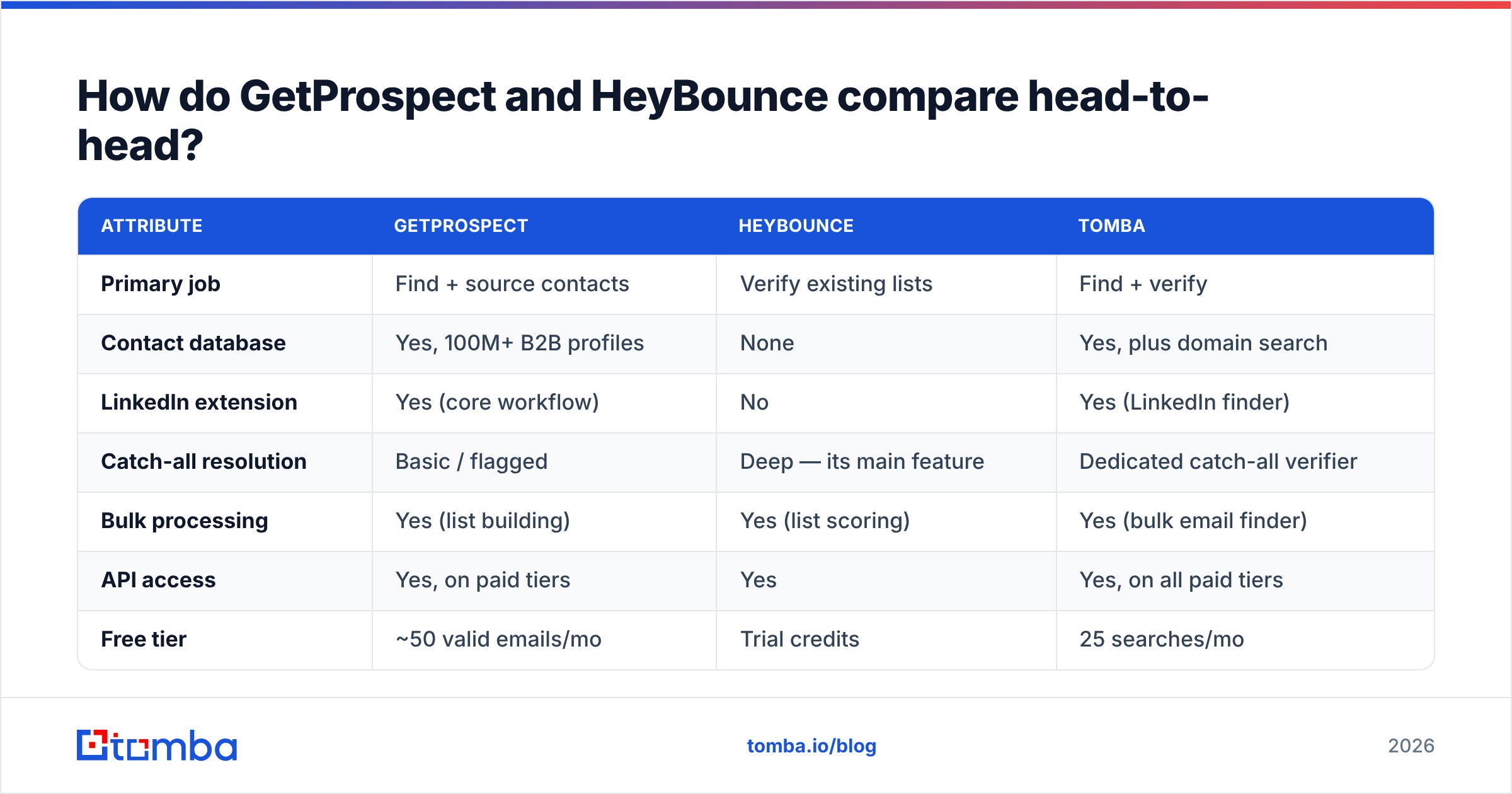
| Attribute | GetProspect | HeyBounce | Tomba |
|---|---|---|---|
| Primary job | Find + source contacts | Verify existing lists | Find + verify |
| Contact database | Yes, 100M+ B2B profiles | None | Yes, plus domain search |
| LinkedIn extension | Yes (core workflow) | No | Yes (LinkedIn finder) |
| Catch-all resolution | Basic / flagged | Deep — its main feature | Dedicated catch-all verifier |
| Bulk processing | Yes (list building) | Yes (list scoring) | Yes (bulk email finder) |
| API access | Yes, on paid tiers | Yes | Yes, on all paid tiers |
| Free tier | ~50 valid emails/mo | Trial credits | 25 searches/mo |
| Entry paid price | ~$49/mo | Pay-as-you-go credits | $49/mo Starter |
| Best for | SDRs building lists from scratch | Ops cleaning inherited/aged lists | Teams that need both without two invoices |

The table exposes the real trade-off: GetProspect gives you volume with variable confidence, HeyBounce gives you confidence with zero volume. Pick one and you're solving half a problem.
Which one gives you more valid emails?#
This question is unfair to HeyBounce by construction — it doesn't produce emails — but it's the question buyers actually ask, so let's answer it properly.
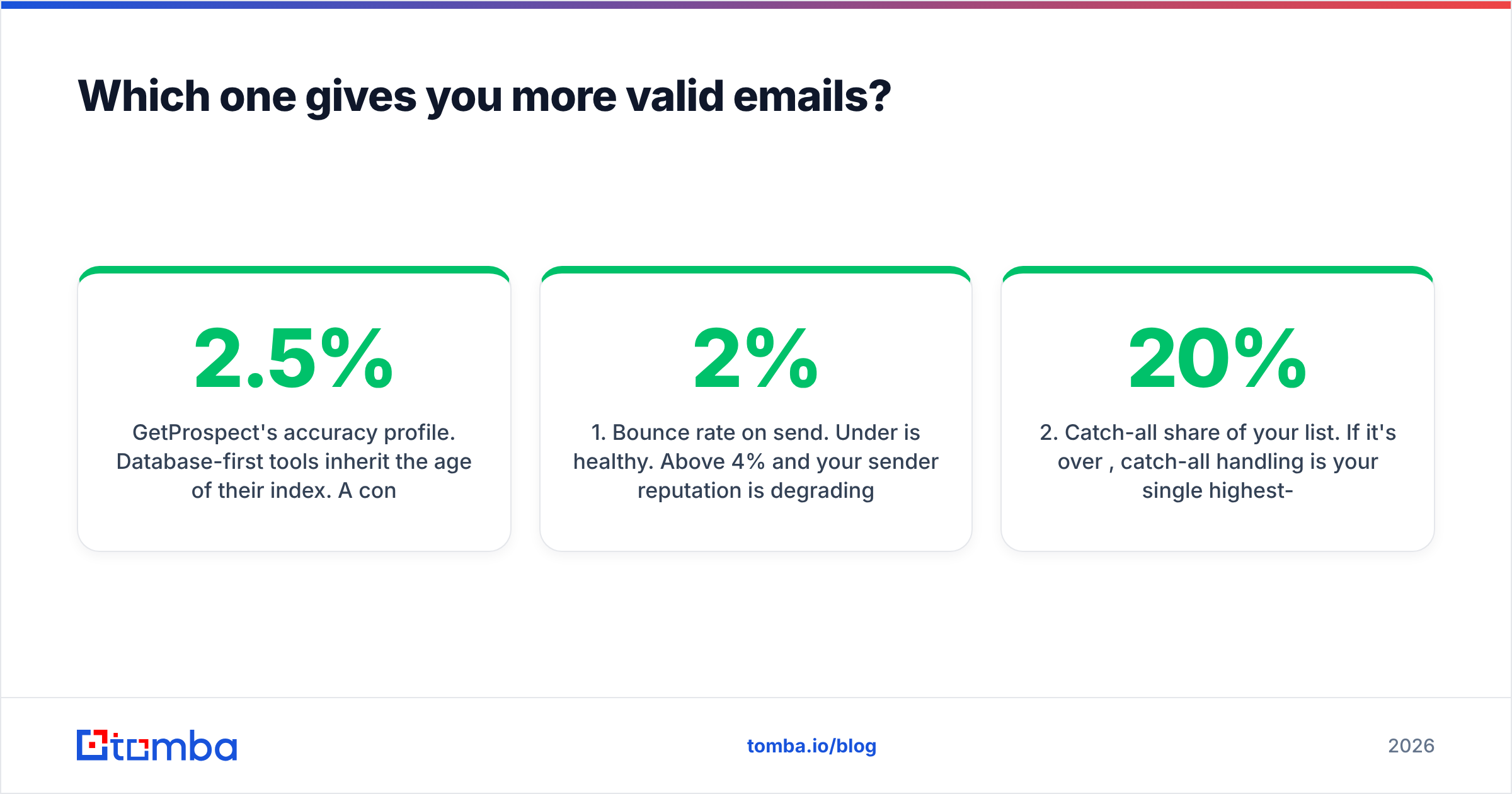
GetProspect's accuracy profile. Database-first tools inherit the age of their index. A contact scraped 14 months ago sits in the database looking exactly as fresh as one added yesterday. In B2B, roughly 2–2.5% of professional contacts churn per month — job changes, domain migrations, restructures — so a stale row is a silent bounce waiting to happen. GetProspect does run validation before it charges you a credit for a "valid" email, which is why its free tier is capped in valid emails rather than searches. That's an honest model. The catch is that anything sitting on a catch-all domain gets a softer verdict, and catch-all domains now cover a meaningful slice of mid-market and enterprise targets.
HeyBounce's accuracy profile. This is where it earns its keep. A generic verifier hands back "accept-all — proceed at your own risk," which pushes the decision back to you. HeyBounce attempts an actual mailbox-level determination on those domains. If your ICP skews toward companies running Microsoft 365 with catch-all enabled, that difference is not cosmetic — it's the gap between mailing 4,000 addresses blind and mailing 2,800 you can stand behind.

The number that actually matters. Not "accuracy %" from a vendor landing page — vendors grade their own homework on their own test set. Measure this instead:
- Bounce rate on send. Under 2% is healthy. Above 4% and your sender reputation is degrading in real time.
- Catch-all share of your list. If it's over 20%, catch-all handling is your single highest-leverage feature.
- Credit waste ratio. Credits burned on addresses you never mailed, or mailed and bounced.
- Time-to-first-touch. How many minutes between "found the company" and "email is in the sequence"? Two-vendor stacks add an export/import cycle here.
- Re-verification cadence. How often you re-check a list before reuse. Anything older than 90 days needs a re-run.
Run a 500-contact bake-off across your own ICP, mail it, and count. That's the only benchmark that reflects your segment.
How do the pricing models differ?#
The pricing philosophies are genuinely different, and that matters more than the headline number.
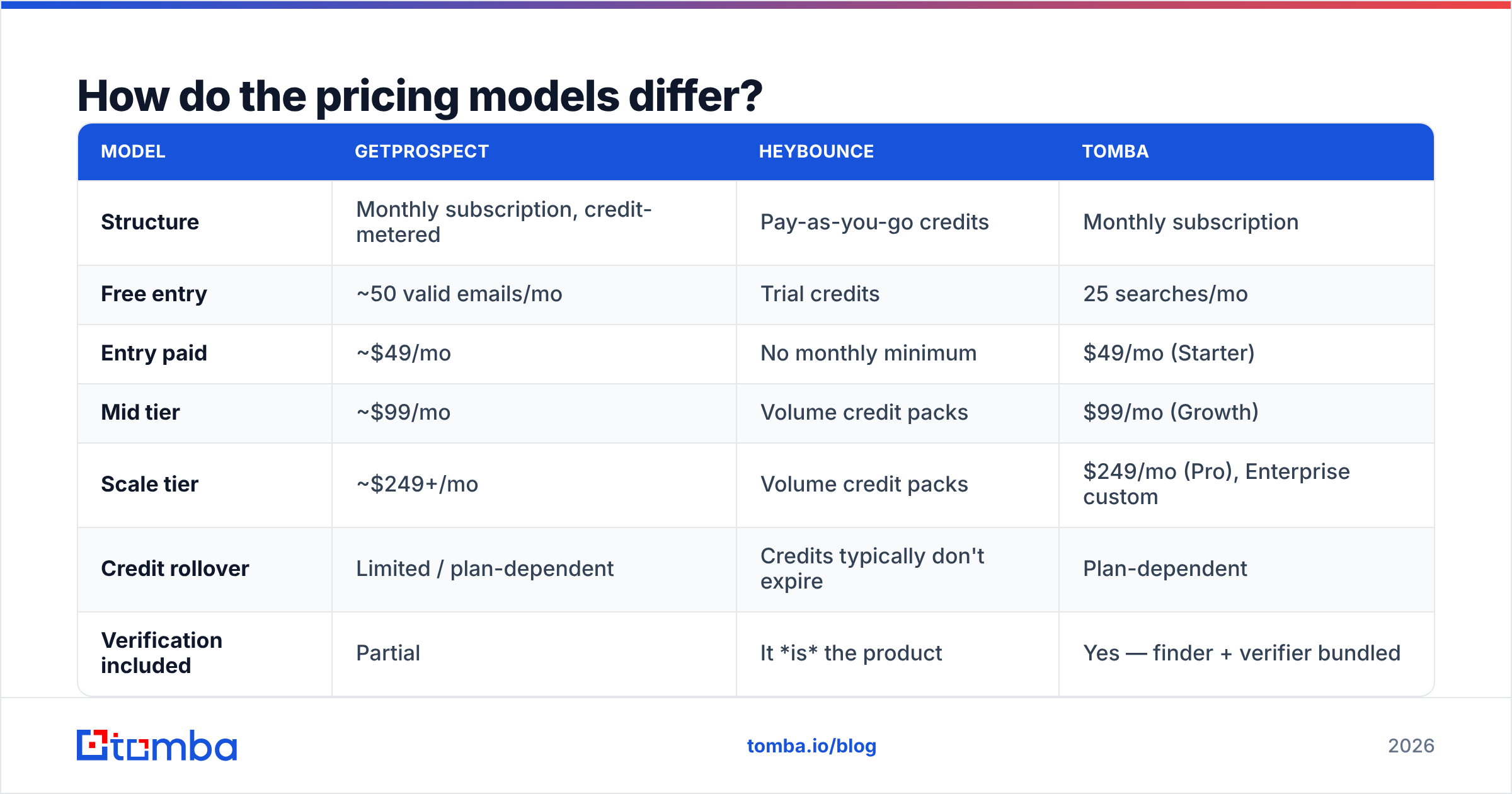
| Model | GetProspect | HeyBounce | Tomba |
|---|---|---|---|
| Structure | Monthly subscription, credit-metered | Pay-as-you-go credits | Monthly subscription |
| Free entry | ~50 valid emails/mo | Trial credits | 25 searches/mo |
| Entry paid | ~$49/mo | No monthly minimum | $49/mo (Starter) |
| Mid tier | ~$99/mo | Volume credit packs | $99/mo (Growth) |
| Scale tier | ~$249+/mo | Volume credit packs | $249/mo (Pro), Enterprise custom |
| Credit rollover | Limited / plan-dependent | Credits typically don't expire | Plan-dependent |
| Verification included | Partial | It is the product | Yes — finder + verifier bundled |
The structural point: HeyBounce's pay-as-you-go model is genuinely better if verification is lumpy — you clean a 40k list in March and nothing in April. Subscription verification punishes that pattern. Conversely, if you verify continuously, credit packs get expensive relative to a bundled plan.
Now stack the two-vendor math. GetProspect at roughly $49/mo plus HeyBounce credits for continuous verification lands you somewhere north of $70–90/mo for a modest SDR workload — before you account for the operational tax of exporting CSVs from one tool and importing into another. Tomba's pricing starts at $49/mo for Starter with finding and verification in the same account, $99/mo for Growth, $249/mo for Pro. Whether that's cheaper depends entirely on your volumes, but the invoice count difference is real, and so is the API difference: one key instead of two.

Do you actually need both tools?#
Sometimes yes. Here's the honest decision framework.
Buy GetProspect alone if: your list quality is fine, your bounce rates are already under 2%, and your bottleneck is genuinely "I don't have enough named accounts." The LinkedIn extension is a legitimately fast workflow for reps who prospect visually — you browse, you click, you have the email. That muscle memory is worth something.
Buy HeyBounce alone if: you already have data flowing in from another source — a CRM export, a partner list, an events database, a scraper — and your only problem is that a third of it bounces. Paying for a contact database you won't use is waste. A free email checker handles one-off spot checks, but a list of 50,000 needs a real verification engine.
Buy both if: you run high-volume outbound (50k+ sends/quarter), your ICP is catch-all heavy, and you have an ops person whose job includes moving data between systems. At that scale, best-of-breed specialization can beat consolidation.
Buy a consolidated platform if: you're a team of one to ten, every hour of tooling admin comes out of selling time, and you'd rather have one API, one credit pool, and one support thread. This is the majority case, and it's where a combined email finder plus email verifier stack removes an entire class of workflow friction — the found address is verified before it ever leaves the platform.
It's worth naming the broader field here too. If your requirement is verified contact data at volume rather than a build-your-own workflow, providers like BookYourData sell pre-verified B2B lists outright — a different purchase shape that suits teams who want data delivered rather than discovered. Check the current standings on G2's email verification category before you shortlist; the rankings move quarterly and reviewer volume tells you which vendors actually have production users.
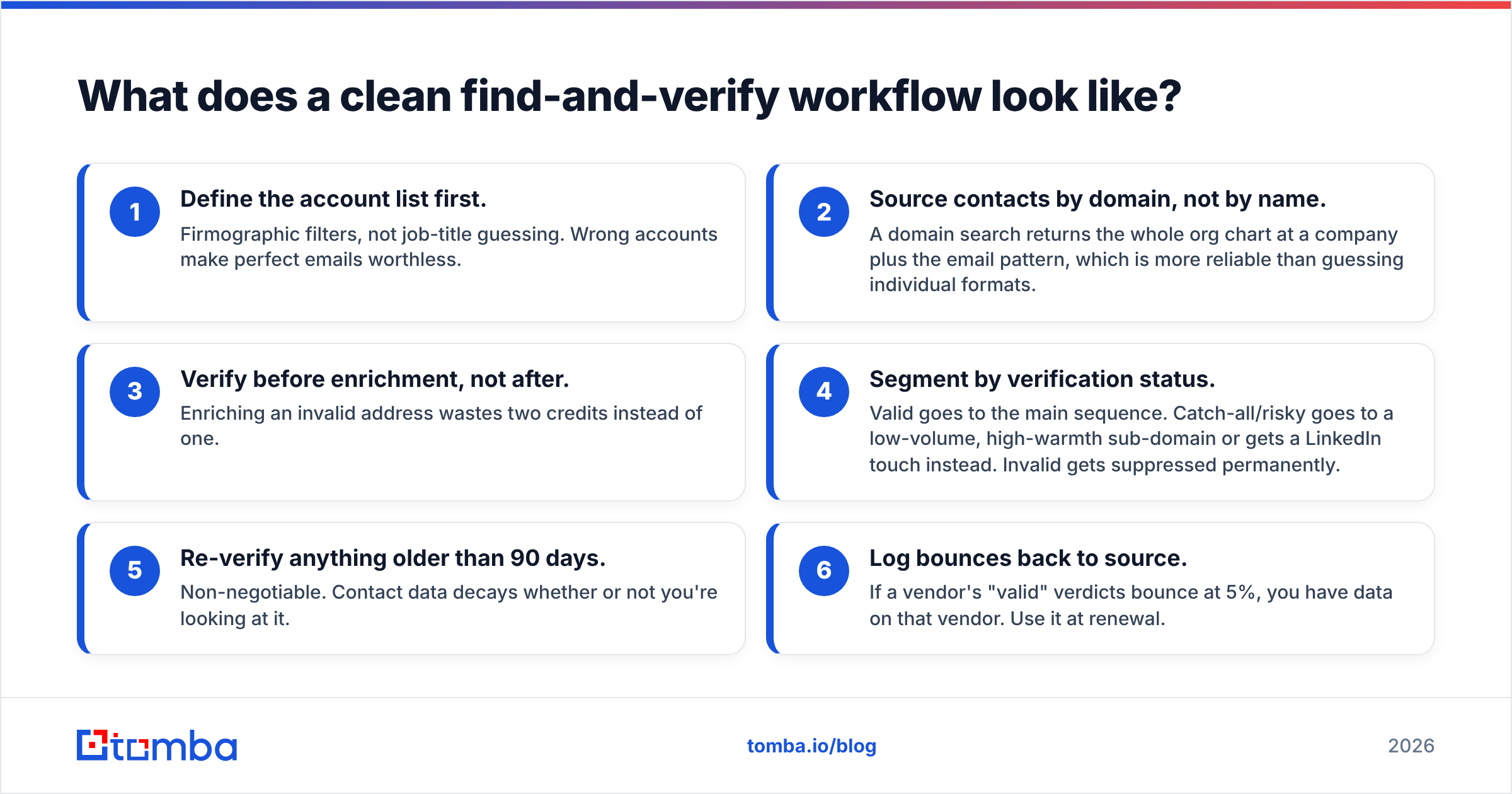
What does a clean find-and-verify workflow look like?#
Regardless of vendor, the sequence that produces low bounce rates looks like this:
- Define the account list first. Firmographic filters, not job-title guessing. Wrong accounts make perfect emails worthless.
- Source contacts by domain, not by name. A domain search returns the whole org chart at a company plus the email pattern, which is more reliable than guessing individual formats.
- Verify before enrichment, not after. Enriching an invalid address wastes two credits instead of one.
- Segment by verification status. Valid goes to the main sequence. Catch-all/risky goes to a low-volume, high-warmth sub-domain or gets a LinkedIn touch instead. Invalid gets suppressed permanently.
- Re-verify anything older than 90 days. Non-negotiable. Contact data decays whether or not you're looking at it.
- Log bounces back to source. If a vendor's "valid" verdicts bounce at 5%, you have data on that vendor. Use it at renewal.
Step 4 is the one teams skip, and it's the one that protects sender reputation. Sending to catch-all addresses at the same volume as verified ones is the fastest way to turn a good domain into a filtered one.
Which should you pick in 2026?#
GetProspect wins on discovery workflow. If your reps live in LinkedIn and you want emails appearing as they browse, it's a clean, well-priced tool with a free tier that's genuinely usable for evaluation.
HeyBounce wins on catch-all resolution. If that's your specific pain — and for many mid-market ICPs it is — a specialist verifier will outperform the verification bolted onto a database product.
Neither wins the overall matchup, because they're answering different questions. The failure mode is buying one and expecting it to fix the other's problem: subscribing to a database because your bounce rate is high, or buying verification credits because your pipeline is empty.
If you're a small team and the two-vendor stack sounds like more overhead than value, consolidate. Tomba's Email Finder sources contacts by domain, name, or company and hands them to the verification layer — including a dedicated catch-all verifier — before they reach your sequencer. One credit pool, one API key, and a free tier at 25 searches a month to test it against your own ICP before you spend anything. Run the same 500-contact bake-off you'd run against GetProspect or HeyBounce, count the bounces, and let your own numbers decide.
Related guides#
Ready to find emails that actually work?
Join 150,000+ professionals who stopped guessing and started sending. Free credits on signup — no credit card required.
Get the Tomba newsletter
Practical outbound tactics and product updates — once every two weeks.
About the author