GetProspect vs Nymeria: Which Email Finder Wins in 2026?
GetProspect sells volume and a built-in CRM. Nymeria sells LinkedIn-native enrichment with personal emails and phones. We compare accuracy, pricing, exports and API limits to find who each one actually fits.
GetProspect vs Nymeria comes down to one question. Do you want more contacts, or more ways to reach each one? GetProspect gives you a big searchable database. Nymeria gives you personal emails and mobile numbers. Here is how the two compare on accuracy, credits and real cost per verified email.
TL;DR
- GetProspect is a volume play. You get a large B2B database, a light built-in CRM, a LinkedIn extension and cheap credits. Good if you want lists plus a place to keep them.
- Nymeria is a LinkedIn-native enrichment tool. It shines on personal and work email pairs, plus phone numbers, pulled while you browse profiles or bulk-enrich exports.
- Accuracy depends on the contact type. GetProspect is stronger on standard company patterns at scale. Nymeria more often returns a personal email and a mobile for the same person.
- Cost per verified email matters more than list price. Both bill on credits. Unverified or catch-all results still burn them unless you re-check the list yourself.
- Neither tool is a full stack. Most teams pair a finder with a dedicated email verifier before any of it touches a sending domain.
What are GetProspect and Nymeria, exactly?#
They solve the same problem from opposite ends.
GetProspect started as a LinkedIn email extractor. It grew into a database plus a light CRM. You search contacts by job title, company size, industry, tech stack and location. Then you pull lists into folders, enrich them, and track outreach state inside GetProspect. It aims at SDRs and small agencies who want fewer tabs open.
Nymeria took the enrichment-first route. Open a LinkedIn profile, or feed it a list of profile URLs. It returns a work email, a personal email, and often a mobile number for the same person. That multi-channel view is what its users pay for. It is less about browsing a database and more about resolving people you already picked.
The practical difference:
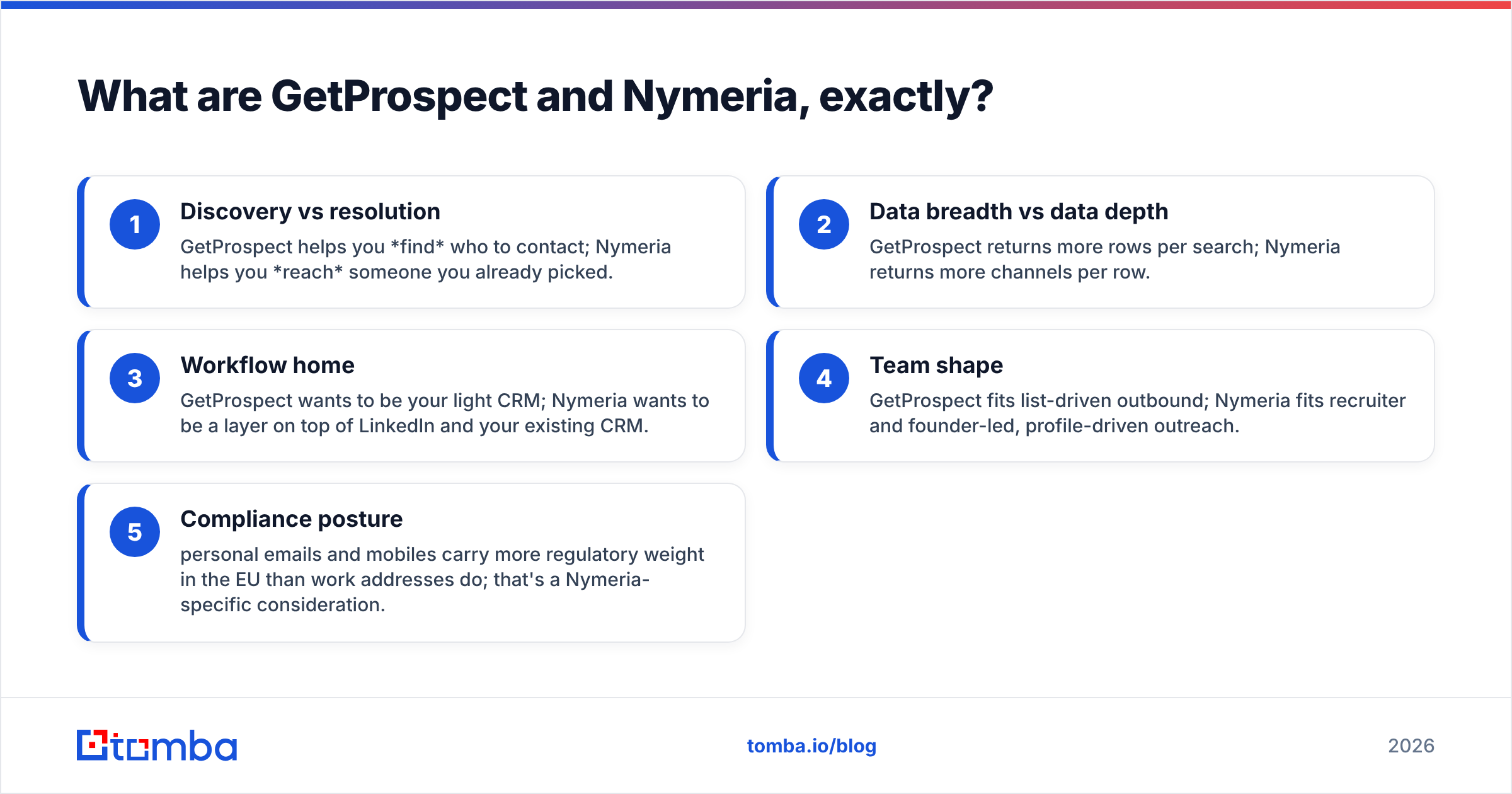
- Discovery vs resolution — GetProspect helps you find who to contact. Nymeria helps you reach someone you already picked.
- Breadth vs depth — GetProspect returns more rows per search. Nymeria returns more channels per row.
- Workflow home — GetProspect wants to be your light CRM. Nymeria sits on top of LinkedIn and the CRM you already run.
- Team shape — GetProspect fits list-driven outbound. Nymeria fits recruiters and founder-led, profile-driven outreach.
- Compliance posture — personal emails and mobiles carry more legal weight in the EU than work addresses do. That is a Nymeria-specific concern.

GetProspect vs Nymeria: how do they compare head-to-head?#
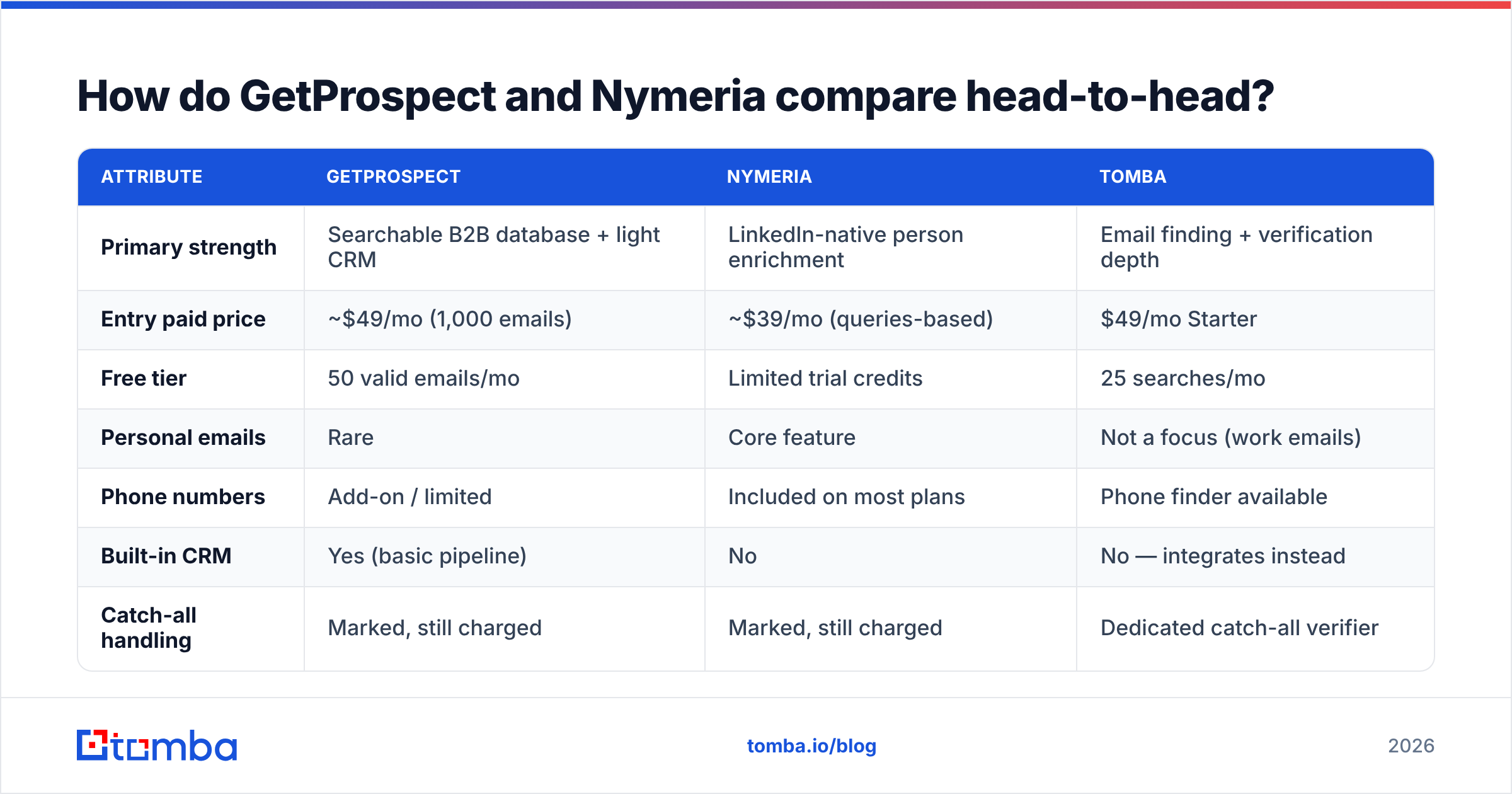
Here is the practical side-by-side. Prices reflect listed entry plans as of early 2026. Check both vendors before you buy. Credit definitions change more often than headline prices.
| Attribute | GetProspect | Nymeria | Tomba |
|---|---|---|---|
| Primary strength | Searchable B2B database + light CRM | LinkedIn-native person enrichment | Email finding + verification depth |
| Entry paid price | ~$49/mo (1,000 emails) | ~$39/mo (queries-based) | $49/mo Starter |
| Free tier | 50 valid emails/mo | Limited trial credits | 25 searches/mo |
| Personal emails | Rare | Core feature | Not a focus (work emails) |
| Phone numbers | Add-on / limited | Included on most plans | Phone finder available |
| Built-in CRM | Yes (basic pipeline) | No | No — integrates instead |
| Catch-all handling | Marked, still charged | Marked, still charged | Dedicated catch-all verifier |
| Bulk enrichment | Yes (CSV) | Yes (CSV + API) | Yes (bulk email finder) |
| Public API | Yes | Yes, well-documented | Yes (Tomba API) |
| Chrome extension | Yes | Yes | Yes |
Two rows matter more than the rest. The first is catch-all handling. The second is what counts as a billable credit. That is where the real cost hides.
Which one is more accurate?#
It depends on what you ask for.
For standard work emails, both tools land in the same broad band. Think companies with 50+ staff and patterns that repeat, like first.last@ or flast@. Most third-party tests put mainstream finders between 65% and 90% valid on delivery. The spread by region and industry is wide. GetProspect does well here, because its database leans toward mid-market and enterprise records.
For personal emails and mobile numbers, Nymeria is the stronger of the two. That is the whole point of the product. Maybe you need to reach a founder on Gmail or a candidate on their cell. GetProspect will leave you short more often.
For small companies, non-English domains and catch-all setups, both get worse. Nobody advertises this part. A catch-all domain accepts every address at the SMTP layer. So a finder cannot prove that sarah@ exists. It can only say the domain accepts everything. Both tools hand you those rows, mark them unclear, and bill you for them.
So treat accuracy claims as marketing until you run your own sample. Take 200 contacts from your real ICP, not a demo list the vendor picked. Run both tools. Then push every result through an independent verifier. Compare bounce rate after sending, not the tool's own confidence score. A vendor grading its own homework tells you nothing.
Want to sanity-check a pattern before you spend credits? A free company email pattern lookup shows the main format at a domain in seconds.
What does each one actually cost per usable email?#
List price is the wrong number. Cost per verified, deliverable email is the right one.
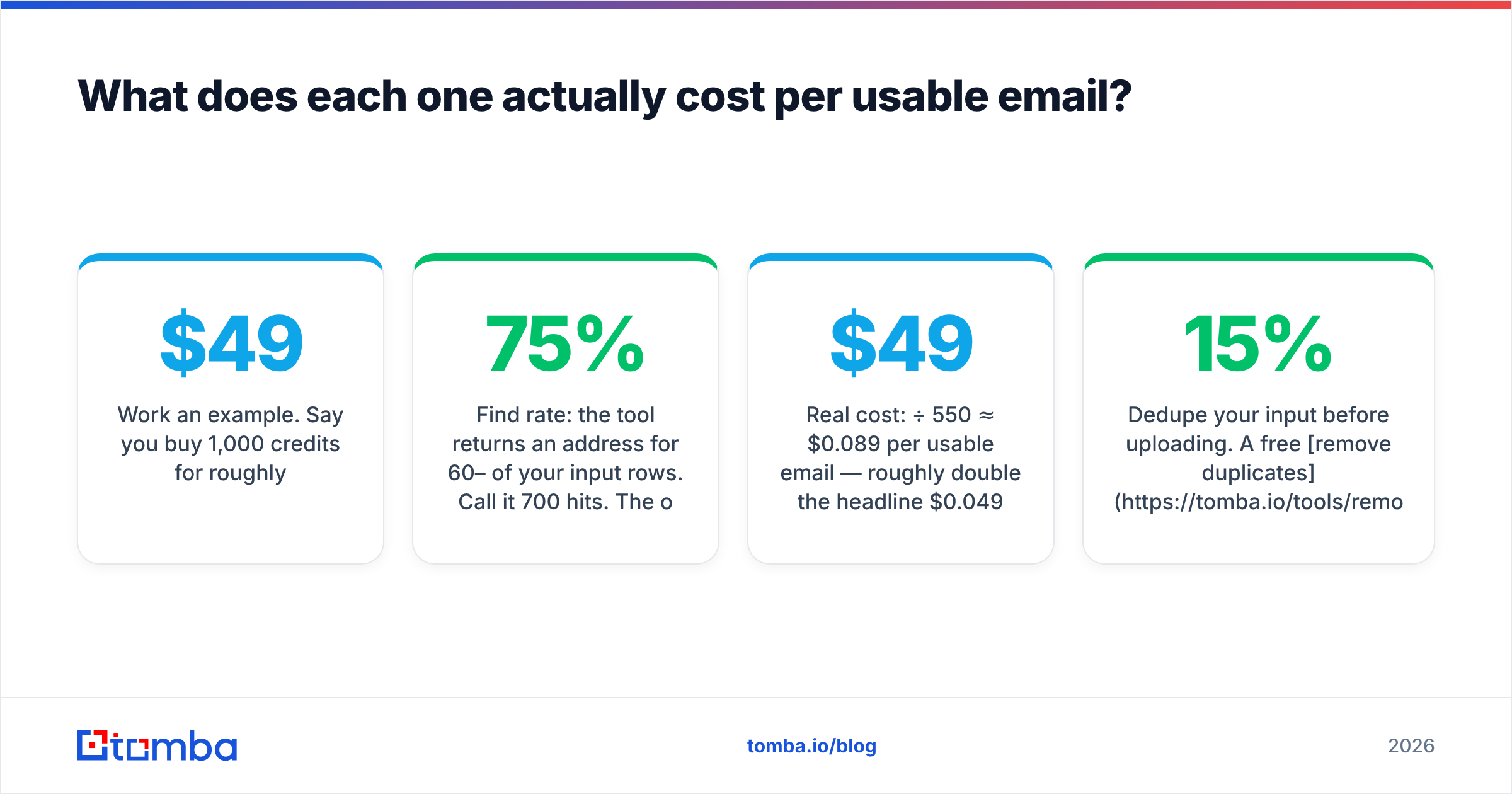
Work through an example. Say you buy 1,000 credits for roughly $49:
- Find rate: the tool returns an address for 60–75% of your rows. Call it 700 hits. The other 300 credits may or may not come back. Policies differ. No-result refunds are usually automatic; risky or catch-all refunds are not.
- Verification pass: some of those 700 are catch-all or role addresses, like
info@orsales@. Strip those out. You are often left with 500–600 addresses you can trust. - Real cost: $49 ÷ 550 ≈ $0.089 per usable email. That is roughly double the headline $0.049.
Run the same math for both vendors with your own numbers. Do it before you sign an annual contract. The cheaper sticker price often loses here, because it burns credits on rows you cannot send to.
| Cost factor | Why it inflates your real price |
|---|---|
| Catch-all results | Charged like valid results, can't be trusted without a second check |
| Role addresses | Often billable, usually low reply rate, sometimes spam-trap adjacent |
| Duplicate rows | Bulk uploads with repeated domains can double-charge unless deduped first |
| Annual lock-in | Credits often don't roll over; unused monthly allowance evaporates |
| Add-on phone credits | Priced separately on most plans — quoted per-contact prices exclude them |
Dedupe your list before you upload it. A free remove duplicates pass costs nothing. It often saves 5–15% of a credit pack.
Which is better for LinkedIn-based prospecting?#
Nymeria, if LinkedIn is your prospecting motion.
Nymeria's extension is built around the profile view. Open a person, get their contact channels, push to CSV or your CRM. Recruiters working candidate pipelines love that flow. So do founders doing small, tightly targeted outreach. It handles Sales Navigator lists well too.
GetProspect's extension works fine. It pulls emails from profiles and search results. But the product's center of gravity is its own database. Build lists from filters rather than from browsing, and GetProspect fits better. Its CRM layer also means you do not need a second tool right away to track state.
One neutral note is worth making. Neither vendor controls LinkedIn's terms of service. Scraping-style workflows carry account risk, and that risk is yours. Keep volumes sane. Do not run extensions on an account you cannot afford to lose. And read LinkedIn's user agreement instead of trusting a vendor's summary.
Is LinkedIn central to your workflow, but you want a specialist on the email side? A dedicated LinkedIn finder turns profile URLs into verified work emails. You do not have to adopt a whole new CRM to use it.
What about integrations, API and team workflow?#
Both ship a REST API and a Chrome extension. The differences show up at the edges.
GetProspect connects to HubSpot, Pipedrive, Salesforce and Zapier, plus CSV in and out. Its built-in CRM is genuinely useful for a two-person agency. It gets limiting for a ten-person team. You will outgrow it, and then you face a migration.
Nymeria leans on API and CSV. The docs are clean. The enrichment endpoints are easy to wire into a stack you already run. If HubSpot or Salesforce is your system of record, Nymeria slots in as an enrichment service rather than a rival pipeline.
Teams looking at either tool should also plan what happens after the export:
- Deduplication across sources — three tools will hand you the same person three times
- Verification before send — a must if you care about sender reputation
- Field mapping into your CRM — messy job-title strings quietly wreck reporting
- Suppression lists — unsubscribes and closed-lost accounts must never re-enter a sequence

Should you consider alternatives to both?#
Yes. For most teams it is not a close call. One vendor rarely wins find, verify and enrich all at once.
An honest read of the field:
- GetProspect wins when you want a searchable database and a place to track outreach, on a modest budget, without buying two products.
- Nymeria wins when personal emails and mobile numbers decide whether you reach someone. Think recruiting, executive search and founder-led sales.
- BookYourData suits teams who would rather buy ready-made, pay-as-you-go lists with a bounce guarantee. It is a different way to buy, and for some teams a cleaner one.
- Tomba fits when email quality is the bottleneck. Finding, verifying, catch-all resolution and enrichment come as separate pieces you can call from an API, a spreadsheet or a CLI.
There is no prize for loyalty here. Run a bake-off. Feed the same 200-row list to two or three tools. Verify every output on your own. Send to a small segment and measure bounces. That one afternoon will teach you more than every G2 review combined. Even so, G2's category listings are a fine place to build the shortlist.
GetProspect vs Nymeria: how should you decide?#
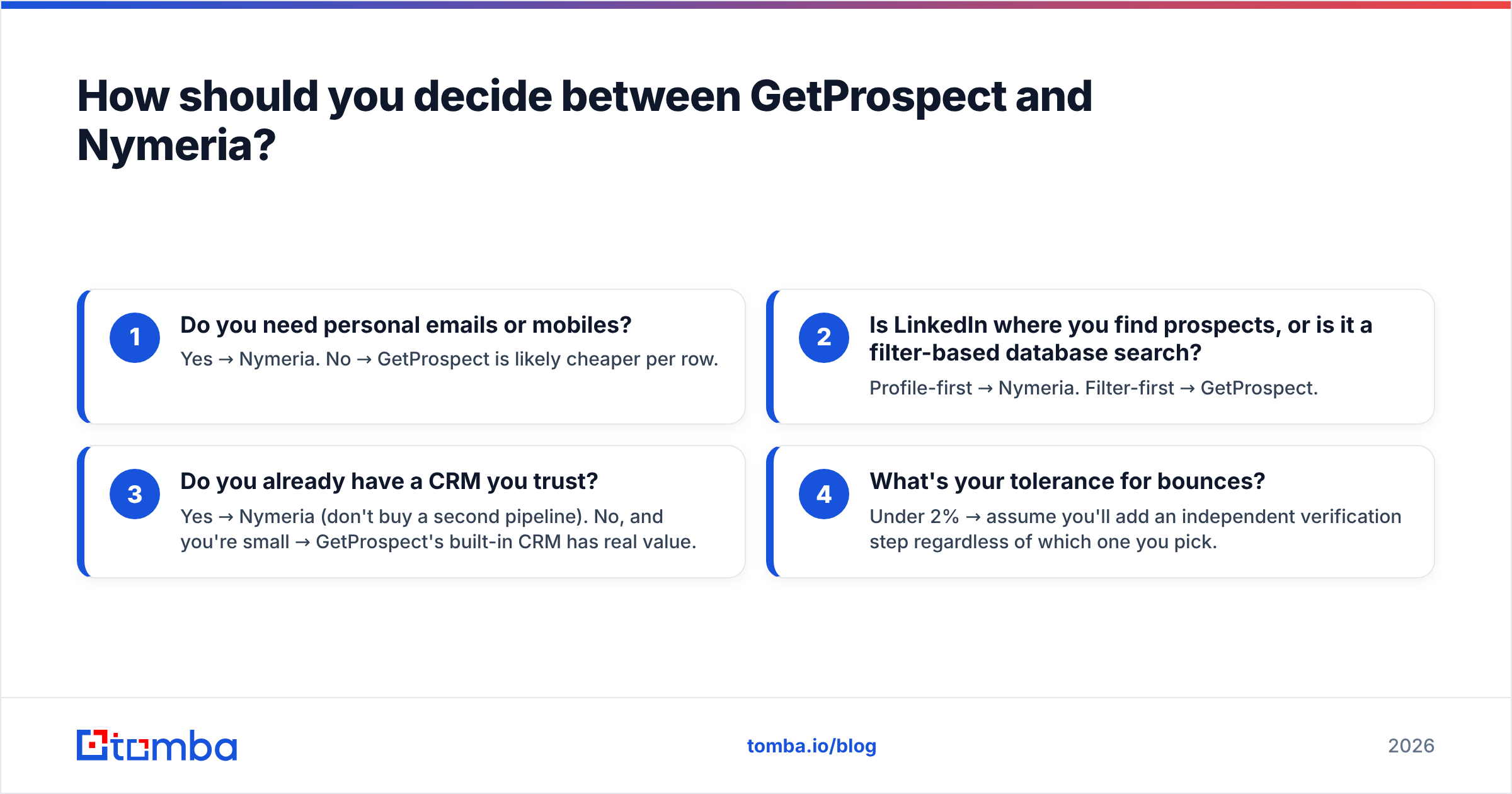
Answer four questions.
- Do you need personal emails or mobiles? Yes → Nymeria. No → GetProspect is likely cheaper per row.
- Do you find prospects on LinkedIn, or in a filtered database? Profile-first → Nymeria. Filter-first → GetProspect.
- Do you already have a CRM you trust? Yes → Nymeria, so you do not buy a second pipeline. No, and you are small → GetProspect's built-in CRM has real value.
- What is your tolerance for bounces? Under 2% → plan on an extra verification step either way.
If your answer is both, sort of, that is normal. It is also the honest case for splitting the job. Use the finder that matches your motion. Then run everything through a verifier that has no reason to grade its own results as valid.
The bottom line#
Both tools are credible, and they aim at different buyers. GetProspect is the volume-and-workflow option: database, lists, light CRM, low cost per row. It suits filter-driven outbound. Nymeria is the depth option: personal emails, mobiles, LinkedIn-native. It suits work where reaching one specific person beats reaching a thousand.
Neither one solves the verification layer. Catch-all domains, role addresses and stale records still reach your sequences unless something independent catches them first. A 4% bounce rate does lasting damage to a sending domain. No credit refund will undo that.
That is where a specialist helps. The Tomba Email Finder turns names and domains into verified work emails. Catch-all handling and confidence scoring come in the same call. A free tier of 25 searches per month lets you benchmark it against your GetProspect or Nymeria output first. Run the same 200 contacts through all three, compare bounce rates after a real send, and let the numbers pick your stack.
Related guides#
Ready to find emails that actually work?
Join 150,000+ professionals who stopped guessing and started sending. Free credits on signup — no credit card required.
Get the Tomba newsletter
Practical outbound tactics and product updates — once every two weeks.
About the author