GetProspect vs Pubrio: Which B2B Data Tool Wins in 2026?
GetProspect and Pubrio both promise verified B2B contacts, but they solve different problems. Here is an honest breakdown of data quality, credit math, and which one actually belongs in your outbound stack.
GetProspect vs Pubrio is a fair question to ask, but the two tools do different jobs. Here is the short answer first, then the detail.
TL;DR
- GetProspect is a LinkedIn-first email finder with a light CRM. It turns a Sales Navigator list into a clean contact sheet, fast.
- Pubrio is a wider go-to-market platform: contact database, buyer intent signals, tech-stack filters, and AI scoring. It tells you who to target, not just how to reach them.
- They overlap on about 40% of their features. Know your account list? GetProspect is cheaper. Still building it? Pubrio does more.
- Neither is a strong verification layer. Both ship "verified" emails that bounce on catch-all domains. Budget for a second-pass verifier either way.
- Need accurate emails at a steady price? A dedicated finder like Tomba Email Finder usually wins on cost per valid email.
What are GetProspect and Pubrio, exactly?#
Both land in the same "B2B lead gen tool" bucket, so GetProspect vs Pubrio looks like a straight fight. It is not. They were built to answer different questions.
GetProspect (getprospect.com) began as a Chrome extension. It scraped LinkedIn profiles and added business emails. That origin still shapes the product.
You open Sales Navigator, run a search, and click the extension. GetProspect pulls names, titles, companies, and emails into a list. You can then tag, enrich, and export it. Later the team added a searchable contact database, bulk CSV enrichment, an email checker, and a small CRM with pipeline stages. Think of it as a very good spreadsheet builder for LinkedIn prospecting.
Pubrio (pub.rio) sits higher up the funnel. It is an AI-driven GTM platform. You get contact and company data, buyer intent signals, tech-stack filters, funding and hiring triggers, and lead scores that rank accounts by fit. Contact data is one part of the product, not the whole of it. Pubrio wants to answer a different question: which 200 of these 10,000 companies are in the market right now?
Here is the analogy. GetProspect is a sharp knife. Pubrio is a food processor with a knife attachment. If you only chop onions, the knife wins on price, speed, and control. If you are prepping a full menu, the processor earns its counter space.
GetProspect vs Pubrio: how do they compare head-to-head?#
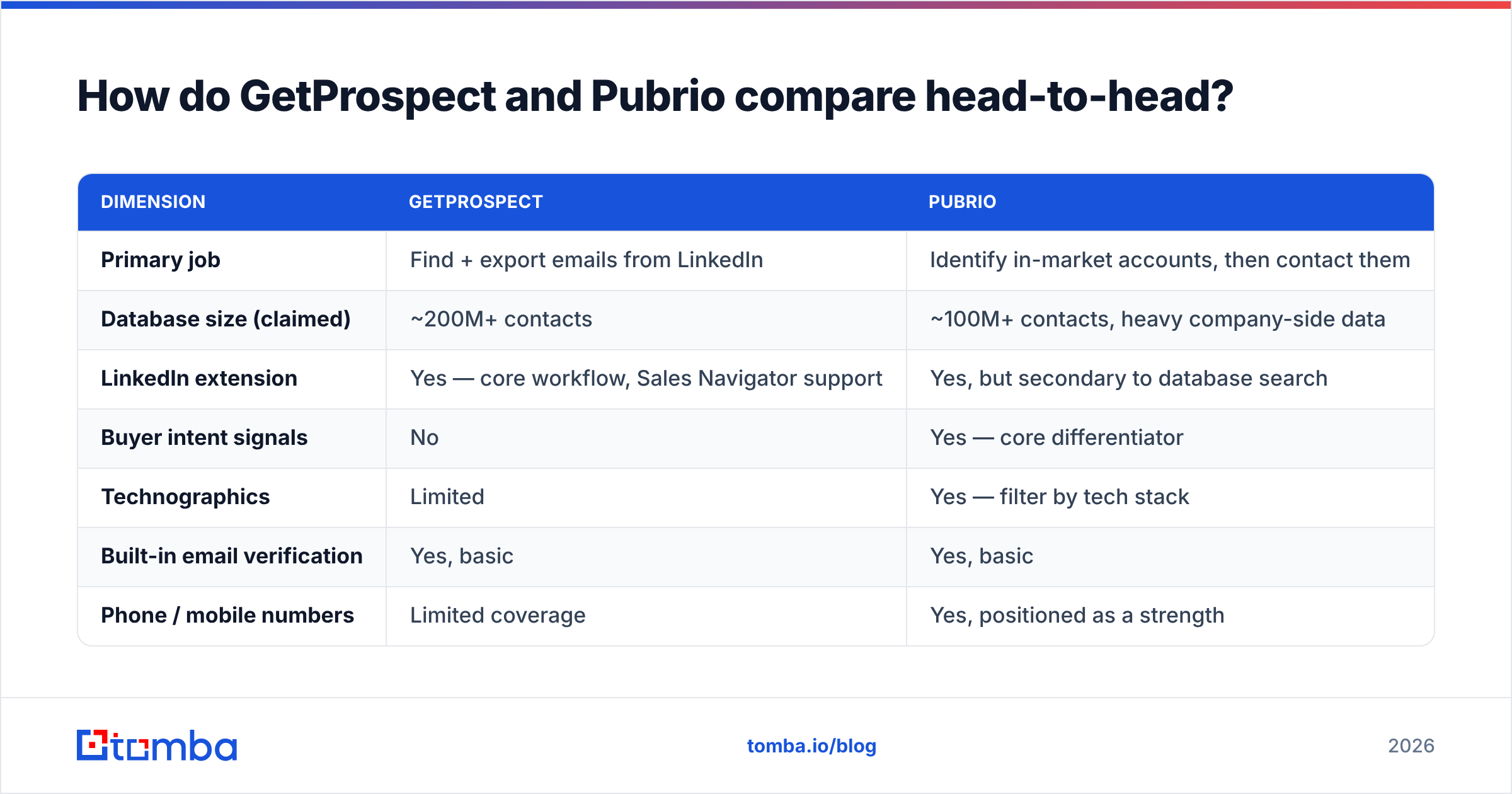
The table below draws on vendor docs and user reviews on G2 as of early 2026. Pricing shifts often. Always check the vendor's own page before you buy.
| Dimension | GetProspect | Pubrio |
|---|---|---|
| Primary job | Find + export emails from LinkedIn | Identify in-market accounts, then contact them |
| Database size (claimed) | ~200M+ contacts | ~100M+ contacts, heavy company-side data |
| LinkedIn extension | Yes — core workflow, Sales Navigator support | Yes, but secondary to database search |
| Buyer intent signals | No | Yes — core differentiator |
| Technographics | Limited | Yes — filter by tech stack |
| Built-in email verification | Yes, basic | Yes, basic |
| Phone / mobile numbers | Limited coverage | Yes, positioned as a strength |
| Lightweight CRM | Yes (lists, stages, notes) | Partial — lists and scoring |
| API access | Yes, on higher tiers | Yes |
| Free tier | Yes — small monthly allowance of valid emails | Yes — limited credits |
| Entry paid tier | Roughly $49/mo range | Roughly $49–$99/mo range |
| Best for | SDRs working a known account list | RevOps and founders defining the ICP |
The table hides one thing. For most buyers, these tools are not real rivals. Teams that shortlist Pubrio usually compare it to Apollo, ZoomInfo, or 6sense. Teams that shortlist GetProspect compare it to Hunter, Snov.io, or Tomba. GetProspect vs Pubrio only makes sense when you have one budget line and must pick a side: targeting intelligence, or contact discovery?

GetProspect vs Pubrio: which one has better data accuracy?#
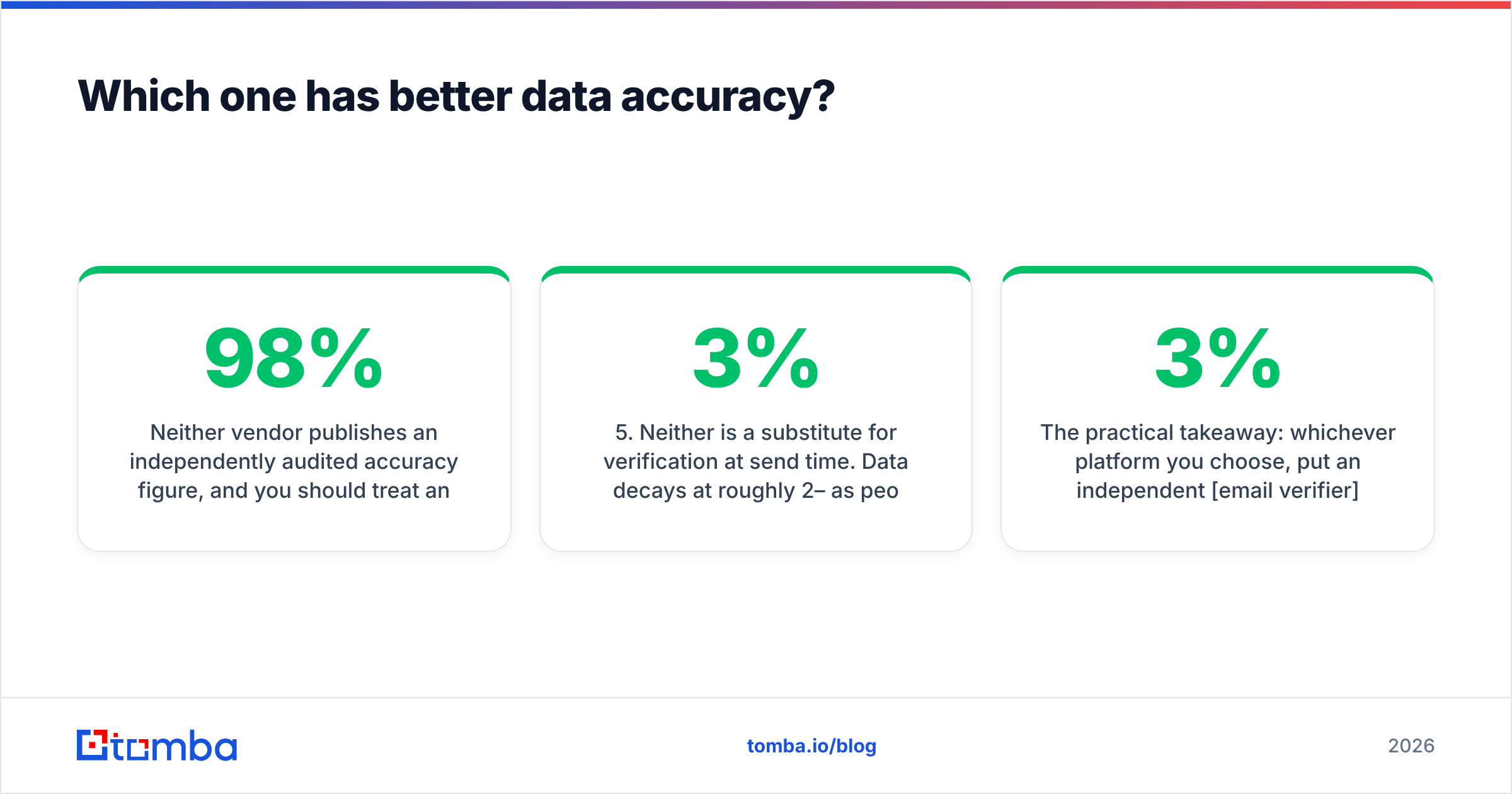
Neither vendor publishes an audited accuracy figure. Treat any self-reported "98% accurate" claim the way you treat a used-car listing.
User reports and our own spot-checks point to the same five patterns. Start with the three that shape daily work.
- GetProspect is stronger on people found through LinkedIn. Its pipeline starts from a live profile, so the name-to-company match is usually right. The email is the weak spot. A fair share of results are guessed from a pattern, not confirmed.
- Pubrio is stronger on company-level data. Size, tech stack, funding stage, and headcount tend to be fresh and correct. Person-level emails vary more, above all outside the US and at firms under 50 staff.
- Both slip on catch-all domains. A catch-all mail server accepts every address at the domain. So an SMTP check returns "valid" for
nobody@company.com. Neither tool tells a real mailbox from a catch-all accept, and that gap causes most surprise bounces.
Two more patterns matter before you sign anything.
- Both are weaker in Europe and Asia than in North America. If you sell to German or Japanese firms, run a 200-contact paid pilot before you commit to an annual plan.
- Neither replaces verification at send time. Contact data decays by roughly 2–3% a month as people change jobs. A record pulled six months ago is far more likely to bounce than one pulled last week.

So here is the practical takeaway. Whichever platform you pick, put an independent email verifier between the export and the sequencer. A 3% bounce rate keeps your domain healthy. A 9% bounce rate gets your sending domain throttled, and no subscription is worth that. If your lists hold many enterprise domains, a dedicated catch-all verifier is the best-value addition to this stack.
Recommended visual: side-by-side screenshot of a GetProspect export column view next to a Pubrio account-scoring dashboard, so readers can see what each tool puts in front of you.
GetProspect vs Pubrio pricing: how does it actually work?#
This is where shopping gets hard. The two tools count different things.
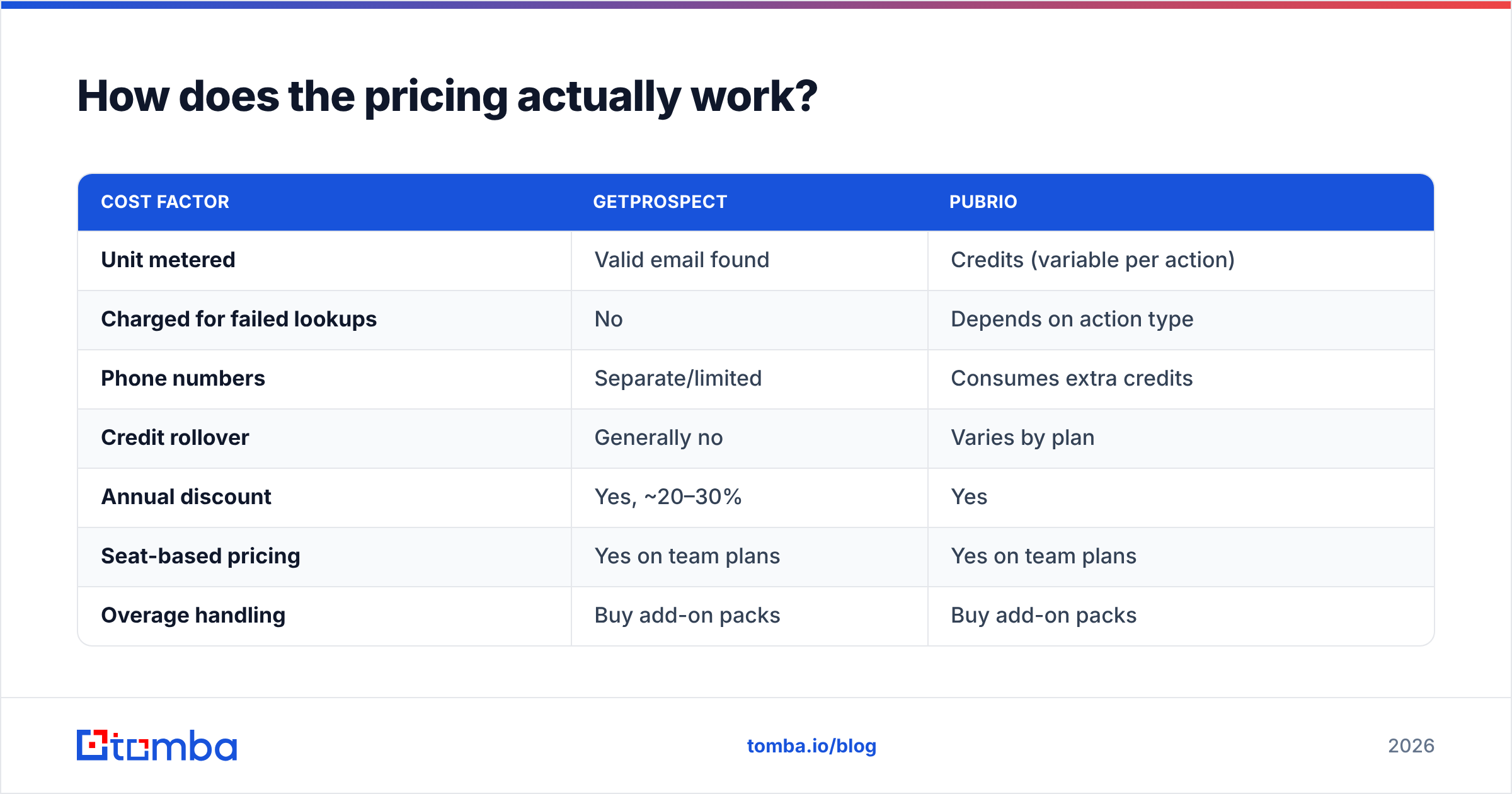
GetProspect meters valid emails found. A search that returns nothing usable costs you nothing, which is buyer-friendly. Pubrio meters credits, and each action burns a different amount. A contact reveal costs less than a phone reveal. A phone reveal costs less than a full record with intent data.
| Cost factor | GetProspect | Pubrio |
|---|---|---|
| Unit metered | Valid email found | Credits (variable per action) |
| Charged for failed lookups | No | Depends on action type |
| Phone numbers | Separate/limited | Consumes extra credits |
| Credit rollover | Generally no | Varies by plan |
| Annual discount | Yes, ~20–30% | Yes |
| Seat-based pricing | Yes on team plans | Yes on team plans |
| Overage handling | Buy add-on packs | Buy add-on packs |
Most GetProspect vs Pubrio comparisons stop at the sticker price. That is the wrong number. Run the math that matters: cost per valid, deliverable email. Take the plan price. Divide by the emails you really extract. Then divide again by your deliverable rate. A $99/mo plan that yields 2,000 emails at 80% deliverable costs $0.062 per usable contact. The same plan at 92% costs $0.054. That 12-point gap beats a 20% list-price discount, and no pricing table shows it. Not even this one.
For reference, Tomba pricing runs a free tier at 25 searches a month, Starter at $49/mo, Growth at $99/mo, and Pro at $249/mo. Verification is bundled, not sold as a separate credit type. That bundling is why the true cost per valid email often lands lower than on credit-metered platforms, even when headline prices look alike.
Which tool fits which team?#
Start with the three simple cases.
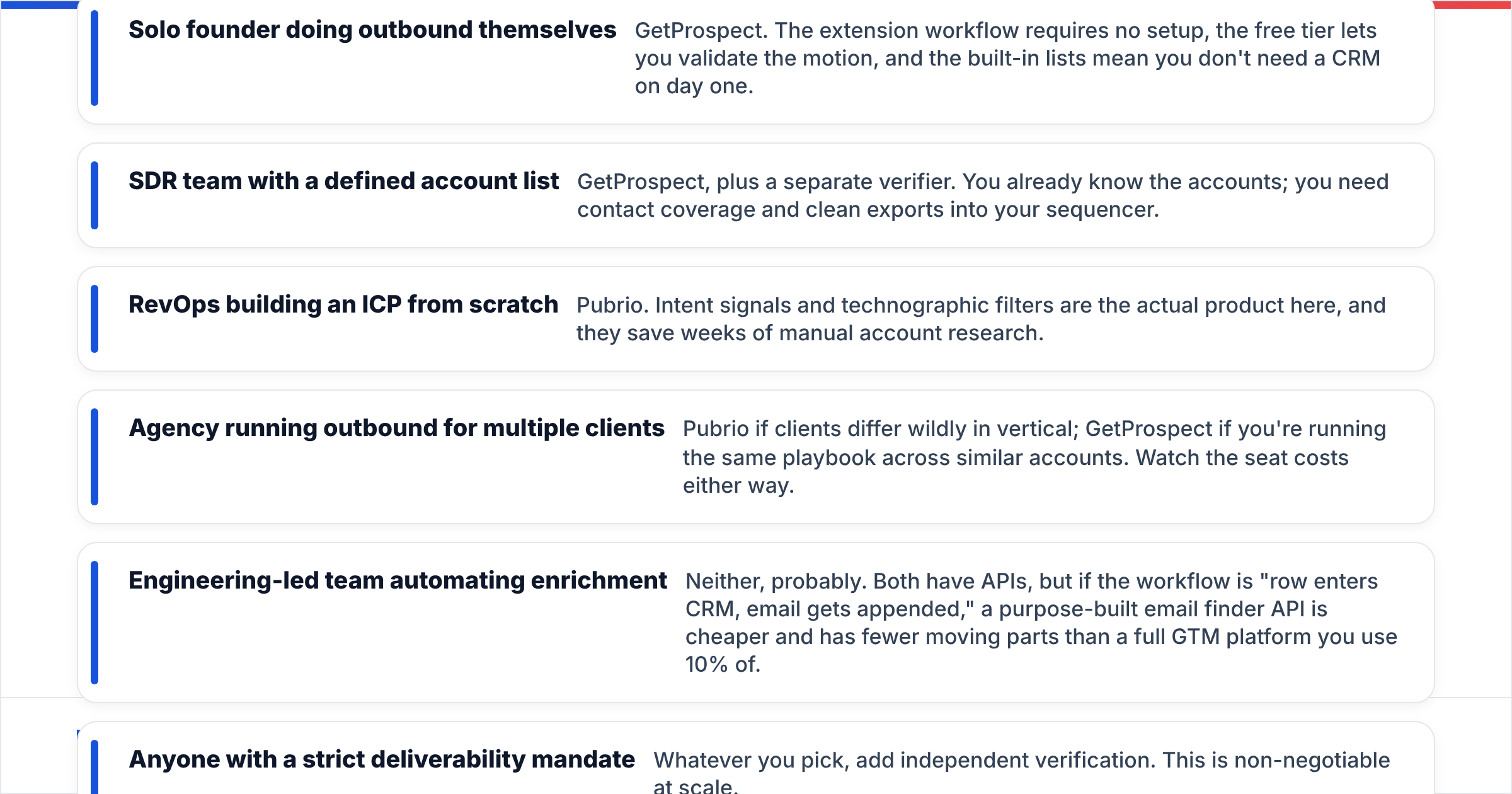
- Solo founder doing outbound — GetProspect. The extension needs no setup. The free tier lets you test the motion. Built-in lists mean you can skip a CRM on day one.
- SDR team with a defined account list — GetProspect, plus a separate verifier. You already know the accounts. You need contact coverage and clean exports into your sequencer.
- RevOps building an ICP from scratch — Pubrio. Intent signals and tech-stack filters are the real product here, and they save weeks of manual account research.
The next three depend on scale.
- Agency serving many clients — Pubrio if the clients sit in very different verticals. GetProspect if you run one playbook across similar accounts. Watch seat costs either way.
- Engineering-led team automating enrichment — Neither, most likely. Both have APIs. But if the job is "row enters CRM, email gets appended," a purpose-built email finder API is cheaper and has fewer moving parts.
- Anyone with a strict deliverability target — Add independent verification whatever you pick. At scale this is not optional.
Where do both tools fall short?#
A comparison that finds no flaws is not a comparison.
GetProspect's weaknesses:
- Coverage drops for small firms and non-English-speaking regions.
- The CRM layer is light. If you run HubSpot or Pipedrive, it is redundant, and the sync is one more thing to maintain.
- No intent or trigger data at all. You prospect blind on timing.
- Large bulk enrichment jobs can crawl at peak hours.
Pubrio's weaknesses:
- The credit model stays opaque for about a month. Budgeting is guesswork at first.
- Intent data across this whole category is directional, not exact. Treat it as a hint, not a buying signal.
- Person-level email accuracy trails specialist finders. That is expected, since it is not the core product.
- It is more platform than a three-person sales team will use, and you pay for all of it.
Shared weaknesses: here the GetProspect vs Pubrio gap narrows, because both carry the same blind spots.
- Catch-all handling, as covered above.
- Neither shows where a record came from. You cannot see why the tool thinks an email is right, which matters for GDPR paperwork. If that worries you, pick a vendor that publishes its data sources openly.
- Both put the useful API rate limits behind higher tiers.

Is there a better third option?#
Often, yes. Most teams weighing GetProspect vs Pubrio are over-buying.
We see the same pattern again and again. A team buys a full GTM platform to solve one problem: we need emails. They then use 15% of the features and pay for 100%. Six months later they pay a second vendor for verification anyway, because the built-in check was too loose.
Maybe your real need is simple: accurate, deliverable business emails for a list of people or domains. If so, specialist tools are cheaper and better at that one job.

A sane stack for a team under 20 people looks like this. One specialist finder with verification bundled. Your current CRM. A sequencer. Add an intent platform like Pubrio later, once outbound works and your constraint shifts from reach to timing. Buying intelligence before you have a proven message spends this year's budget on next year's problem.
Want the LinkedIn-native workflow? You can get it without a full platform subscription. A LinkedIn finder plus bulk verify covers the same ground as GetProspect's core loop at a lower blended cost.
GetProspect vs Pubrio: what's the verdict?#
Pick GetProspect if prospecting starts on LinkedIn, your account list is already set, and you want the shortest path from a Sales Navigator search to a clean CSV. It does one thing well and prices it fairly.
Pick Pubrio if you do not yet know which accounts to chase. The intelligence layer — intent, tech stack, scoring — should change how you spend rep time. Buy it as a targeting tool, not as an email database, and you will be happy with it.
Pick neither if your only gap is email discovery accuracy. In that case you pay a platform premium for something you can buy directly, better, for less.
One last tip on GetProspect vs Pubrio: run a paid pilot of 500 contacts before you sign anything annual. Export the same 100 people from both tools. Verify every result with a neutral third-party checker. Compare the deliverable counts. That single afternoon will teach you more than every review site combined, this article included.
Ready to test the discovery layer on its own terms? Tomba Email Finder gives you 25 free searches a month with verification built in. No credit-type math. No platform you will only half-use. Run your hardest 25 prospects through it, compare the deliverable rate against your current tool, and let the bounce numbers decide.
Related guides#
Ready to find emails that actually work?
Join 150,000+ professionals who stopped guessing and started sending. Free credits on signup — no credit card required.
Get the Tomba newsletter
Practical outbound tactics and product updates — once every two weeks.
About the author