GetProspect vs QuickEnrich: Which Email Finder Wins in 2026?
GetProspect and QuickEnrich both promise verified B2B emails at low cost. We compared coverage, verification depth, pricing, and API quality to see which one actually holds up on real prospect lists.
TL;DR
- GetProspect is the bigger, more established product: a 200M+ contact database, a LinkedIn extension, list management, and a usable free tier. It's a prospecting workspace, not just a lookup API.
- QuickEnrich is the leaner, cheaper, enrichment-first option: bulk CSV enrichment, waterfall-style fallbacks, and pricing that undercuts most incumbents. Thinner UI, thinner brand track record.
- Pick GetProspect if your team lives inside LinkedIn and wants filters + lists + exports in one place. Pick QuickEnrich if you already have a list of names/domains and just need contact data appended cheaply.
- Neither tool solves catch-all domains well. That's where most "verified" emails quietly turn into bounces.
- If accuracy per credit matters more than a shiny UI, benchmark both against a third option (Tomba, Findymail, Prospeo) on your ICP before committing to an annual plan.
What are GetProspect and QuickEnrich?#
Both tools answer the same question — "what's this person's work email?" — but they got there from opposite directions.
GetProspect launched as a LinkedIn email extractor and grew into a full prospecting suite. You search a database of company and contact records, filter by title, headcount, industry, or tech stack, save results into named lists, and push them to your CRM or a CSV. The Chrome extension is the entry point for most users: browse a LinkedIn search, click, and reveal emails in bulk.
QuickEnrich came at it from the enrichment side. The core loop is: upload a CSV of names and company domains, get back emails (and often phones), pay per successful match. There's less database browsing and more pipeline plumbing. It leans on a waterfall model — query multiple upstream sources, return the first confident hit — which is how most newer, cheaper enrichment tools compete on cost.
That difference in origin explains almost every difference in the comparison table below. GetProspect sells you discovery. QuickEnrich sells you append.

How do GetProspect and QuickEnrich compare head to head?#
Here's the practical breakdown. Pricing moves — always check the live pages before you buy.
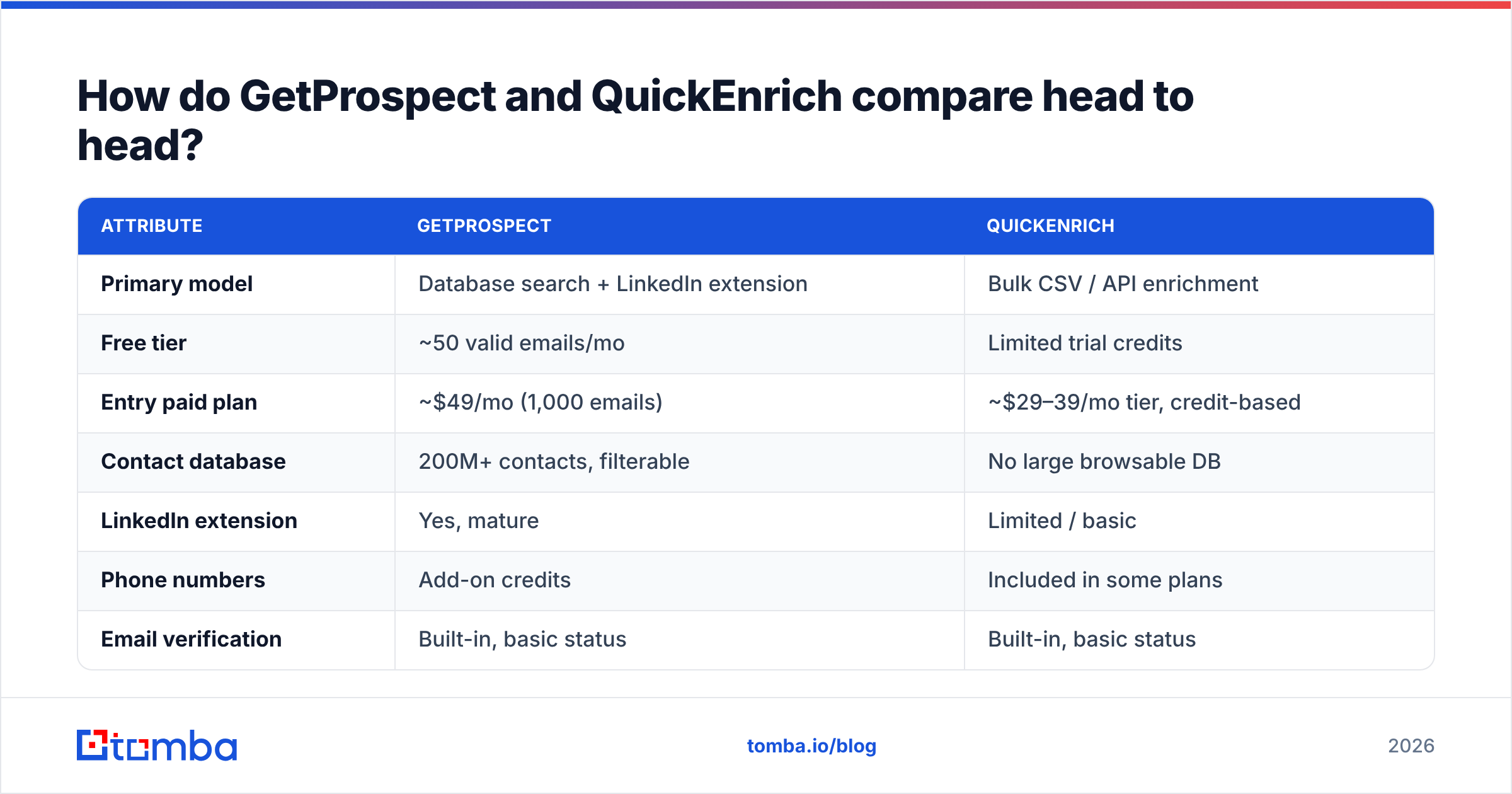
| Attribute | GetProspect | QuickEnrich |
|---|---|---|
| Primary model | Database search + LinkedIn extension | Bulk CSV / API enrichment |
| Free tier | ~50 valid emails/mo | Limited trial credits |
| Entry paid plan | ~$49/mo (1,000 emails) | ~$29–39/mo tier, credit-based |
| Contact database | 200M+ contacts, filterable | No large browsable DB |
| LinkedIn extension | Yes, mature | Limited / basic |
| Phone numbers | Add-on credits | Included in some plans |
| Email verification | Built-in, basic status | Built-in, basic status |
| Catch-all handling | Marked "risky", no deep resolve | Marked unknown, no deep resolve |
| API | Yes, REST | Yes, REST, enrichment-first |
| Team/list management | Strong (folders, lists, CRM sync) | Minimal |
| Best for | SDR teams sourcing from LinkedIn | Ops teams appending to existing lists |
Read that table as two different jobs, not two grades of the same job. If you tried to run a LinkedIn-driven SDR motion purely on QuickEnrich, you'd be manually building input CSVs all day. If you tried to enrich a 40,000-row CRM export in GetProspect, you'd burn credits on a UI that wasn't designed for it.

Which one finds more emails on a real list?#
Neither vendor's published hit rate will match yours. That's not a knock on either — it's how this category works.
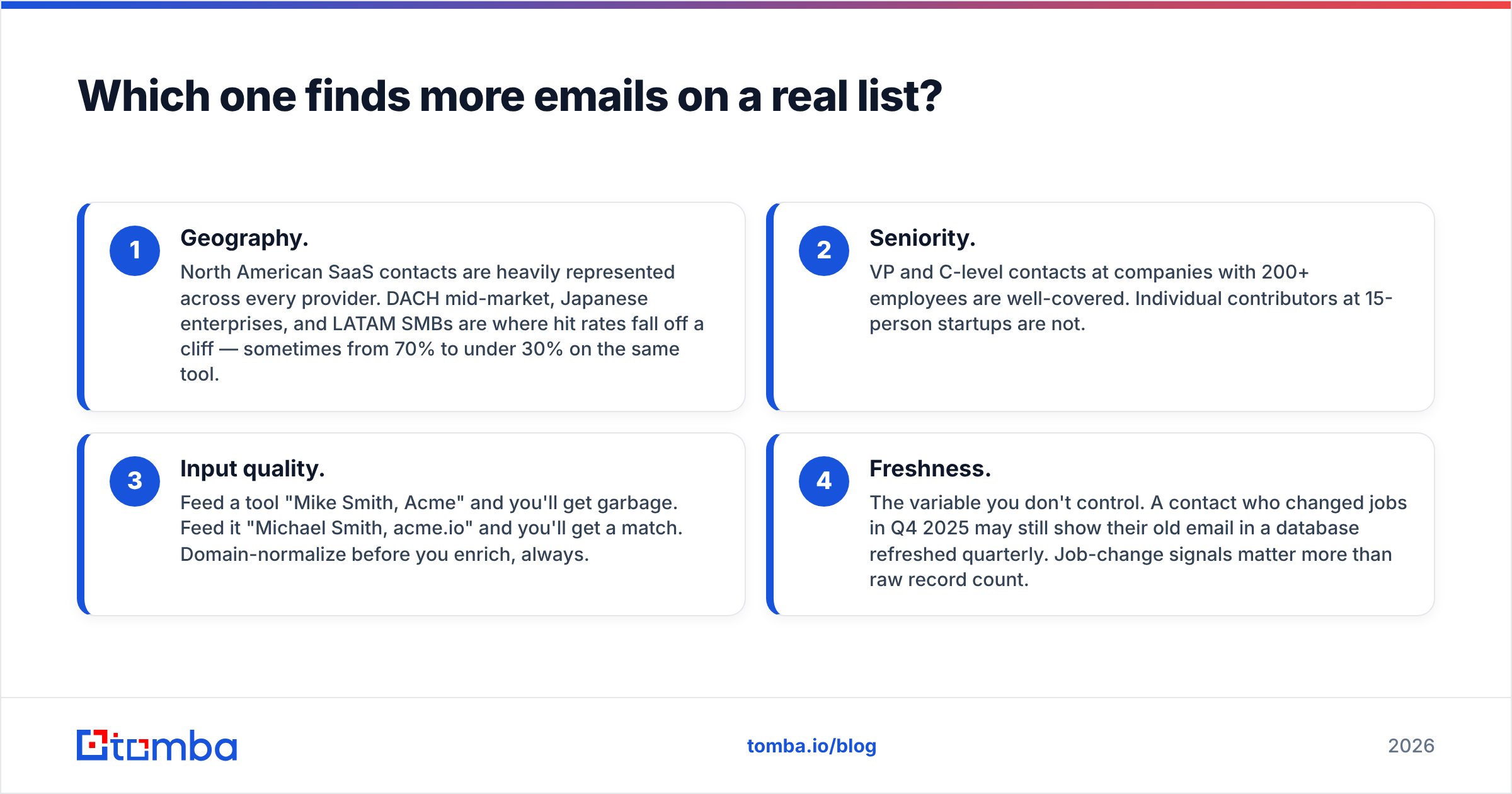
Coverage depends on three variables you control and one you don't:
- Geography. North American SaaS contacts are heavily represented across every provider. DACH mid-market, Japanese enterprises, and LATAM SMBs are where hit rates fall off a cliff — sometimes from 70% to under 30% on the same tool.
- Seniority. VP and C-level contacts at companies with 200+ employees are well-covered. Individual contributors at 15-person startups are not.
- Input quality. Feed a tool "Mike Smith, Acme" and you'll get garbage. Feed it "Michael Smith, acme.io" and you'll get a match. Domain-normalize before you enrich, always.
- Freshness. The variable you don't control. A contact who changed jobs in Q4 2025 may still show their old email in a database refreshed quarterly. Job-change signals matter more than raw record count.
The honest benchmark: take 200 rows from your actual ICP, run the same list through both trials, then verify every returned address with an independent email verifier. Compare verified hit rate, not returned hit rate. Most teams discover a 10–20 point gap between the two numbers.

Why do credits make pricing comparisons misleading?#
Because "credit" means something different at each vendor, and both stretch the definition in their favor.
Watch for these five mechanics when you compare cost:
- Charge-on-return vs charge-on-verified. GetProspect leans toward charging for valid emails. Waterfall tools often charge for any returned record, including "accept-all" results you can't safely mail.
- Multipliers. Phone numbers routinely cost 5–10x an email credit. A "10,000 credit" plan can be 1,200 phone lookups.
- Rollover. Unused credits usually expire monthly. Annual plans sometimes front-load the entire allowance — good for bursts, bad for steady usage.
- Enrichment double-dip. Some tools charge once to find the email and again to verify it. Check whether verification is bundled.
- Export gating. A few platforms let you see results on cheap plans but require an upgrade to export them.
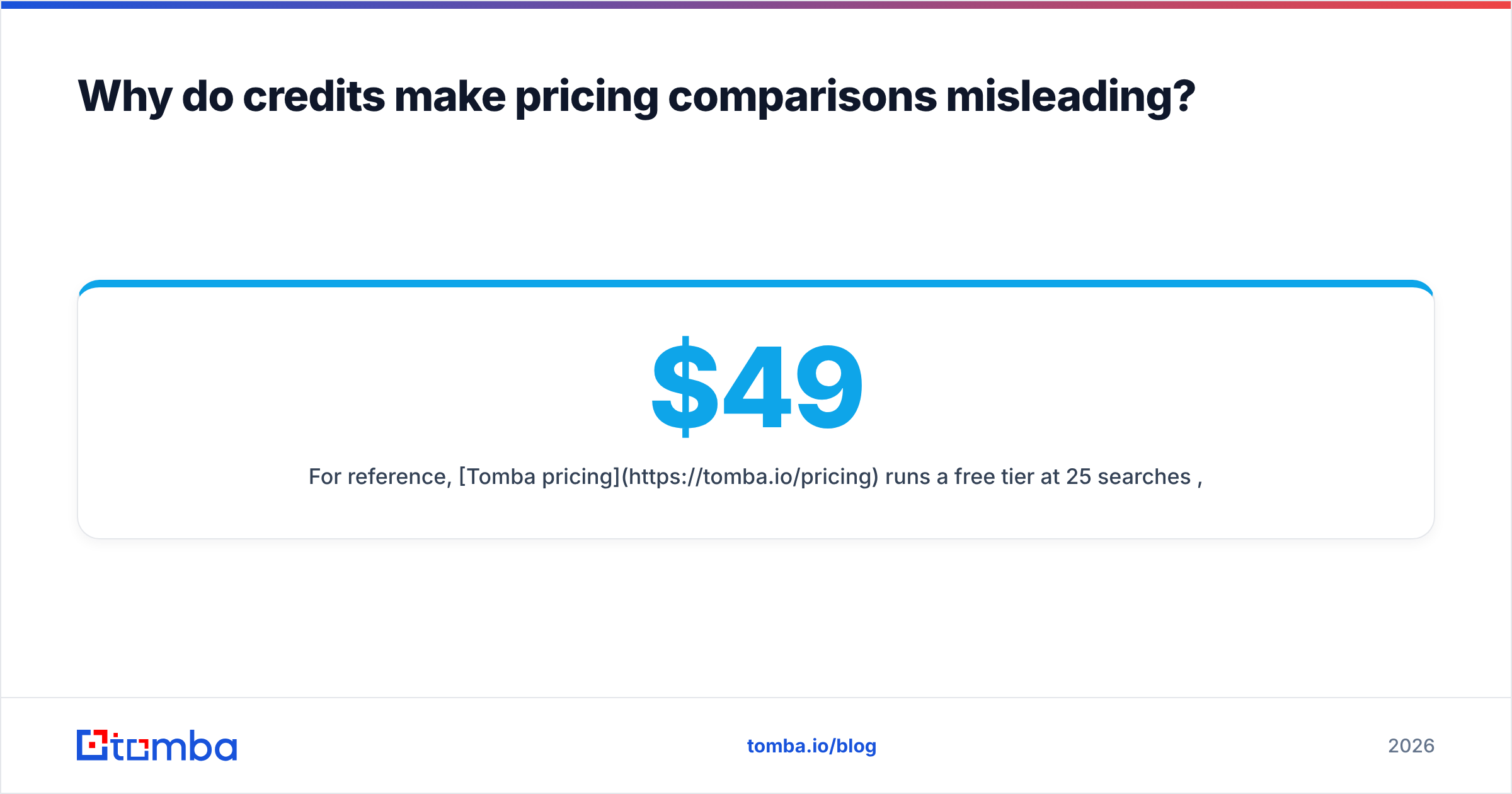
For reference, Tomba pricing runs a free tier at 25 searches/month, Starter at $49/mo, Growth at $99/mo, and Pro at $249/mo, with verification included rather than sold as a separate meter. Use that as a sanity baseline when a vendor quotes you "$0.008 per contact" — per contact of what, verified how?
What about catch-all domains?#
This is the gap both tools share, and it's the single biggest source of bounces in B2B outbound.
A catch-all (or accept-all) mail server accepts every address at the domain during SMTP handshake, including asdkjh@company.com. Standard verification can't distinguish a real mailbox from a fabricated one, so tools return "unknown," "risky," or "accept-all" and hand the decision back to you.
Roughly 20–30% of B2B domains are catch-all, and it skews heavily toward enterprise — exactly the accounts you most want to reach. Three ways teams handle it:
- Skip them. Safest for email deliverability, worst for pipeline. You're discarding a quarter of your TAM.
- Send anyway, on a burner domain. Isolates reputation damage, but wastes sequence slots on dead addresses.
- Resolve them properly. Use a dedicated catch-all verifier that layers pattern confidence, historical activity signals, and multi-source corroboration instead of relying on the SMTP handshake alone.
Neither GetProspect nor QuickEnrich does option three at depth. If catch-all-heavy enterprise accounts are your market, budget for a specialist layer regardless of which finder you pick.
Is GetProspect or QuickEnrich better for API-first teams?#
Both ship REST APIs; they're built for different consumers.
QuickEnrich's API is the product — enrichment-first, designed to sit inside an ops workflow where a Clay table, a Make scenario, or a Python script calls it row by row. Fewer endpoints, simpler auth, cheap per call.
GetProspect's API is an extension of the app. You get search, list, and enrichment endpoints, but the mental model still assumes the web UI is the primary surface. That's fine for a CRM sync; less ideal if you want the finder to be an invisible service behind your own tooling.
If your workflow is "engineer wires it once and nobody logs into a dashboard again," compare on these axes:
- Rate limits — per-second and per-day, not just monthly credits
- Batch endpoints — can you POST 1,000 rows, or do you loop 1,000 times?
- Webhook callbacks for long-running bulk jobs
- Confidence scores returned per record, not just a binary valid/invalid
- Native connectors — Zapier, Make, Sheets, Airtable, and MCP-style agent access
Tools built API-first tend to publish all five plainly. If a vendor hides rate limits behind a sales call, assume they're low. Tomba's email finder API documents limits, batch behavior, and confidence scoring publicly — a reasonable bar to hold any vendor to.

Who should choose which?#
Choose GetProspect if:
- Your SDRs source prospects from LinkedIn Sales Navigator daily
- You want filters, saved lists, and team seats in one workspace
- You need a genuinely usable free tier to prove value before buying
- Your ICP is North American, mid-market to enterprise
- You'd rather pay more per contact for a workflow your reps actually use
Choose QuickEnrich if:
- You already have lists — CRM exports, event attendees, scraped domains
- Cost per enriched row is your primary metric
- An engineer or RevOps lead owns the pipeline, not an SDR
- You're running a waterfall and want one more cheap source in the stack
- You don't need database browsing, filters, or list UI
Choose something else if:
- Catch-all-heavy enterprise domains dominate your TAM
- You need phone numbers at volume rather than as an expensive add-on
- Your workflow is agent-driven or fully headless
- You want verification bundled rather than metered separately
Peers worth trialing alongside both: Findymail (strong on verified-only billing), Prospeo, BookYourData (excellent for pre-built, pay-as-you-go verified lists when you'd rather buy a segment than build one), and Tomba (finder plus verifier plus catch-all resolution on one meter).
How should you actually run the bake-off?#
Don't read reviews. Run a 60-minute test. Both tools offer trials; that's enough.
- Build a 200-row control list. Pull it from closed-won accounts — real companies in your real ICP, not a curated sample of Fortune 500s where everyone has coverage.
- Normalize inputs. Full first name, full last name, root domain. No
www., no subdomains, no company nicknames. - Run both tools on the identical list. Same rows, same day. Record hit count and per-row status.
- Verify independently. Run every returned address through a neutral verifier. Count only
validresults as hits — treataccept-allas a separate bucket. - Compute cost per verified email. Total spend divided by verified hits. This is the only number that matters.
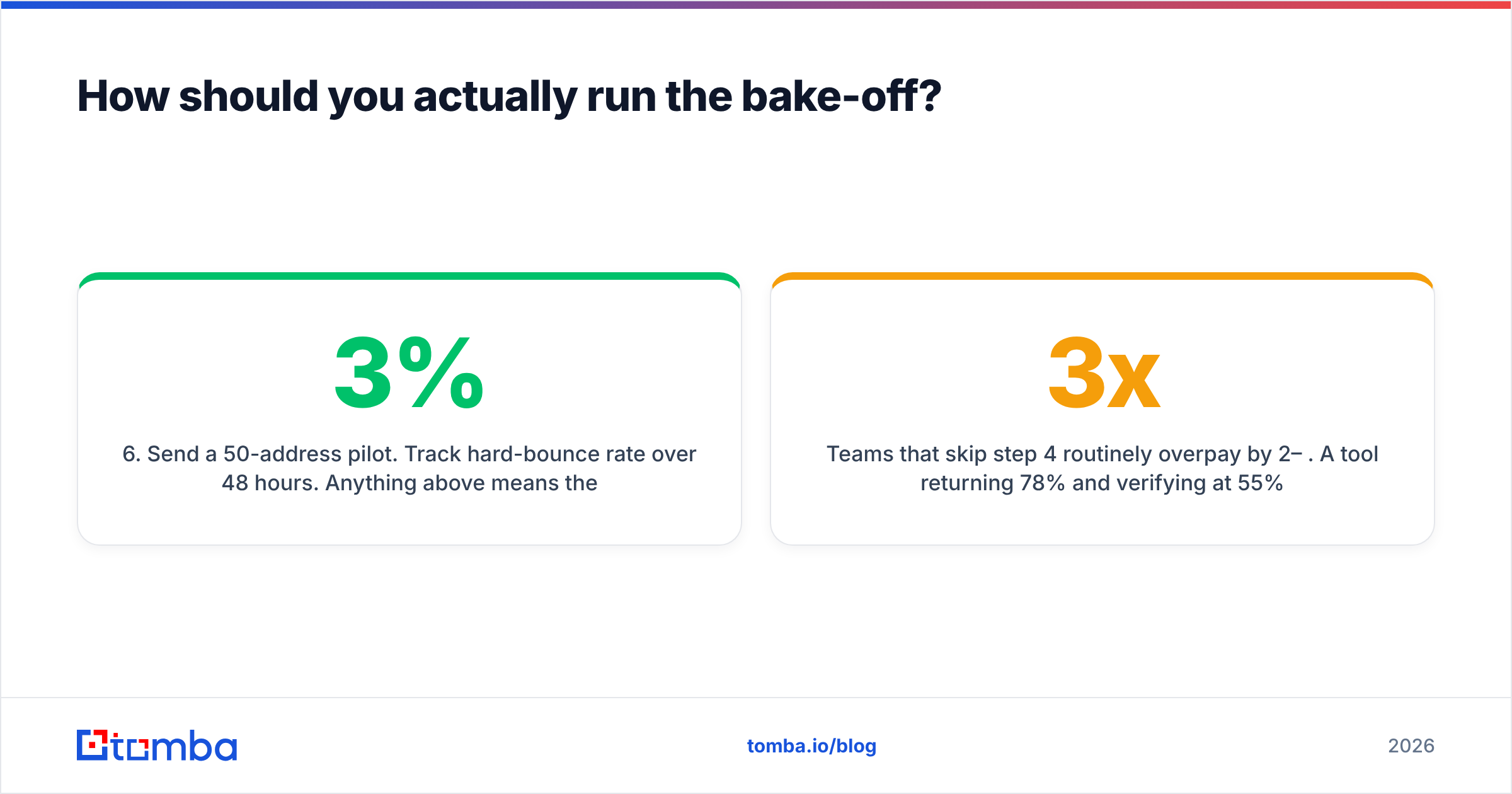
- Send a 50-address pilot. Track hard-bounce rate over 48 hours. Anything above 3% means the tool's "verified" label isn't trustworthy for your segment.
Teams that skip step 4 routinely overpay by 2–3x. A tool returning 78% and verifying at 55% is worse value than one returning 61% and verifying at 58%, even if the first has a better landing page.
For step 4, a neutral third-party checker keeps the test honest — you don't want a vendor grading its own homework. Tomba's free email checker and domain search work for spot-checking without a paid seat, and independent review data on G2 is useful for sniffing out support and billing complaints that never show up in a feature matrix.
What's the verdict on GetProspect vs QuickEnrich?#
GetProspect wins on workflow. QuickEnrich wins on unit cost. Neither wins on catch-all resolution, and that's the gap that decides whether your bounce rate stays under 2%.
If you're an SDR-led team sourcing from LinkedIn every morning, GetProspect's extension and list management justify the higher per-contact price — reps won't adopt an API. If you're a RevOps function appending contact data to lists you already own, QuickEnrich's cheaper credits and enrichment-first API are the better fit, and you can always layer a second source when hit rates dip.
What neither should be is your only layer. Waterfall the sources, verify independently, and measure cost per verified email rather than cost per credit.
If you want one meter that covers finding, verification, and catch-all resolution instead of stitching three vendors together, start with the Tomba Email Finder. The free tier gives you 25 searches to run your own bake-off — same 200-row control list, same day, same verifier. Let the numbers pick the winner instead of the pricing page.
Related guides#
Ready to find emails that actually work?
Join 150,000+ professionals who stopped guessing and started sending. Free credits on signup — no credit card required.
Get the Tomba newsletter
Practical outbound tactics and product updates — once every two weeks.
About the author