GetProspect vs SalesRipe (2026): Which B2B Data Tool Wins?
GetProspect and SalesRipe solve the same problem from opposite ends: one starts with LinkedIn, the other with a static US contact database. Here's how coverage, verification, pricing, and export limits actually compare in 2026.
GetProspect vs SalesRipe is a common shortlist for outbound teams in 2026. Both tools sell B2B contact data. They just start from opposite ends of the funnel. Here is how coverage, accuracy, pricing, and fit compare.
TL;DR
- GetProspect is a LinkedIn-first email finder. You get a browser extension, bulk lookup, and a searchable B2B database. It suits SDRs who build lists from Sales Navigator.
- SalesRipe is a US contact database with a light CRM built in. It suits SMB teams that want a list plus a place to call from, not an API.
- The real split is workflow direction. GetProspect starts from a person or domain you already found. SalesRipe starts from a filter set inside its own database.
- Neither is an API-first data layer. If you need enrichment inside your product or CRM, both will feel like a dead end.
- Verification is where budgets leak. Any list still needs its own verification pass before it touches your sending domain.
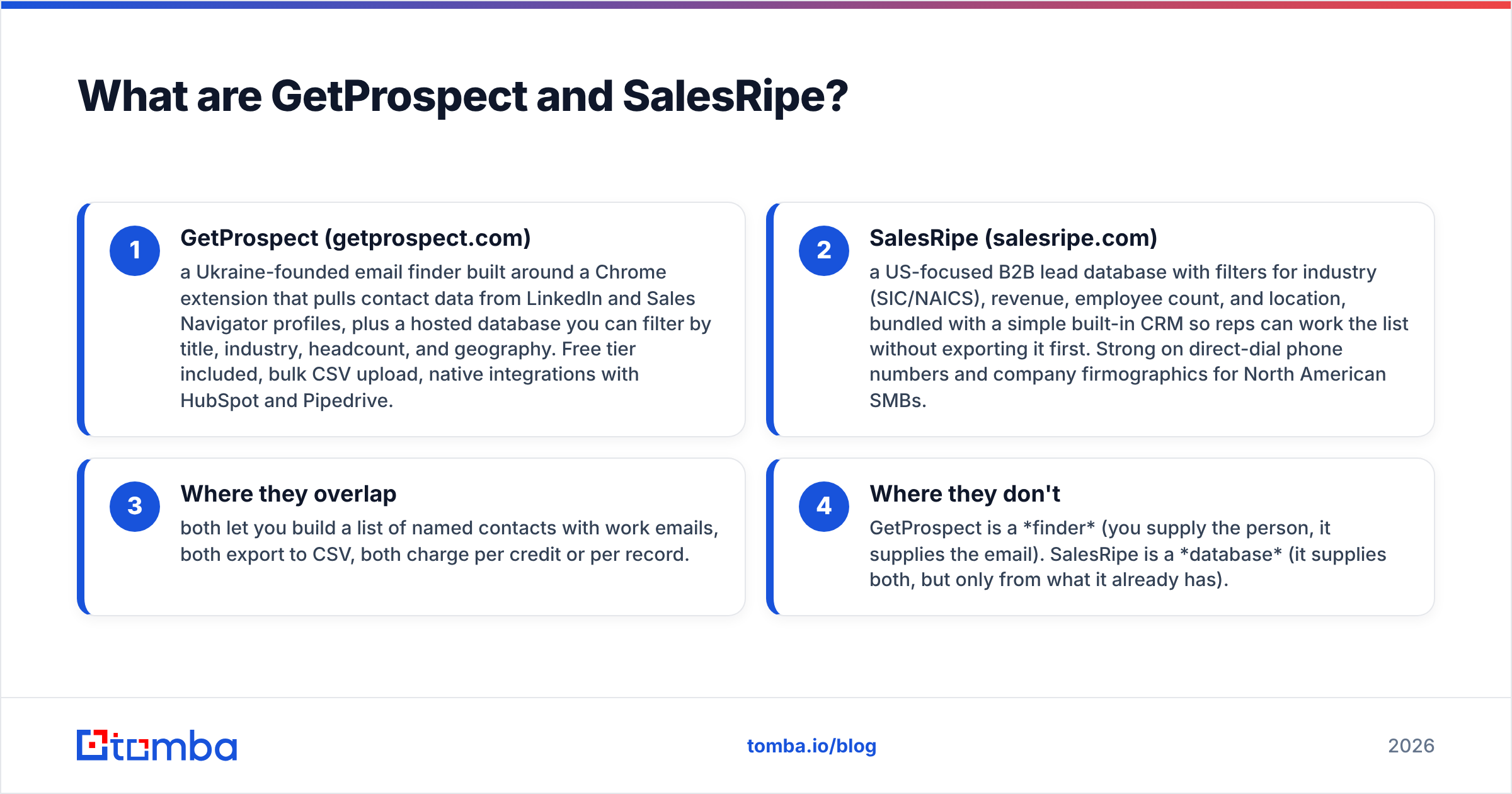
What are GetProspect and SalesRipe?#
Both tools sell contact data. They just disagree about where prospecting starts.
- GetProspect (getprospect.com) — a Ukraine-founded email finder. Its Chrome extension pulls contact data from LinkedIn and Sales Navigator profiles. It also hosts a database you can filter by title, industry, headcount, and country. There is a free tier, bulk CSV upload, and native HubSpot and Pipedrive links.
- SalesRipe (salesripe.com) — a US-focused B2B lead database. You filter by industry (SIC/NAICS), revenue, employee count, and location. A simple CRM ships with it, so reps can work the list without exporting first. It is strong on direct-dial phone numbers for North American SMBs.
- Where they overlap — both build lists of named contacts with work emails. Both export to CSV. Both charge per credit or per record.
- Where they don't — GetProspect is a finder. You supply the person, it supplies the email. SalesRipe is a database. It supplies both, but only from what it already holds.
That one difference shapes the rest: coverage, bounce rates, pricing, and team fit.

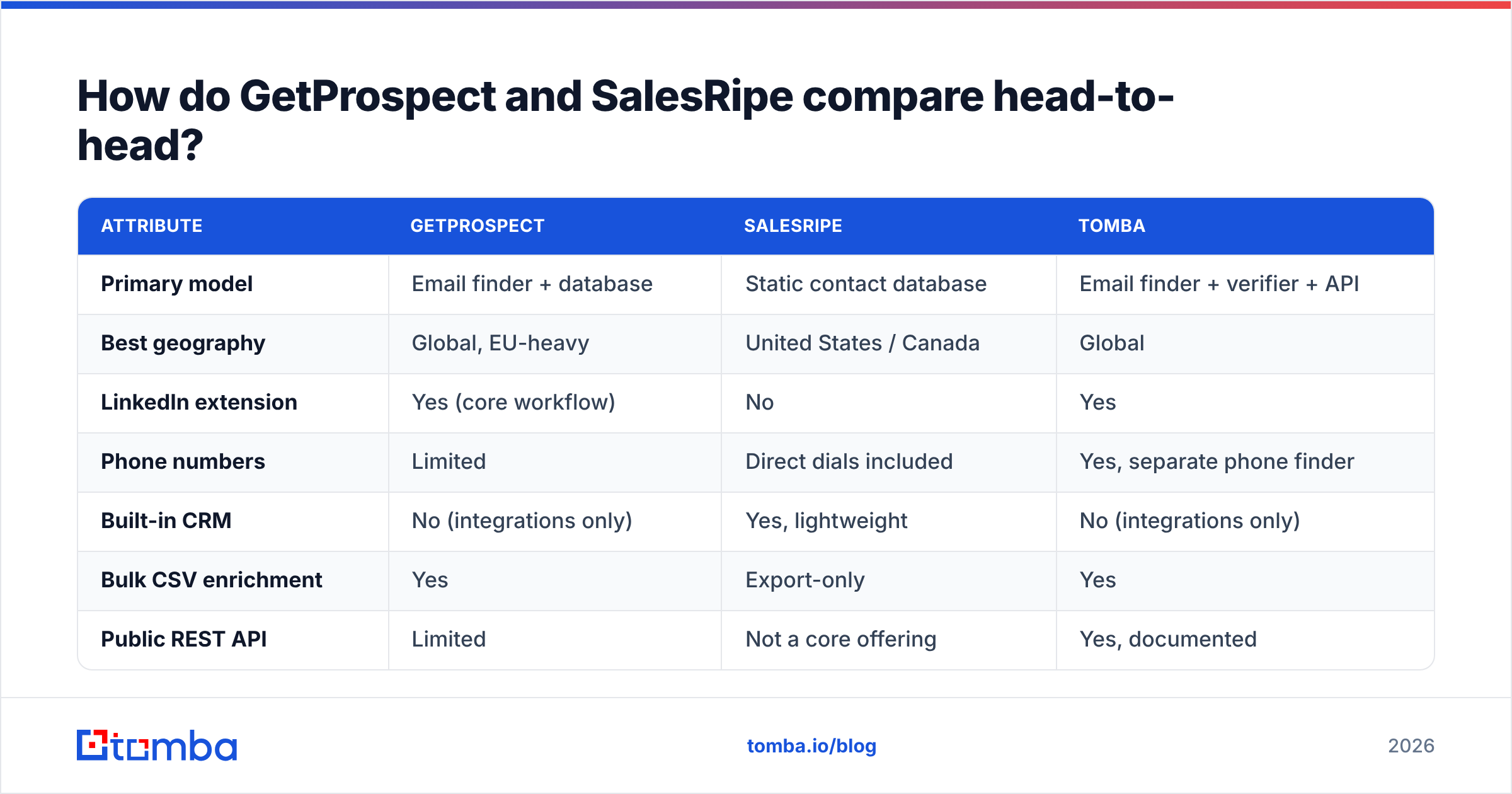
GetProspect vs SalesRipe: how do they compare head-to-head?#
| Attribute | GetProspect | SalesRipe | Tomba |
|---|---|---|---|
| Primary model | Email finder + database | Static contact database | Email finder + verifier + API |
| Best geography | Global, EU-heavy | United States / Canada | Global |
| LinkedIn extension | Yes (core workflow) | No | Yes |
| Phone numbers | Limited | Direct dials included | Yes, separate phone finder |
| Built-in CRM | No (integrations only) | Yes, lightweight | No (integrations only) |
| Bulk CSV enrichment | Yes | Export-only | Yes |
| Public REST API | Limited | Not a core offering | Yes, documented |
| Free tier | Yes (limited credits) | Trial-based | 25 searches/mo |
| Entry paid plan | ~$49/mo range | ~$49–$99/mo range | $49/mo Starter |
| Catch-all handling | Marked, not resolved | Not surfaced | Dedicated catch-all verifier |
Pricing on both vendors moves. Treat the numbers above as a rough guide. Confirm them on the live pricing pages before you buy. That holds for every tool in this category, including Tomba pricing.
Which one has better data coverage?#
It depends on who you sell to. That is the least satisfying answer, and the most honest one.
SalesRipe wins on US SMB breadth. Say your ICP is a 20-person HVAC contractor in Ohio. Or a regional insurance broker. SalesRipe covers a long tail that LinkedIn-based tools miss, because those buyers barely use LinkedIn. Records also carry phone numbers. That matters when email alone won't reach a plumbing-supply owner.
GetProspect wins on tech, SaaS, and EU coverage. Anyone active on LinkedIn is reachable. The extension reads live profile data, so records go stale more slowly than in a database that refreshes on its own clock. Targeting a VP of Engineering at a Series B firm in Berlin? GetProspect finds them. SalesRipe often has no record at all.
Each tool fails in a different way:
- GetProspect fails quietly on people who are not on LinkedIn. No profile, no lookup. Founders in older industries, ops managers at factories, and most public-sector contacts slip through.
- SalesRipe fails quietly on stale records. A static database ages. A contact scraped 18 months ago may have moved twice. The row still looks confident in your CSV.
Both failures cost you the same thing. Bounces, spam complaints, and a sending domain that slowly rots.
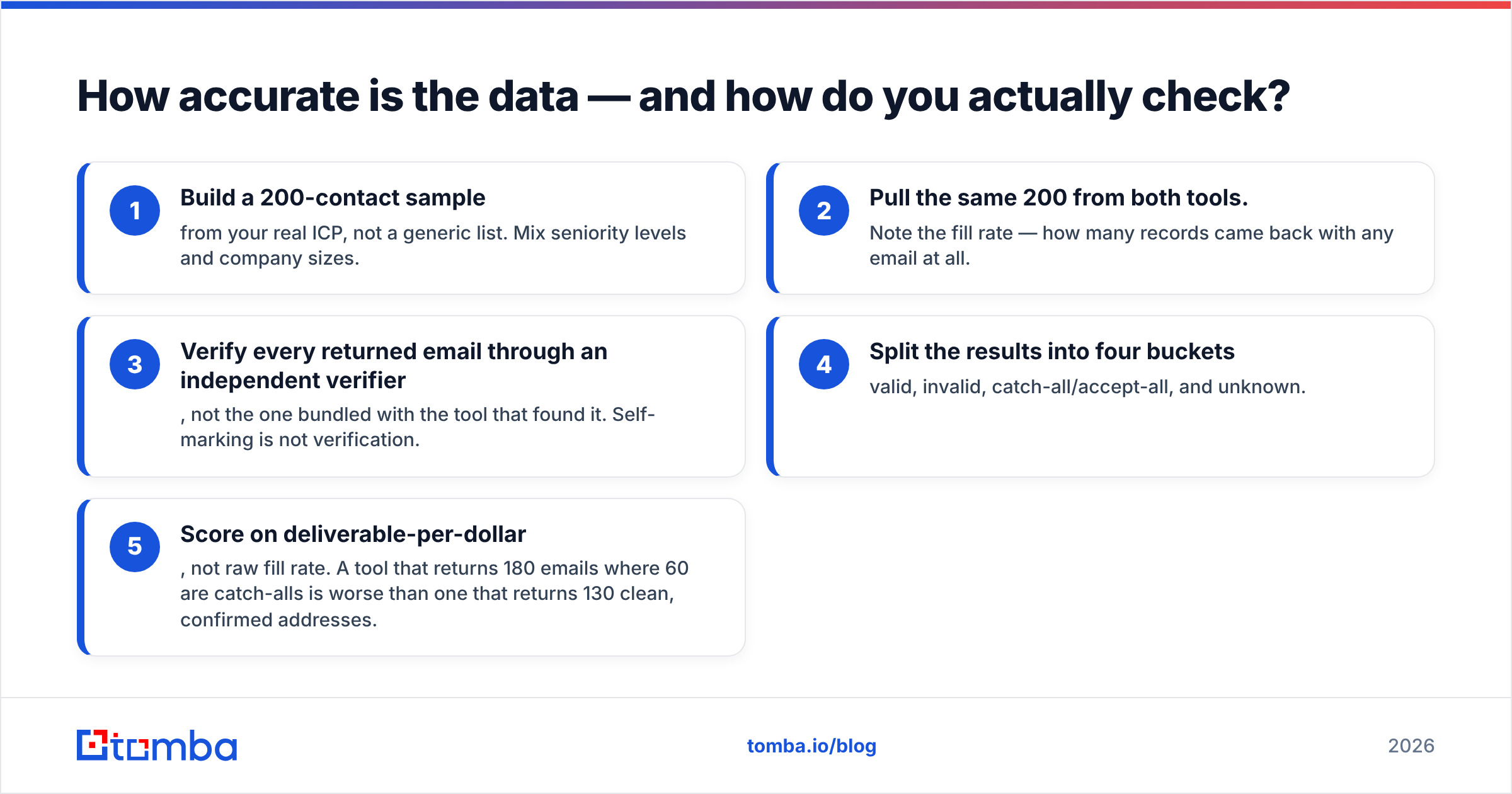
How accurate is the data — and how do you check?#
Ignore both vendors' marketing numbers. Run your own test. It takes an afternoon.
- Build a 200-contact sample from your real ICP, not a generic list. Mix job levels and company sizes.
- Pull the same 200 from both tools. Note the fill rate — how many rows came back with any email at all.
- Verify every email through a separate verifier. Not the one bundled with the tool that found it. Self-marking is not verification.
- Sort the results into four buckets: valid, invalid, catch-all, and unknown.
- Score on deliverable-per-dollar, not raw fill rate. A tool that returns 180 emails with 60 catch-alls is worse than one that returns 130 clean ones.
Step 3 is where most tests go wrong. A finder that grades its own homework always reports high accuracy. It counts "the address looks right and the domain accepts mail" as a win. Run the list through a separate email verifier instead. You get a number you can defend in a QBR.
Catch-all domains need their own line item. Some domains accept every message sent to them. Standard SMTP checks cannot tell a real mailbox from a typo there. That is why a catch-all verifier is a separate step, not a checkbox inside a generic flow. Neither tool resolves catch-alls in a way that changes your send decision. They flag them and hand the risk back to you.
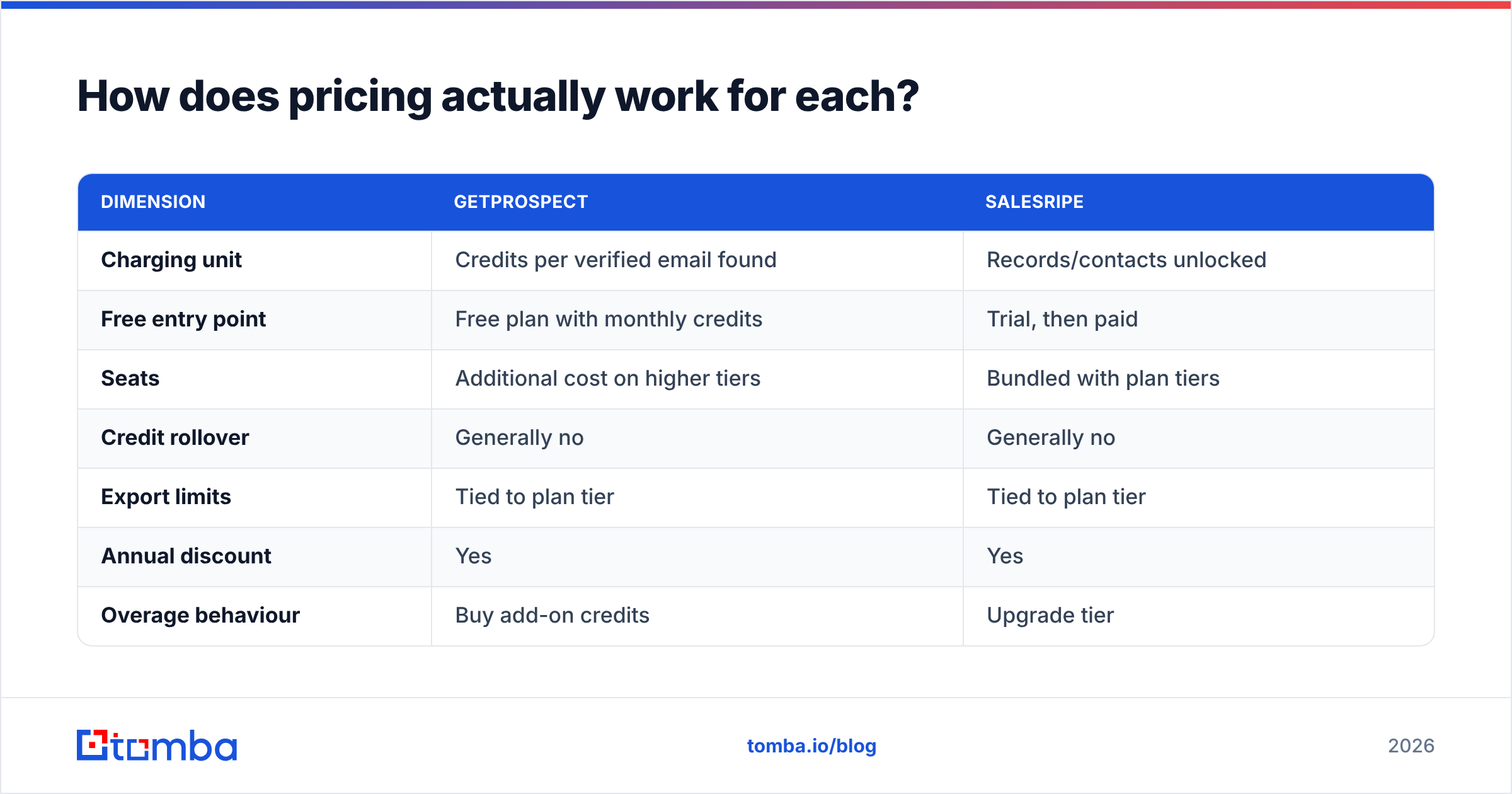
How does pricing actually work for each?#
| Dimension | GetProspect | SalesRipe |
|---|---|---|
| Charging unit | Credits per verified email found | Records/contacts unlocked |
| Free entry point | Free plan with monthly credits | Trial, then paid |
| Seats | Additional cost on higher tiers | Bundled with plan tiers |
| Credit rollover | Generally no | Generally no |
| Export limits | Tied to plan tier | Tied to plan tier |
| Annual discount | Yes | Yes |
| Overage behaviour | Buy add-on credits | Upgrade tier |
Two cost traps show up again and again in G2 reviews for this category. Both apply here.
Trap one: credits burned on failures. Some vendors charge for a lookup that returns nothing, or returns a catch-all. Read the fine print. On a 5,000-contact month with a 30% miss rate, that is 1,500 credits you paid for and cannot send to.
Trap two: seat-based pricing on a data product. If your data spend grows with headcount instead of volume, a growing SDR team gets costly fast. Total lookups may not move at all. Database tools with bundled CRMs lean this way, because the CRM is what they price per seat.
For comparison, Tomba prices by volume: Free (25 searches/mo), Starter $49/mo, Growth $99/mo, Pro $249/mo, and custom Enterprise. That is easier to model against a quota. You get no CRM in the box, though. You push data into whatever you already use through integrations or the Tomba API.
Which tool fits which workflow?#
Choose GetProspect if:
- Your reps already live in LinkedIn Sales Navigator and build lists from saved searches.
- You sell to tech, SaaS, agencies, or EU mid-market firms.
- You want a browser extension as the main interface, not a database UI.
- You need a free tier to test before you commit budget.
Choose SalesRipe if:
- Your ICP is US SMB. Think trades, local services, healthcare practices, or regional manufacturing.
- You want phone numbers next to emails, and your motion includes cold calling.
- Your team has no CRM yet, so a light bundled one is genuinely useful.
- You'd rather filter a database than hunt profile by profile.
Choose neither if:
- You need enrichment inside your own product or a real-time flow. That is an API problem, and both tools treat the API as an afterthought.
- Your main need is deliverability confidence, not raw record count.
- You are enriching a 50,000-row CRM export and need a bulk email finder with predictable per-record pricing.

What do real users complain about?#
Patterns worth knowing before you sign anything. These come from public review sites like G2 and Capterra, not from vendor case studies.
On LinkedIn-based finders: extensions break after LinkedIn ships UI changes. Rate limits throttle bulk sessions. And account-safety worry is constant. LinkedIn's terms restrict automated data collection, so any extension carries some risk. Read LinkedIn's user agreement yourself rather than trusting a vendor's reassurance.
On static B2B databases: stale records, patchy coverage outside the core country, and refund friction when a list flops. Ask how often the data refreshes. Ask whether you get credits back for invalid records. A vendor who won't answer that in writing is telling you something.
On both: support quality swings by plan tier. Low-cost tiers often mean email-only support and multi-day waits. If outbound drives your revenue, budget for the higher tier or accept the delay.
The category has matured, to be fair. Peers like BookYourData pushed the market toward clearer accuracy claims and cleaner refund terms. Buyers win either way.
Is there a third option worth evaluating?#
Yes. And the honest framing is that it is a different shape of tool, not a straight upgrade.
Tomba sits closer to GetProspect than SalesRipe. It is an email finder with verification, domain search, catch-all handling, phone lookup, and enrichment on top. What it adds is an API-first build: REST endpoints, a CLI, an MCP server, plus Sheets and Excel add-ins. The same data path works whether a rep clicks a Chrome extension or your backend enriches a signup form at 3am.
What it does not give you is SalesRipe's bundled CRM or its deep US small-business coverage. If your whole motion is calling regional contractors from a filtered list, SalesRipe fits better. No amount of API polish changes that.
Most outbound teams in 2026 need two layers, not one. First, a sourcing layer that matches your ICP's geography and industry. Second, a verification layer you control that gates everything before it reaches your sequencer. Buying one tool that claims to do both well is how teams end up with a 12% bounce rate and a burned domain.
Which should you pick in 2026?#
Short version: the GetProspect vs SalesRipe choice comes down to your ICP. Pick GetProspect for global, LinkedIn-led, tech-adjacent prospecting. Pick SalesRipe for US SMB lists where phone matters as much as email. Run the 200-contact test above before you commit. Anyone who names a universal winner is selling something.
Then add a verification step you control, whichever you pick. That one change lifts reply rates more than switching data vendors ever will. It protects the asset that decides whether your email lands: sender reputation.
Is your bottleneck finding accurate work emails at scale, not managing a call list? Start with the Tomba Email Finder. The free tier gives you 25 searches a month. That is enough to run a real head-to-head on your own ICP. Starter is $49/mo when you are ready to scale. Test it against whichever tool you are leaning toward, compare deliverable-per-dollar, and let the bounce rate decide.
Related guides#
Ready to find emails that actually work?
Join 150,000+ professionals who stopped guessing and started sending. Free credits on signup — no credit card required.
Get the Tomba newsletter
Practical outbound tactics and product updates — once every two weeks.
About the author