GetProspect vs Winmo: Which B2B Data Tool Wins in 2026?
GetProspect finds emails at volume. Winmo sells ad-market intelligence. They rarely compete for the same budget — here's the honest breakdown of pricing, coverage, and which one your pipeline actually needs.
TL;DR
- GetProspect and Winmo are not really competitors. GetProspect is a contact-data tool (find and verify work emails at volume). Winmo is a vertical intelligence database for people who sell to advertisers, brands, and agencies.
- If your ICP is "any B2B company," GetProspect-style tooling wins on cost per contact by an order of magnitude.
- If your ICP is "CMOs at brands that spent money on media last quarter," Winmo's ad-spend and agency-relationship data is something no email finder replicates.
- Winmo is quote-only enterprise pricing; GetProspect publishes self-serve tiers starting under $60/month. Budget expectations are wildly different.
- Most teams end up needing both layers: a targeting source and a contact source. That's where a verified email finder like Tomba slots in cheaply alongside whichever intelligence platform you pick.
What are GetProspect and Winmo, exactly?#
They solve two different halves of the same problem.
GetProspect is a B2B email finder and contact database. You give it a domain, a name, or a LinkedIn URL, and it returns a work email address — plus a verification status. It ships a Chrome extension for LinkedIn, a bulk CSV workflow, a filterable contact database, and an API. It is built for volume: SDRs, agencies, and founders who need a few thousand plausible email addresses this week.
Winmo is a sales intelligence platform for the advertising and media ecosystem. It tracks which brands are spending on advertising, which agencies hold which accounts, when those relationships change, and who the decision-makers are on both sides. Its "Winmo Edge" feed pushes predictive alerts — an agency review starting, a CMO departing, a budget shifting. Contact data exists, but it's the byproduct, not the product.
Here is the practical difference, laid out:
- Primary question answered. GetProspect answers "what is this person's email?" Winmo answers "which brands should I be calling this quarter, and who signs off?"
- Universe size. GetProspect indexes tens of millions of general B2B contacts. Winmo indexes a deliberately narrow universe — advertisers, agencies, and the executives inside them.
- Data freshness model. GetProspect refreshes and re-verifies emails; Winmo tracks events (account moves, spend shifts, personnel changes) as its core signal.
- Buyer profile. GetProspect is bought by SDR teams, recruiters, and lead-gen agencies. Winmo is bought by media sellers, ad-tech vendors, sponsorship teams, and agency new-business leads.
- Pricing model. GetProspect is self-serve and credit-based. Winmo is an annual contract negotiated with sales.
- Failure mode. GetProspect's failure mode is bounced or catch-all emails. Winmo's failure mode is paying enterprise money for a universe that doesn't match your ICP.
If you read only that list, you already know the answer for most teams. The rest of this post is about the edge cases where it gets genuinely close.
How do GetProspect and Winmo compare head-to-head?#
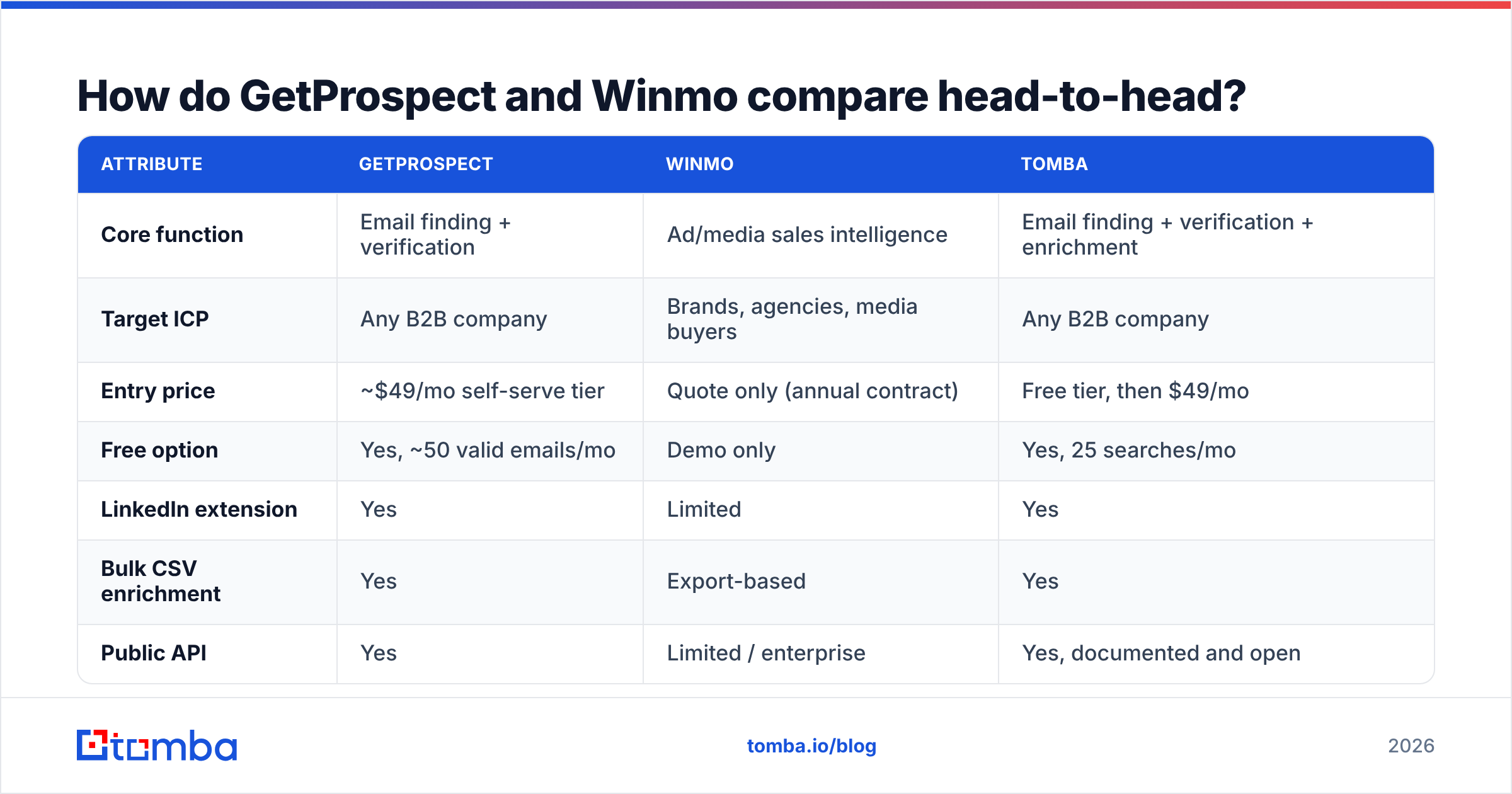
| Attribute | GetProspect | Winmo | Tomba |
|---|---|---|---|
| Core function | Email finding + verification | Ad/media sales intelligence | Email finding + verification + enrichment |
| Target ICP | Any B2B company | Brands, agencies, media buyers | Any B2B company |
| Entry price | ~$49/mo self-serve tier | Quote only (annual contract) | Free tier, then $49/mo |
| Free option | Yes, ~50 valid emails/mo | Demo only | Yes, 25 searches/mo |
| LinkedIn extension | Yes | Limited | Yes |
| Bulk CSV enrichment | Yes | Export-based | Yes |
| Public API | Yes | Limited / enterprise | Yes, documented and open |
| Ad-spend intelligence | No | Yes — core strength | No |
| Agency-brand relationship map | No | Yes | No |
| Predictive buying alerts | No | Yes (Winmo Edge) | No |
| Catch-all domain handling | Basic | Not applicable | Dedicated catch-all verifier |
| Phone numbers | Limited | Yes | Yes |
| Best for | Volume outbound | Media/ad vertical selling | Verified contact data at API scale |
Prices and feature sets move. Treat the table as a shape, not a contract — check each vendor's current page before you sign anything, including Tomba pricing.
Which one has better data coverage?#
Wrong question — they cover different universes, so "better" depends on whose list you need.
Ask it this way instead: what percentage of my target account list can each tool return a usable contact for?
Run the test yourself. Take 100 accounts you actually want to close. Push them through both trials. Count three numbers:
- Match rate — how many accounts returned at least one contact in the right department.
- Deliverability — of the emails returned, how many survive verification with a real SMTP check rather than a syntax check.
- Role accuracy — how many of the matched contacts still hold the title the tool claims.
In our experience running this test across mid-market SaaS lists, general-purpose email finders land somewhere in the 60–80% match band on well-known domains and fall off sharply on small companies with no web footprint. Vertical databases like Winmo behave the opposite way: near-total coverage inside their niche, near-zero outside it. If half your target accounts are manufacturers, logistics firms, or clinics, Winmo will simply not have them — and that is by design, not a defect.
The number that burns budgets is deliverability. A tool reporting a "found" email is not the same as a tool reporting a verified one. Anything that returns a guessed permutation without an SMTP-level check will quietly inflate your match rate and then hand you a 10–15% bounce rate three weeks later, right when your domain reputation matters most. Run every list through an email verifier before it touches your sequencer, regardless of which vendor sourced it. Catch-all domains deserve their own step — a catch-all verifier will tell you whether the server accepts everything or actually resolves the mailbox.
What does each one actually cost?#
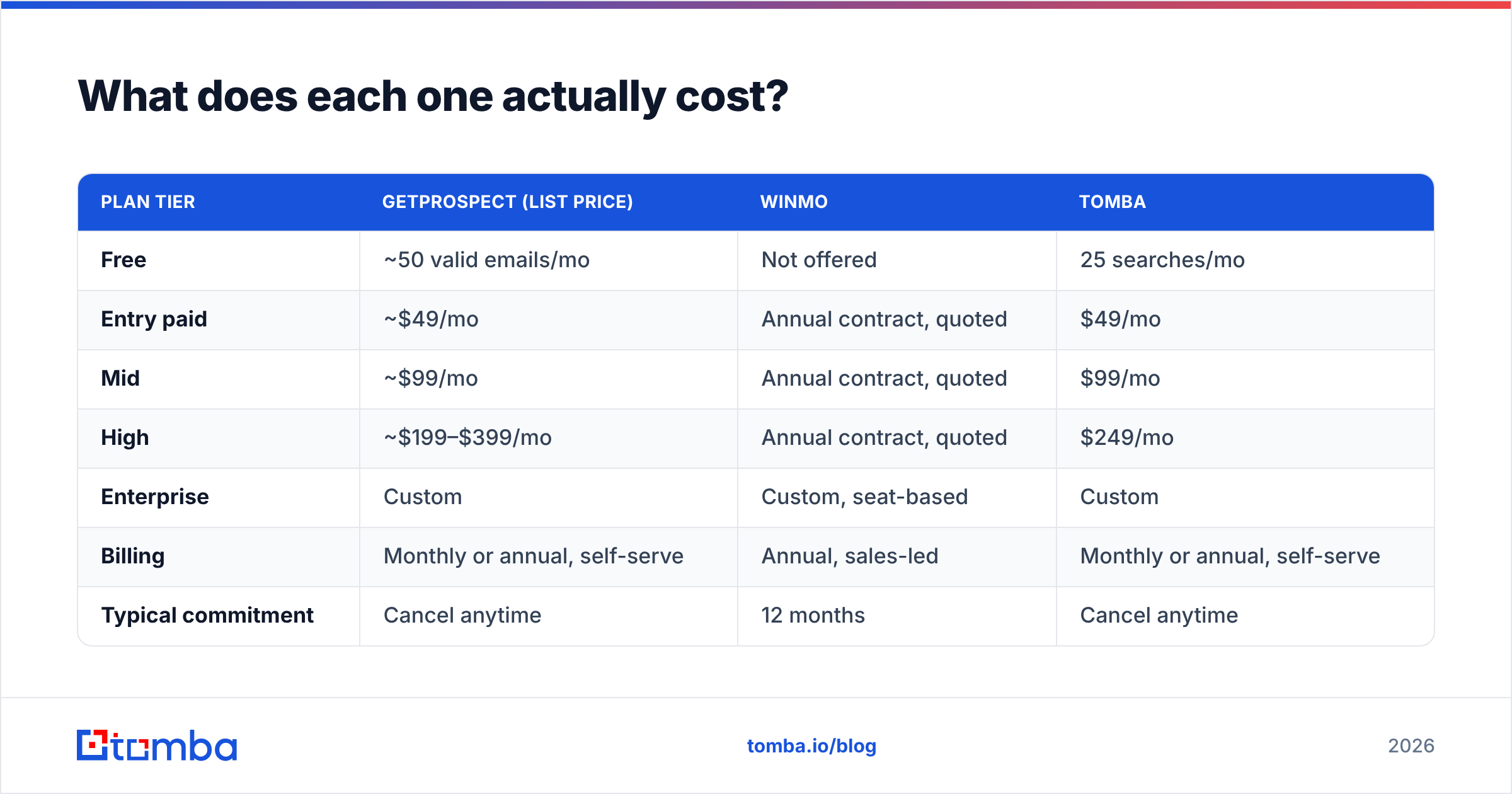
| Plan tier | GetProspect (list price) | Winmo | Tomba |
|---|---|---|---|
| Free | ~50 valid emails/mo | Not offered | 25 searches/mo |
| Entry paid | ~$49/mo | Annual contract, quoted | $49/mo |
| Mid | ~$99/mo | Annual contract, quoted | $99/mo |
| High | ~$199–$399/mo | Annual contract, quoted | $249/mo |
| Enterprise | Custom | Custom, seat-based | Custom |
| Billing | Monthly or annual, self-serve | Annual, sales-led | Monthly or annual, self-serve |
| Typical commitment | Cancel anytime | 12 months | Cancel anytime |
Winmo does not publish pricing. Public reviews on G2 and buyer chatter consistently place it in the four-to-five-figure annual range depending on seats and modules — normal for vertical intelligence platforms, and not unreasonable if you sell six-figure media packages. But it is not a tool you trial casually on a Tuesday afternoon.
That asymmetry drives the real decision. GetProspect's downside risk is one month's subscription. Winmo's downside risk is a year of budget plus the internal political cost of a platform nobody logs into. Scale your evaluation rigour accordingly: for the self-serve tool, just run the trial; for the enterprise tool, insist on a sample export against your account list before signing, not a curated demo.
Who should choose Winmo?#
Choose Winmo when the targeting problem is harder than the contact problem.
That's true if you:
- Sell media, sponsorship, or ad tech. Knowing that a brand just moved its media buying to a new agency is worth more than knowing the CMO's email format.
- Need spend context to qualify. Winmo's estimates of category and channel spend let you disqualify accounts before an SDR wastes a week.
- Work agency-side new business. Mapping which holding company controls which account, and when the contract is up for review, is genuinely hard to assemble manually.
- Sell on timing signals. Predictive alerts about leadership changes and account reviews create a reason to reach out that a generic list never will.
If none of those describe you, the vertical premium is money you're lighting on fire. A general B2B intelligence stack plus a cheap B2B database will cover you.
Who should choose GetProspect?#
Choose GetProspect when volume and cost per contact dominate.
That's true if you run high-throughput outbound across many verticals, you build lists from LinkedIn searches, you need a Chrome extension your reps will actually adopt, or you want to enrich a CRM export tonight without a procurement cycle. The Chrome extension and LinkedIn workflow are the genuine draw — it turns a Sales Navigator search into a contact list in a few clicks, which is exactly what most SDR teams want.
The honest caveats, which apply to nearly every tool in this class: credit consumption is easy to blow through when bulk jobs run against messy domains, verification depth varies by plan, and the "database" browse experience is thinner than what an enterprise platform gives you. None of that is disqualifying at $49/month. It just means you should verify before you send.
Where does Tomba fit in the GetProspect vs Winmo debate?#
Tomba plays in GetProspect's lane, not Winmo's — with a heavier bias toward verification and API-first workflows.
The distinction that matters: Tomba treats finding and verifying as one pipeline rather than two upsells. The email finder returns a confidence score and a verification state on the same call, and domain search pulls every discoverable address on a company domain with the detected pattern attached — useful when you need to reach three people at one account rather than one person at three hundred.
Where it tends to win against similar tools:
- Verification is not a separate purchase. Find, verify, and catch-all-check run inside the same credit pool.
- The API is the product, not an enterprise add-on. The Tomba API is documented and available on paid tiers, with a CLI and MCP server for teams that automate everything.
- Bulk without a sales call. Bulk email finder jobs run self-serve; you don't negotiate an annual contract to process 5,000 rows.
- Free tier for real evaluation. 25 searches a month is enough to test format detection on your own accounts before spending anything.
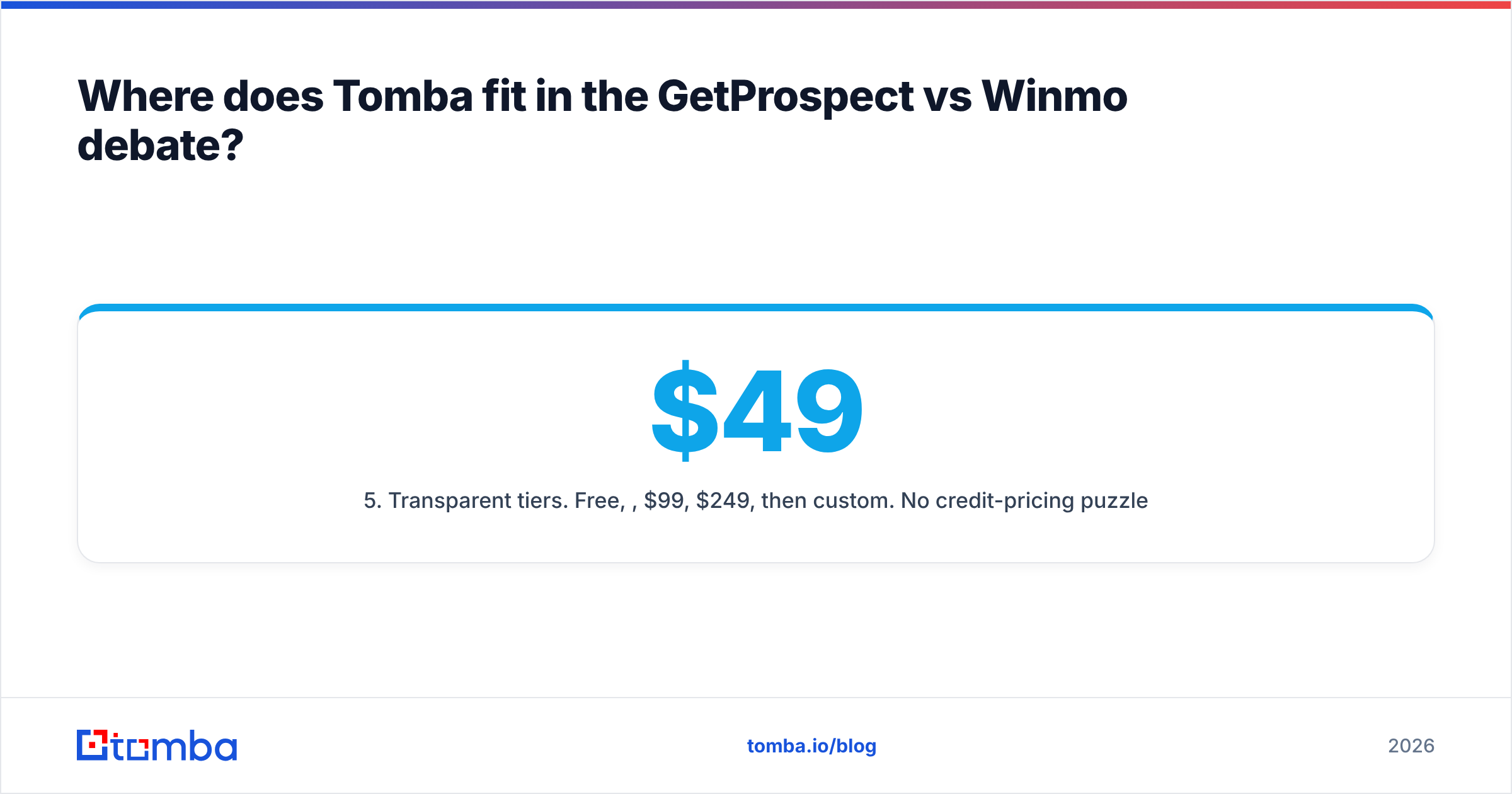
- Transparent tiers. Free, $49, $99, $249, then custom. No credit-pricing puzzle.
Where it does not compete: Tomba has no ad-spend data, no agency-brand relationship graph, and no predictive account-review alerts. If those are why you're evaluating Winmo, Tomba doesn't replace it — it sits underneath it and makes the contacts you export actually deliverable.
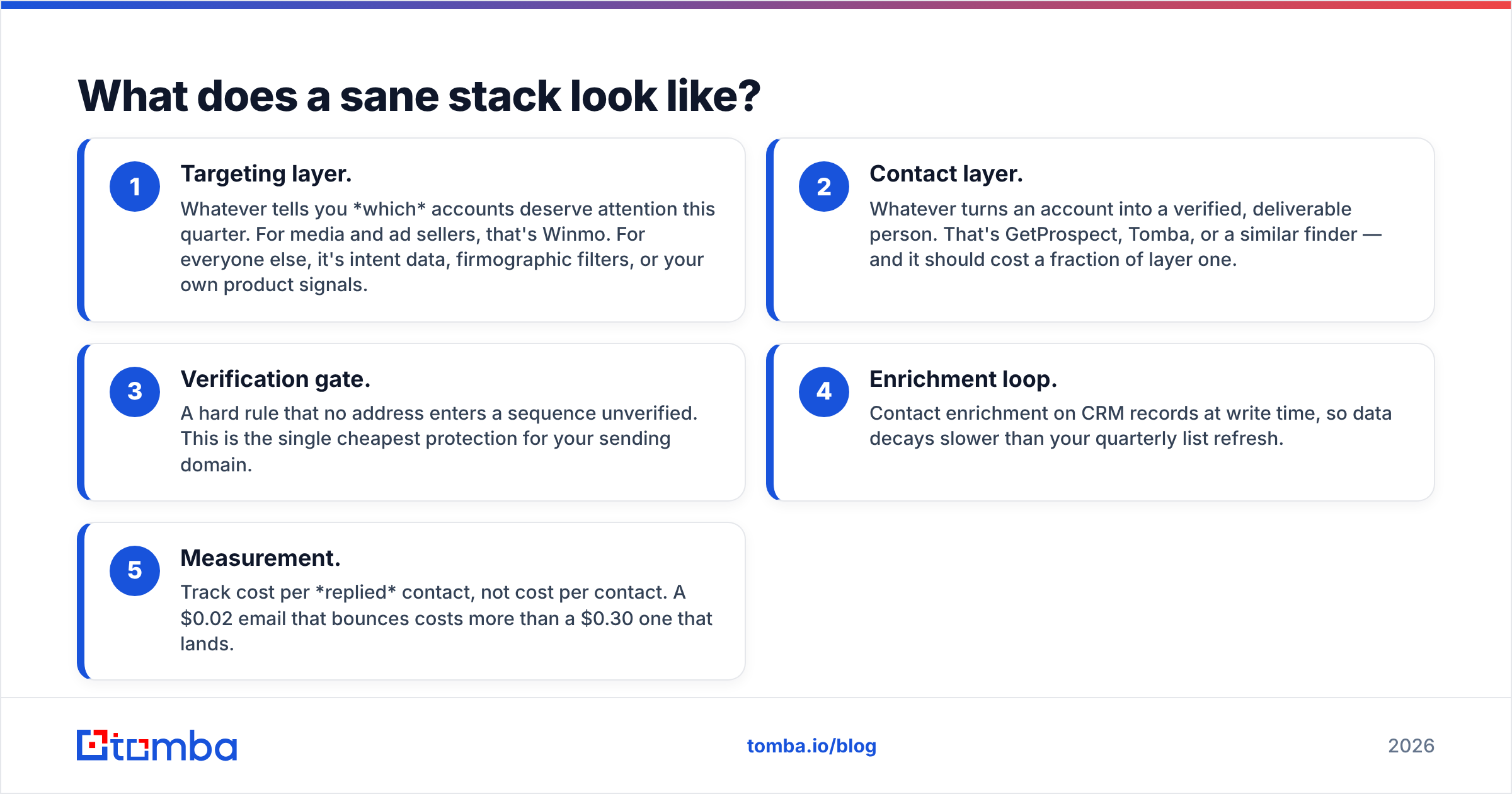
What does a sane stack look like?#
Most teams that get this right run two layers, not one.
- Targeting layer. Whatever tells you which accounts deserve attention this quarter. For media and ad sellers, that's Winmo. For everyone else, it's intent data, firmographic filters, or your own product signals.
- Contact layer. Whatever turns an account into a verified, deliverable person. That's GetProspect, Tomba, or a similar finder — and it should cost a fraction of layer one.
- Verification gate. A hard rule that no address enters a sequence unverified. This is the single cheapest protection for your sending domain.
- Enrichment loop. Contact enrichment on CRM records at write time, so data decays slower than your quarterly list refresh.
- Measurement. Track cost per replied contact, not cost per contact. A $0.02 email that bounces costs more than a $0.30 one that lands.
Teams that collapse those layers into one vendor usually end up overpaying for coverage they don't use, or underpaying and eating a deliverability problem. Neither is fun to explain in a QBR.
So which one wins?#
For most B2B teams: GetProspect wins, because you don't have an ad-market targeting problem, and paying enterprise money to solve a problem you don't have is the most common mistake in this category.
For media, sponsorship, ad-tech, and agency new-business teams: Winmo wins the targeting layer outright, and nothing in the email-finder category comes close to replicating its spend and relationship data. But it should not be your only contact source — pair it with a cheap verification layer.
The comparison that actually saves you money isn't GetProspect versus Winmo. It's targeting versus contact data, and recognising that you're probably shopping for both while budgeting for one.
Before you commit to an annual contract on either, run the 100-account test described above. Take your real target list, push it through the free tiers, and count match rate and bounce rate yourself. Vendor-reported accuracy figures are marketing; your list is the only benchmark that matters.
Start with the contact layer. The Tomba Email Finder gives you 25 free searches a month — enough to test format detection and verification depth against your own accounts before any money changes hands. If the match rate holds, plans start at $49/month with the API, bulk processing, and catch-all verification included rather than bolted on. Run it against the same 100 accounts you're testing GetProspect and Winmo with, and let the bounce rate decide.
Related guides#
Ready to find emails that actually work?
Join 150,000+ professionals who stopped guessing and started sending. Free credits on signup — no credit card required.
Get the Tomba newsletter
Practical outbound tactics and product updates — once every two weeks.
About the author