Gigasheet vs Wiza 2026: Which Tool Fits Your Workflow?
Gigasheet handles million-row files in a browser. Wiza turns LinkedIn searches into verified contact lists. They get compared constantly, but they solve different halves of the same problem — here's how to pick.
TL;DR
- Gigasheet is a browser-based spreadsheet for huge files. It opens millions of rows without Excel choking, then lets you filter, group, dedupe, and enrich. It is not a prospecting tool.
- Wiza is a LinkedIn-first contact exporter. It turns a Sales Navigator or LinkedIn search into a list of names, emails, and phone numbers, with verification baked into the export.
- They are not really substitutes. Gigasheet is where lists go to get cleaned; Wiza is where lists come from. Teams that "choose one" usually end up rebuying the other within a quarter.
- Cost profile differs sharply. Gigasheet charges for compute and seats; Wiza charges per credit, and credits burn fast on wide exports where many rows return nothing usable.
- If your actual problem is "I need verified work emails at scale," neither is the cheapest path. A dedicated finder-plus-verifier API — Tomba starts at $49/mo with a free tier — usually beats both on cost per usable contact.
What is Gigasheet, actually?#
Gigasheet is a spreadsheet that runs in your browser and does not fall over when you hand it a 40-million-row CSV. That is the whole pitch, and it is a good one. If you have ever watched Excel spin for six minutes on a 900,000-row export, you understand the market it serves.
The interface is deliberately spreadsheet-shaped: columns, filters, sorts, group-bys, pivot-style summaries. Under the hood it is a columnar data engine, so the operations that kill Excel — deduping a million rows, joining two large files, filtering on a text column across tens of millions of records — complete in seconds rather than never.
For go-to-market teams, the common jobs are:
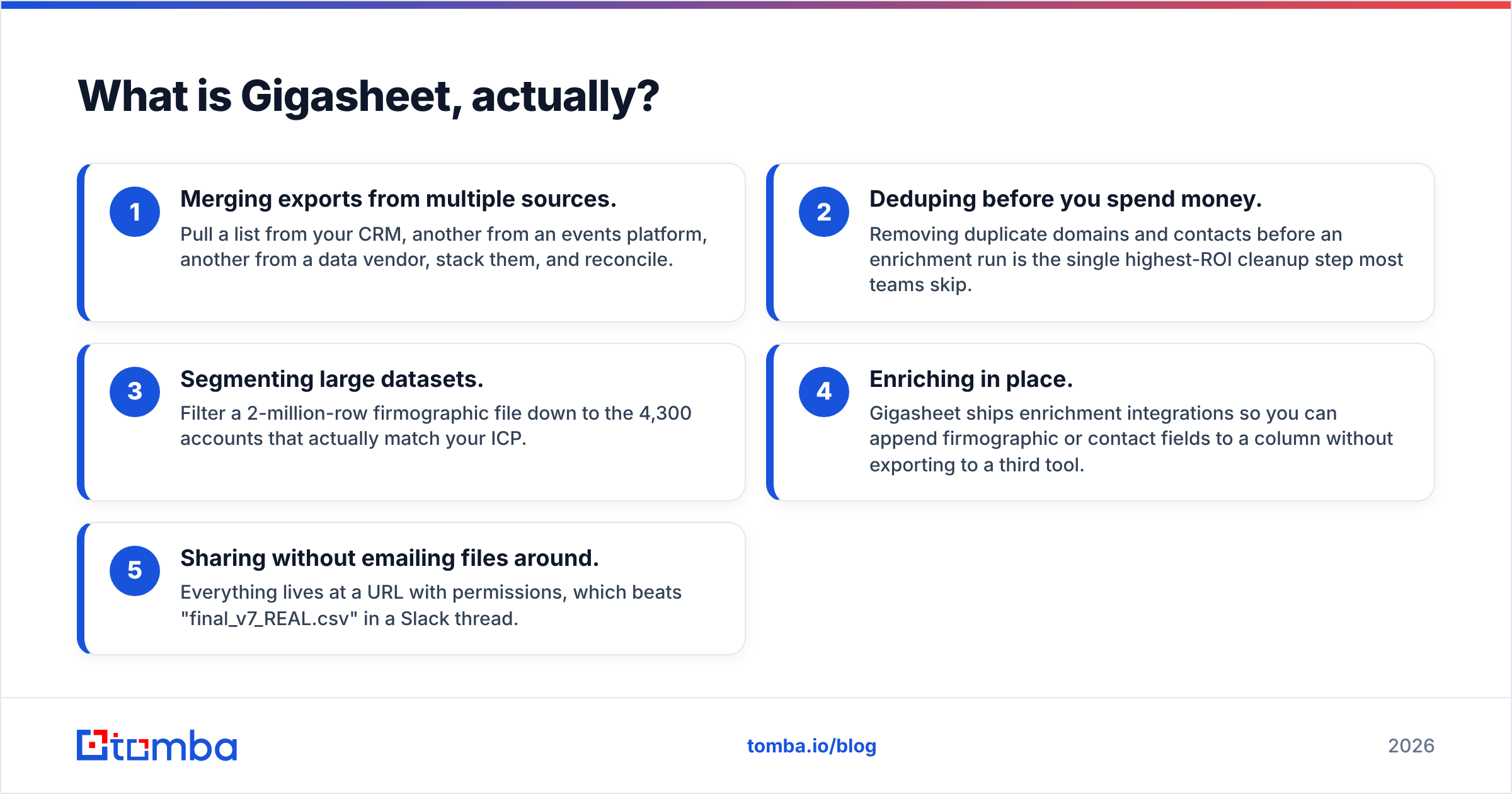
- Merging exports from multiple sources. Pull a list from your CRM, another from an events platform, another from a data vendor, stack them, and reconcile.
- Deduping before you spend money. Removing duplicate domains and contacts before an enrichment run is the single highest-ROI cleanup step most teams skip.
- Segmenting large datasets. Filter a 2-million-row firmographic file down to the 4,300 accounts that actually match your ICP.
- Enriching in place. Gigasheet ships enrichment integrations so you can append firmographic or contact fields to a column without exporting to a third tool.
- Sharing without emailing files around. Everything lives at a URL with permissions, which beats "final_v7_REAL.csv" in a Slack thread.
What Gigasheet does not do is generate leads. It has no prospecting database of its own that competes with a purpose-built B2B contact provider, and it does not scrape LinkedIn. You bring the data.

What is Wiza, and who is it for?#
Wiza sits at the opposite end of the pipeline. You run a search in LinkedIn or Sales Navigator, hand Wiza the search URL (or use the Chrome extension), and it returns a structured list: full name, title, company, LinkedIn URL, work email, sometimes a mobile number. Emails are verified during the export, so the file you download is supposed to be sendable rather than speculative.
The value is speed of list-building. A Sales Navigator search that would take an SDR two days to transcribe by hand becomes a five-minute export. Wiza also pushes into CRMs and sequencers, so the list can go straight into an outbound motion.
The trade-offs are real and worth naming:
- You are bounded by LinkedIn. If your ICP does not maintain LinkedIn profiles — trades, manufacturing, local services, much of APAC and EMEA mid-market — coverage drops hard.
- Credits are consumed on attempts, not just wins. How this shakes out depends on your plan and your search, but wide exports across low-coverage industries are where budgets evaporate.
- Verification is not the same as deliverability. A syntactically valid, SMTP-reachable mailbox on a catch-all domain still bounces or lands nowhere. You need a catch-all verifier to separate the two.
- Terms-of-service exposure. Any tool that reads LinkedIn at scale carries platform risk. Read Wiza's docs and LinkedIn's terms before you build a team-wide dependency on it.
Is Gigasheet vs Wiza even a fair comparison?#
Only partly — and that is the most useful thing to understand before you buy either.
Think of a restaurant. Wiza is the supplier truck that shows up with crates of produce. Gigasheet is the prep kitchen where you wash, sort, and throw out the bruised half. Arguing about which one you need is like arguing whether a restaurant needs deliveries or a prep station. You need both, and the question is where your current bottleneck sits.
Here is the honest split:
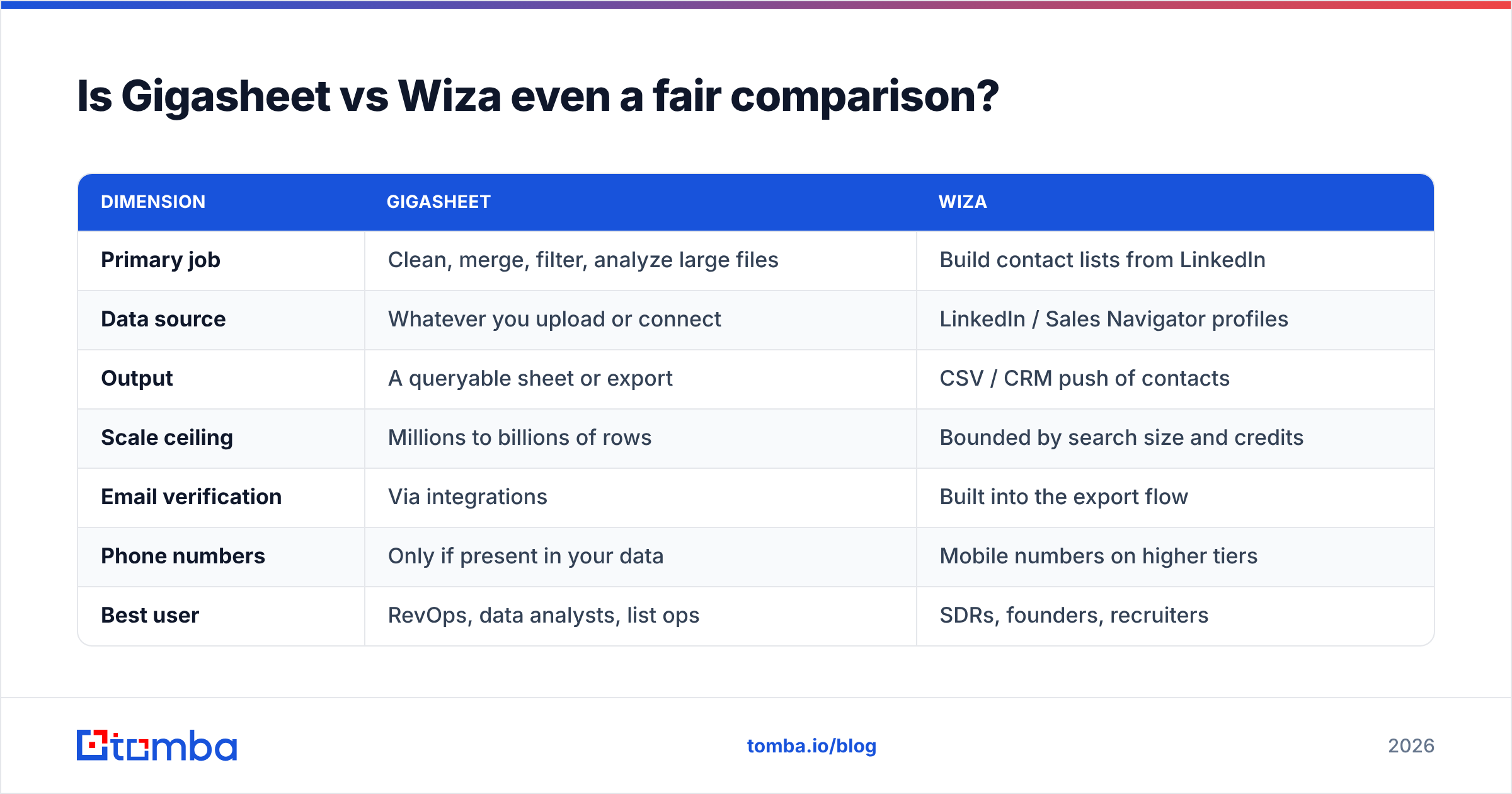
| Dimension | Gigasheet | Wiza |
|---|---|---|
| Primary job | Clean, merge, filter, analyze large files | Build contact lists from LinkedIn |
| Data source | Whatever you upload or connect | LinkedIn / Sales Navigator profiles |
| Output | A queryable sheet or export | CSV / CRM push of contacts |
| Scale ceiling | Millions to billions of rows | Bounded by search size and credits |
| Email verification | Via integrations | Built into the export flow |
| Phone numbers | Only if present in your data | Mobile numbers on higher tiers |
| Best user | RevOps, data analysts, list ops | SDRs, founders, recruiters |
| Learning curve | Low if you know spreadsheets | Very low |
| Wrong reason to buy it | "We need more leads" | "We need to clean our database" |
If your list is dirty, duplicated, and spread across nine files, Gigasheet fixes your week. If your CRM is empty and you need 2,000 named contacts by Friday, Wiza fixes your week. Buying the wrong one costs you a quarter.
How do the pricing models compare?#
The two vendors price on different axes, which makes headline numbers misleading. Gigasheet bills around seats and data capacity; Wiza bills around credits. Always confirm current numbers on the vendors' own pricing pages before you commit — plans move.
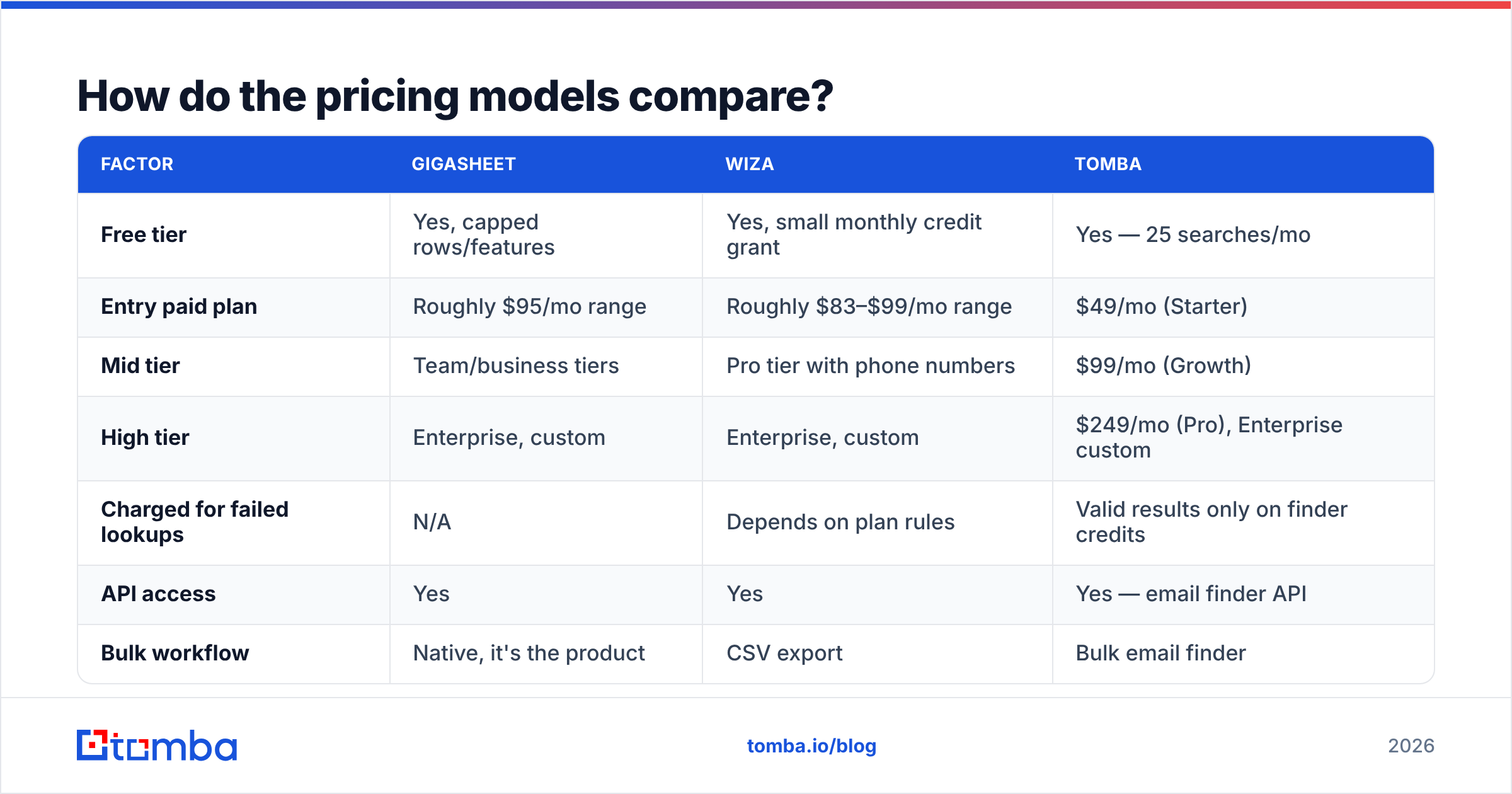
| Factor | Gigasheet | Wiza | Tomba |
|---|---|---|---|
| Free tier | Yes, capped rows/features | Yes, small monthly credit grant | Yes — 25 searches/mo |
| Entry paid plan | Roughly $95/mo range | Roughly $83–$99/mo range | $49/mo (Starter) |
| Mid tier | Team/business tiers | Pro tier with phone numbers | $99/mo (Growth) |
| High tier | Enterprise, custom | Enterprise, custom | $249/mo (Pro), Enterprise custom |
| Charged for failed lookups | N/A | Depends on plan rules | Valid results only on finder credits |
| API access | Yes | Yes | Yes — email finder API |
| Bulk workflow | Native, it's the product | CSV export | Bulk email finder |
The number that matters is not monthly price. It is cost per contact you can actually email. A $99 plan that returns 600 usable contacts beats a $49 plan that returns 180. Run both against the same 200-row control list of accounts you already know before you sign anything annual. Vendor-reported match rates are marketing; your own control list is evidence.
Which one gives you better contact data?#
Wiza wins this outright, because Gigasheet is not in the contest. Gigasheet enriches through partners; the underlying match quality belongs to whichever provider you connect.
But "better than a tool that doesn't do it" is a low bar, so here is the sharper question: is LinkedIn-derived extraction the best way to get work emails in 2026?
For some segments, yes. Software, agencies, VC-backed startups, recruiting — LinkedIn density is high and profiles are current. For everything else, LinkedIn-first sourcing has a structural problem: it can only find people who have chosen to be findable there, and it inherits whatever staleness sits in a profile someone last touched in 2021.
Domain-first sourcing works the other way around. You start from a company domain, resolve the email pattern, and generate plus verify candidate addresses for named people. That path does not care whether someone maintains a LinkedIn presence. It is how domain search and a proper email verifier fill the gaps a LinkedIn scraper structurally cannot.
In practice, strong teams run both and treat the overlap as a confidence signal: a contact found by two independent methods is worth more than one found twice by the same method.

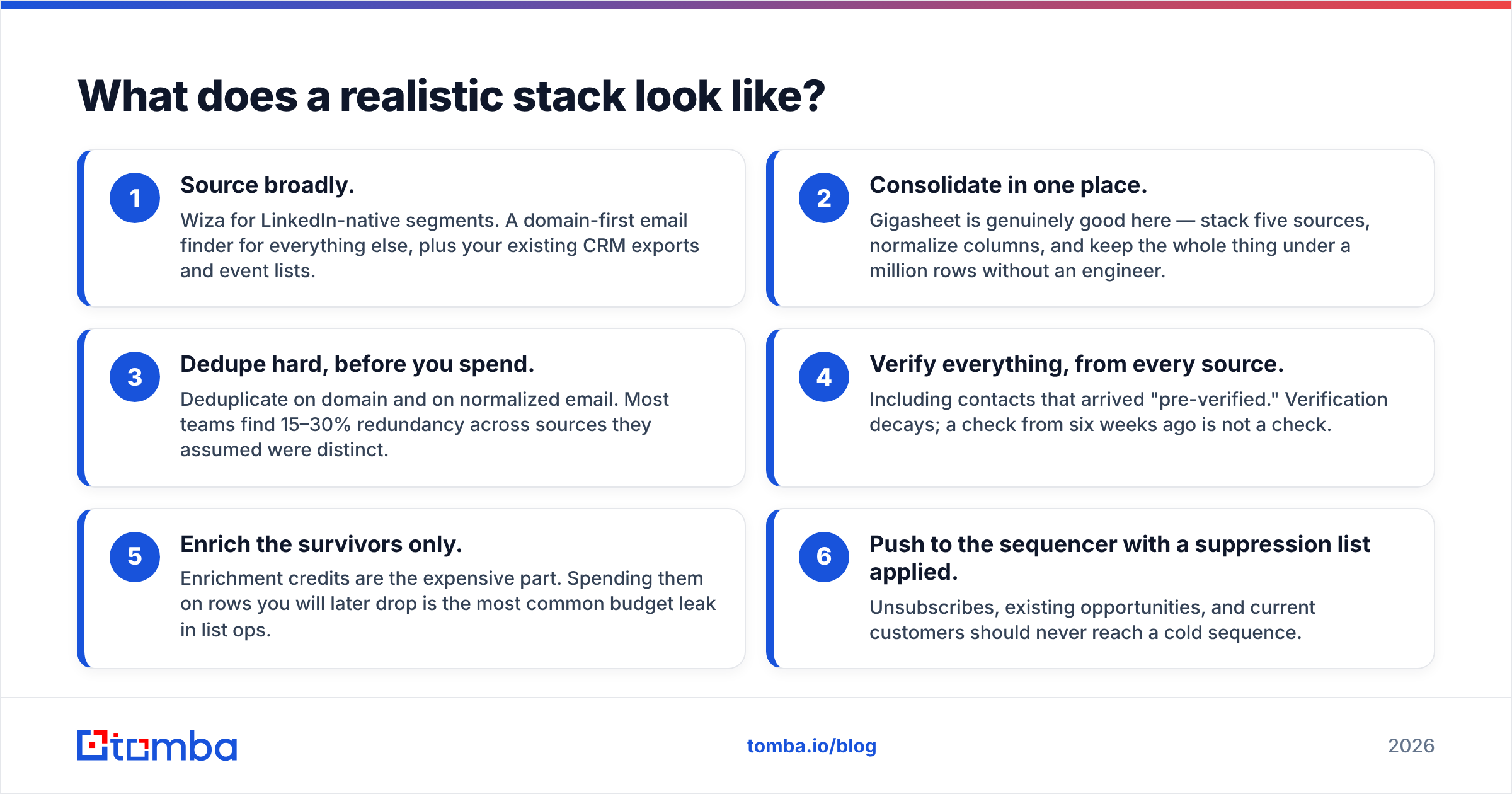
What does a realistic stack look like?#
Nobody's actual workflow is "one tool." Here is the shape that works, and where each product earns its seat:
- Source broadly. Wiza for LinkedIn-native segments. A domain-first email finder for everything else, plus your existing CRM exports and event lists.
- Consolidate in one place. Gigasheet is genuinely good here — stack five sources, normalize columns, and keep the whole thing under a million rows without an engineer.
- Dedupe hard, before you spend. Deduplicate on domain and on normalized email. Most teams find 15–30% redundancy across sources they assumed were distinct.
- Verify everything, from every source. Including contacts that arrived "pre-verified." Verification decays; a check from six weeks ago is not a check.
- Enrich the survivors only. Enrichment credits are the expensive part. Spending them on rows you will later drop is the most common budget leak in list ops.
- Push to the sequencer with a suppression list applied. Unsubscribes, existing opportunities, and current customers should never reach a cold sequence.
Step 4 is where most stacks quietly fail. Peer-review sites like G2 are full of reviews where the complaint is not "the tool found nothing" but "the tool found things that bounced." Those are different failures with different fixes.
When should you pick Gigasheet over Wiza?#
Choose Gigasheet if:
- Your files routinely exceed what Excel or Google Sheets can hold.
- You are a RevOps or data person whose week is consumed by merging, deduping, and reconciling.
- You already have contact data flowing in and the bottleneck is making sense of it.
- You want a shareable, permissioned workspace rather than files on laptops.
Choose Wiza if:
- Your ICP lives on LinkedIn and you have Sales Navigator already.
- You need list-building speed more than list-cleaning power.
- You are a small team or solo founder without an ops function.
- Your outbound volume is modest enough that credit-based pricing stays predictable.
Choose neither, first if your real constraint is cost per verified email at volume. That is an API problem, not a spreadsheet or a browser-extension problem. Compare the Wiza alternative route on your own control list and see where the numbers land. Other providers in this space — including peers like BookYourData, which sells verified B2B contact data directly — solve the same need from yet another angle, so the field is wider than these two names suggest.
What do people get wrong about this comparison?#
"Verified means it won't bounce." It means a check passed at a moment in time. Catch-all domains, role accounts, and people who left last month all pass naive checks. Use a real catch-all finder and re-verify before every send.
"More rows means better targeting." A 50,000-row list you cannot segment is worse than 800 accounts you understand. Gigasheet is valuable precisely because it makes the 50,000 tractable — not because big lists are good.
"Credits are credits." Read the fine print on what consumes one. Some vendors charge on attempt, some on result, some on both depending on data type. This single detail can swing effective cost by 3x.
"We'll clean it later." You will not. Dirty data compounds: it inflates enrichment spend, poisons sender reputation, and corrupts every downstream metric you use to make decisions.
The verdict#
Gigasheet and Wiza are both good at what they do, and what they do barely overlaps. If someone forced a single winner, Wiza wins for teams whose problem is "we have no contacts," and Gigasheet wins for teams whose problem is "we have too many contacts in too many files." Anyone framing this as a straight head-to-head is comparing a knife to a cutting board.
The more interesting decision is upstream: how you source verified work emails in the first place. LinkedIn extraction is one lane. Domain-first finding and verification is another, it covers segments LinkedIn cannot reach, and it tends to cost less per usable contact at volume.
Start with the Tomba Email Finder — the free tier gives you 25 searches a month, enough to run a control list against whatever you are using now, and paid plans start at $49/mo with the same finder, verifier, and bulk tooling on the API. Run your own numbers on your own accounts. That comparison is the only one that matters.
Related guides#
Ready to find emails that actually work?
Join 150,000+ professionals who stopped guessing and started sending. Free credits on signup — no credit card required.
Get the Tomba newsletter
Practical outbound tactics and product updates — once every two weeks.
About the author