GlassHive vs HubSpot in 2026: Which CRM Fits MSP Sales?
GlassHive is built for MSPs and IT channel marketing. HubSpot is built for everyone. We break down pricing, feature depth, data quality, and the switching costs nobody warns you about.
TL;DR
- GlassHive is a vertical tool. It was built for managed service providers and the vendors who sell through them. Its biggest asset is the pre-built MSP content library and co-branded vendor campaigns, not its CRM depth.
- HubSpot is a horizontal platform. Deeper CRM, better automation, a 2,000+ app marketplace, and a free tier that never expires — but you pay in seat costs, contact tiers, and onboarding fees once you outgrow Starter.
- Under ~10 seats and MSP-only, GlassHive usually wins on time-to-first-campaign. Above that, or if you sell anything besides managed IT, HubSpot's ceiling is much higher.
- Neither platform finds you contacts. Both are containers. If your list is stale, the shiniest campaign builder in the channel won't save your reply rate.
- The real cost difference shows up in year two, when HubSpot's contact-tier pricing and Professional-tier jumps kick in.
If you run an MSP and you're evaluating GlassHive vs HubSpot, you're really asking two different questions at once: which tool ships MSP campaigns faster, and which tool will still fit when we're three times the size. Those have different answers. This breakdown separates them.
What are GlassHive and HubSpot, exactly?#
GlassHive is a sales and marketing platform purpose-built for the IT channel. It bundles a campaign builder, email marketing, a visual sales pipeline, activity tracking, and — the part that actually differentiates it — a library of ready-made MSP marketing content. Cybersecurity awareness campaigns, co-managed IT one-pagers, vendor-sponsored assets you can co-brand and ship in an afternoon. If you've ever stared at a blank email editor wondering how to explain SOC-as-a-service to a 40-seat law firm, that library is the product. You can see the current feature set on glasshive.com.
HubSpot is a general-purpose customer platform. The free CRM is genuinely free and genuinely usable. On top of it sit Marketing Hub, Sales Hub, Service Hub, Content Hub, and Operations Hub, each with Starter, Professional, and Enterprise tiers. Nothing in it knows what an RMM is or what a QBR deck for a managed services client should say. In exchange, you get workflow automation that can branch on twelve conditions, custom objects, revenue attribution reporting, and integrations with roughly everything. Full details live on hubspot.com.
The framing that matters: GlassHive gives you content and context for free but caps your ceiling. HubSpot gives you an unlimited ceiling but makes you build the content and context yourself.
How do GlassHive and HubSpot compare feature by feature?#
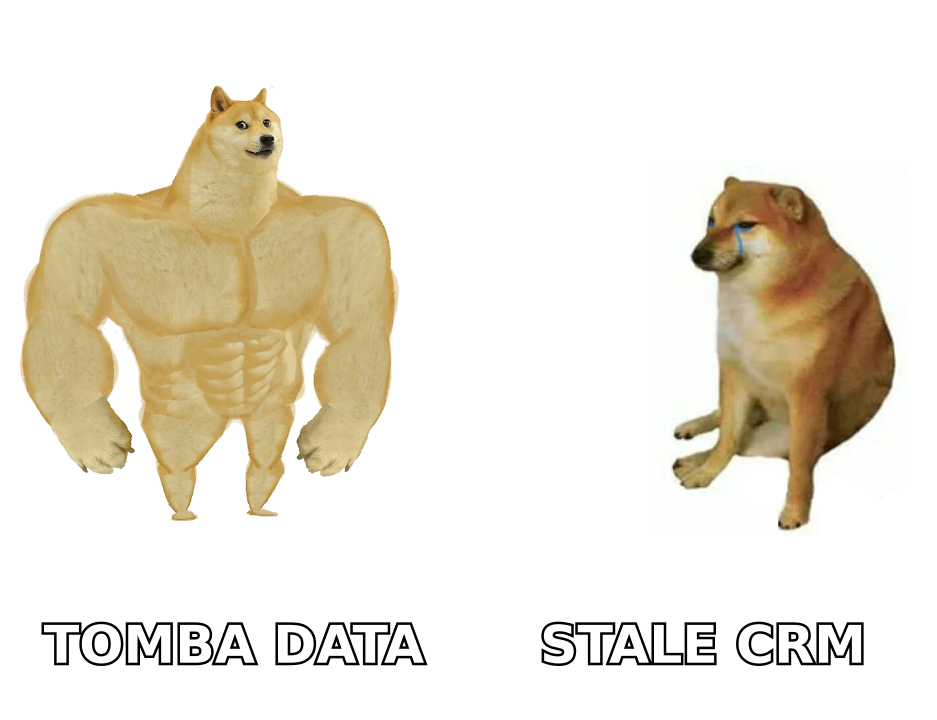
Here's the head-to-head on the dimensions MSPs actually argue about in the buying committee.
| Capability | GlassHive | HubSpot |
|---|---|---|
| Primary audience | MSPs, IT service providers, channel vendors | Any B2B company, any vertical |
| Pre-built industry content | Extensive MSP library, co-brandable vendor campaigns | None vertical-specific; generic templates only |
| CRM depth | Pipeline, deals, activity logging — solid basics | Custom objects, associations, quotes, forecasting |
| Marketing automation | Linear email campaigns and drips | Branching workflows, lead scoring, multi-object triggers |
| Reporting | Visual activity and campaign dashboards | Custom report builder, multi-touch attribution (Pro+) |
| Native integrations | Focused set (channel/PSA-oriented) | 2,000+ app marketplace |
| API / developer surface | Limited | Extensive, well-documented, free tier included |
| Learning curve | Days | Weeks, more with Professional features |
| Free plan | Entry plan available | Free CRM forever, unlimited users |
| Best for | 3–15 seat MSPs that need campaigns shipping now | Teams that will need custom process in 18 months |
Two rows deserve expansion.
Content library. This is not a nice-to-have for a 12-person MSP with no marketer. It is the difference between running four campaigns a year and running zero. GlassHive's value proposition assumes your technical staff are your marketers, and it removes the blank page. HubSpot assumes you have someone whose job is marketing.
Automation ceiling. GlassHive's automation handles "send this sequence to this list." HubSpot's handles "when a contact's company hits 50 employees, and they've opened two security emails, and no deal exists, create a task for the owning rep, enroll in the co-managed sequence, and notify the vCIO in Slack." Most MSPs don't need the second one on day one. Many need it by year three.
What does each platform actually cost in 2026?#
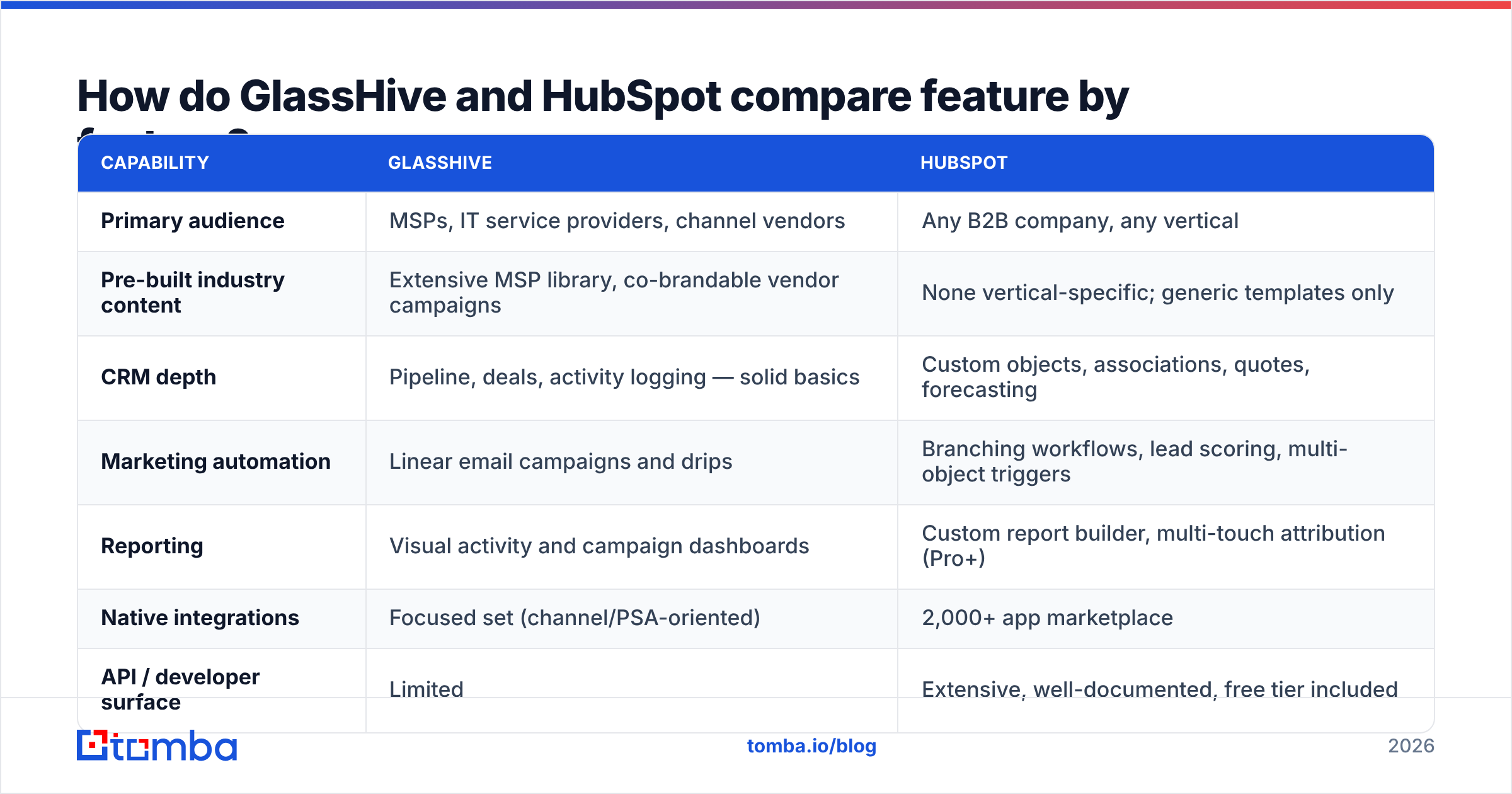
This is where the comparison gets uncomfortable, and where you should verify numbers yourself before signing anything — both vendors adjust pricing regularly, and HubSpot in particular has changed its seat model more than once.
| Cost dimension | GlassHive | HubSpot |
|---|---|---|
| Entry point | Free/low-cost entry plan | Free CRM, unlimited users, $0 |
| Typical SMB tier | Per-user, low double digits per seat | Sales Hub Starter ~$15–20/seat/mo |
| Mid tier | Per-user, scales linearly | Marketing Hub Pro from ~$800+/mo (bundled seats) |
| Onboarding fee | Minimal or none | Required on Professional and Enterprise |
| Contact-count pricing | Not the primary lever | Yes — marketing contacts drive cost |
| Annual discount | Available | Available |
| Cost at 5 seats | Predictable, linear | Low if Starter, steep if Pro |
| Cost at 25 seats | Still linear | Often the cheaper per-capability option |
The pattern: GlassHive's cost curve is a straight line. HubSpot's is a staircase. Small MSPs get burned by HubSpot when they need one Professional-only feature — say, custom reporting or a branching workflow — and the whole portal jumps a tier. Larger MSPs get burned by per-seat vertical tools when they hire five more techs and the invoice moves in lockstep with headcount rather than with revenue.
Run the math on your headcount 24 months out, not today. And read the contract terms on both — annual commitments are standard, and mid-term downgrades usually aren't.
Is GlassHive better than HubSpot for MSPs?#
For a specific and fairly common profile, yes.
You should lean GlassHive if:
- Your marketing headcount is zero. No dedicated marketer, no agency, no one who enjoys writing subject lines. The content library does the work a person would otherwise do.
- You sell managed IT and nothing else. The vertical assumptions baked into the product are correct for you, which means less configuration.
- You participate in vendor co-op programs. Co-branded campaigns from your security or hardware vendors are far easier to run in a channel-native tool.
- You need something live in two weeks. Time-to-first-campaign is genuinely faster when the campaigns already exist.
- Your team is under 15 people and stable. Linear per-seat pricing is fine when seats aren't multiplying.
Where GlassHive gets thin is anything requiring custom process. If your sales motion has three pipelines, a partner channel, and a renewals team with its own SLA, you'll hit walls. Check recent user reviews on G2 before committing — the honest complaints in any vertical tool's reviews are usually about flexibility, not about the core promise.
Where does HubSpot pull ahead?#
Four places, consistently.
Data model. Custom objects let you model contracts, devices, sites, or vendor relationships as first-class records. In most vertical tools you're stuffing that into custom fields on a contact and hoping.
Reporting. If your leadership wants to know cost-per-acquisition by service line, HubSpot Professional can answer it. Lighter tools generally give you campaign-level opens and clicks, which is not the same question.
Integrations. Your PSA, your accounting stack, your ticketing system, your calendar, your call recorder. HubSpot's marketplace plus a real API means the integration probably exists or can be built cheaply. If you're wiring contact data into your portal automatically, the HubSpot integration pattern — enrich on create, verify before send — is straightforward there and much harder elsewhere.
Exit cost. Not glamorous, but real. HubSpot data exports cleanly and every consultant on earth knows the platform. Migrating off a niche tool is a project.
What do both platforms fail to give you?#
Contacts. Neither GlassHive nor HubSpot is a data source. They are both, at bottom, very good containers for records you supply.
This is the failure mode we see most often in MSP outbound: a team spends six weeks choosing between two platforms, migrates, builds a beautiful nurture sequence about ransomware readiness — and sends it to a list scraped from a 2023 chamber-of-commerce directory. Roughly a fifth to a quarter of B2B contact data goes stale every year through job changes, domain migrations, and acquisitions. Your platform choice does not touch that number.
Three things actually move reply rates, and none of them are on the feature comparison above:
- Sourcing. You need current decision-maker contacts at companies matching your ICP — the 30-to-200-seat professional services firms in your metro, not a generic list. An email finder that works from a company domain and a name gets you there faster than any list purchase.
- Verification. Every address should be checked before it enters a sequence. Sending to dead mailboxes damages sender reputation, and once your domain is throttled, the campaign builder is irrelevant. Run lists through an email verifier as a standing step, not a one-time cleanup.
- Enrichment. Job title, company size, and tech stack turn a generic security email into a relevant one. Contact enrichment is what makes personalisation possible at more than ten emails a day.
Do this upstream of whichever platform you pick, and the platform choice matters less than you think. Skip it, and neither tool will save you.
How should you decide between GlassHive and HubSpot?#
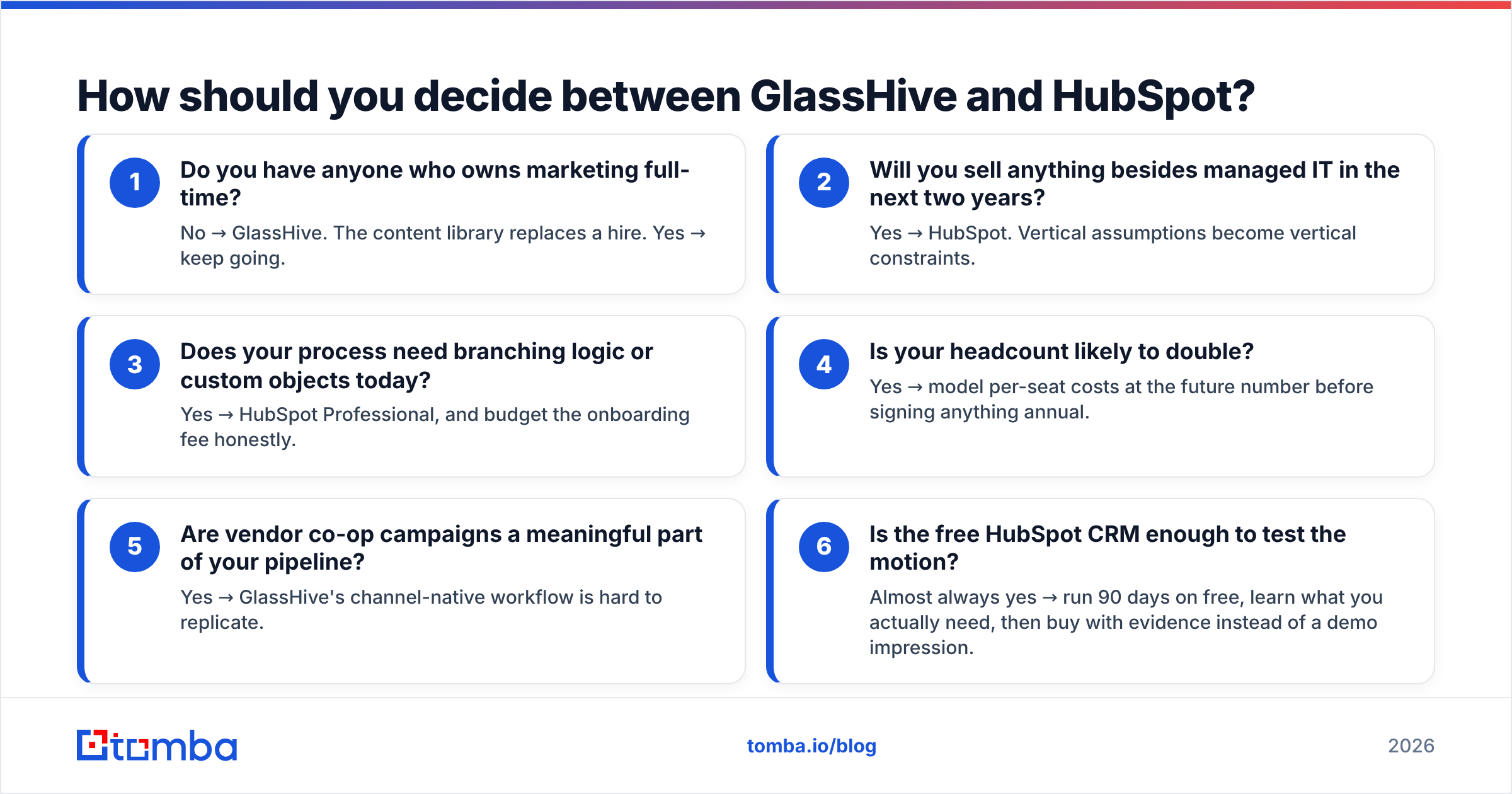
Work through these in order. The first clear "yes" is usually your answer.
- Do you have anyone who owns marketing full-time? No → GlassHive. The content library replaces a hire. Yes → keep going.
- Will you sell anything besides managed IT in the next two years? Yes → HubSpot. Vertical assumptions become vertical constraints.
- Does your process need branching logic or custom objects today? Yes → HubSpot Professional, and budget the onboarding fee honestly.
- Is your headcount likely to double? Yes → model per-seat costs at the future number before signing anything annual.
- Are vendor co-op campaigns a meaningful part of your pipeline? Yes → GlassHive's channel-native workflow is hard to replicate.
- Is the free HubSpot CRM enough to test the motion? Almost always yes → run 90 days on free, learn what you actually need, then buy with evidence instead of a demo impression.
That last one deserves emphasis. HubSpot's free CRM costs nothing and imposes no seat limit. There is no good reason to buy either platform before you've spent a quarter learning which features you reach for and which you never open. Most teams discover they wanted three things, not thirty.
What does a sensible stack look like?#
For a 10-to-30-person MSP running outbound in 2026, the pattern that holds up:
- Data layer — a dedicated finding and verification tool, run before anything enters the CRM. Bulk-process your target account list, verify, then import.
- System of record — GlassHive if content is your bottleneck, HubSpot if process is.
- Sending — whatever your system of record includes, on a warmed domain, with SPF/DKIM/DMARC configured correctly.
- Enrichment on write — via API or a native integration, so every new record arrives with title and firmographics attached.
Keep the data layer separate from the platform layer. It's the one part of the stack you'll want to keep when you eventually switch CRMs — and you will eventually switch CRMs.
The verdict#
GlassHive wins on speed for small, MSP-only teams with no marketer. HubSpot wins on ceiling, data model, and reporting for anyone who'll need custom process. Neither wins on data, because neither is in that business.
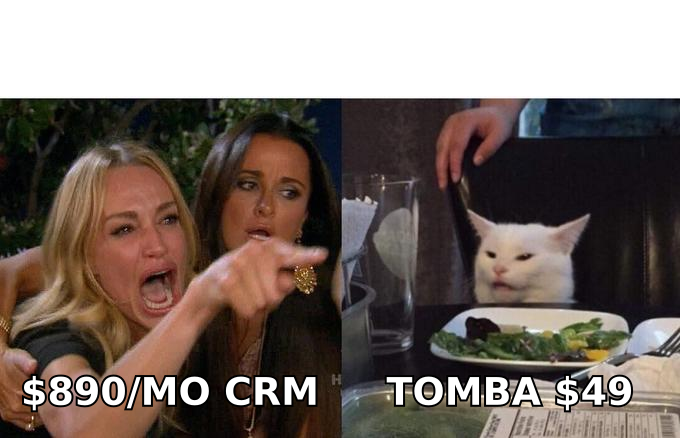
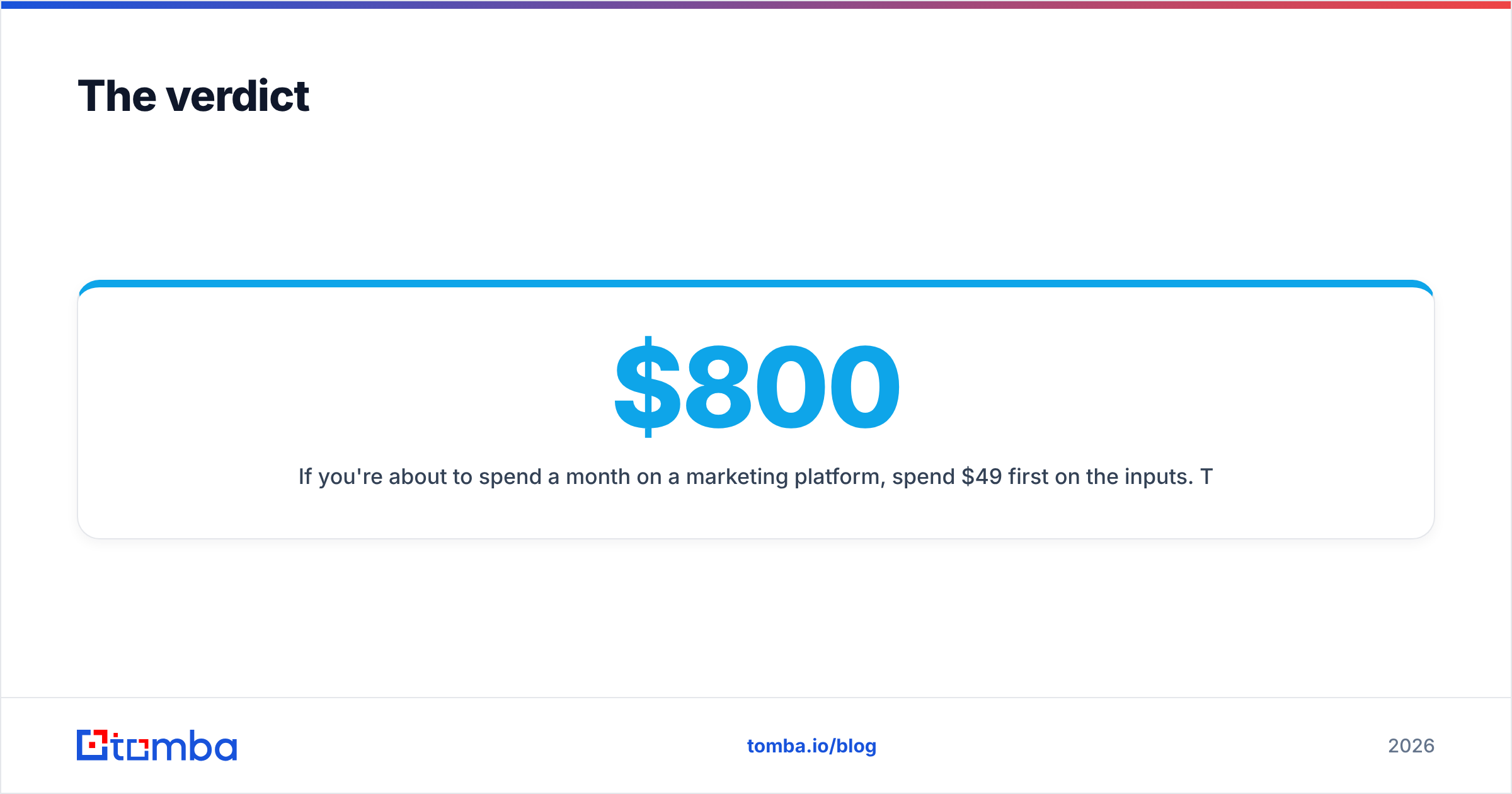
If you're about to spend $800 a month on a marketing platform, spend $49 first on the inputs. Tomba's Email Finder resolves professional addresses by domain, name, or company, with verification built into the same workflow — Free tier at 25 searches a month to test it, Starter at $49/mo, Growth at $99/mo. Full Tomba pricing is public, and there's an API if you'd rather enrich records on write than import CSVs. Get the list right, and whichever platform you choose will look a lot better in the quarterly report.
Related guides#
Ready to find emails that actually work?
Join 150,000+ professionals who stopped guessing and started sending. Free credits on signup — no credit card required.
Get the Tomba newsletter
Practical outbound tactics and product updates — once every two weeks.
About the author