Global Database vs SalesQL: Which B2B Data Tool Wins in 2026?
One is a company-intelligence archive built for research and credit checks. The other is a LinkedIn scraper built for speed. Here's how Global Database and SalesQL actually compare on coverage, accuracy, pricing, and who each one is really for.
Global Database vs SalesQL looks like an even match on paper. It is not. One tool sells company records. The other scrapes LinkedIn. Here is the short version.
TL;DR
- Global Database is a company data platform. You get firm details, filed accounts, credit reports, and tech stacks across many countries. Contact data is a side feature, not the core product.
- SalesQL is a LinkedIn-first contact grabber. It runs as a Chrome add-on. It works off profiles and search pages. The price fits one rep, not a data team.
- The two barely overlap. If you are weighing Global Database vs SalesQL, you likely have two problems. You only need one tool.
- Neither is a strong all-purpose email finder. The contact layer at Global Database is thin outside its core records. SalesQL breaks when a target is not on LinkedIn.
- Your real job may be simple: get verified work emails for a list of companies. If so, a finder plus a verifier — Tomba's email finder and email verifier — covers more ground for less money.
What are Global Database and SalesQL?#
Think of a street you want to learn about. Global Database is the county records office. It holds deeds, tax filings, and owner history. SalesQL is a walk down that street. You read the names on the mailboxes. Both tell you about the same block. Neither one replaces the other.
Global Database is a UK-based B2B data provider. Its core asset is company data: registered firms, filed accounts, credit risk scores, industry codes, staff size, and installed tech. Coverage of UK, EU, and Middle East records runs deep. Contact records sit on top of that company layer. You start with a company. Then you drill down to people.
SalesQL flips the flow. It is a browser add-on. It reads LinkedIn profiles, company pages, Sales Navigator lists, and group members. It returns work and personal emails plus phone numbers. You start with a person. Then you roll up to a company. Nothing works unless the prospect keeps a live LinkedIn page.
That one design choice explains most of the gaps in a Global Database vs SalesQL test.
Global Database vs SalesQL: how do they compare at a glance?#
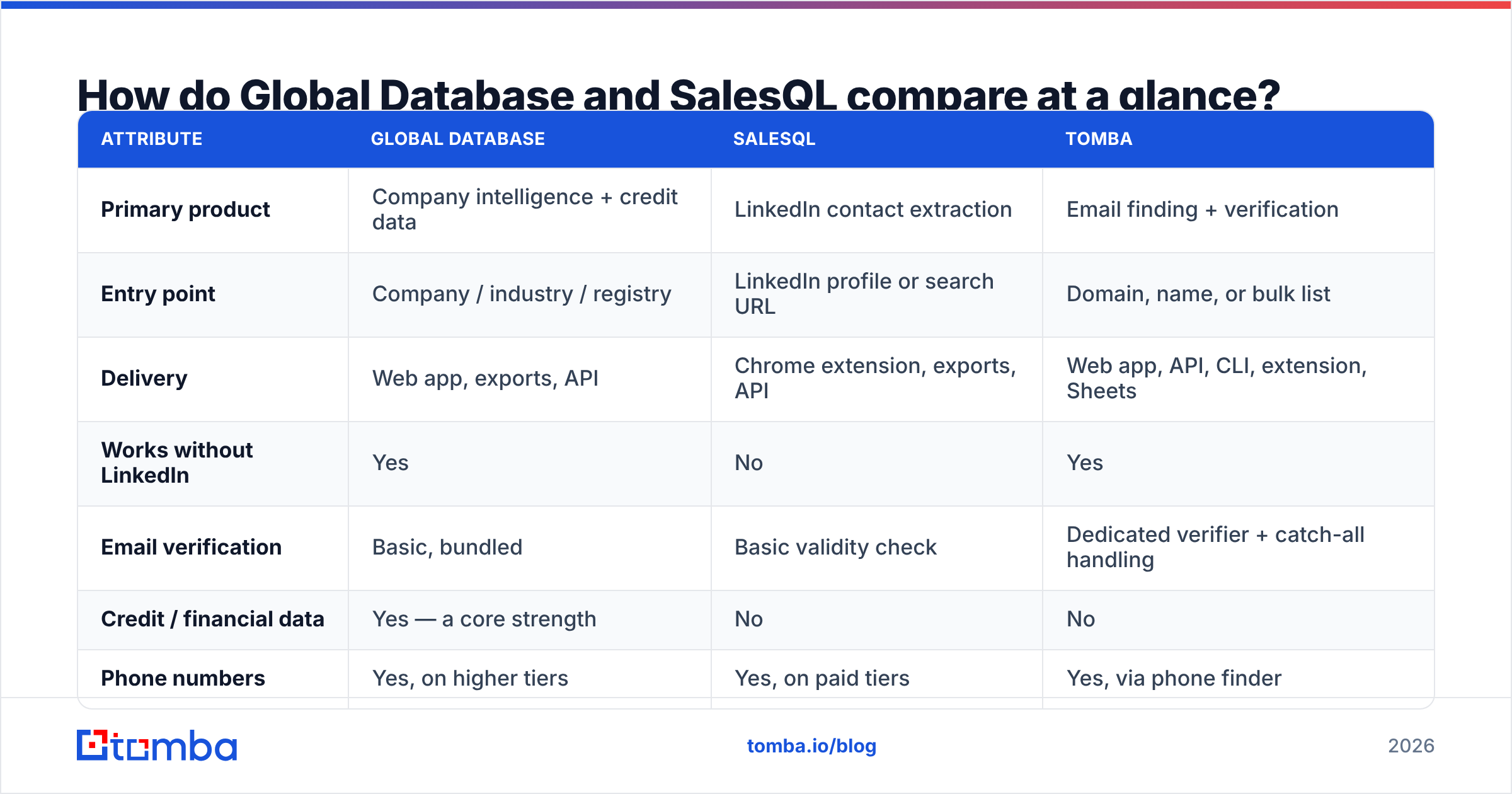
| Attribute | Global Database | SalesQL | Tomba |
|---|---|---|---|
| Primary product | Company intelligence + credit data | LinkedIn contact extraction | Email finding + verification |
| Entry point | Company / industry / registry | LinkedIn profile or search URL | Domain, name, or bulk list |
| Delivery | Web app, exports, API | Chrome extension, exports, API | Web app, API, CLI, extension, Sheets |
| Works without LinkedIn | Yes | No | Yes |
| Email verification | Basic, bundled | Basic validity check | Dedicated verifier + catch-all handling |
| Credit / financial data | Yes — a core strength | No | No |
| Phone numbers | Yes, on higher tiers | Yes, on paid tiers | Yes, via phone finder |
| Free tier | Limited trial / demo | Free credits on signup | 25 searches/mo, no card |
| Typical entry price | Quote-based annual contract | Low double-digit monthly | $49/mo Starter |
| Best for | Risk, research, market sizing | Solo SDRs working LinkedIn | Outbound teams needing volume + accuracy |
The key row is "works without LinkedIn." Say your buyers are plant managers, regional distributors, clinic owners, or small European firms. Many of them have no useful LinkedIn page. SalesQL cannot see what is not there.
What does each tool actually do well?#
A generic feature grid hides more than it shows. Here is the honest split by job.
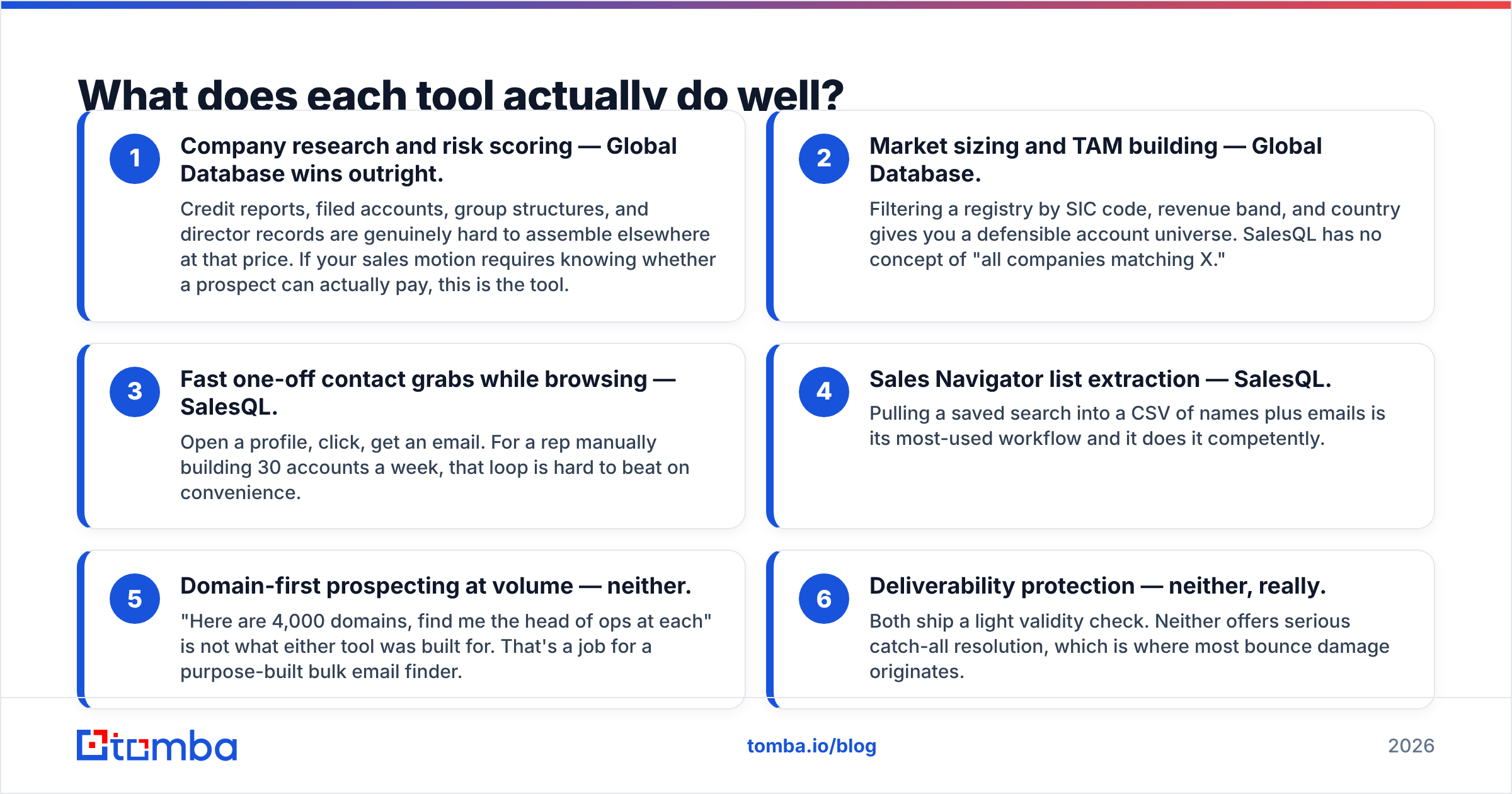
Company research and risk checks — Global Database wins. Credit reports, filed accounts, group structure, and director records are hard to get elsewhere at this price. Need to know if a buyer can pay? Use this tool.
Market sizing — Global Database. Filter by industry code, revenue band, and country. You get a full account list you can defend. SalesQL has no way to list "every firm that matches X."
Quick one-off grabs while you browse — SalesQL. Open a profile, click, get an email. A rep who builds 30 accounts a week will love that loop.
Sales Navigator list pulls — SalesQL. It turns a saved search into a CSV of names and emails. This is its top use case, and it does the job.
Domain-first prospecting at volume — neither. "Here are 4,000 domains. Find the head of ops at each." Neither tool was built for that. Use a bulk email finder instead.
Bounce control — neither, really. Both ship a light validity check. Neither handles catch-all domains well. That is where most bounce damage starts.

How accurate is the data in each tool?#
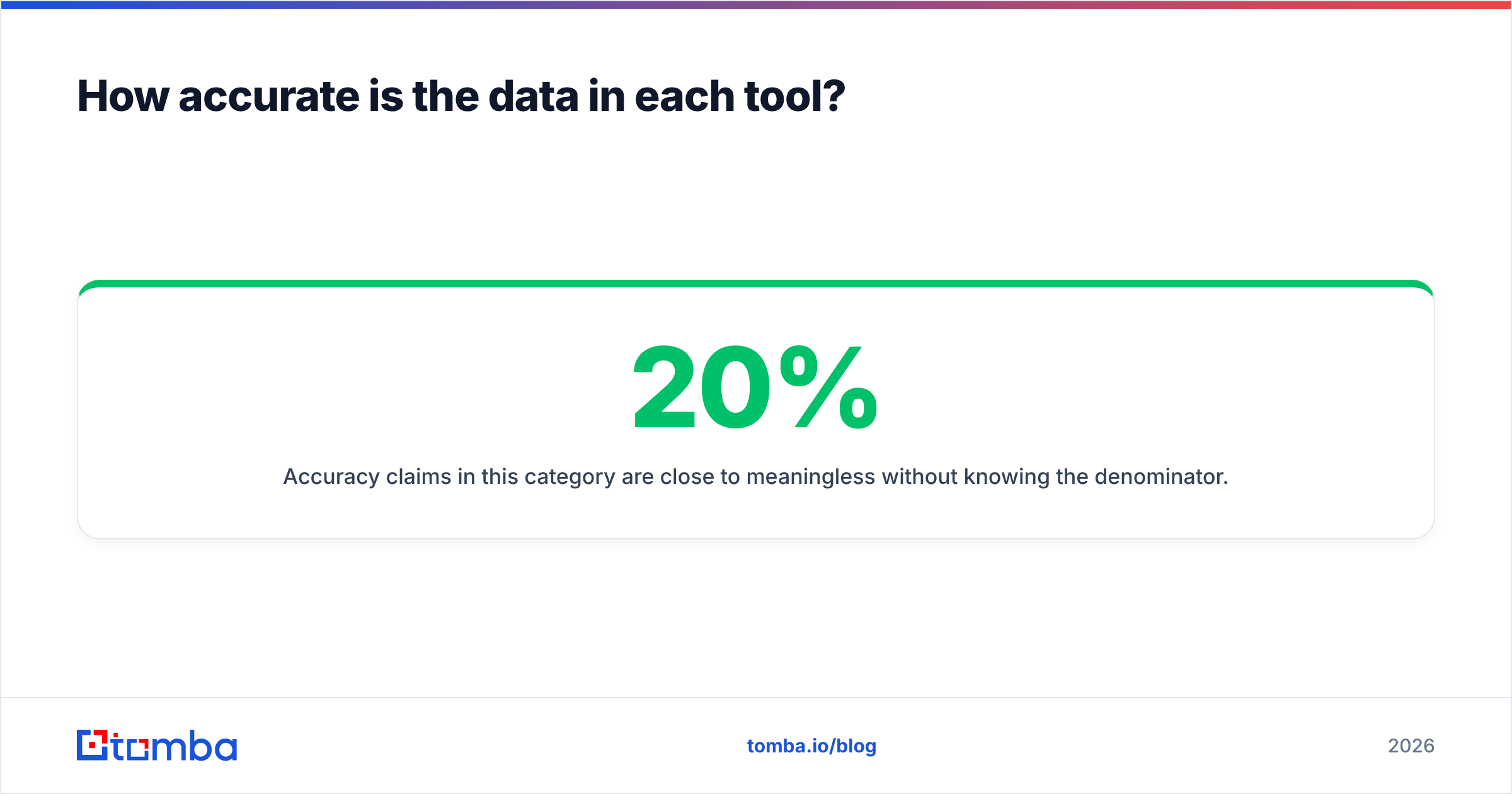
Accuracy claims mean little on their own. You need the denominator. Say one tool returns an email for 20% of your list, and 95% of those are right. A second returns 70% at 90% right. The first one looks better. It also hands you a third as many usable contacts. Judge coverage × validity, not validity alone.
Here is what holds up in real use.
Company data at Global Database is strong. Contact data is uneven. Registry facts come from filings, so they are close to official. The contact layer is built by hand and refreshed on a slow cycle. Senior-title records at mid-market firms often go stale. The person left. The domain changed. The role was split in two. Expect real decay past the one-year mark.
SalesQL accuracy tracks LinkedIn freshness. Someone updates a profile after a job change. SalesQL guesses the new work email, and it is often right, because the pattern is easy to infer. Now take a profile that has not moved in three years. You get a clean-looking address at a firm the person left in 2023. The tool cannot tell those two cases apart. Its score reflects pattern odds, not job status.
Both leave you the same chore: verify before you send. That is not unique to them. Almost every provider has the same gap. It does mean the sticker price is not the real price. Budget for a verify pass on top.

Running cold email? The catch-all verifier matters more than most buyers expect. Many B2B domains accept all mail at the server level. A basic checker marks them "valid." You learn the truth from your bounce report two weeks later.
How does pricing compare in Global Database vs SalesQL?#
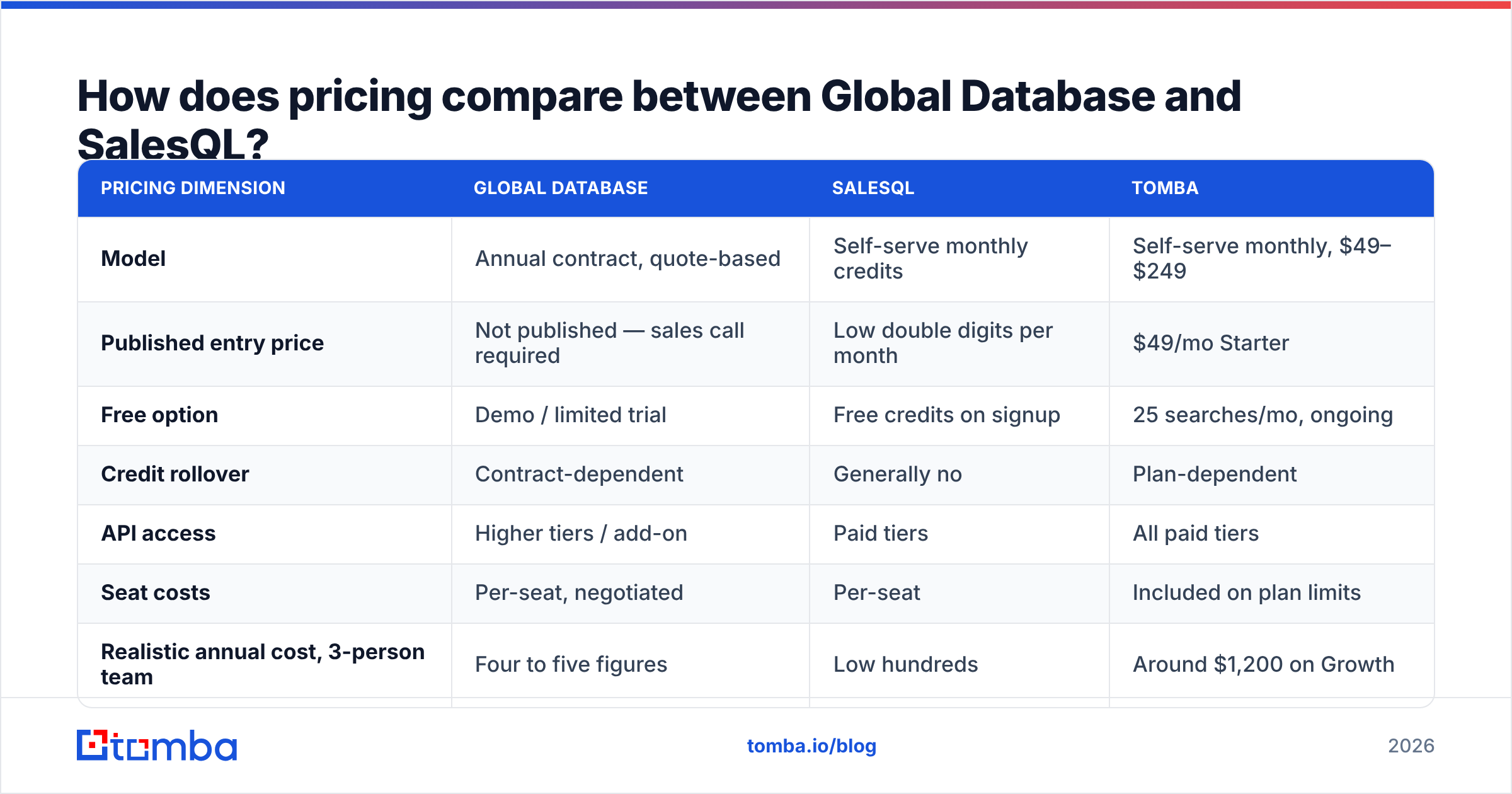
The two sit at opposite ends of the price scale. That is one more sign they are not real rivals.
| Pricing dimension | Global Database | SalesQL | Tomba |
|---|---|---|---|
| Model | Annual contract, quote-based | Self-serve monthly credits | Self-serve monthly, $49–$249 |
| Published entry price | Not published — sales call required | Low double digits per month | $49/mo Starter |
| Free option | Demo / limited trial | Free credits on signup | 25 searches/mo, ongoing |
| Credit rollover | Contract-dependent | Generally no | Plan-dependent |
| API access | Higher tiers / add-on | Paid tiers | All paid tiers |
| Seat costs | Per-seat, negotiated | Per-seat | Included on plan limits |
| Realistic annual cost, 3-person team | Four to five figures | Low hundreds | Around $1,200 on Growth |
Two caveats. First, vendor prices change. Check both sites before you set a budget. Second, the quote-based model at Global Database is not a trick. Credit and finance data costs real money to license. Set that against a $15 add-on and you are comparing an insurance policy to a screwdriver. Need the credit layer? The price makes sense. Do not need it? You are renting a warehouse to store one box.
For a mid-market benchmark, Tomba pricing is public. Free covers 25 searches a month. Starter is $49/mo. Growth is $99/mo. Pro is $249/mo. Enterprise is custom. No sales call needed.
Which tool should you choose for your use case?#
Choose Global Database if:
- Credit risk, financial health, or company structure gates your deals. SalesQL does not touch this.
- You sell into the UK, the EU, or the Middle East. Registry depth beats LinkedIn reach there.
- You size markets or design sales territories. You need the full account list, not a sample.
- Your team is fine with annual contracts. You also have someone to run the tool well.
Choose SalesQL if:
- You are one rep or a small team. Your whole motion happens inside LinkedIn.
- You want the shortest path from profile to CSV.
- Your buyers work in tech, SaaS, agency, or consulting. Almost all of them are on LinkedIn.
- Budget is tight. You would rather pay by the month with no commitment.
- You accept that verify work is yours to solve downstream.
Choose neither if your real need is this: find and verify work emails across many domains, at volume. Both tools leave that gap open. It is also the most common reason people run a Global Database vs SalesQL search in the first place.
For that job, use a stack built for it. Map the org with domain search. Resolve people with a finder. Guard your sender name with a verifier. It costs less and breaks less often. Tools like Tomba, and peers such as BookYourData, are built for this lane. Either one beats a company registry or a browser scraper at it.
What are the biggest limitations of each?#
Every Global Database vs SalesQL review skips the warts. Here they are.
Where Global Database falls short. Hidden pricing forces a sales call before you can judge fit. That is friction on a tool you may not keep. The interface feels like enterprise software from a past decade. It is powerful, not pleasant. Contact refresh lags the market. The breadth cuts both ways, too. You buy a research platform whether or not you use the research.
Where SalesQL falls short. It leans on LinkedIn for everything. So it inherits rate limits, layout changes, and account risk. Heavy scraping can get your profile flagged. That cost never shows up on the invoice. Personal emails skew Gmail, which is fine for hiring and bad for B2B rules in some markets. Company data is thin. Enrichment past basic contact fields is minimal.
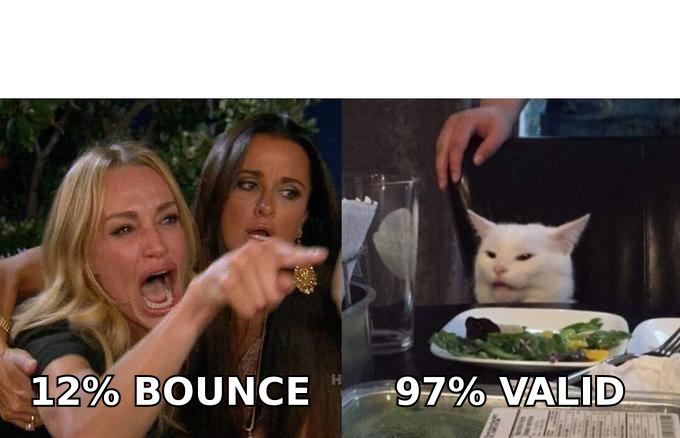
Shared gap. Neither one answers the question "why is my bounce rate 11%?" You will want your own verify layer either way. Reviews on G2 show the same pattern in both categories. Buyers rate discovery highly and rate deliverability support poorly.
What does a better-fit stack look like?#
Most teams over-buy on one axis and under-buy on the other. A practical setup looks like this.
- Account layer. Use registry or firm data to pick which companies deserve attention. Global Database can do this. So can the enrichment in your CRM.
- Contact layer. Resolve decision-makers by domain, not by LinkedIn page. Otherwise you stay blind to the 30–50% of buyers who never post.
- Verify layer. Check every address before it enters a sequence. Handle catch-all domains on purpose, not by luck.
- Enrichment layer. Backfill titles, phone numbers, and company fields on the records that pass. Tomba's data enrichment and phone finder cover this without a second vendor.
- Workflow layer. Push clean records into your CRM on their own. Shuttling CSVs by hand wastes hours. Check the integrations first, because a data tool that cannot reach your CRM creates permanent manual work.
Run steps 2 and 3 in one system if you can. Split finding and verifying across vendors, and that is where the cost and the confusion pile up.
Frequently asked questions#
Is Global Database a direct competitor to SalesQL? No. Global Database sells company and credit data. SalesQL pulls contacts off LinkedIn. Global Database vs SalesQL shows up as a search because both surface B2B contact details. The tools solve different problems, and their prices sit two orders of magnitude apart.
Which one has better email accuracy? Neither is built for email accuracy first. SalesQL does better on tech workers who stay active on LinkedIn. Global Database does better on registered firms in Europe and the Middle East. Both need your own verify pass before you send at volume.
Can I use SalesQL without a LinkedIn account? Not in any real way. It runs as a browser add-on on LinkedIn pages. So an account is required, and serious use often means a Sales Navigator seat.
Does Global Database publish pricing? Not in public, as of this writing. Expect a quote-based annual contract. Data modules, seats, and export volume shape the number.
What is the cheapest way to test both? Start with the free SalesQL credits and book a Global Database demo. Run the same 100-contact list through each one. Verify both outputs on your own. Then compare coverage × validity, not raw hit counts.
Start with the layer that actually moves pipeline#
Company data tells you who is worth a call. LinkedIn scraping tells you who exists. Neither one gets a reply into your inbox. A verified, correct work address does that.
Is that your real bottleneck? Then start with the Tomba Email Finder. The free tier gives you 25 searches a month with no card. Starter is $49/mo. Every plan includes API access, so you can wire it into the stack you already run. Test it against your current tool on the same 100 domains. Then compare the bounce reports. That is the only benchmark that pays.
Related guides#
Ready to find emails that actually work?
Join 150,000+ professionals who stopped guessing and started sending. Free credits on signup — no credit card required.
Get the Tomba newsletter
Practical outbound tactics and product updates — once every two weeks.
About the author