GMass vs Wiza 2026: Sending Tool vs Lead Data Compared
GMass sends mail merges from Gmail. Wiza pulls contacts out of LinkedIn. They solve opposite halves of the same problem — here's which one your outbound actually needs first, and what it costs.
TL;DR
- GMass and Wiza are not competitors. GMass is a Gmail-native sending and mail-merge layer. Wiza is a LinkedIn-native contact data layer. Comparing them head-to-head only makes sense if you're deciding which gap to fill first.
- If you already have a clean list and no sending infrastructure, GMass is the cheaper, faster fix. If you have a mailbox and sequencer but no prospects, Wiza is the one you need.
- Wiza's credit model gets expensive fast at volume, and its coverage is bounded by whatever exists on LinkedIn. GMass has no data at all — it happily sends to garbage addresses and lets your domain take the hit.
- The most common real-world stack is three layers: a data source, a verification step, and a sender. Buying two of three and skipping verification is how good domains die.
- Our take: run GMass for sending if you live in Gmail, source contacts from a provider with a real API and per-record pricing, and never load a list you haven't verified.
What are GMass and Wiza, exactly?#
GMass is a Chrome extension and Gmail add-on that turns your inbox into a mail-merge machine. You write a draft, point it at a Google Sheet, add {FirstName} style tokens, and hit send. It handles scheduling, throttling, auto follow-ups, open and click tracking, and unsubscribe links — all from inside Gmail, using your own mailbox and your own domain reputation.
Wiza is a lead data tool built around LinkedIn. Its core move is taking a LinkedIn Sales Navigator search — or a list, or a single profile — and turning it into a CSV of names, titles, companies, work emails, and (on higher plans) phone numbers. It runs as a Chrome extension plus a web app, with an API and CRM pushes on paid tiers.
So the honest framing of gmass vs wiza is not "which tool wins." It's: which end of the pipeline are you missing?
Here's the pipeline every outbound motion runs on, whether you've named it or not:
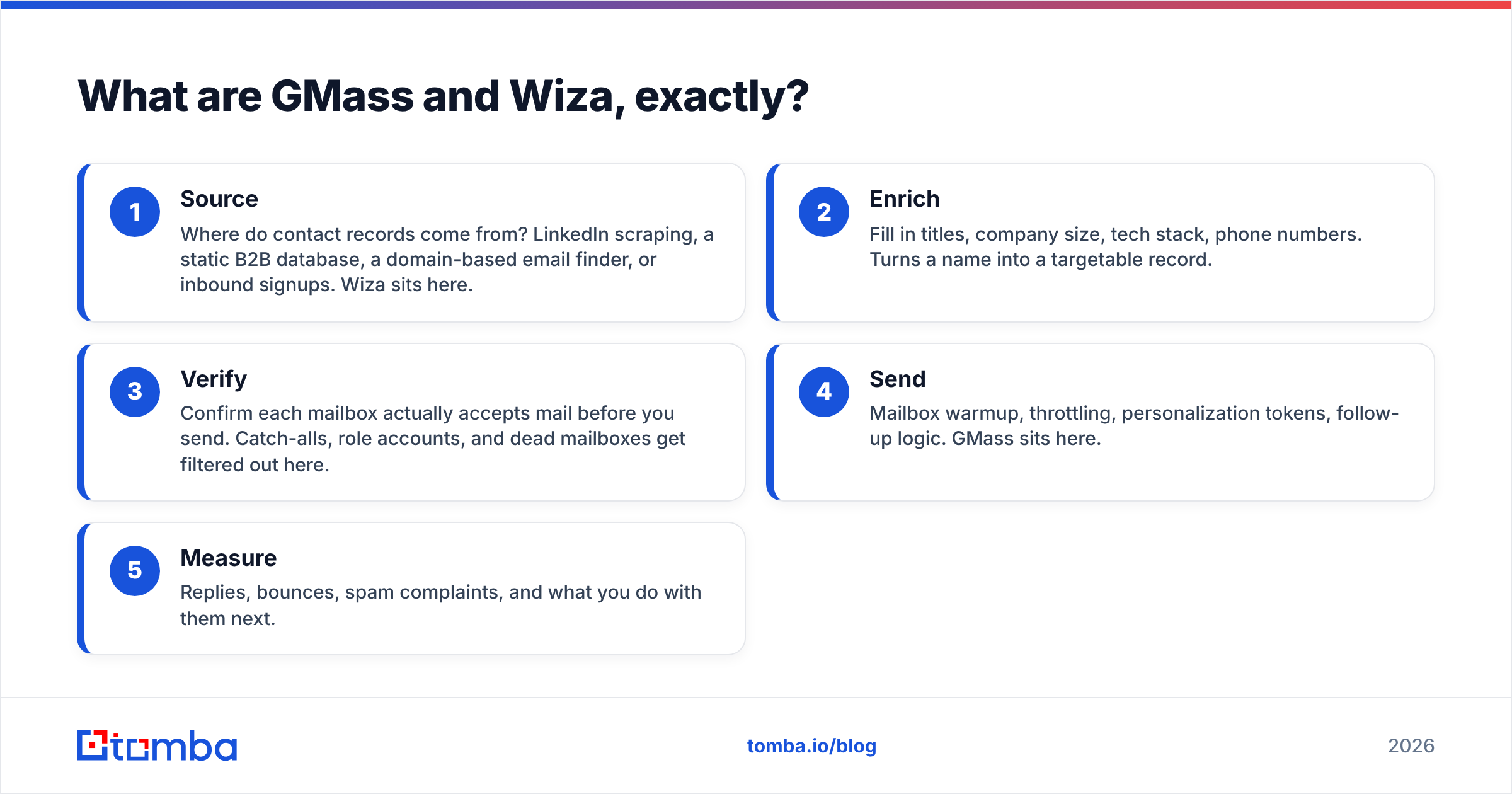
- Source — Where do contact records come from? LinkedIn scraping, a static B2B database, a domain-based email finder, or inbound signups. Wiza sits here.
- Enrich — Fill in titles, company size, tech stack, phone numbers. Turns a name into a targetable record.
- Verify — Confirm each mailbox actually accepts mail before you send. Catch-alls, role accounts, and dead mailboxes get filtered out here.
- Send — Mailbox warmup, throttling, personalization tokens, follow-up logic. GMass sits here.
- Measure — Replies, bounces, spam complaints, and what you do with them next.
GMass covers step 4 and part of step 5. Wiza covers steps 1 and 2. Neither one covers step 3 in a way you should trust with a $10k/month domain.
How do GMass and Wiza compare on features and price?#
Published list prices move, so treat this as directional and check both vendors' pricing pages before you commit. As of early 2026:
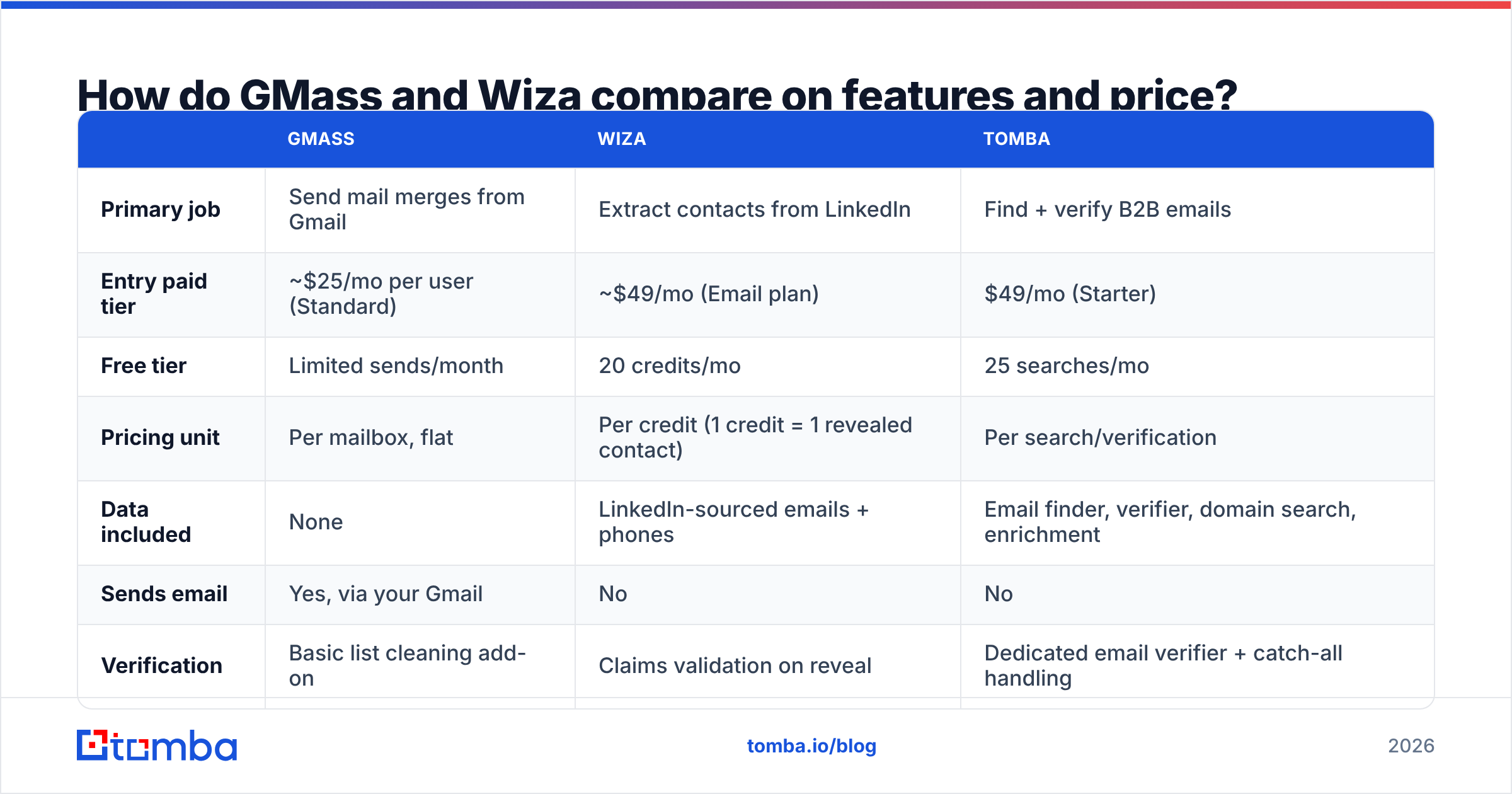
| GMass | Wiza | Tomba | |
|---|---|---|---|
| Primary job | Send mail merges from Gmail | Extract contacts from LinkedIn | Find + verify B2B emails |
| Entry paid tier | ~$25/mo per user (Standard) | ~$49/mo (Email plan) | $49/mo (Starter) |
| Free tier | Limited sends/month | 20 credits/mo | 25 searches/mo |
| Pricing unit | Per mailbox, flat | Per credit (1 credit = 1 revealed contact) | Per search/verification |
| Data included | None | LinkedIn-sourced emails + phones | Email finder, verifier, domain search, enrichment |
| Sends email | Yes, via your Gmail | No | No |
| Verification | Basic list cleaning add-on | Claims validation on reveal | Dedicated email verifier + catch-all handling |
| API | Yes | Yes, on higher plans | Yes, on all paid plans |
| Needs LinkedIn seat | No | Sales Navigator strongly recommended | No |
| Best for | Gmail-first solo senders and small teams | LinkedIn-heavy prospecting workflows | Filling and cleaning lists at scale |
Three things in that table matter more than the rest.
The pricing units are incompatible. GMass charges per mailbox, flat, regardless of how many emails you send within Gmail's own daily limits. Wiza charges per revealed contact. A 5,000-contact quarter costs the same on GMass and something very different on Wiza. Model your actual volume before you compare monthly prices — the sticker figures are misleading.
Wiza's ceiling is LinkedIn's ceiling. If your ICP lives on LinkedIn — SaaS, agencies, tech-adjacent roles in North America and Western Europe — coverage is good. If you sell to plant managers in the Midwest, municipal buyers, hospitality operators, or most of APAC's SMB market, a large share of your target accounts have thin or nonexistent LinkedIn presence. Domain-based search is the fallback there: you start from the company website and work down to people, rather than starting from a profile.
GMass will send anything you give it. That is not a criticism; it's the design. GMass is a sending tool, not a gatekeeper. Feed it a scraped list with a 25% bounce rate and it will cheerfully burn your domain in an afternoon. Google and Microsoft's 2024 bulk-sender rules made this materially worse — sustained spam complaint rates above 0.3% and high bounce volumes now get throttled or blocked outright, not just filtered.
Is Wiza better than a domain-based email finder?#
It depends entirely on how you build lists.
Wiza's advantage is workflow shape. If your prospecting starts with a Sales Navigator search — "VP Marketing, 50-500 employees, US, SaaS" — Wiza turns that saved search into a CSV in a few clicks. That's genuinely fast, and there's no equivalent shortcut if your entire targeting logic lives in LinkedIn filters.
The disadvantages show up in three places:
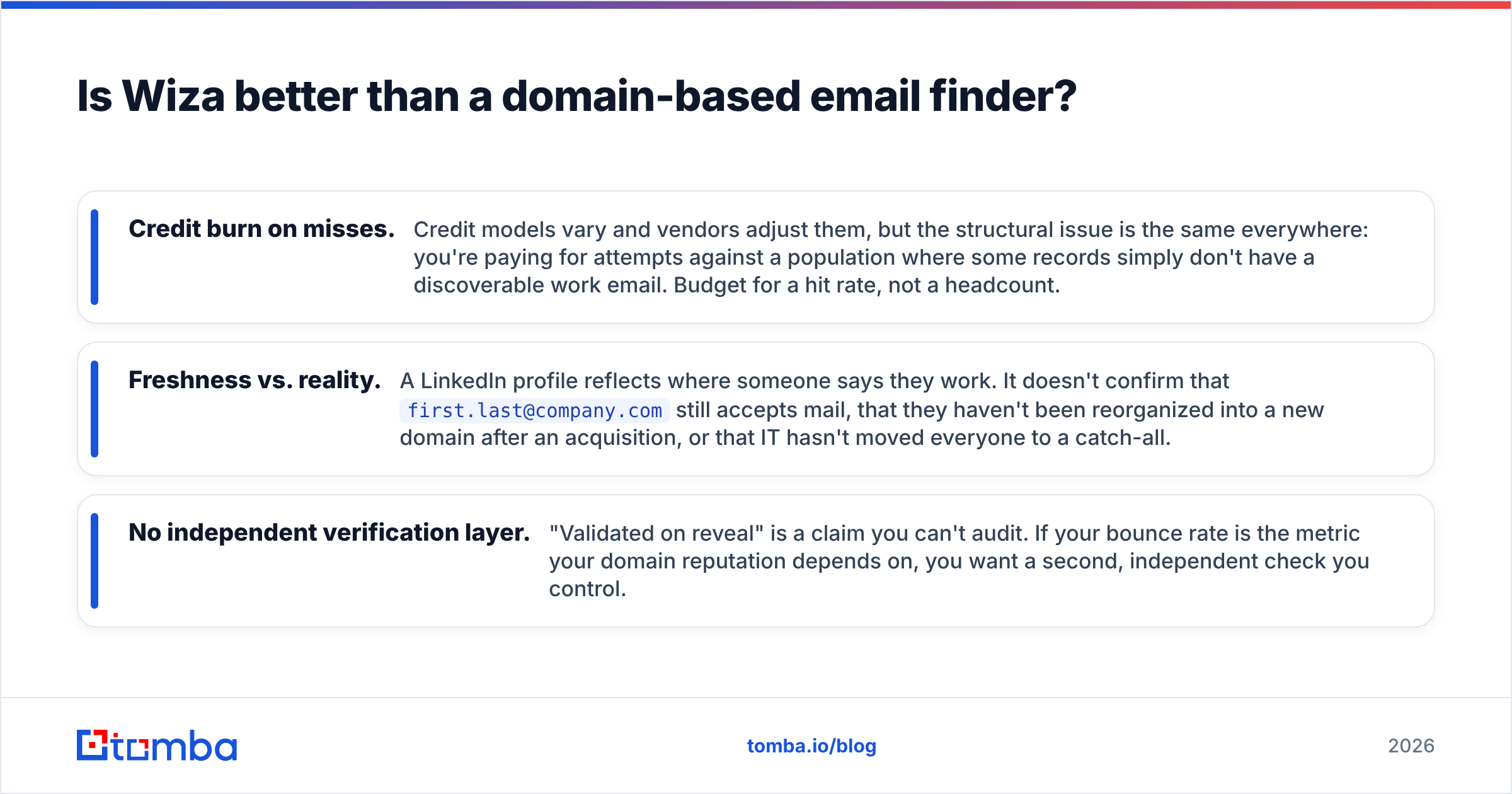
- Credit burn on misses. Credit models vary and vendors adjust them, but the structural issue is the same everywhere: you're paying for attempts against a population where some records simply don't have a discoverable work email. Budget for a hit rate, not a headcount.
- Freshness vs. reality. A LinkedIn profile reflects where someone says they work. It doesn't confirm that
first.last@company.comstill accepts mail, that they haven't been reorganized into a new domain after an acquisition, or that IT hasn't moved everyone to a catch-all. - No independent verification layer. "Validated on reveal" is a claim you can't audit. If your bounce rate is the metric your domain reputation depends on, you want a second, independent check you control.
Domain-based tools invert the workflow. You start with an account list — 400 companies you actually want — run a domain search to see every discoverable mailbox and the company's email pattern, then filter to the roles you care about. It's slower to set up and much better at coverage on companies whose staff aren't LinkedIn-active. For LinkedIn-sourced profiles specifically, a LinkedIn finder bridges the two approaches: profile URL in, verified work email out, without needing the full Sales Navigator dance.
The practical answer for most teams isn't one or the other. It's: use LinkedIn extraction where LinkedIn is strong, use domain search where it isn't, and run everything through the same verification gate before it reaches your sender.
Is GMass better than a dedicated cold email platform?#
GMass beats a full sequencing platform on three axes: cost, simplicity, and deliverability if you use it correctly.
Cost is obvious — you're paying tens of dollars a month, not hundreds. Simplicity is real too: there's no separate app to learn, no sync to debug, and replies land in your normal inbox thread. And because GMass sends through your actual Gmail account via Google's own infrastructure, you inherit Google's sending reputation rather than a shared third-party IP pool.
Where it loses:
- Volume ceiling. You're bounded by Gmail's daily send limits (typically 2,000/day on Workspace, less on free accounts). Multi-inbox rotation is possible but clumsy compared to platforms built for it.
- Sequencing depth. GMass does auto follow-ups well. It does not do multi-channel branching, task queues, or the kind of conditional logic a 12-touch enterprise sequence needs.
- No native data layer. You bring the list. Always.
- Reporting is basic. Opens, clicks, replies, bounces — fine for a solo founder, thin for a sales manager running six reps.
If you send under 500 emails a day, live in Gmail, and want replies in your normal inbox, GMass is hard to beat on value. If you're running a team of SDRs against a shared pipeline, you'll outgrow it.
What does the right stack actually look like?#
Three layers, and you need all three. Skipping the middle one is the single most common — and most expensive — mistake in outbound.
Layer 1 — Data. Pick your source based on where your ICP is findable. LinkedIn-extraction tools like Wiza for LinkedIn-native audiences. Domain search and email finding for everything else. A bulk email finder for when you have a list of names and companies from a conference, a trade directory, or a customer export.
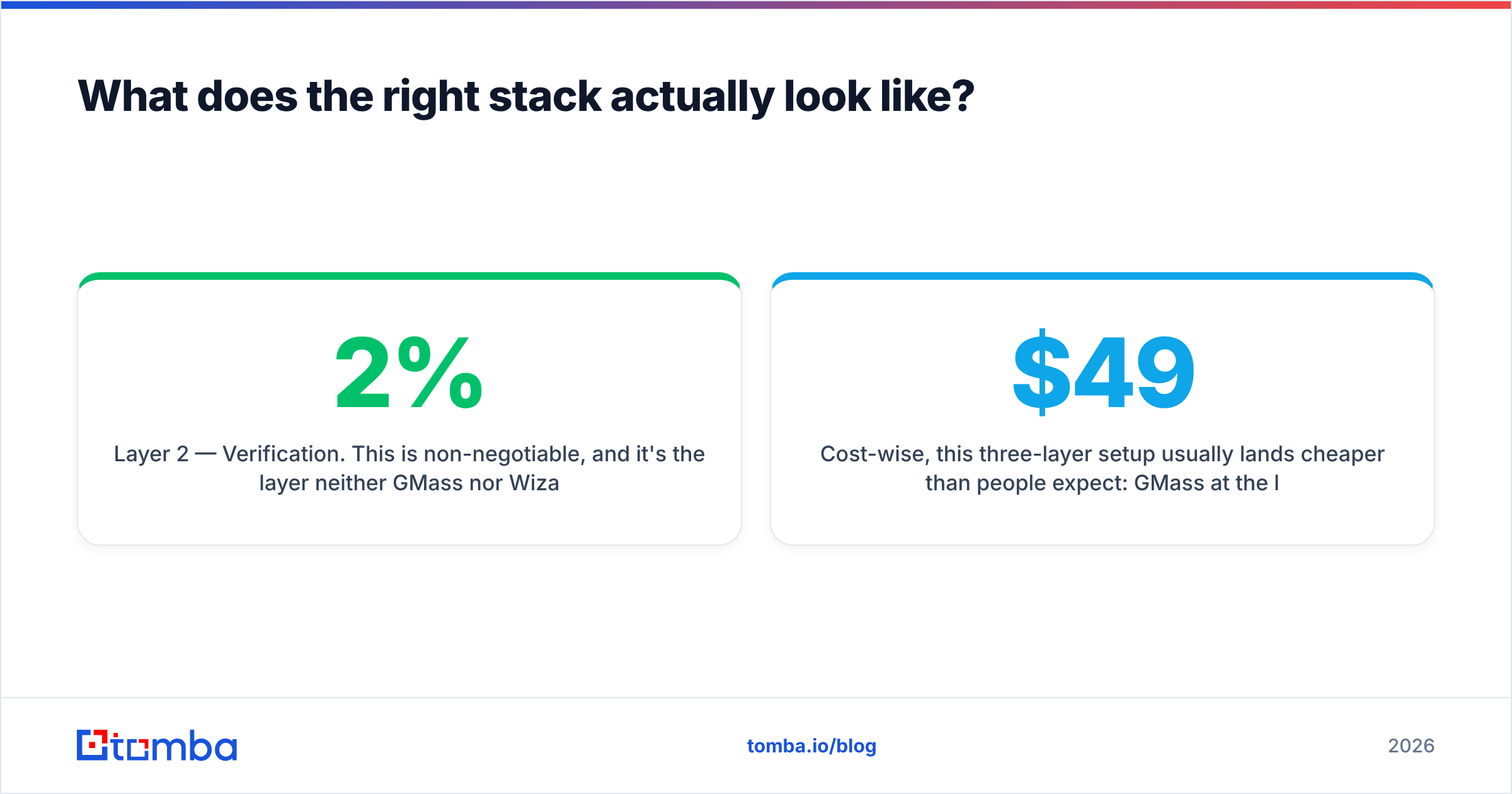
Layer 2 — Verification. This is non-negotiable, and it's the layer neither GMass nor Wiza owns properly. Every address gets checked before it enters a sending tool. That includes catch-all domains, which are where most "verified" lists quietly fail — a catch-all accepts everything at the SMTP handshake, so naive verifiers mark it valid and you find out it was a dead alias three weeks later, after your email deliverability has already degraded. A dedicated catch-all verifier is the difference between a 2% bounce rate and a 14% one.
Layer 3 — Sending. GMass if you're Gmail-first and under a few hundred sends a day. A dedicated sequencer if you're running a team. Either way, warm the domain properly, keep daily volume boring, and monitor bounce rate as a leading indicator rather than a lagging one.
Cost-wise, this three-layer setup usually lands cheaper than people expect: GMass at the low tens per month, a data + verification provider at Tomba pricing starting at $49/mo for Starter or $99/mo on Growth, and no sequencing platform bill at all. Compare that against a single all-in-one seat at $99-$149/user/month and the math frequently favors the assembled stack — with the bonus that you can swap any layer without migrating the other two.
Which should you buy first: GMass or Wiza?#
Answer the two questions below honestly.
Do you have a list you'd bet your domain on? If yes, buy the sender. GMass, this month, done. Your bottleneck is throughput, not data.
Do you have a mailbox you're already sending from? If yes and your problem is that you run out of people to contact by Wednesday, buy the data layer. But don't stop at extraction — pair it with verification, or you've just bought a faster way to generate bounces.
Some concrete profiles:
- Solo founder, 100 emails/week, ICP is on LinkedIn. GMass + LinkedIn extraction + verification. Total under $100/month. This works.
- Agency running outbound for five clients. Skip Wiza's per-seat credit math; you want a per-record API you can automate. Use a Tomba API integration to enrich and verify programmatically, then send from client-owned domains.
- Sales team of 4+ SDRs. GMass will strain. Get a real sequencer, keep the data and verification layers independent so you're not locked into whatever list quality the sequencer's bundled database happens to offer.
- Non-LinkedIn ICP (manufacturing, local services, public sector, most of APAC). Wiza's coverage will disappoint you. Start from company domains instead.
For an outside read on both tools before you commit, G2's category listings carry enough verified reviews to spot the recurring complaints — and the recurring complaints, not the marketing pages, are what you're actually buying. Check GMass's own docs for current Gmail sending limits too; they change more often than you'd think.
The bottom line#
GMass vs Wiza is a false binary. GMass is a good, cheap sending layer for Gmail-first senders under moderate volume. Wiza is a competent LinkedIn extraction layer if your buyers live on LinkedIn and you've budgeted for credit burn. Neither one is a complete outbound stack, and neither one protects you from the thing that actually kills campaigns — sending to addresses that don't exist.
Fix that layer first. Everything downstream gets easier: fewer bounces, better inbox placement, higher reply rates on the same list, and a domain that's still usable next quarter.
Start with the data you can trust. Tomba Email Finder finds professional email addresses by domain, name, or company — and every result runs through the same verification pipeline before it reaches you, catch-all domains included. Free tier gives you 25 searches a month to test coverage against your own account list; Starter is $49/mo when you're ready to scale. Run 50 of your real target companies through it, compare the hit rate to whatever you're using now, and let the numbers decide.
Related guides#
Ready to find emails that actually work?
Join 150,000+ professionals who stopped guessing and started sending. Free credits on signup — no credit card required.
Get the Tomba newsletter
Practical outbound tactics and product updates — once every two weeks.
About the author